Let’s be real—spending thousands on actors or wasting ten hours on a single edit is a fast way to kill your blog’s ROI. You’re likely caught in the Pictory AI vs Vidnoz AI debate because you need a shortcut to professional content without the traditional overhead.
I’ve tested both for faceless YouTube automation and content repurposing, and frankly, they aren’t even targeting the same type of creator.
One is an undisputed beast for turning long-form articles into social clips, while the other leans hard into AI avatars and voice cloning to build digital spokespeople. If you’re hunting for the best AI video generator 2026 offers, stop scrolling through generic Pictory alternatives.
This isn’t just another Vidnoz AI review; it’s the specific data you need to scale your production.
Quick Verdict: Who Wins for What? (Comparison Table)
If you don’t have time to read the full breakdown, here is the cheat sheet. I’ve run both tools through the ringer—from generating social media clips to creating full-blown explainer videos.
| Feature | Pictory AI | Vidnoz AI |
|---|---|---|
| Best For | Content Repurposing (Blog-to-Video) | Avatar-Led Presentations & Sales |
| AI Avatars | No (Stock footage only) | 1,900+ Realistic Avatars |
| Free Plan | 14-day Free Trial (limited) | Free Forever (3 min/day, no credit card) |
| Stock Library | 12M+ Assets (Getty/Storyblocks) | 2,800+ Templates (Avatar-focused) |
| Voice Cloning | Yes (via ElevenLabs integration) | Yes (High quality & instant) |
| Languages | 29+ Languages | 140+ Languages (Lip-sync supported) |
| Video Duration | Long-form (up to 20 mins+) | Short-form (Free) / Scalable (Paid) |
The Bottom Line: If you want to turn a 2,000-word blog post into a video without showing your face, Pictory AI is your tool. If you need a “human” spokesperson to sell a product or teach a course, Vidnoz AI wins hands down.
What is Pictory AI? The King of Content Repurposing

I’ve used Pictory AI extensively for my own niche sites, and its superpower is obvious: it reads your text and finds the visuals for you. It doesn’t try to be a virtual human studio; it tries to be a super-fast video editor.
Core Use Case: The Best Blog to Video AI Converter?
This is where Pictory crushes the competition. You paste a URL, and within minutes, the AI scrapes your content, summarizes it, and matches stock footage to every sentence. For bloggers and publishers, this is a goldmine. You aren’t starting from scratch; you are recycling assets you already own into YouTube or TikTok gold.
Script to Video Workflow: How it Works
The “Script to Video” feature is the bread and butter for faceless YouTube automation channels. You upload a script, and Pictory’s AI highlights keywords and pulls relevant clips from Storyblocks and Getty Images.
- Pro Tip: The auto-matching is about 80% accurate. You will need to spend 5–10 minutes swapping out a few clips, but it’s still hours faster than Premiere Pro.
Auto Captions and Video Highlights Analysis
If you record Zoom interviews or webinars, Pictory’s “Edit Video Using Text” feature is brilliant. It transcribes your upload, and you edit the video by deleting text from the transcript. It also auto-generates captions, which is non-negotiable for social media where 85% of videos are watched on mute.
What is Vidnoz AI? Your Free AI Video Generator with Avatars
Vidnoz AI feels different the moment you log in. It’s not just matching clips; it’s building a virtual production studio. Their aggressive push into “Free AI Video” isn’t just marketing fluff—they actually let you use the tool daily without paying.
Exploring the 1,900+ Realistic AI Avatars
This is the “wow” factor. Vidnoz offers over 1,900 avatars, ranging from casual YouTubers to corporate doctors.
- Realism Check: In my testing, the avatars are surprisingly fluid. The lip-sync matches the audio tempo well, though you can still spot the “AI” gloss if you look closely. For training & development or sales videos, it’s more than convincing enough.
Testing the Voice Cloning and AI Voiceover Quality
Vidnoz claims to let you “clone your own voice online with AI,” and it works surprisingly fast. You record a short sample, and the AI mimics your tone. Combined with their 140+ languages, you can effectively make your avatar speak fluent Spanish or Mandarin even if you only speak English. This is a massive win for global marketing teams.
A Look at the Vidnoz AI Free Plan Limits
Unlike Pictory’s time-limited trial, Vidnoz offers a “Free Forever” tier. You get 3 minutes of video generation every single day.
- The Catch: It comes with a watermark and lower resolution (720p). But for testing or very small personal projects, it’s unbeatable value compared to paid-only competitors.
Feature Breakdown: Pictory AI vs Vidnoz AI Head-to-Head
Ease of Use & User Interface for Beginners
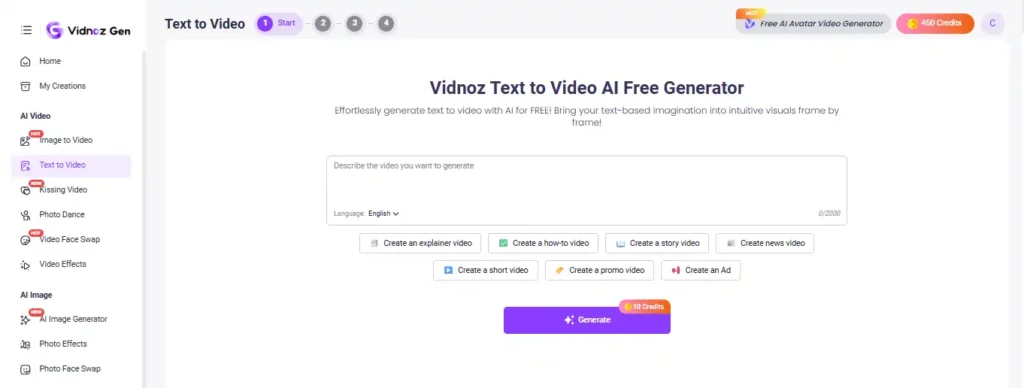
Vidnoz AI mimics tools like Canva. You pick a template, drag an avatar, and type text. It’s incredibly intuitive for beginners.
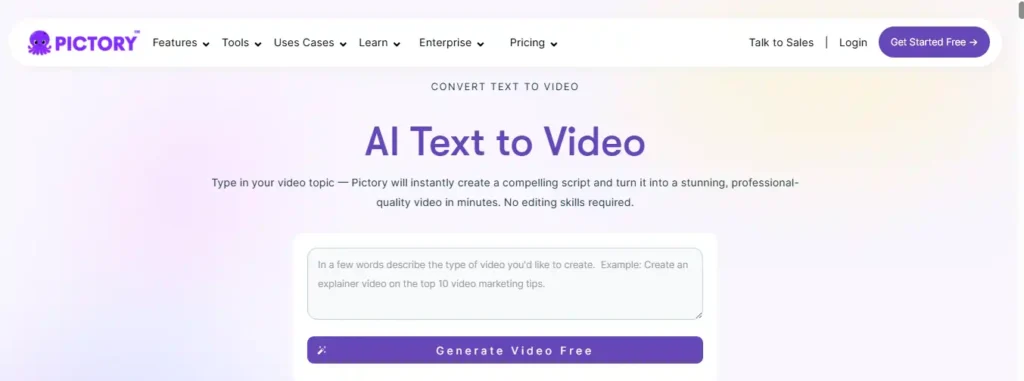
Pictory is slightly more technical because you are dealing with timelines and scene matching. It’s easy, but there is a slight learning curve if you’ve never edited a video before.
AI Voices & Lip Sync Technology
- Pictory: Uses ElevenLabs voices (which are amazing) but they are just voiceovers. There is no face to sync with.
- Vidnoz: Syncs the voice to the avatar’s lips. The technology here is impressive for the price point, handling pauses and emphasis better than older tools.
Stock Footage Library & Video Templates
Pictory AI wins on B-roll. Access to Getty Images and Storyblocks means you have millions of cinematic clips at your fingertips.
Vidnoz wins on Video Templates. They have 2,800+ pre-made layouts for “Breaking News,” “Sales Pitch,” or “Employee Onboarding”. If you need a slide-deck style video, Vidnoz is faster.
Customization, Branding, and Watermark Control
Both allow you to upload logos and custom fonts. However, Pictory gives you more granular control over branding your subtitles and intro/outro scenes, which is critical for keeping a consistent brand look across a YouTube channel.
Use Case Showdown: Which Tool is Right For YOU?
For Bloggers & Publishers: The Content Repurposing Choice
If you have a blog and want to capitalize on video SEO, choose Pictory. The ability to turn a URL into a video in minutes is unmatched. Vidnoz can’t “read” a blog post and visualize it the same way.
For Faceless YouTube Automation Channels
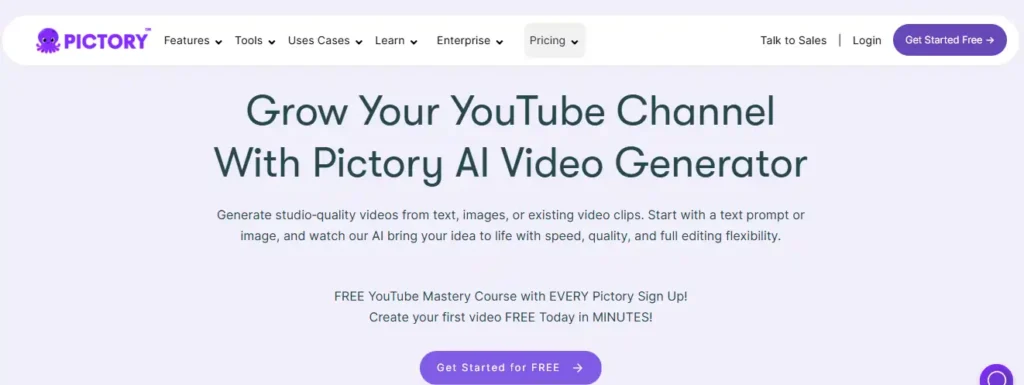
Pictory AI is the industry standard here. You can churn out 10-minute documentaries using stock footage without ever showing your face. Vidnoz is less suitable here because watching an AI avatar for 10 minutes can get uncanny/boring.
For Marketers & Sales Teams: Creating Explainer Videos
Vidnoz AI is the winner. Sending a personalized video message where an avatar says the prospect’s name increases conversion rates significantly. It’s cheaper and faster than recording yourself 50 times.
For Online Course Creators & E-Learning
Vidnoz AI takes this category. You can create a “teacher” avatar and just update the script whenever your course material changes. No need to re-hire actors or set up lights again.
Pricing & Value for Money: Which is a Better Investment?
Pictory AI Pricing Tiers Explained
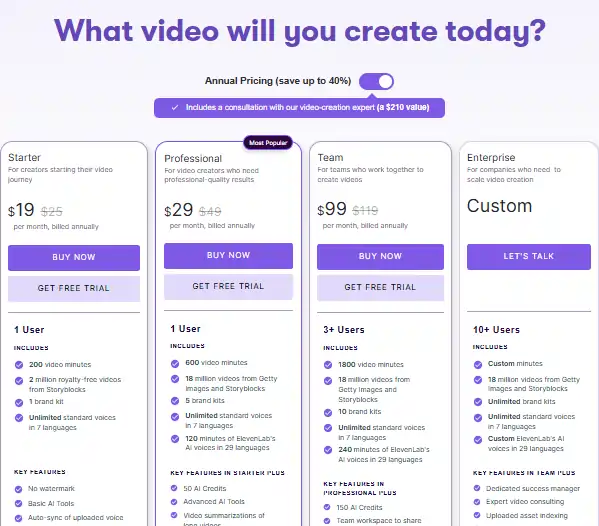
Pictory AI recently updated their pricing for 2026, and if you plan to upgrade, you don’t have to pay full price.
- Starter: Around $19/month (annual). Good for 30 videos/month.
- Professional: Around $39/month. This opens up more voice options and the bulk of the stock library.
- Value: It feels pricey if you aren’t making volume, but for a YouTuber making $500+/month, it pays for itself instantly.
- Exclusive Deal: Use code CABF20 at checkout to get 20% OFF your subscription permanently.
Vidnoz Pricing vs The Free Forever Plan
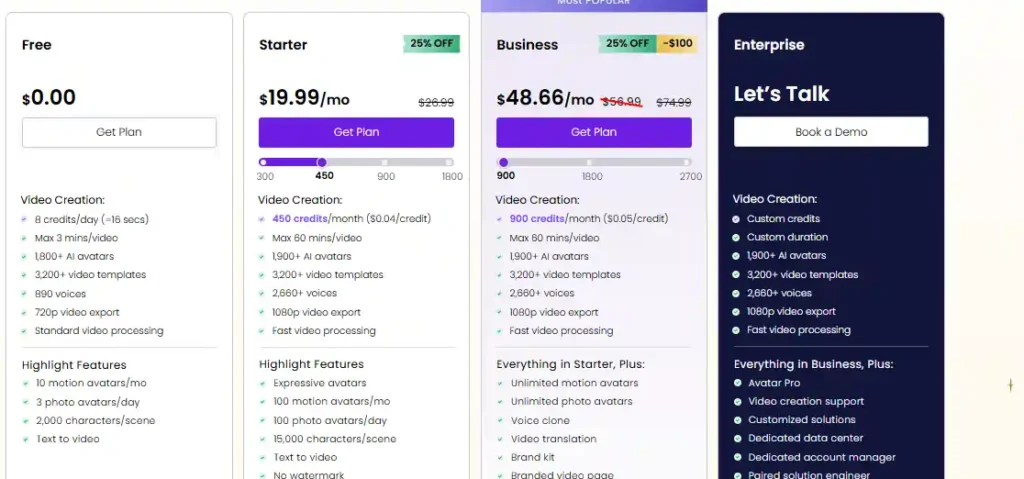
Vidnoz updated their pricing structure, and it’s now credit-based (1 credit = 2 seconds of video). Here’s the real breakdown:
- Free: $0 forever. 8 credits/day (16 seconds total), watermarked, 720p, max 3 min/video.
- Starter: $19.99/mo (or $14.99/mo with 25% annual discount). 450 credits/mo (~15 min), 1080p, no watermark.
- Business (Most Popular): $48.66/mo (was $56.99, now discounted). 900 credits/mo (~30 min), voice cloning, team features.
- Enterprise: Custom pricing for high-volume teams.
Exclusive Deal: Slash these by 20% more with code AIiblogfirst20 via this link.
Hidden Trap: Charges by the credit (not minute). Long videos or multiple exports burn credits fast. Pictory’s video limits are often more generous for bloggers.
Uncovering Hidden Costs & Commercial Rights
Both platforms grant commercial rights on paid plans. However, be careful with music. Pictory’s library is copyright-cleared, but with Vidnoz, always double-check if the background track provided in a template is safe for YouTube monetization.
The Real Winner? Here’s My Final Call
After testing both, here is my professional take:
- Buy Pictory AI if: You are a blogger, YouTuber, or marketer who needs to turn text into rich, stock-footage-based videos. It is the best tool for repurposing content and Faceless channels. (Don’t forget code CABF20 for 20% off).
- Buy Vidnoz AI if: You need a virtual presenter, sales videos, or training materials. The avatars are great, and the free plan lets you test it without risk. (Use code AIiblogfirst20 for 20% off).
Don’t overthink it. If you need a face, go Vidnoz. If you need footage, go Pictory.
FAQs: Your Pictory vs Vidnoz Questions Answered
Is Vidnoz AI actually free to use?
Yes, Vidnoz has a genuine free plan that resets daily. You get 3 minutes of video generation every day, though it comes with a watermark and 720p resolution.
Does Pictory have realistic avatars?
No, Pictory does not use AI avatars. It focuses on compiling stock footage, images, and text animations. If you need avatars, you must use a tool like Vidnoz or HeyGen.
Which is better for YouTube, Pictory or Vidnoz?
For “Faceless” channels (documentaries, top 10 lists), Pictory is better because of its stock library. For personal brand channels where you want a “host” but are camera shy, Vidnoz is the better choice.
Can I find a good Pictory alternative for talking head videos?
Yes, Vidnoz AI, HeyGen, and Synthesia are the top alternatives for talking head videos. Pictory is not designed for this style.
What is the best AI tool to turn text into video?
Yes, Vidnoz AI, HeyGen, and Synthesia are the top alternatives for talking head videos. Pictory is not designed for this style.
The Real Winner? Here’s My Final Call
Look, I’ve seen enough “game-changing” tools come and go to know that “best” usually just means “best for your specific workflow right now.”
Choosing between Pictory AI and Vidnoz AI really boils down to whether you need to show a face or tell a story. If you’re sitting on a mountain of blog posts and need them on YouTube yesterday, Pictory is your undisputed workhorse.
But if you’re building a sales funnel that needs a human touch without the studio costs, Vidnoz is the move. Pick one, ship your first video, and let me know in the comments which one actually moved the needle for your traffic.