Most video creators hit the same wall — they want to make high-quality AI videos, but the tools that actually work always seem to sit behind a paywall. Free plans are either too limited, full of watermarks, or disappear after a 7-day trial. It gets frustrating fast, especially when you just want to create content without spending a dime.
The good news? A handful of free AI video generators have quietly gotten very good — good enough for YouTube Shorts, social media clips, and even promotional content. But not all of them are worth your time.
Whether you’re a beginner content creator, a marketer on a tight budget, or someone exploring AI tools for the first time, this guide covers the 5 best free AI video generators that are actually usable in 2026 — no hidden fees, no confusion.
What Makes a Free AI Video Generator Actually Worth Using?
A genuinely useful free AI video generator provides enough core features to create, edit, and export a complete video without forcing an immediate upgrade. Many platforms advertise a free tier, but restrict essential tools right when you are ready to publish.
To determine if an AI video creation platform is actually worth your time, look for three main factors:
- Export capabilities: The tool should allow you to download the final clip to your device, ideally in 720p or 1080p resolution.
- Usable generation credits: A reliable text-to-video AI provides enough daily free credits to test different prompts or finalize at least one short-form video.
- Reasonable watermark policies: While most free video makers include branding, the best tools keep watermarks small or offer ways to bypass them without requiring a credit card.
If a tool blocks downloads entirely or limits you to just three seconds of footage, it is a restricted trial, not a true free plan. Knowing these limits helps you avoid wasting time on the wrong software. Let’s look at the platforms that actually deliver on their free promises.
5 Best Free AI Video Generators at a Glance (Quick Comparison)
| Tool | Core Use | Free Plan Snapshot |
| OpenArt AI | Multi-model video suite | 40 trial credits |
| Pictory AI | Blog-to-video workflow | 3 trial projects |
| HeyGen | AI avatar videos | 1 video monthly |
| AKOOL | Face swap video | Basic free access |
| InVideo AI | Prompt-to-video automation | 4 watermarked exports |
#1. OpenArt AI: Best Free AI Video Generator for Creators in 2026

OpenArt AI is one of the most versatile free AI video generators available right now. Unlike most tools that lock you into a single AI model, OpenArt gives you access to multiple cutting-edge video models — including Seedance 2.0, Kling 3.0 Omni, and Luma — all from one clean dashboard.
That flexibility makes a real difference. Whether you want to generate a cinematic text-to-video clip, animate a still image, sync lip movement to audio, or create a consistent AI character across multiple scenes, OpenArt handles it without switching platforms.
It also goes well beyond video. The platform includes AI image generation, voiceover creation, music generation, image upscaling, and a Smart Shot feature that turns a single prompt into a full cinematic shot plan — making it a complete creative suite, not just a video tool.
Claim Your 15% Off OpenArt Promo Code
Coupon Code: NISHA15
Unlock premium AI video models on OpenArt for less. Use our exclusive reader discount at checkout today!
Pros & Cons
Pros:
- Access to 100+ premium AI video and image models.
- Built-in lip-sync, motion sync, and character consistency tools.
- Free plan includes 40 trial credits with private creations.
- Smart Shot converts one prompt into a full cinematic plan.
Cons:
- Free credits expire after 7 days — not permanent.
- Advanced video models consume credits faster than expected.
💰 Pricing Plans
| Plan | Monthly Price | Annual Price | Credits/Month |
| Free | $0 | $0 | 40 trial credits (7 days only) |
| Essential | $14/mo | $7/mo | 4,000 credits |
| Advanced | $29/mo | $14.50/mo | 12,000 credits |
| Infinite | $56/mo | $28/mo | 24,000 credits |
| Wonder | $240/mo | $120/mo | 106,000 credits |
🎉 Limited Deal: OpenArt is celebrating its 3rd anniversary with 50% off Wonder Annual + unlimited creations on Infinite and Wonder plans — valid until May 15, 2026.
🎯 Best For
Content creators, digital marketers, and bloggers who want one platform for AI video, image, voiceover, and character creation without juggling multiple tools.
🖊️ My Personal Take on OpenArt AI
OpenArt genuinely stands out because it keeps adding powerful new models — Seedance 2.0, GPT Image 2, and Smart Shot — without making the interface complicated for everyday creators.
💡 Why Pick OpenArt AI?
You get access to the world’s most advanced AI video models — Seedance 2.0, Kling 3.0 — completely free to test, all in one place.
2. Pictory AI: Best Free AI Video Generator for Bloggers & Marketers
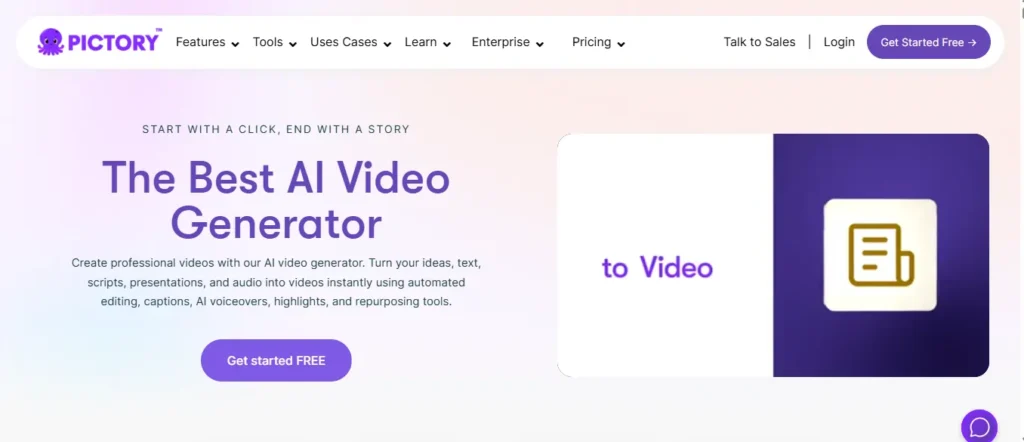
Pictory AI is the ultimate tool for turning long-form content into highly engaging, ready-to-publish videos. Instead of spending hours writing scripts, searching for B-roll, and syncing audio, Pictory automates the entire process. You simply paste a blog post URL, script, or text, and its AI instantly creates a scene-by-scene storyboard.
What makes Pictory stand out is its deep focus on workflow automation. It automatically highlights the most important sentences, finds perfectly matched stock footage, generates accurate subtitles, and applies hyper-realistic ElevenLabs AI voiceovers.
It is incredibly useful for content marketers, educators, and YouTubers who want to recycle their existing articles or podcasts into short-form clips for TikTok, Instagram Reels, and YouTube Shorts without learning complex editing software.
Claim Your 20% Off Pictory AI Promo Code
Turn your blog posts into high-quality videos instantly. Use our exclusive reader discount code at checkout today.
Coupon Code: CABF20
Pros & Cons
Pros:
- Converts blog URLs to videos instantly.
- Auto-generates captions and highlights automatically.
- Massive stock library with ElevenLabs voiceovers.
- Incredibly easy for absolute beginners to use.
Cons:
- Free trial is limited to only 3 video projects.
- Customizing specific scenes can feel slightly rigid.
💰 Pricing Plans
| Plan | Monthly Price | Annual Price | What You Get |
| Free Trial | $0 | $0 | 3 video projects (up to 10 mins each) |
| Starter | $29/mo | $25/mo | 30 videos/mo, 200 video minutes |
| Professional | $59/mo | $35/mo | 600 video minutes, gen AI credits |
| Teams | $119/mo | $119/mo | 3 users, collaborative features |
🎉 Limited Deal: Get up to 40% Off the Pro Annual Plan + 2X AI Credits when you upgrade today.
🎯 Best For
Bloggers, content marketers, and course creators who want to repurpose written content into high-quality videos instantly.
🖊️ My Personal Take on Pictory AI
Pictory is my absolute favorite tool for content repurposing; it saves me hours every week by turning my written blog posts into professional, captioned YouTube Shorts almost automatically.
💡 Why Pick Pictory AI?
If you already have scripts, blogs, or articles, Pictory is the fastest, most reliable way to convert them into monetizable videos.
3. HeyGen: Best Free AI Video Generator for Talking Head Avatars

If your goal is to create professional, camera-facing videos without actually stepping in front of a camera, HeyGen is currently the industry leader. It specializes in hyper-realistic AI avatars and voice cloning, allowing you to generate studio-quality talking head videos just by typing a script.
What makes HeyGen remarkable in 2026 is its new Avatar IV model and Voice Doctor technology. These tools don’t just sync lips to words; they match micro-expressions, vocal pitch, and emotional inflection to your script. Whether you need a high-energy sales pitch or a calm educational tone, the AI adapts perfectly.
For businesses, educators, and faceless channel creators, HeyGen eliminates the need for lighting, microphones, and multiple takes. You can even create a “Digital Twin” of yourself, allowing you to generate new videos of yourself speaking while you are asleep.
Pros & Cons
Pros:
- Unbeatable lip-syncing and natural facial gestures.
- Over 700+ stock avatars and 175+ languages.
- Create your own custom Digital Twin easily.
- Voice Doctor allows precise emotional tone control.
Cons:
- Free plan is limited to only 1 video per month.
- High-end features like 4K are locked behind expensive tiers.
💰 Pricing Plans
| Plan | Monthly Price | Annual Price | What You Get |
| Free | $0 | $0 | 1 video/mo (up to 3 mins), 720p export |
| Creator | $29/mo | $24/mo | Unlimited videos, 1080p, voice cloning |
| Pro | $99/mo | $79/mo | 4K exports, priority processing, premium usage |
🎉 Limited Deal: Get Flat 22% OFF on all HeyGen Annual Subscriptions when you sign up today.
🎯 Best For
Faceless YouTube creators, sales teams, and educators who need studio-quality talking head videos and multilingual translations.
🖊️ My Personal Take on HeyGen
HeyGen’s avatar realism is genuinely unmatched right now; the emotional inflection in the voices finally removes that robotic, stiff feeling that ruins most AI avatar videos.
💡 Why Pick HeyGen?
If you need human connection in your videos but hate being on camera, HeyGen provides the most realistic AI digital twins available.
4. Akool AI: Best Free AI Video Generator for Face Swaps & Translating
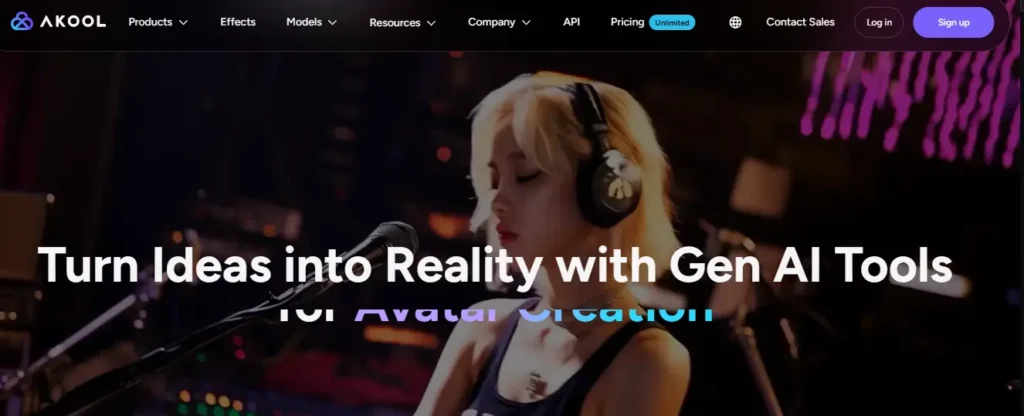
If you are running digital marketing campaigns, e-commerce stores, or social media pages, Akool AI is an incredible, highly versatile tool. It is widely used by Fortune 500 companies because it acts as an all-in-one generative AI suite. It does not just generate video; it excels at AI face-swapping, video translation, and photorealistic avatars.
Akool is famous for its flawless face-swap feature. If you want to put yourself into different environments or change the actors in your promotional videos without reshooting, Akool can do it in 8K resolution. It also features incredible video translation capabilities that automatically sync the lips of the speaker to the new language.
For creators who want to scale their content globally or personalize their marketing assets quickly, Akool saves an enormous amount of time and production cost.
Pros & Cons
Pros:
- Incredible face-swap technology in 8K resolution.
- High-quality video translation with perfect lip-syncing.
- Access to top AI models like Sora, Kling, and Veo.
- Streaming avatars available for real-time engagement.
Cons:
- Free plan features basic capabilities with limited access.
- The credit system can be confusing for new users.
💰 Pricing Plans
| Plan | Monthly Price | What You Get |
| Basic (Free) | $0 | Basic features, limited access |
| Pro | $21/mo | No watermarks, premium support, full features |
| Pro Max | $350/mo | Faster processing, more credits, 45-min videos |
| Studio / Enterprise | Custom | Custom API, team tools, enterprise support |
🎉 Limited Deal: Opt for annual billing to save up to 30% OFF your Akool subscription!
🎯 Best For
Global marketing teams and content creators who need flawless face swaps and multilingual video translation.
🖊️ My Personal Take on Akool AI
Akool’s video translation is the best I’ve tested for global reach; the lip-syncing is so accurate it actually looks like you recorded the video speaking a completely different language.
💡 Why Pick Akool AI?
If you want to effortlessly face-swap images or videos without losing lighting quality, Akool’s precision is practically unmatched right now.
5. InVideo AI: Best Free AI Video Generator for YouTube & Ads
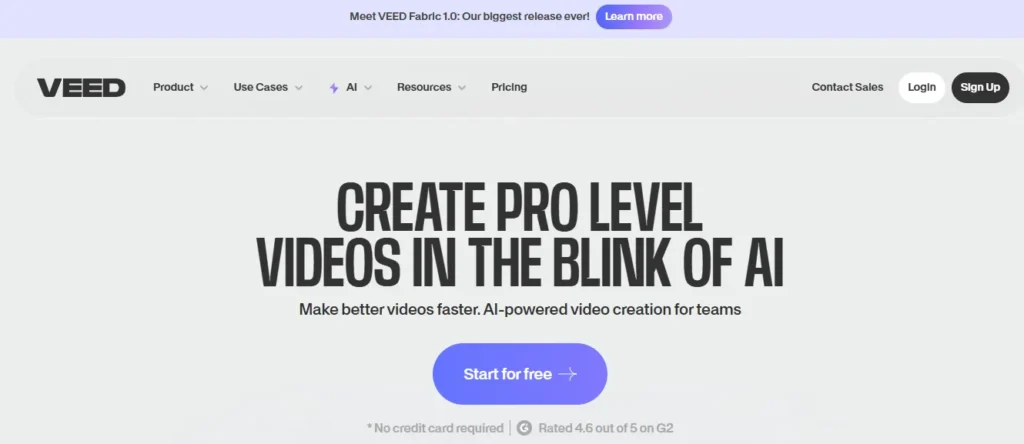
InVideo AI has completely revolutionized how creators and marketers build videos. Instead of juggling a scriptwriter, voiceover artist, and video editor, InVideo AI combines all of these into one platform. You literally just type a prompt—like “Create a 60-second YouTube Short about the history of Rome”—and the AI handles the rest.
In 2026, InVideo is powered by advanced models like OpenAI GPT-4.1, Sora 2, Kling 3.0, and Veo 3.1. It generates the script, sources relevant premium stock footage (from its 16 million+ library), adds an AI voiceover, and even applies subtitles and transitions automatically.
One of its most powerful features is the “Magic Box” text-based editor. If you don’t like a specific scene or want to change the voiceover accent, you don’t have to navigate a complex timeline—you simply type the instruction, and the AI edits the video for you.
Pros & Cons
Pros:
- Text-to-video generation is completely automated.
- Magic Box allows for timeline-free, text-based editing.
- Access to premium AI models like Sora 2 and Veo 3.1.
- Voice cloning and multilingual dubbing built-in.
Cons:
- Free plan videos include an InVideo watermark.
- Heavy reliance on stock footage rather than original generation.
💰 Pricing Plans
| Plan | Monthly Price | What You Get |
| Free | $0 | 10 mins generation/week, 4 exports (watermarked) |
| Plus | $20/mo | 50 mins generation, no watermarks, unlimited exports |
| Max | $48/mo | 200 mins generation, 400 iStock assets, priority processing |
🎉 Limited Deal: Save 20% OFF when you choose any InVideo AI annual billing plan today.
🎯 Best For
YouTubers, affiliate marketers, and ad creators who want to generate complete, publish-ready videos from a single text prompt.
🖊️ My Personal Take on InVideo AI
InVideo AI is my go-to recommendation for beginners because the “Magic Box” editor makes fixing mistakes as easy as typing a text message—no technical editing skills required.
💡 Why Pick InVideo AI?
If you want a true “idea-to-video” workflow where the AI does the writing, voicing, and editing for you in minutes, InVideo AI is currently unmatched.
How to Make an AI Video for Free — Step-by-Step (No Tech Skills Needed)
Generating an AI video from scratch no longer requires a background in video production. Modern text-to-video tools are designed for complete beginners, allowing you to turn a simple idea into a finished clip in minutes without installing heavy software.
While interfaces vary slightly between platforms, the core workflow remains the same across most free AI video makers:
- Step 1: Write your prompt or script. Be specific with your instructions. Instead of typing “a car,” write “a red sports car driving down a neon-lit city street at night, cinematic lighting.”
- Step 2: Select your style and format. Choose your desired aspect ratio, such as 9:16 for vertical YouTube Shorts or 16:9 for standard widescreen. You can often select a visual aesthetic, like photorealistic, anime, or 3D animation.
- Step 3: Generate and export. Click generate and wait for the AI to process the visuals. Once rendered, you can preview the clip, apply minor timeline adjustments, and download the MP4 file directly to your device.
Now that you know how to build a video effortlessly, you might wonder where you can legally publish these clips and whether you can monetize them.
Free AI Video Generators FAQs (Straight Answers)
Is there a completely free AI video generator without a watermark?
Yes, CapCut and Luma Dream Machine offer free tiers where you can download videos without watermarks. Other tools like InVideo or HeyGen require paid plans for watermark removal.
How do free AI video generators actually work?
They use generative AI models (like Sora or Veo) to convert your text prompts, scripts, or existing blog URLs into fully edited videos, complete with stock footage, voiceovers, and subtitles.
Which AI video generator gives the most free credits?
CapCut offers essentially unlimited usage since its core AI tools are built into its free editor. Pika Labs provides 30 daily credits, which is generous compared to standard industry limits.
Can I use AI-generated videos for commercial purposes?
It depends on the tool. Canva and InVideo allow commercial use on free plans, but tools like Pika Labs restrict commercial rights strictly to their paid subscription tiers.
What is the best free AI video maker for YouTube Shorts?
InVideo AI and Pictory AI are the best options. They automatically format videos in a 9:16 aspect ratio, generate fast-paced captions, and add engaging AI voiceovers perfect for YouTube Shorts.
Are free AI video generators good enough for monetization?
Yes. You can monetize AI-generated videos on YouTube, provided the content offers original value and a compelling narrative, rather than just being repetitive, low-effort, or fully automated spam.
What is the best free alternative to Synthesia or HeyGen?
Akool and the free trial of HeyGen are great for talking-head videos. If you need a fully free avatar tool, CapCut’s built-in AI avatars are surprisingly high quality and completely free.
Do I need a powerful computer to make AI videos?
No. All the tools listed (like OpenArt, Pictory, and InVideo) are cloud-based. Processing happens on their servers, meaning you can generate videos using a basic laptop or smartphone.
Start Creating AI Videos Without the Paywall
Creating video content used to require heavy software and hours of frustrating edits. Today, free AI video generators have genuinely changed how we approach the creative process. You no longer need a massive budget to turn a quick idea into a polished visual story.
The tools available right now handle the technical heavy lifting, freeing you to focus entirely on your message. Start small with a simple prompt, test the platforms that catch your eye, and see what fits your workflow naturally. Creativity should never be locked behind a paywall, and thankfully, it no longer is.