Most free AI avatar video generators come with a catch: a watermark, a short export limit, or a daily credit cap. That makes it hard to know which free plan is actually usable before you spend an hour testing it.
This list covers seven free AI avatar video generators that turn a script or photo into a talking presenter video. Each one is reviewed on watermark rules, video length, voice and language support, and whether the free version suits real projects like YouTube videos, training clips, or product explainers.
Free plans change often, so check each tool’s current limits before you commit. Start with the options below to narrow your choice quickly.
Quick Answer: Best Free AI Avatar Video Generator at a Glance
Short on time? These three free AI avatar video generators cover most needs.
- OpenArt AI: Best for creators and marketers. Build a consistent character, add a voice-over, and lip-sync it in one studio.
- Pictory AI: Best for turning blogs and scripts into videos. Start with a 14-day free trial and add an AI avatar presenter.
- Synthesia: Best for business and training videos. Use the free Basic plan with 500 monthly credits and 140+ languages.
Free plans change often, so check each tool’s current watermark and credit limits before you sign up.
What Is a Free AI Avatar Video Generator and How Does It Work?
A free AI avatar video generator is an online tool that turns a script or a photo into a video of a digital presenter who speaks your words. You don’t need a camera, a studio, or on-screen talent. The free plan lets you try the tool before paying, usually with limits on video length, monthly credits, or export quality.
Most tools follow the same three steps:
- You add the input. This is usually a typed script, but some tools also accept a document, a voice recording, or a photo.
- The tool creates the voice and the presenter. You pick a stock avatar or upload your own image, then choose a voice and language. The tool converts your text into speech.
- The video is rendered. The software syncs the avatar’s lip movements and facial expressions to the audio and exports a finished video.
People use these tools for YouTube videos, product explainers, training clips, sales outreach, and social media content.
Free plans differ a lot. Some add a watermark, some cap you at a few minutes per month, and some limit which avatars or features you can use. The sections below explain how we compare these limits so you can pick the right tool.
How We Tested and Ranked the Best Free AI Avatar Video Generators
Every tool in this list is judged on the same five criteria, using the free plan only. This keeps the comparison fair and shows you what you actually get without paying.
Watermark and Export Limits
We check whether free videos carry a watermark, what resolution you can export, and whether downloads are allowed on the free plan.
Free Minutes and Credit Caps
Free plans limit how much you can create. We note the monthly minutes or credits, and whether premium avatar models use up credits faster than standard ones.
Avatar Realism and Lip Sync Quality
We look at how natural the avatar’s face, movement, and mouth timing appear, and how many avatars are included for free.
Voice and Language Support
We compare the number of languages and voices available, including accents that matter to US and UK audiences, and whether voice cloning is offered.
Commercial Use Rights
We check each tool’s terms to see if free-plan videos can be used for business, ads, or monetized YouTube channels.
Pricing and plan limits change often. Each tool’s details were checked against its official pricing page, and you should confirm the current limits before you sign up.
8 Best Free AI Avatar Video Generators in 2026
| Tool | Best For | Free Plan | Starting Price |
|---|---|---|---|
| OpenArt AI | Creators and marketers | Free to start | $14 per seat |
| Pictory AI | Blogs to video | 14-day free trial | $25 per month |
| ElevenLabs | Realistic voiceovers and voice cloning | 10k monthly credits | $6 per month |
| Akool AI | Multilingual translated videos | Watermarked 720p exports | $12 per seat |
| invideo AI | Editing and social content | Confirm at signup | $9 per seat |
| Synthesia | Business training videos | 500 monthly credits | $19 per month |
| Fliki | Faceless social videos | Free forever plan | $28 per month |
| Canva | Editing and branding | 20 free AI uses | Pro $18 monthly |
1. OpenArt AI: Best Free AI Avatar Video Generator for Creators and Marketers
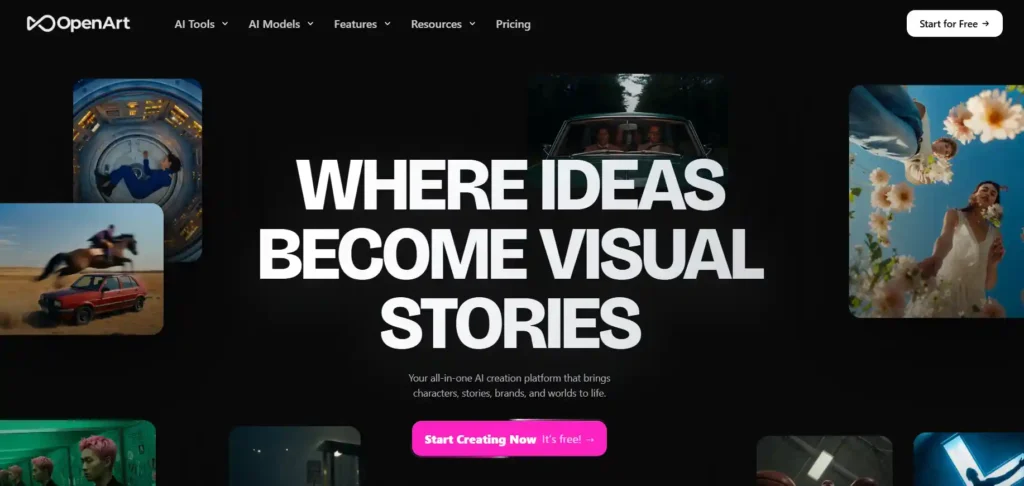
Want a talking avatar video without cameras, studios, or expensive software? OpenArt AI is a free AI avatar video generator that lets you build a consistent character, add a voice-over, and lip-sync it to audio.
Beyond avatars, OpenArt AI gives US and UK creators, marketers, and small businesses a full studio. Dub videos into 24 languages, swap backgrounds, relight scenes, and tap premium image, video, and audio models on paid plans.
Start free, test your idea, and upgrade only when you need watermark-free exports and commercial rights. It is a smart, low-risk way to turn scripts into scroll-stopping videos your audience will trust.
OpenArt AI Coupon Code: Get 15% Off
Use code NISHA15 at checkout to save 15% on your OpenArt AI plan and start creating avatar videos.
Key Features
- Lip-Sync Tool: Sync a character’s mouth to your audio and image to make talking videos.
- Character Tool: Create consistent characters so your presenter looks the same across every video.
- Dub Video: Dub videos into 24 languages with optional lip sync for global reach.
- Brand Kit and Voice-Over: Keep visuals consistent and add AI voice-over inside the same workspace.
Pricing Plans: Start free, then upgrade from $14 per seat. Plus is $34, Pro is $56, and commercial rights begin at Plus.
Best For: Creators and marketers making talking avatar, ad, and social videos.
Who Should Use OpenArt AI: US and UK creators, small businesses, and marketers who want avatars, voice-overs, and video editing in one simple creative studio.
Limitations
- Not a dedicated avatar tool; avatars need a character and lip-sync workflow.
- Watermark-free exports start at Starter; commercial use rights begin at Plus.
Rating: ★★★★☆ 4.5/5 – Excellent
Why We Picked OpenArt AI: We picked OpenArt AI because it combines free access, lip-sync, dubbing, and character tools in one studio for faster video creation.
2. Pictory AI: Best Free AI Avatar Video Generator for Turning Scripts and Blogs into Videos
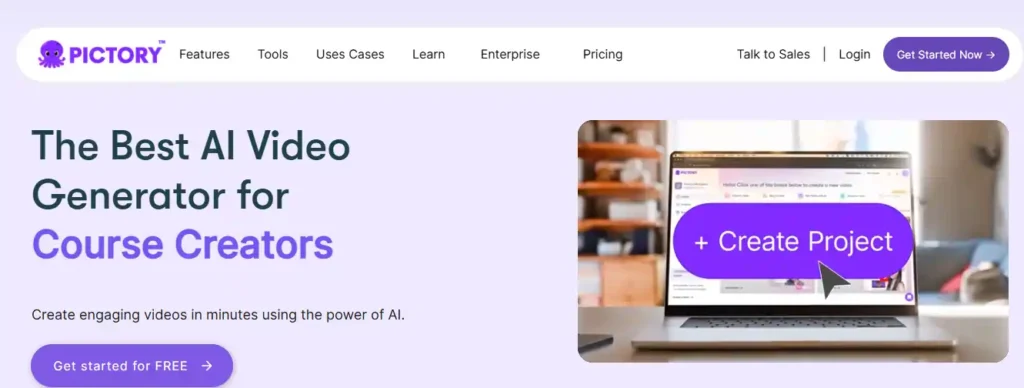
Have a script, blog post, or slide deck but no time to film? Pictory AI turns it into a finished video, complete with an AI avatar presenter, natural voiceover, and automatic captions.
Start with the 14-day free trial, no filming and no editing skills needed. Add your brand colors, logo, and fonts, then export videos sized for YouTube, TikTok, Instagram, or presentations. Creators, educators, and marketers use it to publish more content in less time.
Try it free, see how fast your ideas become video, and upgrade only when you need 1080p exports, longer videos, or custom avatars. It is a low-risk way to build trust with your audience.
Pictory AI Coupon Code: Get 20% Off
Use code CABF20 at checkout to save 20% on your Pictory AI plan and start creating avatar videos.
Key Features
- Avatar Presenters: Add a digital presenter to any scene, then style, position, or hide it.
- Text to Video: Turn scripts, blog posts, URLs, and PowerPoint slides into scene-based videos in minutes.
- Realistic AI Voices: Narrate with ElevenLabs voices in 29 languages, plus voice cloning on higher plans.
- Brand Kit and Captions: Apply your logo, fonts, and colors, with automatic captions and subtitle styles.
Pricing Plans: Try free for 14 days. Paid plans start at $25 per month billed annually, with Professional at $35 and Team at $119.
Best For: Creators and marketers turning scripts, blogs, and slides into avatar videos.
Who Should Use Pictory AI: Creators, educators, small businesses, and marketing teams who want branded avatar videos from text without filming or complex editing.
Limitations
- Free trial caps at 15 video minutes, 720p exports, and 5-minute videos.
- Custom avatars and voice cloning are not included in the Starter plan.
Rating: ★★★★☆ 4.6/5 – Excellent
Why We Picked Pictory AI: We picked Pictory AI because it turns scripts, blogs, and slides into branded avatar videos, with a 14-day free trial.
3. ElevenLabs: Best Free AI Avatar Video Generator for Realistic Voiceovers

Great avatar videos need a voice people believe. ElevenLabs is an AI voice platform with a free plan that gives your avatar videos lifelike speech, voice cloning, and dubbing, plus image and video generation with leading models.
Create expressive speech in 90+ languages, clone your own voice, or explore 10,000+ voices. Then pair the audio with your favorite avatar tool, or generate video clips inside ElevenCreative. Enterprises, creators, and developers already build with it.
Start free with 10,000 credits per month, then upgrade when you need a commercial license or voice cloning. It is a low-risk way to give every video a professional voice.
Key Features
- Ultra-Realistic Speech: Create expressive, controllable speech in 90+ languages, ready to drive your avatar presenter.
- Voice Cloning: Clone your own voice, with Instant Cloning on Starter and Professional Cloning on Creator.
- Voice Library and Design: Explore 10,000+ voices or design a new voice from a simple text prompt.
- Dubbing and Video: Dub content into new languages and create videos with models like Veo, Kling, and Seedance.
Pricing Plans: Start free at $0 with 10k credits. Starter is $6, Creator is $22, Pro is $99, and Scale is $299.
Best For: Creators and marketers needing realistic voices for avatar and video content.
Who Should Use ElevenLabs: Creators, educators, and marketers who want lifelike voiceovers, cloning, and multilingual dubbing to pair with their avatar video tools.
Limitations
- Not a dedicated avatar generator; you pair its voices with another tool.
- Free plan excludes commercial license; paid plans start at $6 monthly.
Rating: ★★★★☆ 4.4/5 – Very Good
Why We Picked ElevenLabs: We picked ElevenLabs because life like voices make avatar videos feel real, and its free plan lets you test quality first.
4. Akool AI: Best Free AI Avatar Video Generator for Translation and Multilingual Videos
Need a talking presenter video in minutes? Akool AI is a free AI avatar video generator that turns your script into a lifelike avatar video, with natural AI voices and translation into 155+ languages.
Pick a public avatar, use a photo avatar, or create your own instant avatar. Then translate, lip-sync, add captions, and export with ready-made templates. Avatars, translation, and face swap sit on one platform, so your team spends less time juggling tools.
Start on the free plan, judge the quality for yourself, and upgrade only when you need watermark-free, higher-resolution videos. It is a confident, low-risk way to grow your video output.
Key Features
- Avatar Videos: Turn scripts into talking videos with public avatars, photo avatars, or an instant avatar.
- Video Translation: Translate videos into 155+ languages with lip-sync, captions, and AI voice selection.
- Streaming Avatar: Run live interactive avatar sessions, with 5 minutes of free streaming time.
- Face Swap and Voice Clone: Clone voices and swap faces, with voice cloning starting on the Starter plan.
Pricing Plans: Start free, then upgrade from $12 per seat monthly. Pro is $30, Pro Max is $59, and Business is $249.
Best For: Marketers and creators making multilingual avatar, translated, and social videos.
Who Should Use Akool AI: Marketers, agencies, educators, and small teams needing avatar videos, translation, and face swap on one platform without filming or editing.
Limitations
- Free videos carry a full-screen watermark, 720p limit, and slow processing.
- Business license starts at the $249 plan; lower plans are personal-use.
Rating: ★★★★☆ 4.4/5 – Very Good
Why We Picked Akool AI: We picked Akool AI for combining avatars, 155+ language translation, and face swap in one platform with a free plan.
5. invideo AI: Best Free AI Avatar Video Generator for Editing and Social Content
Want avatar and marketing videos without a production crew? invideo AI is a video platform with an AI avatar generator and AI agents that turn scripts and ideas into polished videos on a real editing timeline.
Describe your edit in plain words, add AI voices, and shape scenes with storyboarding and a built-in script co-writer. Teams can edit together live, then turn one idea into vertical cuts for every social channel.
Sign up to see your current free access and an extra discount on premium plans. It is a smart, low-risk way to scale your video output with confidence.
Key Features
- Agent Two Editing: Describe edits in plain words and AI agents apply them across your timeline.
- AI Avatar Generator: Turn scripts into videos, with an AI avatar generator listed among its video tools.
- Voice and Audio: Add AI voices, text to speech, and voice cloning, including ElevenLabs models.
- Live Collaboration: Edit together with multiplayer cursors, storyboarding, and a built-in AI script co-writer.
Pricing Plans: Basic is $9 per seat monthly, Pro is $30, and Ultra is $72. Annual billing currently shows 50% off.
Best For: Marketers and creators making avatar, ad, and social videos.
Who Should Use invideo AI: Creators, agencies, and small teams who want AI avatars, scripting, and full timeline editing in one collaborative video studio.
Limitations
- Pricing page lists no free plan; confirm free credits when you sign up.
- Unused credits expire monthly, and Basic excludes Seedance models and full agent access.
Rating: ★★★★☆ 4.3/5 – Very Good
Why We Picked invideo AI: We picked invideo AI because it pairs avatar and text-to-video tools with a full AI-assisted timeline editor and team collaboration.
6. Synthesia: Best Free AI Avatar Video Generator for Business and Training Videos

Need a polished presenter video without cameras, microphones, or actors? Synthesia is a free AI avatar video generator that turns your script into a video with AI avatars and voiceovers in 140+ languages.
Pick a stock avatar, change the outfit and background to match your brand, and generate your video in minutes. Translate for new audiences and publish with a share link. Synthesia is SOC 2 compliant and has over two million users.
Start on the free Basic plan, test your idea, and upgrade only when you need downloads and watermark-free videos. It is a low-risk way to make training and marketing videos people trust.
Key Features
- AI Avatars and Outfits: Choose stock avatars and change outfits and backgrounds to match your brand.
- 140+ Languages: Generate voiceovers and videos in 140+ languages, with translation and dubbing available for global audiences.
- Docs to Video: Turn documents, PowerPoints, or links into polished, on-brand videos in minutes, without filming.
- Interactive Sessions: Run avatar roleplay practice and conversational surveys for training, coaching, and customer research.
Pricing Plans: Start free with 500 monthly credits. Starter is $19 per month, Pro is $89, and Enterprise uses custom pricing.
Best For: Business teams making training, marketing, and sales videos with avatars.
Who Should Use Synthesia: Corporate trainers, HR teams, marketers, and sales teams who want polished multilingual avatar videos without cameras, studios, or actors.
Limitations
- Free videos carry a Synthesia watermark and offer only nine avatars.
- Watermark removal and downloads require a paid plan, starting at $19 monthly.
Rating: ★★★★☆ 4.6/5 – Excellent
Why We Picked Synthesia: We picked Synthesia because its free plan offers 140+ languages, realistic avatars, and business-ready features for quick, professional video creation.
7. Fliki: Best Free AI Avatar Video Generator for Faceless and Social Videos
Want a video presenter without filming a single frame? Fliki is an AI video generator that turns scripts, blog posts, and slide decks into videos with lifelike voiceovers and avatar options.
Choose from 2,000+ voices across 80+ languages, add stock visuals and music, then publish to YouTube, TikTok, and Instagram. Its Digital Twin feature lets you record yourself once and present in many languages. Over 14 million people use Fliki worldwide.
Start on the free forever plan with no credit card, and upgrade only when you need 1080p exports, no watermark, or commercial rights. It is a low-risk way to grow your content with confidence.
Key Features
- Text to Video: Turn scripts, blog posts, or PowerPoints into videos with voiceover, visuals, music, and subtitles.
- AI Avatars: Add presenters to videos, with limited stock avatars on Standard and all avatars on Premium.
- Digital Twin: Record yourself once, then present in 80+ languages with your own face and voice.
- AI Voices and Cloning: Choose 2,000+ lifelike voices in 80+ languages, or clone your own voice.
Pricing Plans: Start free forever with no credit card. Standard is $28 per month, Premium is $88, and yearly billing saves 25%.
Best For: Creators and marketers making faceless, avatar, and social videos from text.
Who Should Use Fliki: Content creators, educators, and small businesses who want avatar videos, voiceovers, and repurposed blog content without filming or editing skills.
Limitations
- Free plan has 3 credits, 720p exports, a watermark, and no avatars.
- Commercial rights and watermark removal require paid plans starting at $28 monthly.
Rating: ★★★★☆ 4.5/5 – Excellent
Why We Picked Fliki: We picked Fliki for its free forever plan, lifelike voices, and flexible text-to-video tools that help creators publish videos faster.
8. Canva: Best Free AI Avatar Video Generator for Editing and Branding Videos
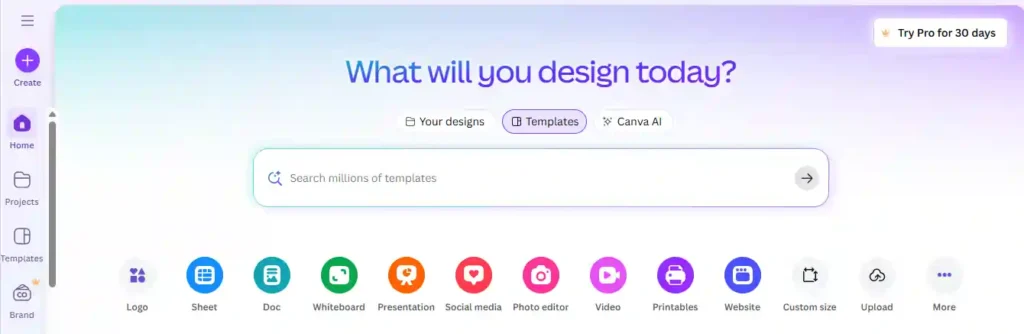
Want to turn an avatar or talking-head clip into a polished, share-ready video? Canva is a free design and video platform where you can edit, brand, and publish your videos in one place, with no design skills needed.
Drag clips, captions, and music onto 1.6M+ templates, then add your colors with a Brand Kit. Use AI tools to resize, translate, and remove backgrounds on Pro. Over 6 million teams already create with Canva.
Start free with up to 20 AI uses, then try Pro when you need premium assets and more AI. It is a low-risk way to make every video look professional.
Key Features
- Drag-and-Drop Editor: Edit videos and designs easily with 1,000+ design types and 1.6M+ templates.
- Stock Library: Add photos, videos, graphics, and audio from 4.7M+ free assets, or 141M+ on Pro.
- Brand Kit: Keep videos on brand with one free Brand Kit, or five Brand Kits on Pro.
- AI Tools: Resize, translate, and remove backgrounds with AI on Pro; Free includes up to 20 AI uses.
Pricing Plans: Start free at $0. Pro is $18 per month, Business is $25 per user monthly, and Enterprise uses custom pricing.
Best For: Creators and marketers polishing, branding, and publishing avatar and social videos.
Who Should Use Canva: Creators, small businesses, and marketers who want to edit, brand, and publish avatar videos with simple templates in one tool.
Limitations
- Not a dedicated avatar generator; you may need a separate avatar tool.
- Free allows up to 20 AI uses; premium assets require Pro.
Rating: ★★★★☆ 4.4/5 – Very Good
Why We Picked Canva: We picked Canva because it helps you edit, brand, and publish avatar videos in an editor with millions of templates.
Free vs Paid AI Avatar Video Generators: What You Get When You Upgrade
Free plans are built to let you test a tool, not run a full video workflow. Paid plans usually remove the limits that get in the way once you start publishing regularly. The exact limits differ by tool, so check each pricing page before you commit.
| Feature | Free Plan (Typical) | Paid Plan (Typical) |
|---|---|---|
| Watermark | Often included | Usually removed |
| Video length | Short clips or a small monthly allowance | Longer videos and higher monthly limits |
| Export quality | Lower resolution on some tools | HD or higher resolution |
| Avatar choice | Limited stock avatars | Larger library, sometimes custom avatars |
| Voice options | Basic voices and languages | More voices, accents, and voice cloning on some tools |
| Commercial use | May be restricted | Often included, so check the terms |
| Support | Community or email | Priority support on higher tiers |
When a Free Plan Is Enough
- You are testing a tool before choosing one.
- You need a short video for a personal project or a quick social post.
- You are learning how AI avatar videos work.
When Upgrading Makes Sense
- You need videos without a watermark for clients or customers.
- You publish videos every week, such as YouTube, training, or marketing content.
- You need longer videos, better resolution, or a custom avatar.
- You plan to use videos commercially.
Tip: Many tools offer a monthly plan you can cancel. Try one month, publish a few videos, then decide if the upgrade is worth it.
How to Choose the Best Free AI Avatar Video Generator for Your Needs
The best free AI avatar video generator is the one whose free plan fits your project. Start with what you need to make, then check the limits.
1. Start With Your Use Case
- YouTube or faceless channels: Look for natural voices and enough video length per month.
- Business or training videos: Prioritize professional avatars, multiple languages, and clear commercial terms.
- Social media content: Choose fast, mobile-friendly tools with short-form formats.
- Photo-to-talking video: Pick a tool that animates your own image.
2. Check the Free Plan Limits
Look for the watermark, maximum video length, monthly credits, and export resolution. These decide whether the free plan is usable or just a demo.
3. Test Avatar and Voice Quality
Check lip sync, facial movement, and how natural the voice sounds. Run the same short script in two or three tools and compare the results.
4. Confirm Commercial Use Rights
If the video is for a business, client, or ad, read the terms. Some free plans only allow personal use.
5. Review Ease of Use and Language Support
A simple editor saves time, especially if you are new. If your audience is in the US or UK, make sure the tool offers natural English voices and accents.
6. Look at the Upgrade Path
Check what the first paid plan costs and what it unlocks, so you are not surprised later.
Quick rule: If a tool passes your use case, limits, and quality test, it is a good fit.
Free AI Avatar Video Generator FAQs
What is the best free AI avatar video generator?
Synthesia, Akool AI, and OpenArt AI are strong picks. The best one depends on your use case, so compare watermark rules, video length, and voice options first.
Is there a free AI avatar video generator without a watermark?
Most free plans add a watermark. Watermark-free exports usually need a paid plan, so check each tool’s current pricing page before you sign up.
Can I make an AI avatar of myself for free?
Yes, on some tools. Photo-based or instant avatars may be limited on free plans, while custom avatars often require paid upgrades. Check each tool’s terms.
Is Synthesia free to use?
Synthesia offers a free Basic plan with 500 monthly credits. Free videos carry a watermark, and downloads and watermark removal require a paid plan.
Can I use free AI avatar videos for commercial use?
Often no. Many free plans allow personal use only. Commercial rights usually start on paid tiers, so read each tool’s terms before publishing for business or ads.
How much does an AI avatar video generator cost?
Paid plans in this list start around $9 to $28 per month, with higher tiers costing more. Prices change often, so verify on official pricing pages.
Are AI avatar videos good for YouTube and marketing?
Yes. Creators use them for faceless YouTube videos, product explainers, and training clips. Pick natural voices and confirm commercial rights before monetizing.
Final Thoughts From Nisha
The best free AI avatar video generator is the one that fits your project, not the one with the longest feature list. Free plans usually come with a watermark, credit limits, or personal-use rules, so test before you commit.
If you want business-ready videos, start with Synthesia. For multilingual content, Akool AI is worth a look. Creators can try OpenArt AI or Fliki.
Pick two tools, run the same short script, and compare the results. Then choose the one that feels right and upgrade only when you need it. Ready to start? Try your first free avatar video today.