Hello my lovely audience, this is Nisha! I’ve been using Pictory AI for the last six months and sharing it often with everyone on this blog.
Many creators open two tabs, Pictory AI and InVideo AI, and still feel stuck. Both promise fast, AI powered video creation, but pricing, templates, and editing ease can confuse even experienced marketers.
Beginners wonder which tool actually saves time. Small business owners wonder which one fits a tight budget. Content creators wonder which platform handles YouTube Shorts and social videos better.
Little differences in features, export quality, and support often decide everything.
Today’s comparison digs into real details behind Pictory AI vs InVideo AI, so every reader gets clear, honest direction before spending money or time on either AI video tool.
Pictory AI vs InVideo AI – Quick Comparison Table
| Feature | Pictory AI | InVideo AI |
|---|---|---|
| Best for | Blog/script to video, repurposing content | Cinematic AI video, ad creatives, storytelling |
| Starting price | $25/month (annual) | $17/month (annual) |
| Free trial | 14 days | Limited free credits |
| AI avatars | Yes (launching/expanding) | Yes, up to 200+ depending on plan |
| Collaboration | Team workspace (Team plan) | Multiplayer real-time editing |
| Video models | Getty, Storyblocks stock + AI Studio | Veo 3.1, Kling 3, Seedance, Nano Banana Pro |
| Max resolution | 1080p | Varies by model, up to 4K on some |
| Ideal user | Marketers, educators, content repurposers | Filmmakers, agencies, ad creators |
Neither tool is objectively “better” in a vacuum — it really depends on what you’re trying to make and how hands-on you want to be with the AI.
What Is Pictory AI?

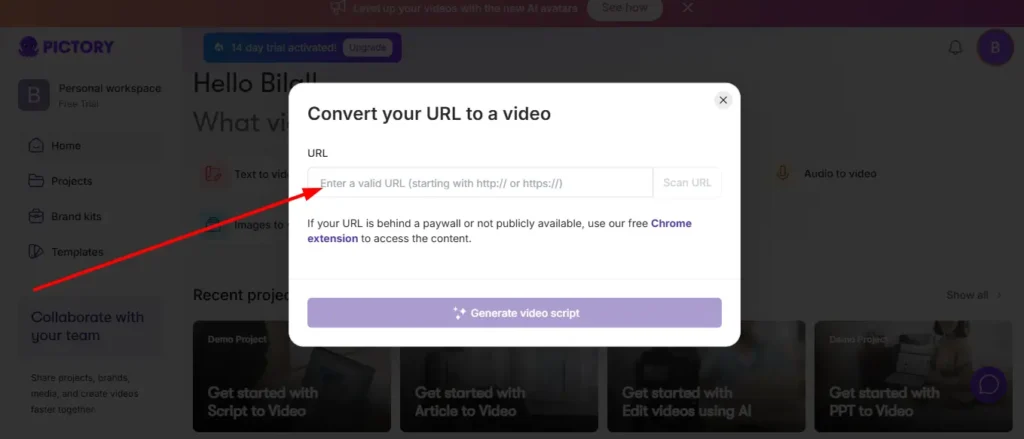
Pictory AI is built around one core idea: take content you already have — a blog post, a script, a PowerPoint, a URL — and turn it into a publish-ready video. It leans heavily on automation, meaning you get a finished draft fast, then refine it.
It’s less about generating cinematic AI footage and more about repurposing existing assets into short, digestible videos. That distinction matters a lot once you actually start using it.
Save 20% on Pictory AI Today
Use code CABF20 at checkout to unlock 20% off your Pictory AI subscription and start creating videos instantly.
Key Features of Pictory AI
- Text, blog, and script to video conversion.
- AI Script Generator for building video scripts from a topic or idea.
- Image-to-video generation using models like Veo 3.1 and Pixverse.
- Auto captions, subtitles, and B-roll insertion.
- Brand kits for consistent fonts, colors, and logos.
- PowerPoint to video conversion (useful for training content.)
Who Should Use Pictory AI
Pictory tends to work best for marketers, course creators, and content teams who already have written material and just need it turned into video quickly. If your workflow starts with a blog post or a script, Pictory shortens that gap significantly.
What Is InVideo AI?
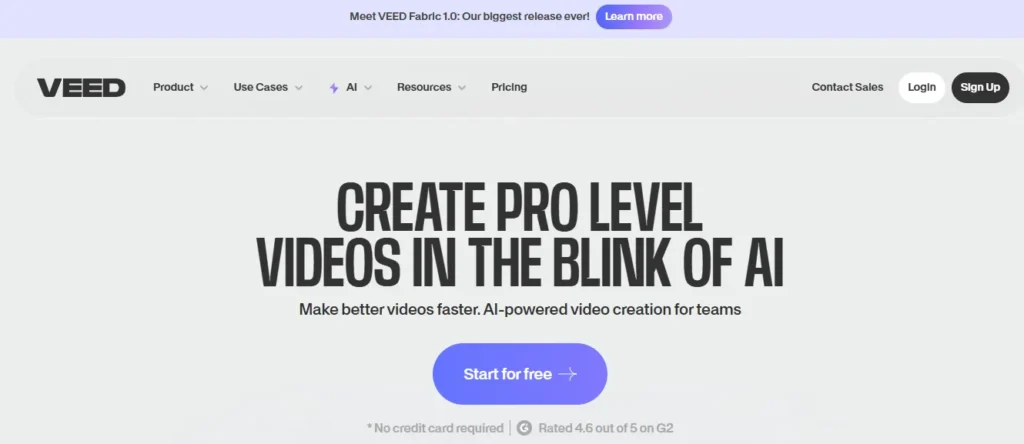
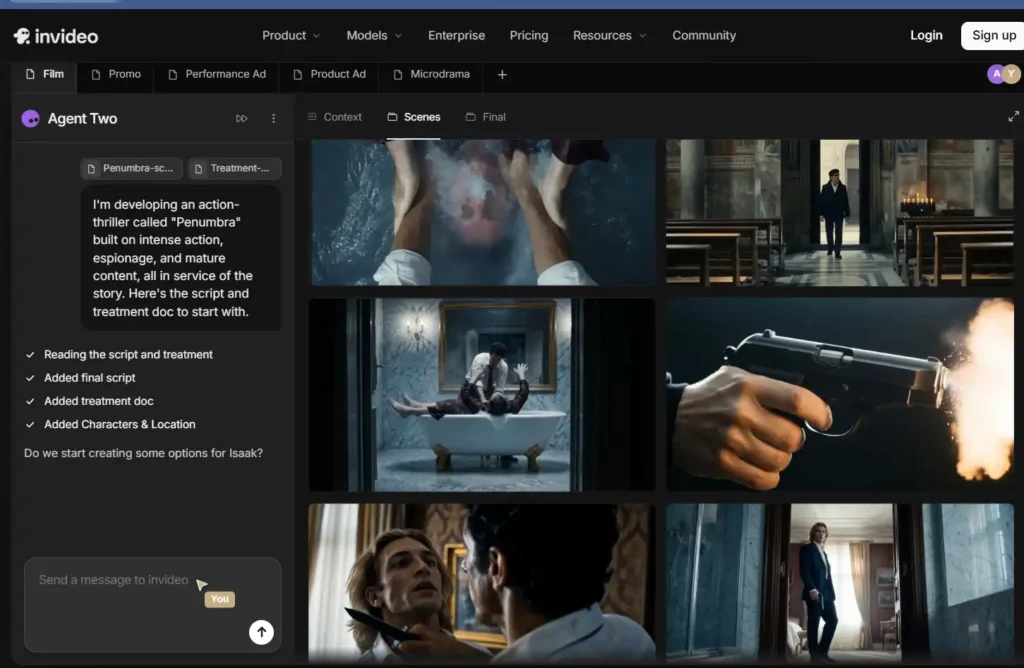
InVideo AI takes a different approach. Instead of just converting existing text into video, it leans into AI-agent-driven creation — you describe a scene or concept, and its agents help plan, generate, and even maintain consistency across multiple shots.
It feels more like directing an AI-assisted production than editing a template. That’s a meaningful shift if you’re used to traditional video tools.
Key Features of InVideo AI
- AI agents with long-term memory of your project (so characters and settings stay consistent.)
- Access to 200+ generative models, including Veo 3.1, Kling 3, and Sora-style tools.
- Multiplayer collaboration with live cursors for teams.
- Storyboarding and script writing built into the same workspace.
- Custom agent roles (cinematographer, colorist, sound designer.)
Who Should Use InVideo AI
InVideo AI suits creators making ad campaigns, microdramas, or narrative-style content where visual consistency across scenes actually matters. It’s also a strong pick for agencies juggling multiple concurrent video projects.
Pictory AI vs InVideo AI: Text to Video Comparison
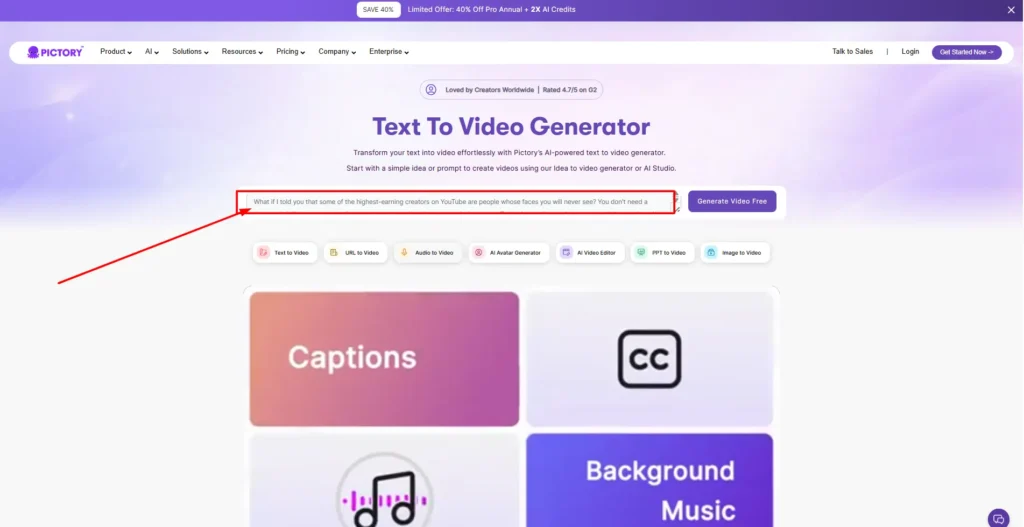
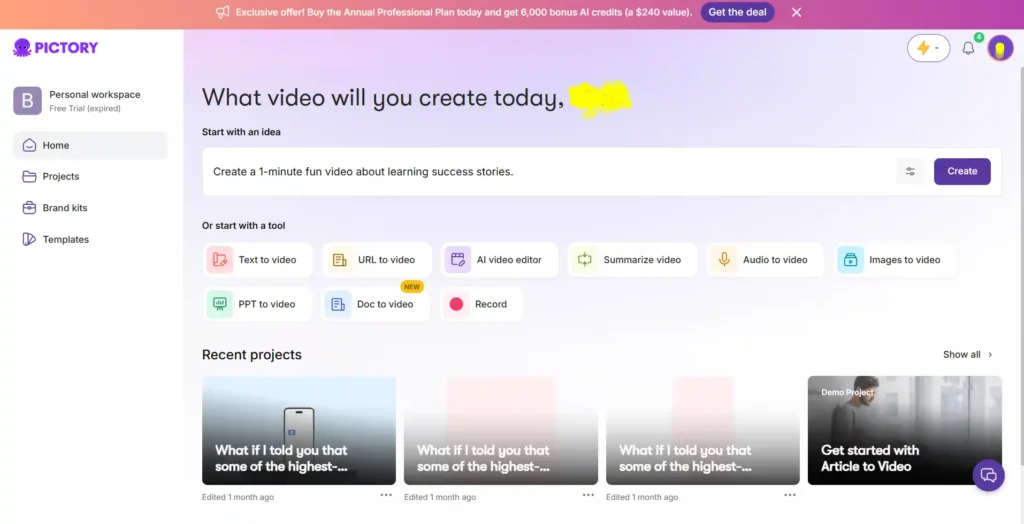
Pictory’s text-to-video engine is built for speed. Paste in a blog post or script, and it segments the content into scenes, matches stock visuals or AI-generated clips, and adds captions automatically. The output is usable almost immediately, though it leans more “template” than “cinematic.”
InVideo AI, on the other hand, treats text-to-video as a starting brief rather than a final draft. Its agents interpret your prompt, suggest a model, and build out a more custom visual sequence — which takes a bit more back-and-forth but produces more distinctive results.
If speed and repurposing are your priority, Pictory wins here. If originality and creative control matter more, InVideo pulls ahead.
Pictory AI vs InVideo AI: Script to Video and AI Script Generator
Both tools include script generation, but they serve different purposes.
Pictory’s AI Script Generator is designed to quickly draft a script from a topic, which then feeds directly into its video engine — useful when you’re starting from nothing but a title idea.
InVideo’s script writing tool works inside a larger storyboard process, with an AI co-writer that helps refine tone and pacing scene-by-scene, which is more suited to narrative or ad-style content than quick explainer videos.
Pictory AI vs InVideo AI: AI Avatars and Voiceovers Compared
This is one area where the gap is fairly noticeable.
Pictory offers realistic AI voices through ElevenLabs in 29 languages, and its avatar feature is expanding but still catching up compared to competitors. Voice cloning is available on higher-tier plans.
InVideo includes a much larger avatar library — up to 200 avatars and voice clones on its top plan — plus access to ElevenLabs for music and voice generation. If avatar-led content (talking-head style videos) is central to your strategy, InVideo currently has more range here.
Pictory AI vs InVideo AI: Templates and Editing Experience
Pictory’s editor feels closer to a traditional video editor with AI shortcuts layered on top — you get a timeline, scene-by-scene breakdown, and drag-and-drop layout controls. It’s approachable if you’ve used tools like CapCut or Premiere before.
InVideo’s editor is closer to a creative studio, with its timeline supporting long-form, multi-hour projects and named tracks (similar to Premiere Pro), plus AI agents you can assign to specific creative roles. It has a steeper learning curve but more depth once you’re comfortable with it.
Pictory AI vs InVideo AI: Image to Video and AI Studio Tools
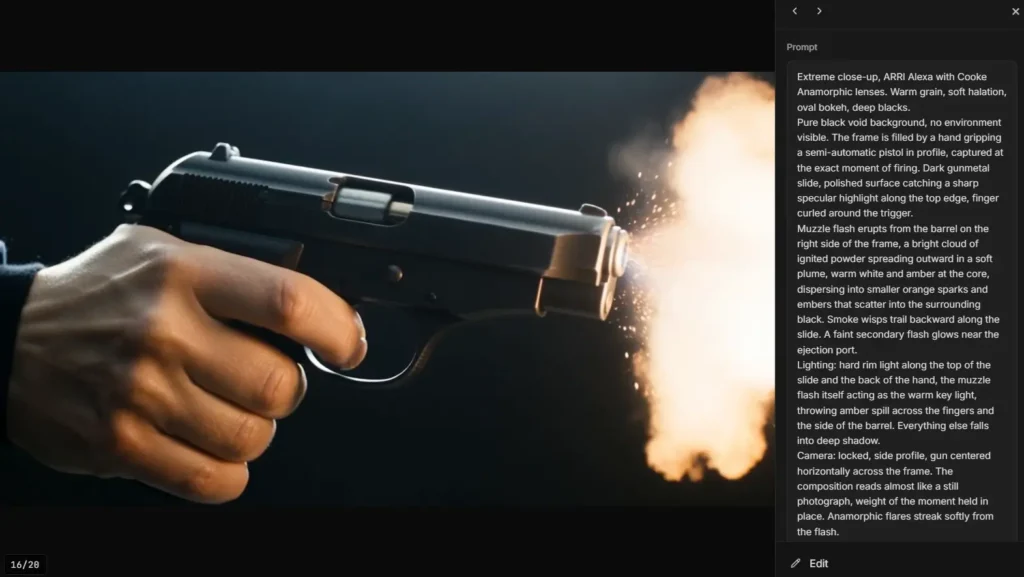
Both platforms let you animate static images into video clips, but the model access differs.
Pictory gives you a curated selection — Pixverse, Veo 3.1, Veo 3.1 Fast, Flux, Seedream, Nano Banana, and Nova Canvas — enough variety for most creators without overwhelming choice.
InVideo goes wider, offering 200+ models across video, image, and audio generation, which is genuinely useful if you’re experimenting with different visual styles, but can also feel like too many options if you just want a fast result.
Pictory AI vs InVideo AI: Collaboration and Team Workflows
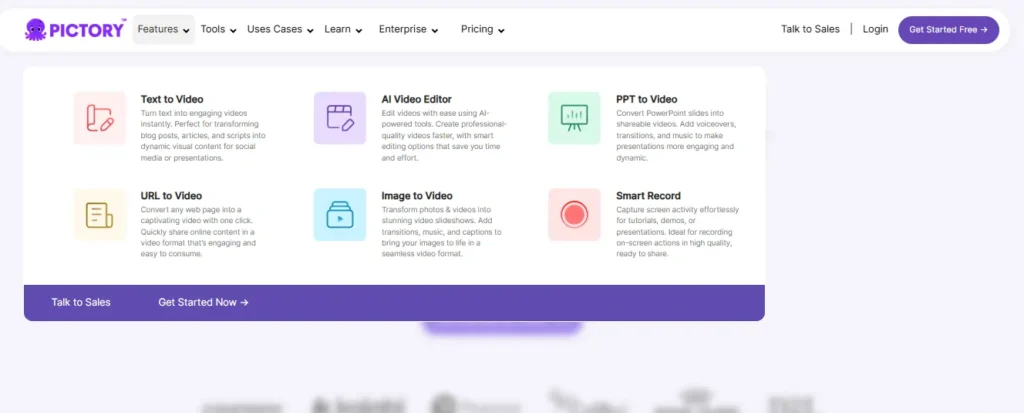
If you’re working solo, this section won’t matter much. But for teams, it’s a real differentiator.
Pictory’s Team plan includes a shared workspace for assets and projects, along with professional onboarding — solid, but fairly standard.
InVideo’s multiplayer mode is more distinctive: live cursors, real-time comments, and the ability to build custom AI agents for specific roles (scriptwriter, editor, colorist) make it feel more like a collaborative production environment than a shared folder.
Pictory AI vs InVideo AI: Supported Platforms and Export Options
Both tools export in the standard aspect ratios — landscape (16:9), portrait (9:16), and square (1:1) — covering YouTube, TikTok, Instagram, and LinkedIn without extra resizing work.
Pictory caps out at 1080p across all plans. InVideo’s resolution depends on which generative model you’re using, with some newer models supporting higher output quality, though this can also mean higher credit costs.
Pictory AI vs InVideo AI: Pricing and Plans Compared
Pricing is where a lot of buying decisions get made, so let’s break it down properly.
Pictory AI Pricing Breakdown
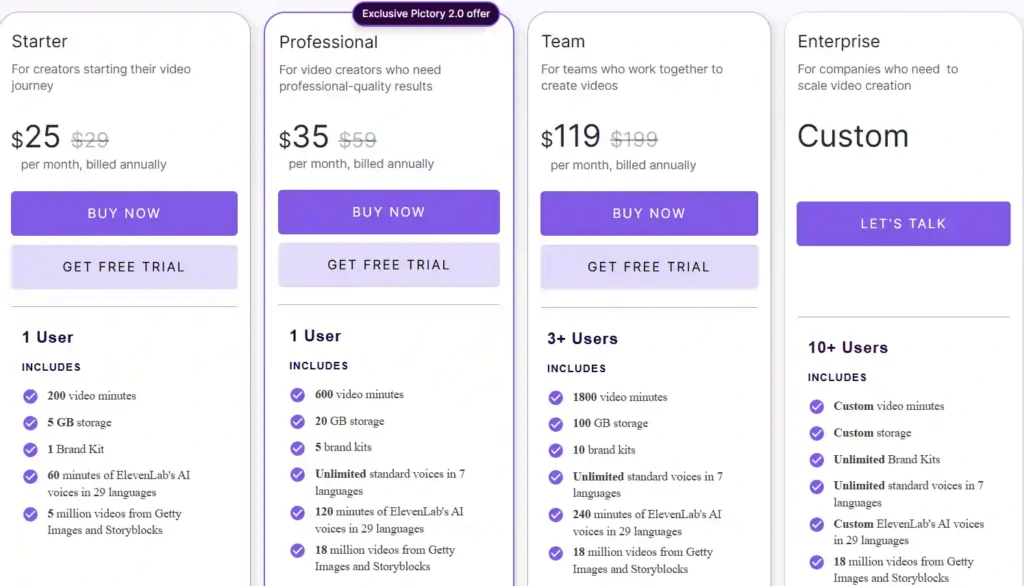
- Starter: $25/month (billed annually) — 2,400 video minutes/year, 5 brand kit, basic AI tools.
- Professional: $35/month — 7,200 video minutes/year, custom avatars, voice cloning.
- Team: $119/month — 21,600 video minutes/year, shared workspace, 10 brand kits.
- Enterprise: Custom pricing, SSO, dedicated success manager.
InVideo AI Pricing Breakdown
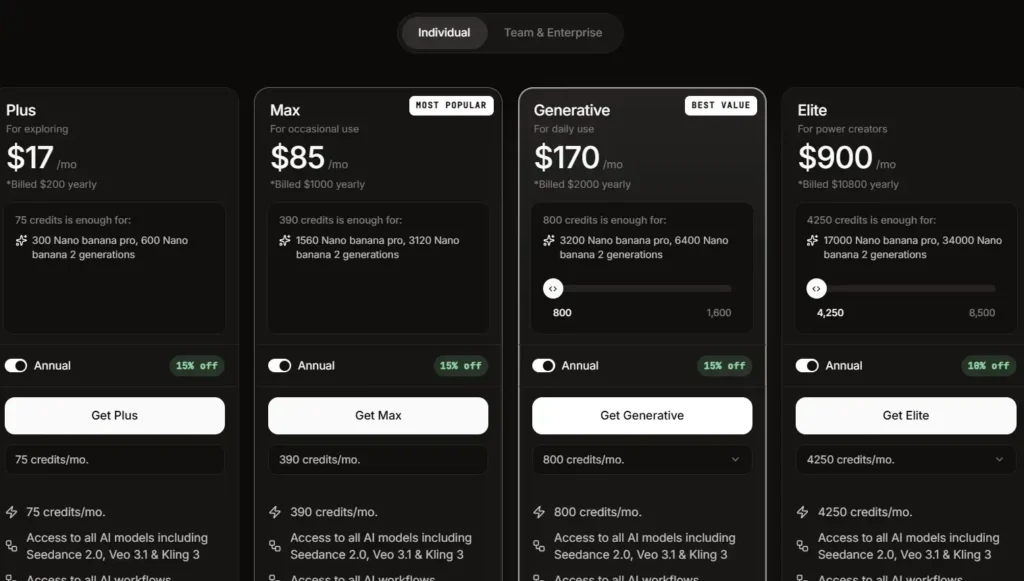
- Plus: $17/month (billed annually) — 75 credits/month, all AI models, 20GB storage.
- Max: $85/month — 390 credits/month, 100GB storage, 2x concurrency.
- Generative: $170/month — 800 credits/month, 2TB storage, 10x concurrency.
- Elite: $900/month — 4,250 credits/month, 10TB storage, 200 avatars.
Which Offers Better Value for Money
For creators making shorter, repurposed content, Pictory’s minute-based pricing is easier to predict — you know roughly how much video you’re getting.
InVideo’s credit-based system can offer more value if you’re using cheaper models, but costs can climb fast if you lean on premium models like Veo 3.1 or Kling 3 regularly. It rewards users who actively manage their credit usage.
Pictory AI vs InVideo AI: Free Trial and Free Plan Comparison
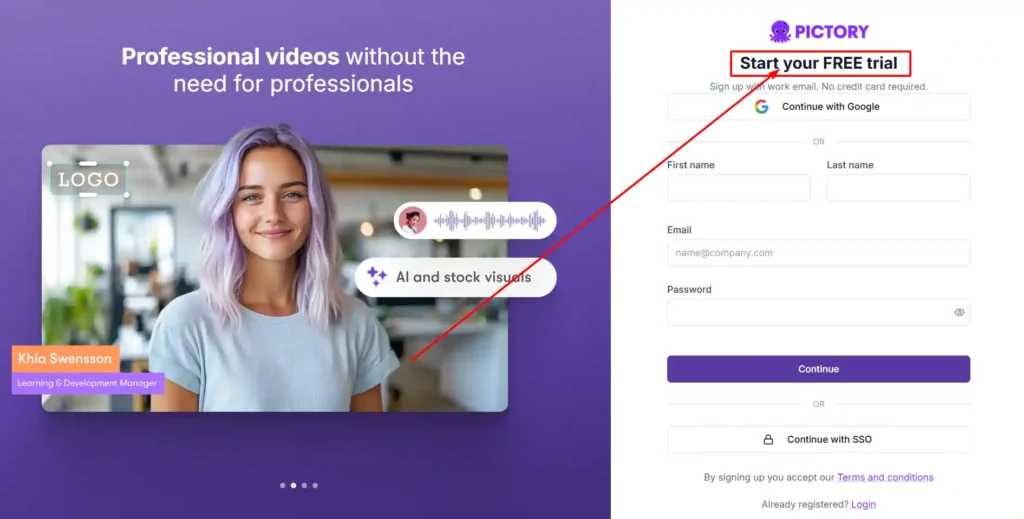
Pictory offers a straightforward 14-day free trial with no credit card required to get started, giving you enough time to test the full workflow.
InVideo doesn’t run a traditional free trial in the same way — instead, new accounts get a limited credit allowance to test features before committing to a paid plan. If you want to fully stress-test avatar and collaboration features, you may hit credit limits faster than expected.
Pictory AI vs InVideo AI: Best Use Cases
Best for Marketing Videos
Pictory is quicker for turning existing marketing copy or landing pages into short promotional videos. InVideo is better suited for polished, ad-style creatives with more visual customization.
Best for YouTube and Social Media Content
Both handle YouTube Shorts and social clips well. Pictory’s blog-to-video feature is a shortcut if you already publish written content regularly.
Best for Corporate Training and Education
Pictory’s PowerPoint-to-video and long-form summarization tools make it a natural fit for training and course content.
Best for Filmmaking and Storytelling
InVideo’s agent memory and multi-shot consistency features clearly target narrative and filmmaking use cases that Pictory isn’t really built for.
Pictory AI vs InVideo AI: Pros and Cons
Pictory AI
- Pros: Fast content repurposing, simple learning curve, predictable pricing.
- Cons: Limited avatar variety, capped at 1080p resolution.
InVideo AI
- Pros: Huge model selection, strong collaboration tools, better for creative/narrative work.
- Cons: Steeper learning curve, credit costs can add up with premium models.
Pictory AI vs InVideo AI: Ease of Use for Beginners
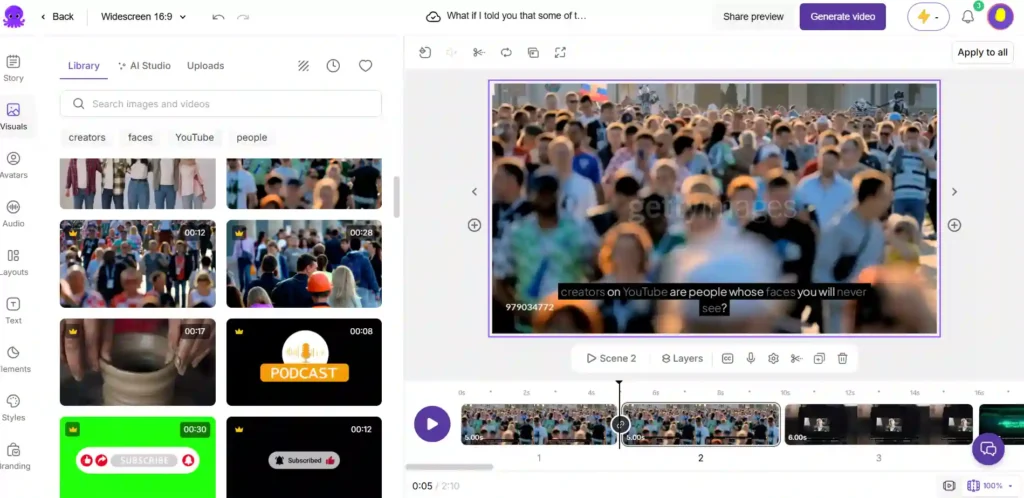
If you’ve never touched video editing software, Pictory is the gentler starting point — its guided 4-step workflow (select generator, build script, customize visuals, export) is easy to follow without a tutorial.
InVideo’s depth is an advantage long-term, but a first-time user might feel slightly overwhelmed by the sheer number of models and agent options available right out of the gate.
Pictory AI vs InVideo AI: Customer Support Comparison
Pictory offers email support on lower plans and priority support on Professional and above, with dedicated success managers reserved for Enterprise customers.
InVideo provides premium 24×7 support on Team plans, plus Slack Connect access for Enterprise clients — a notable perk if your team needs fast turnaround on issues.
Pictory AI vs InVideo AI: Which One Should You Choose?
Choose Pictory AI if you regularly work from existing written content — blogs, scripts, presentations — and want a fast, predictable way to turn it into video without a steep learning curve.
Choose InVideo AI if you’re producing more creative, narrative-driven, or ad-style content and want access to a wider range of AI models with stronger team collaboration built in.
Neither tool is a downgrade from the other — they’re simply optimized for different starting points.
You can also explore our guide on AI script generators if you’re deciding how to build your video’s foundation before picking an editor.
Best Alternatives to Pictory AI and InVideo AI
If neither tool feels like the right fit, it’s worth comparing a few other names in the AI video space, including Veed, Descript, and Steve AI — each with its own strengths depending on whether you prioritize editing precision, captions, or animation-style output.
Pictory AI vs InVideo AI – Frequently Asked Questions (FAQs)
Is Pictory AI better than InVideo AI?
Neither is universally better. Pictory is faster for repurposing existing content into video, while InVideo offers more creative control and model variety for original video production.
Which is cheaper, Pictory AI or InVideo AI?
InVideo’s entry plan starts lower at $17/month versus Pictory’s $25/month, but actual cost depends on usage — Pictory uses video minutes while InVideo uses a credit system that varies by model.
Does Pictory AI or InVideo AI offer a free trial?
Pictory offers a 14-day free trial with no credit card required. InVideo provides limited free credits instead of a traditional trial period.
Can I use Pictory AI or InVideo AI for YouTube Shorts?
Yes, both support vertical 9:16 exports optimized for YouTube Shorts, TikTok, and Instagram Reels.
Which AI video tool is best for beginners?
Pictory’s guided workflow is generally easier for first-time users, while InVideo has more depth but a slightly steeper learning curve.
Is there a discount code for Pictory AI or InVideo AI?
Both platforms occasionally run seasonal discounts on annual plans — checking their pricing pages directly before purchase is the safest way to confirm current offers.
Final Verdict: Pictory AI vs InVideo AI
If your content pipeline starts with words — blogs, scripts, decks — Pictory AI will save you more time with less friction. If you’re building original, visually driven content and need a wider creative toolkit with real collaboration features, InVideo AI is the stronger long-term investment.
Test both during their free trial or credit period before committing annually — the “better” tool really comes down to how you already create content, not which one has more features on paper.