Two AI art generators keep showing up in every creator’s search history, and the confusion around them rarely gets solved. OpenArt vs Ideogram comparisons often stop at surface details like pricing or templates, missing what actually matters for daily creative work.
Some tools handle typography and text rendering better. Others focus on custom model training or artistic flexibility. A beginner testing prompts has different needs than a marketer producing branded visuals at scale, and that gap creates real confusion.
Reviews mention credits, generation speed, and editing tools, but rarely explain how these differences affect actual output quality. Anyone comparing OpenArt and Ideogram right now is likely stuck between conflicting opinions, unsure which platform fits a specific creative workflow or budget.
What Is OpenArt? Key Features Explained
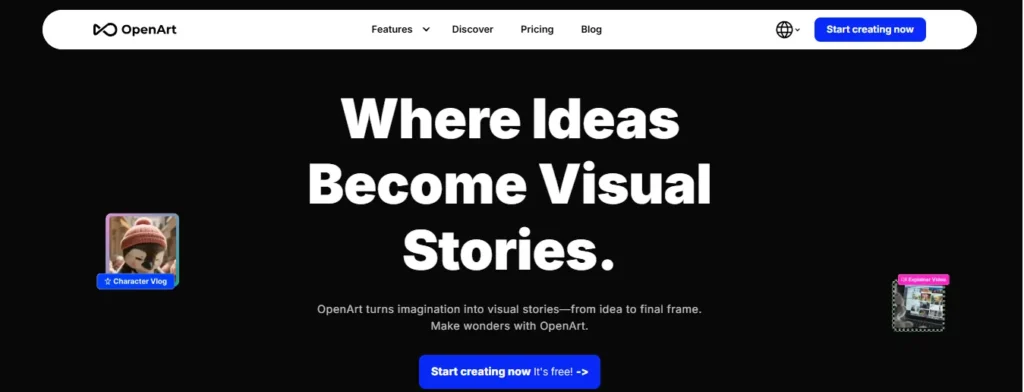
OpenArt started as an AI image generator built around access to multiple models in one place. It’s grown well past that. The current platform organizes everything under a “Director” workspace that spans video, image, character, world, and audio creation — not just static images.
Some of what’s inside:
- Access to 100+ premium image, video, and audio models (including Seedream 5.0. Pro, Nano Banana Pro, Kling 3.0 Omni, and ChatGPT Image-2.)
- Smart Shot — turns a single prompt into a storyboard plus a cinematic video.
- Character and World creation for consistent characters across projects.
- Editing tools like Replace Background, Relight Video, Motion Sync, and Lip-Sync.
- Text-to-video, frame-to-video, and image upscaling.
- MCP support, so it connects into agent workflows.
If your work touches more than still images — say you’re building UGC content, product ads, or short films — OpenArt’s scope is genuinely wider than most competitors right now.
OpenArt Discount Code: Save 15% Instantly
Use code NISHA15 at checkout to get 15% off any OpenArt subscription plan, including annual billing options.
What Is Ideogram? Key Features Explained
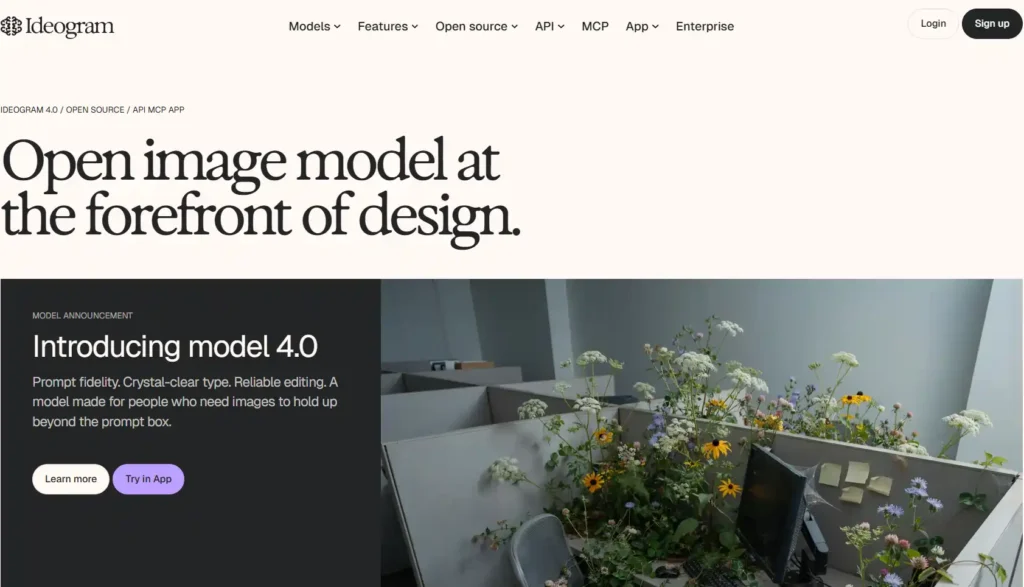
Ideogram takes a narrower, more deliberate approach. It’s built around one core model family (currently Ideogram 4.0, alongside 3.0 and custom image models) and puts most of its energy into making that model dependable for design work that needs to survive contact with a real project.
The feature set leans practical:
- Reliable in-image text rendering — genuinely one of its strongest points.
- Editable text layers, so typography can be restyled after generation instead of regenerated.
- Background remover and print-on-demand support.
- Character consistency across a series of images.
- Open-weight models available for developers who want to run or fine-tune them.
- API and MCP access for product and agent integrations.
Ideogram isn’t trying to be everything. It’s trying to be the tool designers reach for when a poster, logo, or campaign asset needs text that actually looks right.
OpenArt vs Ideogram: Feature-by-Feature Comparison
| Feature | OpenArt | Ideogram |
|---|---|---|
| Core focus | Multi-model image + video + audio suite | Image generation with strong typography |
| Model variety | 100+ models across image, video, audio | Ideogram 4.0, 3.0, custom models |
| Text rendering | Moderate | Strong — a defining feature |
| Video generation | Yes (native, multiple providers) | No |
| Character consistency | Yes, with custom model training | Yes |
| Editing suite | Inpainting, outpainting, relighting, motion sync | Magic Fill, remix, extend, reframe |
| Open source | No | Yes, weights available |
| API / MCP access | Yes | Yes |
| Best for | Multi-format content, video-heavy workflows | Text-heavy design, posters, branding |
Neither tool “wins” outright here. It genuinely splits by what you’re producing.
OpenArt vs Ideogram Pricing: Free Plans and Paid Tiers
Pricing structure is where the two platforms differ the most, and it’s worth reading the fine print before committing to annual billing.
OpenArt pricing runs on a credit system, billed per seat:
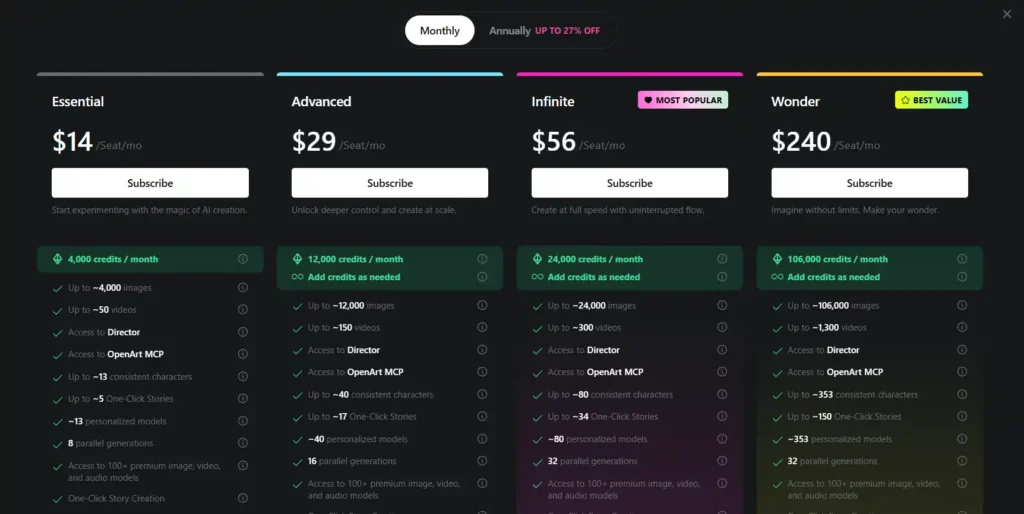
- Essential — $14/month, 4,000 credits (~4,000 images or ~50 videos.)
- Advanced — $29/month, 12,000 credits, adds commercial use rights.
- Infinite — $56/month, 24,000 credits, priority support, unlimited Seedream 5.0 Pro.
- Wonder — $240/month, 106,000 credits, unlimited creation on select models.
Ideogram pricing is simpler and credit-based too, but scoped differently:
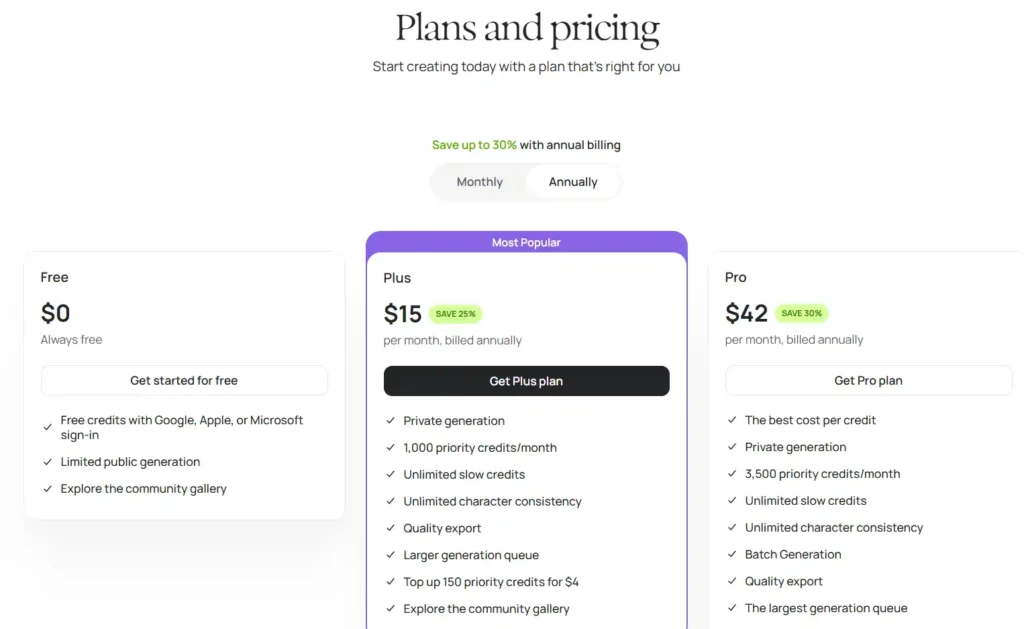
- Free — $0, limited public generation, free credits on sign-in.
- Plus — $15/month (billed annually), 1,000 priority credits, unlimited slow credits, private generation.
- Pro — $42/month (billed annually), 3,500 priority credits, batch generation, best cost-per-credit.
- Team — $20/user/month, shared billing and admin controls.
- Enterprise — custom pricing, private trained models.
If you generate mostly text-heavy graphics occasionally, Ideogram’s Free or Plus tier probably covers it. If your output spans images, video, and audio at volume, OpenArt’s credit pools stretch further per dollar — but you’re paying for breadth you may not need if you only make static designs.
Text Rendering in OpenArt vs Ideogram: Which Handles Typography Better
This one isn’t close. Ideogram was built with text accuracy as a priority from the start, and it shows. Logos, poster headlines, and product labels come out readable far more consistently than most diffusion-based tools manage.
OpenArt, since it runs on a mix of underlying models (including Stable Diffusion-style architectures), inherits some of the typical weaknesses around in-image text — garbled letters, inconsistent spacing, that sort of thing. It’s improved, but if your project lives or dies on a headline rendering correctly, Ideogram is the safer default.
Image Quality Comparison: OpenArt vs Ideogram Output
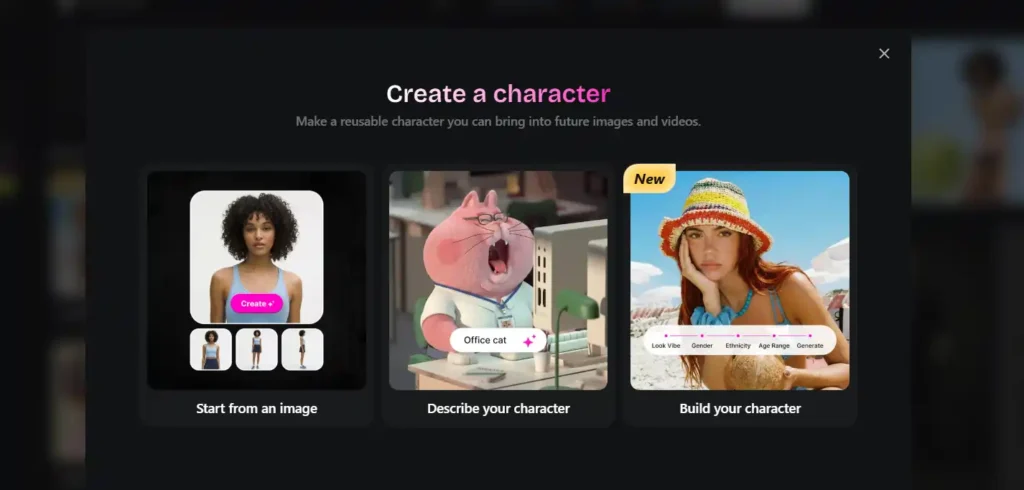
Image quality is subjective, but a few patterns hold up across repeated testing.
OpenArt’s advantage is variety — access to dozens of models means there’s usually a style preset close to what you’re picturing, whether that’s photorealistic, anime, or illustrative. Ideogram’s advantage is consistency — the output style is more predictable across generations, which matters when you’re producing a series that needs to feel cohesive.
Neither is objectively sharper. It depends on whether you value range or reliability more.
Editing Tools Compared: Inpainting, Outpainting, and Upscaling
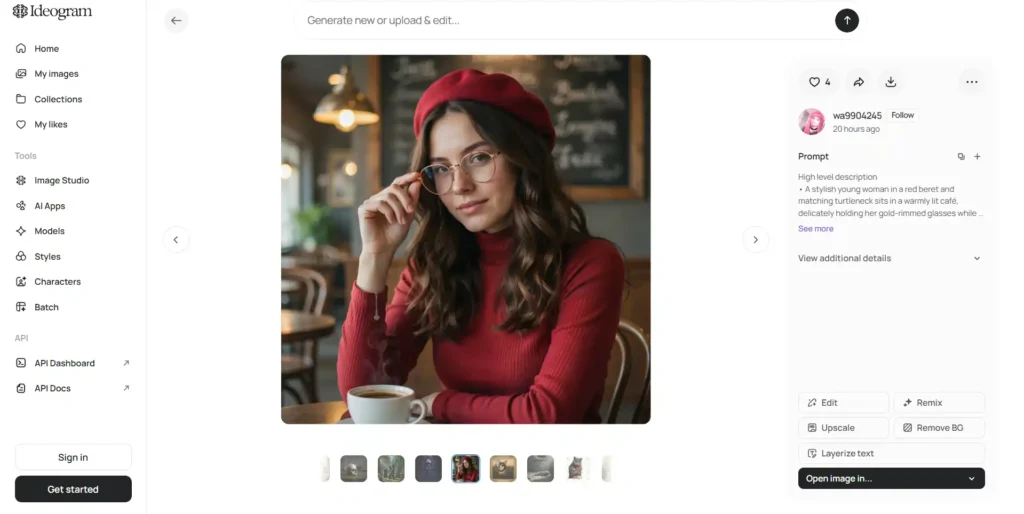
Both platforms treat post-generation editing as a core part of the workflow now, not an afterthought.
- Ideogram’s editing suite includes Magic Fill (adding or replacing objects to match the scene), Remix, Extend (growing a composition beyond its original crop), Reframe, and a dedicated Upscale tool. The “Layerize text” feature is unusual — it turns generated typography into an editable layer.
- OpenArt’s editing suite covers inpainting, AI expand, upscaling, background replacement, and video-specific tools like Relight Video and Motion Sync. Because OpenArt spans video too, its editing tools extend past static images in ways Ideogram simply doesn’t attempt.
Custom Model and Character Training: OpenArt vs Ideogram
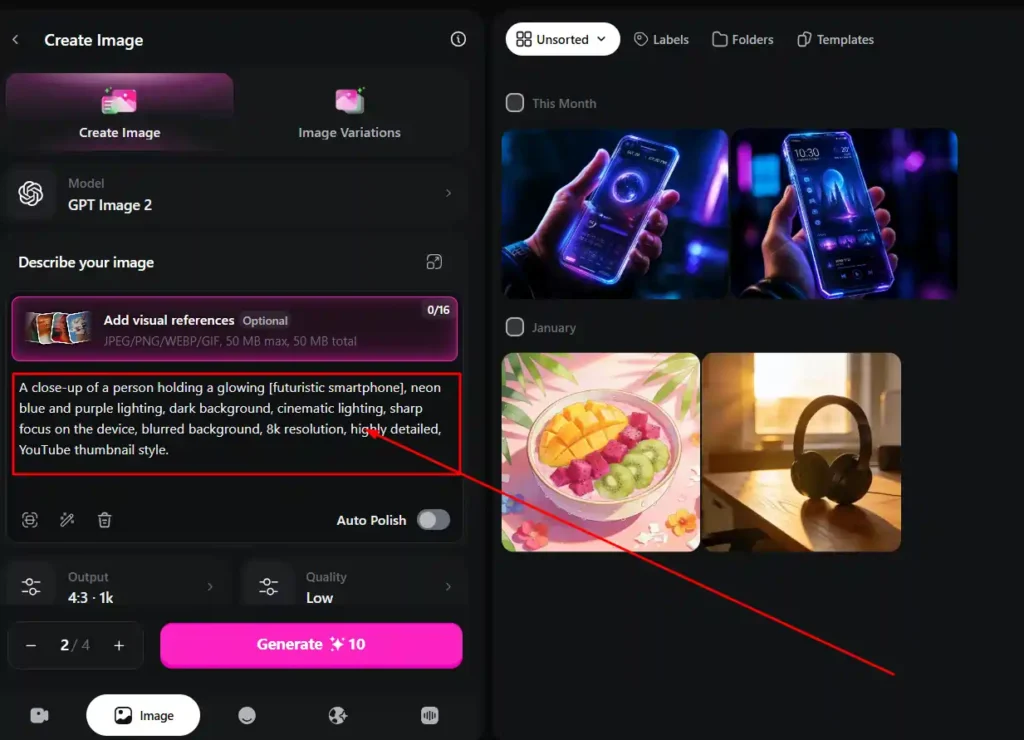
Both platforms let you train for consistency, but the depth differs.
OpenArt ties personalized model counts directly to your plan tier — the Essential plan allows roughly 13 personalized models, scaling up to around 353 on the Wonder plan. This is useful if you’re maintaining several brand characters or recurring visual styles across projects.
Ideogram’s character consistency works from a single reference image and integrates directly with Magic Fill and Remix, which keeps the workflow simpler even if it’s less deep for managing dozens of distinct characters.
Ease of Use: OpenArt vs Ideogram Interface and Workflow
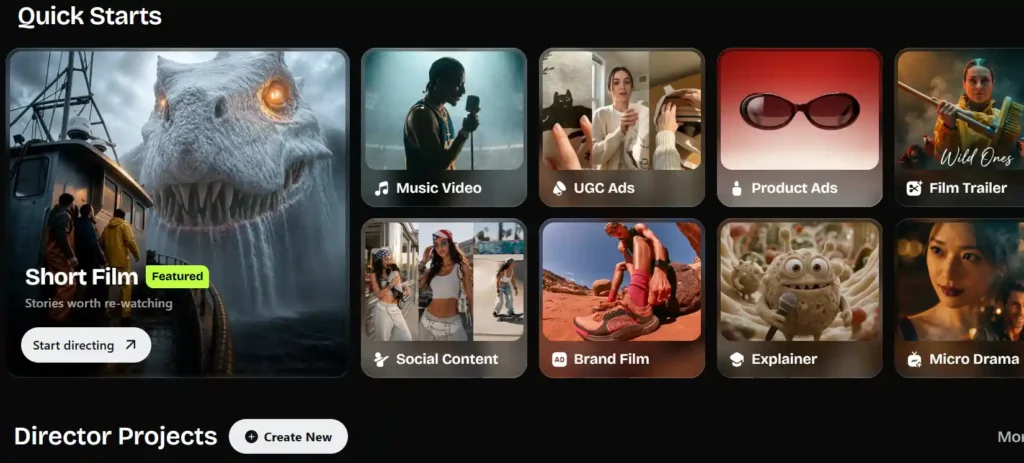
OpenArt’s interface reflects its scope — there’s a lot going on. Between Director, templates, inspiration feeds, and the sheer number of tools pinned to the sidebar, new users can feel a bit overwhelmed in the first session. It rewards exploration but has a steeper learning curve.
Ideogram’s interface stays closer to its narrower purpose. Prompt box, model selector, editing tools — it’s more direct, and that tends to suit people who want to get from prompt to finished asset quickly without wading through unrelated features.
OpenArt vs Ideogram Free Trial: What You Actually Get
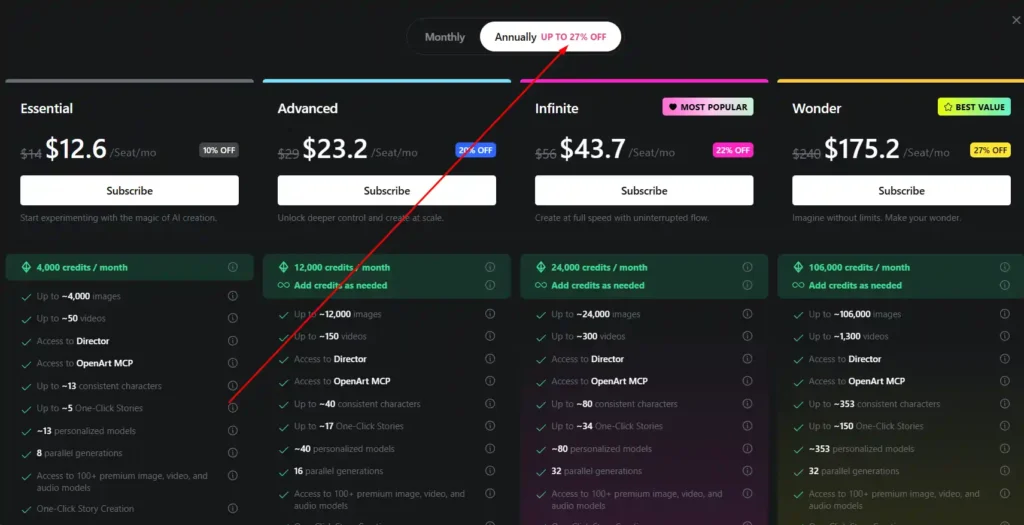
Ideogram’s free plan is genuinely usable long-term for casual creators — limited public generation, but no time limit forces you off it. OpenArt doesn’t advertise a traditional free trial in the same way; its lower tiers start at a paid monthly rate, though promotional annual discounts (currently up to 27% off) bring the entry cost down if you commit upfront.
If testing before paying matters most to you, Ideogram’s free tier gives more room to experiment without a card on file.
Pros and Cons of OpenArt vs Ideogram
OpenArt
- Pros: wide model selection, video and audio generation, strong for multi-format content, MCP integration.
- Cons: steeper learning curve, text rendering inconsistent, credit system can feel complex at first.
Ideogram
- Pros: best-in-class text rendering, simpler interface, usable free tier, open-weight models available.
- Cons: no video generation, narrower creative scope, fewer style presets than multi-model platforms.
Who Should Use OpenArt? Best Use Cases
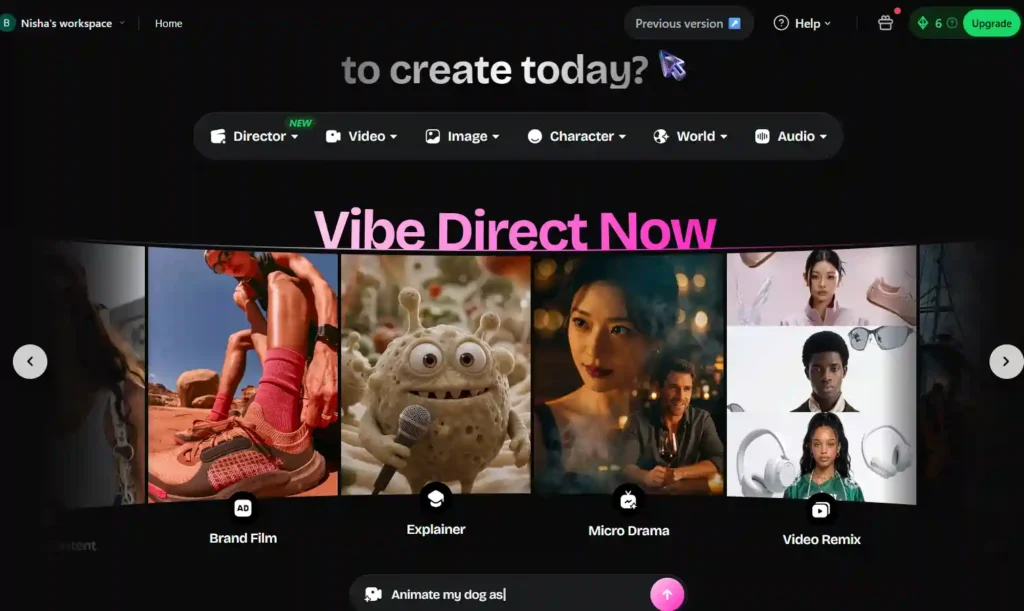
OpenArt tends to fit best for:
- Creators producing content across image, video, and audio without juggling separate subscriptions.
- Teams building consistent characters or brand assets across many formats.
- Agencies producing UGC ads, product ads, or short-form video at volume.
Who Should Use Ideogram? Best Use Cases
Ideogram fits best for:
- Designers who need posters, logos, or packaging with readable text.
- Developers wanting API or open-weight access to a text-reliable model.
- Solo creators who want a straightforward tool without a large feature surface to learn.
User Reviews and Ratings: OpenArt vs Ideogram
Across review platforms, OpenArt tends to score higher on breadth of features and ease of getting started with varied styles. Ideogram’s feedback consistently praises text accuracy but occasionally flags that its editing options feel limited compared to full-suite competitors. Neither platform has serious reliability complaints at this point — most critical feedback centers on pricing value relative to specific feature sets, not core performance.
Alternatives to OpenArt and Ideogram Worth Considering
If neither fits exactly, a few adjacent options come up often in the same conversations: Midjourney for a distinct art-directed aesthetic, Leonardo AI for game-asset and stylized workflows, and Adobe Firefly for teams already embedded in Creative Cloud. You can also explore our broader guide on AI image generation tools if you’re still narrowing things down.
OpenArt vs Ideogram: Final Verdict
There isn’t a universal winner here, and that’s the honest answer. OpenArt makes more sense if your work spans formats — image, video, characters, audio — and you’d rather manage one subscription than several. Ideogram makes more sense if typography accuracy and a simpler, more focused tool matter more than breadth.
FAQs About OpenArt vs Ideogram
Is OpenArt better than Ideogram for text in images?
No — Ideogram consistently handles in-image text and typography more reliably than OpenArt’s model mix.
Does OpenArt have a free trial?
OpenArt doesn’t offer a traditional free trial; paid plans start at $14/month, with discounts available on annual billing.
Is Ideogram free to use?
Yes, Ideogram has a permanent free tier with limited public generation and weekly slow credits.
Which is cheaper, OpenArt or Ideogram?
For casual, image-only use, Ideogram’s Free or Plus plan is cheaper. For multi-format content at volume, OpenArt’s credit pools often stretch further per dollar.
Can OpenArt generate videos?
Yes — OpenArt supports native video generation, frame-to-video, and text-to-video across multiple model integrations, which Ideogram does not offer.
Conclusion
So, OpenArt or Ideogram? Honestly, it comes down to what you’re making. Need clean text on posters and logos? Ideogram won’t let you down. Building videos, characters, or brand content across formats? OpenArt earns its price tag.
I’ve tested both enough to say neither is a wrong choice — just pick based on your actual workflow, not hype.
Still unsure? Try the free tiers first. That’s the fastest way to know which one clicks for you.