Typing a short description and getting a finished image in seconds sounds simple, until you have to pick a tool. AI art generators differ in image quality, pricing, free limits, and rules for commercial use, and those details decide whether a tool fits your work.
Some are built for quick text-to-image experiments. Others suit designers who want more control over style, or sellers who need clear usage rights for print-on-demand and client projects.
The five tools below are compared on ease of use, output quality, pricing, and licensing, so you can match one to your goal and budget before you pay for anything.
Quick Answer: Which AI Art Generators Are Best Right Now?
The best AI art generator depends on what you need it for. These five cover the most common needs:
- Midjourney: best for artistic, highly detailed images.
- ChatGPT image generator: easiest to use, since you just describe what you want in a chat.
- Adobe Firefly: best for commercial projects and for working inside Photoshop.
- Ideogram: best for images that include readable text, such as posters and logos.
- Leonardo.Ai: best for creators and businesses who want a platform with several models.
If you’re not sure where to start, try ChatGPT or Ideogram first, since both offer limited free access. If image quality and style matter most, Midjourney is worth the monthly fee. If you need clear licensing for client work, look at Adobe Firefly first.
Free plans, credits and prices change often, so check each tool’s official pricing page before you commit.
How We Chose the Best AI Art Generators
Most top AI art generators now produce good images, so quality alone doesn’t separate them. We compared each tool on four things that affect real-world use.
Image quality and prompt accuracy
A good tool should follow your description closely and avoid distorted hands, faces or objects. We also looked at how well each one handles text inside images and requests to change part of a picture.
Ease of use
Beginners should be able to create a usable image in a few minutes. We favored tools with a simple interface, clear controls and helpful guidance over ones that need a long setup.
Pricing and free plan limits
We looked at what you actually get for free, including credit limits, watermarks and speed. For paid plans, we considered the starting price and whether the cost is reasonable for what’s included.
Commercial use and licensing
If you plan to sell your art or use it for clients, the usage rights matter. We checked how each tool describes commercial use and whether it explains where its training data comes from.
We didn’t include tools that mostly rely on other companies’ models unless they added something distinctive. Where a tool is included, we say what it is best for so you can skip to the one that fits.
AI Art Generators Compared at a Glance
| AI Art Generator | Best For | Top Feature | Starting Price |
|---|---|---|---|
| OpenArt AI | Story-driven creators | 100+ premium models | $14/month |
| Leonardo.AI | Professional designers | Custom model training | Free plan |
| Magic Studio | Professional headshots | Personal AI photographer | Free to start |
| Midjourney | Artistic visual quality | Stunning painterly aesthetics | $10/month |
| Nano Banana | Grounded accurate images | Google Search grounding | Free (API-based) |
1. OpenArt AI
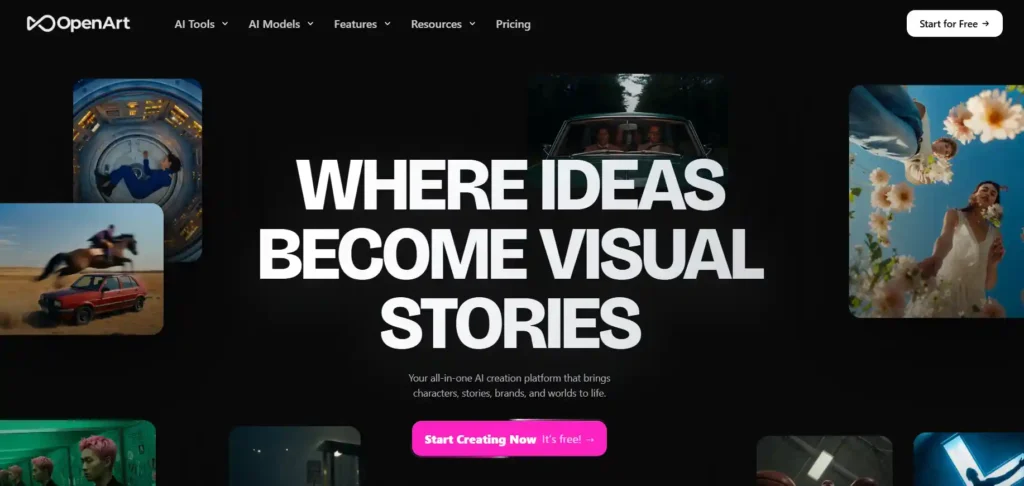
OpenArt AI is redefining how creators bring imagination to life, turning simple prompts into stunning visuals within seconds. This all-in-one platform blends powerful image and video generation, letting anyone craft cinematic art without technical skills or expensive software.
From consistent AI characters to fully generated worlds, OpenArt AI gives creators total creative freedom. Whether you’re a designer, marketer, or hobbyist, this tool makes professional-grade art generation accessible, fast, and genuinely fun to explore every single day.
Trusted by millions of creators and top global brands, OpenArt AI truly feels like the future of digital art creation, waiting right at your fingertips!
Get 15% Off OpenArt With Code NISHA15
Use this OpenArt coupon code at checkout to save 15% on your plan and start creating AI art.
Coupon Code: NISHA15
Key Features:
- Multi-Model Access: Generate art using 100+ premium image and video models, all in one place.
- Character Consistency: Build reusable AI characters that stay consistent across every image and video generation.
- Powerful Editing Suite: Erase, expand, restyle, or upscale images instantly within the same creative canvas.
- AI World Building: Create fully navigable 3D worlds from a single text prompt or image.
Pricing Plan: OpenArt AI offers flexible monthly plans starting at $14, scaling up to $240 for unlimited, high-volume commercial creative production needs.
Best For: Creators, marketers, and studios needing fast, consistent AI-generated art.
Ratings: ⭐⭐⭐⭐☆ 4.5/5
Limitations:
- Higher-tier plans get expensive quickly for solo creators or beginners.
- Credit-based system may feel restrictive during high-volume generation sessions.
How We Created AI Art with OpenArt AI: We typed a simple text prompt describing our vision, selected Nano Banana Pro as our model, adjusted style settings, and generated a polished, high-resolution image within seconds, ready to download instantly.
Our Experience with OpenArt AI: Using OpenArt AI felt effortless and genuinely exciting, delivering consistent, high-quality results that exceeded our creative expectations every time.
Why You Pick OpenArt AI: OpenArt AI combines unmatched model variety, character consistency, and editing power, making it the smartest choice for creators.
3. Leonardo.AI
Leonardo.AI is the creator-first platform turning imagination into stunning visuals, giving artists total control over every generation. From concept art to polished product shots, this tool blends powerful image, video, and editing capabilities into one seamless creative workflow.
Designers, marketers, and photographers love how Leonardo.AI scales campaigns effortlessly, delivering studio-grade results without studio budgets. Train custom models, refine with precision editing, and elevate every asset to professional quality.
Trusted by brands like Disney, Adidas, and EA, Leonardo.AI truly feels like the ultimate creative partner, ready to bring your boldest visions to life!
Key Features:
- Custom Model Training: Train personalized AI models using your own reference images for unique styles
- Precision Editing Tools: Refine images and video while preserving characters, composition, and creative intent
- Multi-Model Access: Generate with Lucid Origin, Phoenix, Flux, and dozens of premium models
- Realtime Canvas: Create and adjust visuals instantly with live generation and canvas actions
Pricing Plan: Leonardo.AI offers plans from free to $60/month, plus team and enterprise options for scaling production needs.
Best For: Artists, designers, and teams needing scalable, professional AI creative production.
Ratings: ⭐⭐⭐⭐☆ 4.5/5
Limitations:
- Third-party premium models consume tokens faster than first-party options
- Free tier lacks private generations and commercial usage rights
How We Created AI Art with Leonardo.AI: We entered a detailed prompt, selected Nano Banana Pro as our model, fine-tuned lighting and composition settings, then generated a crisp, editorial-quality image instantly, ready for immediate creative use.
Our Experience with Leonardo.AI: Leonardo.AI impressed us with its precision, speed, and remarkably consistent, professional-grade output across every single generation.
Why You Pick Leonardo.AI: Leonardo.AI stands out for custom model training, editing precision, and enterprise-grade reliability, perfect for serious creators.
3. Magic Studio
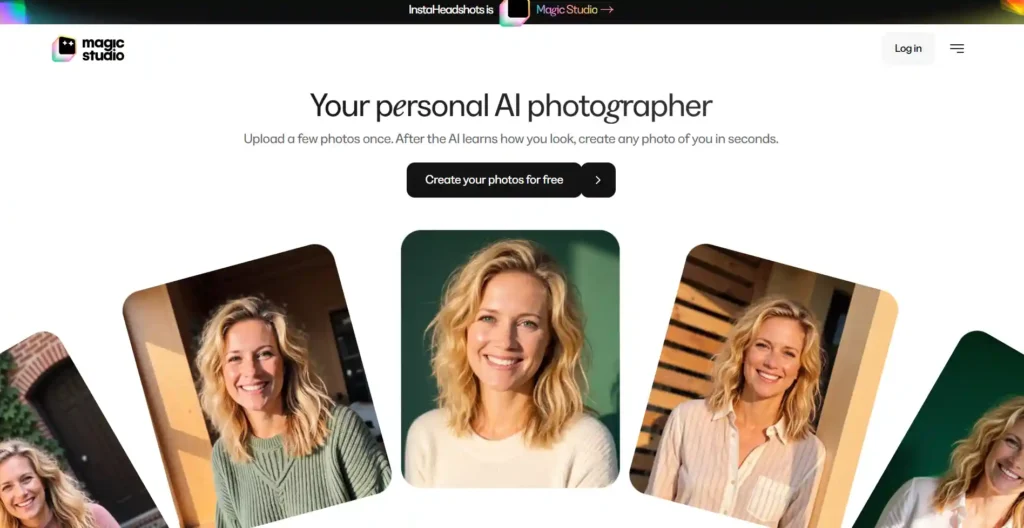
Magic Studio is your personal AI photographer, transforming a handful of uploaded photos into stunning, studio-quality images within minutes. This tool learns exactly how you look, then generates professional headshots, portraits, and creative photos effortlessly.
Professionals and teams love skipping expensive photoshoots entirely, getting polished LinkedIn headshots and branded team photos instantly. Whether it’s a new hairstyle, outfit, or setting, Magic Studio makes reinventing your image simple and genuinely enjoyable.
Rated a perfect 5/5 by thousands of happy users, Magic Studio truly feels like having a personal photo studio right in your pocket!
Key Features:
- Personal AI Model: Upload photos once, and AI learns your unique facial features and style
- Unlimited Creative Scenarios: Generate headshots, outfits, hairstyles, and lifestyle photos instantly
- Team Headshot Packages: Create consistent, on-brand headshots for entire teams remotely
- Privacy-First Design: Your photos stay private, are never sold, and auto-delete after 90 days
Pricing Plan: Magic Studio offers free photo creation to start, with affordable credit-based packs for additional high-resolution downloads.
Best For: Professionals, job seekers, and teams needing quick, quality headshots.
Ratings: ⭐⭐⭐⭐⭐ 5/5
Limitations:
- Personal AI model automatically deletes after 90 days of inactivity
- Results quality depends heavily on the initial uploaded photo set
How We Created AI Art with Magic Studio: We uploaded several clear photos of ourselves, let the AI learn our facial features, then generated polished, realistic headshots in various professional styles within minutes.
Our Experience with Magic Studio: Magic Studio delivered shockingly realistic, professional-quality headshots faster and cheaper than any traditional photography session.
Why You Pick Magic Studio: Magic Studio combines privacy, realism, and convenience, making professional headshots accessible without ever leaving home.
4. Midjourney
Midjourney is the legendary AI lab behind some of the most beautiful, imaginative image models in the world. Trusted by artists and creators everywhere, this tool transforms simple text prompts into breathtaking, gallery-worthy visuals instantly.
Built by a small, focused team obsessed with beauty and craft, Midjourney consistently pushes the boundaries of what AI art can achieve. Every generation feels like discovering something entirely new, exciting, and beautifully unexpected.
With a passionate global community on Discord, Midjourney truly feels like joining an ongoing creative adventure, shared by millions of artists!
Key Features:
- Unmatched Aesthetic Quality: Produces stunning, painterly images renowned for artistic beauty and detail.
- Relax Mode Generations: Enjoy unlimited image generations on Standard, Pro, and Mega plans.
- Stealth Mode Privacy: Keep your creations completely private on Pro and Mega subscription tiers.
- Discord-Based Workflow: Generate, rate, and refine images directly within an active community.
Pricing Plan: Midjourney offers four tiers from $10 to $120 monthly, with 20% savings on annual billing.
Best For: Artists and creators wanting the most visually stunning AI-generated imagery.
Ratings: ⭐⭐⭐⭐⭐ 4.7/5
Limitations:
- No free trial currently available for testing before subscribing
- Requires Discord familiarity, which may confuse first-time users
How We Created AI Art with Midjourney: We typed a descriptive prompt into Discord, let Midjourney’s model interpret our vision artistically, then received strikingly beautiful, high-resolution images within seconds, ready to refine further.
Our Experience with Midjourney: Midjourney consistently amazed us with its artistic flair, producing breathtaking visuals that felt genuinely inspired and unique every time.
Why You Pick Midjourney: Midjourney remains unmatched for artistic quality, creative surprise, and a passionate, active creator community.
5. Nano Banana
Nano Banana brings Google’s cutting-edge Gemini image models to creators, delivering intuitive generation and editing grounded in real-world knowledge. From quick concepts to polished 4K visuals, this tool blends speed, accuracy, and stunning creative flexibility effortlessly.
Developers and creators love how seamlessly Nano Banana integrates into workflows, offering multiple model tiers for every creative need. Whether editing, generating, or grounding images in live search data, results feel remarkably fast and genuinely impressive.
Backed by Google’s world-class AI research, Nano Banana truly feels like the future of accessible, intelligent image creation!
Key Features:
- Multiple Model Tiers: Choose between Flash-Lite, Flash, and Pro for speed or quality
- Google Search Grounding: Generate images informed by real-time, accurate world knowledge
- High-Resolution Output: Create images up to stunning, print-ready 4K resolution instantly
- SynthID Watermarking: Every generated image includes invisible, transparent AI-identification technology built-in
Pricing Plan: Nano Banana is accessible through Google AI Studio with free experimentation and flexible, usage-based API pricing for developers.
Best For: Developers and creators needing accurate, grounded, high-resolution AI imagery.
Ratings: ⭐⭐⭐⭐☆ 4.6/5
Limitations:
- Gemini 3 Pro Image lacks configurable thinking mode control currently
- Search grounding for images unavailable on Pro tier model
How We Created AI Art with Nano Banana: We entered a descriptive prompt into AI Studio, selected Gemini 3.1 Flash Image, and generated a polished, search-grounded visual within seconds, ready for use.
Our Experience with Nano Banana: Nano Banana impressed us with its accuracy, speed, and genuinely intelligent grounding in real-world visual knowledge.
Why You Pick Nano Banana: Nano Banana stands out for Google-backed reliability, grounded accuracy, and flexible developer-friendly integration options.
Free AI Art Generators: What You Actually Get Without Paying
Free plans are a good way to test a tool, but they rarely work as a full replacement for a paid one. Most limit how much you can create, how fast you get results, or how you can use the images.
Watermarks, Credit Limits and Speed
Free access usually comes with one or more of these trade-offs:
- Limited credits. Ideogram’s free plan gives you 10 credits a week and only its basic features, so it works better for testing than for regular use.
- Slower generation. Ideogram free users also wait a few minutes for each generation to start.
- Watermarks. Google’s Nano Banana adds a visible watermark to all images. OpenArt’s Starter plan lists watermark-free output, so it’s worth checking what its free tier includes before you rely on it.
- Restricted access to top features. ChatGPT includes limited image creation on its free plan, and heavier use requires a paid subscription.
Free Trial and Discount Availability
Free trials come and go. Midjourney’s free trials are currently suspended, though they are occasionally reinstated for a few days. If you plan to pay, look for annual billing discounts on the official pricing page. OpenArt, for example, is advertising annual plans at up to 27% off. Offers like this change often, so confirm them before you buy.
Bottom line: use free plans to test prompt accuracy, speed and interface. Move to a paid plan only when you need more images, no watermark, or commercial rights.
How to Choose the Right AI Art Generators for Your Needs
The best tool is the one that matches your project. A few questions narrow it down quickly: What will you use the images for? Do you need text inside them? How much will you generate each month?
For Beginners
Start with the simplest interface. ChatGPT is the easiest option, since you describe an image in a normal chat and refine it with follow-up messages. Ideogram is another good starting point because it has a free plan and an easy web app.
For Etsy Sellers and Print-on-Demand
Commercial rights matter most here. Look for a paid plan that clearly includes them. Midjourney’s Basic Plan starts at $10 a month and includes commercial use of your images. On OpenArt, commercial use rights are listed starting with the Plus plan, not Starter. Also check the marketplace’s own rules on AI-generated products before you list anything.
For Anime and Character Art
Choose a platform with a wide range of styles and consistent characters. Midjourney is known for artistic results, and multi-model platforms like OpenArt and Leonardo.Ai let you try different models in one place. OpenArt also lets you save a character and reuse it across images.
For Book Covers and Client Work
Look for two things: readable text and clear licensing. Ideogram is among the most accurate tools for text in images. Adobe Firefly was trained on licensed images and public domain content only. Even so, many designers add the final title text in a design tool for full control over fonts and spacing.
Are AI Art Generators Safe for Commercial Use? Copyright Explained
Often yes, but “safe” depends on the tool, your plan and how you use the image. This is general information, not legal advice. For high-value or long-term projects, talk to a lawyer.
Can You Sell Art Made With AI Art Generators?
In most cases you can, if your plan allows it. Commercial rights often depend on the subscription tier, so read each tool’s terms before you sell prints, licensed designs or client work. Free plans may have tighter limits than paid ones. Also remember that some tools make your images public by default. Midjourney and Ideogram both do this, which can be a problem for private business projects.
Is AI-Generated Art Copyrighted?
Not always. The U.S. Copyright Office has suggested that AI-generated content isn’t copyright-protected without significant human input, and a U.S. appeals court sided with that view in 2025. In practice, that means you may not be able to stop others from copying an image you generated with a single prompt. Editing, combining or meaningfully adding to the image yourself can strengthen your position.
Legal risk is also unsettled: Midjourney is in a lawsuit with Disney and Universal. Low-stakes uses like social posts or blog images carry less risk than building a whole brand around AI-generated art.
Practical tips:
- Keep a record of your prompts and edits.
- Avoid prompts that copy a named living artist or a protected character.
- Use tools with clearer licensing, like Adobe Firefly, for client-facing work.
AI Art Generators Asked Questions
What is the best free AI art generator in 2026?
OpenArt AI, Leonardo.AI, and Nano Banana all offer strong free plans. Leonardo.AI’s daily tokens and multi-model access make it especially popular among beginner digital artists and hobbyists.
Can I use AI-generated art for commercial purposes?
Yes, most paid subscriptions grant commercial usage rights and full ownership. Free tiers often have restrictions, so always check each platform’s licensing terms before using AI artwork commercially.
Which AI art generator produces the most realistic images?
Nano Banana Pro and Leonardo.AI’s Nano Banana Pro integration excel at photorealism. Midjourney remains best for artistic, painterly realism, while GPT Image models handle typography and detail accurately.
Do AI art generators require design or drawing skills?
No, most text-to-image generators require zero artistic skill. Simply type a descriptive prompt, and the AI model instantly generates professional-quality visuals, illustrations, or photorealistic images within seconds.
Is Midjourney better than DALL-E or Stable Diffusion?
Midjourney is widely praised for superior artistic aesthetics and image quality. However, “better” depends on your needs—Stable Diffusion offers open-source flexibility, while DALL-E excels at prompt accuracy.
How much does an AI art generator subscription typically cost?
Pricing ranges from free to $240/month depending on features. Most creators find $10-$60 monthly plans, like Midjourney Basic or Leonardo Essential, sufficient for regular AI art generation needs.
Are AI-generated images watermarked or traceable?
Many platforms, including Google’s Nano Banana, embed invisible SynthID watermarks for transparency and AI-content identification. This helps distinguish AI-generated art from human-created work across digital platforms.
Final Thoughts from Nisha
The right choice among AI art generators comes down to what you need, not which tool is most popular. Midjourney is great for artistic images, ChatGPT is simple to start with, Ideogram handles text well, and Adobe Firefly suits client work. Start with a free plan, test the same prompt in two or three tools, and upgrade only when you need more credits or commercial rights.
Prices and free limits change often, so check each official page before you pay. Ready to create? Pick one tool from this list and try your first prompt. Share your favorite below.