OpenArt AI gives you access to more than 100 image and video models, from Flux and Stable Diffusion to Nano Banana and Sora 2, all inside one browser-based workspace. That range is exactly why so many creators land here with the same question: is it actually worth paying for, or just another crowded AI art tool?
This OpenArt AI review looks at what the platform does well, including its Magic Prompt system and character consistency features, and where it tends to frustrate users, particularly around credits and pricing changes.
If you’re weighing a free trial against a paid plan, or comparing OpenArt AI against alternatives like Midjourney or Leonardo, this breakdown covers the practical details that actually shape that decision.
What Is OpenArt AI? (Overview for This Review)
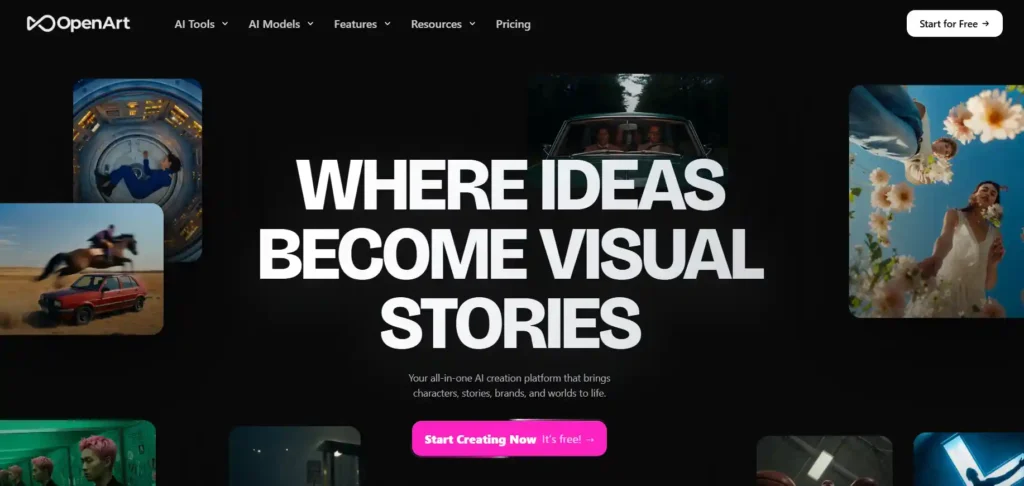
OpenArt AI is a browser-based creative platform that brings together AI image generation, video generation, character building, world building, and audio tools in one workspace. Instead of locking users into a single AI engine, it works as an aggregator, giving access to over 100 premium models from providers like Google, OpenAI, ByteDance, and Kuaishou, all under one subscription.
The platform is aimed at solo creators, marketers, small businesses, and studios who want variety without managing separate subscriptions for each AI tool.
Save 15% on OpenArt AI Plans Today
Use code NISHA15 at checkout to get 15% off your OpenArt AI subscription plan instantly.
Key Features Covered in This OpenArt AI Review
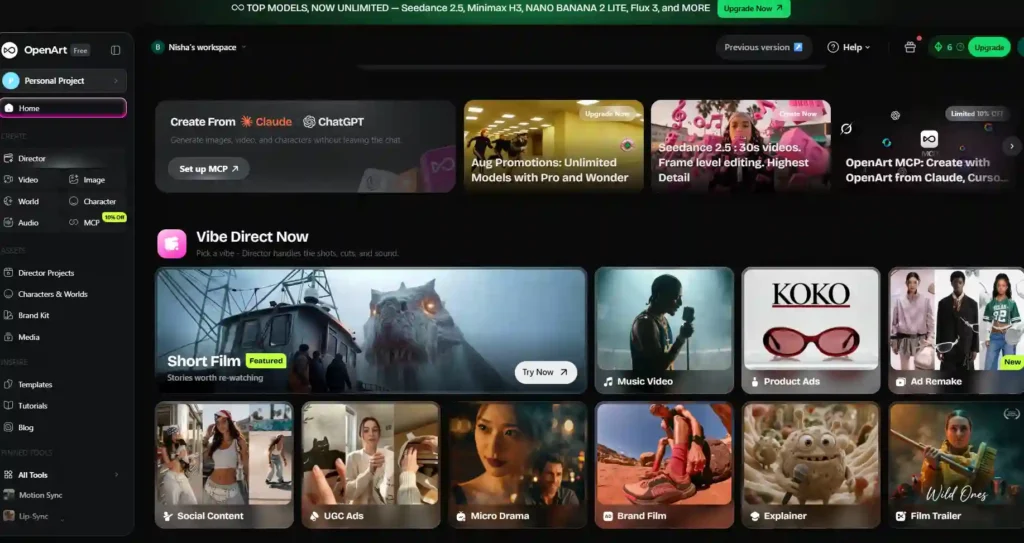
OpenArt’s feature set spans the full content creation process rather than just image generation. According to the platform’s own product pages, core features include:
- AI image generation and editing — text-to-image creation plus in-canvas editing (erasing, expanding, background swaps, restyling, and upscaling.)
- AI video generation — text-to-video and image-to-video clips, with multiple model options and resolution up to 4K.
- OpenArt Director — a chat-based tool for directing multi-shot video sequences, storyboarding, and refining scenes conversationally.
- Character Builder — creates reusable AI characters from reference images or text briefs for consistent use across projects.
- OpenArt Worlds — generates navigable 3D environments from a single prompt.
- Audio tools — AI voiceovers in 30+ languages with lip-sync, original music generation, and sound effects.
- One-Click Story — turns a prompt into a full sequence of connected visuals.
This breadth is what separates OpenArt from single-model tools — it functions more like a creative suite than a standalone generator.
OpenArt AI Models Explained: What This Review Found
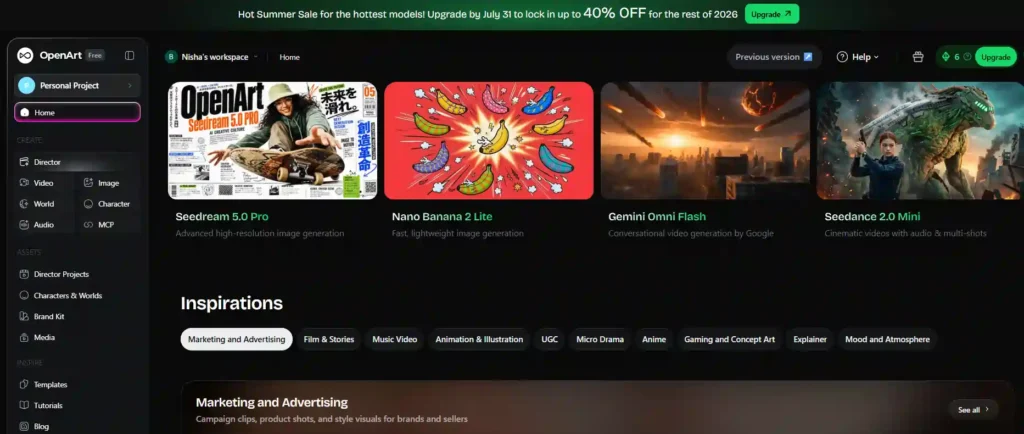
OpenArt gives users access to a wide range of third-party AI models rather than building its own from scratch. Based on the platform’s current model library, available options include:
| Category | Notable Models |
|---|---|
| Image | Nano Banana Pro, GPT Image 2, Seedream 5.0 |
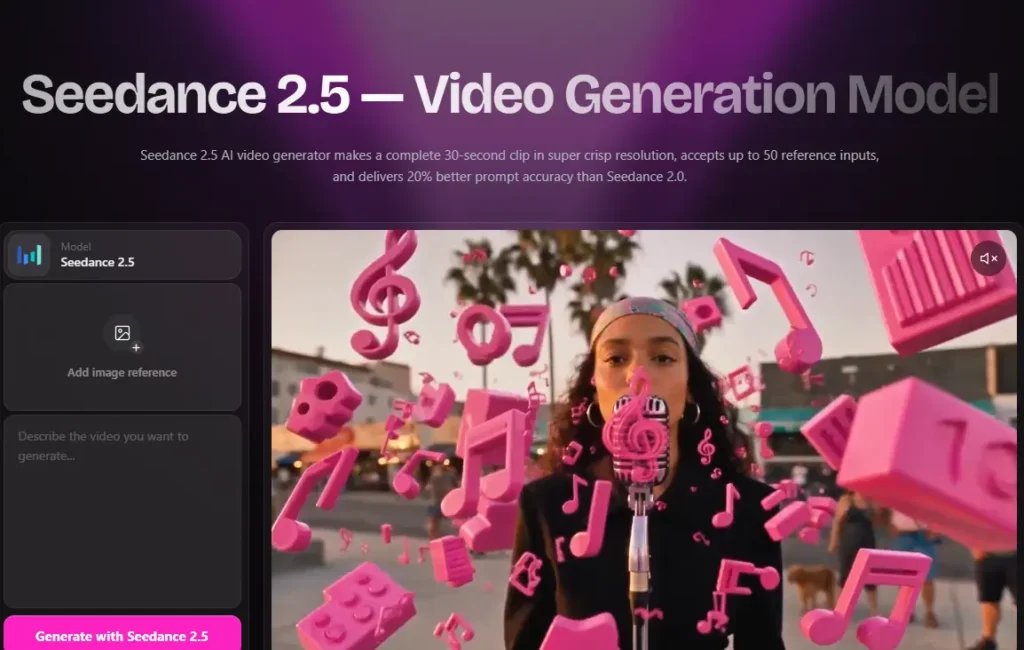
| Video | Sora 2, Veo 3, Kling 3.0, Seedance 2.0, MiniMax Hailuo |
| Combined audio+video | HappyHorse |
| Creative/stylized | Grok Imagine |
Users can switch between models on a per-generation basis, and OpenArt suggests a model based on the prompt while still allowing manual selection. This model variety is one of the platform’s most consistently mentioned strengths across user feedback, since it removes the need to juggle multiple standalone subscriptions.
OpenArt AI Pricing Plans: Full Breakdown in This Review
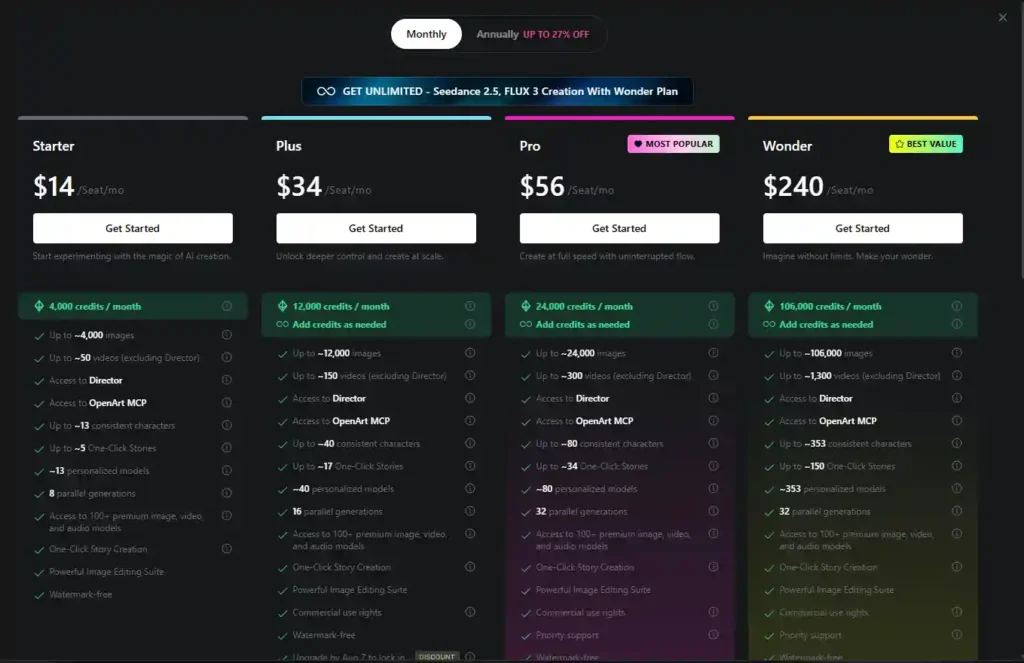
OpenArt runs on a monthly credit system tied to subscription tier. As of this review, the individual plans are:
| Plan | Price (per seat/month) | Credits/month | Parallel Generations |
|---|---|---|---|
| Starter | $14 | 4,000 | 8 |
| Plus | $34 | 12,000 | 16 |
| Pro | $56 | 24,000 | 32 |
| Wonder | $240 | 106,000 | 32 |
Higher tiers unlock more consistent characters, more One-Click Stories, and additional perks like commercial use rights (from Plus upward) and priority support (from Pro upward). Business/team plans are also available separately.
Annual billing currently offers up to 27% off compared to monthly pricing, though the exact discount scales by tier. Since credit allocations and discount tiers have changed multiple times over the past year according to several third-party reviews.
An optional add-on of extra credits ($15/month for 5,000 credits) is available for Plus subscribers and above who need more flexibility without upgrading tiers.
Is OpenArt AI Free? Free Trial Details in This Review
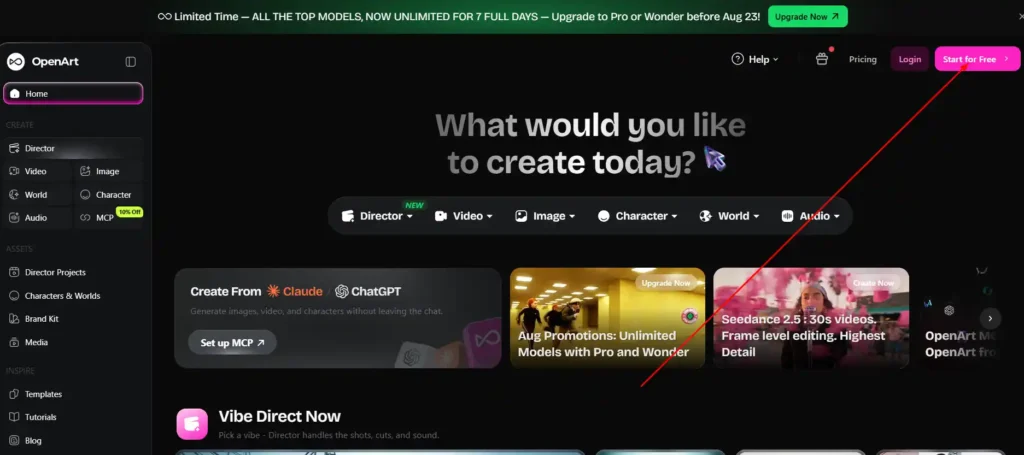
Yes, OpenArt offers a free tier. New users get a one-time allotment of trial credits to test the platform before committing to a paid plan. Some sources note additional credits are available for joining OpenArt’s Discord community.
The free tier is useful for testing model quality and interface usability, but it’s generally not enough for sustained or professional use. Most reviewers agree that serious or repeated use requires a paid subscription.
OpenArt AI Credits System: How It Works (Review Insights)
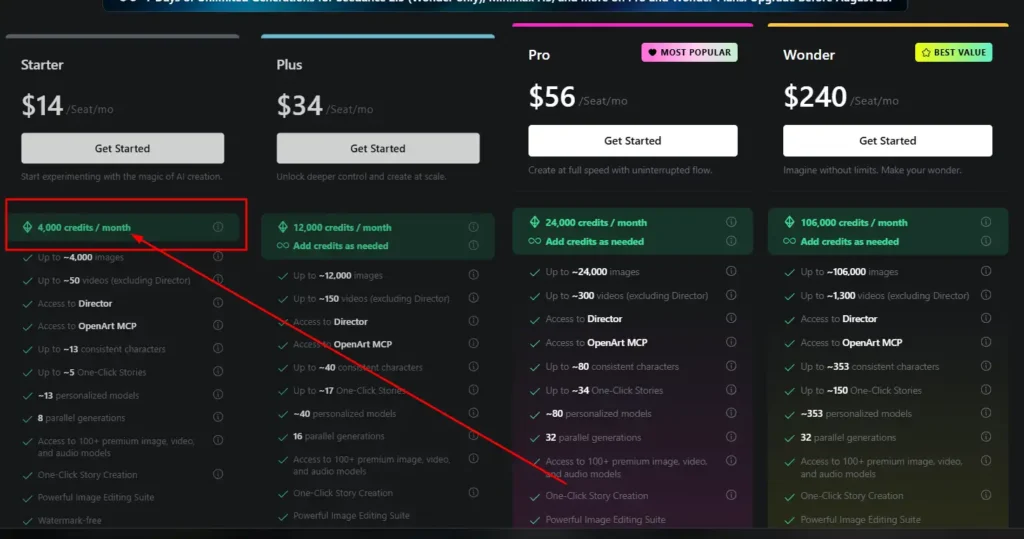
Understanding the credit system matters more with OpenArt than with flat-rate tools, since usage varies by feature:
- Image generations typically cost fewer credits than video generations.
- Base subscription credits are tied to the billing cycle and do not roll over if unused.
- Separately purchased add-on credits do carry over to the next month.
- Higher tiers include more parallel generations, meaning faster batch output.
This “use it or lose it” structure on base credits is one of the more common points of confusion in user reviews, so it’s worth checking usage estimates against your expected output before choosing a plan.
OpenArt AI Character Consistency: Review of the Feature
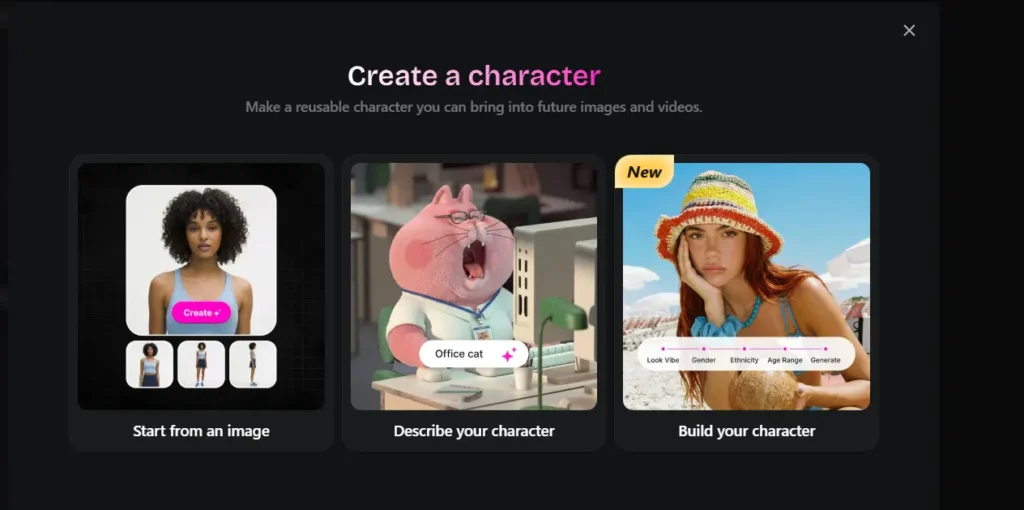
Maintaining a consistent character face and style across multiple images has historically been a weak point for AI image tools. OpenArt’s Character Builder addresses this by letting users create a character once — from reference images or a text description — save it to a library, and reuse it across future generations.
This feature is frequently cited in user feedback as one of OpenArt’s strongest differentiators, particularly for creators building recurring content, branded characters, or serialized stories.
OpenArt AI Video Generation: Review of Director, Sora 2 & More
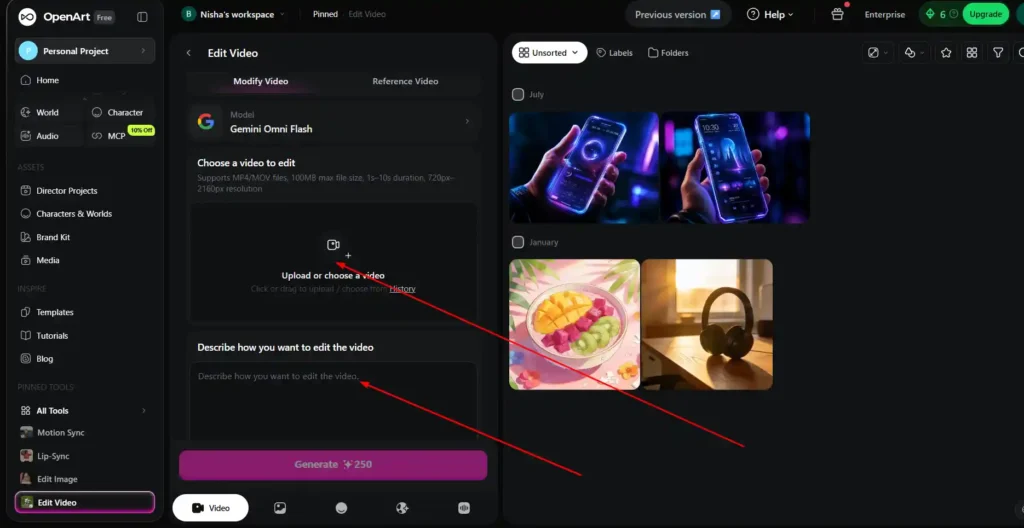
OpenArt’s video tools let users generate clips from text prompts or reference images, choosing between models like Sora 2, Veo 3, Kling 3.0, and Seedance 2.0 depending on the desired style — photorealistic, anime, stylized motion, or cinematic.
OpenArt Director adds a layer of conversational control on top of this, letting users direct multi-shot sequences, adjust camera angles, and refine pacing through chat rather than manually prompting each shot. This positions OpenArt closer to a lightweight video production tool than a simple clip generator, though output length and resolution are capped by plan tier.
OpenArt AI Pros and Cons: Honest Review Summary
Pros:
- Access to 100+ premium models under one subscription.
- Strong character consistency tools.
- Combines image, video, character, world, and audio generation in one workspace.
- Regular model additions and feature updates.
- Beginner-friendly interface with Magic Prompt guidance.
Cons:
- Free tier is limited and runs out quickly.
- Credit system and pricing have changed multiple times, causing user frustration.
- Base credits don’t roll over between billing cycles.
- No offline mode — fully browser-dependent.
- Output consistency can vary noticeably between models.
OpenArt AI vs Midjourney: Which Wins in This Comparison
Midjourney focuses on a single, highly refined image model known for artistic quality, while OpenArt offers breadth — access to Midjourney-style outputs alongside dozens of other image and video models in one place. If your priority is one distinctive art style, Midjourney may suit you better. If you want flexibility across many models and mediums, including video and character consistency, OpenArt covers more ground.
OpenArt AI vs Midjourney — Full Comparison]
OpenArt AI vs Leonardo AI, Higgsfield & Other Alternatives
- Leonardo AI — competitive for game-asset and concept art work, but generally offers fewer professional-grade features than OpenArt’s broader suite.
- Higgsfield — more video-focused, with an interface geared toward video creators; may suit users who only need video generation.
- Canva Magic Media — best for non-designers who want generation bundled with a full design and template suite, though the AI models themselves are less advanced than dedicated tools.
- Adobe Firefly — a natural fit for users already working inside the Adobe ecosystem.
[Best OpenArt AI Alternatives Compared]
Who Is OpenArt AI Best For? Review-Based Recommendations
Based on its feature set and pricing structure, OpenArt tends to suit:
- Content creators and bloggers who need varied visuals without multiple subscriptions.
- Freelancers and small agencies producing client work across image and video.
- Small businesses wanting product visuals, social content, and marketing assets.
- Creators building recurring characters or serialized content.
It may be less ideal for users who need a single, highly specialized model or who require predictable, flat per-image pricing rather than a credit system.
OpenArt AI Customer Support & User Experience Review
OpenArt offers support through email, an in-platform Help Center, and active social channels (X, Instagram, TikTok, YouTube) for tutorials and announcements. Trustpilot reviews frequently praise the support team’s responsiveness and helpfulness, though some third-party reviews note that response times can slow during high-demand periods, particularly for billing-related issues.
OpenArt AI Refund and Cancellation Policy Explained
Subscriptions can generally be canceled at any time through account settings, and OpenArt provides FAQ guidance covering what happens to credits and access after cancellation or a plan downgrade, since several reviews describe it as a no-refund model on already-billed periods — confirm current terms directly on OpenArt’s pricing or help pages before purchasing.
Real User Reviews and Ratings of OpenArt AI
User feedback on Trustpilot is largely positive, with recurring praise for model variety, character creation, and support responsiveness. Common themes include:
- Appreciation for having “no need for multiple subscriptions“.
- Positive experiences with customer service resolving issues quickly.
- Recognition of ongoing feature development and new model releases.
The main recurring criticism across independent reviews relates to credit and pricing structure changes rather than core product quality.
OpenArt AI Review: Frequently Asked Questions
Is OpenArt AI free to use?
Yes, a free tier with trial credits is available, but it’s limited and best suited for testing rather than ongoing use.
How does the OpenArt AI credit system work?
Credits are allocated monthly based on your plan and consumed per generation. Base credits reset each cycle, while purchased add-on credits carry over.
Can I use OpenArt AI content commercially?
Commercial use rights are included starting from the Plus plan and above.
Is OpenArt AI good for beginners?
Yes — the interface, Magic Prompt suggestions, and zero-setup onboarding are generally considered accessible for new users.
What is Nano Banana on OpenArt AI?
Nano Banana Pro is one of the image models available inside OpenArt’s model library, developed by Google.
Final Verdict: Is OpenArt AI Worth It?
OpenArt AI is best understood as an aggregator platform: its value comes from combining access to 100+ image, video, and audio models with tools like character consistency and story creation, rather than from any single proprietary model. For creators and small teams who want variety and don’t want to manage several separate AI subscriptions, that combination is genuinely useful.
The trade-off is a credit system and pricing structure that has shifted multiple times, which is worth understanding before committing to an annual plan. Testing the free tier first, and confirming current pricing and refund terms directly with OpenArt, is the safest way to decide whether it fits your workflow.