Filming UGC-style ads usually means hiring creators, coordinating shoots, and waiting days for footage back. That’s a lot of time and cost for a single video, especially when you need several versions to test on TikTok and Instagram.
A free AI UGC video generator solves this by turning a script or product photo into a realistic, talking-avatar video in minutes, no camera or actor required.
This list covers six free AI UGC video generators worth trying, what each one does well, and where its free plan falls short, so you can find the right fit for your ads without paying for a tool you haven’t tested yet.
What Is a Free AI UGC Video Generator?
A free AI UGC video generator is a tool that turns a script, product link, or photo into a short, talking-avatar video that looks like it was filmed by a real person, without hiring an actor, renting equipment, or booking a shoot. Instead of a human creator recording on camera, the software generates a digital avatar (or animates an existing photo) to deliver your script with natural-sounding narration, lip-sync, and basic scene visuals.
Most tools in this category work the same way: you type or paste a script, choose an avatar and voice, and the platform renders a finished video in a few minutes. The word “free” usually refers to a limited plan — a set number of monthly credits, shorter video lengths, or a watermark on exports — rather than unlimited free use. It’s enough to test whether AI UGC content fits your brand before paying for a subscription.
How We Picked the Best Free AI UGC Video Generators
Each tool on this list was evaluated against the same criteria, so the comparisons are consistent rather than based on marketing claims alone:
- Free plan usability — whether the free tier produces a video you can actually publish, not just preview.
- Avatar and voice quality — how natural the lip-sync, tone, and movement look compared to real UGC.
- Ease of use — whether creating a video requires editing skills or a learning curve.
- Export limitations — video length caps, watermarks, and resolution restrictions on the free plan.
- Best-fit use case — the type of content each tool handles best, such as product demos, testimonials, or social ads.
We looked at each platform’s free tier directly rather than relying on paid-plan features, since that’s what most people comparing “free AI UGC video generator” options actually want to know.
6 Best Free AI UGC Video Generators in 2026
| Tool | Free Plan | Best For | Starting Price |
|---|---|---|---|
| OpenArt AI | Free trial credits | Multi-model UGC ads | $14/month |
| Pictory AI | 14-day free trial | Blog-to-video content | $25/month |
| Akool | Free watermarked tier | Avatar plus translation | $12/month |
| invideo AI | No free plan | Consistent agent workflows | $17/month |
| APOB AI | 80 daily credits | Faceless AI influencers | $13.99/month |
| ElevenLabs | 10K free credits | Premium voice narration | $6/month |
1. OpenArt AI — Free AI UGC Video Generator for Ads, Social & Storytelling
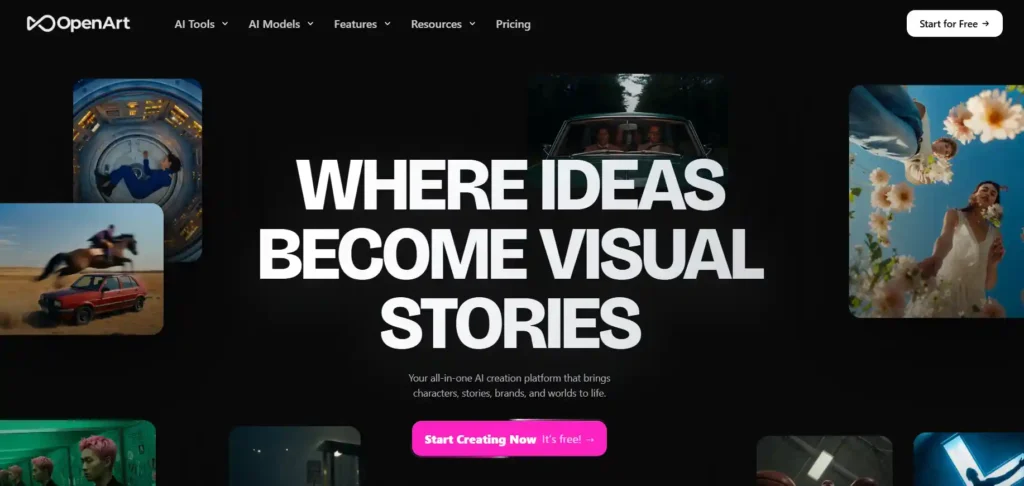
OpenArt is an all-in-one AI creation platform built for creators, brands, and agencies who want polished UGC-style ads without a camera or a production crew.
Alongside images, characters, and full 3D worlds, OpenArt offers a dedicated UGC Ads mode powered by top video models like Veo 3.1, Sora 2, and Kling 3.0, letting you generate scroll-stopping, ad-ready content from a single prompt.
You can start creating for free, build consistent AI characters for repeat campaigns, add lip-synced voiceovers in 30+ languages, and export videos formatted for TikTok, Reels, and YouTube, all inside one platform.
Save 15% on OpenArt with Code NISHA15
Get 15% off your OpenArt subscription using coupon code NISHA15 at checkout, valid on eligible individual creative plans.
Pros and Cons
Pros
- Multiple top-tier AI video models in one platform.
- Free trial available, no editing skills required.
- Consistent AI characters for repeat brand campaigns.
- Voiceovers and lip-sync in 30+ languages.
Cons
- Free plan limited before paid credits needed.
- Commercial use rights require a paid plan.
Pricing: Free trial to start creating; paid plans begin at $14/seat/month (Starter), scaling up to $240/month for high-volume commercial teams with watermark-free exports.
Rating: ★★★★☆ (4/5, editorial assessment)
Editorial Take: OpenArt’s UGC Ads mode stands out for combining multiple premium video models with character consistency, useful for brands running repeat campaigns across several ad variations.
Limitations:
- Free tier credits run out fairly quickly.
- Commercial rights locked behind paid subscription tiers.
Best For: Brands wanting varied AI ad styles.
Why Choose OpenArt: If you want more than one AI video model to experiment with, plus consistent characters and multilingual voiceovers, OpenArt offers broader creative flexibility than single-model UGC tools.
2. Pictory AI — Free AI UGC Video Generator for Text, Blogs & Scripts
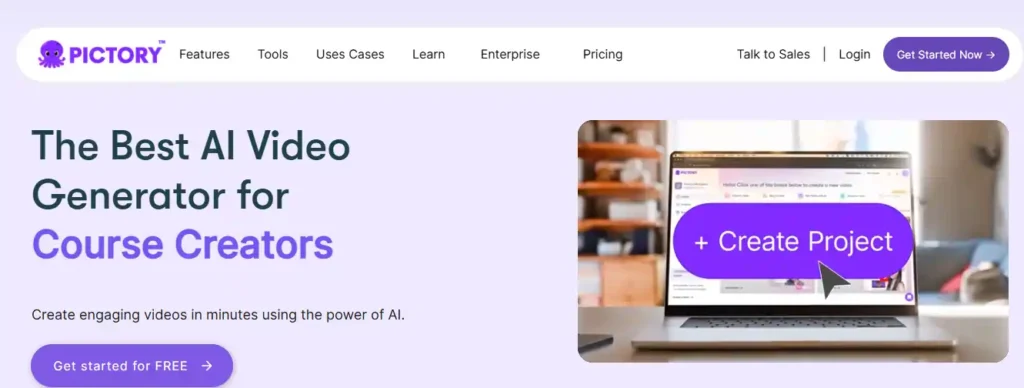
Pictory takes a different approach to UGC-style videos: instead of just generating an avatar from a prompt, it turns content you already have, scripts, blog posts, URLs, or presentations, into polished, publish-ready videos in minutes.
With a 14-day free trial and no credit card required to start, you can convert text or a webpage link into a video complete with AI voiceovers, auto-captions, and scene-matched visuals, no filming or editing experience needed.
Its avatar feature (launching soon) will add realistic AI presenters on top of an already strong text-to-video and URL-to-video engine, making it a solid pick for marketers who create content-heavy videos at volume.
Save 20% on Pictory AI with Code CABF20
Get 20% off your Pictory AI subscription using coupon code CABF20 at checkout, valid on eligible Starter and Professional plans.
Pros and Cons
Pros
- Converts blogs and URLs into videos instantly.
- 14-day free trial, no credit card needed.
- Realistic ElevenLabs AI voices in 29 languages.
- Auto-captions and brand kit customization included.
Cons
- Free trial capped at 15 video minutes.
- AI avatars still marked as launching soon.
Pricing: Free 14-day trial available; paid plans start around $25/month (Starter, billed annually), scaling to $119/month for team plans with more minutes.
Rating: ★★★★☆ (4.7/5, per G2)
Editorial Take: Pictory stands out for repurposing existing content, blogs, scripts, URLs, into video fast, making it especially useful for marketers who already publish written content regularly.
Limitations:
- Free trial video length is fairly limited.
- Avatar-based UGC videos aren’t fully live yet.
Best For: Repurposing blogs into videos.
Why Choose Pictory: If your workflow starts with written content rather than a blank script, Pictory’s URL-to-video and blog-to-video tools save real time compared to building UGC videos from scratch.
3. Akool — Free AI UGC Video Generator with Avatars, Face Swap & Translation
Akool brings UGC-style video creation into a broader AI content suite, combining talking avatars, face swap, and video translation in one platform, backed by a G2 rating of 4.8/5 and use by over 73,000 companies.
Its Streaming Avatar studio lets you generate presenter-style videos from templates or your own uploads, while photorealistic 4K rendering and consistent character identity across frames keep results looking polished rather than robotic.
A free tier gets you started with limited credits, 720p resolution, and a 5-minute streaming session, enough to test avatar quality and lip-sync before deciding if a paid plan fits your UGC ad workflow.
Pros and Cons
Pros
- Avatars, face swap, and translation combined.
- G2-rated 4.8/5, used by 73K+ companies.
- Photorealistic 4K rendering on paid tiers.
- 155+ languages supported for translation.
Cons
- Free plan capped at 720p, full watermark.
- Only 5-minute free streaming session limit.
Pricing: Free tier with limited credits and watermark; paid plans start at $12/seat/month (Starter), scaling to $174.30/month for Business, with custom Enterprise pricing available.
Rating: ★★★★☆ (4.8/5, per G2)
Editorial Take: Akool stands out for pairing UGC-style avatar video with face swap and multilingual translation, useful for brands that need more than just talking-head ads from one platform.
Limitations:
- Free tier includes a full watermark on exports.
- Higher resolutions require upgrading past Starter.
Best For: Multilingual avatar and translation needs.
Why Choose Akool: If your UGC strategy spans avatars, localized video translation, and creative face-swap content, Akool’s combined toolset can replace several single-purpose apps in one subscription.
4. Invideo AI — Free AI UGC Video Generator with Agent-Powered Creative Control
Invideo AI takes UGC video creation further with Agent Two, an AI system that stores full project context in memory, so avatars, locations, and characters stay consistent across every clip you generate, not just isolated one-off videos.
Its dedicated UGC Ads workflow, backed by access to 200+ models including Veo 3.1, Kling 3.0, and Sora 2, lets you describe a scene in plain language and let the platform choose the right model and write the prompt, no prompt-engineering skills required.
Multiplayer collaboration, storyboarding, and a full timeline editor round out the platform, making it suited for teams producing UGC ads at scale rather than single, one-off clips.
Pros and Cons
Pros
- Agent memory keeps characters consistent.
- 200+ models including Veo 3.1, Sora 2.
- Real-time multiplayer collaboration built in.
- Dedicated UGC Ads creation workflow.
Cons
- No permanent free plan, paid tiers only.
- Credits needed for most model generations.
Pricing: No free-forever tier; paid plans start at $17/month (Plus, billed annually), scaling up to $900/month for Elite with higher credits and concurrency.
Rating: ★★★★☆ (4.7/5, per G2)
Editorial Take: invideo AI stands out for its agent-based workflow, which keeps UGC ad campaigns visually consistent across many clips, a common pain point when generating multiple ad variations from scratch.
Limitations:
- Entry pricing starts higher than some competitors.
- No unlimited free plan for ongoing use.
Best For: Teams scaling consistent UGC ad campaigns.
Why Choose invideo AI: If you’re producing multiple UGC ad variations that need to stay visually consistent, invideo’s Agent Two and multiplayer tools offer more production control than single-avatar generators.
5. APOB AI — Free AI UGC Video Generator for Faceless Creators & Influencers
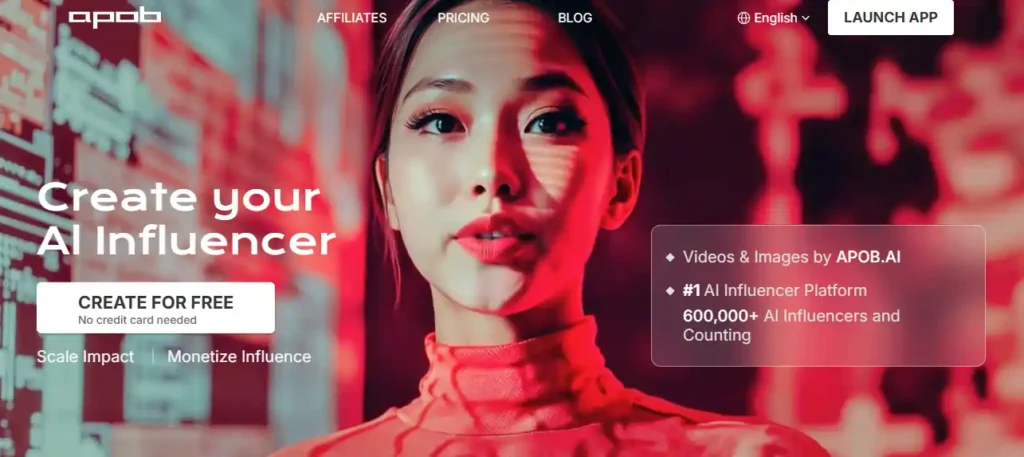
APOB AI approaches UGC-style content through a different lens: instead of one-off ad videos, it helps you build a consistent AI influencer with Talking Avatar and Lip Sync features, backed by over 1,400,000 AI influencers already created on the platform.
The free Nano plan gives you 80 credits a day, no credit card required, enough to generate short avatar videos and test the platform’s Face-Lock consistency across images before committing to a paid tier.
With Image-to-Video, Video Face Swap, and multiple avatar customization options, it’s built for creators who want a recurring, recognizable AI persona for UGC-style content rather than a single ad variation.
Pros and Cons
Pros
- 80 free daily credits, no card needed.
- Face-Lock keeps avatar consistent across posts.
- Talking avatar with natural lip-sync included.
- Affiliate program for extra earning potential.
Cons
- Free plan generates videos with watermark.
- Free tier limited to ~6 seconds video daily.
Pricing: Free Nano plan with daily credits; paid plans start at $13.99/month (Micro), scaling to $139.99/month for Mega, with 50% off yearly billing currently offered.
Rating: ★★★★☆ (4.6/5, per G2)
Editorial Take: APOB AI stands out for building a consistent digital persona over time rather than isolated clips, useful for creators building a recognizable faceless brand across TikTok, Instagram, or YouTube.
Limitations:
- Free daily video length is quite short.
- Watermark remains until you upgrade plans.
Best For: Building a consistent AI influencer persona.
Why Choose APOB AI: If your UGC strategy is less about one-off ads and more about growing a recurring AI persona your audience recognizes, APOB’s Face-Lock consistency sets it apart from single-video generators.
6. ElevenLabs — Free AI Voice & Video Platform for UGC-Style Content

ElevenLabs built its reputation on ultra-realistic AI speech, and that same voice technology now extends into video creation through its ElevenCreative platform, giving UGC-style content a layer of natural-sounding narration that’s hard to match elsewhere.
The free plan includes Text to Speech, Voice Design, and access to Image & Video tools with 10,000 monthly credits, letting you test scripted, voiced content before committing to a paid tier, no credit card friction upfront.
With an Ads Engine and support for 70+ languages, it’s especially useful for UGC creators who prioritize voice quality and multilingual reach alongside visual content, rather than avatar realism alone.
Pros and Cons
Pros
- Industry-leading, ultra-realistic AI voices.
- Free plan with 10,000 monthly credits.
- 70+ languages for global UGC content.
- Dedicated Ads Engine for campaign content.
Cons
- Video features less avatar-focused than rivals.
- Commercial license requires paid Starter plan.
Pricing: Free plan with 10K credits/month; paid plans start at $6/month (Starter), scaling to $990/month for Business, with custom Enterprise pricing available.
Rating: Not independently verified — check ElevenLabs’ site for current ratings
Editorial Take: ElevenLabs stands out where voice quality matters most in UGC content, testimonials, narrated product videos, or multilingual campaigns, though it’s less purpose-built for talking-avatar UGC ads than dedicated tools.
Limitations:
- Video generation is secondary to its voice tools.
- Free tier lacks commercial usage rights.
Best For: UGC content needing premium voice quality.
Why Choose ElevenLabs: If natural-sounding narration and multilingual voice quality matter more to your UGC content than avatar realism, ElevenLabs’ voice research gives it an edge few video-first tools can match.
How to Choose the Right Free AI UGC Video Generator for Your Brand
The best tool depends less on which one has the most features and more on what you’re trying to create. A few questions can narrow it down quickly:
- What’s the video for? A product demo for an ecommerce listing has different needs than a testimonial-style ad for TikTok or a talking-head explainer for a landing page.
- Does the free plan match your output needs? If you need multiple videos a month, check credit limits and video-length caps before committing time to a tool.
- Can you live with a watermark? Many free plans include one. That’s fine for testing, but not for a final ad you plan to run.
- Do you need multilingual voices or avatar diversity? If your audience isn’t English-only, avatar and language options matter more than raw video quality.
- How much editing control do you want? Some tools generate a finished video from one prompt; others let you adjust scripts, avatars, and pacing scene by scene.
- Matching the tool to the actual job, rather than picking the most popular name, is what determines whether the free plan is genuinely useful.
Best Free AI UGC Video Generator by Use Case
| Use Case | What to Look For |
|---|---|
| Product demo videos | URL-to-video or product-import features, clear voiceover |
| Testimonial-style ads | Realistic avatars, natural expressions, multiple presenter options |
| TikTok and Instagram Reels ads | Vertical export formats, short-form pacing, no watermark on export |
| Multilingual campaigns | Wide voice/avatar libraries, accurate lip-sync across languages |
| Blog or article repurposing | Script-to-video or text-to-video conversion tools |
| Quick social content | Fast rendering, simple templates, minimal setup |
The right choice often comes down to what you’re producing most often. A tool built for product demos won’t necessarily be the best fit for testimonial-style social ads, even if both fall under “AI UGC video generator.”
Common Mistakes to Avoid When Using a Free AI UGC Video Generator
- Expecting unlimited free use. Free plans are built for testing, not ongoing production. Check credit limits, video-length caps, and monthly resets before relying on a tool for regular content.
- Ignoring the watermark. A watermarked video can work for internal review, but publishing it as a finished ad can look unpolished and hurt trust with your audience.
- Using a generic script. AI avatars can only sound as natural as the script they’re given. Stiff, overly formal writing will produce a stiff, overly formal video, no matter how good the avatar looks.
- Skipping a quality check before publishing. AI-generated lip-sync and pacing aren’t always perfect on the first try. A quick review catches awkward pauses or mismatched visuals before they go live.
- Assuming one tool fits every use case. A generator built for testimonials may not perform as well for product demos, and vice versa. Matching the tool to the content type matters more than picking the most popular option.
Free vs Paid AI UGC Video Generators: What’s the Real Difference?
Free plans are designed to let you test a platform’s core features, not replace a paid subscription long-term. The differences usually show up in a few consistent places:
- Watermarks — most free plans include one; paid plans typically remove it.
- Video length and credits — free tiers often cap the number or length of videos you can generate per month.
- Avatar and voice selection — paid plans usually unlock a larger library of avatars, voices, and languages.
- Export quality — resolution and file format options can be limited on free tiers.
- Commercial usage rights — some free plans restrict videos to personal or non-commercial use, so it’s worth checking licensing terms before running a free-tier video as a paid ad.
For occasional use or testing which tool fits your workflow, a free plan is usually enough. For regular ad production or client work, the limitations tend to make a paid plan worthwhile fairly quickly.
Frequently Asked Questions About Free AI UGC Video Generators
Is there a truly free AI UGC video generator?
Yes, several tools like APOB AI, Akool, and OpenArt offer genuinely free plans with daily or monthly credits, though most include watermarks or limited video length until you upgrade.
How do AI UGC video generators work?
These tools convert a script, product link, or photo into a video using AI avatars, voice narration, and automated scene generation, no camera, actor, or filming equipment required.
Can I use free AI UGC videos for TikTok and Instagram ads?
Yes, most platforms export videos in vertical formats optimized for TikTok, Reels, and Instagram Stories. Check licensing terms first, since some free plans restrict commercial ad usage.
Do free AI UGC video generators add a watermark?
Most do. Free tiers typically include a visible watermark or logo overlay, which is removed once you upgrade to a paid plan with commercial usage rights.
What’s the difference between UGC and AI-generated UGC videos?
Traditional UGC is filmed by real creators or customers. AI-generated UGC uses digital avatars and synthetic voices to mimic that authentic, unscripted style without hiring an actual person.
How much does an AI UGC video generator cost after the free plan?
Paid plans typically range from $6 to $50 per month for individual creators, depending on video length, avatar quality, and resolution, with higher tiers for teams and agencies.
Which free AI UGC video generator is best for beginners?
Tools with simple prompt-based workflows, like APOB AI or Pictory, work well for beginners since they require no editing skills, just a script, photo, or product link to start.
A Note from Nisha
Testing these free AI UGC video generators, one thing became clear: none of them is a single “best” pick, it depends on what you’re actually making.
If you want quick avatar ads, APOB AI or Akool get you there fast. If voice quality matters most, ElevenLabs is hard to beat. And if you’re repurposing blog content, Pictory saves real time.
My honest advice? Start with whichever free plan matches your immediate need, test the output, and upgrade only once you know it fits your workflow.