Hello, lovely readers! I’m Nisha, and for the last six months, I’ve been testing AI tools daily and sharing honest experiences on this blog.
Many creators feel stuck between Pictory AI and VEED AI, unsure which platform actually saves time and effort.
Captions look similar. Pricing pages sound convincing. Features overlap in confusing ways, leaving beginners, marketers, and content creators uncertain about what really works.
Both promise fast editing, automatic subtitles, and simple video creation. But small differences in speed, accuracy, and output quality can matter more than expected.
Before deciding anything, it helps to understand how Pictory AI vs VEED AI actually perform in real, everyday use — not just in marketing claims.
What Is Pictory AI? A Quick Overview

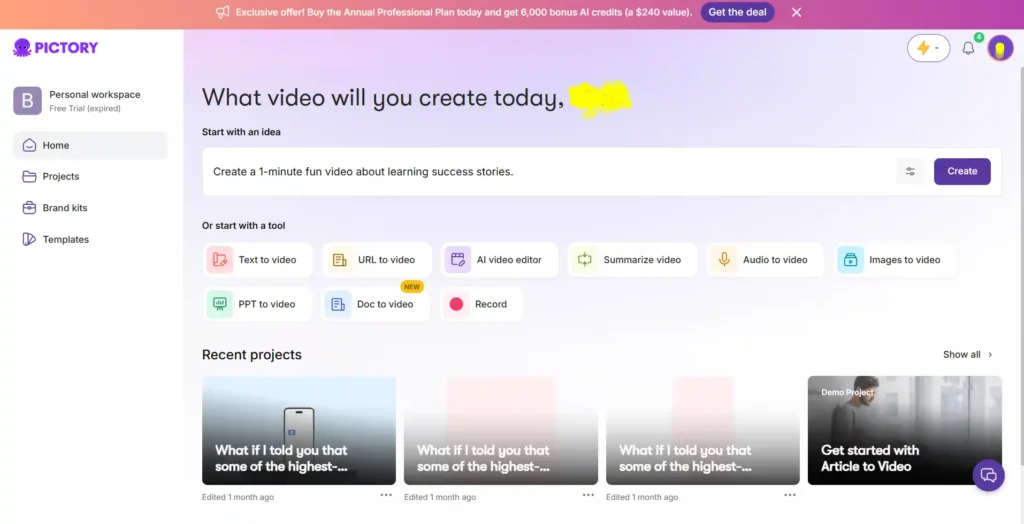
Pictory AI is built around one core idea: turning existing content into video. Scripts, blog posts, PowerPoint decks, URLs, and even long-form videos can be fed into the system and converted into a structured, scene-based video.
It leans heavily on repurposing. If you already have written content — a blog, a script, a webinar recording — Pictory is designed to squeeze more value out of that material by turning it into shareable video without starting from scratch.
Save 20% on Pictory AI Today
Use code CABF20 at checkout to unlock a flat 20% discount on any Pictory AI paid plan, valid for new and upgrading users.
What Is VEED AI? A Quick Overview

VEED AI takes a slightly different angle. It’s positioned more as an all-in-one creation and editing suite, with AI generation layered on top of a You can generate a video from a prompt, but you can also jump into detailed manual editing, subtitles, dubbing, and brand styling within the same workspace.
Where Pictory feels focused on repurposing, VEED feels built for creators who want generation and hands-on editing in one place.
Pictory AI vs VEED AI: Text to Video Generation Compared
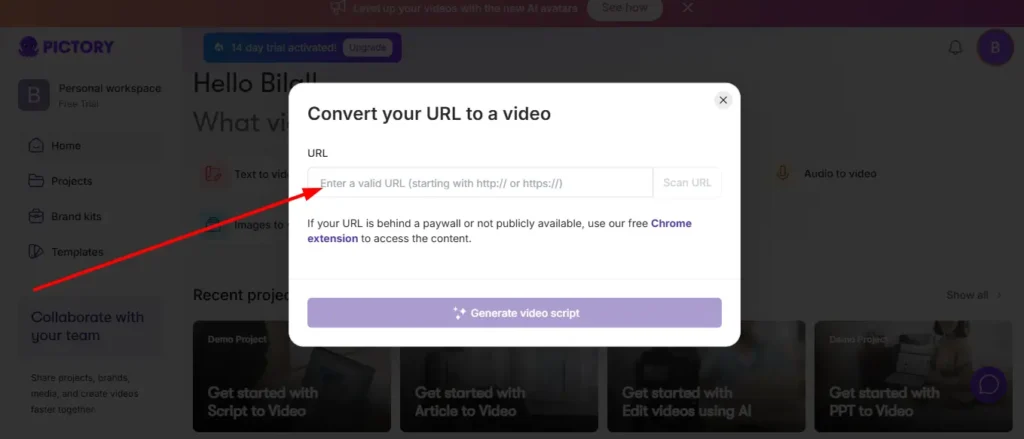
Both tools let you paste in text, a script, or a blog link and get a video back. The process looks similar on the surface — but the output behaves differently.
Pictory tends to prioritize speed and structure. It breaks your text into scenes, matches visuals automatically, and gets you to a rough draft fast. It’s genuinely useful when you have a blog post sitting idle and want a video version without rewriting anything.
VEED’s text-to-video leans more creative. It gives you more control over visual style during generation, which is helpful if brand consistency matters more than raw speed.
Practical takeaway: if your priority is turning existing written content into video quickly, Pictory usually gets there faster. If you want more creative control at the generation stage, VEED gives you more knobs to turn.
Pictory AI vs VEED AI: AI Avatars Feature Breakdown
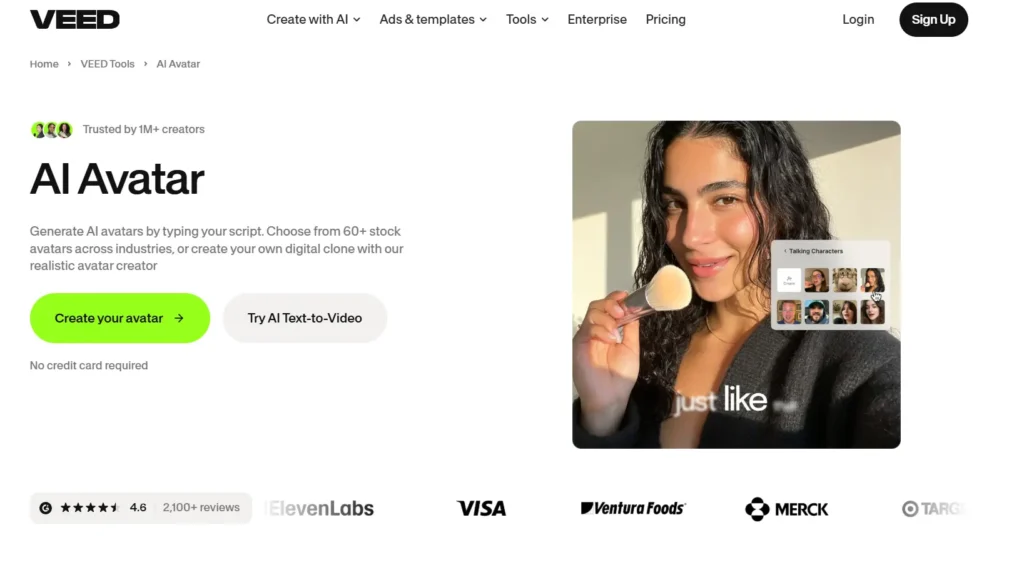
AI avatars are becoming a standard expectation, not a bonus feature anymore.
Pictory offers avatar functionality within its video generator, aimed at giving videos a presenter-style feel without filming anyone. It’s straightforward, though the avatar selection and realism can feel more limited compared to dedicated avatar-first platforms.
VEED also includes AI avatars, generally with a bit more polish in terms of lip-sync and natural delivery, since VEED has invested heavily in its broader AI video model integrations.
Neither tool is trying to be a full avatar-video specialist — think of this as a convenience feature inside a bigger toolkit, not the main event.
Pictory AI vs VEED AI: Auto Captions and Subtitle Quality
This is one area where user expectations are high, and rightly so — bad captions ruin otherwise good videos.
| Feature | Pictory AI | VEED AI |
|---|---|---|
| Auto caption accuracy | Solid, works well with clear audio | Strong, frequently praised in reviews |
| Caption styling options | Good, brand-kit linked | Extensive, more visual styles |
| Export formats | SRT, VTT, TXT | Multiple formats supported |
VEED has built a reputation specifically around subtitle quality — it’s one of its most marketed strengths. Pictory’s captions are reliable too, but VEED tends to edge ahead when styling and visual flexibility matter.
Pictory AI vs VEED AI: AI Voice Generator and Voice Cloning
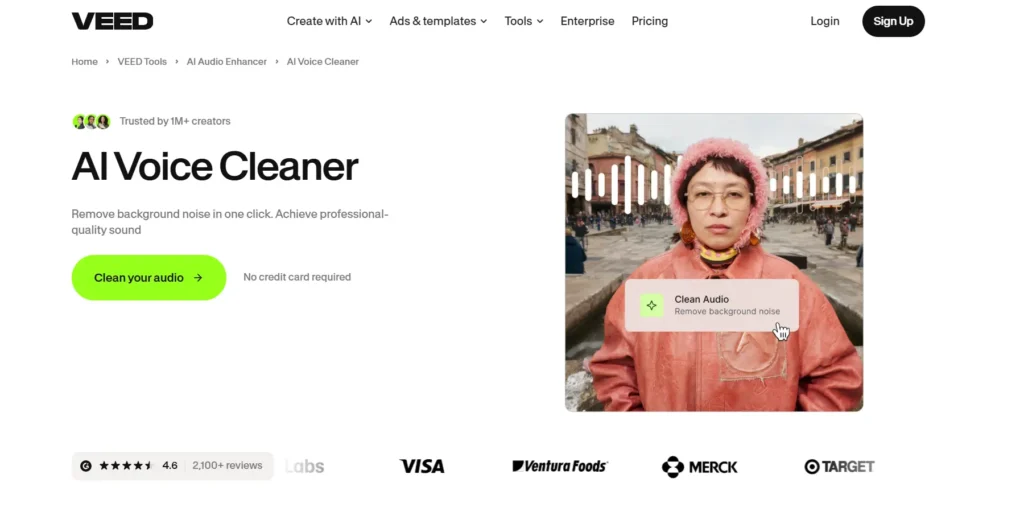
Both platforms integrate AI voice technology, including realistic voices for narration.
Pictory uses ElevenLabs voices across its plans, with minute allowances that scale as you move up in pricing tiers. Voice cloning is available on higher plans.
VEED also supports AI voice generation and cloning, with usage tied to credit consumption rather than fixed minute caps, which can feel more flexible for irregular usage patterns.
If you’re producing a high volume of narrated content monthly, it’s worth calculating actual usage against each tool’s voice minute limits before committing to a plan.
Pictory AI vs VEED AI: Video Translation and Dubbing Capabilities

If your content needs to reach non-English audiences, dubbing quality matters a lot.
VEED has a dedicated AI dubbing tool built specifically for multilingual video translation, supporting a wide range of languages with lip-sync considerations. Pictory supports multi-language voiceovers too, but dubbing isn’t positioned as prominently as it is on VEED.
For creators focused on international audiences, VEED’s dubbing tools currently feel more mature.
Pictory AI vs VEED AI: Image to Video AI Comparison
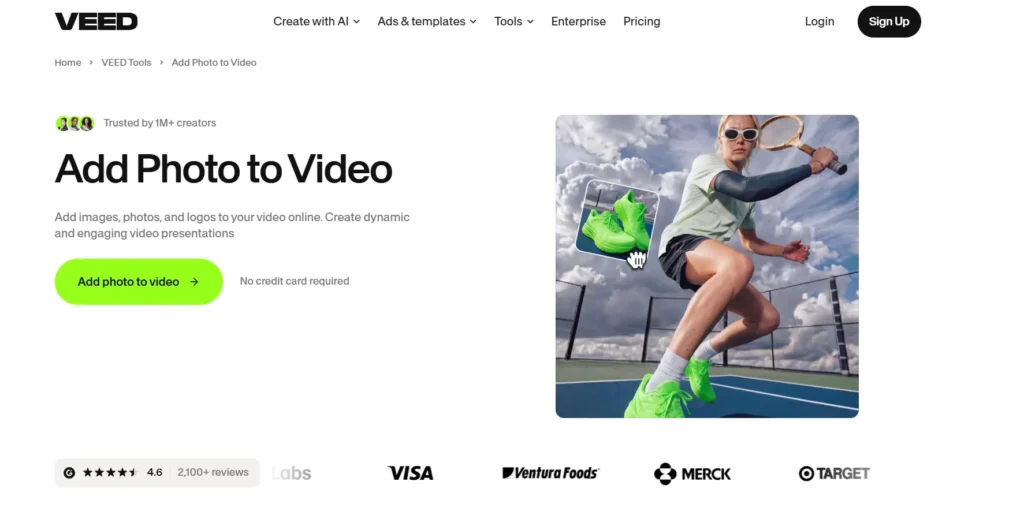
Both tools now support turning static images into moving video clips using generative AI models.
Pictory offers access to multiple video generation models for image-to-video conversion, giving users flexibility to choose between speed and cinematic quality depending on the model selected.
VEED integrates similarly advanced models, with a workspace that makes switching between generation and manual refinement smoother.
This is a fast-evolving area for both platforms, so expect frequent updates and model additions on either side.
Pictory AI vs VEED AI: Brand Kit and Customization Options
Brand consistency is non-negotiable for marketers and agencies producing videos at scale.
Pictory allows multiple brand kits depending on your plan, letting you store logos, fonts, and colors for repeated use across projects. VEED offers similar brand kit functionality, with multiple kits unlocked on mid-tier plans and above.
Functionally, they’re close here. The real difference tends to be in how easily brand elements carry over across different video types within each platform.
Pictory AI vs VEED AI: Templates and Editing Tools
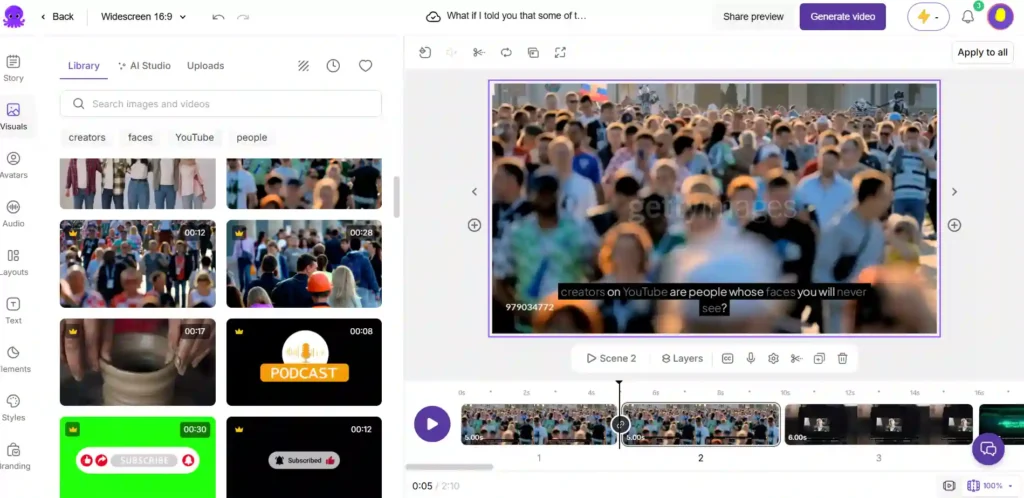
Pictory’s templates are geared toward quick, structured outputs — useful when you want a video that looks clean without much manual adjustment.
VEED leans more editor-first, offering a broader manual editing toolkit alongside its templates, which suits users who want to fine-tune every scene rather than accept an automated draft as final.
If you enjoy hands-on editing, VEED’s interface gives you more room to work. If you’d rather generate and publish quickly, Pictory’s template-driven flow saves time.
Pictory AI vs VEED AI: Which Is Easier for Beginners?
Neither tool requires editing experience, but the onboarding feel is different.
Pictory’s step-based workflow (select input, build script, customize, export) is easy to follow for someone who has never edited a video before. It reduces decision fatigue.
VEED’s broader toolset means more options are visible upfront, which some beginners find slightly overwhelming at first, even though the core generation flow itself is simple.
Short answer: Pictory feels marginally easier for absolute beginners. VEED rewards a bit more exploration.
Pictory AI vs VEED AI: Learning Curve Compared
Within the first few videos, most users get comfortable with either tool. The real learning curve shows up when you start using advanced features — brand kits, API access, avatar customization, or multi-language dubbing.
Pictory’s advanced features are gated fairly clearly by plan tier, so the learning curve grows step by step as you upgrade. VEED’s editor exposes more advanced tools earlier, so power users may hit useful features sooner, at the cost of a slightly steeper initial interface.
Pictory AI vs VEED AI Pricing: Which Offers Better Value?
Pricing structures differ enough that a side-by-side view helps. Here’s a breakdown of each tool separately.
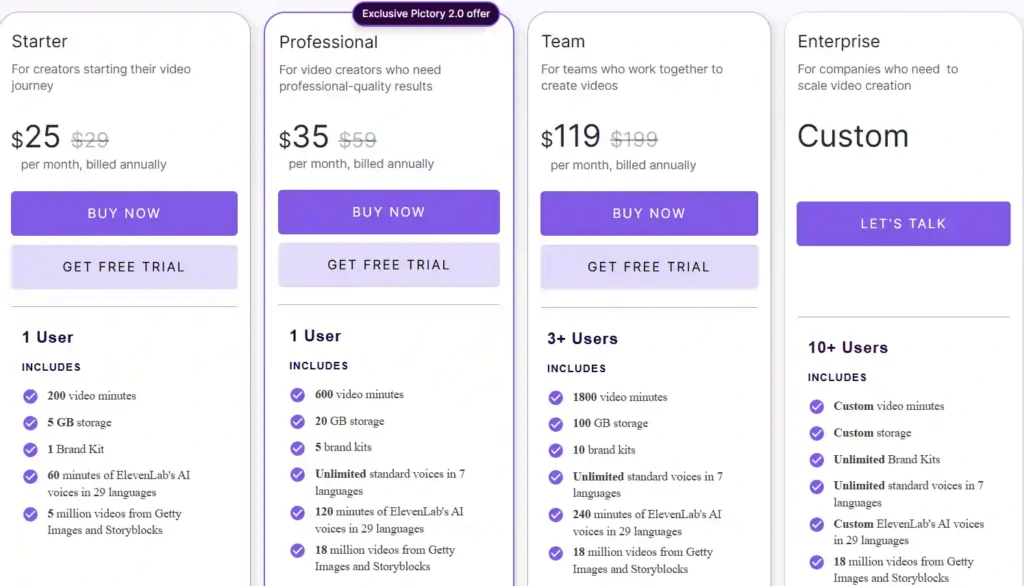
Pictory AI Pricing (billed annually)
| Plan Tier | Price |
|---|---|
| Starter | Around $25–29/month |
| Professional | Around $35–59/month |
| Team | Around $119–199/month |
| Enterprise | Custom pricing |
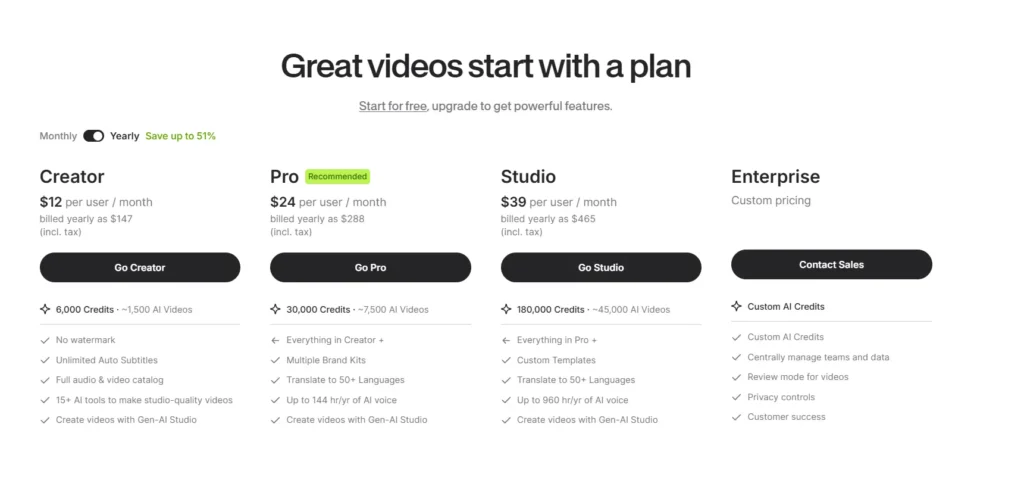
VEED AI Pricing (billed annually)
| Plan Tier | Price |
|---|---|
| Creator | Around $12/month |
| Pro | Around $24/month |
| Studio | Around $39/month |
| Enterprise | Custom pricing |
On paper, VEED’s entry pricing looks more affordable per user. But Pictory’s plans bundle larger stock libraries, ElevenLabs voice minutes, and video minute allowances directly into each tier, which can offset the higher sticker price depending on your usage volume.
Practical takeaway: don’t just compare monthly price — compare what’s included per credit, per minute, and per seat based on how much video you’ll actually produce.
Pictory AI vs VEED AI: Free Trial and Free Plan Comparison
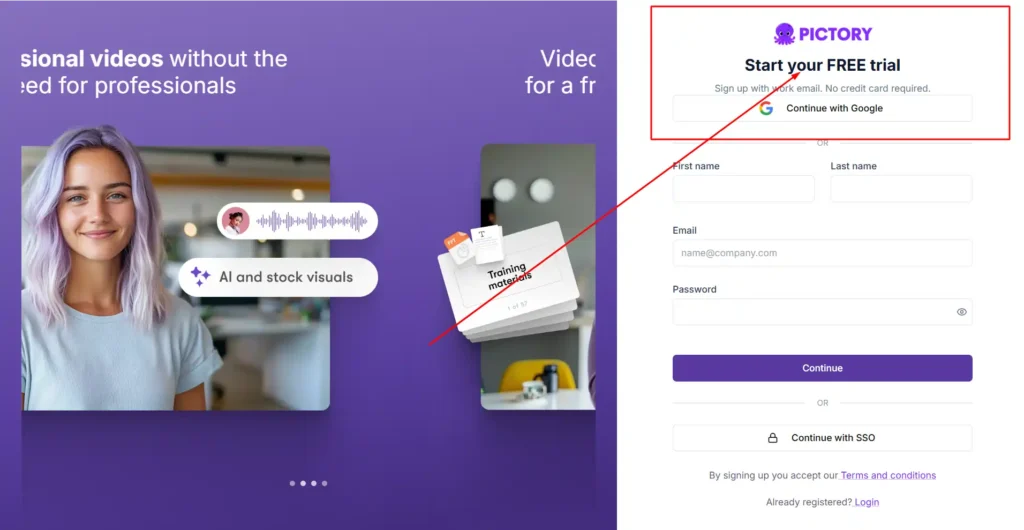
Pictory offers a free trial (commonly a 14-day window) with no credit card required to start, letting you test the generator before committing.
VEED offers a free-to-start plan you can use indefinitely at a limited capacity, plus paid tiers that unlock full features like no watermark and unlimited auto subtitles.
If you want to test drive premium features briefly, Pictory’s trial format works well. If you’d rather use a tool casually at no cost long-term, VEED’s free plan structure is more forgiving.
Pictory AI vs VEED AI: Credits and Video Minutes Explained
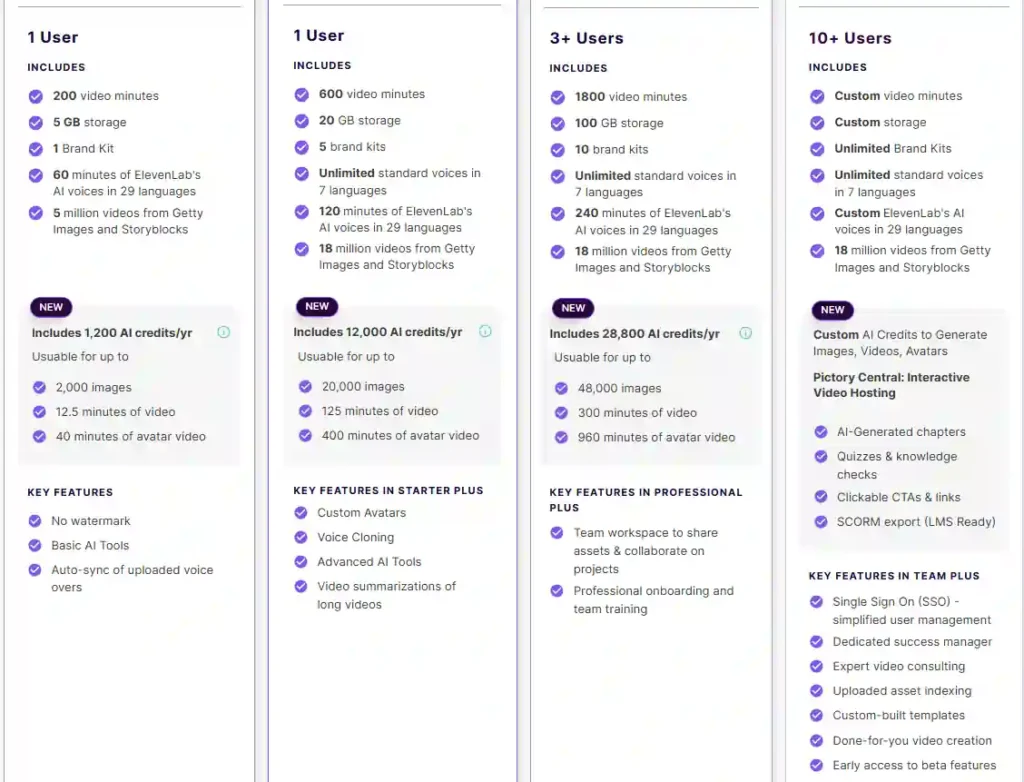
Pictory measures usage primarily in video minutes and AI credits, with each plan defining specific yearly minute caps and avatar/image generation limits.
VEED measures usage through a credit system, where each AI action — video generation, voice minutes, translations — consumes credits from a pooled allowance.
Credit-based systems like VEED’s tend to feel more flexible for mixed usage. Minute-based systems like Pictory’s are easier to predict if your workflow is fairly consistent month to month.
Pictory AI vs VEED AI for Social Media Content Creation
For short-form content — Reels, TikToks, Shorts — both tools handle resizing and platform-specific formatting well.
Pictory’s strength here is repurposing: taking a long video or blog and slicing it into short clips automatically. VEED’s strength is styling: captions, text animations, and templates built with social media aesthetics in mind.
If your content strategy revolves around repurposing long content into shorts, Pictory saves more time. If your priority is scroll-stopping visual style, VEED’s editing depth helps more.
Pictory AI vs VEED AI for YouTube and Long-Form Videos
Long-form content benefits from structure and pacing, and this is where Pictory’s scene-based script editor is genuinely useful — it helps map out a coherent narrative before you touch visuals.
VEED handles long-form editing capably too, particularly if you’re combining AI generation with manual trims, audio cleanup, and detailed captioning.
Neither tool fully replaces a dedicated long-form editing suite for highly complex YouTube productions, but both cover the basics well.
Pictory AI vs VEED AI for Marketing and Business Videos
Marketers producing ads, explainers, and campaign videos at volume will likely lean toward whichever tool integrates better with existing workflows.
Pictory supports automation through Zapier and Make, plus a Chrome extension for turning web pages into video directly — useful for content teams publishing frequently from existing web content.
VEED’s API and enterprise tools support scaled production too, with stronger emphasis on brand consistency across large teams.
→ You can also explore our guide on AI voice generator tools if narration quality is a priority for your marketing videos.
Pictory AI vs VEED AI for Educational and Training Videos
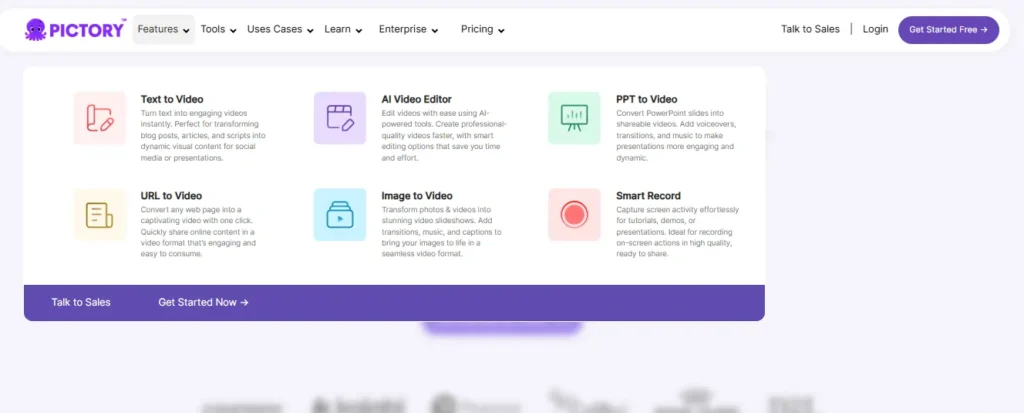
For corporate training and e-learning, Pictory includes features like AI-generated chapters, quizzes, and SCORM export on enterprise plans — genuinely useful if you’re building content for an LMS.
VEED doesn’t market LMS-specific export as heavily, but its editing depth and multilingual dubbing make it a strong option for training content that needs to reach global teams.
Pictory AI vs VEED AI: API Access and Workflow Automation
Both platforms offer API access for teams wanting to embed video generation into existing systems.
Pictory’s API sits alongside its Zapier/Make integrations, aimed at automating repurposing workflows at scale. VEED’s API extends into more granular tools — subtitle generation, background removal, and lip-sync — which developers can plug into custom applications beyond just full video generation.
If you need broad workflow automation, Pictory’s integrations are simpler to set up. If you need granular API access to specific AI functions, VEED’s API surface is more developer-friendly.
Pictory AI Pros and Cons
Pros:
- Fast repurposing of blogs, scripts, and existing content.
- Clear step-based workflow for beginners.
- Strong automation via Zapier, Make, and Chrome extension.
- LMS-ready export options on enterprise plans.
Cons:
- Higher entry pricing compared to VEED.
- Avatar and dubbing features feel less developed.
- Minute-based system can feel restrictive for irregular usage.
VEED AI Pros and Cons
Pros:
- More affordable entry-level pricing.
- Strong subtitle and captioning reputation.
- Deeper manual editing tools alongside AI generation.
- Mature dubbing and translation capabilities.
Cons:
- Slightly steeper initial interface for total beginners.
- Less structured repurposing workflow for long content.
- LMS/training-specific export options are less prominent.
Pictory AI vs VEED AI: What Do Real Users Say?
Across review platforms, Pictory users frequently mention time saved on repurposing existing content and ease of use for first-time creators. VEED users often highlight caption quality and editing flexibility as standout strengths.
Neither tool has a significant complaint pattern around reliability — most user friction shows up around learning specific advanced features, not core functionality.
Pictory AI vs VEED AI: Which One Should You Choose?
If you’re repurposing existing written content — blogs, scripts, webinars — into video regularly, Pictory’s workflow is built for exactly that, and the automation options make it easier to scale.
If you want a tool that blends AI generation with genuine hands-on editing control, especially for captions, dubbing, and brand styling, VEED gives you more room to work without switching tools.
There isn’t a universal winner here. The right choice depends on whether your workflow starts with existing content (Pictory) or starts with a creative brief you want to shape manually (VEED).
Frequently Asked Questions
Is Pictory AI better than VEED AI?
Neither is objectively better — Pictory is stronger for repurposing existing content into video, while VEED is stronger for hands-on editing, captions, and dubbing.
Does Pictory AI or VEED AI have a free trial?
Pictory offers a free trial with no credit card required. VEED offers ask free-to-start plan with limited features rather than a time-boxed trial.
Which is cheaper, Pictory AI or VEED AI?
VEED’s entry-level paid plan is generally cheaper per user, though Pictory bundles more stock assets and voice minutes into its tiers.
Can Pictory AI or VEED AI turn blogs into videos?
Yes, both support blog-to-video conversion, though Pictory’s URL-to-video workflow is more explicitly built around repurposing written web content.
Which tool has better auto captions, Pictory AI or VEED AI?
VEED is widely recognized for stronger caption styling and accuracy, though Pictory’s captions remain reliable for most standard use cases.
Nisha’s Final Take on Pictory AI vs VEED AI
After testing both tools hands-on, my honest advice is simple: pick Pictory AI if you’re repurposing existing content, and VEED AI if you want deeper editing control. Neither one is a wrong choice.
Try the free plans first, see which workflow feels natural, and build from there.
Got questions about your specific use case? Drop them in the comments — I read every single one and reply personally.