Staring at hours of recorded university lectures can feel incredibly draining. As a student, trying to organize scattered PDFs and re-watch long video modules often leads straight to burnout. The sheer volume of digital coursework makes it difficult to actually absorb the material.
What if your study routine could manage itself? Imagine having software that transcribes lectures, generates smart flashcards, and organizes your research automatically. At AIBlogFirst, we test educational platforms daily to see what genuinely saves time. Most study apps just add more busywork to your day.
Understanding how the Top 6 AI Tools for Online Learning function completely changes your approach to distance education. Using reliable AI tools for online learning puts you back in control.
Why Students Need AI Tools for Online Learning in 2026
Online learning has grown rapidly, but so has the pressure on students to manage it all independently. Without a physical classroom, staying organized, retaining lecture content, and meeting deadlines becomes significantly harder.
AI tools for online learning directly address these daily pain points. Instead of re-watching 90-minute recorded lectures, students can now get summarized notes in seconds. Instead of manually building flashcard decks, smart generators create quizzes directly from uploaded course material.
The shift matters because online students lack the real-time support that campus learners rely on. AI fills that gap by acting as an always-available tutor, note-taker, and study planner.
Research shows that Gen Z learners now lead all age groups in AI tool adoption for education — with over 37% actively using generative AI to support their coursework.
Three core areas where AI makes the biggest difference for remote students:
- Retention — converting dense material into digestible summaries.
- Organization — managing deadlines, notes, and research in one place.
- Writing support — structuring arguments and improving academic clarity.
The tools covered below each solve a specific problem that online students face every day.
The Core Criteria: How We Rated the Top 6 AI Tools for Online Learning at AIBlogFirst
Not every AI app actually improves the study experience. To determine which platforms provide genuine value for distance education, we evaluated dozens of software solutions against strict performance standards.
Our ranking methodology focuses on practical use cases for remote students managing heavy academic workloads. We looked specifically at four essential factors:
- Feature Utility: Does the platform solve a real problem, like automated lecture transcription or smart flashcard generation, without adding extra steps?
- Pricing and Accessibility: We prioritized tools offering functional free trials, sustainable monthly pricing, or significant student discounts.
- Academic Integrity: The software must support safe research, semantic reading assistance, and study planning without violating university plagiarism policies.
- User Experience: The interface needs to be intuitive enough for beginners to navigate easily between online classes.
By filtering out marketing hype and focusing strictly on these four pillars, we isolated the platforms that deliver measurable productivity gains. The resulting list highlights only the software that passes these structural benchmarks.
Quick Comparison — Top 6 AI Tools for Online Learning at a Glance
| AI Tool | Free Plan | Student Discount / Promo |
|---|---|---|
| 🎨 OpenArt AI | ✅ Yes — limited credits | ✅ Use code NISHA15 for 15% OFF |
| ✍️ QuillBot | ✅ Yes — basic paraphrasing | ✅ Student discount available |
| 🎬 Pictory AI | ✅ Yes — trial access | ✅ Use code CABF20 for 20% OFF |
| 🎙️ Murf AI | ✅ Yes — 10 min audio | ✅ Paid plans from $29/month |
| 🔊 ElevenLabs | ✅ Yes — 10k characters | ✅ Creator plan from $5/month |
| 🔍 Genspark AI | ✅ Yes — free tier | ✅ Pro plan available |
1. OpenArt.ai: Transform Your Creative Vision with AI-Powered Content Creation
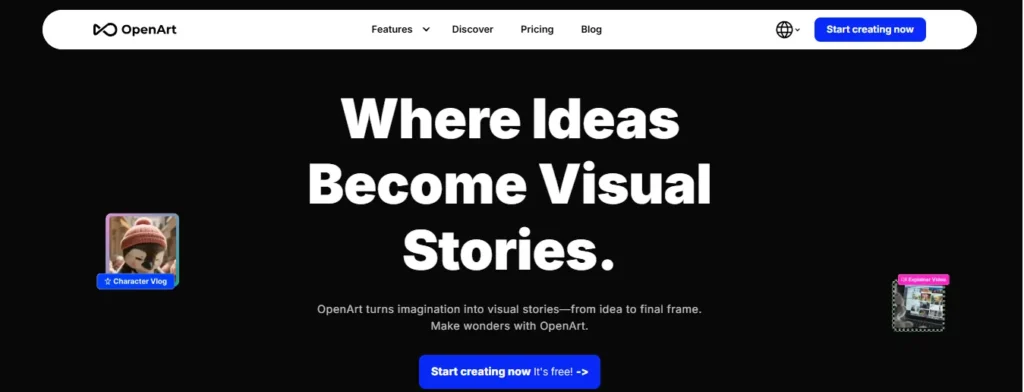
OpenArt revolutionizes content creation by combining advanced AI models with intuitive creative tools. Whether you’re generating stunning images, directing cinematic videos, or crafting compelling voiceovers, this all-in-one platform empowers creators of all skill levels.
The platform integrates cutting-edge AI models including Seedance 2.0, Kling 3.0, and ChatGPT Image-2, enabling professional-quality outputs in minutes. From smart shot cinematic generation to advanced video editing and lip-syncing capabilities, OpenArt eliminates technical barriers to creative excellence.
With features like One-Click Story Creation, personalized AI models, and commercial use rights, creators can scale their production without compromising quality. Perfect for marketers, filmmakers, and content creators seeking rapid, high-impact output.
Save 15% on OpenArt AI plans with code NISHA15
Use this limited-time discount to lower your OpenArt subscription cost and unlock advanced AI image and video tools for creative learning projects.
Pros and Cons
Pros:
- Generates professional images and videos instantly.
- Includes 100+ premium AI models integrated seamlessly.
- Commercial use rights on all subscription tiers.
- Advanced video editing with motion sync and lip-sync.
Cons:
- Credit system limits usage for budget-conscious creators.
- Steep learning curve for advanced feature mastery.
What You’ll Learn:
Master AI-powered image and video generation, character consistency techniques, professional video editing, voiceover creation, and cinematic storytelling fundamentals.
How You’ll Learn:
Through interactive tutorials, template-based projects, community inspiration galleries, step-by-step guides, and hands-on experimentation with 100+ premium models.
Pricing Plans:
Essential ($14/month) for beginners, Advanced ($29/month) for professionals, Infinite ($56/month) for power users, Wonder ($240/month) for unlimited creation needs.
Limitations:
- Monthly credit rollover policy requires consistent usage planning.
- Higher-tier plans demand significant commitment for casual creators.
Why Choose OpenArt.ai:
Combines professional-grade tools with beginner-friendly interface, offers commercial rights immediately, and provides unmatched model variety for diverse creative projects.
2. QuillBot: Elevate Your Writing with AI-Powered Precision and Creativity
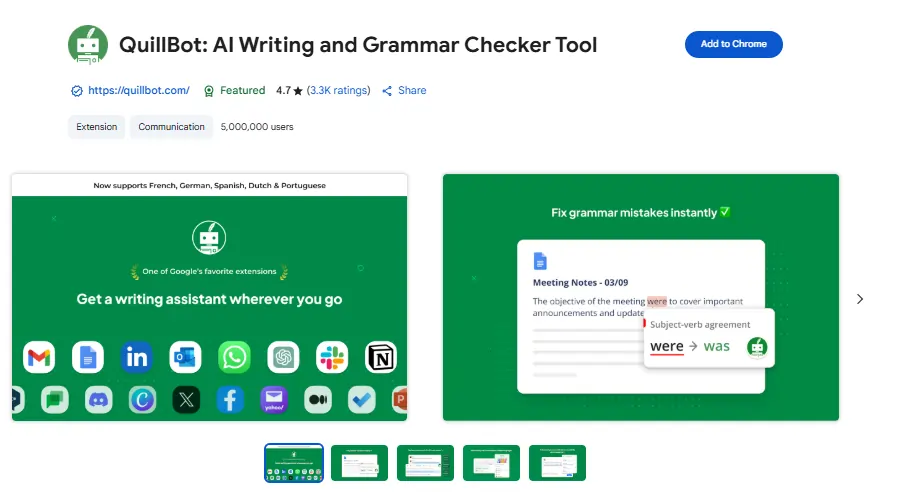
QuillBot transforms the way writers work by providing intelligent, AI-powered tools designed for clarity and impact. From students perfecting essays to professionals crafting compelling content, this comprehensive platform helps millions improve their writing daily.
The suite includes unlimited paraphrasing across nine unique modes, advanced grammar checking in six languages, plagiarism detection, and AI humanization tools that make text sound naturally authentic. Real-time tone insights and comprehensive writing suggestions ensure every piece resonates with your audience.
With seamless integrations across Chrome, Edge, Word, and mobile devices, QuillBot fits effortlessly into your workflow. Whether preventing accidental plagiarism, creating custom summaries, or generating original content, Premium access unlocks boundless possibilities for writers who refuse to compromise on quality.
Pros and Cons
Pros:
- Unlimited paraphrasing with nine customizable modes available.
- Advanced grammar checking across six languages included.
- Prevents accidental plagiarism with plagiarism detection tools.
- Humanize text naturally with AI insights integrated.
Cons:
- Limited free version restricts paraphrasing to words.
- Premium pricing may challenge budget-conscious individual users.
What You’ll Learn:
Master advanced paraphrasing techniques, grammar refinement strategies, plagiarism prevention methods, AI detection understanding, and professional tone adjustment for diverse writing contexts.
How You’ll Learn:
Through intuitive interface demonstrations, built-in tool tutorials, real-time writing feedback mechanisms, comprehensive browser extensions, and practical application across multiple writing projects.
Pricing Plans:
Free plan ($0/month) offers basic features; Premium ($8.33/month billed annually) unlocks unlimited paraphrasing, advanced grammar, plagiarism detection, and AI humanization capabilities.
Limitations:
- Free tier restricts paraphrasing to 125 words and limits humanizer usage.
- Team plan requires custom quote, creating potential onboarding delays.
Why Choose QuillBot:
Trusted by 35+ million writers globally, QuillBot combines powerful AI tools with user-friendly interface, offers instant grammar correction, and enables unlimited creativity without compromise.
3. Pictory.ai: Transform Text, Scripts, and Ideas into Professional Videos in Minutes
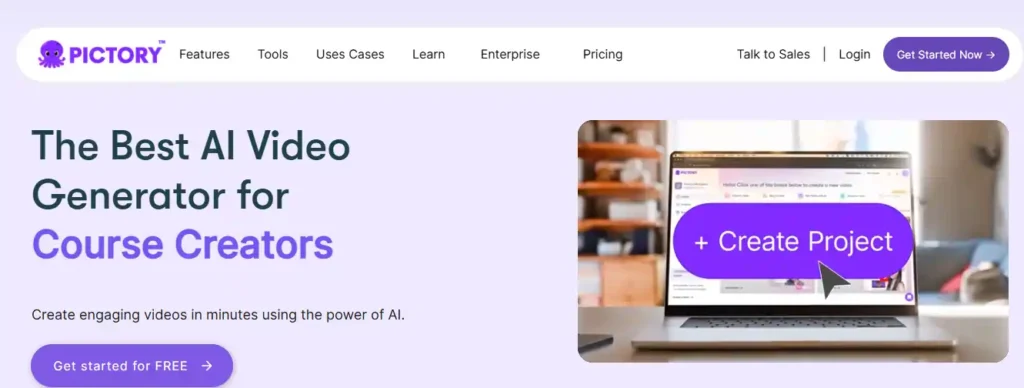
Pictory revolutionizes video creation by converting text, scripts, URLs, and images into polished, publish-ready videos without requiring cameras, filming equipment, or advanced editing skills. Trusted by over 20,000 companies worldwide, this AI-powered platform eliminates the complexity of traditional video production.
The platform features intelligent scene generation, automatic captioning, AI avatars, realistic voiceovers in 29 languages, and access to millions of premium stock assets from Getty Images and Storyblocks. Advanced AI Studio tools enable custom visual generation, while flexible video resizing ensures optimization across YouTube, TikTok, Instagram, and LinkedIn formats.
Whether creating marketing campaigns, educational tutorials, corporate training videos, or social content, Pictory delivers professional-quality results in a fraction of traditional production time. Perfect for content creators, marketers, and teams scaling video output without budget constraints.
Save 20% on Pictory AI with code CABF20
Use this discount to reduce your Pictory subscription cost and create AI videos faster for learning, teaching, and content projects.
Pros and Cons
Pros:
- Converts scripts, blogs, and prompts into videos instantly.
- Includes millions of premium stock assets and music tracks.
- AI avatars and realistic voices available in multiple languages.
- Automatic captioning and subtitle generation included.
Cons:
- Learning curve required for advanced customization features.
- Higher-tier plans needed for teams and enterprise requirements.
What You’ll Learn:
Master video scripting fundamentals, visual storytelling techniques, multi-platform video optimization, AI-driven content repurposing, branding consistency strategies, and efficient video production workflows.
How You’ll Learn:
Through intuitive drag-and-drop editor interfaces, built-in video templates, comprehensive help center resources, YouTube mastery course, marketing course modules, and hands-on project creation.
Pricing Plans:
Free trial (14 days); Starter ($25/month) with 200 video minutes; Professional ($35/month) with 600 minutes; Team ($119/month) for 1,800 minutes; Enterprise plans available with custom pricing.
Limitations:
- Free tier provides limited functionality requiring paid upgrades for full features.
- Monthly video minutes don’t roll over, requiring new minutes each billing cycle.
Why Choose Pictory:
Rated 4.7/5 on G2, Pictory delivers enterprise-grade video creation without technical expertise, offers unlimited repurposing across platforms, and provides commercial-grade assets worth thousands annually.
4. Murf.ai: Create Studio-Quality Voiceovers with Ultra-Realistic AI Voices Instantly

Murf.ai transforms voice creation by delivering ultra-realistic, human-quality speech at unprecedented speed and efficiency. Trusted by 10 million+ users and 300+ Fortune 2000 companies, this comprehensive AI voice platform revolutionizes content production across industries.
The platform features 200+ expressive voices across 35+ languages with industry-leading 130ms latency—faster than competitors like ElevenLabs and OpenAI. Advanced customization controls enable precise pitch, speed, emphasis, and intonation adjustments for complete creative control. Three powerful solutions address every need: production-grade text-to-speech API for developers, studio-quality voiceover software for creators, and instant AI dubbing for global video localization.
Whether producing e-learning modules, podcasts, advertisements, or training videos, Murf delivers professional narration that audiences can’t distinguish from human voice actors. Perfect for enterprises requiring scalability, creators needing efficiency, and developers building conversational AI applications.
Pros and Cons
Pros:
- Fastest 130ms latency text-to-speech API available currently.
- 200+ voices across 35+ languages with custom pronunciation control.
- Ethically developed voices with 99.38% pronunciation accuracy proven.
- AI translation and dubbing preserves original voice and meaning.
Cons:
- Free tier limits voice generation to just 10 minutes monthly.
- Premium plans required for commercial rights and full feature access.
What You’ll Learn:
Master voice customization techniques, multilingual content creation strategies, dubbing and localization workflows, podcast production fundamentals, and ethical AI voice implementation.
How You’ll Learn:
Through interactive studio interface, hands-on voice style experimentation, comprehensive help center resources, integrated Canva and PowerPoint plugins, and practical project creation.
Pricing Plans:
Free plan ($0/month) with limited features; Creator ($19/month) for freelancers with 24 hours annual generation; Business ($66/month) offering 96 hours; Enterprise plans available with custom unlimited access.
Limitations:
- Free tier voice generation capped at 10 minutes requiring paid upgrade.
- Enterprise plans demand custom quotes making immediate access challenging.
Why Choose Murf.ai:
Rated 4.7/5 on G2, Murf delivers naturalistic voices tested in blind studies, offers industry-leading speed with 130ms latency, provides enterprise-grade security with GDPR and SOC 2 compliance, and enables 10x faster production reducing costs significantly.
5. ElevenLabs: Revolutionary AI Voice Platform for Content Creation, Agents, and Developers

ElevenLabs redefines audio creation by combining ultra-realistic voice synthesis, advanced agents, and comprehensive APIs into a unified ecosystem. Trusted by leading enterprises including Disney, NVIDIA, Meta, and Salesforce, this research-driven platform transforms how creators, developers, and businesses approach voice technology.
The platform offers three powerful solutions: ElevenCreative for podcast and audiobook production with 1000+ voices across 70+ languages, ElevenAgents for deploying conversational AI agents with 75ms latency, and ElevenAPI for developers building custom applications. Advanced features include voice cloning, studio-quality music generation, speech-to-text with 98% accuracy, intelligent dubbing that preserves original emotion, and custom sound effects.
Whether creating compelling content, automating customer interactions, or building next-generation applications, ElevenLabs delivers human-quality results at unprecedented scale and sophistication.
Pros and Cons
Pros:
- Ultra-realistic voices across 70+ languages with emotional control.
- 75ms latency with Eleven Flash model for real-time conversations.
- Dubbing v2 preserves original speaker emotion and performance.
- Studio-quality music generation trained on licensed commercial data.
Cons:
- Complex feature set requires learning curve for new users.
- Premium API pricing may challenge budget-constrained developers.
What You’ll Learn:
Master voice synthesis techniques, conversational AI agent deployment, multilingual content creation, emotional voice control, music composition, speech recognition, and enterprise-scale audio implementation.
How You’ll Learn:
Through intuitive ElevenCreative studio, comprehensive API documentation, hands-on agent configuration, interactive webinars, detailed help center resources, and real-world use case demonstrations.
Pricing Plans:
Custom enterprise pricing available; contact sales for tailored plans supporting various scales from startup developers to Fortune 500 enterprises with different requirements.
Limitations:
- Complex platform requires significant onboarding for developers implementing APIs.
- Pricing details not publicly listed requiring direct enterprise consultation.
Why Choose ElevenLabs:
Industry-leading with foundational AI models, offers 75ms latency outperforming competitors, provides emotionally intelligent dubbing technology, trusted by Disney and NVIDIA, and delivers commercial-ready music and audio solutions.
6. GenSpark.ai: Autonomous AI Workspace for Research, Content Creation, and Smart Automation
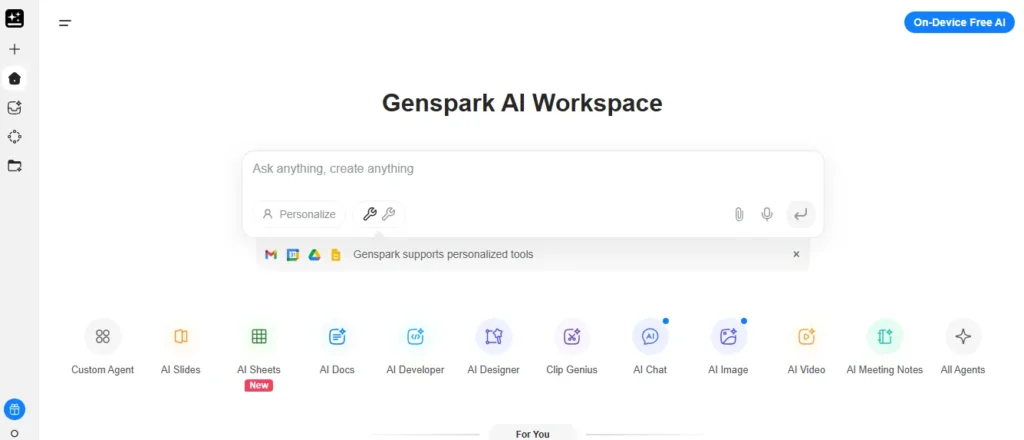
GenSpark is a full-fledged AI workspace with Super Agent that autonomously creates presentations, websites, videos, podcasts, conducts in-depth research, makes real phone calls, analyzes data in spreadsheets, and generates multimedia—all from a single prompt. This revolutionary platform eliminates context-switching by consolidating research, productivity, and content creation into one integrated system.
The platform achieved 87.8% on the GAIA benchmark—one of the highest autonomy indicators among agents, enabling genuine agentic AI that executes multi-layered tasks independently. Features include Sparkpages for comprehensive research documents, AI Slides for professional presentations, AI Sites for responsive landing pages, and Call For Me for real telephone interactions.
Whether you’re a researcher, marketer, content creator, or business professional, GenSpark transforms high-level prompts into production-ready outputs across documents, presentations, websites, and multimedia.
Pros and Cons
Pros:
- Super Agent autonomously executes complex multi-step tasks from single prompts.
- Achieves 87.8% on GAIA benchmark for AI autonomy and independence.
- Creates professional-quality presentations rated best-in-market by users.
- Makes real phone calls and conducts in-depth research with citations.
Cons:
- Credit system complexity confuses users regarding actual value delivery.
- Mixed reviews on reliability with some reports of fast credit consumption.
What You’ll Learn:
Master autonomous AI task delegation, advanced research synthesis techniques, multi-format content creation, workflow automation, phone call automation, and strategic agent configuration for enterprise productivity.
How You’ll Learn:
Through intuitive Super Agent interface, real-world task execution examples, comprehensive help documentation, hands-on agent builder, interactive Sparkpage creation, and practical implementation across workflows.
Pricing Plans:
Free tier with daily credits; Plus starting at $19.99-$24.99/month with 10,000 monthly credits; Pro at $249/month with 125,000 monthly credits and 1 TB storage. Annual billing saves approximately 20%.
Limitations:
- Free tier daily credit limits restrict heavy usage requiring paid upgrade
- Credit consumption varies significantly by task type creating pricing unpredictability
Why Choose GenSpark:
Combines advanced search with autonomous execution, eliminates app-switching with all-in-one workspace, rated 4.7/5 on G2, enables genuine autonomous AI agents, and delivers measurable time-savings across research, content, and administrative tasks.
How to Choose the Right AI Tool for Your Online Learning Style
With hundreds of educational apps on the market, picking the right platform can feel overwhelming. The key to choosing effectively is matching the software’s core functionality to your personal learning style and current academic bottlenecks. A tool that works perfectly for a medical student memorizing anatomy might be useless for an English major analyzing literature.
Before committing to a paid subscription, evaluate how you actually study. Visual learners benefit most from AI mind-mapping tools and smart flashcard generators. In contrast, auditory learners should prioritize platforms with robust text-to-speech and lecture transcription features. Research-heavy students require completely different tools, prioritizing semantic reading assistants that can analyze large PDFs and generate accurate academic citations.
When narrowing down your choices, always consider these three factors:
- Institutional Approval: Check if your university has approved specific tools like Microsoft Copilot or if they restrict certain platforms.
- Data Privacy: Ensure the tool complies with security standards, especially if you plan to upload proprietary lecture notes or assignments.
- Workflow Integration: The best tools integrate naturally with your existing systems (like Notion or Google Drive) rather than forcing you to adopt an entirely new workflow.
Ultimately, the best AI tool is the one that reduces friction in your study routine, not the one with the most complex features.
Frequently Asked Questions About AI Tools for Online Learning
What is the best free AI tool for online learning?
NotebookLM is often the strongest free option because it works directly with your uploaded sources and reduces unsupported answers.
How do AI tools improve online learning?
AI offers personalized feedback, provides 24/7 study support for students, and automates administrative tasks for teachers.
Can AI tools summarize long textbook PDFs accurately?
Yes, source-aware systems can extract key concepts from long PDFs, but accuracy depends on the quality of the uploaded material and prompts.
Which AI tool is best for research-heavy coursework?
Perplexity AI and NotebookLM are strong choices because they support structured research, document analysis, and faster source review.
Are AI tools safe for academic writing?
They are safe when used for outlining, grammar, and study support, but students should avoid submitting AI-generated work as original writing.
Do AI learning tools help with presentations?
Yes, tools like OpenArt and Pictory help turn ideas into visual or video-based learning assets for class projects and presentations.
Are student discounts available for AI learning tools?
Many premium AI tools offer student pricing, free trials, or limited free tiers, making it easier to test before paying.
Final Thoughts on AI Tools for Online Learning
AI tools can make online learning faster, more organized, and easier to manage when used with a clear purpose. The right platform depends on your study style, subject needs, and workflow. From research and note-taking to video creation and study planning, each tool in this guide solves a different problem for students.
At AIBlogFirst, we recommend starting with one tool, testing it in your real study routine, and then upgrading only when it truly adds value. Explore the tools, compare the features, and choose the one that fits your learning goals best.