Hello, my lovely audience! I’m Nisha, and I’ve been testing and reviewing AI writing tools for over 6 years now. Today, I have something really special for you.
You’ve got two tabs open — one for QuillBot, one for Grammarly — and you still can’t decide. Both tools promise to fix your writing, but they work in completely different ways. Students, bloggers, and content creators keep asking the same question: are these tools really that different, or is one just a smarter spend?
The answer isn’t as simple as it looks. Stick around — because this QuillBot vs Grammarly comparison covers exactly what your daily writing life actually needs.
What is QuillBot? A Quick Overview
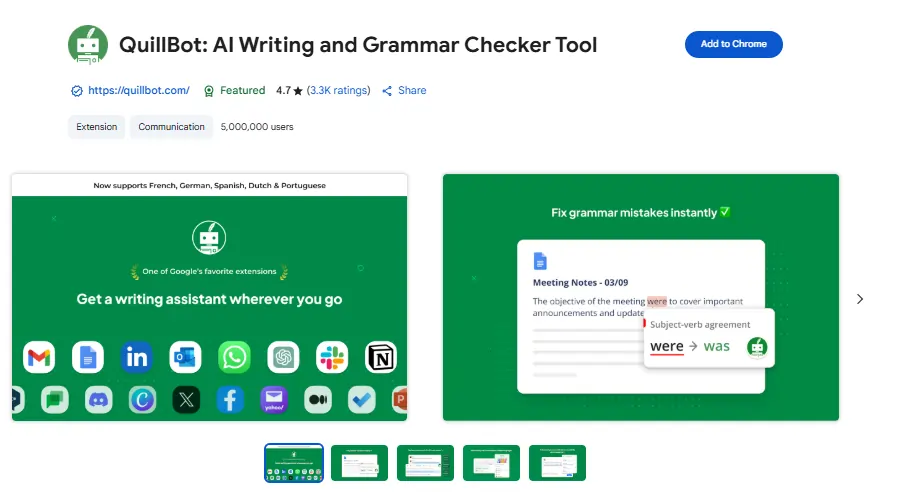
QuillBot started as a paraphrasing tool, and that origin still defines what it does best. It is built for writers who need to rewrite, rephrase, or restructure sentences quickly — without losing the original meaning.
Over the years, QuillBot has expanded significantly. Today it offers a full writing suite including a Grammar Checker, AI Humanizer, AI Detector, Plagiarism Checker, Summarizer, Citation Generator, Translator, and even an AI Image Generator. It is trusted by students, academic researchers, bloggers, and content creators worldwide.
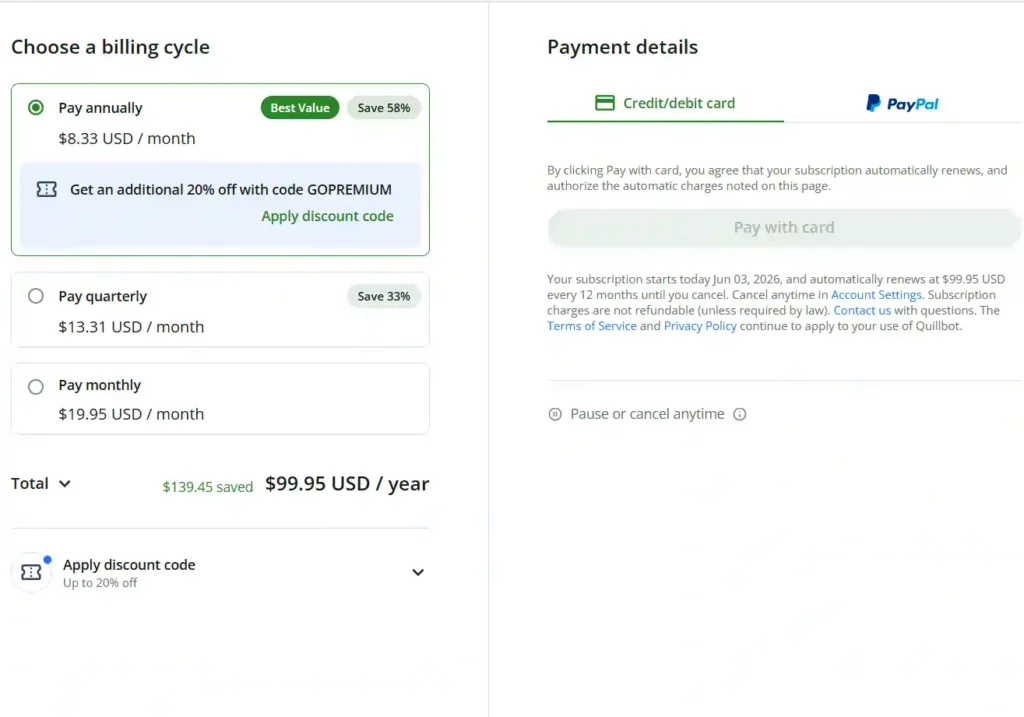
QuillBot is developed by Learneo, Inc., and its free plan is genuinely useful — not just a teaser. The Premium plan starts at just $8.33/month when billed annually (use code GOPREMIUM for an additional 20% off).
What is Grammarly? A Quick Overview
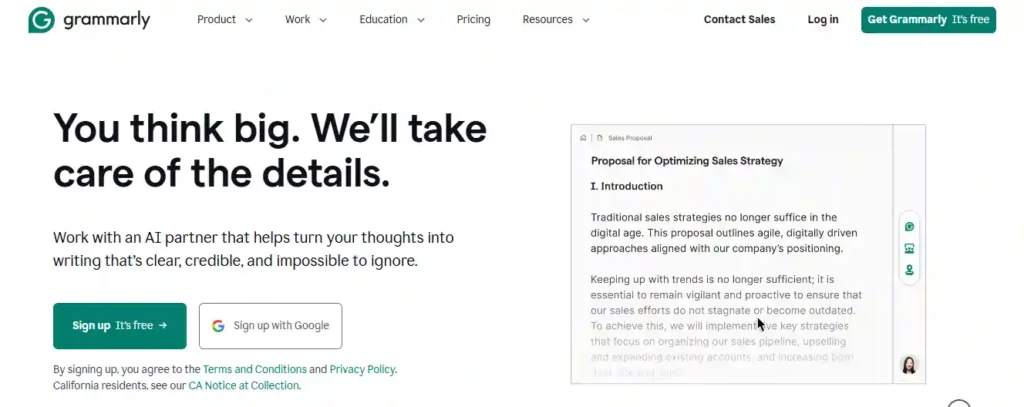
Grammarly has been the go-to proofreading tool for over a decade. It is trusted by more than 40 million people and 50,000 organizations globally. Where QuillBot focuses on rewriting, Grammarly focuses on making your existing writing clearer, more professional, and more effective.
Grammarly works across virtually every platform — Google Docs, Microsoft Word, Chrome, Safari, email, Slack, and more. Its AI suggestions go beyond grammar; it checks tone, clarity, style, engagement, and delivery. Grammarly is now part of Superhuman, a broader AI productivity platform.
The free plan covers basic grammar and spell-checking. Grammarly Pro starts at $12/month (billed annually) and includes a 7-day free trial.
QuillBot vs Grammarly: Core Features Compared
This is where things get really interesting. Both tools do some of the same things, but they approach writing from very different angles.
Paraphrasing and Rewriting Capabilities
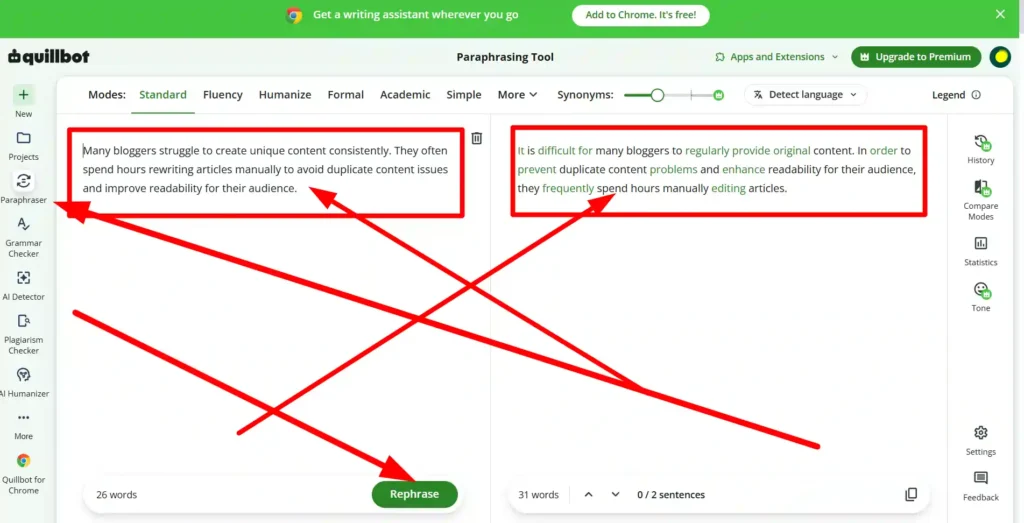
QuillBot is the clear winner here. Its Paraphraser offers multiple writing modes — Standard, Fluency, Formal, Simple, Creative, Expand, and Shorten. You can control how aggressively it rewrites your content. This is incredibly useful for bloggers, ESL writers, and students who need to avoid plagiarism.
Grammarly does have a sentence rewrite feature in its Pro plan, but it is limited to one-click suggestions. It does not give you the same level of control that QuillBot does when you really need to restructure a paragraph.
Grammar, Spelling, and Punctuation Checking
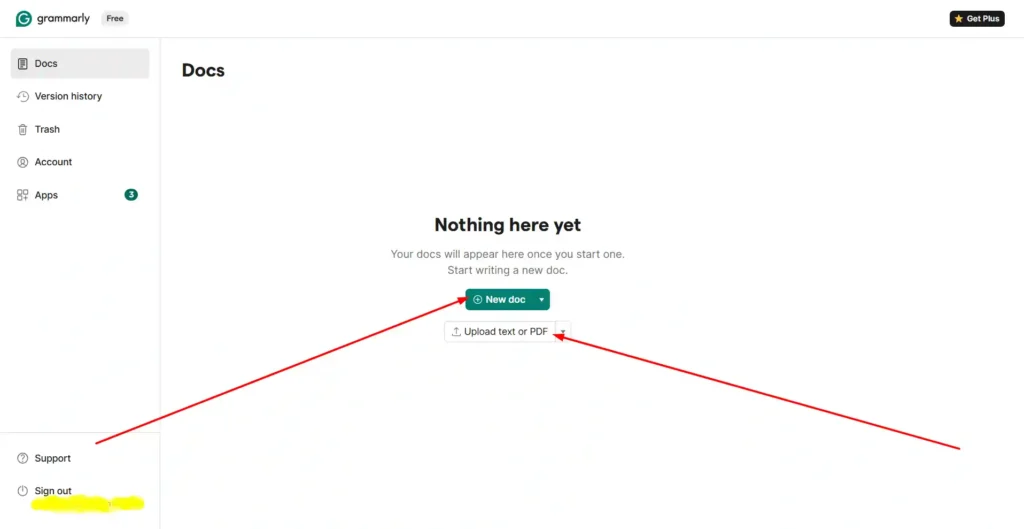
Here, Grammarly takes the lead — by a noticeable margin. It catches not just grammar errors but also awkward phrasing, passive voice, run-on sentences, and clarity issues. Its suggestions feel more intelligent and context-aware.
QuillBot’s Grammar Checker is solid and free, but it does not go as deep as Grammarly’s advanced style suggestions. For everyday grammar correction, QuillBot works fine. For professional writing where every word matters, Grammarly adds more value.
Plagiarism Checker Accuracy
Both tools offer plagiarism detection, but there are differences worth noting.
- QuillBot offers plagiarism checking in its Premium plan, scanning billions of web pages for matches.
- Grammarly Pro also offers plagiarism detection, but it now also includes an AI-generated text detector as a bundled feature.
For academic writers, both are helpful. Grammarly’s integration of AI detection alongside plagiarism checking does make it slightly more useful in today’s AI-heavy content environment.
Generative AI and Content Humanization
Both tools now offer AI Humanizer and AI Detector features — a sign of how fast the market has shifted. QuillBot’s AI Humanizer is particularly strong for rephrasing AI-generated text into something that reads naturally. Grammarly’s humanizer is newer but benefits from its deep understanding of tone and style.
QuillBot vs Grammarly: Ease of Use and Integrations
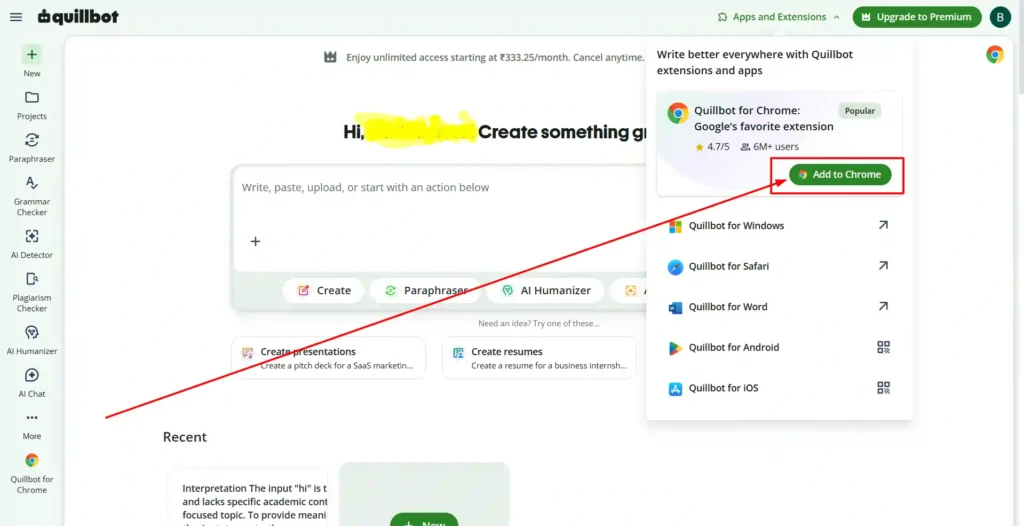
QuillBot works through a web app, browser extension (Chrome, Edge, Safari), and mobile apps (Android, iOS). It also integrates with Microsoft Word and macOS/Windows desktop apps. The interface is clean and beginner-friendly — most features are accessible in one or two clicks.
Grammarly works almost everywhere. Its browser extension overlays suggestions directly inside Gmail, Google Docs, LinkedIn, Notion, Slack, and virtually any text box you use online. For professionals who write across multiple platforms daily, this seamless integration is genuinely hard to beat.
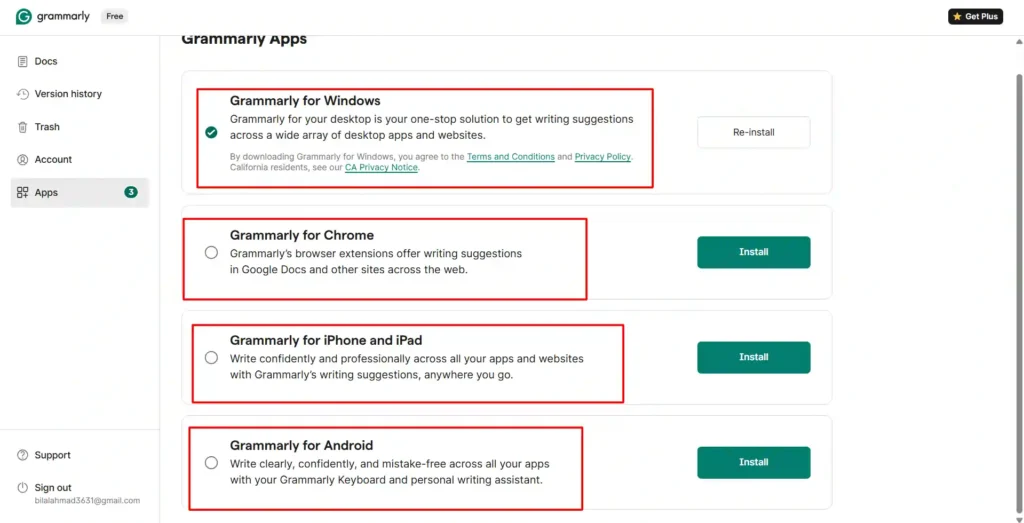
If you write mostly in one place (like a research tool or Word document), both work well. If you write across many platforms throughout the day, Grammarly’s real-time overlay is a bigger advantage.
Language Support: Multilingual Writing with QuillBot vs Grammarly
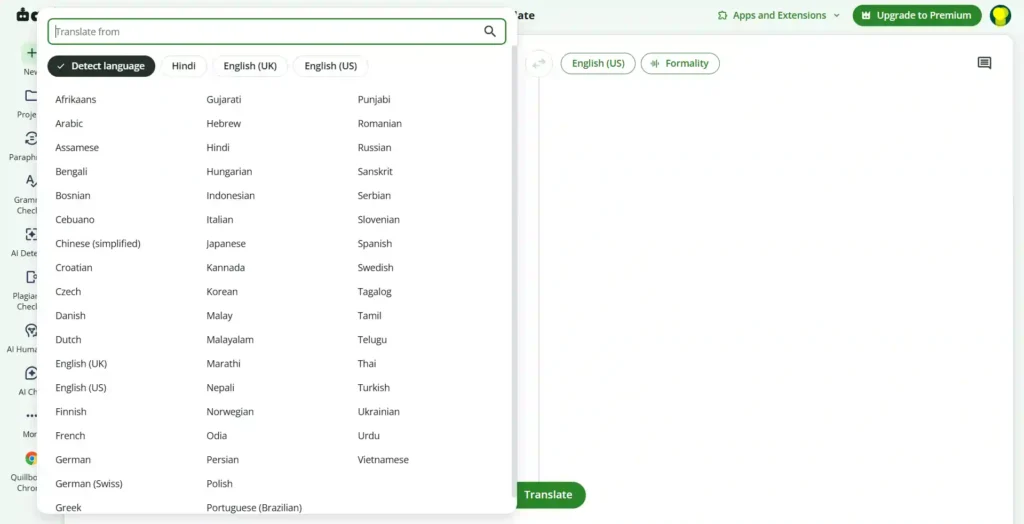
This is an area where QuillBot stands out, especially for international users. QuillBot’s Translator supports over 45 languages, making it practical for non-native English speakers who need to translate and rewrite content simultaneously.
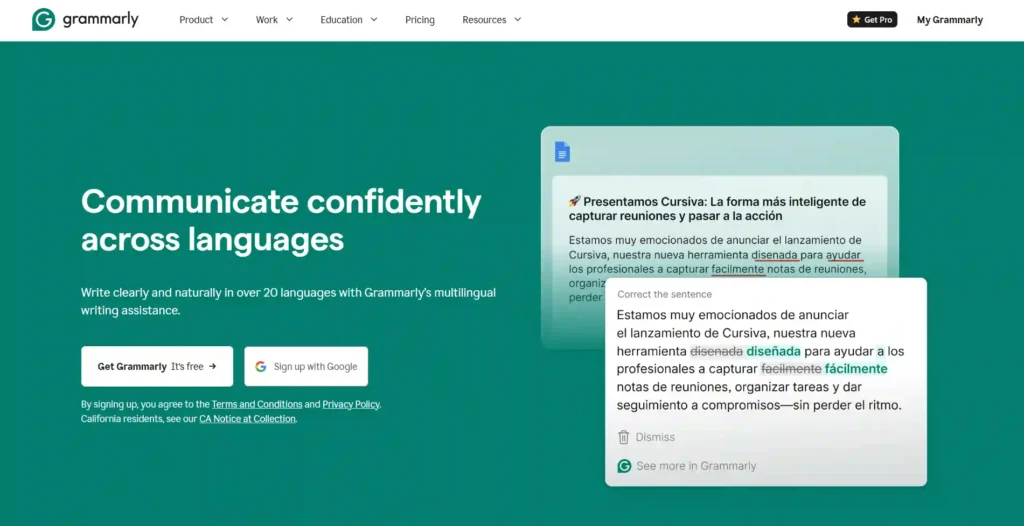
Grammarly, on the other hand, is primarily an English-language tool. It supports different English dialects — American, British, Canadian, and Australian — but does not offer multilingual translation. For bloggers writing for global audiences or ESL learners, QuillBot has a meaningful advantage in this category.
QuillBot vs Grammarly Pricing: Which is the Better Value?
Pricing is one of the most searched questions when people compare these two tools, so let’s break it down clearly.
| Plan | QuillBot | Grammarly |
|---|---|---|
| Free Plan | Yes — Paraphraser, Grammar Checker, AI Detector included | Yes — Basic grammar and 100 AI prompts/month |
| Premium / Pro (Monthly) | $19.95/month | $30/month |
| Premium / Pro (Annual) | $8.33/month ($99.95/year) | $12/month (billed annually) |
| Free Trial | No traditional trial (generous free plan) | 7-day free trial for Pro |
| Discount Code | GOPREMIUM (additional 20% off) | Education discounts available |
| Team Plan | Yes | Yes (Enterprise available) |
Is QuillBot Premium Worth It?
If you write regularly — especially for academic purposes, blogging, or content creation — QuillBot Premium unlocks unlimited paraphrasing, all writing modes, faster processing, and plagiarism detection. At $8.33/month annually, it is one of the most affordable AI writing tools available. You can also explore our guide on AI tools for content creators to see how QuillBot fits into a full writing workflow.
Is Grammarly Pro Worth the Cost?
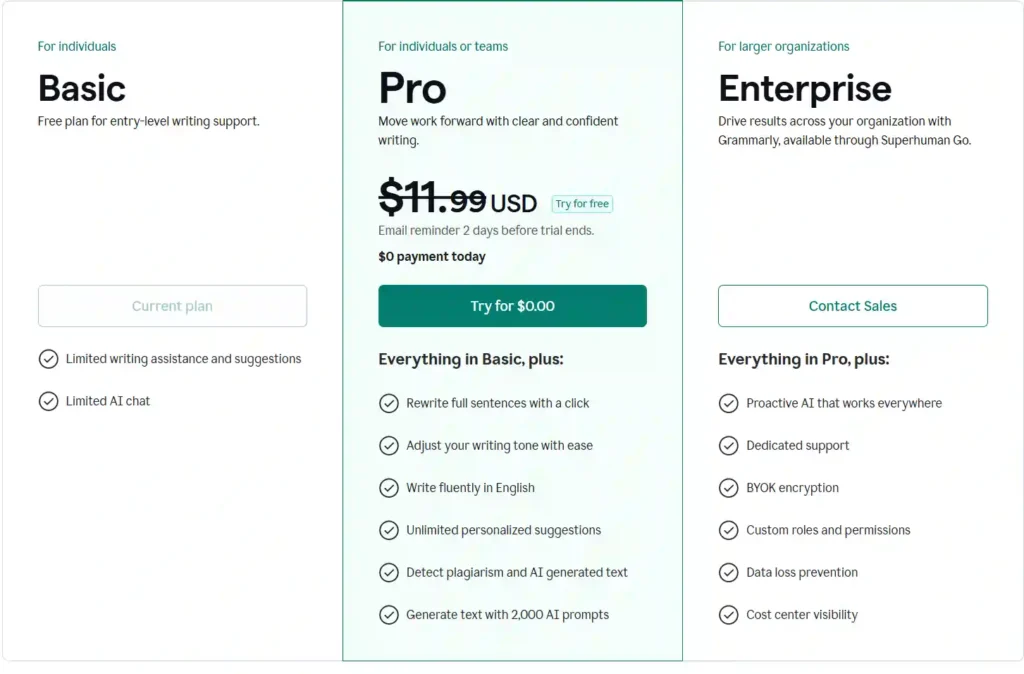
For professionals, marketers, and business writers, yes. Grammarly Pro’s sentence rewrites, tone adjustments, 2,000 AI prompts per month, and plagiarism detection make it a comprehensive writing partner. The 7-day free trial makes it easy to test before committing. If you use it daily across emails, documents, and social media, the value adds up quickly.
Use Cases: When to Choose QuillBot vs Grammarly
Not every writer has the same needs. Here is a straightforward breakdown based on real use cases.
Best AI Tool for Students and Academic Writers
QuillBot is the stronger choice. Its paraphrasing tool, citation generator, plagiarism checker, and summarizer are built specifically for academic workflows. Students who need to rephrase research notes, generate citations, or summarize long papers will get more direct value from QuillBot.
You can also explore our guide on the best AI tools for academic writing for more options that pair well with QuillBot.
Best AI Assistant for Professionals and Content Creators
Grammarly edges ahead for professional and commercial writing. Business emails, reports, LinkedIn posts, and marketing copy all benefit from Grammarly’s tone detection and clarity suggestions. For content creators who publish across multiple platforms, the cross-platform browser extension alone makes it the smarter daily driver.
Best for Non-Native English Speakers
Honestly, this one depends on the task. QuillBot wins for translation and multilingual rewriting. Grammarly wins for improving English fluency and natural-sounding phrasing. Many non-native writers use both together for maximum results — and that leads us to the next section.
Can You Use QuillBot and Grammarly Together?
Yes — and many experienced writers actually do this. The two tools complement each other rather than compete directly.
A common workflow looks like this:
- Draft your content or paraphrase existing content using QuillBot.
- Run it through Grammarly for grammar, tone, and clarity checks.
- Use QuillBot’s AI Humanizer if the content feels robotic.
- Use Grammarly’s plagiarism detector before publishing.
This combination gives you the best of both worlds — QuillBot’s rewriting power and Grammarly’s editorial intelligence. For bloggers, freelancers, and SEO content creators especially, this dual-tool approach can noticeably improve output quality.
Both tools have generous free plans, so you can use this workflow without paying for either until you decide which premium features are worth upgrading.
Frequently Asked Questions (People Also Ask)
Is QuillBot better than Grammarly for paraphrasing?
Yes. QuillBot’s dedicated Paraphraser with multiple writing modes gives it a clear advantage for rewriting and rephrasing content.
Which is cheaper — QuillBot or Grammarly Premium?
QuillBot is significantly cheaper. QuillBot Premium costs $8.33/month (annually) compared to Grammarly Pro at $12/month (annually). With the GOPREMIUM discount code, QuillBot becomes even more affordable.
Does Grammarly check for plagiarism better than QuillBot?
Both tools offer solid plagiarism detection. Grammarly Pro adds AI-generated text detection alongside plagiarism checking, which gives it a slight edge for academic and professional publishing.
Can I use QuillBot and Grammarly at the same time?
Absolutely. Many writers use QuillBot to rewrite drafts and Grammarly to refine tone and grammar — a powerful combination for any content workflow.
Does QuillBot have a free trial?
QuillBot does not offer a traditional free trial, but its free plan is very capable. Grammarly Pro offers a 7-day free trial.
Final Verdict: QuillBot vs Grammarly — Which One Wins?
Both tools are genuinely good — they just serve different writers. QuillBot is the smarter choice for students, researchers, and content creators who need strong paraphrasing, multilingual support, and affordable pricing.
Grammarly is the better daily companion for professionals, marketers, and business writers who need deep grammar intelligence and cross-platform editing. If your budget allows, using both together gives you the strongest writing workflow available today.
Start with their free plans, test both, and then invest in the premium version that actually matches how you write every day.