Seedance 2.5 is ByteDance’s latest AI video model, and OpenArt is one of the platforms where you can actually use it. If you’ve been trying to figure out what sets it apart from Seedance 2.0, or whether it’s worth generating your next project with, you’re likely looking for specifics rather than marketing language.
This article covers what OpenArt Seedance 2.5 actually does: how the 30-second native video generation works, how the 50-reference system keeps characters consistent across a scene, and how native audio syncing changes the output compared to earlier models.
If you’re testing AI video tools for ads, short films, or social content, understanding these features first will help you decide if Seedance 2.5 fits your workflow before you spend any credits.
What Is OpenArt Seedance 2.5?
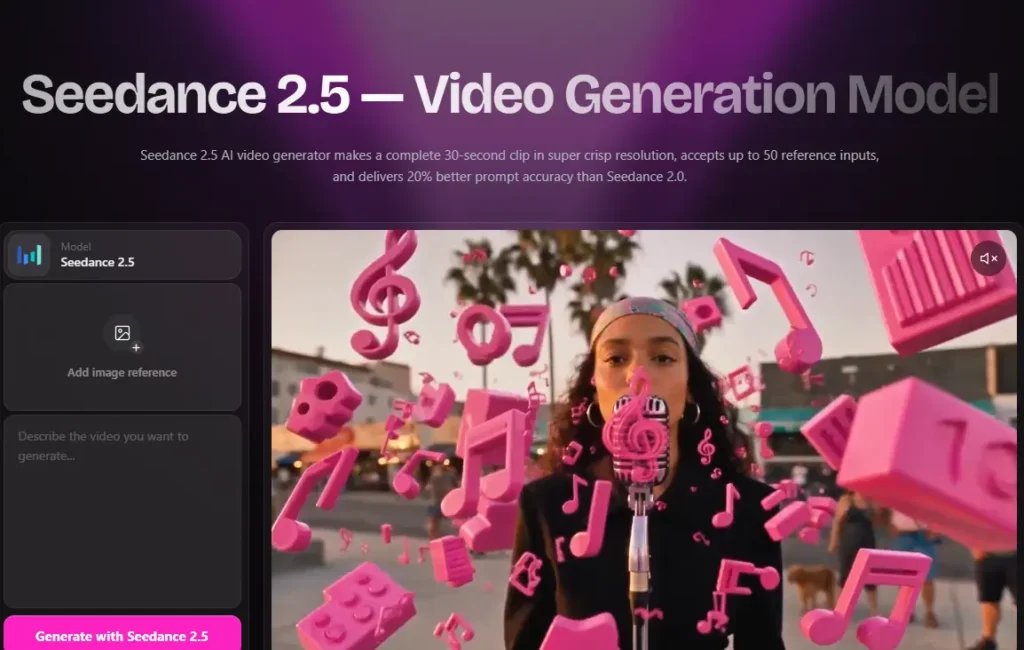
OpenArt Seedance 2.5 is ByteDance’s next-generation AI video model, integrated into OpenArt’s video generation suite. As of this writing, it is listed as “coming soon” on OpenArt, with early access available through a waitlist. The model’s defining feature is that it generates a complete 30-second video clip in a single pass, rather than stitching together several shorter clips.
It supports both text-to-video and image-to-video generation, and it’s built to handle full scenes — an opening shot, a middle action, and a closing frame — as one continuous output instead of separate generations pieced together afterward.
Save 15% on OpenArt with Code NISHA15
Use coupon code NISHA15 at checkout to get 15% off your OpenArt subscription and start creating with Seedance 2.5 today.
OpenArt Seedance 2.5 Coupon Code & Current Discount Offers
Use coupon code NISHA15 at checkout for 15% off. This is in addition to two other overlapping offers currently running:
- A limited-time launch promotion: new users who join the Seedance 2.5 waitlist and upgrade to a Wonder Monthly or Annual plan by August 7, 8:00 AM PT receive 10 days of unlimited Seedance 2.5 generations once the model goes live.
- A standing plan discount: annual billing saves up to 27% versus paying monthly, and OpenArt is offering up to 40% off top models (including Seedance 2.5) for upgrades made by the same August 7 deadline.
Check at checkout whether the coupon code stacks with the plan-level discounts, since combined savings can vary by plan and billing cycle.
Key Features of OpenArt Seedance 2.5
- 30-second one-shot generation. A full scene renders in a single native pass, with characters, lighting, and motion staying consistent from the first frame to the last.
- Up to 50 multi-modal references. You can upload a mix of up to 50 images, video clips, or audio files to anchor characters, styles, or products across the generation.
- Region-level editing. You can re-render a specific part of a clip — a face, a product label, a background — without regenerating the whole scene.
- Improved prompt accuracy. OpenArt reports a 20% improvement in prompt adherence over Seedance 2.0, meaning complex briefs with specific camera moves and character actions come out closer to what you described.
- Near real-time generation speed, a notable jump from the multi-minute wait times of earlier models.
- Native audio sync. Sound is generated in the same pass as the video, so footsteps, ambient noise, and material sounds are timed to on-screen action rather than added afterward.
OpenArt Seedance 2.5 Pricing Plans Explained
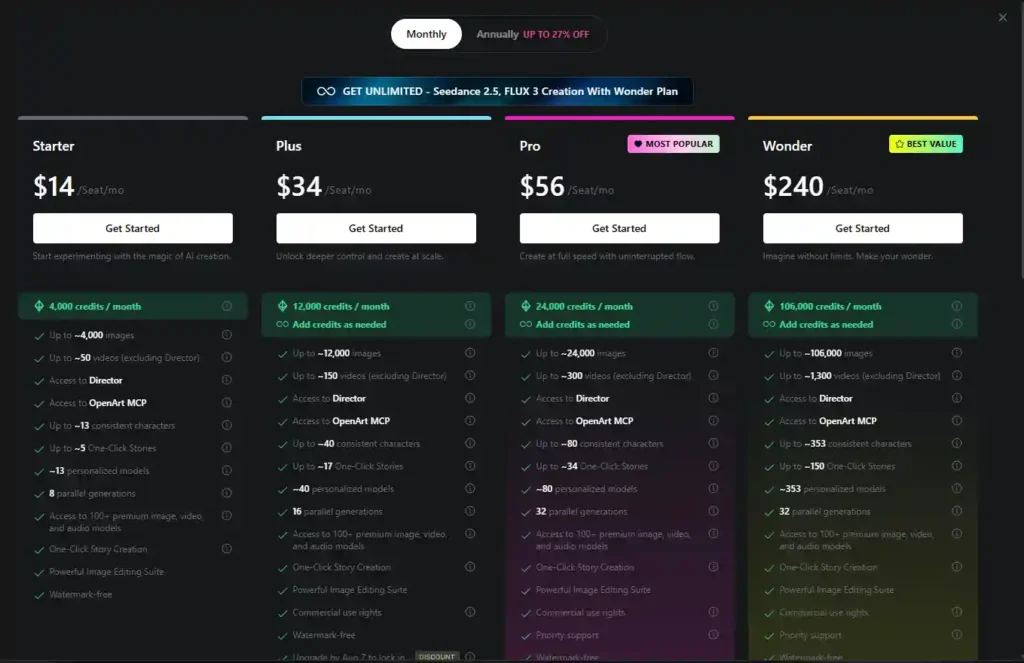
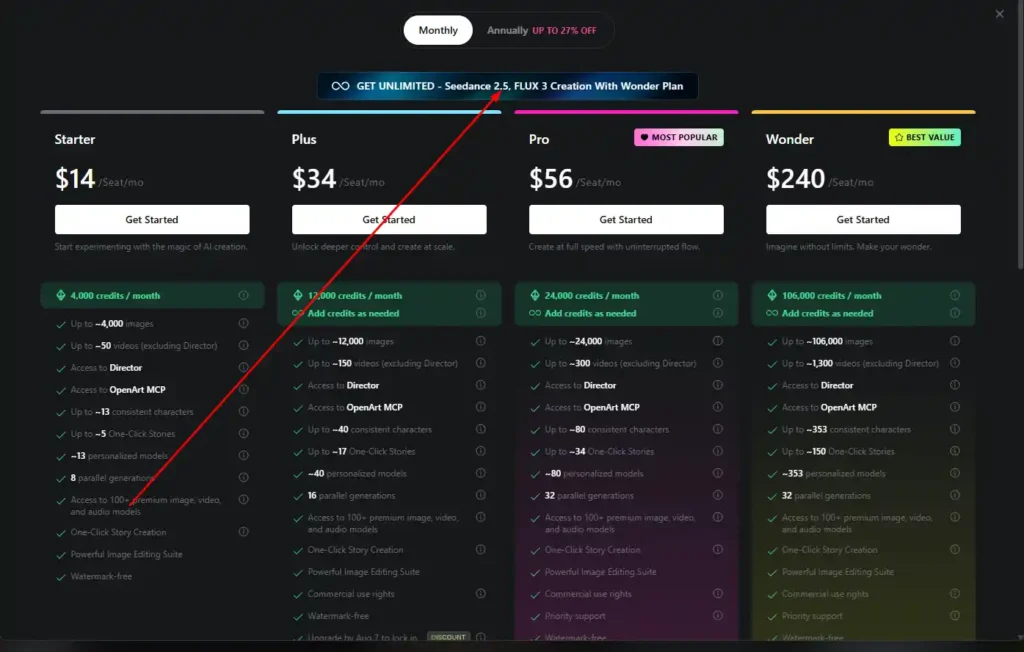
Seedance 2.5 access runs through OpenArt’s standard subscription tiers, which use a shared credit system across all of OpenArt’s models.
| Plan | Price | Credits/Month | Notes |
|---|---|---|---|
| Starter | $14/seat/mo | 4,000 | Good for testing AI creation tools |
| Plus | $34/seat/mo | 12,000 | Adds commercial use rights |
| Pro | $56/seat/mo | 24,000 | Highest volume of the standard tiers |
| Wonder | $240/seat/mo | 106,000 | Required for the current launch promotion |
There’s also a Seedance 2.5 10-Day Unlimited add-on, available to Plus subscribers for $15/month, which includes 5,000 extra credits. on whether Seedance 2.5 access is limited to specific tiers once it fully launches, as this can change post-release.
How to Redeem the OpenArt Seedance 2.5 Promo Offer
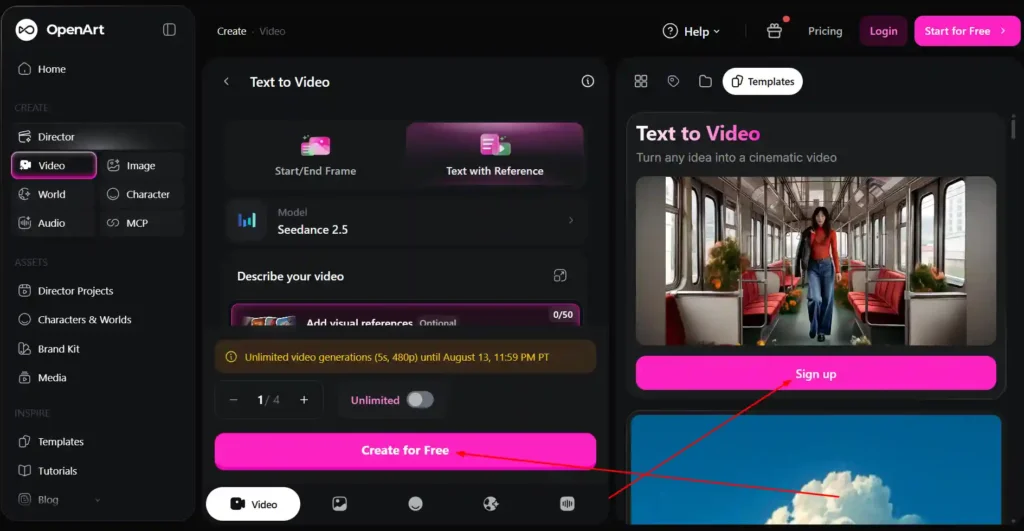
- Visit the Seedance 2.5 page on OpenArt and join the waitlist.
- Upgrade to a Wonder Monthly or Annual plan and Use Coupon code NISHA15 and get 15% off.
- Once Seedance 2.5 launches, your account is automatically credited with 10 days of unlimited generations.
The offer is tied specifically to the Wonder tier — upgrading to Starter, Plus, or Pro won’t trigger it.
OpenArt Seedance 2.5 vs Seedance 2.0: What’s New
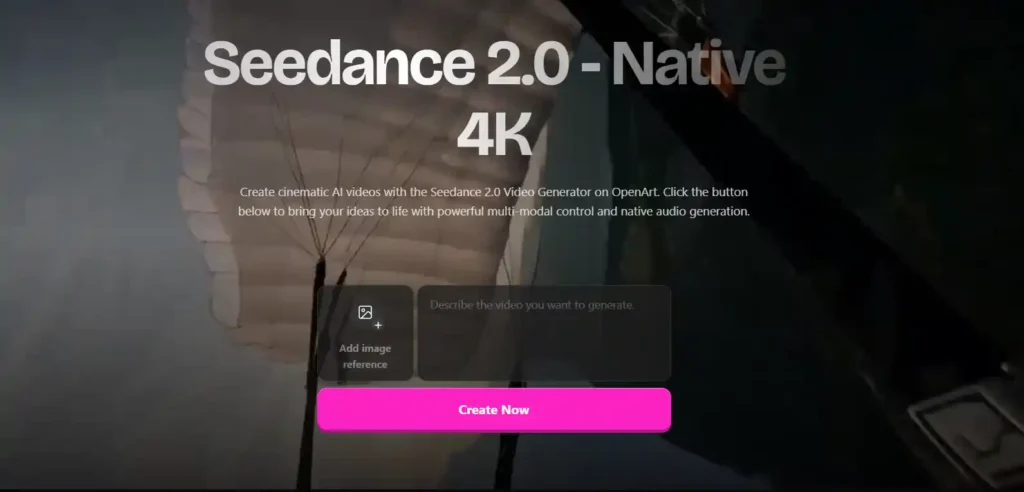
The clearest upgrades from Seedance 2.0 to 2.5 are length, reference capacity, and editing control. Seedance 2.0 generated shorter clips (roughly 5–10 seconds) that often needed to be stitched together for longer content. Seedance 2.5 handles a full 30-second scene natively.
Reference inputs also jumped significantly — Seedance 2.0 supported a handful of references, while Seedance 2.5 accepts up to 50, useful for scenes with multiple characters or products. Region-level editing is new to 2.5 as well, letting you fix one element without re-rendering the entire clip.
How to Use OpenArt Seedance 2.5 (Step-by-Step)
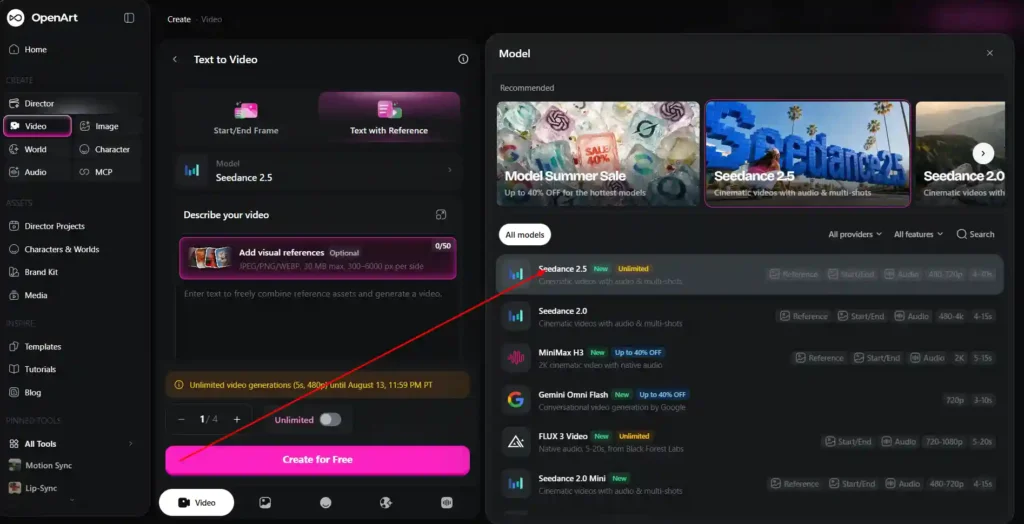
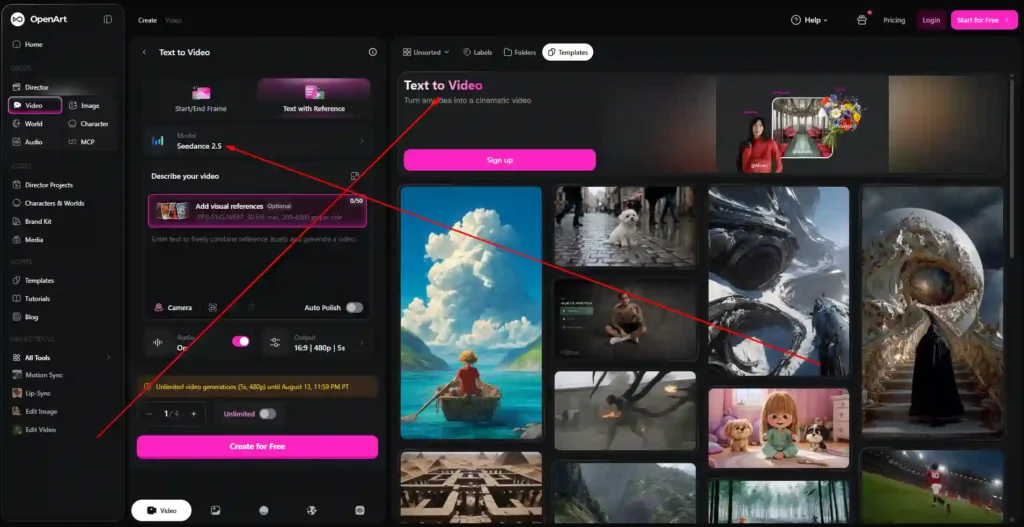
- Step 1: Choose your mode. Open OpenArt’s video tools, select Seedance 2.5 from the model menu, and choose Text to Video or Image to Video depending on your starting point.
- Step 2: Write your prompt and load references. Describe the scene clearly, including subject, camera movement, and pacing. Upload reference images, style clips, or audio files as needed.
- Step 3: Generate, edit, and export. Generate the clip, use region editing to fix specific elements if needed, then export as an MP4 with native audio included.
Best Use Cases for OpenArt Seedance 2.5
- 30-second ads in one pass. The single-generation format keeps product appearance and lighting consistent across the opening, product moment, and closing frame.
- Multi-character scene production. With 50 reference slots, you can assign a reference image to each character and maintain consistent faces across the full clip.
- Product and spatial visualization. Seedance 2.5 can follow a 3D blockout mesh to pre-stage camera position and object proportions, useful for product previews and architectural walkthroughs.
- Iterative campaign production. Region editing reduces wasted generations, since you can fix a specific detail instead of re-rolling the whole clip — useful for teams producing many variants.
OpenArt Seedance 2.5 FAQs
What is Seedance 2.5?
It’s ByteDance’s AI video model, available through OpenArt, built around 30-second native generation, up to 50 references, and native audio sync.
What generation modes does Seedance 2.5 support?
Text-to-video and image-to-video.
How is Seedance 2.5 different from Seedance 2.0?
Longer native generation length, more reference inputs, region-level editing, and better prompt adherence.
How does Seedance 2.5 handle audio?
Audio is generated in the same pass as the video, so sound is synced to the visuals without a separate step.
Does Seedance 2.5 support multiple input modes?
Yes — it accepts a mix of image, video, and audio references, up to 50 total.
Bottom Line
OpenArt Seedance 2.5 is built for longer, more consistent AI video generation than its predecessor, with meaningful upgrades to reference handling and editing control.
There’s no dedicated coupon code right now, but the current Wonder-tier launch offer and standing plan discounts are the ways to get it at a reduced cost before August 7.
If you’re already considering a Wonder subscription, the timing lines up; if you’re on a lower tier and mainly experimenting, it may be worth waiting to see how access unfolds after the full launch.