Hello lovely readers, this is Nisha from Aiblogfirst.com. After a full year of daily testing with OpenArt, one question keeps landing in the inbox: OpenArt vs ChatGPT image generator — which one truly delivers sharper, more usable results?
Creators, marketers, and beginners often open both tools, type the same prompt, and get two very different outputs. One image feels polished and ready. The other feels rushed or slightly off. Pricing pages rarely explain why. Reviews online rarely test both under identical prompts and conditions.
That gap between promise and real performance is where confusion begins. Before assuming either AI image generator wins by default, a few surprising differences in quality, speed, and pricing deserve a closer look — details many people overlook on the first try.
What Is OpenArt AI? (Quick Overview)
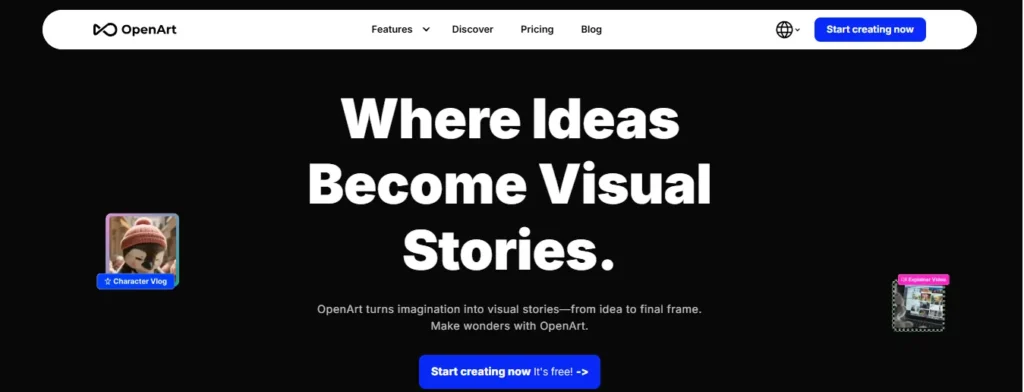
OpenArt is a full creative suite, not just a single image generator. It gives you access to over 100 premium image, video, and audio models in one workspace, including newer models like Seedream 5.0 Pro and Nano Banana 2 Lite.
What makes it different is the depth. You’re not stuck with one style or one model. You can switch between models depending on what you’re building — a product ad, a character design, an anime portrait, or a full storyboard.
It also includes tools most single-purpose generators skip entirely: consistent character creation, camera angle control, image upscaling, and a proper editing suite for retouching or replacing backgrounds.
Save 15% on OpenArt AI Today
Use code NISHA15 at checkout and get 15% off any OpenArt AI subscription plan instantly, no hidden conditions attached.
What Is ChatGPT Image Generator? (Quick Overview)
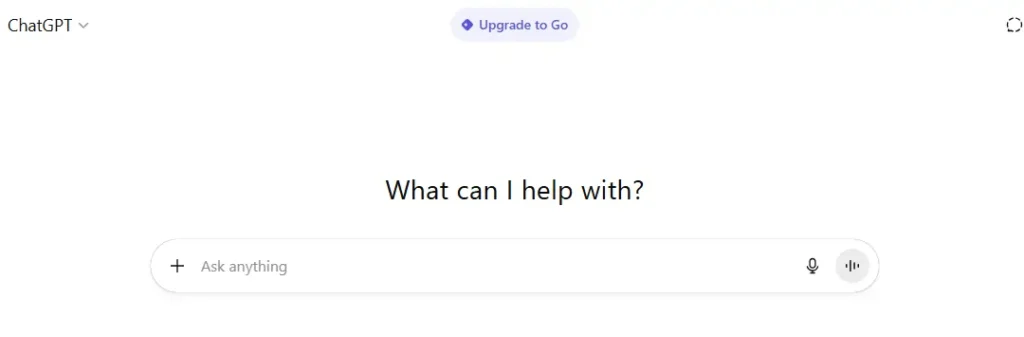
ChatGPT’s image generator lives inside the ChatGPT app itself. You type a prompt in the chat, and it generates an image right there in the conversation — no separate tool, no extra tab.
The convenience is the whole point. If you’re already using ChatGPT for writing, research, or coding, generating an image feels like a natural extension rather than switching apps.
But it’s built as one feature inside a much bigger product, not as a dedicated creative studio. That shows up in how limited the editing and customization options feel compared to a tool built specifically for image work.
OpenArt vs ChatGPT Image Generator: Key Differences at a Glance
| Factor | OpenArt | ChatGPT Image Generator |
| Core purpose | Dedicated AI creative suite | Built-in feature inside ChatGPT |
| Model access | 100+ models (image, video, audio) | Single core model |
| Editing tools | Full editing suite, background swap, relighting | Basic in-chat editing |
| Character consistency | Yes, dedicated feature | Limited |
| Commercial use rights | Included from Advanced plan up | Included with paid plans |
| Free plan available | Yes, limited credits | Yes, limited messages/images |
| Best for | Creators, marketers, designers | Casual users, quick everyday tasks |
This table alone tells you something important: OpenArt is built around image and video creation as the core job. ChatGPT is built around conversation, with image generation as one part of a much wider toolkit.
OpenArt vs ChatGPT Image Generator: Image Quality Comparison
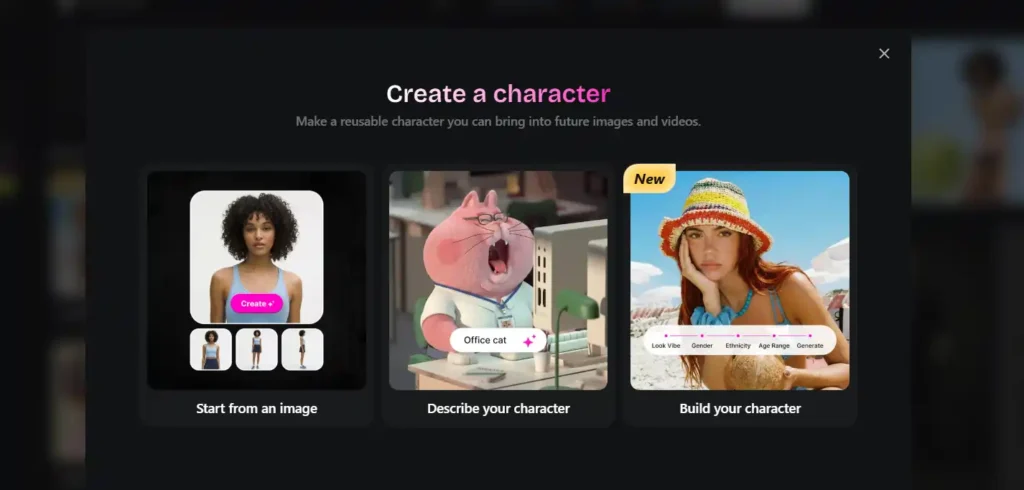
Quality is where most people land on this comparison first, and honestly, it depends heavily on what you’re generating.
For product visuals, marketing creatives, and anything that needs a specific art style, OpenArt tends to have the edge. That’s because you can pick the model best suited for the job — a photorealistic model for product shots, a stylized model for illustrations, an anime-focused model for character art.
ChatGPT’s image generator works well for quick, conversational image needs. Ask it to visualize an idea while you’re mid-chat, and it delivers something usable fast. Where it struggles is fine control — getting a very specific pose, lighting setup, or repeated character across multiple images.
If your work depends on precision and repeatable results, model variety matters more than most people expect going in.
OpenArt vs ChatGPT Image Generator: Features Comparison
Image Editing Suite (OpenArt) vs Basic Editing (ChatGPT)
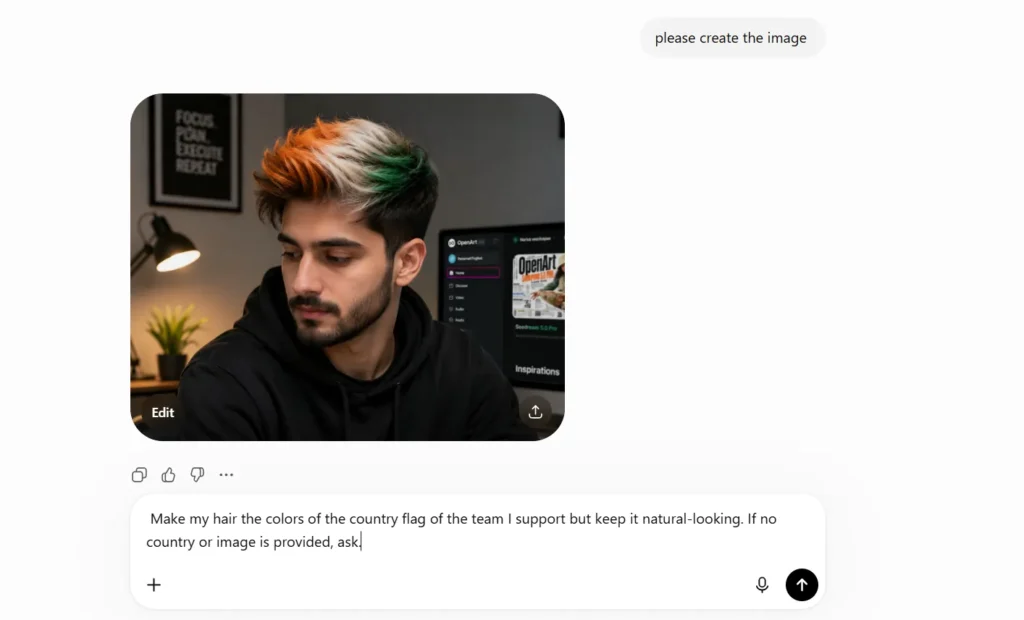
OpenArt’s editing suite includes background replacement, video relighting, VFX masking, and image upscaling. These aren’t afterthoughts — they’re built as standalone tools you can combine with generation.
ChatGPT lets you ask for edits conversationally (“make the background blue,” “remove the object on the left”), which works fine for simple fixes but doesn’t match the precision of dedicated editing tools.
Consistent Characters and One-Click Story Creation
This is one area where OpenArt genuinely stands apart. If you’re building a comic, a brand mascot, or a series of social posts featuring the same character, OpenArt’s consistent character tool keeps the look stable across dozens of generations.
ChatGPT can attempt character consistency through detailed prompting, but results vary more from generation to generation.
Multi-Model Access (100+ Models) vs Single Model Access
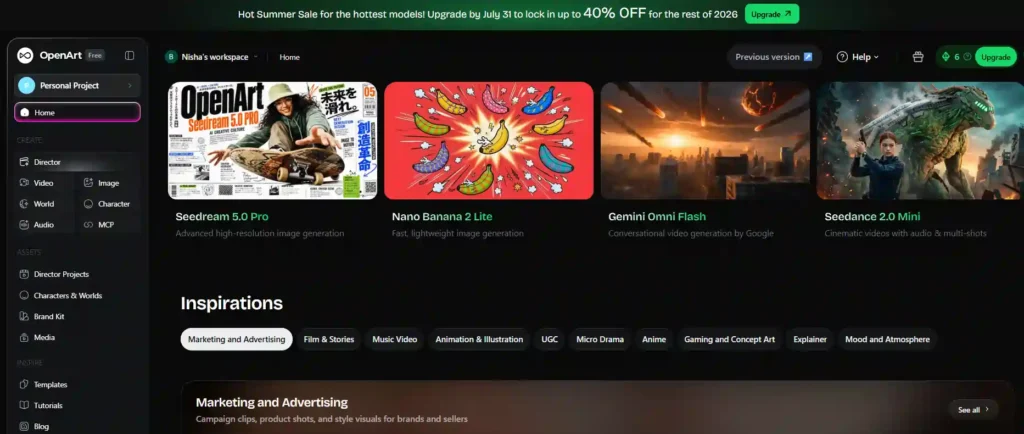
OpenArt’s biggest structural advantage is choice. Depending on your plan, you get access to a wide model library — useful when one model handles realism better and another handles stylized art better.
ChatGPT keeps things simple with one core image model tied to the chat experience, which is great for speed but limiting for variety.
Camera Angle Control and Multi View Options
OpenArt includes tools like Multi View (nine camera angles from a single image) and camera angle control — genuinely useful for product photography, game design, or concept art where perspective matters.
ChatGPT doesn’t offer this level of granular control natively.
OpenArt vs ChatGPT Image Generator: Pricing Comparison 2026
Pricing is where a lot of buying decisions actually get made, so let’s break down both.
OpenArt Pricing Plans (Essential, Advanced, Infinite, Wonder)
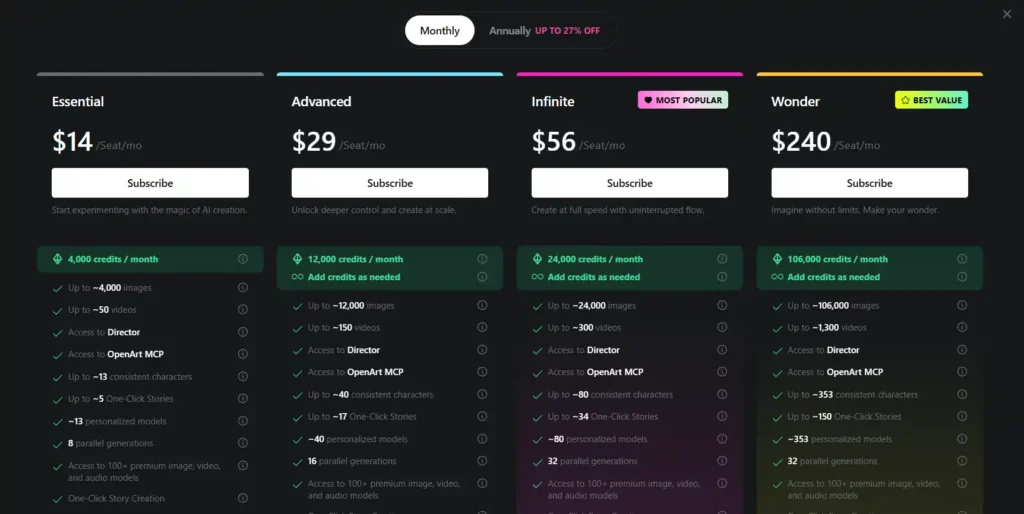
| Plan | Price | Monthly Credits | Commercial Use |
| Essential | $14/seat/mo | 4,000 credits (~4,000 images) | Not included |
| Advanced | $29/seat/mo | 12,000 credits (~12,000 images) | Included |
| Infinite | $56/seat/mo | 24,000 credits (~24,000 images) | Included |
| Wonder | $240/seat/mo | 106,000 credits (~106,000 images) | Included |
Annual billing brings the price down further, with OpenArt currently running a seasonal discount of up to 40% off top models for annual upgrades.
ChatGPT Pricing Plans (Free, Go, Plus, Pro)
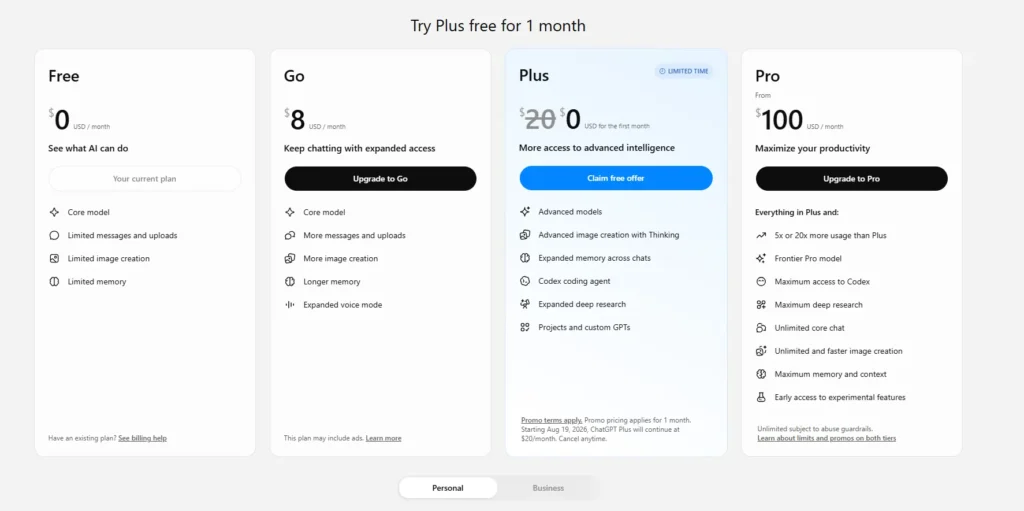
| Plan | Price | What You Get |
| Free | $0/month | Limited messages, limited image creation |
| Go | $8/month | More messages, more image creation, longer memory |
| Plus | $20/month (promo pricing may apply) | Advanced models, advanced image creation, expanded memory |
| Pro | From $100/month | Unlimited core chat, faster and unlimited image creation |
Which One Gives Better Value for Money?
If image generation is your main need, OpenArt’s entry plan at $14/month gives you thousands of image credits plus access to a full editing suite — something ChatGPT’s equivalent price tier doesn’t match feature-for-feature.
If you want image generation as a bonus alongside writing, coding, and research help, ChatGPT Plus at $20/month covers more ground as an all-in-one assistant.
It really comes down to whether you need a dedicated image tool or a general-purpose AI assistant that also generates images.
OpenArt vs ChatGPT Image Generator: Free Plan Comparison
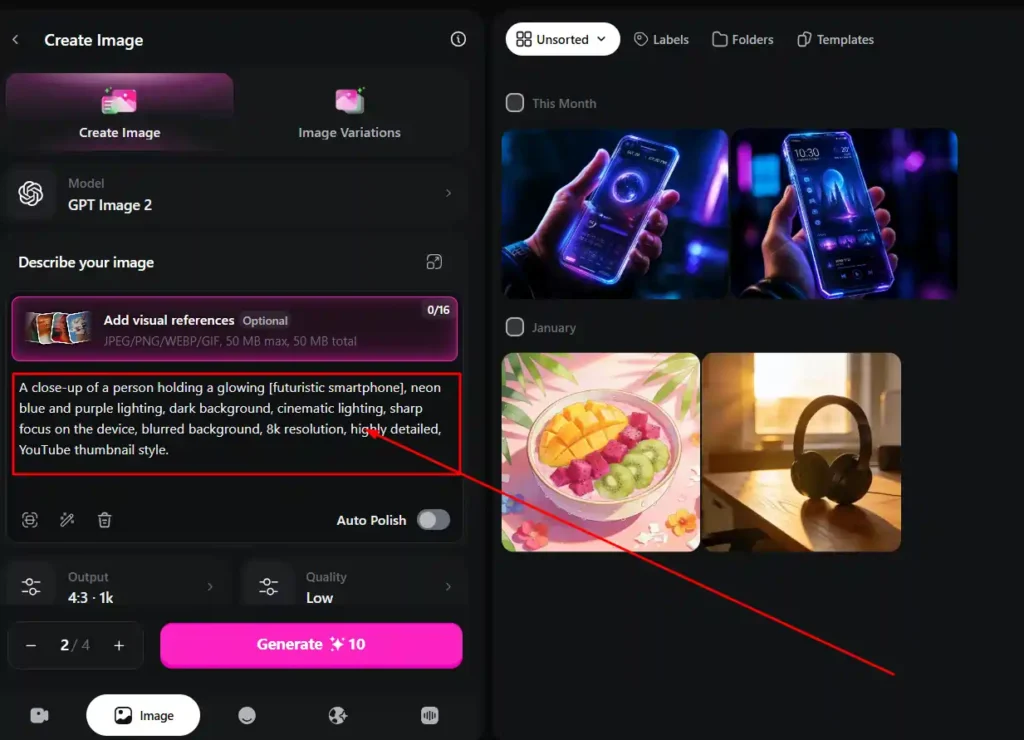
Both tools offer a free tier, and both come with real limits.
- OpenArt’s free plan gives you a taste of the platform with limited credits, so you can test model quality before committing.
- ChatGPT’s free plan includes limited messages and limited image creation, tied to the core model rather than premium options.
Neither free plan is built for serious, regular use — they’re trial experiences, and that’s fine as long as you go in expecting exactly that.
OpenArt vs ChatGPT Image Generator: Commercial Use Rights
This detail gets missed constantly, and it matters a lot if you’re generating images for client work or products you plan to sell.
OpenArt includes commercial use rights starting from the Advanced plan ($29/month) and above. The Essential plan does not include commercial rights, so free or entry-tier users testing images for business use should check this carefully.
ChatGPT includes commercial usage as part of its paid plans, though the exact terms are worth reviewing directly since usage policies can shift.
If commercial rights matter for your work, this is one factor worth confirming before you build an entire campaign around either tool.
OpenArt vs ChatGPT Image Generator: Speed and Generation Limits
OpenArt allows parallel generations depending on your plan — 8 parallel generations on Essential, scaling up to 32 on Infinite and Wonder. That means less waiting when you’re producing images in bulk.
ChatGPT generates one image at a time within the chat flow, which fits naturally into a conversation but slows things down if you’re producing large batches.
For solo creators making a handful of images, this difference barely registers. For teams producing content at volume, it adds up fast.
OpenArt vs ChatGPT Image Generator: Best Use Cases
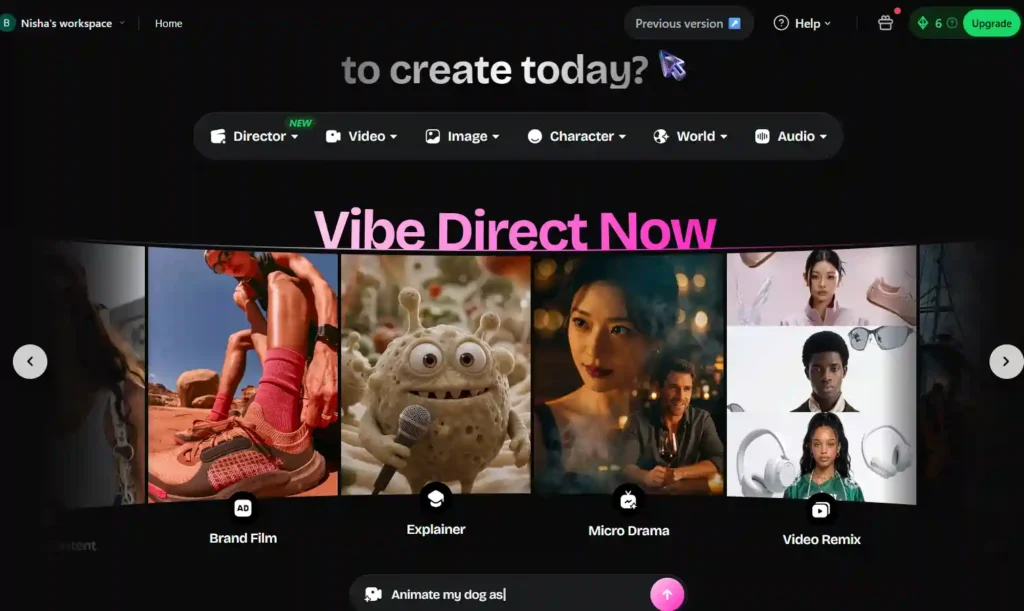
OpenArt for Creators, Marketers, and Designers
OpenArt fits naturally into workflows that need volume, consistency, and variety — think marketing teams producing ad creatives, designers building concept art, or creators making branded content series with consistent characters.
ChatGPT for Quick Everyday Image Needs
ChatGPT works best when image generation is one part of a bigger task — visualizing an idea mid-conversation, mocking up a quick concept, or generating a single image without switching tools.
You can also explore our guide on AI image tools for creators if you’re comparing more than just these two platforms.
OpenArt vs ChatGPT Image Generator: Pros and Cons
OpenArt Pros and Cons
Pros:
- Access to 100+ specialized models.
- Strong editing suite and consistent character tools.
- Higher parallel generation limits.
- Better suited for bulk or professional creative work.
Cons:
- Commercial rights require Advanced plan or higher.
- Learning curve for beginners due to the number of tools.
ChatGPT Image Generator Pros and Cons
Pros:
- Built directly into a tool many people already use daily.
- Simple, conversational workflow.
- No need to learn a separate platform.
Cons:
- Limited model variety.
- Less precise editing and character consistency.
- Slower for bulk image production.
OpenArt vs ChatGPT Image Generator: Which One Should You Choose?
If your work centers on visuals — marketing creatives, character-driven content, product imagery, or anything needing repeated consistency — OpenArt’s dedicated toolset and model variety earn its price tag.
If image generation is a nice-to-have alongside writing, research, and general assistance, ChatGPT’s built-in generator saves you from managing a separate subscription.
Neither tool is universally “better.” The right pick depends on how much of your work actually revolves around image creation versus how much it’s a supporting piece of something bigger.
Frequently Asked Questions (FAQs) on OpenArt vs ChatGPT Image Generator
Is OpenArt better than ChatGPT for AI images?
For dedicated image work involving multiple styles, consistent characters, or bulk production, OpenArt generally offers more control. For quick, casual image needs inside an existing chat workflow, ChatGPT is more convenient.
Is OpenArt AI free to use?
Yes, OpenArt offers a free plan with limited credits, letting you test the platform before upgrading to a paid tier.
Does ChatGPT have commercial use rights for images?
Commercial usage is included with ChatGPT’s paid plans, though it’s worth reviewing current terms directly since policies can change.
Which tool is cheaper, OpenArt or ChatGPT Plus?
OpenArt’s Essential plan starts at $14/month, while ChatGPT Plus is priced at $20/month. However, OpenArt’s Advanced plan at $29/month is the tier that includes commercial use rights, so a direct price comparison depends on which features you actually need.
Final Verdict: OpenArt vs ChatGPT Image Generator
There’s no single winner here — just two tools built for different jobs. OpenArt is the stronger pick when image and video creation sit at the center of your work. ChatGPT’s image generator earns its place when you want image creation folded into a broader assistant you’re already using daily.
The smartest move is matching the tool to how much of your actual workload depends on visuals, rather than picking based on hype alone.