Last Updated: April 29, 2026
Hey lovely readers — welcome back! I’m Nisha from aiblogfirst.com, and for the past 8 months, we’ve talked about AI tools that actually matter in your daily workflow.
Here’s a frustration I keep hearing: you want to create AI images — for social media, thumbnails, or projects — but most tools either cost money, add watermarks, or restrict your free generations way too quickly.
That makes the whole thing feel pointless.
There are dozens of free AI image generators out there, but quality and real-world usability vary a lot. Some tools are genuinely impressive. Others waste your time.
This post covers the 9 best free AI image generators — tested, honest, and focused on what you actually need.
What Makes the Best Free AI Image Generators Worth Your Time?
With dozens of text-to-image AI tools flooding the market, separating genuine platforms from restricted trials is crucial. The best free AI image generators don’t just offer a quick demo; they provide real utility for your daily content creation.
A top-tier free image synthesis tool stands out by offering a few non-negotiable features:
- Generous daily credits: Enough allowances to experiment with complex prompts without hitting an immediate paywall.
- Watermark-free downloads: Clean, high-resolution graphics you can confidently publish on your blog or social feeds.
- Commercial use rights: Transparent licensing that allows you to safely use the generated artwork for business or affiliate projects.
Instead of wasting hours testing limited software, you need platforms that deliver consistent, professional results. Let’s look at the nine tools that actually meet these high standards.
9 Best Free AI Image Generators You Can Use Today
| Best Free AI Image Generators | Best Used For | Standout AI Feature |
|---|---|---|
| OpenArt AI | Creative AI Workflows | Unified Editing Suite |
| Pictory AI | Video Content Creators | Seamless Video Integration |
| HeyGen | Avatar Video Creation | Lifelike Digital Avatars |
| AdCreative AI | E-commerce Ad Banners | Batch Ad Generation |
| Akool | Face Swap Marketing | Flawless Face Swapping |
| Invideo AI | Storyboards And Scripts | Instant Video Animation |
| Leonardo AI | Professional Digital Art | Real-Time Canvas Sketching |
| DeepAI | Quick Daily Tasks | No Account Needed |
| Recraft AI | Logos And Vectors | Scalable SVG Exports |
1. OpenArt AI – Best Free AI Image Generator for Creative Professionals

OpenArt AI is far more than a basic text-to-image tool. It’s a full creative suite built for people who want to generate images, videos, characters, and audio — all from one platform, without juggling multiple apps.
Whether you’re a blogger, content creator, or freelancer, OpenArt gives you access to 100+ premium AI models including the latest GPT Image 2.0 and Seedance 2.0 — completely accessible from your browser.
What separates OpenArt from most free AI image generators is its depth. You’re not just typing a prompt and downloading a picture. You can edit images, upscale outputs, sync motion, lip-sync videos, and even build consistent AI characters for your content.
Exclusive OpenArt Coupon Code – Save 15% Today
Get 15% off your OpenArt subscription instantly. Use code NISHA15 at checkout and unlock premium AI image generation for less.
Your Exclusive Discount Code:
NISHA15
Key Features:
- Text-to-Image Generation: Create stunning visuals using 100+ AI models instantly.
- One-Click Story Creation: Build full visual stories from a single text prompt.
- Image Editing Suite: Edit, upscale, and enhance images with powerful built-in tools.
- Consistent Character Creator: Design and reuse personalized AI characters across projects.
Pricing Plans:
OpenArt offers a free plan with 40 trial credits. Paid plans start from $7/month (annual billing) with 4,000 monthly credits.
My Experience:
I personally tested OpenArt — the image quality, speed, and creative flexibility genuinely surprised me for a free tool.
Why Pick OpenArt?
If you want one free AI image generator that handles images, videos, and characters together — OpenArt wins.
2. Pictory AI – Best Free AI Image Generator for Video Creators
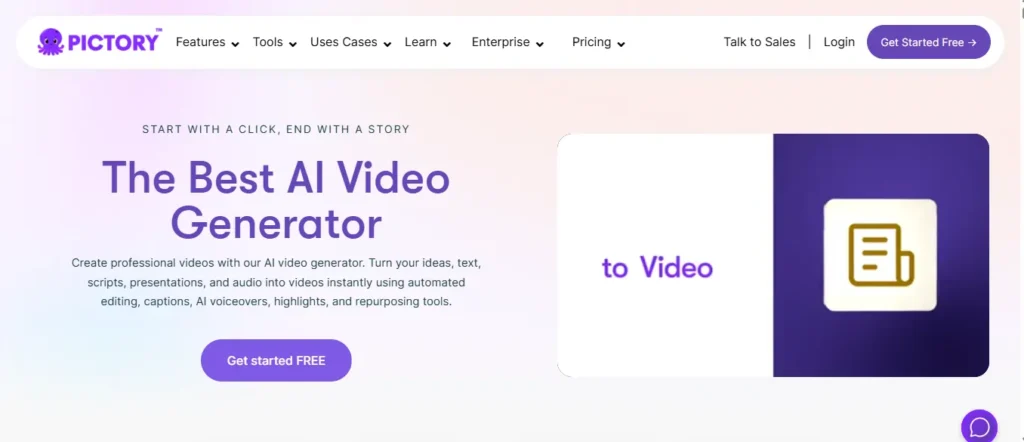
While primarily known as a video tool, Pictory AI features a remarkably powerful “AI Picture Generator Free” tool baked directly into its AI Studio. If you need images specifically to complement video content, this is your platform.
Instead of bouncing between different websites to generate visuals, write scripts, and edit timelines, Pictory allows you to generate custom, high-quality images directly from text prompts and instantly drop them into your video scenes.
What makes Pictory stand out as a free AI image generator is its workflow integration. You can generate a picture, use “Image-to-Video” to animate it, and apply ElevenLabs AI voiceovers without ever leaving the dashboard.
Exclusive Pictory AI Coupon Code – Save 20% Instantly
Get 20% off every Pictory AI plan — monthly and annual. Use code CABF20 at checkout and start creating professional videos for less.
Your Exclusive Discount Code:
CABF20
Key Features:
- Text-to-Image Generation: Instantly turn descriptive text prompts into high-quality, professional pictures.
- Image-to-Video Animation: Animate your newly generated AI images into smooth video clips.
- Integrated Video Editor: Drop AI images directly into your storyboard and timelines instantly.
- Brand Kit Alignment: Ensure generated images naturally match your uploaded brand colors and style.
Pricing Plans:
Pictory offers a 14-day free trial with access to AI image tools. Paid plans begin at $25/month, which includes generous monthly generation credits.
My Experience:
I tested Pictory for my YouTube shorts. Being able to generate an AI image and immediately use it in my video timeline saved me hours.
Why Pick Pictory AI?
If your ultimate goal is creating videos, presentations, or social clips, Pictory is the best tool for generating seamlessly integrated images.
3. HeyGen – Best Free AI Image Generator for Avatar-Based Video Content

Most free AI image generators stop at giving you a static picture. HeyGen goes several steps further. Its built-in AI Image Generator creates high-resolution, video-ready visuals from text prompts — and then lets you animate them instantly using its world-class avatar engine.
Whether you need product shots, custom backgrounds, or illustrated scenes for your videos, HeyGen’s image tool produces outputs that are already sized, formatted, and ready to drop directly into your video timeline. No design background is needed.
For content creators, affiliate bloggers, and marketers who want to produce AI images that actually do something — not just sit in a folder — HeyGen offers a level of integration that standalone free AI image generators simply cannot match.
Key Features:
- Text-to-Image Generation: Describe any scene and instantly generate high-resolution, video-ready images.
- Image-to-Video Animation: Transform any AI-generated image into a cinematic, animated video clip.
- 500+ Stock AI Avatars: Pair your generated images with lifelike digital presenters for professional content.
- 175+ Language Support: Generate and narrate image-based video content in over 175 global languages.
Pricing Plans:
HeyGen offers a free plan with no credit card required. Paid Creator plan starts at $29/month, unlocking unlimited videos and advanced image tools.
My Experience:
I tested HeyGen’s image-to-video workflow — uploading an AI-generated scene and turning it into a talking avatar video took under 3 minutes.
Why Pick HeyGen?
If you want free AI images that instantly power professional-grade avatar videos, HeyGen is unmatched in this space.
4. AdCreative.ai – Best Free AI Image Generator for E-commerce & Advertising
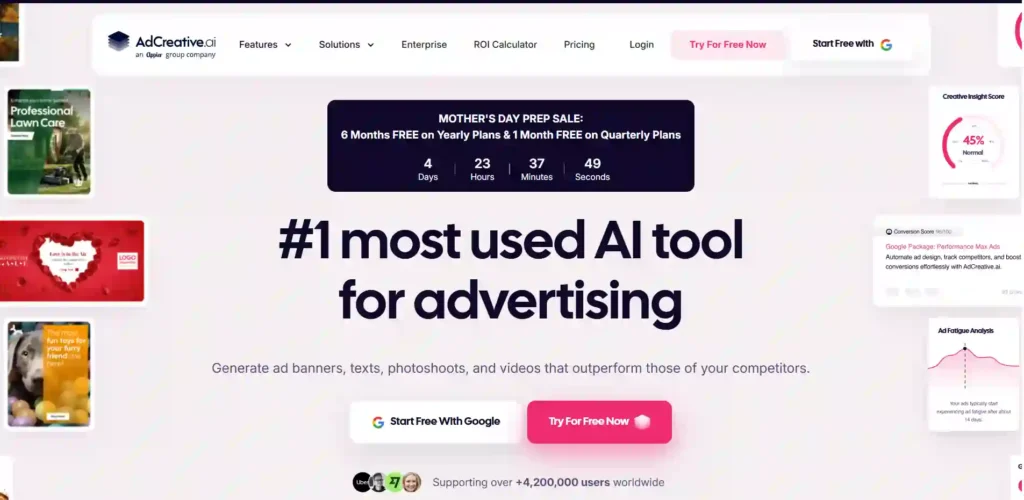
If you are running an online store, an affiliate blog, or a marketing agency, you don’t just need pretty pictures—you need visuals that sell. AdCreative.ai is an enterprise-grade AI image generator specifically trained to create high-converting ad creatives and product photos.
Instead of hiring expensive photographers, you can simply upload a basic photo of your product (even taken on your phone). The AI instantly removes the background and generates stunning, studio-quality product photoshoots in different environments, complete with professional lighting and shadows.
Beyond just product shots, AdCreative.ai generates completely original, commercially safe AI stock images from scratch. It also features a “Batch Creative” mode that produces dozens of social media-ready banners (in all sizes) with your brand colors and text already applied.
Key Features:
- AI Product Photography: Instantly transform simple product photos into studio-quality lifestyle and e-commerce shots.
- Commercially Safe Images: Generate 100% royalty-free AI stock photos completely safe for business use.
- Batch Banner Creation: Automatically generate dozens of branded ad creatives in multiple platform-ready sizes.
- Text & Copy Generator: Automatically write high-converting ad headlines and copy directly onto your images.
Pricing Plans:
AdCreative.ai offers a 7-day free trial. Paid plans begin at $20/month (billed annually), which gives you 10 download credits per month. You get unlimited generations; you only spend credits when downloading.
My Experience:
I uploaded a plain image of a coffee mug, and AdCreative.ai instantly generated dozens of professional Instagram and Facebook ads with my brand colors applied.
Why Pick AdCreative.ai?
If you need a free AI image generator specifically to sell products, run ads, or boost e-commerce ROI, this tool does 90% of the marketing work for you.
5. Akool – Best Free AI Image Generator for Marketing Campaigns & Face Swap
Akool is not your typical free AI image generator. Built specifically for marketers, content creators, and enterprise teams, it combines text-to-image generation with one of the most powerful visual AI toolkits available in 2026 — including face swap, background changer, image-to-video, and a full AI avatar studio.
What makes Akool stand out among free AI image generators is its creative flexibility. You can type a simple text prompt and generate 4K AI images, then immediately animate them, apply a face swap, or drop them into a product advertisement — all within the same dashboard.
Trusted by over 10 million users worldwide and adopted by Fortune 500 companies like Canon, Coca-Cola, and Google Cloud, Akool brings enterprise-level image and video generation to everyday creators at zero cost on its free plan.
Key Features:
- AI Image Generator: Instantly create unique, high-quality visuals directly from text prompts.
- Face Swap Technology: Seamlessly replace faces in any image with precise, realistic AI blending.
- Background Change: Remove or replace backgrounds on images in seconds for professional output.
- Image to Video: Animate any AI-generated image into a cinematic, smooth video clip instantly.
Pricing Plans:
Akool offers a free plan at $0/month with core tools accessible. Paid Pro plan starts at $30/month, unlocking 4K exports, faster processing, and advanced creative tools.
My Experience:
I tested Akool’s image generator and background changer for blog thumbnails — the output quality matched tools costing three times more.
Why Pick Akool?
If you want a free AI image generator that also handles face swap, background edits, and video creation in one place, Akool is a genuine all-in-one solution.
6. Invideo AI – Best Free AI Image Generator for Storyboarding & Video Scripts
Invideo AI goes beyond standalone image generation by turning your prompts into an entire production studio. While it is famous for its text-to-video capabilities, its newly integrated AI Image Generator (featuring Nano Banana Pro and Ideogram) lets you create stunning, photorealistic images instantly from a single text prompt.
What makes Invideo AI unique as a free AI image generator is its workflow. You can generate a custom image, and with one click, send it to their “Image to Video” tool to animate it using advanced models like Kling or Sora 2. It’s perfect for marketers, YouTubers, and educators who need visuals that can easily transition into video content.
If you need a tool that handles both high-end image generation and full-scale video editing in a single dashboard, Invideo AI is a massive time-saver.
Key Features:
- Text-to-Image Generation: Create high-quality, photorealistic images in seconds using advanced AI models.
- Image to Video Animation: Instantly turn static AI-generated images into cinematic, moving video clips.
- Seamless Storyboarding: Generate consistent character images and arrange them into cohesive video storyboards.
- Massive Stock Library: Access over 16 million royalty-free images and videos to supplement your AI creations.
Pricing Plans:
Invideo AI offers a free plan that includes 10 minutes of AI video generation per week (with watermark). Paid plans start at $17/month (billed annually), giving you 75 monthly credits for premium models.
My Experience:
I used Invideo AI to generate a cinematic mountain landscape, and within 30 seconds, I used their built-in tools to animate it into a stunning YouTube intro.
Why Pick Invideo AI?
If you ultimately want your free AI images to become engaging video content, Invideo AI gives you the complete pipeline in one app.
7. Leonardo.Ai – Best Free AI Image Generator for Digital Artists & Game Designers
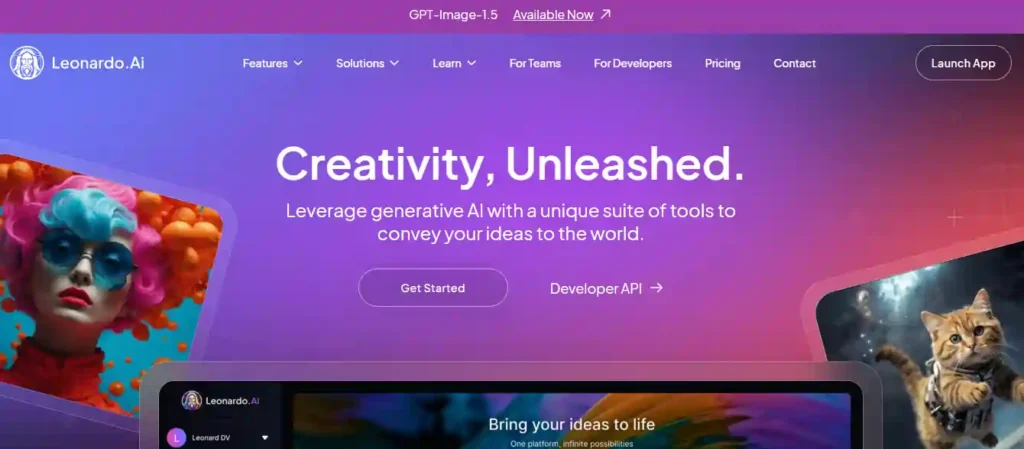
While many free AI image generators focus on simple social media posts, Leonardo.Ai was built from the ground up for serious creatives. It is a full-fledged creative studio tailored for character design, concept art, game assets, and intricate graphic design.
What makes Leonardo.Ai an absolute powerhouse is the sheer amount of control it gives you. Instead of just typing a prompt and hoping for the best, you can use features like “Real-time Canvas” to sketch and watch the AI generate art live as you draw. It also allows you to train your own custom AI models based on your specific art style or brand guidelines.
With access to state-of-the-art models like Nano Banana 2 and its proprietary Leonardo Phoenix engine, this tool bridges the gap between casual AI image generation and professional digital artistry.
Key Features:
- Real-Time Canvas: Sketch your ideas and watch the AI instantly turn them into high-quality masterpieces.
- Custom AI Model Training: Train the AI on your own images to consistently recreate your specific art style.
- Advanced Image-to-Image: Upload existing sketches or photos and seamlessly remix, upscale, or alter their style.
- Granular Creative Control: Adjust fine details like negative prompts, aspect ratios, and seed parameters with ease
Pricing Plans:
Leonardo.Ai offers a highly generous free plan with 150 daily tokens. Paid plans start at $10/month (billed annually), unlocking private generations and custom model training.
My Experience:
I used Leonardo’s Real-Time Canvas to sketch a rough mountain outline, and it rendered a stunning, photorealistic 4K landscape before I even finished drawing.
Why Pick Leonardo.Ai?
If you need complete creative control, custom model training, and professional-grade art assets, Leonardo.Ai is simply the most powerful free tool available.
8. DeepAI – Best Free AI Image Generator with No Sign-Up Required
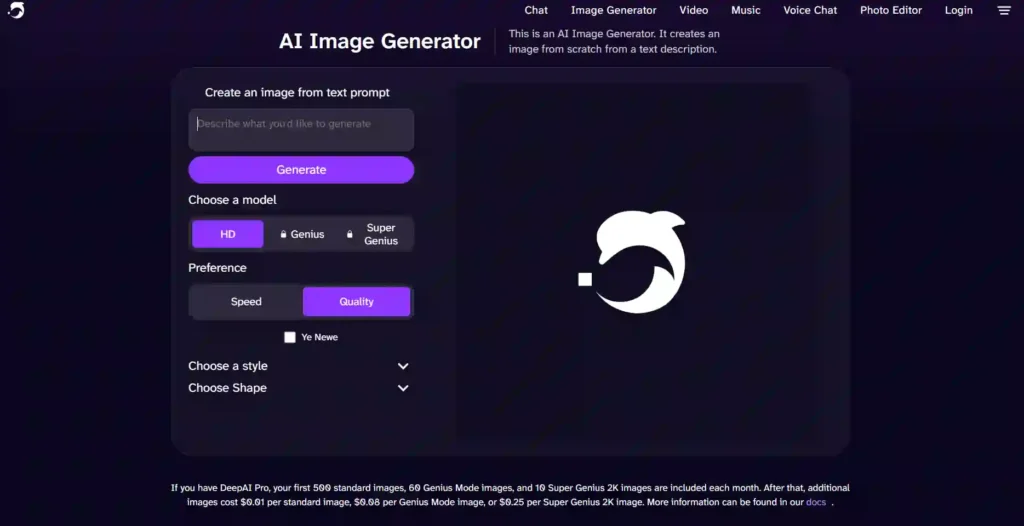
If you have ever wanted to generate AI images without creating an account, downloading software, or entering a credit card number, DeepAI is the answer. As one of the original pioneers of public text-to-image generation since 2016, DeepAI remains one of the most accessible free AI image generators available today.
Simply open the website, type your text prompt, and click generate. That’s it. No registration, no waiting list, no hidden paywalls blocking basic usage. For bloggers, freelancers, or casual creators who need a quick visual without any setup friction, DeepAI delivers immediately.
What genuinely impresses about DeepAI is its commercial-use policy. Every image you generate — even on the completely free plan — comes with full user rights. You can use them in blog posts, affiliate content, advertisements, or client projects without any legal concerns.
Key Features:
- No Sign-Up Required: Start generating free AI images instantly with zero registration needed
- Multiple Art Styles: Generate photorealistic, watercolor, cyberpunk, anime, and minimalist images freely
- Commercial Use Rights: Own and use every single image you create for any legal business purpose
- API Access Available: Integrate DeepAI’s image generation directly into your apps or workflows
Pricing Plans:
DeepAI is completely free for standard image generation with no account needed. The DeepAI Pro plan unlocks 500 standard images, 60 Genius Mode images, and 10 Super Genius 2K images per month at an affordable flat rate.
My Experience:
I tested DeepAI by typing a simple product background prompt — it generated a clean, usable image in under 10 seconds with zero setup required.
Why Pick DeepAI?
If you need a fast, no-fuss free AI image generator with commercial rights included, DeepAI is the most beginner-friendly option on this entire list.
9. Recraft – Best Free AI Image Generator for Vector Graphics & Logos
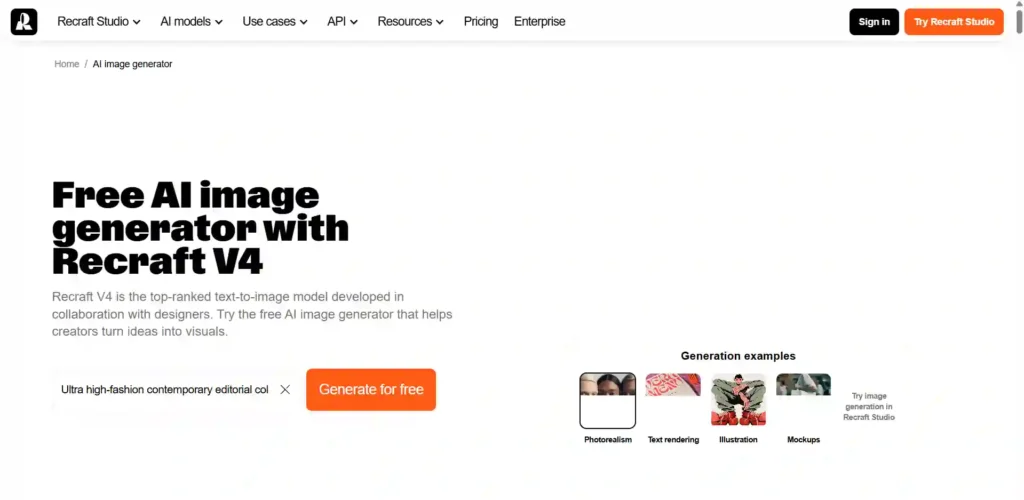
While most platforms output flat pixel images, Recraft is a free AI image generator specifically built for designers and marketers who need scalable, professional assets. Powered by the advanced Recraft V4 model, this tool genuinely understands graphic design principles.
Its biggest superpower is true vector generation. Unlike Midjourney or standard image bots, Recraft allows you to generate and export actual SVG files. This means you can create logos, icons, and print materials with infinite scaling without losing a single drop of quality.
Furthermore, Recraft guarantees incredible brand consistency. You can easily upload a few brand assets, and the AI will automatically lock in your specific visual style across all future graphics—no complex model training required.
Key Features:
- True Vector Generation: Instantly create and export fully scalable SVG vector graphics and logos.
- Instant Style Consistency: Upload reference images to automatically match your exact brand colors and style.
- Professional Mockup Creator: Turn generated designs into realistic product mockups for e-commerce and portfolios.
- Advanced Image Vectorizer: Convert your existing JPG or PNG raster images into clean, editable vectors.
Pricing Plans:
Recraft offers a generous free plan with daily credits. Premium subscriptions start at $20/month, unlocking private generations, faster processing, and API access.
My Experience:
I generated a custom mascot logo, and the ability to immediately download it as a crisp, editable SVG blew my mind.
Why Pick Recraft?
If you need a free AI image generator specifically for logos, brand icons, or infinitely scalable vector graphics, Recraft has no equal.
How to Choose the Right Free AI Image Generator for Your Needs
Not every free AI image generator suits every type of user. A social media creator has different priorities than a blogger, a freelancer, or a student working on a school project. Knowing what you actually need before you commit to a tool saves you considerable time.
Ask yourself a few practical questions before getting started:
- What’s your primary use case? Thumbnails, social posts, blog graphics, and digital art each demand different output quality and styles.
- Do you need commercial rights? If you’re monetizing content or running an affiliate blog, copyright-safe licensing is non-negotiable.
- How many images do you need daily? Some platforms cap you at 5 generations; others offer 100+.
- Do you prefer web-based or local tools? Stable Diffusion runs offline; most others need a stable internet connection.
Once you’re clear on these factors, matching yourself to the right tool becomes straightforward rather than overwhelming.
Frequently Asked Questions (FAQs)
Are there any truly free AI image generators?
Yes. Platforms like DeepAI, Leonardo.Ai, and Recraft offer genuine free plans or daily credits that let you generate high-quality images without paying a subscription fee.
Can I use free AI-generated images for commercial purposes?
Most platforms, such as Adobe Firefly and DeepAI, grant full commercial rights even on their free tiers. Always check the specific tool’s terms of service before using images for business.
Which free AI image generator has no watermark?
Leonardo.Ai, Recraft, and Canva AI allow you to download your generated images without obtrusive watermarks, making them perfect for professional or social media use.
What is the best free alternative to Midjourney?
Leonardo.Ai is widely considered the best free alternative to Midjourney. It offers similar high-fidelity artistic generation, complex prompt adherence, and a generous daily free credit system.
Do I need to create an account to use free AI image generators?
Not always. While tools like Canva and HeyGen require an account, DeepAI allows you to generate images directly from your browser with zero registration required.
Can a free AI image generator create text or logos?
Yes. Recraft and Ideogram excel at rendering accurate text within images, making them the best free options for designing logos, typography, and branded graphics.
How do I write a good prompt for AI images?
Be specific. Describe the subject, lighting, mood, and art style (e.g., “photorealistic,” “watercolor,” or “cinematic lighting”). The more detail you provide, the better the AI understands your vision.
Can I turn a photo of myself into an AI image for free?
Yes. Many free tools, including Akool and Leonardo.Ai, offer “image-to-image” features where you upload a photo and use a text prompt to alter its style or background.
Are free AI image generators safe to use?
Yes, reputable platforms are safe. However, avoid uploading highly sensitive personal photos to public servers, as some platforms use generated data to train future AI models.
Can I generate AI videos from my free AI images?
Yes. Platforms like Invideo AI, HeyGen, and Akool allow you to generate a free AI image and immediately animate it using their built-in “image-to-video” features.
Final Thoughts
Every tool on this list does something genuinely useful — some shine for video creators, others for designers, marketers, or complete beginners. There is no single right answer here, because the best platform truly depends on what you are actually building.
Start with one tool that matches your current workflow, test it with real projects, and see how it fits. You do not need to master every free AI image generator at once.
Small consistent steps matter far more than a perfect setup. The right tool is simply the one you will actually use.