Two names keep popping up in every AI art forum, and the confusion is real. Someone starts with OpenArt, gets curious about Flux, then wonders if they should switch entirely or use both together. Pricing pages don’t help much either — each platform describes itself in ways that make comparison hard.
The OpenArt vs Flux question gets more layered once image quality, speed, and workflow flexibility enter the picture. One handles prompts differently than the other. One fits certain art styles better. Beginners want something simple. Creators want control. Marketers want output that converts.
Before landing on either tool, a few technical differences deserve a closer look — details most comparisons skip entirely.
What Is OpenArt? (Overview & Key Features)
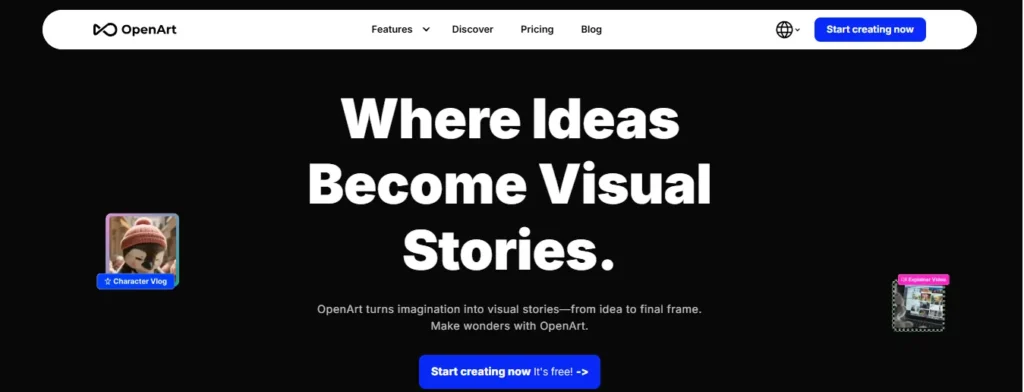
OpenArt is an AI-powered creative platform built for generating, editing, and refining images and video. Instead of locking you into one model, it gives you access to 100+ AI models under one roof — Flux 2, Stable Diffusion, Nano Banana, ChatGPT Image, Kling, Seedance, and more, depending on what you’re building.
Where OpenArt separates itself from a raw model API is the workflow layer around it:
- Text-to-image and image-to-image generation.
- Inpainting, outpainting, and background replacement.
- Custom model and LoRA training (build a model on your own face, character, or style.)
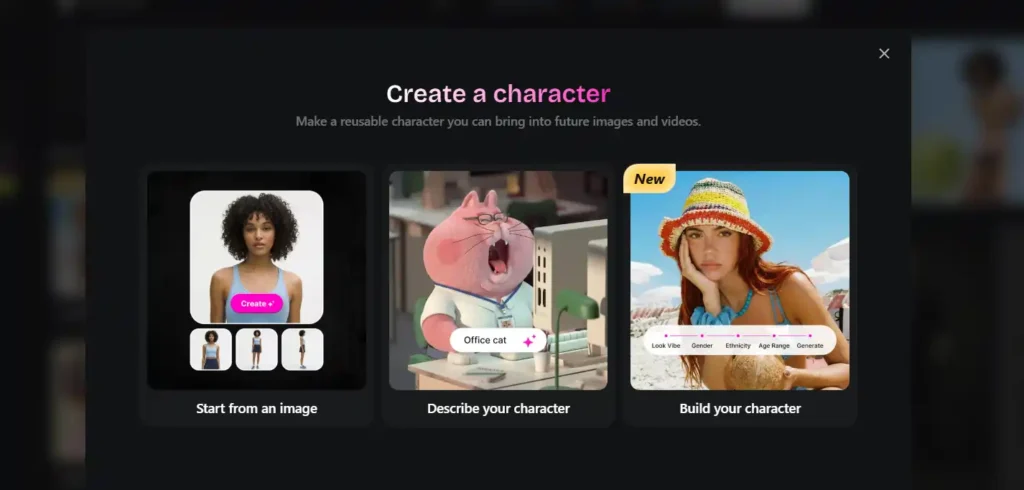
- Consistent characters across multiple scenes.
- Video tools like motion sync, lip-sync, and frame-to-video.
- A marketplace with 50,000+ community LoRA models.
In practice, this means someone using OpenArt isn’t just typing a prompt and hoping for the best. They’re building a repeatable creative pipeline — which matters a lot if you’re producing content weekly, not just experimenting once.
Get 15% Off OpenArt With Code NISHA15
Save instantly on any OpenArt plan using code NISHA15 — unlock premium AI image and video tools today.
What Is Flux AI? (Overview & Key Features)

Flux, developed by Black Forest Labs, is a text-to-image generation model — not a full platform. It’s known for strong prompt adherence, sharp text rendering inside images, and photorealistic output that holds up at higher resolutions.
Flux comes in a few variants, and this is where a lot of confusion starts:
- Flux Schnell — fastest, lower fidelity, good for quick drafts.
- Flux Dev — non-commercial, near-Pro quality.
- Flux Pro / Flux 1.1 Pro — commercial-grade, best detail and coherence.
- Flux 2 — the newer generation, better spatial coherence and texture rendering, now the flagship engine inside platforms like OpenArt.
You can access Flux directly through Black Forest Labs’ own tools or third-party front-ends like FluxPro AI, or you can access it through a broader platform like OpenArt. That last option is honestly how most non-technical users end up using Flux anyway.
OpenArt vs Flux: Quick Comparison Table
| Factor | OpenArt | Flux |
|---|---|---|
| Type | Full creative platform | Text-to-image model |
| Models available | 100+ (including Flux) | Flux variants only |
| Editing tools | Inpaint, outpaint, upscale, background swap | Minimal / none natively |
| Custom training | Yes (LoRA + custom models) | Limited, technical setup required |
| Video support | Yes | No |
| Best for | End-to-end creative workflows | Raw image generation quality |
| Learning curve | Beginner-friendly | Moderate to advanced (via API/local setup) |
OpenArt vs Flux — Image Quality Compared
This is where things get interesting, because OpenArt doesn’t compete with Flux on image quality — it uses Flux to deliver image quality.
OpenArt Pro runs Flux 2 as its flagship engine, with additional inference optimizations layered on top: custom schedulers, resolution-aware upscaling, and curated negative prompt libraries that catch common artifacts before they show up in your output. In blind community tests, this tuned version of Flux 2 has reportedly outperformed the raw base model on detail rendering — things like fabric texture, skin pores, and metallic reflections.
So the honest answer isn’t “OpenArt has better quality than Flux.” It’s closer to: Flux sets the ceiling, and OpenArt’s optimization layer decides how close you get to it.
If you’re running Flux locally or through a bare API, you’re responsible for all that tuning yourself.
OpenArt vs Flux — Speed & Generation Performance
Flux Schnell is built for speed — it’s the model most people reach for when they need a quick draft in seconds rather than a polished final image. Flux Pro and Flux 2 trade some of that speed for detail.
On OpenArt, generation speed depends on your plan tier. Higher-tier plans unlock more parallel generations (up to 32 on the Infinite plan), which matters more for volume than for per-image speed. If you’re generating one image at a time, the difference is barely noticeable. If you’re batch-producing 50 product shots, parallel generation is the thing that actually saves your afternoon.
OpenArt vs Flux — Pricing Breakdown
Pricing is where the “vs” framing gets genuinely useful, because you’re really comparing two different pricing philosophies: pay for platform access with everything bundled, or pay per credit for raw model generations.
OpenArt Pricing Plans
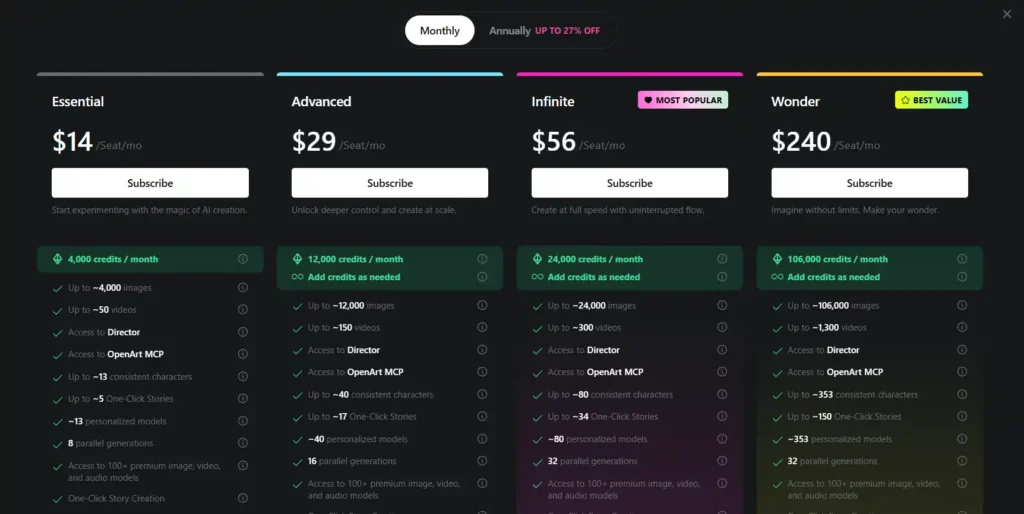
| Plan | Price | Credits/Month | Notes |
|---|---|---|---|
| Essential | $14/seat/mo | 4,000 | ~4,000 images, 8 parallel generations |
| Advanced | $29/seat/mo | 12,000 | 16 parallel generations, commercial rights |
| Infinite | $56/seat/mo | 24,000 | 32 parallel generations, priority support |
| Wonder | $240/seat/mo | 106,000 | Unlimited Seedream 5.0 Pro, best value per credit |
Annual billing brings meaningful savings — up to 27% off across tiers.
Flux Pricing Plans (via FluxPro AI, third-party front-end)

| Plan | Price | Credits | Notes |
|---|---|---|---|
| Free | $0/mo | 5/day | Flux Schnell only, no commercial license |
| Premium | $15.9/mo | 800/mo | Unlimited Flux Schnell, commercial license |
| Advanced | $22.9/mo | 1,500/mo | Same features, higher volume |
| Enterprise | $55.9/mo | 3,000/mo | Team-scale usage |
Rough math: on FluxPro AI, a Flux 1.1 Pro image costs 4 credits, so Premium’s 800 credits get you roughly 200 Pro-quality images a month. On OpenArt Essential, 4,000 credits stretch across generation, editing, and video — not just raw image output.
If all you want is Flux images with no editing suite, a Flux-specific service can be cheaper per image. If you want generation plus editing plus custom characters plus video, OpenArt’s bundled pricing usually works out better per feature.
OpenArt vs Flux — Ease of Use for Beginners
Flux, used directly, has some friction. Running it locally means ComfyUI or similar setups, GPU requirements, and a real learning curve. Even hosted Flux front-ends are essentially single-purpose — type a prompt, get an image, repeat.
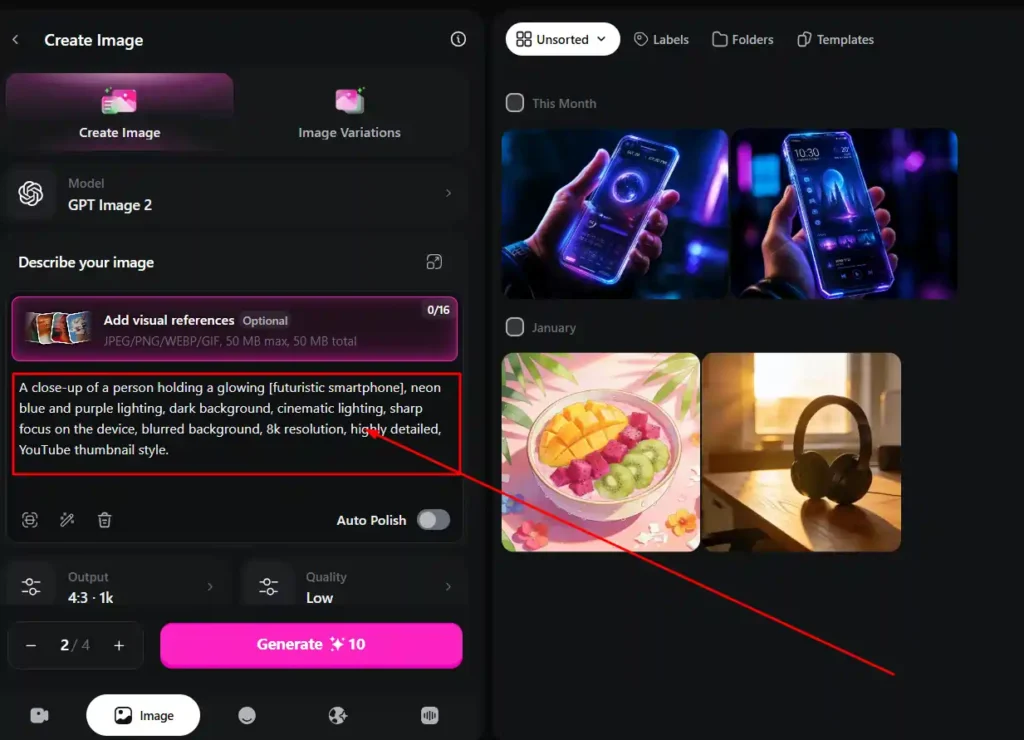
OpenArt was built with a broader audience in mind. The interface guides you through prompt building, reference uploads, and editing without requiring any technical background. For someone who’s never touched Stable Diffusion or ComfyUI, OpenArt is the far gentler on-ramp — and you still get Flux’s output quality on the back end.
OpenArt vs Flux — Customization & Control
This is arguably OpenArt’s strongest differentiator. LoRA fine-tuning — training a small adapter on top of a base model to lock in a specific style, character, or subject — is available through OpenArt’s marketplace with zero technical setup. Browse, preview, apply.
Doing the same thing with raw Flux means training your own LoRA from scratch, which is a genuinely technical process involving datasets, training scripts, and compute.
OpenArt vs Flux — Editing Tools

Flux, by itself, generates images. It doesn’t inpaint, outpaint, upscale, or swap backgrounds natively. Once you have a Flux-generated image, you’d need a separate tool to refine it.
OpenArt treats generation as step one, not the finish line. Inpainting, background replacement, relighting, and upscaling all live in the same workspace — so a rough Flux-powered draft can become a polished final asset without switching tools.
OpenArt vs Flux — Best for Which Use Case?
Best for Beginners
OpenArt wins here without much debate. Guided workflows, no local setup, and built-in editing remove most of the early frustration.
Best for Professional Designers
Depends on the workflow. Designers who want maximum control over the raw model and don’t mind technical setup may prefer working with Flux directly, possibly through ComfyUI. Designers who need speed and a full editing pipeline tend to prefer OpenArt.
Best for Marketers & Content Creators
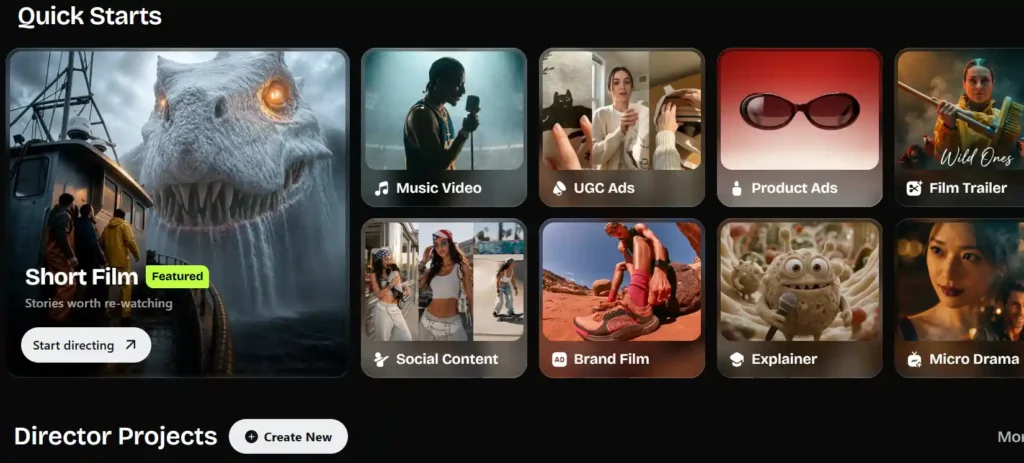
OpenArt, mainly because of consistent characters, brand kits, and video tools that a marketing calendar actually needs — not just one-off images.
Best for Businesses & Commercial Use
Both offer commercial licensing at paid tiers. OpenArt’s advantage is bundling image, video, and audio generation into one subscription instead of stitching together multiple tools.
OpenArt vs Flux — Pros and Cons
OpenArt Pros and Cons
Pros: Access to 100+ models including Flux 2, full editing suite, custom model training, video and audio tools, beginner-friendly.
Cons: Higher entry price than a Flux-only tool, credit system can feel confusing at first, some advanced controls take time to learn.
Flux Pros and Cons
Pros: Excellent prompt adherence and text rendering, strong photorealism, open-weight options (Schnell, Dev) for developers.
Cons: No native editing tools, technical setup for local use, limited customization without external tools.
Can You Use Flux Inside OpenArt?
Yes — and this is honestly the detail most comparison articles skip. OpenArt runs Flux 2 as its flagship model. So instead of choosing “OpenArt or Flux,” a lot of users are effectively choosing whether to access Flux raw or access Flux through OpenArt’s optimized, editable workspace.
If your goal is specifically Flux-quality output but you also want inpainting, character consistency, or video, running Flux through OpenArt gets you both without extra tools.
OpenArt vs Flux — User Reviews & Ratings
Across review platforms, Flux tends to score around 4.7–4.8/5, with users praising output quality but noting friction when integrating it with other tools or workflows. OpenArt tends to sit around 4.5/5, with reviewers pointing to its wide feature set and frequent updates, while a smaller group flags occasional slow generation during peak load.
Neither tool has a reputation problem — the ratings mostly reflect what each one is actually built to do.
OpenArt vs Flux Alternatives Worth Considering
If neither fits perfectly, a few other names come up often in the same conversation: Midjourney (best for stylized, artistic output), Adobe Firefly (best for teams already inside Adobe’s ecosystem), and Leonardo AI (strong middle ground between control and ease of use).
You can also explore our guide on AI image generator alternatives for a deeper side-by-side.
OpenArt vs Flux — Frequently Asked Questions
What is the difference between OpenArt and Flux?
Flux is an image generation model. OpenArt is a full platform that includes Flux alongside 100+ other models, plus editing and video tools.
Is Flux better than OpenArt?
They’re not really comparable directly — OpenArt uses Flux as one of its core engines, so the better question is whether you want raw Flux access or Flux inside a full creative workspace.
Does OpenArt use the Flux model?
Yes, OpenArt Pro runs Flux 2 as its flagship model, with added optimization for detail and texture.
Is Flux AI free to use?
There are free tiers with limited daily credits, usually restricted to the Schnell model and without commercial licensing.
How much does Flux AI cost?
Third-party Flux platforms typically start around $15–16/month for commercial use, scaling up based on credit volume.
Which is better for beginners, OpenArt or Flux?
OpenArt, mainly because of its guided interface and built-in editing tools — no local setup or technical knowledge required.
Final Verdict: OpenArt vs Flux — Which Should You Choose?
If you want raw Flux output and you’re comfortable with a more technical, single-purpose workflow, going direct to Flux (or a lean Flux-only service) can be the leaner, cheaper path.
If you want Flux-quality images plus editing, character consistency, custom training, and video — without juggling five different tools — OpenArt is the more complete choice, and it’s already running Flux under the hood anyway.
For most creators, marketers, and small teams, that bundled approach ends up saving more time than the few dollars you might save going model-only.