Hello my lovely readers, Nisha here! I’ve been deep in the world of AI art tools for the past six months, testing everything from prompts to pricing, so I could bring real answers to you.
Lately, so many of you have messaged me the same thing: you open a tab for OpenArt AI, another for Leonardo AI, and within minutes you’re stuck comparing credits, models, and image quality with no clear direction. Both platforms promise stunning results, but their pricing structures and creative tools work in very different ways.
If you’re a creator, marketer, or beginner trying to decide where your next subscription should go, stick with me. What I found while testing OpenArt AI vs Leonardo AI might change how you see both tools.
I’ve spent the last few weeks bouncing between OpenArt and Leonardo, testing everything from character consistency to video generation, and here’s the truth: neither tool wins across the board. Your answer depends entirely on what you’re making and how much control you want over the process.
This guide breaks down pricing, features, and real use cases so you can stop guessing and pick the one that actually fits your workflow.
What Is OpenArt AI?
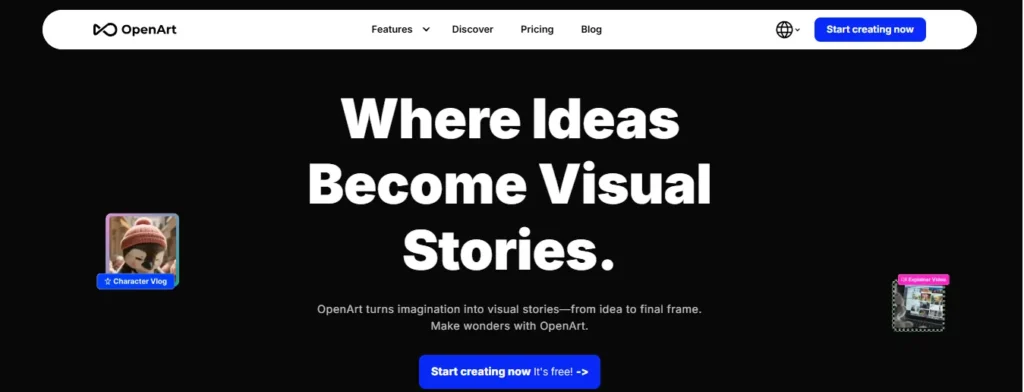
OpenArt AI is a browser-based creative platform built around access to over 100 image, video, and audio models in one place. Instead of locking you into a single house model, it lets you switch between models like Nano Banana Pro, Seedream, Kling, and ChatGPT Image-2 depending on the project.
What stood out to me during testing was the Director tool and One-Click Story feature — it’s clearly built for people producing short films, ads, and character-driven content, not just single images. There’s also an MCP integration, which means you can generate directly from Claude, Cursor, or other connected apps.
Get 15% Off OpenArt AI Today
Use my exclusive code NISHA15 at checkout and save 15% on any OpenArt AI paid plan. Perfect time to try it!
What Is Leonardo AI?
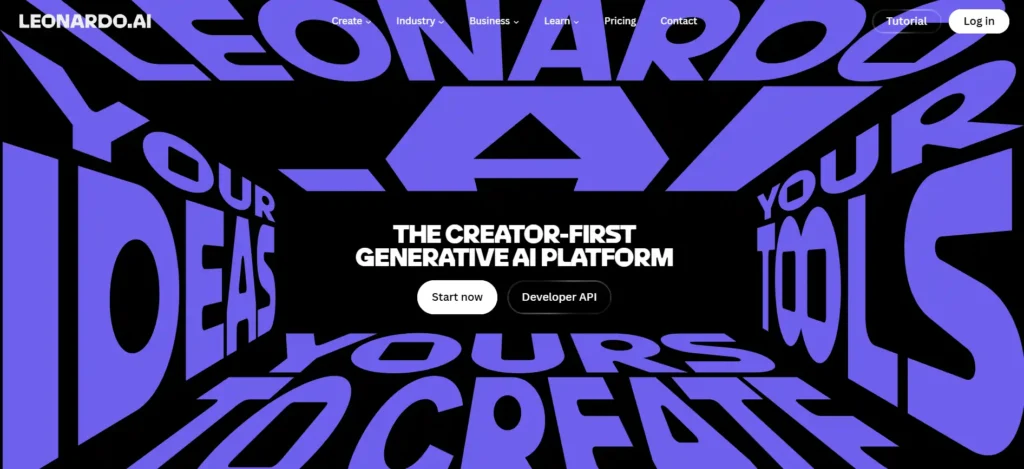
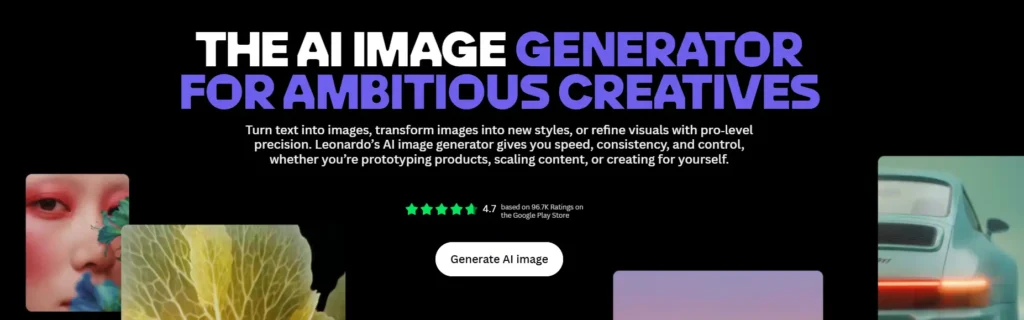
Leonardo AI takes a more focused approach. It’s built around its own proprietary models — Phoenix 1.0, Lucid Origin, and Lucid Realism — alongside third-party integrations like Veo 3, Kling, and Flux. The interface leans toward artists and designers who want a polished, production-ready pipeline rather than a sprawling model buffet.
Leonardo also has a strong reputation in gaming and concept art circles, and its Elements and Blueprints features give you finer control over composition than most competitors offer at this price point.
OpenArt AI vs Leonardo AI: Quick Comparison Table
| Feature | OpenArt AI | Leonardo AI |
|---|---|---|
| Free plan | No free tier (paid plans only) | Yes — 150 daily tokens |
| Entry price | $14/month (Essential) | $12/month (Essential) |
| Model variety | 100+ models (image, video, audio) | Proprietary + select third-party models |
| Video generation | Yes, strong focus | Yes, first-party Motion models |
| Commercial rights | From Advanced plan ($29/mo) | Included on all paid plans |
| Custom model training | Yes, personalized models on every paid tier | Yes, up to 50/month on Ultimate |
| Best for | Multi-format creators, marketers, agencies | Artists, designers, game asset creators |
OpenArt AI vs Leonardo AI: Pricing Compared
Pricing is usually where the decision actually gets made, so let’s slow down here.
OpenArt AI Pricing Plans Explained
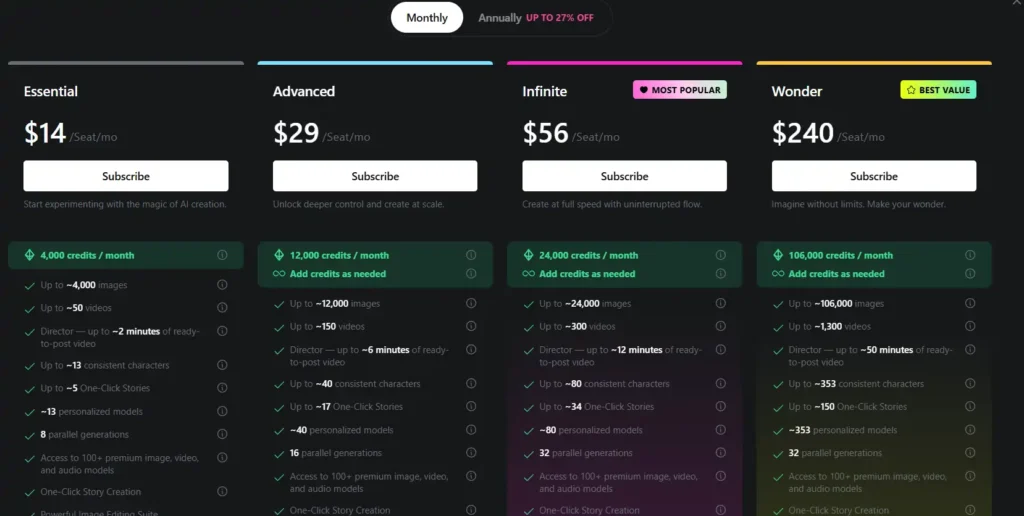
OpenArt doesn’t offer a genuinely free plan anymore — every tier is paid, though credits are generous relative to the price:
- Essential – $14/seat/month: 4,000 credits, ~4,000 images or ~50 videos, 8 parallel generations, access to Director and OpenArt MCP.
- Advanced – $29/seat/month: 12,000 credits, ~150 videos, 16 parallel generations, and this is where commercial use rights kick in.
- Infinite – $56/seat/month: 24,000 credits, unlimited Seedream 5.0 Pro and Nano Banana 2 Lite, priority support.
- Wonder – $240/seat/month: 106,000 credits, built for teams generating at real scale.
If you only need occasional images, Essential feels tight once you start experimenting with video. Advanced is really the plan most serious creators land on, mainly because of the commercial rights unlock.
Leonardo AI Pricing Plans Explained
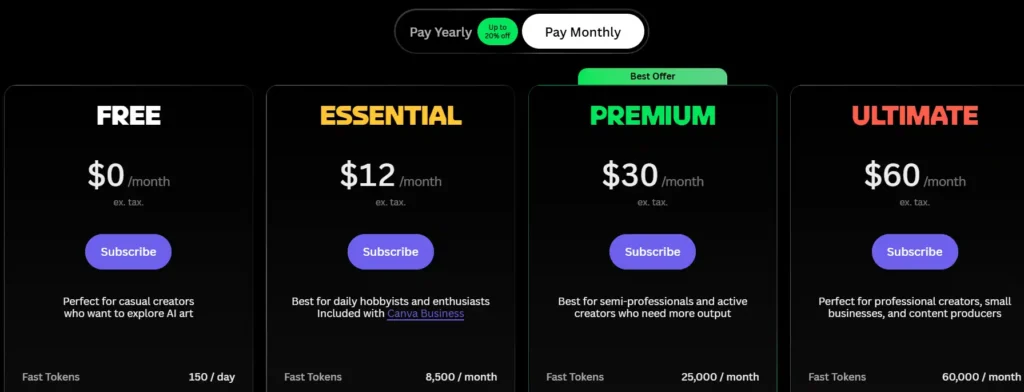
Leonardo keeps a genuinely usable free tier, which is a meaningful difference:
- Free – $0/month: 150 daily tokens, public generations only, basic quality settings.
- Essential – $12/month: 8,500 monthly tokens, private generations, 10 personal AI models.
- Premium – $30/month: 25,000 monthly tokens, unlimited relaxed generation on select models like Phoenix and Lucid.
- Ultimate – $60/month: 60,000 monthly tokens, unlimited relaxed video generation, up to 6 simultaneous generations.
The “relaxed generation” system is worth understanding: once you burn through your token pool on Premium or Ultimate, you don’t hit a wall — you just generate more slowly using first-party models. Third-party models like Veo 3 or Sora 2 always cost tokens, no exceptions.
Which One Offers Better Value for Money?
Honestly, it depends on what you’re optimizing for. If free access matters to you while you’re still deciding, Leonardo wins outright — OpenArt gives you nothing to test without paying. But if you’re already committed to a workflow, OpenArt’s Essential plan includes video generation from day one, something Leonardo doesn’t offer meaningfully at the free or entry tier.
OpenArt AI vs Leonardo AI: Features and Tools
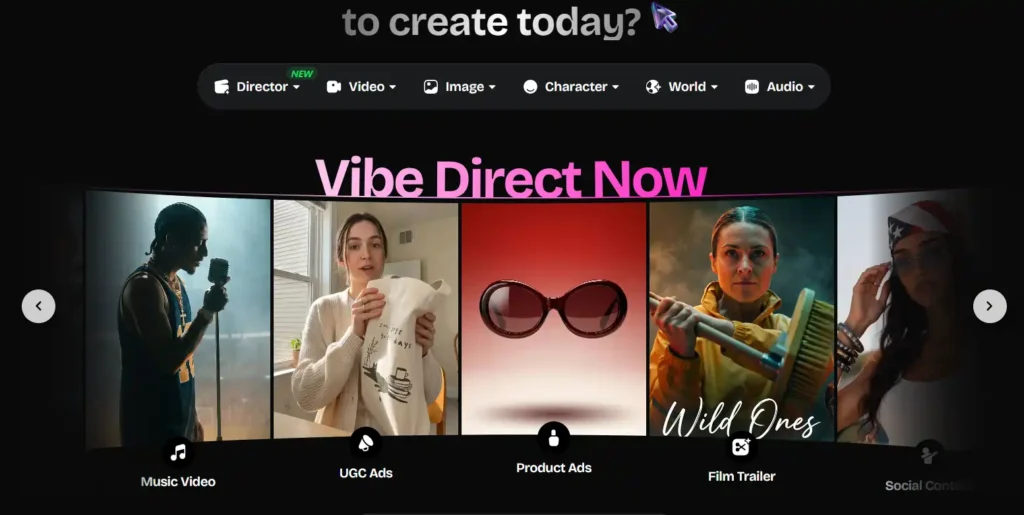
Image Generation Quality Comparison
Both tools produce genuinely strong results, but the quality depends heavily on which model you pick within each platform. Leonardo’s Phoenix and Lucid models are tuned for consistency and photorealism. OpenArt’s strength isn’t one hero model — it’s the ability to switch between dozens depending on the aesthetic you’re chasing.
AI Models and Model Variety
This is where OpenArt clearly pulls ahead in raw numbers, offering 100+ models across image, video, and audio in a single subscription. Leonardo focuses on a smaller, curated set, which some users actually prefer because it removes decision fatigue.
Editing Tools (Inpainting, Outpainting, Upscaling)
Both platforms cover the basics well — inpainting, outpainting, and upscaling are standard on both. Leonardo’s Realtime Canvas feels a touch more responsive for iterative editing, while OpenArt bundles its editing suite (Edit Image, Edit Video, VFX, Relight Video) under one workspace, which cuts down on tool-switching.
Video Generation Capabilities
OpenArt treats video as a first-class citizen — Smart Shot, Motion Sync, Lip-Sync, and Frame-to-Video are all built into the core suite. Leonardo’s video tools (Motion 1.0, Motion 2.0, Motion 2.0 Fast) are solid but more limited in scope, and unlimited relaxed video generation is reserved for the Ultimate tier only.
Custom Model and LoRA Training
Both platforms let you train personalized models. OpenArt scales this by plan — roughly 13 models on Essential up to 353 on Wonder. Leonardo caps training at 50 models per month even on its top consumer tier, which matters if you’re building a large library of consistent characters.
OpenArt AI vs Leonardo AI: Ease of Use and Interface
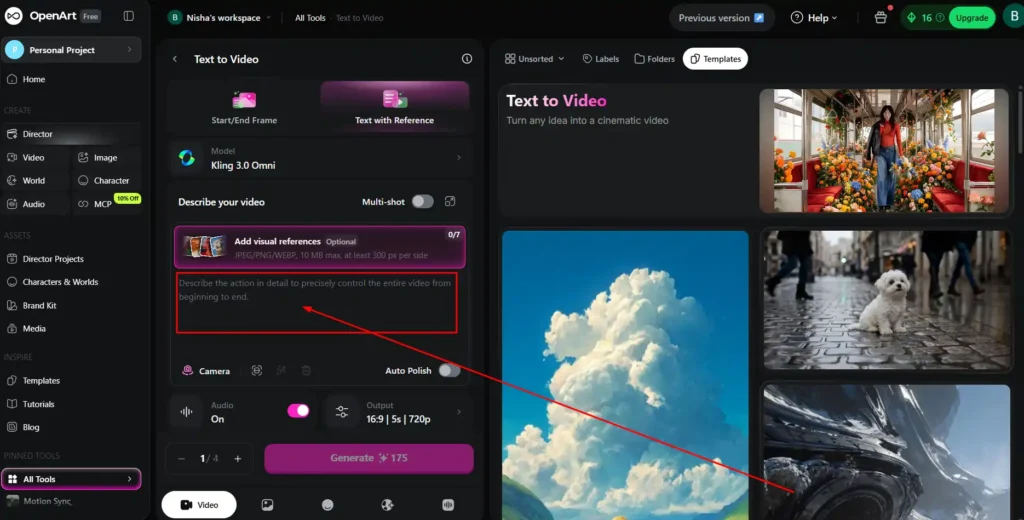
Leonardo’s interface leans more toward artists comfortable with granular settings — model selection, guidance sliders, and Elements can feel like a lot for a first-time user. OpenArt’s Director-based workflow, by contrast, guides you through templates like Short Film, UGC Ads, or Product Ads, which makes it noticeably friendlier for marketers who don’t want to learn prompt engineering from scratch.
OpenArt AI vs Leonardo AI: Commercial Usage Rights
This one trips people up, so let’s be direct about it:
- Leonardo AI: Commercial rights are included on every paid plan, starting at $12/month.
- OpenArt AI: Commercial rights don’t kick in until the Advanced plan at $29/month.
If you’re a freelancer working with client deliverables from day one, this single difference could tip the decision toward Leonardo, unless OpenArt’s video and model variety are worth the extra cost to you.
OpenArt AI vs Leonardo AI: Free Plan Comparison
Leonardo’s free plan gives you 150 daily tokens with public generations and basic quality — enough to genuinely test the platform before paying anything. OpenArt currently doesn’t offer an equivalent free tier, so you’re committing to at least the Essential plan to try it properly.
OpenArt AI vs Leonardo AI: Best Use Cases
Best For Beginners
Leonardo’s free tier makes it the safer starting point if you’re not ready to pay yet.
Best For Game Asset Creation
Leonardo’s Phoenix and Lucid models, plus its history with concept art communities, give it an edge for game-style assets and textures.
Best For Marketers and Content Creators
OpenArt’s Director templates (Product Ads, Explainer, Social Content) are built specifically for this audience, and having video, image, and audio in one subscription reduces tool overload.
Best For Freelancers and Small Businesses
This depends on your priority: Leonardo if commercial rights on a cheap plan matter most; OpenArt if you need video, consistent characters, and multi-model flexibility bundled together.
OpenArt AI vs Leonardo AI: Pros and Cons
OpenArt AI Pros and Cons
Pros:
- Access to 100+ models across image, video, and audio.
- Strong video and story-building tools (Director, One-Click Story.)
- MCP integration for Claude, Cursor, and other apps.
Cons:
- No free plan.
- Commercial rights locked behind the Advanced tier.
Leonardo AI Pros and Cons
Pros:
- Genuine free tier to test before buying.
- Commercial rights on every paid plan.
- Polished, artist-focused proprietary models.
Cons:
- Smaller model selection compared to OpenArt.
- Video generation feels more limited outside first-party models.
OpenArt AI vs Leonardo AI: Which One Should You Choose?
If you’re building marketing content, ads, or short-form video across multiple formats, OpenArt’s breadth is hard to match — you’re not juggling separate subscriptions for image and video. If you’re an artist, illustrator, or game asset creator who wants commercial rights from the cheapest possible plan and a genuinely free way to test things first, Leonardo makes more sense.
You can also explore our guide on AI video generation tools if motion content is your main priority, or our roundup of AI art generators with free trials if budget is the deciding factor right now.
Frequently Asked Questions (FAQs)
Is OpenArt AI better than Leonardo AI?
Neither is universally “better.” OpenArt wins on model variety and video tools; Leonardo wins on free access and included commercial rights.
Does OpenArt AI have a free trial?
No, OpenArt currently requires a paid subscription starting at $14/month, though it occasionally offers discounts like 10% off select models.
Does Leonardo AI have a free plan?
Yes, Leonardo offers a free plan with 150 daily tokens and public generation access.
Which is cheaper, OpenArt AI or Leonardo AI?
Leonardo’s entry plan at $12/month is slightly cheaper than OpenArt’s Essential plan at $14/month, and Leonardo also has a free option OpenArt lacks.
Does Leonardo AI include commercial usage rights?
Yes, commercial rights are included on all of Leonardo’s paid plans, starting at Essential.
Can you use OpenArt AI for video generation?
Yes, video generation is a core part of OpenArt’s platform, with tools like Text to Video, Frame to Video, and Motion Sync available from the Essential plan onward.
My Final Thoughts – Nisha
Honestly, after weeks of testing both tools, I don’t think there’s one “winner” here. If you want a free way to start and commercial rights from day one, go with Leonardo. If you need video, more models, and marketing-ready templates, OpenArt is worth the extra cost.
My advice? Try the free plan on Leonardo first, then test OpenArt’s Essential tier if you need more range. Drop your questions in the comments — I reply to every single one, and I genuinely want to help you pick right. 💛