OpenArt MCP 10% Off Image & Video Models: Complete Pricing & Setup Guide
Hello, lovely readers — Nisha here. Editing videos late at night, switching between five different AI tools, and still not getting the right image or clip is a real struggle many creators face daily. Costs pile up fast, subscriptions overlap, and quality still feels inconsistent.
After using OpenArt closely for six months, something interesting showed up this week: a special OpenArt MCP 10% Off Image & Video Models offer, live only until July 12, 2026. It touches pricing, model access, and output quality in ways that could change daily workflow for beginners, marketers, and creators alike.
Let’s break down exactly what this discount covers, which plans qualify, and how to set everything up without wasting a single credit.
What Is OpenArt MCP? (Quick Overview)
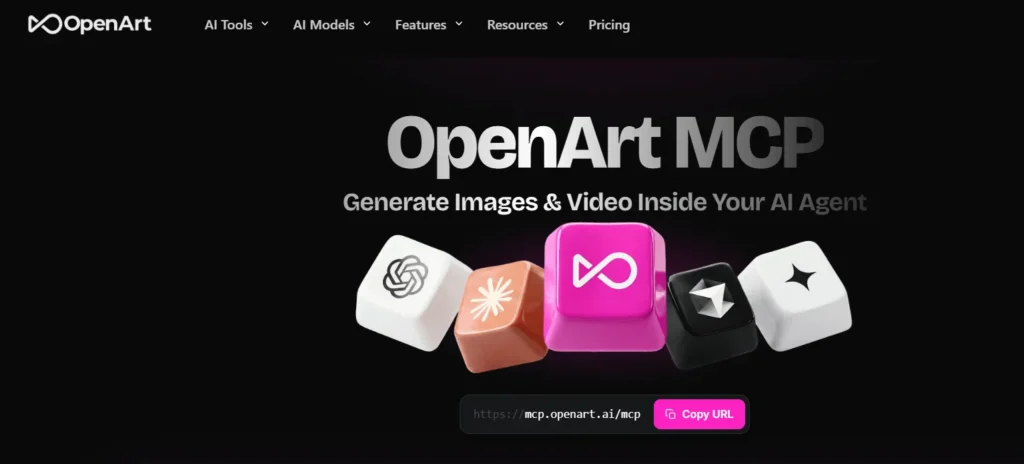
OpenArt MCP is a connector that lets you generate images and videos directly inside an AI agent, without opening a separate app. You type a request in chat, and the generation happens right there.
It works through the Model Context Protocol (MCP), which is basically a standard way for AI assistants to talk to outside tools. Instead of copy-pasting prompts between tabs, everything stays in one conversation.
Exclusive OpenArt Coupon Code – Save 15% Instantly
Use coupon code NISHA15 at checkout and get 15% off your OpenArt subscription today. Limited-time offer for our readers.
How OpenArt MCP Connects to Claude, ChatGPT & Cursor
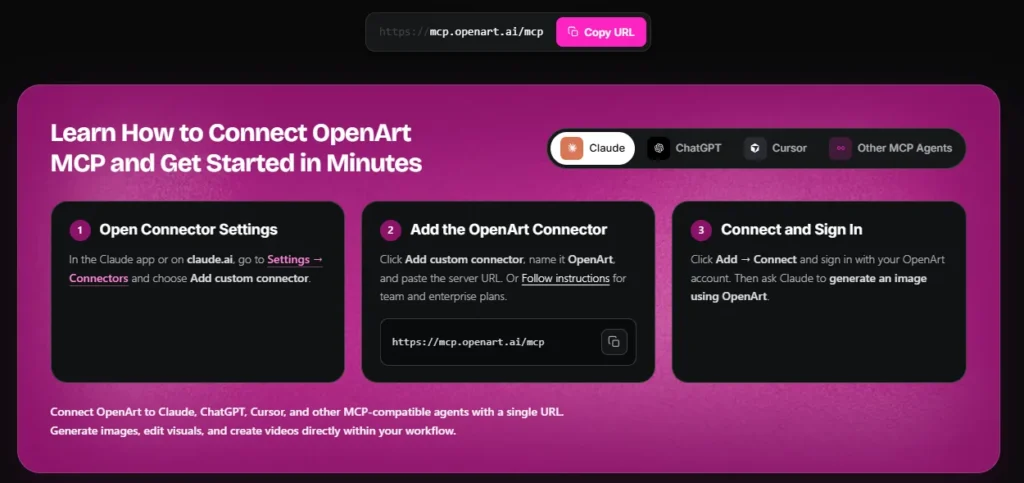
Connection is simple on paper — you add one server URL inside your AI agent’s settings, sign in with your OpenArt account, and you’re done. No coding required.
It currently supports:
- Claude (via custom connector settings.)
- ChatGPT.
- Cursor.
- Any other MCP-compatible agent.
I tested it on Claude first, mostly out of habit, and honestly the setup took under five minutes.
What Makes OpenArt MCP Different From Regular OpenArt
Regular OpenArt means opening the platform, picking a model, uploading references, and generating manually. OpenArt MCP skips most of that friction.
You keep the same credits, plan, and project history — but the interaction happens through natural chat instead of clicking through menus. For people who already live inside Claude or ChatGPT for work, this saves real time.
OpenArt MCP 10% Off Deal — Full Details
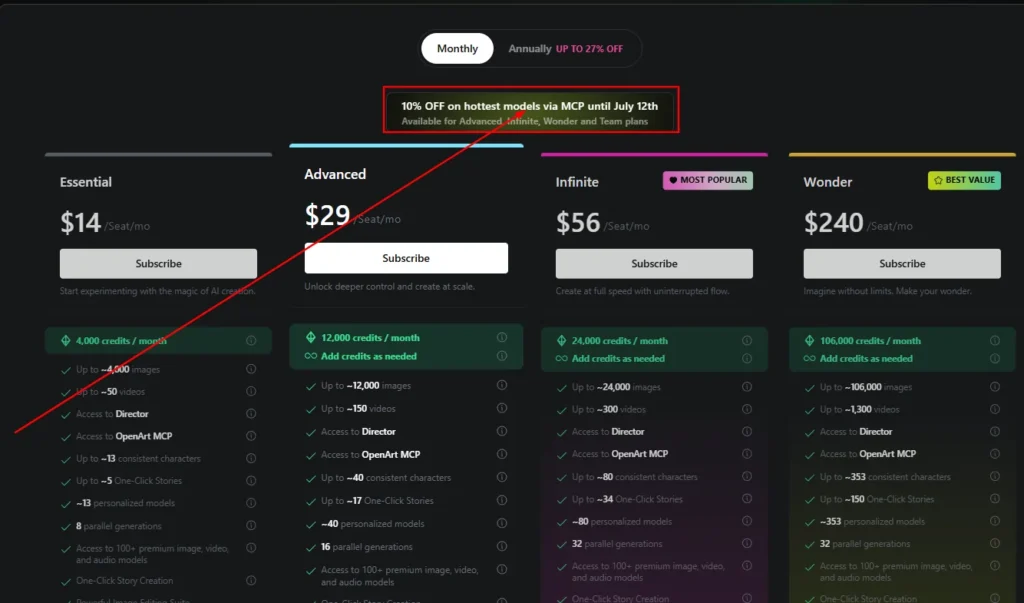
Here’s the part most of you came for. OpenArt is currently offering 10% off on its top-tier image and video models accessed through MCP, running until July 12, 2026.
This isn’t a sitewide discount — it applies specifically to eligible subscription plans that include MCP access.
Which Plans Qualify for the OpenArt MCP 10% Off
The discount is available on:
- Advanced plan.
- Infinite plan.
- Wonder plan.
- Team plan.
The Essential plan technically includes MCP access too, but it isn’t part of this particular discount window, so double-check pricing before subscribing if you’re on that tier.
OpenArt MCP Discount Deadline: Offer Ends July 12
Mark this down — the offer closes on July 12, 2026. After that date, pricing reverts to standard rates shown on OpenArt’s plans page. If you’re already close to upgrading, this window is worth acting on rather than waiting.
How Much You Actually Save With OpenArt MCP 10% Off
Numbers make this clearer than percentages alone. Here’s what the discount looks like across current plans:
| Plan | Regular Price | Discounted Price | Monthly Savings |
|---|---|---|---|
| Essential | $14/seat | $12.60/seat | Not included in this offer |
| Advanced | $29/seat | $23.20/seat | ~$5.80 |
| Infinite | $56/seat | $43.70/seat | ~$12.30 |
| Wonder | $240/seat | $175.20/seat | ~$64.80 |
The Wonder plan shows the biggest raw savings, which makes sense — it’s built for heavy, ongoing creation rather than occasional use.
OpenArt MCP Pricing Plans Explained
Picking a plan really depends on how often you generate content and whether video matters to you as much as images.
Essential Plan — OpenArt MCP Pricing & Credits
At $14/seat monthly, Essential gives roughly 4,000 credits, around 4,000 images or 50 videos, plus MCP access. It’s a reasonable starting point if you’re testing the waters.
Advanced Plan — OpenArt MCP Pricing & Credits
Advanced sits at $23.20/seat with the discount, offering 12,000 credits and commercial use rights. This tier feels built for freelancers who need output they can actually sell or publish for clients.
Infinite Plan (Most Popular) — OpenArt MCP Pricing & Credits
At $43.70/seat discounted, Infinite bumps credits to 24,000 and adds priority support. Given the “Most Popular” tag, a lot of creators seem to land here as a middle ground between cost and volume.
Wonder Plan (Best Value) — OpenArt MCP Pricing & Credits
Wonder costs $175.20/seat with the discount but includes 106,000 credits and unlimited creation. For agencies or full-time content teams, the per-credit cost actually drops significantly compared to lower tiers.
Team & Enterprise OpenArt MCP Pricing
Team and Enterprise plans aren’t listed with fixed public pricing — they’re built around shared credits and collaborative workspaces, so you’ll need to reach out directly for a quote.
How to Set Up OpenArt MCP (Step-by-Step)
Setup barely takes longer than making a cup of tea. Here’s the general flow.
Connecting OpenArt MCP to Claude
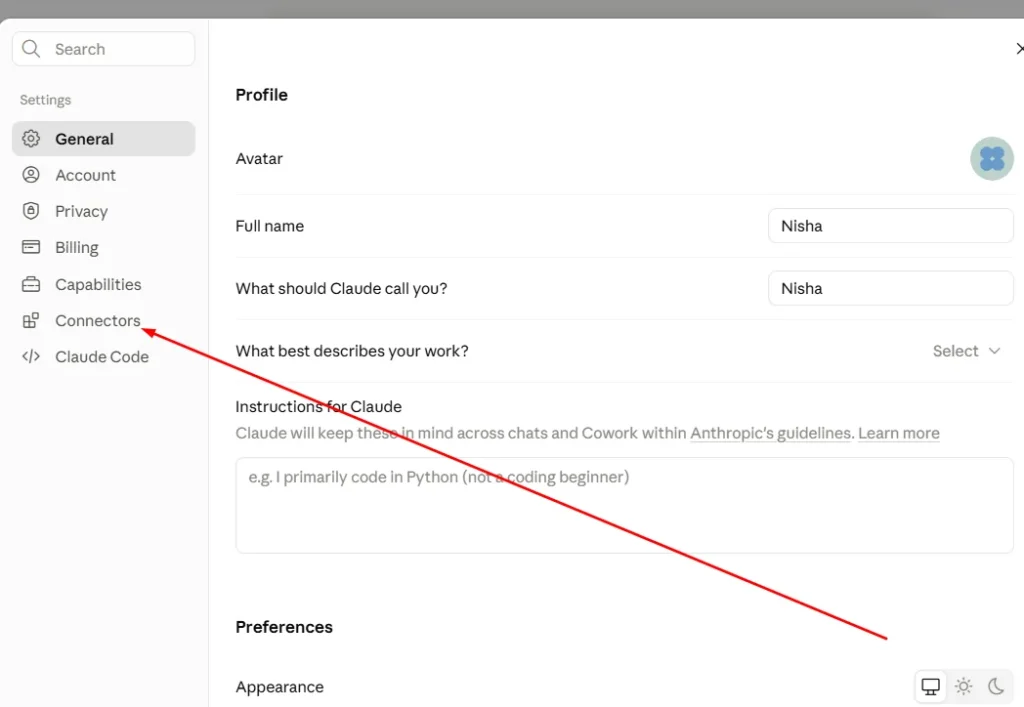
- Open Claude settings and go to Connectors.
- Choose “Add custom connector”.
- Name it OpenArt and paste the server URL.
- Click Connect and sign in with your OpenArt account.
Connecting OpenArt MCP to ChatGPT.
The process mirrors Claude closely — add the connector under integrations, paste the same MCP URL, then authenticate with your existing OpenArt login.
Connecting OpenArt MCP to Cursor.
Cursor supports MCP servers through its own settings panel. Once added, you can call OpenArt models mid-project without switching windows, which is genuinely useful for developers building visual content into apps.
Do You Need an API Key for OpenArt MCP?
No separate API key is required for standard use — signing in with your OpenArt account handles authentication. That said, enterprise setups may involve additional configuration depending on your workspace.
What You Can Create With OpenArt MCP
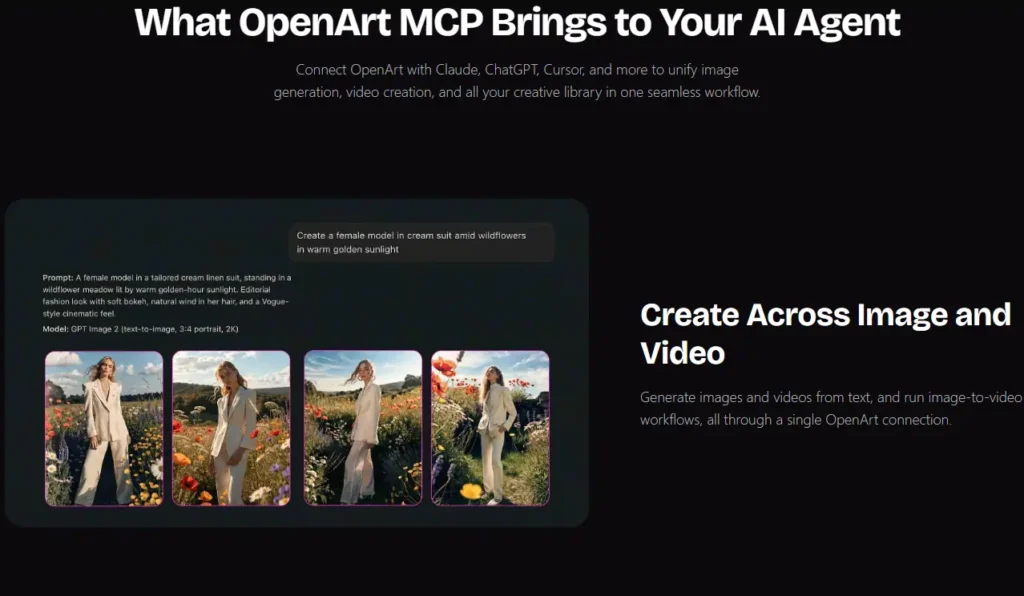
This is where it gets genuinely practical rather than just convenient.
Generating Images Through OpenArt MCP
Ask your agent for an image, describe style or reference, and it generates without leaving the chat window.
Creating Videos Through OpenArt MCP
Image-to-video workflows work the same way — describe motion or mood, and the model handles the rest.
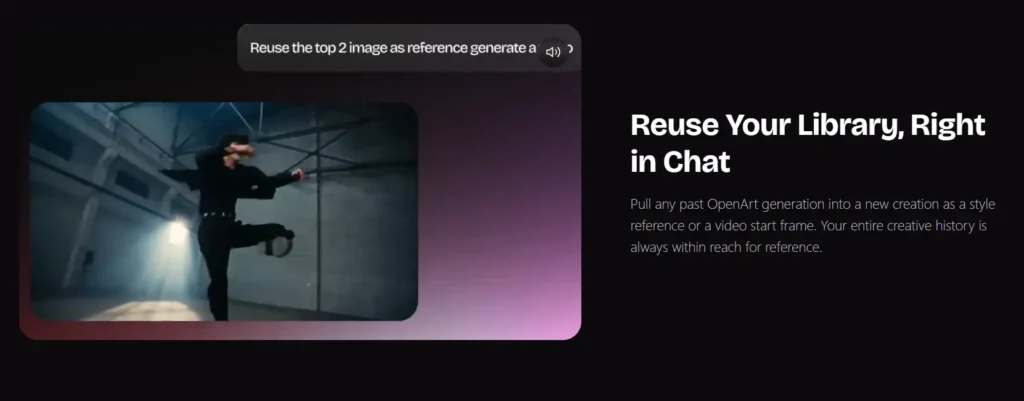
Reusing Your Library and Past Generations
Old generations can be pulled back in as style references or starting frames, so you’re not starting from zero every time.
Checking Credits and Plans Inside Chat
You can literally ask “how many credits do I have left” and get an instant answer, without opening account settings separately.
Image & Video Models Available on OpenArt MCP
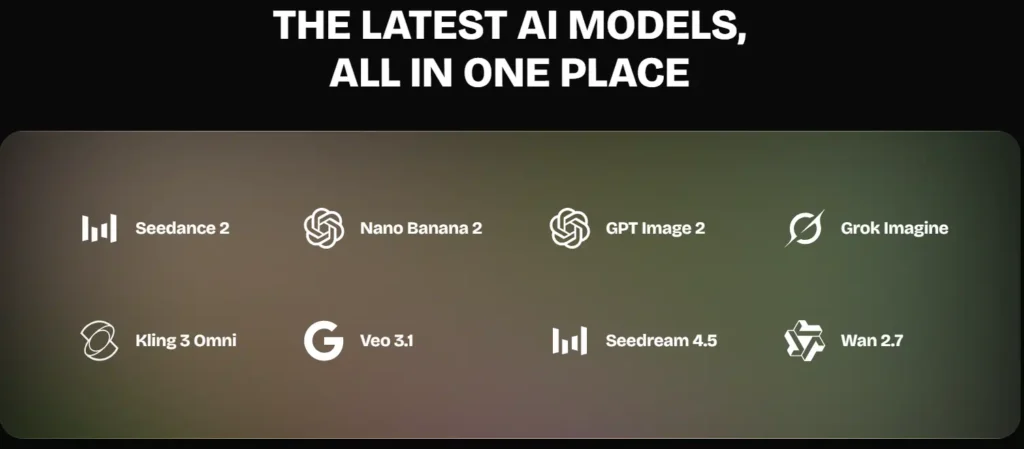
OpenArt MCP connects to its full model catalog, and it updates automatically as new models launch.
Seedance 2, Nano Banana 2 & GPT Image 2 on OpenArt MCP
These handle general image generation and editing, each with slightly different strengths in realism versus stylization.
Kling 3 Omni, Veo 3.1 & Wan 2.7 on OpenArt MCP
For video, these models cover text-to-video and image-to-video generation, with Veo 3.1 generally producing smoother motion in my experience.
OpenArt MCP Credit Packs and Extra Credit Add-On
If your monthly credits run out early, an Extra Credit add-on is available at $15/month for an additional 5,000 credits, though it requires an Advanced plan subscription or higher.
10% Off Credit Packs With Wonder Plan
Wonder plan subscribers also get 10% off credit packs specifically, separate from the MCP model discount — worth noting if you’re already on that tier.
Is OpenArt MCP Worth It? (Value Breakdown)
Honestly, it depends on how you work. If chat-based creation fits your routine, MCP removes real friction. If you prefer visual dashboards and manual control, the regular OpenArt interface might still feel more comfortable.
OpenArt MCP for Beginners vs Professional Creators
Beginners benefit from simplicity — no learning curve beyond typing requests. Professionals benefit more from volume pricing on Infinite or Wonder plans, where cost per generation drops noticeably.
OpenArt MCP for Teams and Agencies
Shared credits and workspace access make Team plans practical for agencies juggling multiple client projects without separate logins for each member.
Frequently Asked Questions About OpenArt MCP
How Does OpenArt MCP Pricing Work?
Pricing follows your existing OpenArt subscription tier — MCP access is included, not billed separately, on qualifying plans.
Can I Use OpenArt MCP on Team and Enterprise Plans?
Yes, MCP access extends to Team and Enterprise plans, alongside shared workspace features.
Where Do OpenArt MCP Generations Get Saved?
Everything saves to your existing OpenArt project library, accessible both through MCP and the standard web platform.
Can I Upload External Images as References in OpenArt MCP?
Yes, external images can be used as references for both image and video generation through the connector.
How to Claim the OpenArt MCP 10% Off Before July 12
If you’ve been sitting on the fence about upgrading, this window gives a real reason to move. Subscribe to Advanced, Infinite, Wonder, or Team before July 12, 2026, and the discount applies automatically at checkout — no separate coupon code needed.
You can also explore our guide on AI video generator tools, or check our comparison of AI image editing platforms, if you’re still weighing OpenArt against other options.