Running ads without a big budget feels like a dead end — especially when every “free” tool turns out to have a paywall hiding behind it.
If you’ve spent time testing tools that promise free ad creation but deliver blurry exports, watermarks, or a 7-day trial countdown, you’re not alone. A lot of marketers, freelancers, and small business owners hit the same wall.
Here at aiblogfirst.com, I’m Nisha — and for the past 8 months, I’ve been testing AI tools so you don’t waste your time on ones that don’t deliver. My audience trusts me for honest, real-world reviews, and that’s exactly the standard I hold every article to.
Today, I’m walking you through the top 7 free AI ad generators that are actually worth your attention in 2026. Whether you’re a solo creator, a startup owner, or just someone tired of overpaying for ad creatives — this one’s for you.
These free AI ad generators cover everything from static image ads to video and copy — and a few of them don’t even ask for a credit card.
What is a Free AI Ad Generator and Why Do You Need One?
A free AI ad generator is a software tool that uses artificial intelligence to automatically create ad creatives — including text, visuals, and video — without requiring design skills or a large budget. Instead of spending hours in Photoshop or paying a designer, you simply enter a prompt or product description, and the tool builds a ready-to-use ad in seconds.
This matters more than ever in 2026. Businesses of all sizes — from solo freelancers to small ecommerce stores — are running paid campaigns across Facebook, Instagram, and Google. The pressure to produce fresh creatives consistently is real, and hiring a creative team isn’t always an option.
That’s where free AI ad creators genuinely fill a gap. They help you:
- Launch campaigns faster without waiting on a designer
- Test multiple ad variations without extra cost
- Generate platform-specific formats (Reels, Stories, Google banners) from one tool
- Stay competitive even on a limited marketing budget
They aren’t perfect replacements for professional ad agencies — but for most everyday advertisers and content marketers, they’re far more capable than most people expect.
The real question isn’t whether you should use one — it’s which tool actually delivers results on a free plan.
The Top 7 Free AI Ad Generators You Can Use Today
| Top Free AI Ad Generators | Best Used For | Free Plan Limits |
|---|---|---|
| AdCreative.ai | Data-driven image ads | 7-day free trial |
| OpenArt.ai | Custom ad visuals | 40 one-time credits |
| Pictory AI | Blog to video ads | 3 video projects |
| HeyGen | UGC avatar video ads | 3 videos / month |
| Predis.ai | Multi-platform social creatives | Limited monthly credits |
| Creatify.ai | URL to video ads | 10 monthly credits |
| Invideo AI | Text to video ads | 10 videos / week |
1. AdCreative.ai: The Ultimate Free AI Ad Generator for High-Converting Creatives
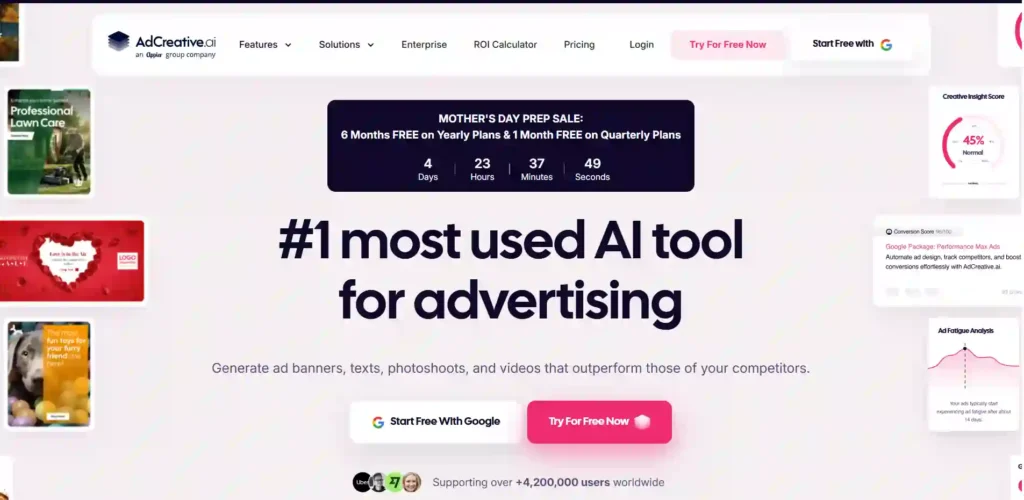
If you are tired of spending hours designing ad creatives that barely get clicks, AdCreative.ai is the perfect solution for you. This powerful free AI ad generator is trusted by over 4.2 million marketers because it actually works.
Instead of guessing what looks good, AdCreative uses real performance data to generate conversion-focused banners, text, and even product photoshoots in seconds. You just upload your logo, set your brand colors, and let the AI generate hundreds of on-brand variations instantly.
What I love most is the built-in Creative Scoring AI, which predicts how well your ad will perform before you even spend a dime on advertising. Whether you run a small business or an e-commerce store, this tool is designed to save you time and boost your ROI effortlessly.
Pros and Cons
Pros:
- Generates hundreds of creatives instantly.
- Predicts performance before launching ads.
- Connects easily with Google Ads.
- Turns simple photos into pro shoots.
Cons:
- Requires credit system for downloads.
- Can feel overwhelming for beginners.
Pricing Plans:
AdCreative.ai offers an excellent free trial to test the waters. Paid plans start at $20/mo (Starter), $125/mo (Professional), and $500/mo (Ultimate) when billed yearly. Right now, they have a Mother’s Day Sale offering 6 months free on yearly plans!
Best Use Cases:
- E-commerce Stores: Instant high-converting product shots.
- Marketing Agencies: Batch creative generation for clients.
- Small Businesses: Professional ads on a tight budget.
- Social Media Managers: Quick Facebook and Instagram variations.
My Personal Experience with AdCreative.ai:
I’ve used AdCreative.ai for the past few months, and the time it saves me on building Facebook and Google ad creatives is unbelievable. The quality is truly professional.
Limitations:
- Downloads are limited by monthly credits.
- Video generation uses more credits quickly.
Why I Picked AdCreative.ai:
I picked AdCreative.ai because it is driven by real conversion data. It doesn’t just make pretty pictures; it builds ads designed to actually generate clicks and sales.
AdCreative.ai vs OpenArt.ai — Which Free AI Ad Generator is Better? (My Personal Experience)
When I sat down to compare AdCreative.ai and OpenArt.ai for aiblogfirst.com, I honestly expected them to be similar. They are not. These two tools serve completely different types of creators, and after testing both personally, the right answer depends entirely on what kind of ads you want to make.
Here is exactly what I found:
Side-by-Side Comparison Table
| Feature | AdCreative.ai | OpenArt.ai |
|---|---|---|
| Best For | Performance-driven image ads | Custom visuals and creative storytelling |
| Free Plan | 7-day free trial only | 40 one-time credits + 50 via Discord |
| Ease of Use | Beginner-friendly dashboard | Moderate learning curve |
| Ad Formats | Static images, banners, video ads | Images, video ads, story videos, animations |
| AI Models Access | Proprietary AdCreative AI | 100+ models (Flux, Midjourney-style, video) |
| Creative Scoring | ✅ Yes — predicts CTR before publishing | ❌ No built-in performance scoring |
| Brand Kit | ✅ Custom logos, fonts, colors | ✅ Available on paid plans |
| Character Consistency | ❌ Not available | ✅ Excellent — across multiple ad scenes |
| Bulk Generation | ✅ Batch creatives mode | ✅ Up to 500 images per job |
| Competitor Insights | ✅ Built-in competitor analysis | ❌ Not available |
| Video Ad Support | ✅ Basic video ads | ✅ Full video + One-Click Story ads |
| Commercial Rights | ✅ On all paid plans | ✅ Advanced plan and above only |
| Starting Price (Paid) | $20/mo (billed yearly) | $7/mo (billed yearly — Essential) |
| Watermark on Free | ✅ No watermark on trial | ❌ Trial watermark-free but credits expire |
| Platform Integrations | Facebook, Google, Instagram | No direct ad platform connections |
| My Personal Rating | ⭐ 4.3 / 5 | ⭐ 4.5 / 5 |
My Personal Verdict (Nisha’s Take)
After testing both tools for aiblogfirst.com, here is my honest opinion:
Use AdCreative.ai if you are a marketer or small business owner who needs to launch Facebook or Google Ads fast. The Creative Scoring feature alone — which predicts your ad’s CTR before you spend a single rupee — is something no other tool offers at this price point. I generated 20 ad variations in under 10 minutes, and the quality was consistent and professional every time.
Use OpenArt.ai if you are a content creator, blogger, or designer who needs original, highly customized visuals for your ads. The ability to create consistent characters across multiple ad scenes is unmatched, and the 100+ AI model access means your creatives never look like everyone else’s. I personally use it to create featured images and ad visuals for my blog posts on aiblogfirst.com
Bottom line: AdCreative.ai wins for speed and ad performance data. OpenArt.ai wins for creative freedom and visual uniqueness.
2. OpenArt.ai — Best Free AI Ad Generator for Custom Visuals & Storytelling

When it comes to generating highly specific, scroll-stopping visuals for your campaigns, OpenArt.ai is incredibly powerful. Unlike most free AI ad generators that just give you basic stock templates, OpenArt is built for true creative control. It allows you to generate completely original images, turn those images into video ads, and even maintain consistent characters across multiple ad creatives.
One of its most unique features for marketers is the “One-Click Story Creation,” which lets you build explainer videos or brand story ads without needing complex prompts. If you run an e-commerce brand or digital agency, its advanced AI editing suite—featuring inpainting, object removal, and background replacement—means you can completely transform a single product photo into dozens of different lifestyle ad variations.
The platform currently offers 40 trial credits (valid for 7 days) to test all premium features, plus an extra 50 credits just for joining their Discord community.
Exclusive OpenArt AI Coupon Code — Save 15% Today
Get 15% off your OpenArt.ai subscription using my exclusive discount code below. Perfect for creators and marketers who want premium AI visuals without the full price.
Your Exclusive Discount Code
NISHA15
15% OFF — All Paid Plans
Pros and Cons
Pros:
- Keeps characters consistent across multiple ad graphics.
- Powerful built-in AI image editor (inpainting, background removal.)
- Turns static AI images into short, engaging video ads.
- Access to over 100+ premium image, video, and audio models.
Cons:
- Free credits do not renew monthly; they are a one-time trial.
- The dashboard can feel overwhelming for complete beginners.
Pricing Plans:
OpenArt.ai offers a Free Trial with 40 one-time credits. Paid plans are heavily discounted right now (50% off for annual billing), starting at just $7/mo (Essential), $14.50/mo (Advanced), and $28/mo (Infinite), which unlocks commercial use rights.
Best Use Cases:
- Digital Marketers: Create consistent brand mascots across all ad campaigns
- E-Commerce: Swap product backgrounds instantly without photoshoots
- Social Media Managers: Generate unique, thumb-stopping graphic ads
- Content Creators: Build animated explainer videos from scratch
My Personal Experience with OpenArt.ai:
I used OpenArt to create featured images for aiblogfirst.com, and the level of control I had over the final image using their editing suite was far better than standard text-to-image tools.
Limitations:
- Commercial use rights are only included on the Advanced plan and above.
- Trial credits expire after 7 days if unused.
Why I Picked OpenArt.ai:
I picked OpenArt.ai because it bridges the gap between a standard AI image generator and a full creative studio. It gives marketers the exact tools needed to iterate on ad creatives until they are perfect.
OpenArt.ai vs Pictory AI — Which Free AI Ad Generator is Better? (My Personal Experience)
When I compare OpenArt.ai and Pictory AI for my readers at aiblogfirst.com, I always tell them to look at the source material they are starting with. Are you starting with an idea in your head, or are you starting with a written blog post?
While both platforms generate incredible AI ads, they are built for entirely different workflows. After using both extensively for my own content, here is exactly how they stack up.
Side-by-Side Comparison Table
| Feature | OpenArt.ai | Pictory AI |
|---|---|---|
| Best For | Custom character & visual storytelling ads | Turning written blogs/scripts into video ads |
| Free Plan | 40 one-time credits (+50 via Discord) | 14-day free trial (up to 3 video projects) |
| Core Input Method | Text prompts & reference images | Blog URLs, text scripts, or long-form video |
| Ad Formats | Static images, animated video clips, storyboards | Full-length video ads (16:9, 9:16, 1:1) |
| AI Voices | ✅ Yes (ElevenLabs integration) | ✅ Yes (ElevenLabs hyper-realistic voices) |
| Auto-Captions | ❌ No | ✅ Yes (highly accurate auto-sync) |
| Character Consistency | ✅ Excellent (Maintains face/style across ads) | ❌ No (Relies on stock footage B-roll) |
| Stock Media Library | ❌ No (Generates original visuals) | ✅ Yes (18+ million Getty/Storyblocks assets) |
| Advanced Photo Editing | ✅ Yes (Inpainting, object removal, background swap) | ❌ No built-in photo manipulation |
| Long-Form Content | ❌ Built for short clips and single images | ✅ Can summarize long videos & articles |
| Commercial Rights | ✅ Advanced plan and above only | ✅ Standard on all paid plans |
| Starting Price (Paid) | $7/mo (Essential — billed yearly) | $25/mo (Starter — billed yearly) |
| My Personal Rating | ⭐ 4.5 / 5 | ⭐ 4.7 / 5 |
My Personal Verdict (Nisha’s Take)
Here is my honest takeaway after running both tools for aiblogfirst.com:
Use OpenArt.ai if you want total creative control over the visual aesthetics of your ads. If you are trying to create a unique brand mascot, design custom product backgrounds without doing a photoshoot, or generate highly specific imagery that stock footage cannot provide, OpenArt is unmatched. Its editing suite (which lets you magically erase or replace parts of an image) is a lifesaver for ad designers.
Use Pictory AI if you are a content creator, blogger, or affiliate marketer who already has written content. I use Pictory’s “Blog to Video” feature all the time. I just paste the URL of an article from my site, and Pictory automatically pulls the text, finds matching stock footage, adds an ElevenLabs AI voiceover, and burns in the captions. It is the absolute fastest way to turn an SEO article into a YouTube Shorts or TikTok ad.
Bottom line: OpenArt.ai wins for original image generation and custom character design. Pictory AI wins for effortlessly converting existing text/blogs into ready-to-post video ads.
3. Pictory AI — Best Free AI Ad Generator for Repurposing Blog Content
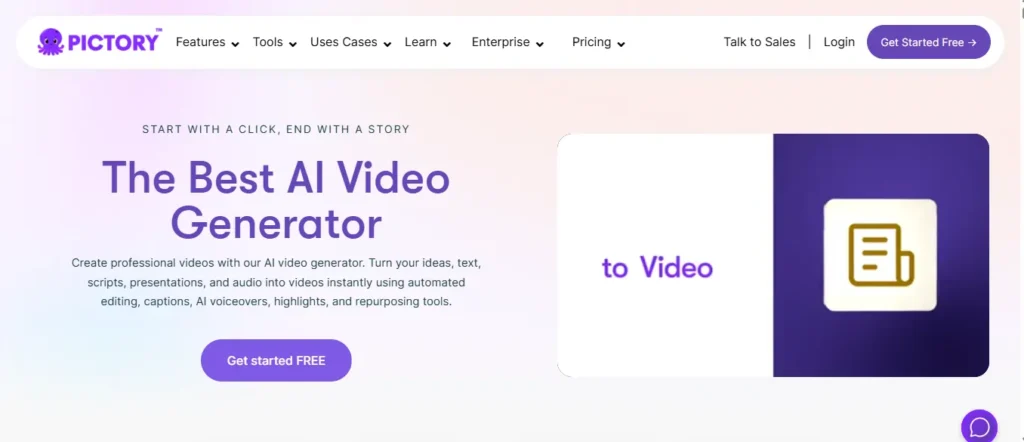
If you are a blogger, content creator, or marketer looking to turn written content into high-performing video ads, Pictory AI is the absolute best tool on the market. Unlike other platforms that only work with short prompts, Pictory specializes in converting long-form text—like blog posts, articles, and scripts—directly into polished video ads in minutes.
One of its standout features is the “Blog to Video” function. You just paste a URL, and Pictory’s AI automatically reads the text, summarizes the key points, and pairs it with relevant stock footage from its massive library of 18 million Getty and Storyblocks assets. It even adds auto-captions and ultra-realistic ElevenLabs voiceovers automatically, making it perfect for creating YouTube Shorts, TikToks, and Facebook ads without ever turning on a camera.
With over 20,000 companies using it, Pictory eliminates the massive learning curve of traditional video editing software.
Exclusive Pictory AI Coupon Code: 20% Off
Save 20% on any Pictory AI plan using my exclusive promo code. Start turning your blogs into video ads today!
Your Exclusive Discount Code
CABF20
20% OFF — Applies to All Plans
Pros and Cons
Pros:
- Turns blog URLs directly into video ads instantly.
- Includes massive library of Getty/Storyblocks assets.
- Hyper-realistic AI voiceovers powered by ElevenLabs.
- Automatically generates and syncs video captions.
Cons:
- The dashboard can run slightly slow on older computers.
- AI scene selection sometimes requires manual adjusting.
Pricing Plans:
Pictory AI offers a 14-day free trial with no credit card required. Paid plans are currently 40% off when billed annually, starting at $25/mo (Starter), $35/mo (Professional), and $119/mo (Team). The Professional plan is the sweet spot for most creators.
Best Use Cases:
- Bloggers & SEOs: Turn high-ranking articles into YouTube video ads.
- Social Media Managers: Repurpose long webinars into short social ads.
- E-Commerce Stores: Create product explainer videos from text descriptions.
- Affiliate Marketers: Build faceless review videos quickly.
My Personal Experience with Pictory AI:
I actively use Pictory to turn aiblogfirst.com articles into quick YouTube Shorts, and the auto-captioning feature alone saves me hours of manual typing every single week.
Limitations:
- Free trial limits you to creating only 3 video projects.
- Voiceover limits apply heavily to the Starter plan.
Why I Picked Pictory AI:
I picked Pictory AI because it is the ultimate time-saver for written content creators. It bridges the gap between text-based SEO and video marketing flawlessly.
4. HeyGen — Best Free AI Ad Generator for Avatar-Based Video Ads

Most marketers spend hours trying to record themselves on camera, only to end up with shaky footage and amateur-looking ads. HeyGen eliminates that problem entirely. It is one of the most advanced free AI ad generators available, allowing you to create photorealistic avatar video ads simply by uploading a product image and pasting a script.
What makes HeyGen genuinely special is the Product Placement feature. You upload your product photo, and the AI literally places it inside the avatar’s hand — making it look like a real human is holding and reviewing your product. The result is a completely authentic UGC-style video ad that is indistinguishable from a real creator-made video.
With over 126 million videos generated and trusted by leading brands worldwide, this is no experimental tool. It’s a full-scale creative production platform that supports 175+ languages and dialects — making it ideal for global campaigns.
The free plan includes 3 video credits per month, access to the text-to-video generator, and AI avatars — no credit card needed.
Pros:
- Places products in avatar hands automatically and realistically.
- Translates finished video ads into 175+ languages instantly.
- Supports UGC, lifestyle, and cinematic ad formats easily.
- Works with Sora, Veo, Kling, Flux, and ElevenLabs models.
Cons:
- Free plan is limited to only 3 video exports per month.
- Custom personal avatar (Digital Twin) requires a paid plan.
Pricing Plans:
HeyGen offers a generous free plan with 3 video credits monthly — no credit card required. Paid plans start at $29/mo (Creator) and $89/mo (Team), unlocking unlimited exports, priority rendering, and the Digital Twin avatar feature.
Best Use Cases:
- E-Commerce Stores: Generate UGC product ad videos without shipping samples.
- Digital Marketers: Create TikTok and Instagram Reel ads with AI avatars.
- Global Brands: Instantly translate existing ads into 175+ languages.
- Affiliate Bloggers: Produce faceless review videos for YouTube channels.
My Personal Experience with HeyGen:
I’ve used HeyGen specifically to create AI avatar promo videos for aiblogfirst.com, and the lip-sync accuracy combined with natural avatar gestures makes every video look completely professional.
Limitations:
Why I Picked HeyGen:
HeyGen is the cleanest and most human-looking free AI video ad generator available. No other tool on this list matches its avatar realism, product placement capability, and multilingual dubbing in one package.
5. Predis.ai — Best Free AI Ad Generator for Social Media Creatives
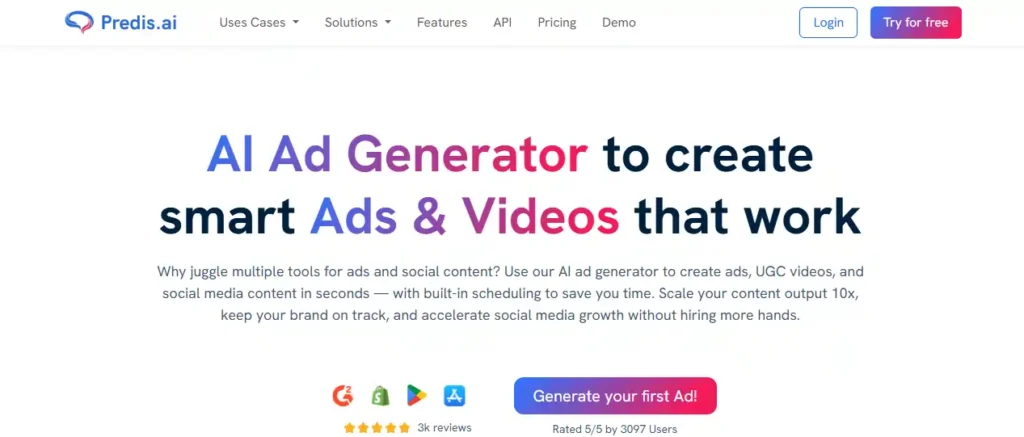
Running social media ads across five different platforms while keeping creatives fresh and on-brand is genuinely exhausting. Predis.ai solves this in the most practical way possible — you enter a text prompt, product link, or image, and it generates high-converting static ads, video ads, and even UGC-style videos in seconds.
What makes it stand out among free AI ad generators is the sheer range of formats it covers. From Facebook Stories to TikTok-style UGC ads to LinkedIn banners, Predis handles them all without needing a designer or a separate editing tool.
Over 6.4 million users are already using it — and the built-in competitor analysis feature means you’re not just creating ads blindly, you’re creating them smarter than your competition.
Right now, Predis.ai is running a limited-time 40% Extra Credits offer every month, which makes this one of the most generous free AI ad tools available at any plan level.
Pros and Cons
Pros:
- Creates ads across six major platforms instantly.
- Supports UGC video ads without hiring actors.
- Built-in A/B testing for better campaign results.
- Generates ad copy in 19+ languages automatically.
Cons:
Pricing Plans:
Predis.ai offers a 7-day free trial with no credit card required. Paid plans start at $19/mo (Core), $40/mo (Rise — Most Popular), and $212/mo (Enterprise+), all billed yearly with 40% extra credits included right now.
Best Use Cases:
- E-Commerce Stores: Turn product images into pro video ads instantly.
- Social Media Agencies: Batch-generate ads for multiple clients fast.
- Freelancers: Offer AI ad creation services without design skills.
- Small Businesses: Run multi-platform ad campaigns on a tight budget.
My Personal Experience with Predis.ai:
I tested Predis.ai for Facebook and Instagram ads and was genuinely impressed by how clean and click-worthy the creatives looked on the very first generation.
Limitations:
- Free plan restricts access to advanced video formats.
- Auto-posting is unavailable on the Core free plan.
Why I Picked Predis.ai:
Predis.ai is the only free AI ad generator that combines ad creation, UGC videos, competitor analysis, and social scheduling inside one single platform.
6. Creatify.ai — Best Free AI Ad Generator for High-Converting Video Ads
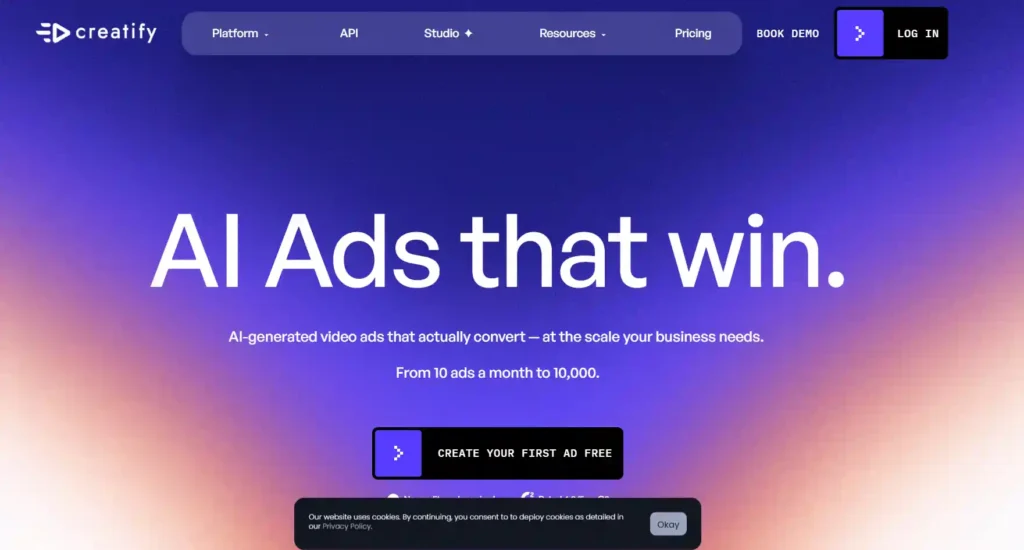
Most marketers struggle with one thing — producing quality video ads without a full production team. Creatify.ai fixes that completely. It is one of the most powerful free AI ad generators available today, trusted by over 18,000 brands and agencies, with more than 15 million ads already created on the platform.
What truly separates Creatify from other free AI ad creators is the URL-to-video feature. You simply paste your product page link, and it automatically scrapes the details, writes the script, picks an avatar, and builds a complete video ad — in seconds, not hours.
The free plan includes 10 monthly credits — enough to create up to 2 video ads or 20 image ads, with access to 300 AI actors and 40 ready-made ad templates. Yes, free exports include a watermark, but for testing and concept validation, it is genuinely impressive.
Backed by $24M in funding from investors including WndrCo and Comcast Ventures, Creatify is not a side project — it is a serious performance marketing tool built to scale.
Pros and Cons
Pros:
- Turns any product URL into video ads instantly.
- 300+ AI actors and avatars on free plan.
- Built-in A/B testing and competitor ad analysis.
- Supports Meta, TikTok, YouTube, Google formats.
Cons:
Pricing Plans:
Creatify offers a forever-free plan with 10 monthly credits — no credit card required. Paid plans start at $49/mo (Startup), $69/mo (Growth), scaling up to custom Enterprise plans for agencies.
Best Use Cases:
- E-Commerce Brands: Convert product URLs into video ads instantly.
- Marketing Agencies: Batch-produce creatives for multiple clients.
- DTC Brands: Generate UGC-style ads without hiring actors.
- Freelancers: Offer professional video ad services with zero editing skills.
My Personal Experience with Creatify.ai:
I tested Creatify by pasting a product link and had a complete, professionally scripted video ad ready within two minutes — the AI avatar quality genuinely surprised me.
Limitations:
Why I Picked Creatify.ai:
Creatify is the only free AI video ad generator that combines URL-to-video, UGC avatars, competitor insights, and A/B testing all inside one platform — at zero upfront cost.
7. Invideo AI — Best Free AI Video Ad Generator for Quick Social Campaigns
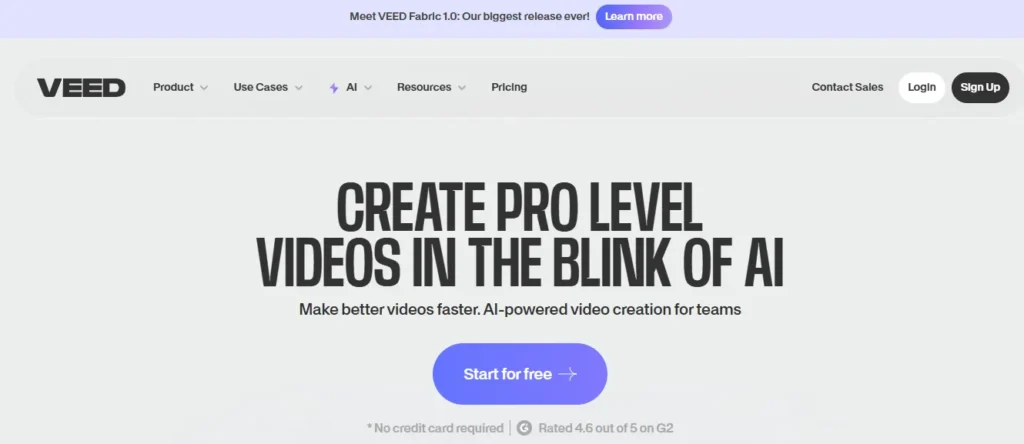
If you want to create highly engaging video ads without learning complex editing software, Invideo AI is the easiest tool you can use right now. Unlike traditional editors, it operates entirely through text prompts — you simply type what your ad is about, and the built-in AI agent generates the script, visuals, voiceover, and captions automatically.
One of its strongest features for marketers is the new Advertising Studio. It can take a single product image and generate 360° product videos, lifestyle catalog photos, and Amazon listing visuals instantly. If you run a faceless YouTube channel or TikTok account, its UGC (User Generated Content) avatars and AI voiceovers eliminate the need to hire actors completely.
The free plan gives you access to the AI video generator with 10 video exports per week, which is incredibly generous for testing concepts before committing to a paid subscription.
Pros and Cons
Pros:
- Generates complete video ads from simple text prompts.
- Built-in UGC avatars for authentic-looking social ads.
- Advertising Studio creates 360° product videos instantly.
- Translates ads automatically into over 50 languages.
Cons:
- All free plan exports include a visible watermark.
- Less manual control over complex video editing details.
Pricing Plans:
Invideo AI offers a generous Free Plan allowing up to 10 video exports per week. For professional use, paid plans start at $20/mo (Plus) and $48/mo (Max) when billed annually, which removes watermarks and unlocks premium iStock footage.
Best Use Cases:
- E-Commerce Brands: Turn static product images into 360° video ads.
- Faceless Creators: Launch YouTube and TikTok channels with AI avatars.
- Small Businesses: Create professional social media promos quickly.
- Amazon Sellers: Generate A+ content and primary listing images.
My Personal Experience with Invideo AI:
I used Invideo AI to create a short Instagram Reel ad, and the way it perfectly synced the AI voiceover with the stock footage genuinely saved me hours of editing time.
Limitations:
- Strict credit limits on premium stock footage (iStock.)
- Free tier does not support 4K resolution exports.
Why I Picked Invideo AI:
Invideo AI is the only text-to-video ad generator that feels like having a creative director, scriptwriter, and video editor all working together inside one simple chat interface.
Free AI Ad Generators vs. Paid Tools: What’s the Difference?
If you’ve ever used a free AI ad creator and then tried a paid platform, you already know there’s a gap — but it’s not always where people expect it to be. The difference isn’t just price. It’s about output quality, creative control, and how far you can scale.
Free AI ad generators are genuinely useful for solo creators, small businesses, and anyone testing a new campaign idea. Most free plans cover basic static ads, limited video exports, and a handful of templates. That’s often enough to get started.
Paid tools, on the other hand, go deeper:
- Higher output volume — more creatives per month, no daily limits.
- Brand kit integration — custom fonts, colors, and logos saved across projects.
- Advanced AI models — sharper copy, better visual quality, more format options.
- Priority exports — no watermarks, full HD downloads, faster rendering.
- Analytics and A/B testing — built-in performance data to improve campaigns.
The honest truth is that for light usage and early-stage campaigns, a free AI advertisement generator can do the job well. But if you’re running active paid campaigns across multiple platforms, a paid plan will save you time and likely improve your results.
The tools in this list were evaluated with that exact line in mind — which ones are genuinely useful on a free plan, and which ones hit a wall too quickly.
Frequently Asked Questions (FAQs) About Free AI Video Ad Generators
Is there a completely free AI video ad generator?
Yes, tools like Creatify and Invideo AI offer forever-free plans. However, these free exports usually include a small watermark and have monthly video generation limits.
Can I use AI-generated ads for commercial purposes?
It depends on the tool’s specific plan. For example, OpenArt requires a paid tier for commercial rights, while others allow free-tier ads to be used on social media.
Do I need video editing experience to use these tools?
Not at all. AI ad generators are designed for beginners. You simply type a text prompt or paste a product link, and the AI handles the editing automatically.
What is the best AI tool for making faceless YouTube videos?
Pictory AI and Invideo AI are excellent for faceless channels. They automatically pair your script with relevant stock footage, AI voiceovers, and synced captions.
Can an AI ad generator turn a product photo into a video?
Yes! HeyGen and Creatify specialize in this. You upload a product photo, and the AI can place it in an avatar’s hands or animate it into a video ad.
Do these free AI tools include realistic human voiceovers?
Yes, most top-tier generators (like Pictory and HeyGen) integrate with ElevenLabs to provide hyper-realistic, human-sounding AI voices in multiple languages.
Can I create UGC (User Generated Content) ads with AI?
Absolutely. HeyGen and Predis.ai feature digital avatars that look and speak like real influencers, allowing you to create UGC-style ads without hiring actors.
How long does it take for AI to generate a video ad?
Once you input your text or URL, most AI video generators take between 1 to 5 minutes to fully render a complete, ready-to-publish video ad.
Can I translate my AI video ads into other languages?
Yes, tools like HeyGen have built-in AI translators that can dub your video into over 175 languages while automatically syncing the avatar’s lip movements.
Are AI-generated ads effective for Facebook and Instagram?
Very effective. Because AI allows you to instantly generate dozens of variations (A/B testing), marketers often see higher click-through rates and lower production costs.
Final Thoughts on Choosing Your Free AI Ad Generator
Running successful campaigns doesn’t have to mean draining your budget on expensive production teams. The landscape of advertising has shifted, and today, you can genuinely build high-quality creatives right from your laptop. Testing out a few free AI ad generators is the smartest way to see what actually resonates with your audience. Start small and keep it simple.
Try one platform that caught your eye today, run a single text prompt or product link through it, and see the result. You might be surprised at how quickly your ideas turn into something real.