Creating video content from written scripts takes hours of frustrating manual editing. American marketers and creators regularly hit a roadblock when trying to scale production.
Text to video software promises quick results, but nearly every tool demands an upfront credit card just to test it out. It feels impossible to know if an AI video generator actually syncs voiceovers properly without risking expensive fees.
Understanding the exact limits of a platform before committing changes the entire content strategy. Exploring the reality behind a Pictory AI free trial uncovers what features are truly accessible today.
Examining hidden restrictions, export limitations, and real capabilities sheds light on whether this automated video editing tool actually speeds up daily workflows.
What Exactly is the Pictory AI Free Trial?
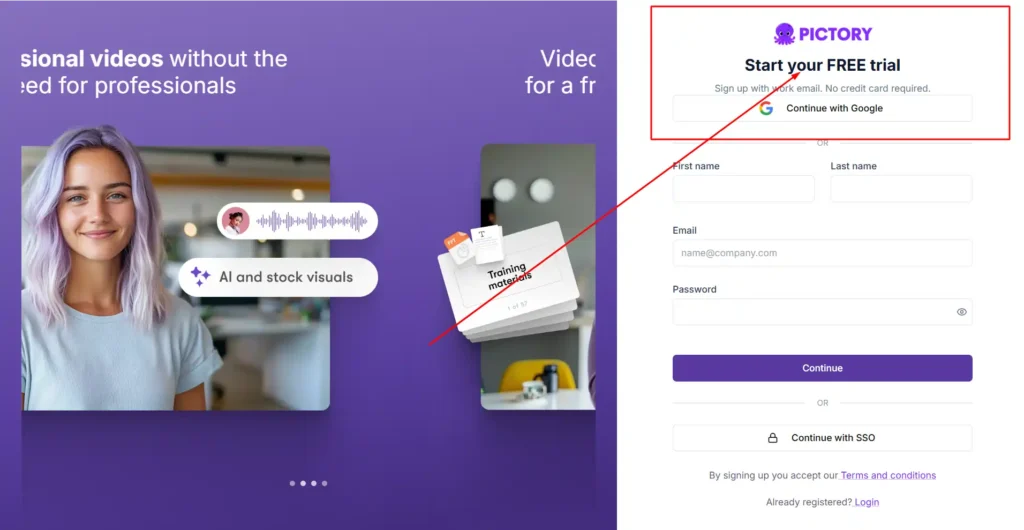
The Pictory AI free trial is a 14-day testing period that allows users to generate up to 15 minutes of video without entering a credit card. It functions as a risk-free environment to test the software’s core capabilities, including turning text into video and editing recorded footage via transcripts.
When you sign up, you get a hands-on feel for the dashboard. Instead of watching a curated demo, you actually upload your own scripts or blog posts.
I always recommend users push the software a bit during this window. Paste in a complex article. See how accurately the AI selects matching stock footage. It’s the only real way to know if a content repurposing software fits your specific niche.
Save 20% With Pictory AI Coupon Code CABF20
Ready to upgrade? Apply our exclusive promo code CABF20 at checkout to secure a 20% lifetime discount on your plan.
Top Features to Test During Your Pictory AI Free Trial
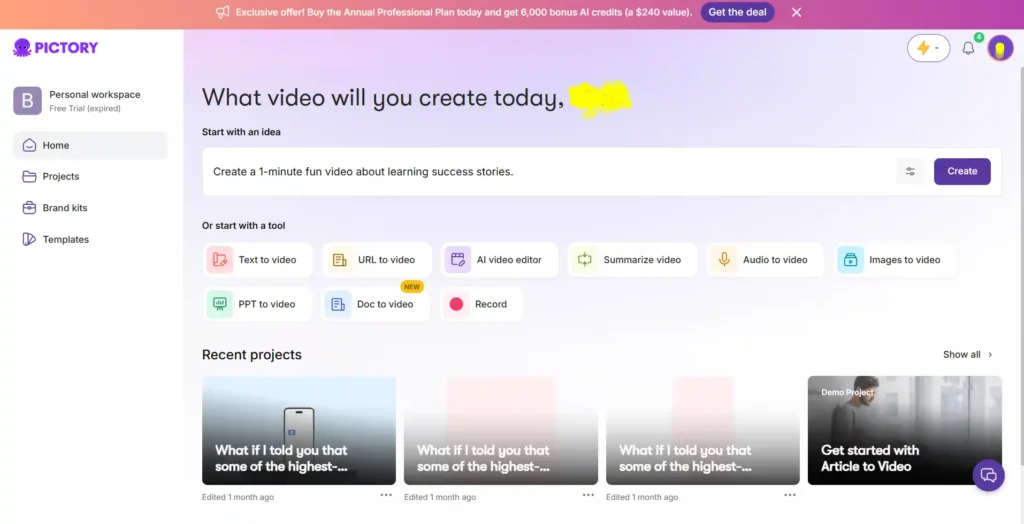
During your 14-day window, you shouldn’t just poke around aimlessly. Focus on the tools that will actually save you time in a real-world production environment.
Script-to-Video Generation on the Pictory AI Free Trial
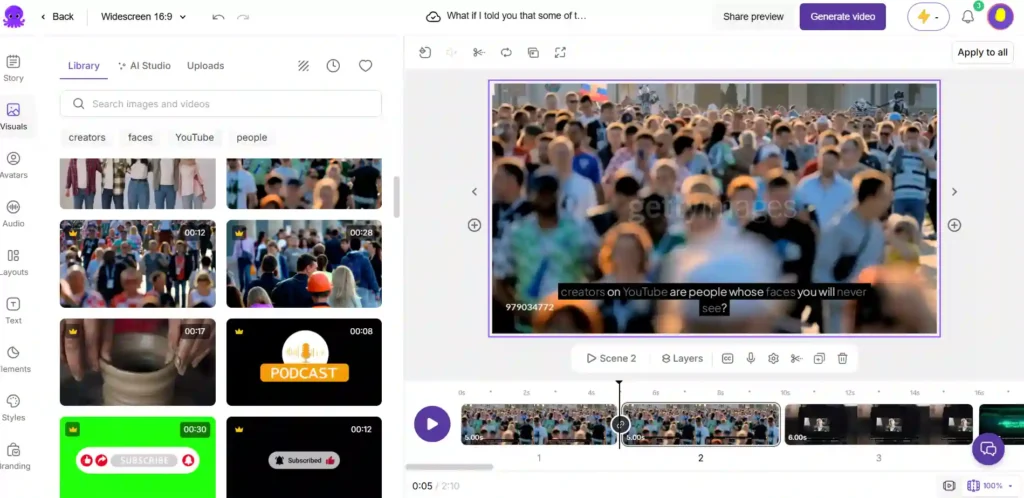
This is the main attraction. You paste a script, and the AI automatically pulls relevant B-roll from Storyblocks and Getty Images, pacing it to the text.
To test this properly, use a 300-word script. Pay attention to how the AI highlights keywords. Sometimes the automatic footage selection is scarily accurate; other times, you might get a generic corporate handshake. The real test is seeing how fast you can swap out those generic clips using the media search bar.
Testing ElevenLabs AI Voices During the Pictory AI Free Trial
Robotic text-to-speech used to ruin automated videos. Pictory now integrates with ElevenLabs, offering hyper-realistic AI voices that actually breathe and pause naturally.
While testing, apply different voices to the same script. Listen to how the AI handles punctuation. A simple comma can change the entire inflection. You get a taste of these premium voices during the trial, which is crucial for evaluating if you can run a faceless channel without hiring a human voiceover artist.
Auto-Captioning and Text Editing on the Pictory AI Free Trial
If you record talking-head videos or podcasts, this feature is a massive time-saver. You upload a raw video, and Pictory transcribes it instantly.
Try deleting a sentence from the generated transcript. The software automatically cuts that section out of the video timeline. It’s a very different workflow than using a traditional timeline editor like Premiere Pro, and the trial is the perfect place to see if this text-based editing style suits your brain.
Understanding the Pictory AI Free Trial Limitations
Free access always comes with guardrails. Knowing these limits prevents you from getting halfway through a massive project only to hit a paywall.
Video Minute Limits on the Pictory AI Free Trial
The trial caps your account at a total of 15 video minutes, and no single video can exceed 5 minutes in length.
This means you cannot use the trial to edit a 45-minute podcast episode. It is strictly designed for short-form content or brief explainer videos. If your strategy relies on long-form YouTube documentaries, you will hit that 5-minute ceiling immediately. Plan to create three short 3-4 minute videos to get the most out of your testing phase.
Export Restrictions on the Pictory AI Free Trial
You get 50 Generative AI credits during the trial, which limits how many custom images or AI avatars you can render.
Additionally, trial exports are often restricted to 720p resolution, and depending on the promotional window, they may include a soft watermark. To unlock crisp 1080p rendering and fully watermark-free downloads, upgrading to a paid tier is necessary.
Step-by-Step: How to Sign Up for the Pictory AI Free Trial
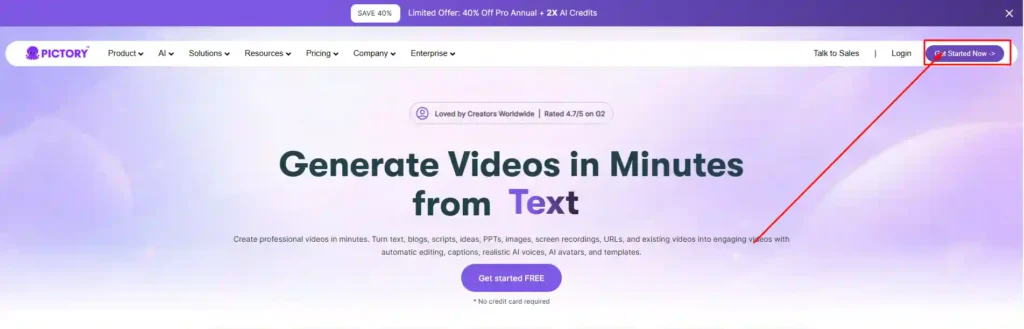
Getting started is refreshingly simple and completely avoids the dreaded “forgot to cancel” subscription trap.
- Navigate to the official Pictory homepage.
- Click the highly visible “Get Started For Free” button.
- Enter your name, email, and a secure password.
- Answer two quick onboarding questions about your role (Creator, Marketer, etc.).
- Land directly in the workspace—no credit card or billing address required.
Plan Options After Your Pictory AI Free Trial Ends
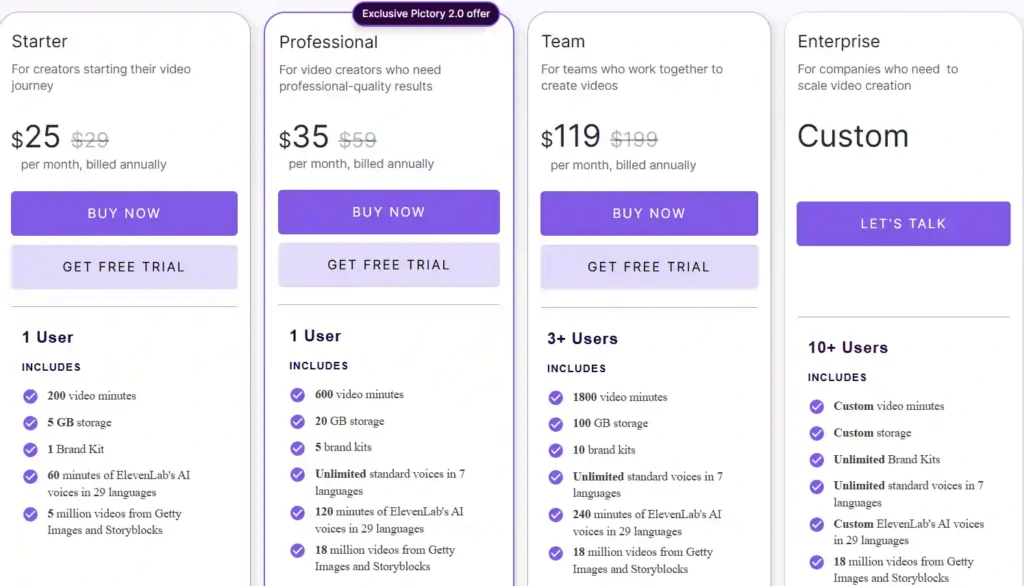
Once your 14 days expire or you hit your 15-minute cap, your projects remain saved, but you lose export privileges. Here is what upgrading looks like.
| Feature | Pictory AI Free Trial | Starter Plan | Professional Plan |
|---|---|---|---|
| Price | $0 | $25/month (Annually) | $35/month (Annually) |
| Video Minutes | 15 mins total | 2,400 mins/year | 7,200 mins/year |
| Max Video Length | 5 mins | 30 mins | 30 mins |
| ElevenLabs Voices | Limited | 60 mins/month | 120 mins/month |
Starter Plan vs. Pictory AI Free Trial
The Starter plan ($25/month billed annually) removes the training wheels. You get 2,400 video minutes per year and can export videos up to 30 minutes long. This is usually the sweet spot for solo creators making weekly YouTube videos or daily TikToks who just need reliable text to video software.
Professional Plan vs. Pictory AI Free Trial
Priced at $35/month annually, the Professional plan bumps your allowance to 7,200 minutes and 20GB of storage. The biggest jump here is gaining access to 18 million premium assets and 120 minutes of ElevenLabs voices. If you are doing client work or running multiple channels, the trial will quickly prove that the Starter plan isn’t enough, making Pro the logical next step.
Teams Plan vs. Pictory AI Free Trial
At $119/month, the Teams plan is built for agencies. It allows 3+ users, 10 brand kits, and 21,600 minutes a year. You won’t be able to test team collaboration features during the solo free trial, but if your agency struggles with video bottlenecks, the individual trial will still prove the core tech works.
Upgrade Your Pictory AI Free Trial: Use Coupon Code CABF20 for 20% Off

If you’ve tested the waters and are ready to unlock 1080p exports and longer video limits, do not pay full price.
When selecting the Starter or Professional tier, look for the promo code box at checkout. Enter the Pictory coupon code CABF20 to apply a 20% lifetime discount to your subscription. This applies to both monthly and annual billing, significantly lowering your overhead costs as you scale your video production.
Is the Pictory AI Free Trial Worth It for Content Creators?
For anyone spending hours searching for stock footage or struggling to read scripts naturally on camera, the trial is absolutely worth the 30 minutes it takes to test it.
It is not a magic wand. You will still need to tweak the AI’s clip selections and adjust text placement. However, it shifts your job from “video editor” to “video director.” You are approving AI choices rather than building from scratch. Since no credit card is required, the only thing you risk is finding a tool that might actually give you your weekends back.
Frequently Asked Questions About the Pictory AI Free Trial
How long does the Pictory AI Free Trial last?
The trial lasts for exactly 14 days from the moment you create your account. Even if you don’t use all your 15 video minutes, your free access will expire after this two-week window.
Do I need a credit card for the Pictory AI Free Trial?
No. Pictory does not require a credit card, PayPal, or any billing information to start the 14-day trial. You only provide payment details if you actively choose to upgrade to a paid plan.
Can I monetize videos made with the Pictory AI Free Trial?
Yes, you own the content you create. However, upgrading to a paid plan provides clearer commercial licensing and removes any potential watermarks, which is generally safer for strict YouTube monetization policies and client deliverables.
Final Thoughts from Nisha
The Pictory AI free trial is the perfect risk-free opportunity to see if automated video creation fits your daily workflow. Instead of guessing if text-to-video software actually delivers, you get to test it directly using your own scripts.
Stop wasting hours on manual editing and let AI handle the heavy lifting for your channel or agency. Start your 14-day trial today without entering a credit card.
When you are ready to scale your production, remember to use coupon code CABF20 at checkout to lock in your 20% lifetime discount.