Turning a script or blog post into a finished YouTube video usually means hours of clip-hunting, editing, and captioning. Pictory AI for YouTube promises to shrink that process down to a few clicks by generating video from text, adding stock footage, and syncing captions automatically.
That sounds appealing, but the real question most creators ask is whether the output actually looks good enough to publish, and whether the workflow holds up for regular uploads or Shorts.
This article looks at how Pictory AI works for YouTube content, where it genuinely saves time, and where it falls short, so you can judge if it fits your channel before you commit to a plan.
What Is Pictory AI for YouTube?

Pictory is an AI video generator that converts text, scripts, blog posts, URLs, PowerPoint files, images, and existing video recordings into edited videos. For YouTube specifically, this means a creator can take a written script or an already-published blog article and turn it into a video with visuals, captions, and a voiceover, without manually assembling clips in a traditional editor.
The platform is built primarily for people who need to produce video regularly, such as marketers, educators, and content creators, rather than for filmmakers doing frame-by-frame editing. It handles the structural and repetitive parts of video creation, like finding matching footage and syncing captions, while still giving users control over layout, branding, and voice.
Pictory AI Coupon Code: Save 20% Today
Code: CABF20
Apply this code at checkout to get 20% off your Pictory AI subscription and start creating YouTube videos for less.
How Pictory AI Works for Creating YouTube Videos
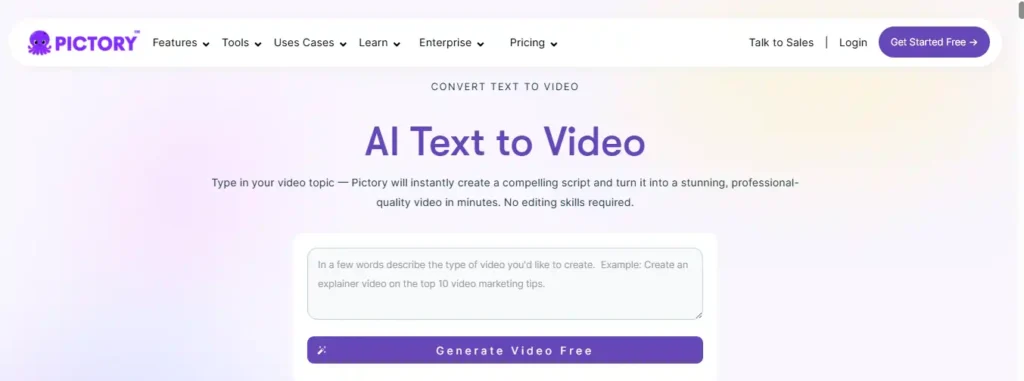
Pictory accepts several types of input and processes each one differently before assembling a video.
Text to YouTube Video
You can paste a script, article, or written idea directly into Pictory. The AI breaks the text into scenes, estimates timing for each one, and matches visuals to the content automatically.
Blog Post to YouTube Video
Pictory can pull in an existing blog post and restructure it into a video-ready script and scene layout. This is useful for creators who want to repurpose written content they’ve already published into a YouTube video without rewriting it from scratch.
URL to YouTube Video
Instead of copying and pasting text, you can paste a webpage link. Pictory reads the page content and builds a video draft from it, which can also be done through Pictory’s Chrome extension directly from a browser tab.
Script to YouTube Video
For creators who already have a finished script, Pictory segments it into individual scenes, each with an estimated duration and suggested visuals, before handing the storyboard over for editing.
Key Pictory AI Features for YouTube Creators
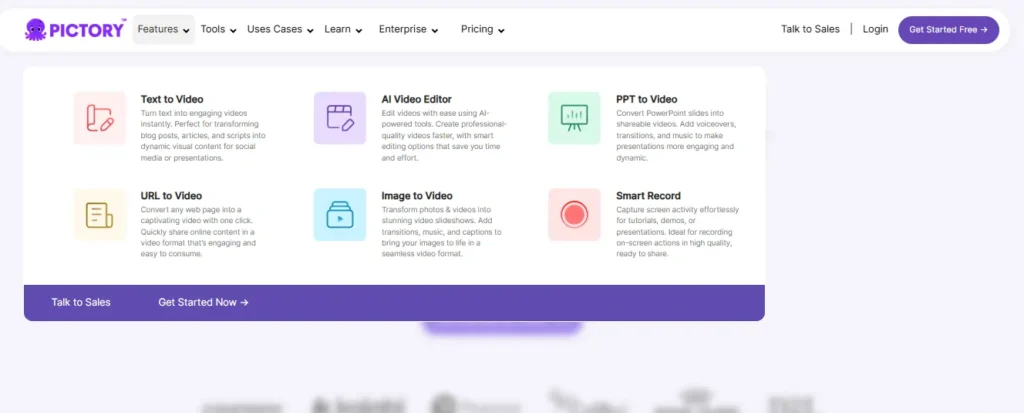
AI Script Generator for YouTube Videos
Pictory includes a script generator that can turn a topic or idea into a written video script, which is helpful for creators who need a starting point rather than a blank page.
Auto Captions and Subtitles for YouTube
Captions are generated and synced automatically. Subtitle styles and text animations can be adjusted afterward, and subtitles can be exported in formats like .srt, .vtt, and .txt on paid plans.
AI Voiceovers for YouTube Narration
Pictory offers both standard AI voices and higher-quality voices powered by ElevenLabs, available in multiple languages. Voice cloning is also available on higher-tier plans, allowing a user’s own voice to narrate a script.
AI Avatars in Pictory for YouTube Videos
Pictory includes AI avatars, digital presenters that appear inside video scenes and narrate content using an AI voice. These can be positioned or hidden per scene and are treated as an editable layer within the editor.
Stock Footage and Music Library for YouTube
Videos can draw from a stock library that includes footage and images from sources like Getty Images and Storyblocks, along with a licensed music library, so creators don’t need to source their own visuals for every scene.
Auto-Summarizing Long Videos for YouTube
Pictory can take a longer recorded video and generate a condensed version or highlight reel, which is useful for creators who want to turn a webinar, podcast, or long-form recording into a shorter YouTube upload.
How to Use Pictory AI for YouTube (Step-by-Step Guide)
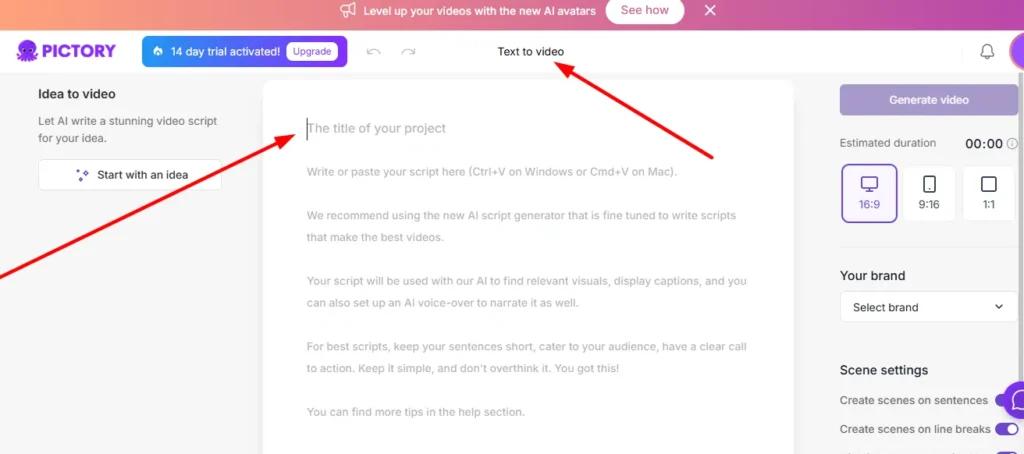
Step 1: Select Your Input
Start by choosing how you want to generate the video, whether that’s pasting a script, entering a URL, uploading a presentation, or uploading an audio file.
Step 2: Build Your Script and Scenes
Pictory’s editor automatically segments your content into scenes, each with an estimated duration and suggested visual. You can edit the script text directly at this stage.
Step 3: Customize Visuals, Voice, and Branding
Adjust layouts, swap in different stock visuals or AI-generated images, apply a brand kit with your logo, fonts, and colors, and choose or clone a voiceover.
Step 4: Export Your Pictory AI YouTube Video
Once the storyboard is finalized, you can preview the video, refine timing, and export it in a format ready for YouTube upload, including different aspect ratios for standard videos versus Shorts.
Pictory AI for YouTube Shorts
Pictory supports vertical and square aspect ratios in addition to standard horizontal video, which makes it possible to generate content formatted for YouTube Shorts from the same script or input used for a long-form video.
Scene content adjusts automatically when the aspect ratio changes, though creators should still review pacing and framing manually, since automatic resizing doesn’t always account for what looks best in a shorter, vertical format.
Pictory AI for Faceless YouTube Channels
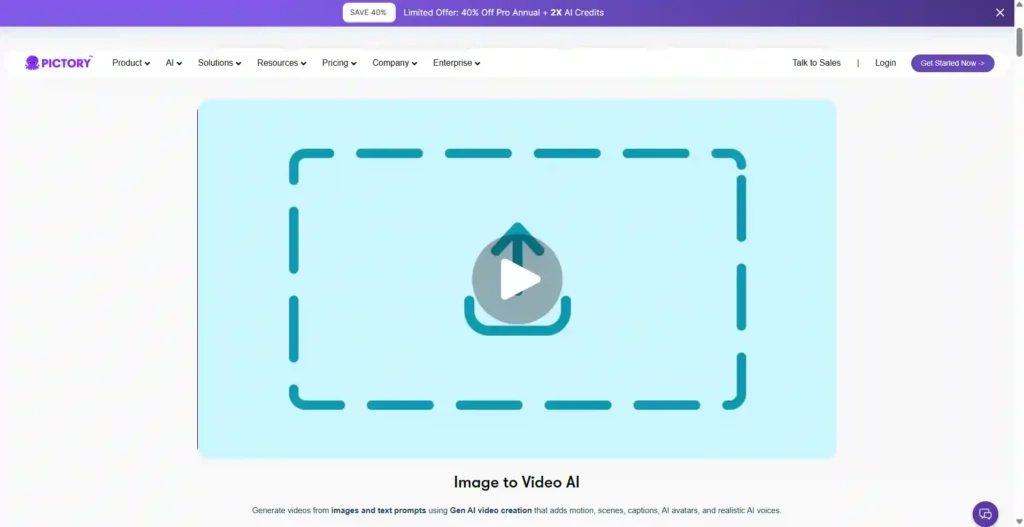
Because Pictory can generate a full video from text using stock footage, AI voiceovers, and optional AI avatars, it’s commonly used for faceless YouTube channels, where the creator doesn’t appear on camera.
This works well for explainer-style content, summaries, and narrated videos where the script and visuals carry the content rather than a live presenter.
Channels relying heavily on personality-driven storytelling or original filmed footage will likely find this approach less suited to their format.
Pictory AI Pricing for YouTube Creators
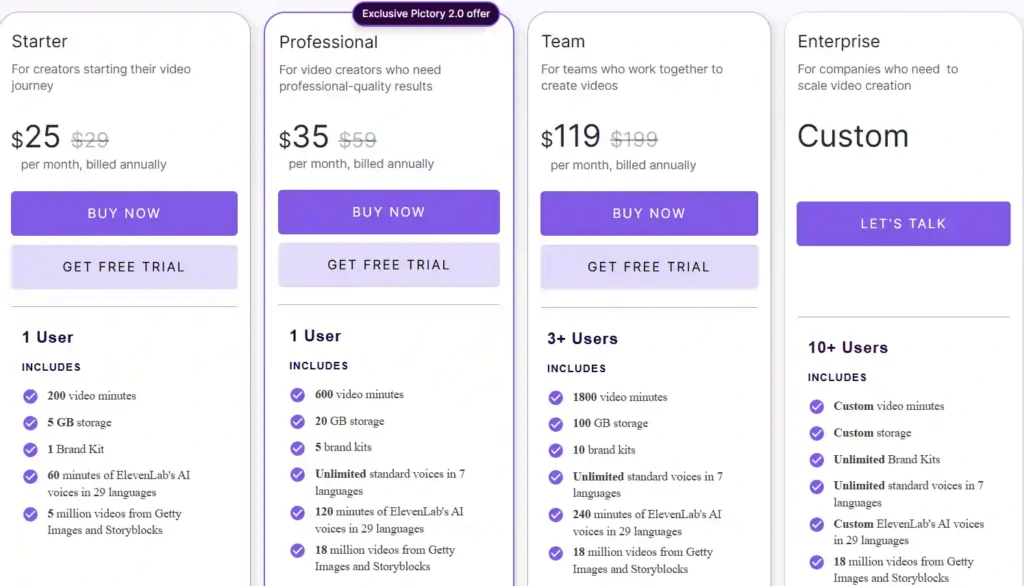
Pictory offers four plans, billed annually for the listed monthly rate:
| Plan | Price (billed annually) | Video Minutes/Year | Max Video Length | Users |
|---|---|---|---|---|
| Starter | $25/month | 2,400 minutes | 5 minutes | 1 |
| Professional | $35/month | 7,200 minutes | 30 minutes | 1 |
| Team | $119/month | 21,600 minutes | 30 minutes | 3+ |
| Enterprise | Custom | Custom | Custom | 10+ |
Each plan includes a set amount of storage, brand kits, stock video access from Getty Images and Storyblocks, and AI credits usable for images, video generation, or avatars. Higher-tier plans add features like custom avatars, voice cloning, more brand kits, and team collaboration tools. Since software pricing can change, it’s worth checking Pictory’s official pricing page before purchasing to confirm current rates and included minutes.
Pictory AI Free Trial for YouTube: What’s Included
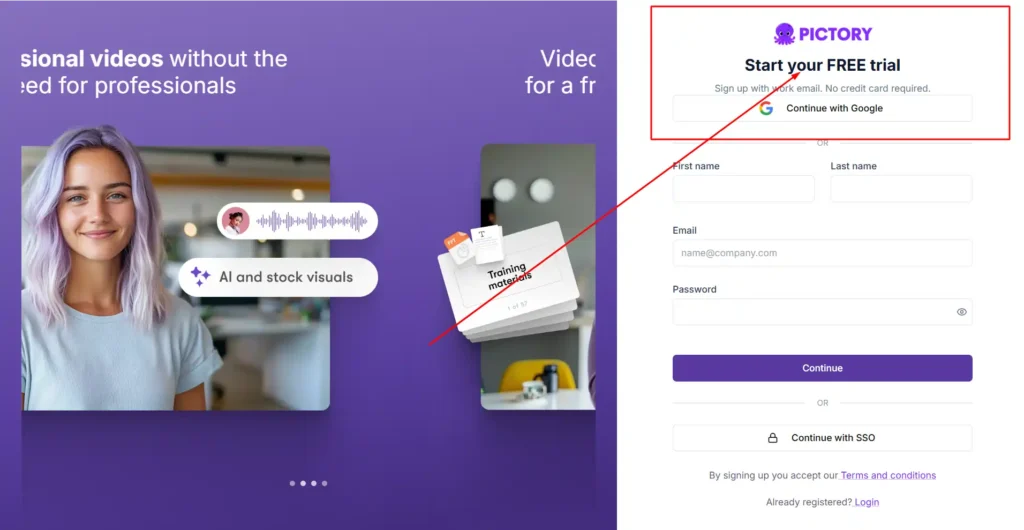
Pictory offers a 14-day free trial that includes 15 video minutes, a maximum video length of 5 minutes, and standard AI voices, without requiring a credit card to start.
This gives a new user enough room to test the script-to-video workflow and see whether the output quality fits their channel before upgrading to a paid plan.
As with pricing, trial terms can be updated by Pictory over time, so it’s a good idea to check the current offer directly on their site.
Pros and Cons of Pictory AI for YouTube Videos
Pros:
- Converts scripts, blogs, and URLs into video drafts quickly
- Includes stock footage and music, so you don’t need separate sources
- Auto-generates and syncs captions
- Supports multiple aspect ratios for both standard videos and Shorts
- Offers AI voiceovers and avatars for faceless content
Cons:
- Video minutes and features are capped by plan, which can limit heavy uploaders on lower tiers
- Automatic scene and visual matching may still need manual review for pacing and accuracy
- Some advanced features, like custom avatars and voice cloning, are limited to higher-tier plans
Pictory AI vs Alternatives for YouTube Video Creation
Pictory is one of several AI video tools built around turning text or scripts into finished video. Alternatives commonly compared to it include tools focused on AI avatars, tools with different free-tier structures, and general-purpose video editors with AI features layered on top.
The right choice generally depends on whether a creator prioritizes stock-footage-based videos (Pictory’s core approach), avatar-led presentation styles, or a specific pricing structure, such as a permanent free plan versus a time-limited trial.
[Internal link suggestion: Best Pictory AI Alternatives for YouTube Creators]
Is Pictory AI Worth It for YouTube Creators?
Pictory is best suited to creators and teams who need to produce video regularly from existing written content, such as scripts, blog posts, or presentations, and who are comfortable with a stock-footage-based visual style rather than original filmed footage.
Faceless channels, educational content, and marketing videos are a natural fit. Creators who rely on personal on-camera presence or highly custom visual storytelling may find the automated approach less suited to their needs, especially on lower-tier plans with limited video minutes.
FAQs About Pictory AI for YouTube
Does Pictory AI support YouTube Shorts?
Yes. Pictory supports vertical and square aspect ratios in addition to horizontal video, which can be used for YouTube Shorts.
Can I use Pictory AI to make faceless YouTube videos?
Yes. Pictory’s combination of stock footage, AI voiceovers, and optional AI avatars is commonly used for faceless-style channels.
Does Pictory AI offer a free trial?
Yes, Pictory offers a 14-day free trial with limited video minutes. It’s worth checking Pictory’s site directly for the most current trial terms.
Can I add my own branding to Pictory videos?
Yes. Paid plans include brand kits for custom logos, fonts, and colors, with the number of brand kits varying by plan.
Does Pictory AI provide captions automatically?
Yes. Captions are generated and synced automatically, and subtitle files can be exported in formats like .srt and .vtt on paid plans.
Final Thoughts by Nisha
Pictory AI works well if you already have scripts or blog posts and want to turn them into YouTube videos without learning traditional editing.
It’s not built for filmmakers chasing cinematic footage, but for creators who need consistent, publish-ready videos, it saves real time.
If your channel leans faceless, educational, or marketing-focused, it’s worth trying.
Start with the free trial, test one script, and see if the output matches your channel’s style before committing to a paid plan.