Filming a YouTube video, editing it, adding voiceover, and syncing captions can eat up hours before a single upload goes live. OpenArt AI’s YouTube video maker is built to shortcut that process, turning a script, topic, or prompt into a finished video without a camera, editor, or stock footage.
For creators running a faceless channel, the appeal is consistency without the workload: the tool plans scenes, generates original footage, and keeps a recurring style, voice, and host across every video and Short. That matters if you’re trying to publish on schedule without burning out.
This article looks at how OpenArt AI’s YouTube video maker actually works, what it’s good at, where it falls short, and whether it’s worth using for your channel, plans, and pricing included.
What Is OpenArt AI YouTube Video Maker?
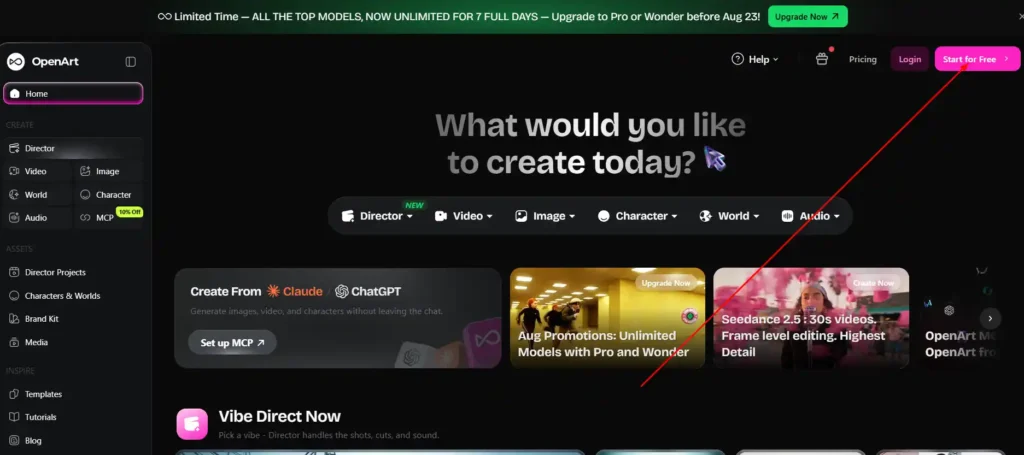
OpenArt AI YouTube video maker is a feature inside the broader OpenArt platform that lets creators generate finished YouTube videos and Shorts using AI, instead of filming and editing manually. Rather than assembling clips from a template, the tool builds original footage based on a script, a topic, or a prompt you provide, then adds voice and captions to produce something ready to upload.
It’s aimed at creators who want to publish consistently without needing a camera, a studio, or a dedicated editor. That includes solo YouTubers running faceless channels, as well as creators who want to turn a single idea into a full-length video or a batch of Shorts.
Get 15% Off OpenArt AI With Code NISHA15
Use coupon code NISHA15 at checkout to save 15% on any OpenArt AI plan, including YouTube video maker features.
How the OpenArt AI YouTube Video Maker Works
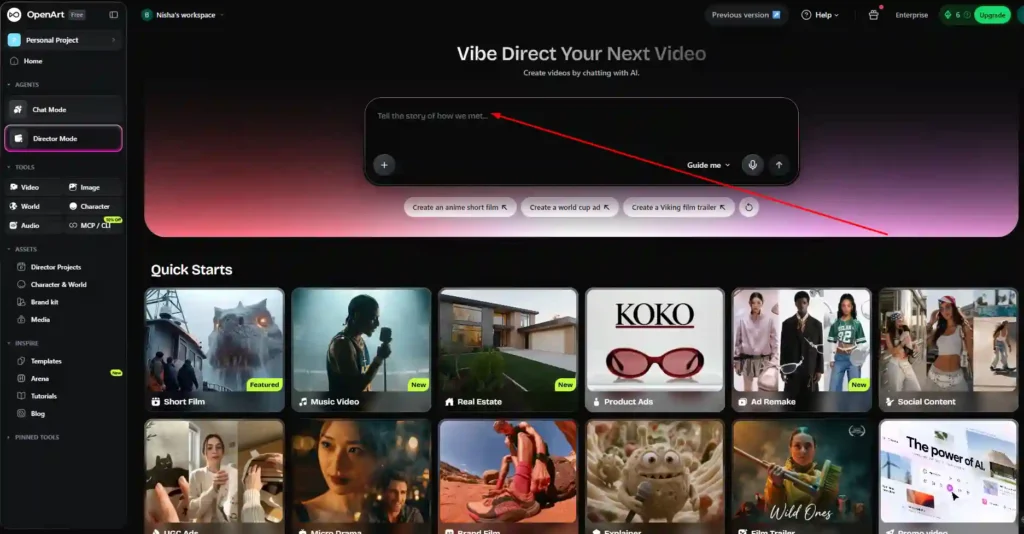
The core workflow is conversational. Instead of dragging clips onto a timeline, you describe the video you want and refine it through chat until it matches your vision.
OpenArt Director: The Engine Behind the YouTube Video Maker
OpenArt Director is the system that powers the YouTube video maker. It handles scene planning, pacing, and cutting, so the output is a complete video rather than raw clips you’d have to edit together yourself. You can give loose creative direction or make precise, granular edits, depending on how much control you want over the final result.
Turning a Script or Prompt Into a Finished Video
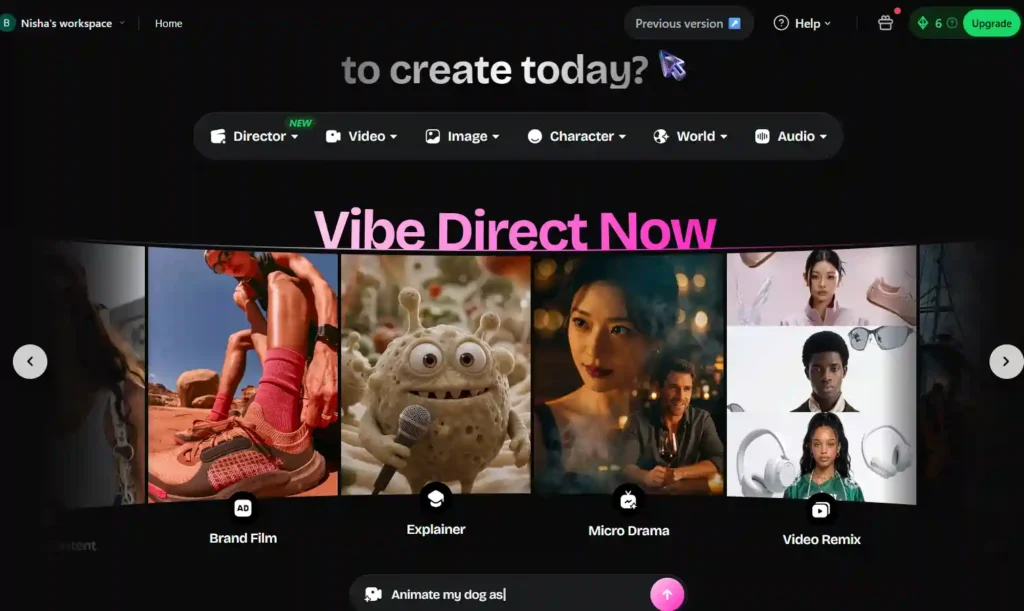
You can start from a full script, a single topic, or even just one sentence. Director builds scenes around that input, generates the voice and captions, and produces a video without anyone needing to appear on camera. If you already have your own footage, you can drop it into the prompt box and Director will build around it instead of generating everything from scratch.
Key Features of the OpenArt AI YouTube Video Maker
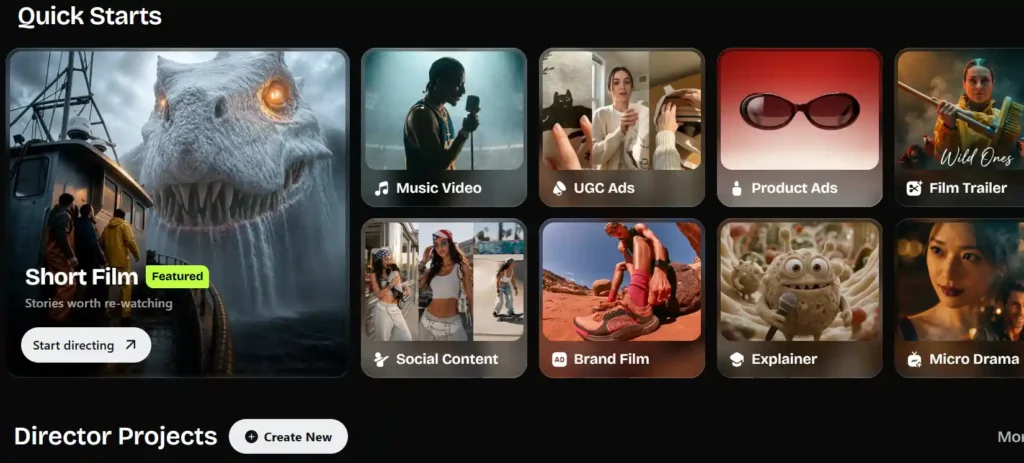
Directing Long Videos and YouTube Shorts
The tool creates both full-length videos and Shorts from the same basic inputs: a script, a prompt, or your own clips. You describe the video and give instructions by chat, and Director plans the scenes, pacing, and cut for you.
Running a Faceless YouTube Channel with OpenArt AI
You never need to be on camera. A script or topic becomes a finished video with voice and captions added automatically, which makes it possible to keep a faceless channel publishing on schedule without hiring an editor.
Keeping a Consistent Style and Recurring Host
You can load your channel’s style, colors, and a recurring host once, and every subsequent video or Short you direct will keep that same look. This is useful for channels that want a recognizable identity across uploads without manually resetting the style each time.
Maximum Video Length with the OpenArt AI YouTube Video Maker
Director can build videos up to five minutes long, which fits Shorts, intros, explainers, and most faceless-channel uploads. For content that needs to run longer, the workaround is to direct it as chapters or a short series, then publish the parts together as a single channel run so the topic’s length doesn’t block the upload.
AI Models Powering the YouTube Video Maker
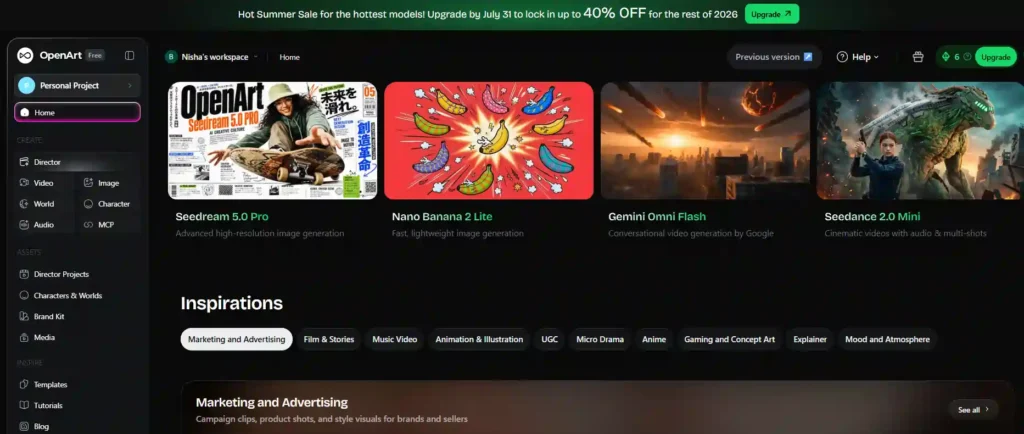
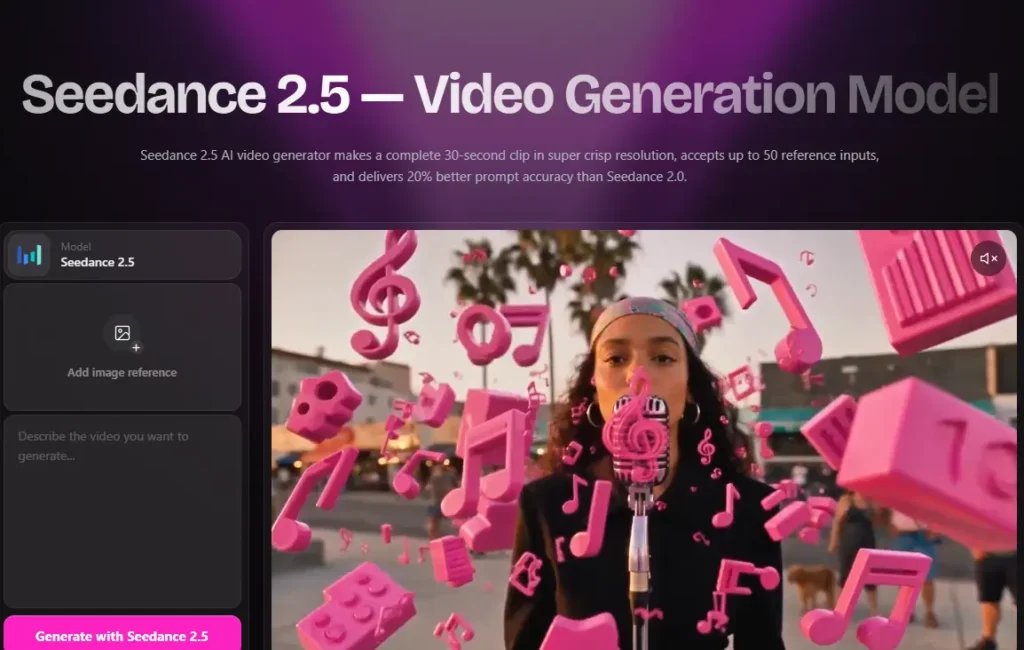
The YouTube video maker draws on OpenArt’s broader model lineup, including Seedance 2.0 for video and GPT Image 2 for imagery. OpenArt’s platform also gives access to other leading video and image models, such as Veo 3.1, Kling 3.0, and Sora 2, which can factor into the visual quality and style of what Director produces.
How to Use OpenArt AI YouTube Video Maker (Step-by-Step)
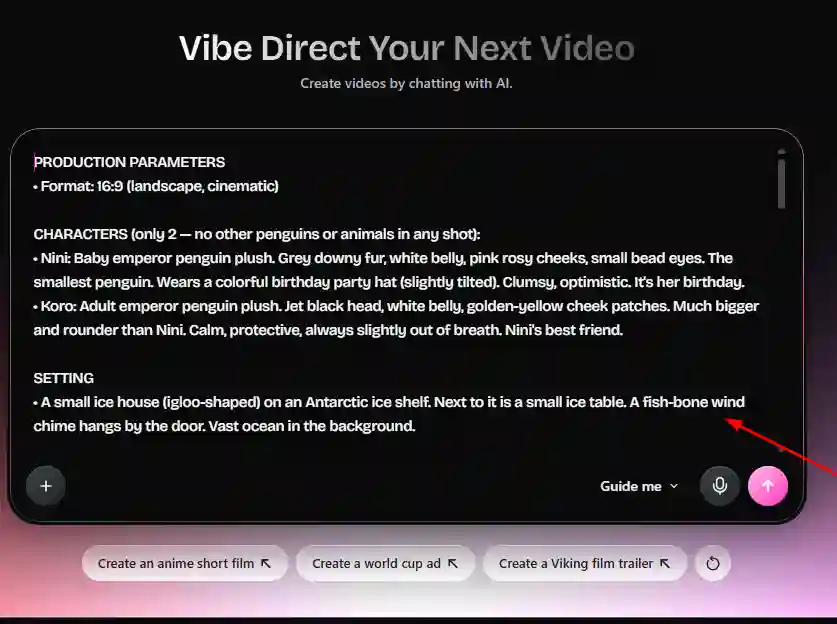
- Start with an idea. Provide a script, a topic, or a single sentence describing what you want the video to be about.
- Let Director plan the scenes. Director breaks your input into a scene-by-scene plan, handling pacing and structure.
- Refine by chat. Adjust shots, dialogue, and pacing conversationally until the video matches what you had in mind.
- Add voice and captions. Voice and captions are generated as part of the process, so the video doesn’t need separate editing tools.
- Set your channel style once. If you’re running a faceless channel, load your preferred style, colors, and host so future videos stay consistent automatically.
- Export and upload. The finished video is ready to publish directly to YouTube as a long-form video or Short.
OpenArt AI YouTube Video Maker Pricing and Plans
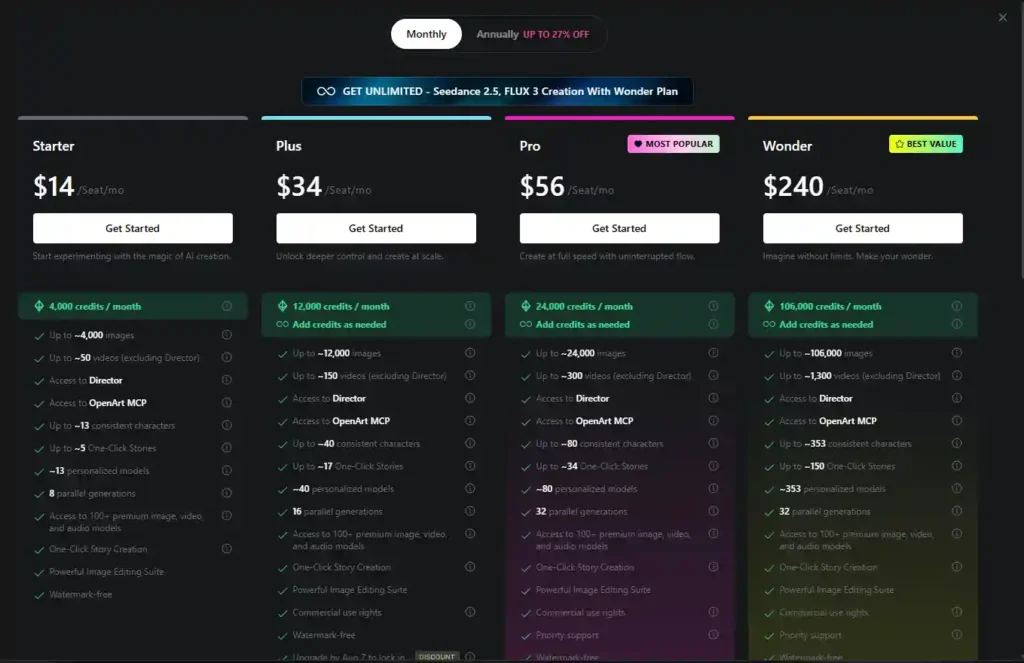
OpenArt’s individual plans are built around monthly credits, which are used across image generation, video generation, and Director. Here’s how the current plans compare:
| Plan | Price (per seat/month) | Credits/month | Approx. Videos (excl. Director) | Consistent Characters | One-Click Stories |
|---|---|---|---|---|---|
| Starter | $14 | 4,000 | ~50 | ~13 | ~5 |
| Plus | $34 | 12,000 | ~150 | ~40 | ~17 |
| Pro (Most Popular) | $56 | 24,000 | ~300 | ~80 | ~34 |
| Wonder (Best Value) | $240 | 106,000 | ~1,300 | ~353 | ~150 |
All paid plans include access to Director, OpenArt MCP, watermark-free exports, and access to 100+ premium image, video, and audio models. Commercial use rights are included starting with the Plus plan, and the Wonder plan adds priority support and unlimited creation.
Starter, Plus, Pro, and Wonder Plans Compared
The Starter plan is positioned for experimenting with AI creation at a lower cost, while Plus and Pro scale up credits and parallel generations for creators producing more regularly. Pro is marked as the most popular option, likely because it balances credit volume with cost for active channels. Wonder is aimed at high-volume users or teams that need unlimited creation and priority support.
Monthly vs. Annual Pricing for OpenArt AI
OpenArt currently offers annual plans at up to 27% off compared to monthly billing. If you plan to use the YouTube video maker consistently rather than occasionally, the annual option reduces the effective monthly cost, though the exact savings depend on which plan you choose.
Is There a Free Plan or Free Trial?
OpenArt allows you to start for free, giving new users a way to try the platform’s tools, including Director, before committing to a paid plan. Free usage is limited compared to paid tiers, so testing the YouTube video maker on a free plan is reasonable for evaluating the workflow, but regular content production will likely require a paid plan’s credit allowance.
Pros and Cons of the OpenArt AI YouTube Video Maker
Pros:
- Turns a script, topic, or prompt into a finished video without filming or manual editing.
- Supports both long-form videos and Shorts from the same tool.
- Maintains a consistent style, color palette, and host across multiple uploads.
- Voice and captions are generated as part of the process.
- Access to multiple leading AI video and image models within one platform.
- Free plan available for testing before upgrading.
Cons:
- Videos are capped at five minutes per generation, requiring a chaptered workaround for longer content.
- Credit-based pricing means heavier users will need to budget for Plus, Pro, or Wonder tiers.
- Commercial use rights aren’t included on the entry-level Starter plan.
Can You Monetize Videos Made with OpenArt AI on YouTube?
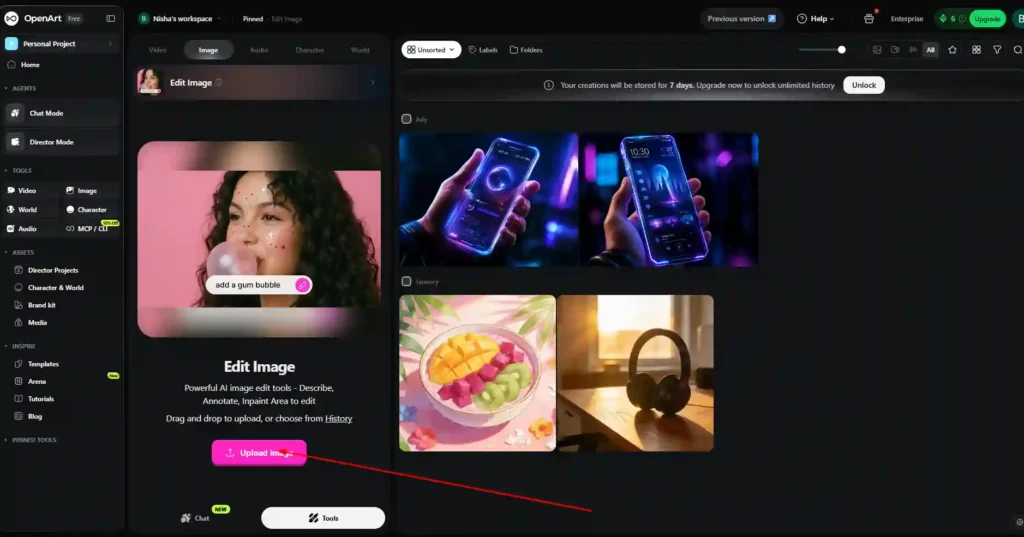
Videos created with OpenArt AI’s YouTube video maker are yours to use on your channel, including for monetized content, provided you have the appropriate commercial use rights on your plan. If you’ve used reference images or content from other sources in your videos, it’s worth double-checking intellectual property considerations on OpenArt before publishing to a monetized channel.
OpenArt AI YouTube Video Maker vs. Alternatives
OpenArt AI vs. Runway
Runway is widely known for its video generation and editing tools aimed at filmmakers and motion designers. OpenArt’s YouTube video maker differs by focusing specifically on full video production for a channel, combining scene planning, voice, and captions in one conversational workflow rather than a more granular editing suite.
OpenArt AI vs. Sora 2
Sora 2 is available as one of the underlying video models accessible through OpenArt’s platform, alongside Seedance 2.0, Veo 3.1, and Kling 3.0. Rather than choosing between OpenArt and Sora 2 directly, creators using OpenArt can access Sora 2’s output within the same Director workflow used for YouTube videos.
OpenArt AI vs. Midjourney
Midjourney is primarily an image generation tool, while OpenArt’s YouTube video maker is built around full video production, including scene sequencing, voice, and captions. Creators focused specifically on YouTube content will find OpenArt’s Director more directly suited to that end-to-end need.
Who Should Use the OpenArt AI YouTube Video Maker?
This tool fits creators who want to publish YouTube content regularly without appearing on camera or hiring an editor, including faceless-channel operators, explainer and countdown-style creators, and anyone testing a new content format before investing in traditional production. It’s less suited to creators who need full manual control over every frame or who are producing videos longer than a few minutes without chaptering them.
Frequently Asked Questions About OpenArt AI YouTube Video Maker
Do I Need Editing Experience to Use It?
No. The workflow is built around chat-based direction rather than manual timeline editing, so you don’t need prior video editing skills to produce a finished video.
Can I Use My Own Footage with OpenArt AI?
Yes. You can drop your own clips into the prompt box, and Director will build the video around that footage instead of generating everything from scratch.
Can I Turn Long Videos into YouTube Shorts?
Yes. You can export a vertical video for a Shorts feed, or extract highlights from a longer video and turn them into Shorts, so a single idea can support both a main upload and a set of shorter clips.
Is My Content Private and Safe on OpenArt AI?
OpenArt states that user work is kept private and secure on the platform. If privacy is a major concern for your workflow, it’s worth reviewing OpenArt’s current privacy policy directly for full details.
Final Verdict: Is OpenArt AI YouTube Video Maker Worth It?
OpenArt AI’s YouTube video maker is a solid option for creators who want to produce consistent YouTube content, particularly faceless channels, without the time cost of filming and editing manually. The combination of scene planning, voice generation, and style consistency covers most of what a regular uploader needs from a single tool.
The main trade-off is the five-minute cap per generation and the credit-based pricing, which means heavier publishers will need to budget for a mid-tier or higher plan to sustain regular output. For creators testing the faceless-channel format or looking to speed up their existing workflow, starting on the free plan is a low-risk way to see if Director’s output fits your channel before upgrading.