If you’ve been juggling separate subscriptions for Sora, Veo, Kling, and other AI image or video tools just to see which one actually delivers, you already know how quickly that gets expensive and confusing. DaVinci AI tries to solve that by putting several leading AI models under one roof, so you can generate images and videos without hopping between platforms.
That convenience sounds appealing, but it also raises fair questions. Is the quality as good as using each model directly? Is DaVinci AI pricing worth it compared to paying for tools individually? And is it actually reliable enough for regular content creation?
This DaVinci AI review looks at what the platform offers, how it performs for creators and marketers, and where it stands next to alternatives like Midjourney, so you can decide if it fits your workflow.
What Is DaVinci AI?
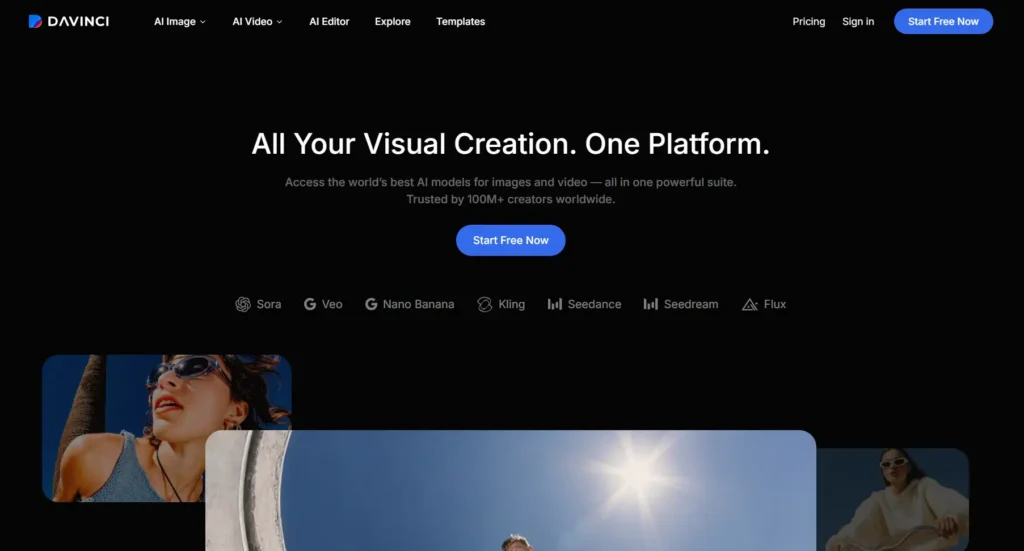
DaVinci AI is a generative media platform that gives users access to multiple leading AI image and video models from a single subscription and workspace. Instead of creating separate accounts for tools like Sora, Veo, or Kling, DaVinci AI brings these models together in one dashboard, along with built-in editing tools for images, video, and (soon) audio.
The platform is built by HubX and is positioned for content creators, marketing teams, designers, and businesses that need to produce social media content, advertising creatives, product visuals, and branded video at scale. According to DaVinci’s own site, the platform is used by over 100 million creators worldwide.
How Does DaVinci AI Work?
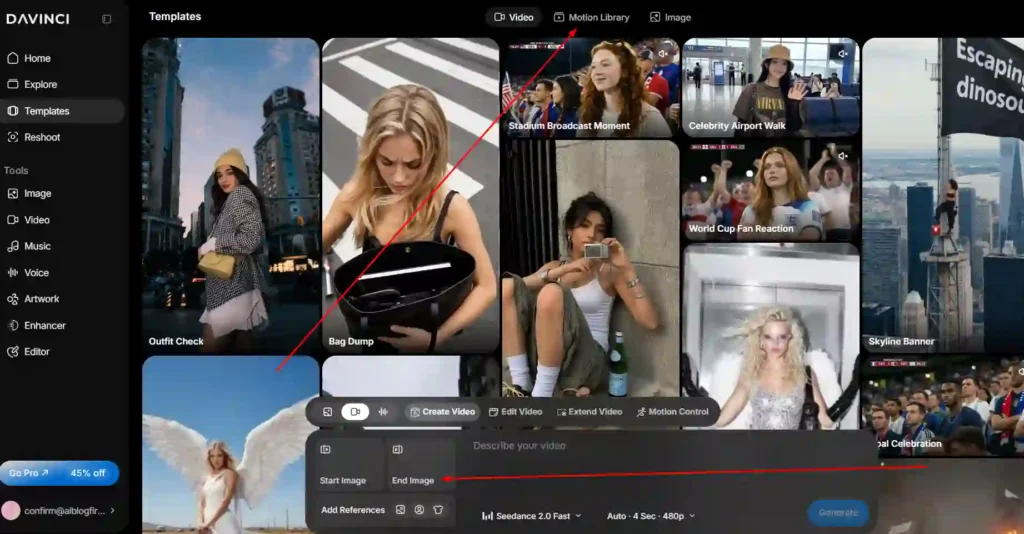
DaVinci AI works on a credits-based system. Users choose a subscription plan that includes a set number of monthly credits, and each generation — whether it’s an image, a video clip, or a voice/audio output — deducts a specific number of credits depending on the model and settings used (such as resolution or video length).
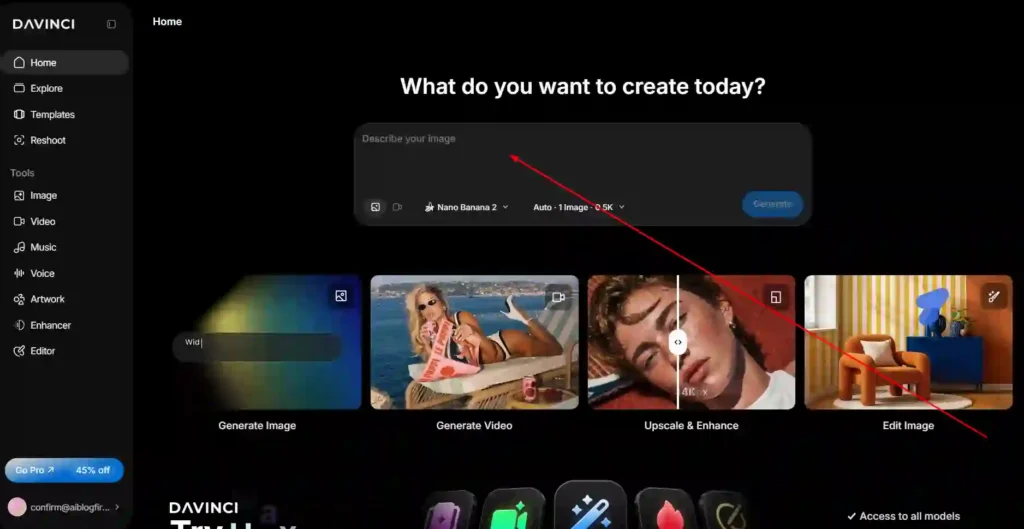
The interface lets you pick a specific AI model for the task at hand, enter a text prompt or upload a reference image, and generate output directly in the browser or mobile app. The cost in credits is shown before you generate, so you know what a specific model or setting will use ahead of time.
Key Features of DaVinci AI
DaVinci AI Image Generation Explained
DaVinci AI supports text-to-image and image-to-image generation using models such as Nano Banana, Nano Banana Pro, Seedream, Flux, and DaVinci’s own DaVinci Ultra model. Users can generate original artwork, product photography, avatars, logos, and design concepts, and refine results using image editing features like background changes, relighting, restyling, and upscaling.
DaVinci AI Video Generation Explained
For video, DaVinci AI provides access to models including Sora 2, Sora 2 Pro, Veo 3.1 Fast, Kling 2.6, Kling O1 Image, and Seedance. Supported capabilities include text-to-video and image-to-video generation, which allows users to turn a written prompt or an existing photo — such as a product shot — into a short video clip.
DaVinci AI Editor and Creative Tools
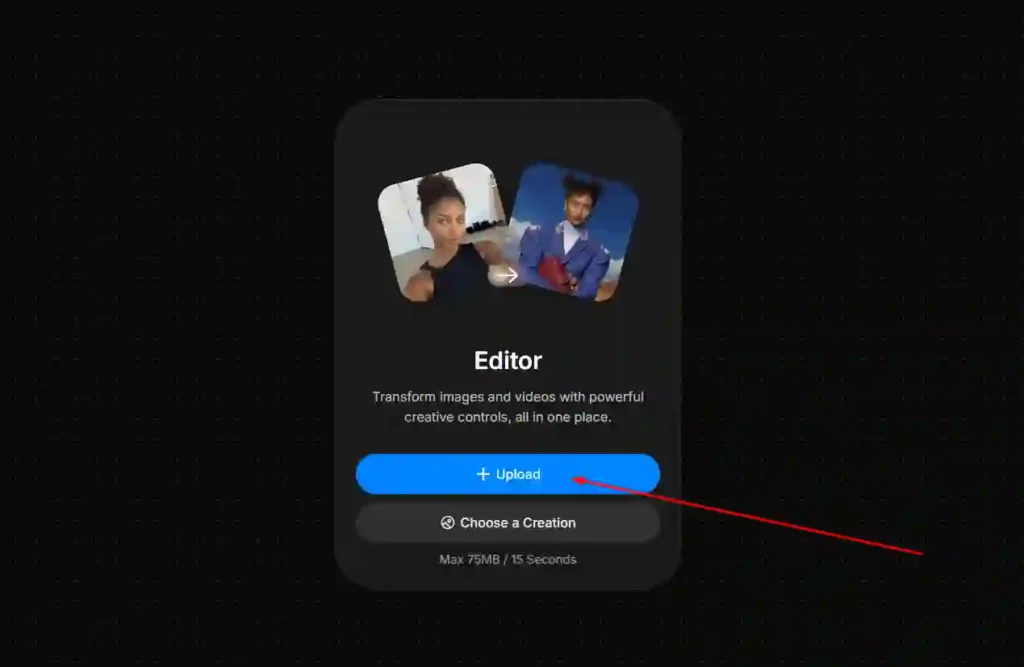
Beyond raw generation, DaVinci AI includes a built-in editor with tools aimed at production and campaign work rather than one-off images. These include:
- Auto-resizing creative assets for different platforms and ad formats.
- Turning product photos into short commercial-style videos.
- Upscaling images for high-resolution ad placements.
- Removing or replacing objects within a scene while preserving lighting and depth.
AI Models Available on DaVinci AI (Sora, Veo, Kling, Nano Banana, Seedance, Flux)
DaVinci AI advertises access to 50+ AI models in total, with the most prominent including Sora, Veo, Kling, Nano Banana, Seedance, Seedream, Flux, and Grok Imagine. New models are added on a rolling basis, and access to newly released models may roll out gradually rather than to all users at once.
DaVinci AI Pricing: How Much Does It Cost?
DaVinci AI Plans and Credits Explained
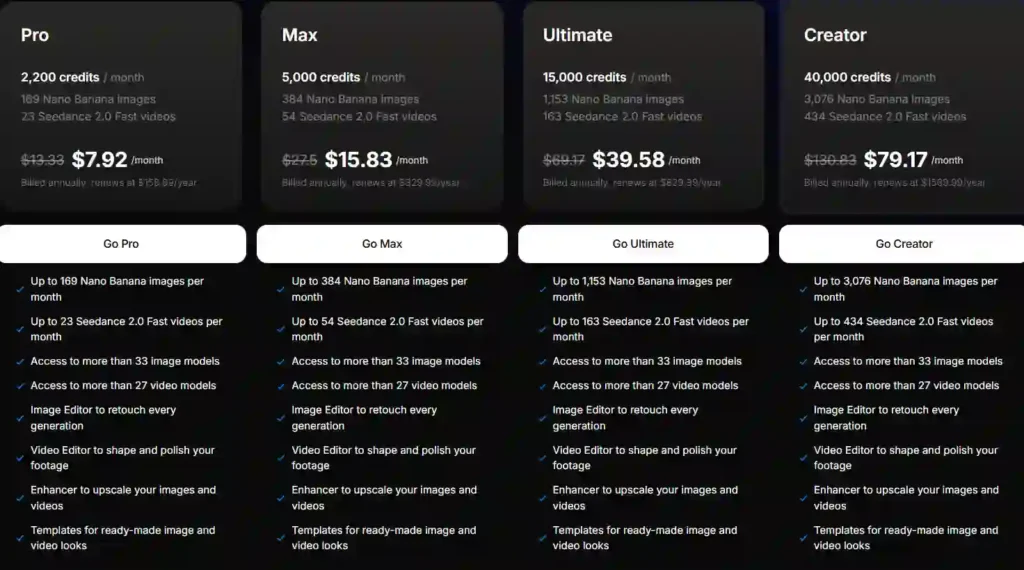
DaVinci AI’s pricing page lists four subscription tiers — Pro, Max, Ultimate, and Creator — all billed annually, with each tier including a fixed monthly credit allowance that can be used across image, video, and voice generation.
| Plan | Monthly Price (Billed Annually) | Standard Annual Renewal |
|---|---|---|
| Pro | $7.92/mo | $159.99/year |
| Max | $15.83/mo | $329.99/year |
| Ultimate | $39.58/mo | $829.99/year |
| Creator | $79.17/mo | $1,569.99/year |
Each plan allocates a set number of credits per month, and the number of images or video clips you can generate depends on which model you use, since more advanced models (like higher-resolution video generation) consume more credits per output. DaVinci also lists separate monthly-billed pricing on its main marketing page, where plans are shown starting around $39.99/month, so the exact rate you’re offered can vary depending on billing cycle, promotions, and where you sign up. Prices shown on the pricing page also exclude VAT and local taxes, which are calculated at checkout.
Is DaVinci AI Pricing Worth the Value?
Whether DaVinci AI’s pricing is worth it depends mainly on how many separate AI subscriptions it would otherwise replace. For a creator or marketing team currently paying individually for image and video generation tools, consolidating that spend into one DaVinci plan can be more cost-effective, especially at the Max or Ultimate tiers, which include a meaningful monthly credit allowance across both image and video models.
For casual or occasional users who only need AI-generated images once in a while, a single-purpose free or lower-cost tool may be more economical than a paid DaVinci subscription.
DaVinci AI Mobile App Review (iOS & Android)
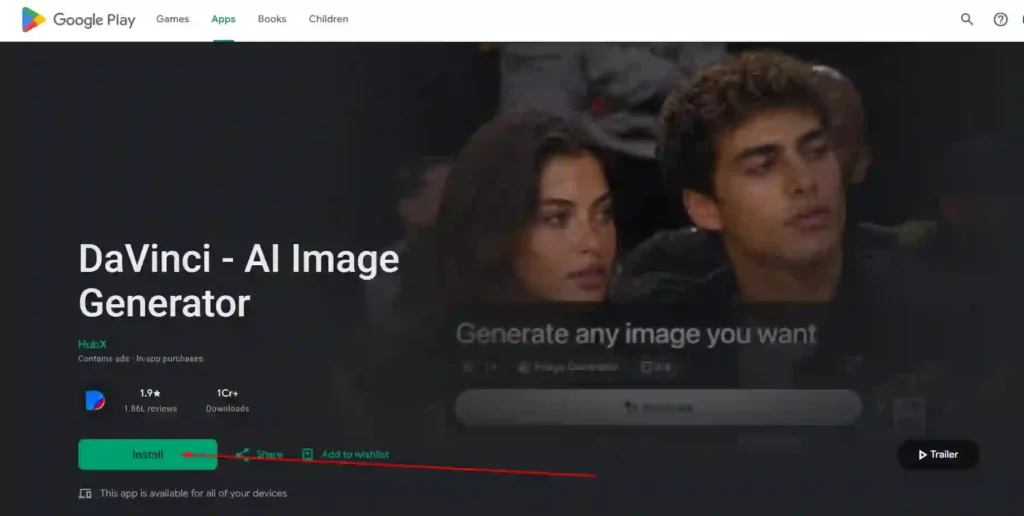
DaVinci AI is available as a mobile app on both the App Store and Google Play, allowing users to generate images, videos, and (in supported regions) audio directly from their phone without needing a desktop. According to the app listings, DaVinci’s mobile app holds a 4.9 rating from over 120,000 reviews, and it includes the same core generation and editing tools available on the web platform, packaged for on-the-go use.
DaVinci AI Pros and Cons
Pros:
- Access to multiple leading AI image and video models (Sora, Veo, Kling, Nano Banana, and more) under one subscription.
- Built-in editing tools for resizing, upscaling, object removal, and product-to-video conversion.
- Available on web, iOS, and Android.
- Content is private by default and not used to train third-party AI models without permission.
Cons:
- Credit-based pricing means costs can add up quickly if you rely heavily on premium video models
- Access to some newly released models may roll out gradually rather than to all users immediately
- Standard renewal pricing is notably higher than introductory annual rates, so it’s worth checking the exact terms before subscribing
Who Is DaVinci AI Best For?
DaVinci AI is best suited for:
- Content creators and social media managers who need a steady stream of images and short-form video without managing multiple AI tool subscriptions.
- Marketing and creative teams producing ad creatives, product visuals, and campaign assets across multiple formats.
- Designers and entrepreneurs who want to compare outputs from different AI models before settling on one for a specific project.
It’s less suited to users who only need a single, specific AI model for occasional use, since a dedicated single-model tool may be cheaper for light usage.
DaVinci AI vs Midjourney: Which One Should You Choose?
Midjourney is a single-model AI image generator known for strong artistic and stylized output, primarily accessed through Discord or its own web interface. DaVinci AI takes a different approach: rather than offering one proprietary model, it functions as an access layer to multiple leading models, including image tools like Nano Banana and Flux, alongside video generation models like Sora and Veo.
| Factor | DaVinci AI | Midjourney |
|---|---|---|
| Model access | Multiple models (image + video) in one platform | Single proprietary image model |
| Video generation | Yes, via Sora, Veo, Kling, and others | No native video generation |
| Editing tools | Built-in resize, upscale, object removal | Limited built-in editing |
| Platform | Web, iOS, Android | Primarily web/Discord |
| Best for | Teams needing both image and video output | Users focused specifically on stylized AI art |
If your work is centered specifically on AI art generation, Midjourney remains a strong dedicated option. If you need both image and video generation, along with editing tools for marketing or content production, DaVinci AI’s multi-model approach offers broader coverage in one subscription.
Is DaVinci AI Safe, Legit, and Trustworthy?
Based on DaVinci’s own privacy documentation, content created on the platform is private by default and only accessible to the account holder. DaVinci states that user prompts, uploads, and generated outputs are stored securely and are not used to train its own AI models or those of its third-party model providers without permission.
DaVinci AI is operated by HubX Yazılım Hizmetleri A.Ş., and the platform is transparent that third-party model names (such as Sora, Veo, and Kling) belong to their respective owners, with DaVinci providing integrated access to those models rather than building them in-house.
DaVinci AI Alternatives Worth Considering
Depending on what you need, a few alternative approaches are worth comparing against DaVinci AI:
- Midjourney — for users focused specifically on stylized AI image generation.
- Direct model access (e.g., subscribing to Sora or Veo individually) — for users who only need one specific model and want to avoid a multi-model subscription.
- Canva or similar design platforms with AI features built in — for users who need lighter AI generation alongside broader design and layout tools.
The right alternative depends on whether you value having multiple models in one place (DaVinci AI’s core advantage) versus deeper specialization in a single tool.
DaVinci AI FAQs
Is my content private and secure on DaVinci AI?
Yes. According to DaVinci, all content is private by default and only accessible to the account holder. Prompts, uploads, and generated outputs are stored securely and are not used to train DaVinci’s AI models or those of its third-party providers without permission.
How do DaVinci AI credits work?
Credits are the currency used to generate content on DaVinci. Each generation costs a set number of credits depending on the model selected, and for video, the duration and resolution also affect the cost. The credit cost is shown before you generate, so you can see what you’re spending in advance.
What AI models does DaVinci AI support?
DaVinci AI provides access to over 50 AI models, including Sora, Sora 2 Pro, Veo, Kling, Kling O1 Image, Nano Banana, Nano Banana Pro, Seedance, Seedream, Flux, and Grok Imagine, among others.
Does DaVinci AI have a mobile app?
Yes. DaVinci AI is available on both the App Store and Google Play, offering the same core image, video, and editing tools as the web platform.
Is DaVinci AI better than Midjourney?
It depends on your needs. Midjourney is a dedicated, single-model AI art generator, while DaVinci AI offers access to multiple image and video models plus built-in editing tools in one subscription. Teams needing both image and video generation may find DaVinci AI more versatile.
Final Verdict: Is DaVinci AI Worth It?
DaVinci AI is a solid option for creators, marketers, and teams who want access to several leading AI image and video models — including Sora, Veo, Kling, and Nano Banana — without managing separate subscriptions for each one. Its built-in editing tools add practical value for teams producing content across multiple formats and channels, and its privacy commitments around not training on user data are a meaningful trust signal.
The platform makes the most sense for users generating a consistent volume of AI images and videos each month. For occasional or single-purpose use, it’s worth comparing DaVinci’s credit-based pricing against dedicated single-model tools to see which offers better value for your specific workflow.