Putting a face on your videos usually means filming yourself, hiring a presenter, or booking studio time. The Pictory AI Avatar Generator offers a different route: an AI presenter that delivers your script on screen.
But is it the right fit for your videos? Before you commit, you need to know how realistic the avatars look, what they can and can’t do, and how the feature works within Pictory’s text-to-video workflow.
This review covers those questions, along with pricing, trial availability, and alternatives worth comparing. It’s written for creators, marketers, and small teams deciding whether AI avatar video belongs in their process.
What Is the Pictory AI Avatar Generator?
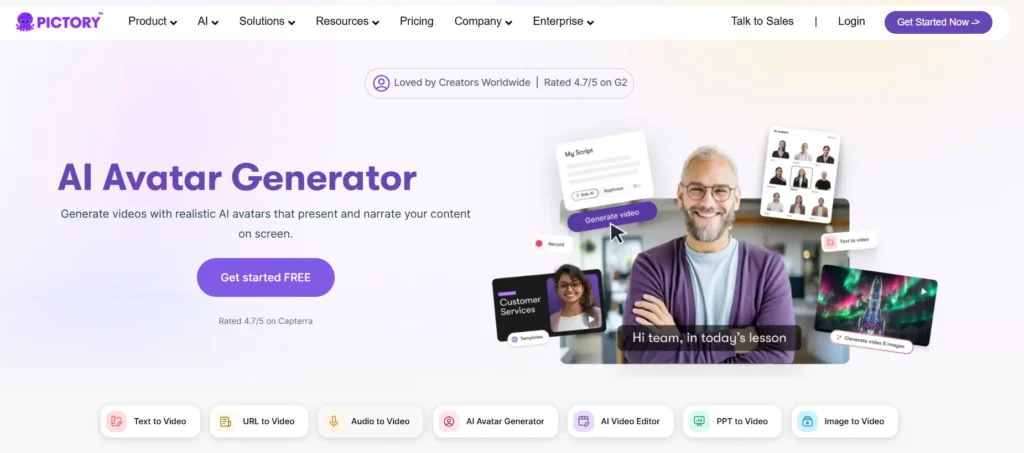
The Pictory AI Avatar Generator lets you add a digital presenter to a video instead of recording yourself. The avatar appears inside your video scenes and narrates your script automatically using an AI voice.
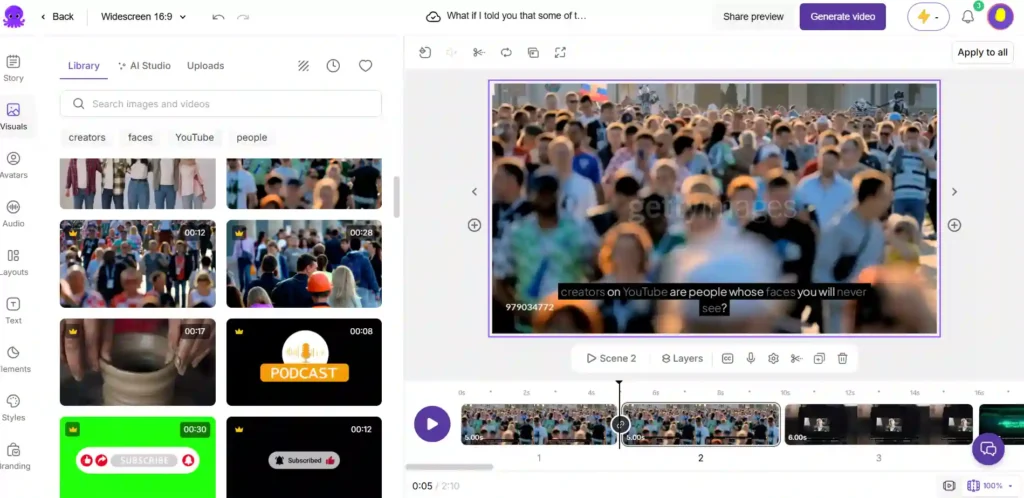
In Pictory, the avatar works as an editable layer. You can style it, move it, resize it, and show or hide it scene by scene. That makes it a good fit for explainers, training videos, internal communication, and product content where a consistent on-screen presence helps.
Save 20% on Pictory AI With CABF20
Use coupon code CABF20 at checkout to get 20% off your Pictory plan and start creating AI avatar videos.
How the Pictory AI Avatar Generator Works
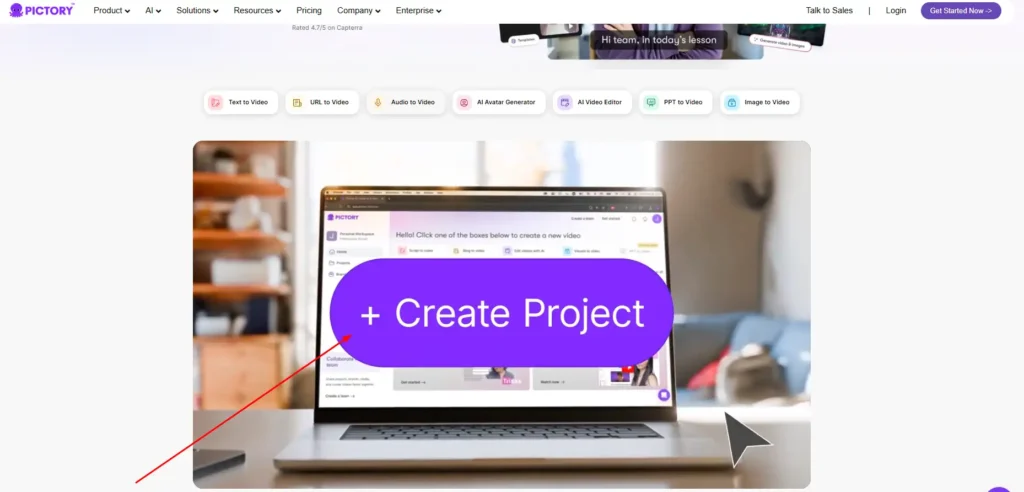
The avatar feature sits inside Pictory’s video editor, so you build the video first and add the presenter on top. You write or paste a script, Pictory builds the scenes, and the avatar narrates the text for each scene. Lip sync is generated automatically when you export the video.
How to Create an AI Avatar Video With the Pictory AI Avatar Generator (Step by Step)
- Open a video project. Start inside the Pictory video editor.
- Choose an AI avatar. Pick a presenter from the avatar library.
- Customize appearance and voice. Adjust the look, framing, and narration voice.
- Export the video. Download the finished video with avatar narration and lip sync applied.
If you already use Pictory for text-to-video, the avatar adds one step rather than a new workflow.
Pictory AI Avatar Generator Features
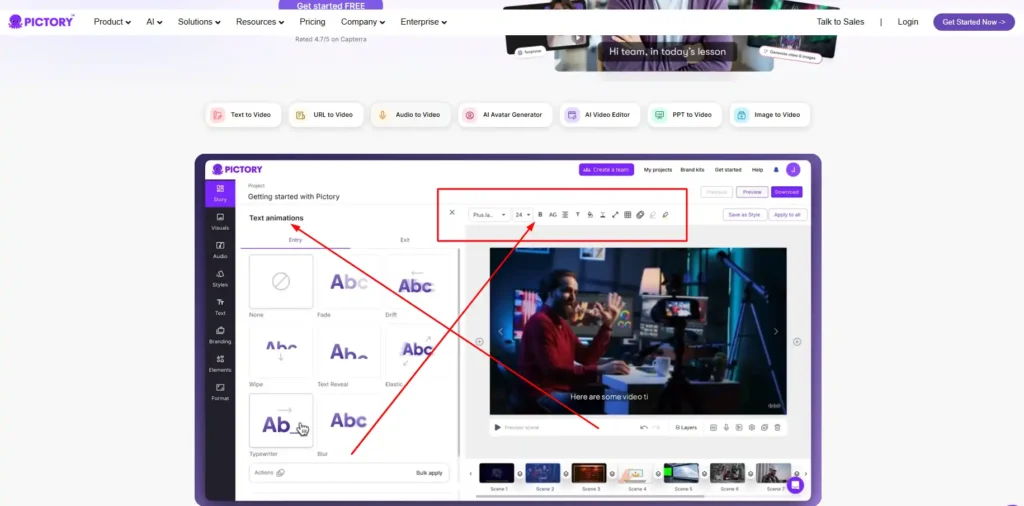
Here is what the avatar tool includes, based on Pictory’s own feature page.
Pictory AI Avatar Generator Presenter Library
You choose from a library of digital presenters instead of uploading footage. This removes the need for a camera, a microphone, or repeated takes when you revise a script.
Pictory AI Avatar Generator Scene-Level Controls (Show, Hide, Swap)
Avatar control happens at the scene level. You can:
- Show the avatar in some scenes and hide it in others.
- Remove the avatar from a scene entirely.
- Use a different avatar in different scenes.
This helps when you want the presenter on screen for introductions and key points, with b-roll or text visuals in between.
Pictory AI Avatar Generator Styling, Size, and Placement Options
You can resize and reposition the avatar freely. You can also change its shape, background, and border. Changes can apply to a single scene or across the whole video, which keeps the look consistent without editing every scene by hand.
Pictory AI Avatar Generator Voice Narration and Automatic Lip Sync
The avatar narrates your scene text automatically with an AI voice, and you can adjust the narration voice in the editor. Lip sync is generated during export, so you won’t see it applied while editing. Preview your scenes with that in mind, then check the exported video.
Pictory AI Avatar Generator Language Support for Multilingual Videos
Pictory describes multilingual avatar videos as a combination of AI voices and captions that support different languages and regions. Its pricing page lists standard AI voices in 7 languages and ElevenLabs AI voices in 29 languages. These voice figures apply to Pictory’s voice library in general, so listen to your target language before you build a full project around it.
Custom Avatars in the Pictory AI Avatar Generator
Pictory lists custom avatars among its Professional plan features, along with voice cloning. If you want an avatar that represents you or your brand rather than a stock presenter, plan on Professional or higher.
Pictory AI Avatar Generator Pricing: Plans and Avatar Minutes Compared
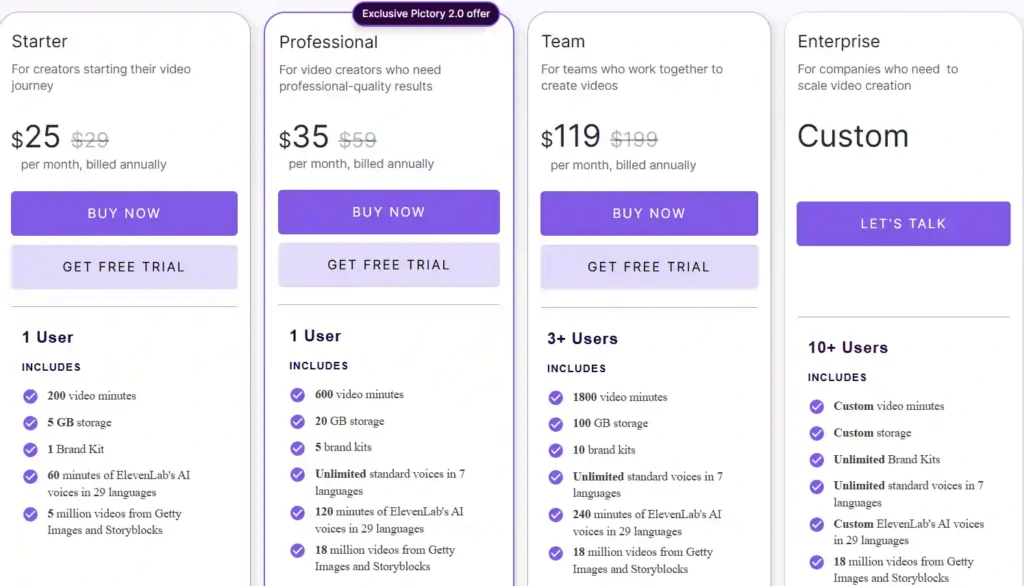
Avatar usage is limited by your plan’s AI credits and avatar-minute allowance. At the time of writing, Pictory’s pricing page lists these annual-billing prices:
| Plan | Price (per month, billed annually) | AI credits per year | Avatar video minutes |
|---|---|---|---|
| Starter | $25 (listed from $29) | 1,200 | Up to 40 minutes |
| Professional | $35 (listed from $59) | 12,000 | Up to 400 minutes |
| Team (3+ users) | $119 (listed from $199) | 28,800 | Up to 960 minutes |
| Enterprise | Custom | Custom | Custom |
Pictory states that annual pricing saves up to 40%. The AI credits also cover images and generative video, so heavy use of other AI features reduces what remains for avatars.
Two points matter for your decision:
- Starter is enough to try avatars. Forty minutes of avatar video is workable for a few short explainers a month.
- Professional is the practical tier for regular use. It adds custom avatars and voice cloning, and a much larger avatar-minute allowance.
Prices are in US dollars. UK readers should expect currency conversion at checkout.
Does the Pictory AI Avatar Generator Have a Free Trial?
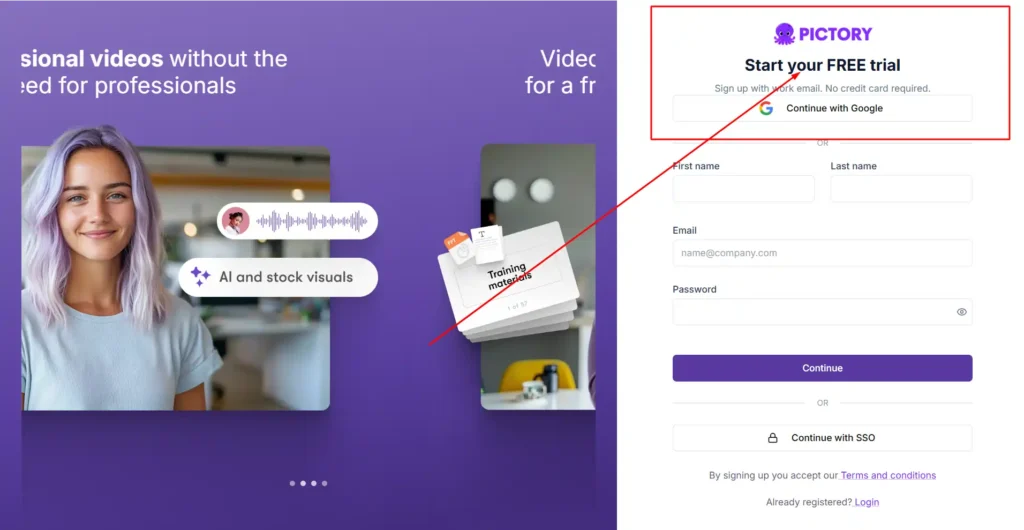
Yes, Pictory offers a free trial. The pricing page describes it as 14 days of free use, with 15 video minutes and a maximum video length of 5 minutes. The trial’s comparison table also lists 50 generative AI credits, which Pictory defines as covering images, videos, and avatars.
That gives you enough room to build a short test video, hear the voices, and judge the avatar on your own screen. Use a real script from your work rather than a demo script, because that shows whether the presenter style suits your content.
Pictory AI Avatar Generator Coupon Code and Current Discounts
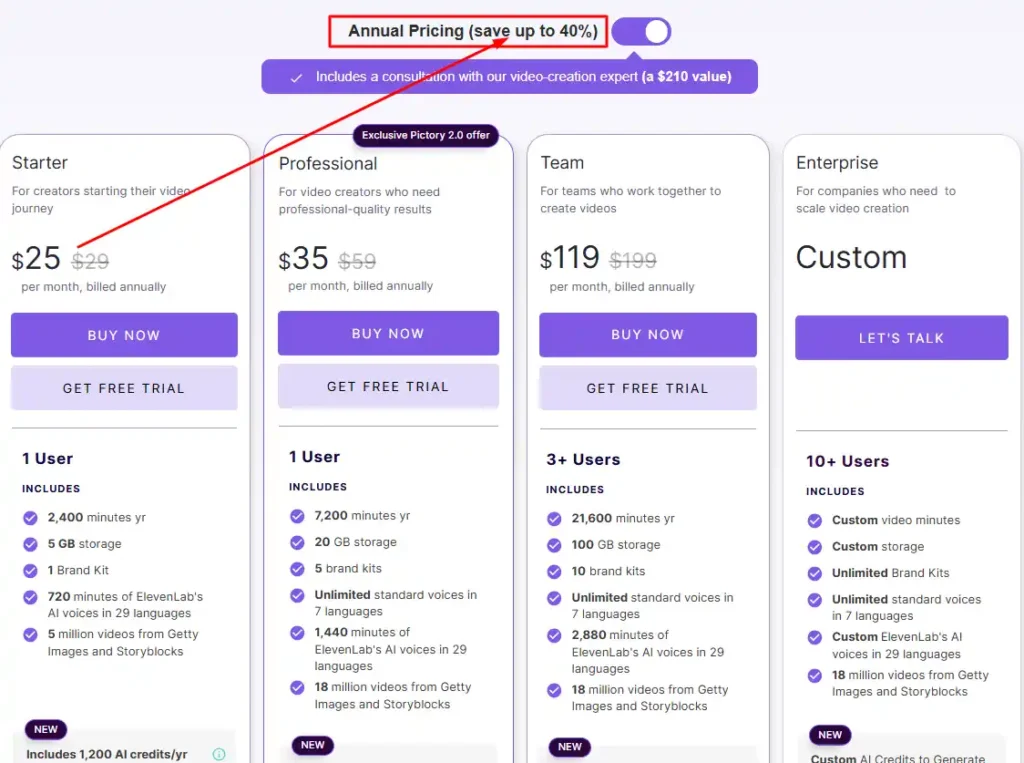
Pictory has promoted a limited offer on its site: 40% off the Pro annual plan plus 2X AI credits. The banner doesn’t mention a coupon code. The discounted annual prices in the table above are already shown on the pricing page.
Some things to keep in mind:
- Discounts are tied to annual billing, so you commit to a year upfront.
- Promotions on Pictory’s site change over time, so confirm the offer on the pricing page at checkout.
- Pictory’s FAQ includes a question about non-profit discounts, which is worth reading if your organization qualifies.
- Third-party coupon sites often list codes that don’t work. If a code doesn’t apply at checkout, the pricing-page offer is usually your reliable option.
Best Use Cases for the Pictory AI Avatar Generator
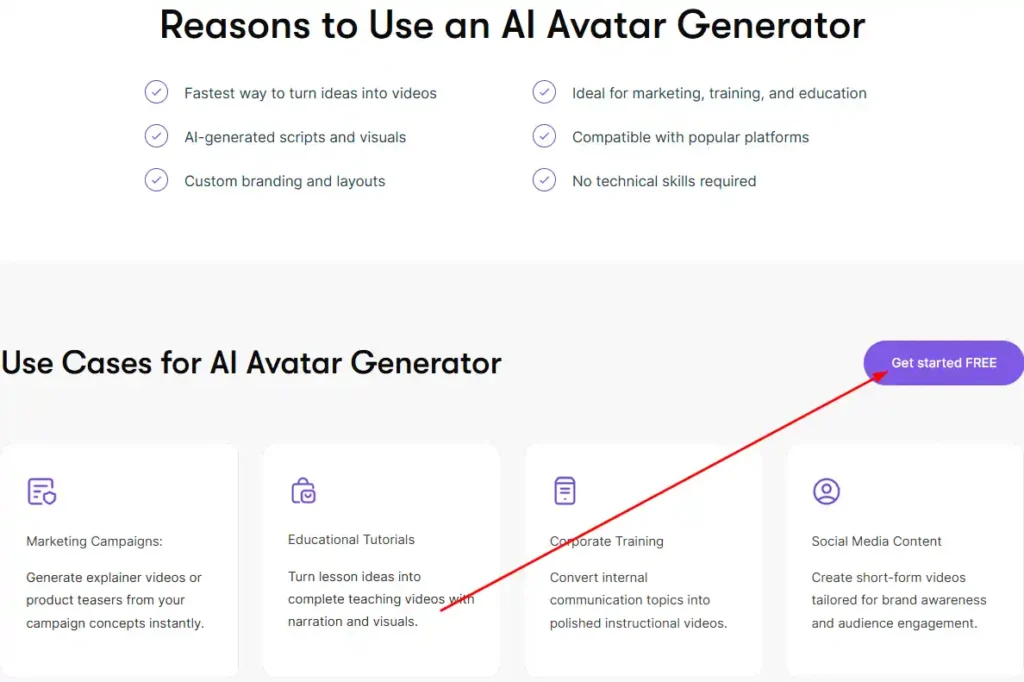
Pictory positions the avatar tool for marketing, training, education, and social content. Here is how each use case fits.
Pictory AI Avatar Generator for Corporate Training Videos
Training content changes often, and re-recording a presenter each time is slow. With avatars, you edit the script and regenerate the narration. Consistent presentation across modules is also easier to maintain.
Pictory AI Avatar Generator for Marketing and Explainer Videos
You can turn a campaign idea or product description into an explainer or teaser with a presenter on screen. Scene-level control lets you show the avatar for the pitch and switch to visuals for product details.
Pictory AI Avatar Generator for YouTube and Social Media Content
For creators who don’t want to appear on camera, avatars add a human presence without filming. Pictory exports in landscape, portrait, and square formats, which covers YouTube, Reels, Shorts, and TikTok.
Pictory AI Avatar Generator for Educational Tutorials
Lesson ideas can become teaching videos with narration and visuals. Avatars suit short lessons and walkthroughs, particularly when you update the material regularly.
Are Pictory AI Avatars Realistic? Pictory AI Avatar Generator Quality Check
Pictory describes its avatars as realistic, and it generates lip sync automatically at export. This article doesn’t include hands-on test results, so the quality verdict is yours to make.
Check these things in your own trial video:
- Lip sync accuracy after export, especially on longer sentences.
- Voice naturalness with your actual script and terminology.
- Avatar fit with your brand style, background, and framing.
- Language quality if you plan to publish in more than one language.
Audience expectations matter too. AI presenters work well for training and explainers, where the information is the focus. They work less well when viewers expect a personal, human connection.
Pictory AI Avatar Generator Pros and Cons
Pros
- No camera, microphone, or re-recording needed.
- Scene-level control to show, hide, or swap avatars.
- Flexible styling, sizing, and placement.
- Part of an existing text-to-video workflow with captions, stock media, and AI voices.
- Multiple voice languages through Pictory’s voice library.
- Custom avatars and voice cloning on Professional and above.
Cons
- Avatar minutes are capped by plan, with 40 minutes per year on Starter.
- Custom avatars require Professional or higher.
- Lip sync appears only after export, so you can’t judge it while editing.
- Pictory is built mainly around text-to-video, and the avatar is an added layer rather than the whole product.
- AI credits are shared with images and other generative features.
Pictory AI Avatar Generator vs Synthesia vs HeyGen
Synthesia and HeyGen are platforms built around AI avatar video. Pictory is a text-to-video platform that includes an avatar generator. That difference shapes who should choose which.
| Factor | Pictory | Synthesia / HeyGen |
|---|---|---|
| Core product | Text-to-video with avatars as an editable layer | Platforms built around AI avatar video |
| Best fit | Repurposing scripts, blogs, and URLs into videos with an optional presenter | Videos where the avatar is the main focus |
| Workflow | Stock footage, captions, AI voices, and avatars in one editor | Avatar-centered production |
If your videos mix stock visuals, captions, and an occasional presenter, Pictory’s all-in-one editor makes sense. If the avatar is the whole video, compare the dedicated platforms side by side. Look at avatar variety, voice quality, language coverage, and pricing on each site, since these details change.
[Pictory vs Synthesia comparison]
Best Pictory AI Avatar Generator Alternatives
The right alternative depends on what you need:
- Synthesia: a dedicated AI avatar platform, suited to avatar-led training and business videos.
- HeyGen: another dedicated avatar platform, worth comparing if the presenter is central to your content.
- InVideo, VEED, Descript, and Steve AI: broader video tools that overlap with Pictory on text-based editing and AI video creation. Check each tool’s current avatar offering before choosing.
Who Should Use the Pictory AI Avatar Generator (and Who Should Skip It)?
It suits you if you:
- Already make or plan to make videos from scripts, blogs, or URLs.
- Want a presenter without filming.
- Produce training, explainer, or marketing videos regularly.
- Prefer one editor for visuals, voice, captions, and avatars.
You may want to skip it if you:
- Need a highly personal, on-camera presence.
- Want the avatar to be the main focus of every video.
- Plan very heavy avatar output on a small plan, since avatar minutes are limited.
Pictory AI Avatar Generator FAQs
Do I Need to Record Myself to Use the Pictory AI Avatar Generator?
No. The avatar narrates your video directly from text, so you don’t need a camera or microphone.
Can I Use Different Avatars in Different Scenes With the Pictory AI Avatar Generator?
Yes. Pictory lets you use different avatars per scene, and you can also hide the avatar in specific scenes.
Is the Pictory AI Avatar Generator Free?
Not permanently. Pictory offers a 14-day free trial, and avatars are available inside the editor on supported paid plans.
Can the Pictory AI Avatar Generator Create an Avatar of Me?
Pictory lists custom avatars as a Professional plan feature. Starter users work with the stock avatar library.
Can I Use Pictory AI Avatar Videos Commercially?
Pictory’s terms of service govern commercial use, so read them before publishing client or advertising work. Pictory’s pricing FAQ also covers whether you pay royalties for its visuals and music.
Final Verdict
The Pictory AI Avatar Generator is worth considering if you want a presenter inside a text-to-video workflow and don’t want to film yourself. Its main strengths are scene-level control, flexible styling, and having avatars, captions, voices, and stock media in one editor.
It’s less compelling if you need avatar-first video as your main format, since dedicated platforms like Synthesia and HeyGen are built for that. Start with the free trial, test a real script, and judge realism and lip sync on your exported video. If you plan to use avatars regularly, compare the avatar minutes and custom avatar access across plans before choosing.