Most beginners assume starting a profitable site in 2026 requires expensive software subscriptions or a dedicated writing team. That is a myth keeping you on the sidelines. The reality is, you can launch a high-quality asset today using zero-cost technology—if you know which levers to pull.
This guide breaks down exactly how to start a blog with free AI tools, bypassing the usual financial hurdles that stop most creators cold. We aren’t just talking about generating generic text; we’ll cover how to leverage tools like ChatGPT and Canva for everything from keyword research and outline generation to SEO optimization.
If you are ready to automate your workflow and build a traffic engine without spending a dime, let’s get into the strategy.
Why Use AI for Blogging? (The 2026 Advantage)
In the past, launching a content site meant either sweating over a keyboard for 60 hours a week or hiring a team of writers you couldn’t afford. Today, the barrier to entry has collapsed. If you want to know how to start a blog with free AI tools, you are entering the game at the perfect time.
The advantage isn’t just speed; it’s leverage. AI allows a single person to operate like a media company, producing consistent, high-quality content that rivals established players.
Moving Beyond Basic Text Generation
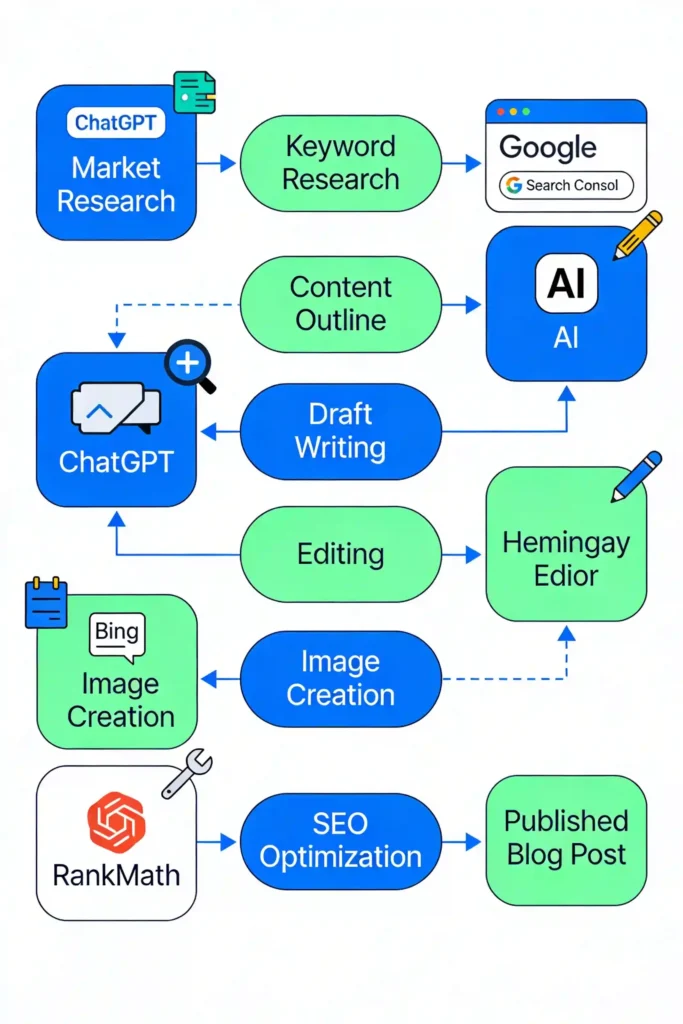
Here is where most people get it wrong. They treat AI blogging for beginners as simply asking ChatGPT to “write a blog post” and pasting the result. That is a recipe for mediocrity. The real power of automating blog writing with free AI lies in the workflow: strategy, structure, and optimization. We aren’t just generating text; we use AI to analyze search intent, structure data, and ensure topical authority before a single sentence is written. You need to be the editor-in-chief, not just a prompt engineer.
Can You Really Build a Profitable Blog for Free?
Can you actually do this for free? Yes, but let’s be realistic. You can start a blog using AI for free regarding software—using ChatGPT (OpenAI), Claude, or Gemini for text, and tools like Bing Image Creator for visuals. However, you should still pay for hosting and a domain name if you want full ownership. Free platforms exist (like Medium or LinkedIn), but for a dedicated asset you can monetize, self-hosted WordPress is the standard. The “free” part of this equation refers to the heavy lifting—content creation, SEO tools, and design assets—which used to cost thousands.
Assessing the Risks: Does Google Penalize AI Written Content?
This is the most common fear I hear. Google does not penalize content because it is AI-generated; it penalizes low-quality content that offers no value. If you publish unedited, hallucinated fluff, you will fail. But if you use AI to create helpful, fact-checked, and user-centric guides, Google treats it just like human-written text. The goal is to produce content that satisfies the user, regardless of who (or what) wrote the first draft.
Step 1: Niche Selection and Strategy with AI
Before you install WordPress, you need a plan. AI is exceptional at analyzing market gaps that humans might miss due to our own biases.
Using ChatGPT for Niche Validation and Audience Personas
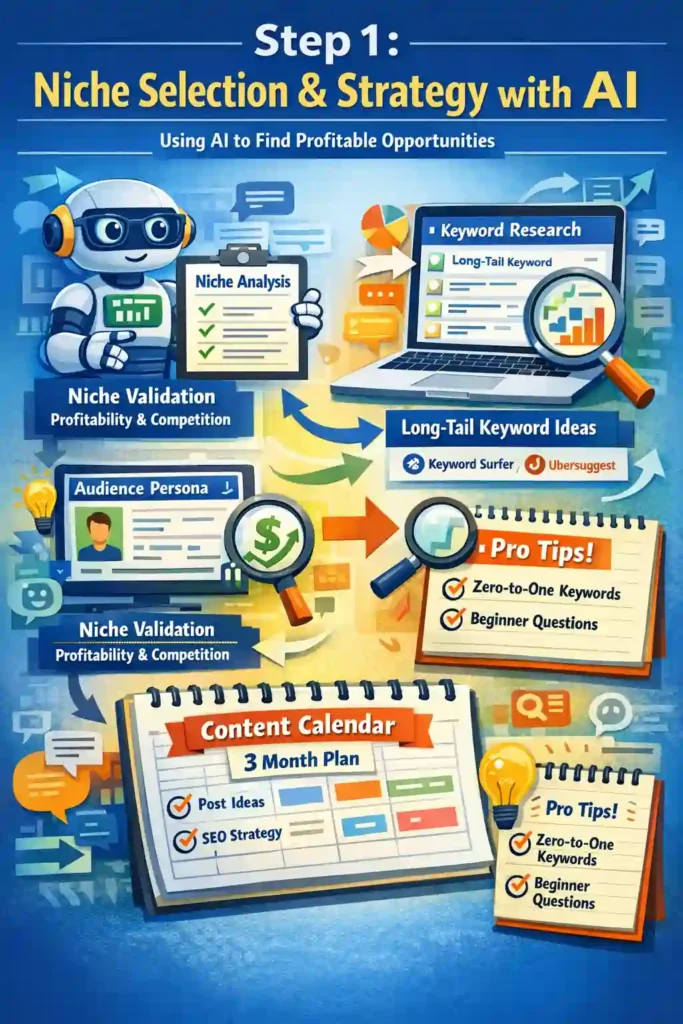
Stop guessing what people want to read. Use ChatGPT or Claude to validate your ideas. Feed it a prompt like: “Act as a market researcher. I want to start a blog about [Topic]. Critique this niche for profitability, competition, and audience interest in 2025.”
Furthermore, ask the AI to build an audience persona. Understanding exactly who you are writing for—their pain points, demographics, and reading level—shapes every piece of content you will create.
Free AI Tools to Find Low Competition Keywords
You don’t need a $100/month Ahrefs subscription to start. Free AI tools to find low competition keywords are powerful alternatives if you know how to use them.
- ChatGPT/Perplexity: Ask for “long-tail keyword ideas for [Niche] that have high informational intent.”
- Google Search Console (later): Once you have data, this is the gold standard for free insights.
- Keyword Surfer / Ubersuggest: Free browser extensions that provide volume estimates.
Pro Tip: Look for “zero-to-one” keywords—specific questions beginners ask (e.g., “how to bake sourdough without a dutch oven”) rather than broad terms like “baking tips”.
Creating a Content Calendar Using AI Prompts
Consistency kills most blogs. Use AI to build a 3-month roadmap.
- Prompt: “Create a tabular content calendar for a [Niche] blog. Include 12 post titles, target keywords, and user intent (Informational/Commercial). Organize them to build topical authority, starting with foundational guides.”
This ensures you aren’t just writing random posts, but building a cohesive library that signals expertise to search engines.
Step 2: Setting Up Your Technical Foundation
Choosing a Platform: WordPress vs. Free Alternatives
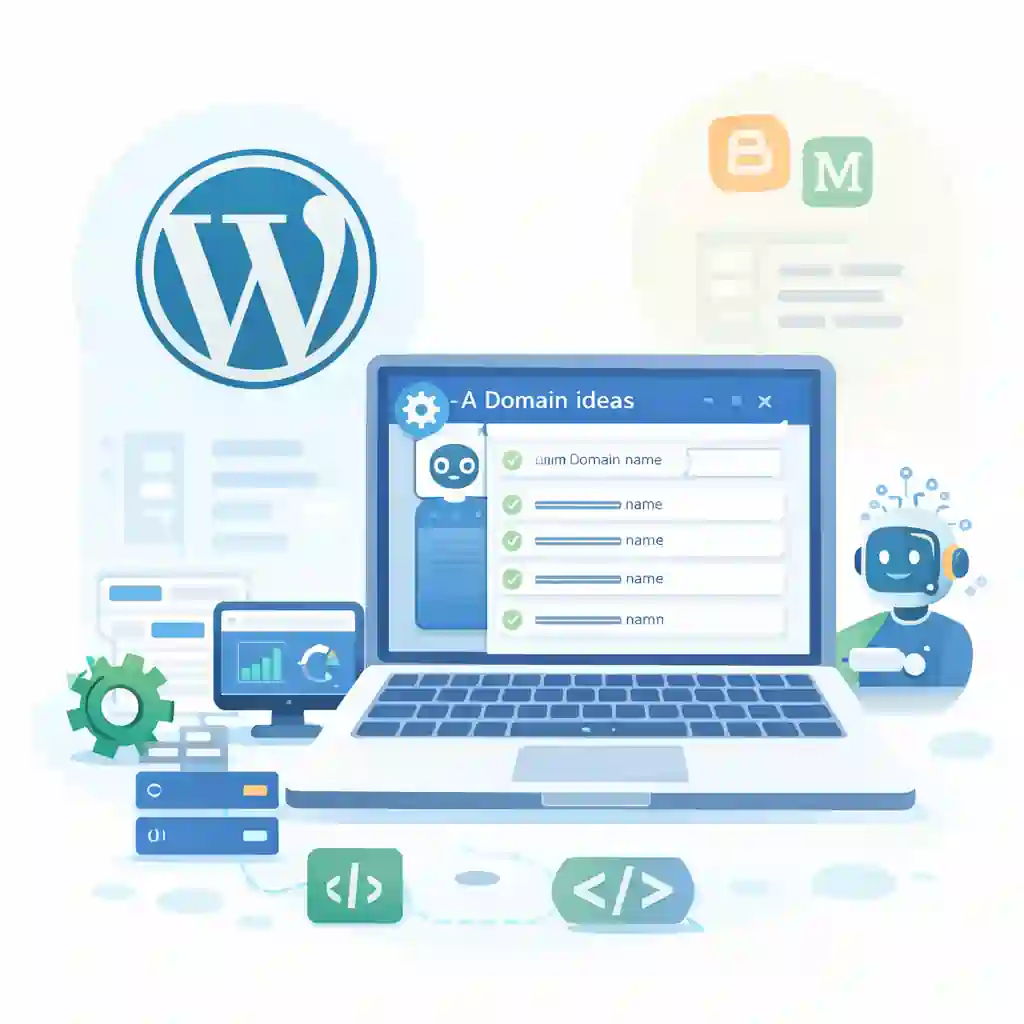
While you can start a blog with free AI tools on platforms like Medium or Blogger, I strongly recommend self-hosted WordPress.org. It gives you control over SEO technicals that free platforms lock down. AI tools can help you code custom CSS or troubleshoot technical errors on WordPress, acting as your free developer.
Generating Domain Name Ideas with AI
Stuck on a name? AI is the ultimate brainstorming partner.
- Prompt: “Generate 20 creative, short, and memorable domain names for a blog about [Topic]. Avoid hyphens and numbers. Check for availability logic (simulated).”
Ensure the name is brandable (e.g., “TechCrunch”) rather than just a keyword match (e.g., “BestTechNewsBlog.com”).
Using AI to Write Your About Page and Legal Pages
Your “About” page establishes trust (E-E-A-T). Use AI to draft a bio that highlights your expertise, but ensure you inject your real personal story. For legal pages (Privacy Policy, Terms), AI can generate templates, but always review them or use a dedicated free generator to ensure compliance with laws like GDPR or CCPA.
Step 3: Writing High-Quality Content with Free AI Tools

Now for the actual production. We will create a blog with ChatGPT and Canva using a structured workflow.
Best Free AI Tools for Bloggers in 2025
You need a stack that covers all bases.
How to Write a Blog Post with ChatGPT (That Actually Ranks)
The “copy-paste” method is dead. Here is the step-by-step guide to AI blogging without money:
- The Outline: Never skip this. Ask AI to generate a detailed outline based on the top 3 ranking results for your keyword.
- Section-by-Section Drafting: Do not generate the whole post at once. Generate one section (H2) at a time to maintain context and depth.
- Fact-Checking: AI hallucinations are real. Verify every statistic, date, and quote.
- The “Human Sandwich”: Start with a personal story (Human), use AI for the body content (AI), and end with a unique conclusion or call to action (Human).
Crafting Perfect Prompts for Outlines and Drafts
Garbage in, garbage out. Your prompt is your brief.
- Bad Prompt: “Write a blog post about coffee.”
- Good Prompt: “Act as a coffee barista expert. Write a comprehensive H2 section about ‘The difference between Arabica and Robusta beans.’ Use a comparison table, short paragraphs, and a conversational tone. Focus on the taste profile difference.”
Humanizing AI Content: Editing for Tone and Accuracy
To bypass AI detection for blog content free (or rather, to simply write better content), you must edit. AI tends to be repetitive and use “fluff” words like “In the fast-paced world of…” or “Unlock the potential.” Ruthlessly cut these. Use Hemingway Editor to simplify complex AI sentences. Add personal anecdotes, specific examples, and “I” statements that AI cannot fake.
Step 4: Visuals and Multimedia on a Budget

Generating Unique Blog Images with Bing Image Creator
Stock photos kill engagement. Use Bing Image Creator (DALL-E 3) to generate custom unique visuals for every post.
- Prompt: “Photorealistic flat lay of a modern desk setup with a laptop showing SEO analytics, warm lighting, 4k resolution.”
Unique images increase dwell time and can rank in Google Images.
Optimizing Images for SEO with Free Tools
Heavy images kill site speed. Before uploading, run your AI-generated images through TinyPNG or Squoosh (free tools) to compress them. Rename the file from “DALL-E-Generation-123.jpg” to “how-to-start-a-blog-ai.jpg” to help search engines understand the context.
Creating Infographics and Featured Images in Canva
Canva has a powerful free tier. Use it to turn your AI-generated text statistics into simple charts or infographics. Readers love data visualization, and it significantly increases the likelihood of other sites linking back to you (backlinks).
Step 5: SEO Optimization and Traffic Generation

Free AI SEO Tools for Meta Descriptions and Titles
Your title is the only reason people click; your content is why they stay. Use AI to generate 10 variations of your Title Tag and Meta Description.
- Prompt: “Write 5 click-worthy meta titles for this article. Include the keyword ‘[Primary Keyword]’ near the front. Keep it under 60 characters. Make it emotional and urgent.”
Internal Linking Strategies Using AI Suggestions
Internal links help Google crawl your site. If you have 10 posts, feed your list of existing URLs to an AI and ask: “I am writing a new post about [Topic]. Which of my existing posts should I link to?” It’s a manual process made instant by AI logic.
How to Bypass AI Detection and Ensure Indexing
There is no magic button to “bypass” detection, nor should that be your primary goal. Your goal is quality. However, creating “information gain”—adding new data, a unique angle, or a personal counter-argument that isn’t in the AI’s training data—is the best way to prove to Google that your content deserves to be indexed.
Monetization: Turning Traffic into Income
Start an Affiliate Marketing Blog Using AI Tools
This is the most direct path to revenue. You can start an affiliate marketing blog using AI tools by writing review content.
- Strategy: Identify products you use. Use AI to structure a “Pros vs. Cons” table and a “Feature Breakdown.”
- Warning: AI cannot review a product it hasn’t touched. You must provide the actual experience and opinion. Use AI to format and structure that opinion.
Using AI to Write High-Converting Product Reviews
Structure matters. A wall of text doesn’t sell. Use AI to format “Key Takeaways” boxes, rating summaries, and “Who is this for?” sections. These distinct design elements (which you can code with AI assistance) grab attention and drive clicks.
When to Upgrade: Free vs. Paid AI Tools
Start with free AI content generator for blogs tools. When you are making $500-$1,000/month, reinvest. Paid tools like Midjourney (for better images) or Jasper (for templated workflows) save time. But in the beginning, sweat equity and free tools are enough.
Frequently Asked Questions About AI Blogging
Which AI tool is best for blogging for free?
Can I monetize a blog written entirely by AI?
How do I keep my AI blog content unique?
Inject “Information Gain.” Add current year data (which AI might miss), personal case studies, screenshots of you using the tools, and a strong, unique voice. Treat AI as a junior researcher, not the final author.
Conclusion
Building a traffic-generating asset used to cost a fortune, but the free AI stack we covered changes the math entirely. The tools are ready, but remember—they are just the engine, not the driver. Your unique perspective is what turns a generated draft into a brand readers actually trust.
Don’t get stuck in analysis paralysis waiting for the perfect moment. Pick your niche, fire up ChatGPT, and publish that first imperfect post today. If you’re stuck on a specific step or need a tool recommendation, drop a comment below and let’s figure it out.