Let’s be honest: feeding the algorithm daily is exhausting. If you’re a blogger or marketer trying to scale without a massive budget, you’ve likely hit that wall where content creation feels like a second full-time job. I’ve been there, and the solution isn’t working harder—it’s leveraging the right tech.
The good news? You don’t need an enterprise budget. I’ve tested dozens of platforms to find the top free AI tools for social media that actually deliver results, not just hype. Whether you need a free AI social media post generator to crush writer’s block or robust AI tools for social media automation free of charge, this list covers the essentials to boost your engagement rates. Ready to see the best free AI tools for social media marketing that will save you hours this week?
The Reality Check: Can Free AI Tools Really Replace a Social Manager?
Many business owners dream of putting their marketing on autopilot, but let’s be realistic: free AI tools for social media are powerful assistants, not replacements for a skilled human strategist. While algorithms can churn out hashtags and generic copy in seconds, they lack the empathy and nuance required to build genuine community connections. A tool might write a caption, but it cannot navigate a PR crisis or reply to a frustrated customer with genuine care.
Think of these platforms as efficiency boosters rather than a full staff. They excel at the repetitive tasks that typically drain your energy, allowing you to focus on growth.
- Data Analysis: Quickly processing engagement metrics to spot trends without manual spreadsheets.
- Content Drafting: Overcoming blank-page syndrome with a free AI social media post generator.
- Asset Resizing: Adapting visuals for Stories, Reels, and Posts instantly.
However, the “human touch” remains your competitive advantage. To maintain high engagement rates, you must oversee the output, ensuring every post aligns with your unique brand voice before it goes live. The goal isn’t to abdicate responsibility, but to free up your time for high-level creative strategy.
Best Free AI Tools for Social Media Marketing: The 2026 Curated List
| Ai Tools | Core Function | Pricing Model |
|---|---|---|
| OpenArt | Image & Video Creation | Freemium (Free + Paid) |
| Vidnoz AI | Video Generation | Free Forever |
| Pictory | Content Repurposing | Free Trial |
| HeyGen | AI Avatars | Freemium |
| Murf AI | Text-to-Speech | Free Trial |
| Genspark AI | Content Research | Free Plan |
| Fabric | Digital Workspace | Free Plan |
| CustomGPT.ai | Custom Chatbots | 7-Day Trial |
1. OpenArt

OpenArt empowers social media creators to generate high-quality, original visual content instantly, eliminating the need for generic stock photos or complex design software. With access to advanced models like Flux, Sora 2, and Veo3, you can create consistent character avatars, animated stories, and stunning B-roll for Instagram, TikTok, and YouTube.
This free AI tool for social media streamlines your content creation by offering features like “Image to Video” and “Motion-Sync,” which bring static posts to life. Whether you need an engaging thumbnail, a character-driven vlog, or a cinematic intro, OpenArt provides the creative freedom to stand out in a crowded feed without any technical skills.
Pros and Cons
Pros:
- Generates consistent characters for personal branding.
- Daily free credits to generate and edit images.
- “Lip-Sync” feature animates avatars to speak your script.
- Supports multiple top-tier AI models in one platform.
Cons:
- Video generation consumes more credits than images.
- High-demand models may have slower generation times during peak hours.
Pricing Plans:
OpenArt offers a flexible free plan with 40 daily trial credits, allowing you to experiment with premium features. Paid subscriptions start at affordable rates for power users who need higher limits and faster processing.
Best For:
Social media influencers, faceless channel creators, and digital marketers looking for original, animated visual assets.
Ratings:
4.6/5 Stars based on community reviews.
Why Choose OpenArt:
OpenArt bridges the gap between static images and video, giving you the power to create professional, animated social media content that stops the scroll, all from a simple text prompt.
2. Vidnoz AI
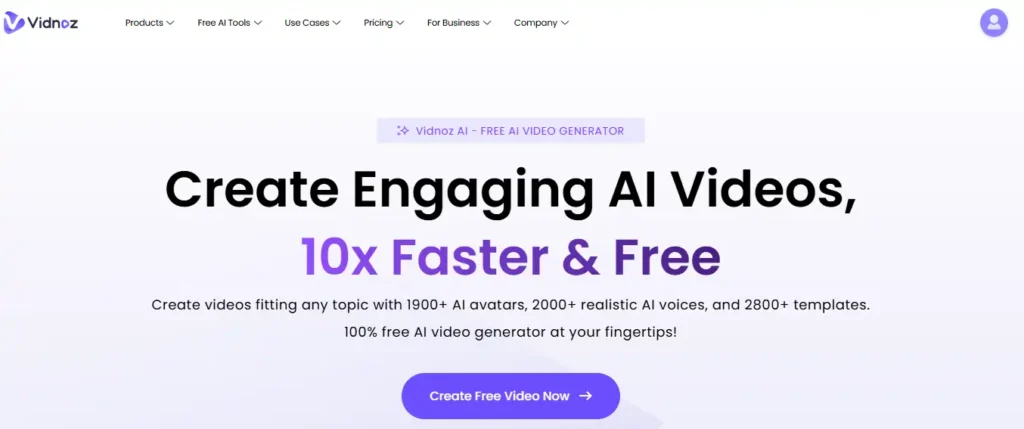
Vidnoz AI transforms plain text into professional videos instantly, eliminating the need for expensive cameras, studios, or actors. With access to over 1,900 lifelike avatars and 2,800 pre-designed templates, you can scale your content production effortlessly.
This free AI video generator simplifies your workflow by offering realistic voiceovers in 140+ languages. Whether for marketing, sales, or education, it ensures high engagement rates without requiring technical video editing skills or complex software.
Unlock the full power of Vidnoz AI today! Use our exclusive code Browse-ai20 to get 20% OFF sitewide.
Pros and Cons
Pros:
- Huge library of realistic AI avatars available.
- No credit card required for free account.
- Supports over 140 languages for global reach.
- Thousands of editable video templates for use.
Cons:
- Advanced custom features may require paid upgrades.
- Requires stable internet connection for cloud rendering.
Pricing Plans:
The platform offers a generous free forever plan with no credit card needed, alongside scalable premium tiers for enterprise needs .
Best For:
Digital marketers, educators, and sales teams seeking rapid video content scaling.
Ratings:
4.8/5 Stars based on user feedback.
Why Choose Vidnoz AI:
Vidnoz removes barriers to entry, allowing anyone to produce studio-quality videos in minutes completely free of charge.
3. Pictory
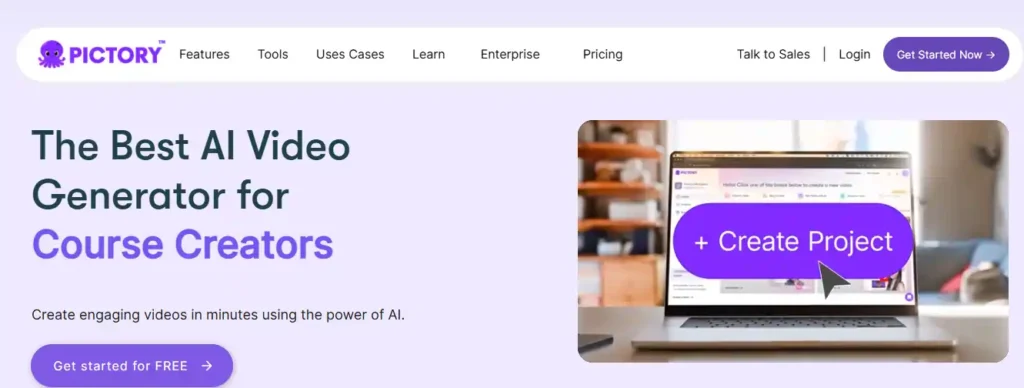
Pictory is a specialized free AI video generator designed to repurpose long-form content into engaging short clips for social media. It automatically converts scripts, blog posts, and URLs into professional videos complete with stock footage, music, and voiceovers.
This tool is particularly powerful for extracting highlights from Zoom recordings or webinars. With access to over 10 million royalty-free assets, it ensures your content looks premium while saving hours of manual editing time.
Unlock 20% Off Pictory Premium
Use code CABF20 at checkout to save big on your first subscription.
Pros and Cons
Pros:
- Automatically turns blog posts into engaging videos.
- Massive library of 10 million royalty-free assets.
- Auto-captions increase view time on social media.
- Realistic AI voiceovers available in multiple languages.
Cons:
- Free version has watermarks on exported videos.
- Rendering speeds depend heavily on internet connection.
Pricing Plans:
Pictory offers a free trial to generate your first videos. Paid subscriptions start at $19/month (billed annually) for deeper access.
Best For:
Content marketers, bloggers, and coaches repurposing long-form text or video.
Ratings:
Rated 4.7/5 on Capterra by professional users.
Why Choose Pictory:
It is the ultimate tool for “faceless” YouTube channels and turning static text articles into high-retention social videos instantly.
4. HeyGen

HeyGen is a game-changing free AI video generator that brings static avatars to life, allowing you to create professional spokesperson videos without a camera crew. By simply typing your script, you can produce studio-quality content for Instagram Reels, TikTok, and LinkedIn in minutes.
This tool stands out for its hyper-realistic lip-syncing technology and diverse library of over 100 AI avatars. It empowers creators to break language barriers by instantly translating videos into 175+ languages while maintaining the original speaker’s voice and tone.
Pros and Cons
Pros:
- 120+ diverse AI avatars for every niche.
- Supports 175+ languages with natural lip-syncing.
- “Talking Photo” feature animates static images instantly.
- Easy-to-use templates for social media formats.
Cons:
- Free plan exports have a visible watermark.
- Video duration limited to 3 minutes on free tier.
Pricing Plans:
HeyGen offers a “Free Forever” plan with 1 credit per month (approx. 1 minute video) and access to basic avatars. Paid plans start at $24/month for 15 credits and watermark-free exports.
Best For:
Founders, influencers, and educators needing a consistent “face” for their brand without filming.
Ratings:
4.8/5 Stars on G2 based on user reviews.
Why Choose HeyGen:
It is the most realistic AI avatar tool available, enabling you to clone yourself and scale your personal brand presence globally on autopilot.
5. Murf AI

Murf AI is a top-tier free AI voice generator that turns text into studio-quality voiceovers in minutes. It offers over 200 realistic AI voices across 20+ languages, allowing you to create engaging audio for podcasts, YouTube videos, and social media ads without hiring expensive talent.
With its advanced “Falcon” model, Murf ensures ultra-fast and natural-sounding speech. You can fine-tune pitch, speed, and emphasis to match your brand’s tone perfectly. It also integrates seamlessly with Canva and PowerPoint, making it a versatile tool for creators and marketers alike.
Pros and Cons
Pros:
- 200+ realistic voices in 20+ languages.
- Granular control over pitch, speed, and emphasis.
- Seamless integration with Canva and PowerPoint.
- Voice cloning to replicate your own voice.
Cons:
- Free plan limited to 10 minutes of voice generation.
- Downloads restricted on the free tier.
Pricing Plans:
Murf offers a free trial with 10 minutes of voice generation. Paid plans start at affordable rates for creators, scaling up to enterprise solutions for large teams.
Best For:
Podcasters, video creators, and educators needing professional voiceovers on a budget.
Ratings:
4.7/5 Stars on G2 with over 1000 reviews.
Why Choose Murf AI:
It delivers the most human-like AI voices available, cutting production costs by 70% while maintaining professional quality for all your social content.
6. Genspark AI
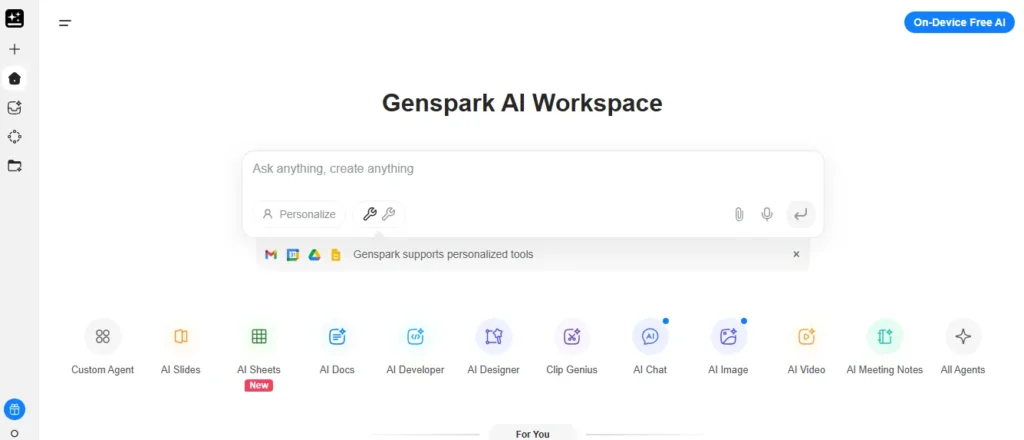
Genspark AI is a revolutionary free AI search and content generator that crafts custom “Sparkpages” for your queries, perfect for brainstorming social media ideas. Its multi-agent system compiles unbiased research, images, and structured content faster than traditional search engines.
This tool excels at generating ready-to-use social posts, captions, and even visuals using top models like Flux and Gemini. With unlimited AI chat on the free plan, it helps marketers discover trends, create drafts, and optimize content in one interface.
Pros and Cons
Pros:
- Unlimited AI chat with top models on free plan.
- Generates custom Sparkpages with citations.
- Multi-agent system for accurate research.
- Creates images/videos via integrated AI models.
Cons:
- Credit limits on advanced agents for free users.
- Less effective for highly specialized technical queries.
Pricing Plans:
Free plan includes 100 daily credits and unlimited AI chat/image generation. Plus starts at $19.99/month for more credits and priority access.
Best For:
Content strategists, bloggers, and social media managers researching trends and ideas.
Ratings:
4.5/5 Stars across major review platforms.
Why Choose Genspark AI:
It replaces scattered searches with one custom page of actionable insights, accelerating your social media content workflow dramatically.
7. Fabric
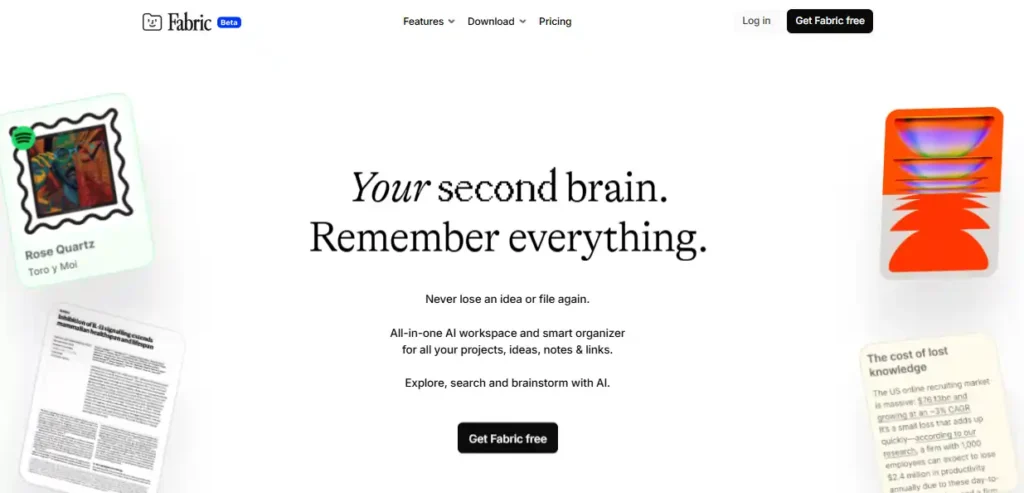
Fabric is your ultimate free AI workspace and “second brain,” designed to organize your entire digital life automatically. It serves as a centralized hub for all your notes, links, files, and screenshots, using AI to tag and sort them so you never lose an idea again.
Unlike traditional storage, Fabric understands the context of your content. You can simply ask, “What was that marketing data Emily sent?” and its AI assistant will instantly retrieve the exact file or paragraph. With features like voice notes, web clipping, and real-time collaboration, it streamlines your workflow effortlessly.
Pros and Cons
Pros:
- AI automatically organizes and tags all content.
- “Ask AI” feature retrieves specific info instantly.
- Supports voice notes, web clips, and file storage.
- Collaborative spaces for team brainstorming.
Cons:
- Mobile app still in active development.
- Free version has storage capacity limits.
Pricing Plans:
Fabric offers a comprehensive free plan for individual users to start building their second brain. Paid tiers unlock unlimited storage and advanced team collaboration features.
Best For:
Researchers, students, and creatives who need to organize scattered digital assets instantly.
Ratings:
Highly rated by early adopters for its intuitive “search-anything” capability.
Why Choose Fabric:
It eliminates manual file organization entirely, acting as an intelligent partner that remembers everything for you, so you can focus on creating.
8. CustomGPT.ai

CustomGPT.ai is the premier free AI chatbot builder for businesses that need precise, brand-aligned answers. It allows you to build custom AI agents trained on your own content—website data, PDFs, and customer support logs—without writing a single line of code.
Unlike generic bots that “hallucinate” facts, CustomGPT.ai cites its sources, ensuring 100% trustworthy responses. This makes it invaluable for social media managers handling repetitive DMs or comments. You can deploy a knowledgeable AI agent that speaks your brand’s language 24/7.
Pros and Cons
Pros:
- Zero-code platform; launch a custom bot in minutes.
- Anti-hallucination technology with cited sources.
- Integrates with 1400+ file formats and data sources.
- Enterprise-grade security (SOC2, GDPR compliant).
Cons:
- Free trial is time-limited (7 days).
- Advanced API access requires premium plans.
Pricing Plans:
Start with a 7-day free trial to build and test your custom agent. Paid plans begin at $89/month for standard business features.
Best For:
Customer support teams and businesses automating social media inquiries with accuracy.
Ratings:
Recognized as a “Top 7 Emerging Leader” in GenAI business solutions.
Why Choose CustomGPT.ai:
It offers the reliability of an enterprise tool with the ease of a no-code builder, ensuring your brand never gives a wrong answer to a customer.
Deep Dive: How to Use a Free AI Social Media Post Generator Effectively
Most users make the mistake of expecting a free AI social media post generator to read their minds. The secret to getting usable content isn’t finding a “better” tool; it’s mastering the art of the prompt. If you feed generic instructions like “write a post about marketing,” you will get generic fluff that users scroll past. To drive actual engagement, you must treat the AI as a junior copywriter who needs specific context about your audience and goals.
To get the best results, structure your inputs with three key elements:
- Role & Tone: “Act as a witty SEO expert writing for small business owners.”
- Context: “Mention our new free checklist and why it saves time.”
- Format: “Include three emojis, a question for the audience, and keep it under 280 characters.”
Always review the output for robotic phrasing or repetitive adjectives. Even the best free AI tools for social media can struggle with slang or local cultural references. Use the generated text as a solid first draft, then inject your personal flair to ensure it resonates with your followers. This hybrid approach allows you to maintain consistent activity without sounding like a bot.
Frequently Asked Questions on AI Social Strategy
What is the best free AI tool for social media content creation?
Vidnoz AI leads for video, while Genspark dominates research. The absolute best free AI tool for social media depends on whether you prioritize video automation or copywriting speed.
Can free AI tools effectively replace a social media manager?
No. While free AI social media post generators handle drafting, human oversight is crucial for strategy, crisis management, and maintaining authentic engagement rates with your audience.
Do social media algorithms penalize AI-generated content in 2026?
Algorithms prioritize khigh-retention value, not origin. Platforms accept AI content if it is engaging and helpful, but spammy, unedited outputs will hurt your organic reach.
Which free AI tool is best for faceless YouTube channels?
Pictory and Murf AI are industry leaders for faceless content. They combine stock footage and realistic voiceovers, acting as the perfect free AI video generator for anonymous creators.
How can I automate social media posts for free using AI?
Pair content generators like Genspark with schedulers like Buffer. This creates a powerful workflow for AI tools for social media automation free of charge, streamlining daily publishing.
Are images created with free AI tools copyright-free?
Most platforms grant commercial rights, but free AI tools for social media often include watermarks. Always review specific platform terms to ensure you own the generated assets.
What is the main limitation of using free AI tools?
Free plans typically restrict exports, add watermarks, or cap usage credits. Upgrading usually unlocks premium features like 4K downloads and advanced free AI content generator capabilities.
Final Verdict: Building Your Perfect Free AI Tech Stack
Building a winning social strategy doesn’t mean burning through your budget. As we’ve seen, the right free AI tools for social media can genuinely rival expensive enterprise software if you know how to use them.
If you’re using Vidnoz AI for quick videos or Fabric to organize your second brain, the secret lies in consistency, not just the tech itself. Start with one tool that solves your biggest bottleneck today—experiment, test the engagement rates, and see what sticks. Have a favorite free AI social media post generator I missed? Drop it in the comments; I’d love to test it out.