If you’ve been searching for realistic text to speech software that doesn’t sound like a robotic GPS from 2010, you’ve probably hit a wall of overhyped tools. I’ve tested dozens of voice generators for my own projects, and let’s be honest—most are underwhelming.
That’s exactly why I decided to dig deep into this comprehensive Murf AI review. Whether you are a content creator needing commercial usage rights for YouTube or a marketer looking to scale production without hiring expensive voice actors, the stakes are high.
In this breakdown, we’ll cut through the marketing noise to see if Murf AI pricing is actually justified compared to heavy hitters like Murf AI vs ElevenLabs, or if you’re better off looking elsewhere.
What Is Murf AI? (More Than Just an AI Voice Generator)
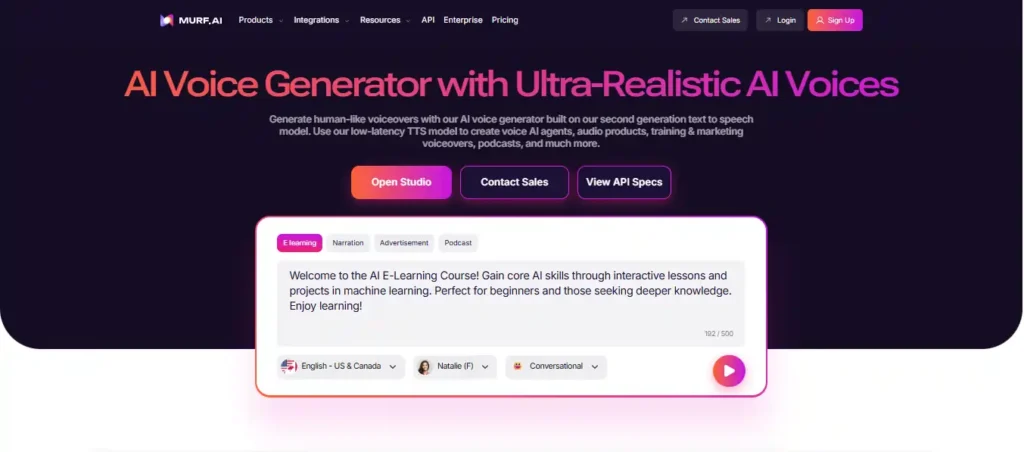
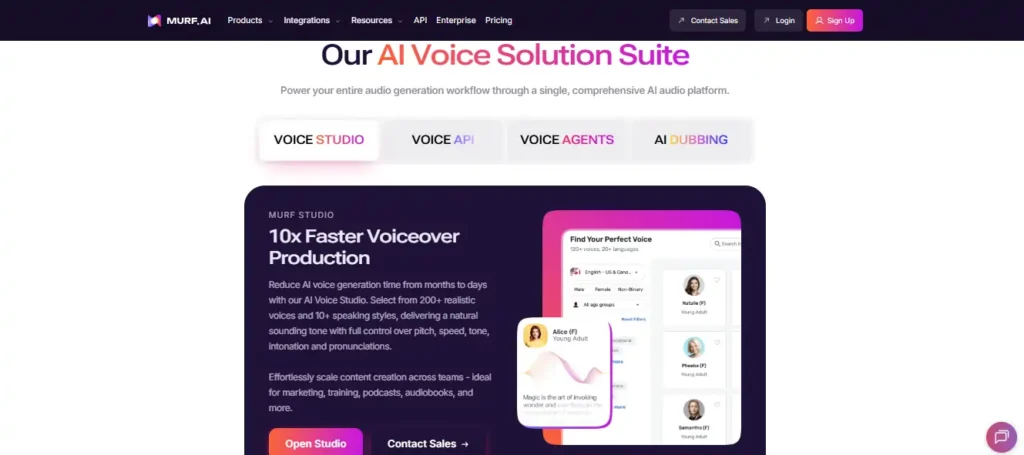
Most people stumble upon Murf while looking for a simple AI voice generator, but calling it just that feels like a disservice. Unlike basic tools that just convert text to audio, Murf positions itself as a complete AI-enabled creative studio. It’s built specifically for content creators who need to integrate voiceovers directly with video or image content without hopping between three different apps. If you want to see the dashboard for yourself, you can explore Murf AI’s features here.
How the Murf Studio Dashboard Works
The first time I logged into Murf Studio, I was genuinely relieved by the interface. It doesn’t look like a developer’s console; it looks like a video editor. You have a timeline at the bottom, a script block in the center, and voice controls on the side.
The standout feature here is the ability to sync audio with visuals directly in the browser. You can upload your video or slides and adjust the timing of the voiceover block by block. For anyone who has spent hours nudging audio clips in Premiere Pro just to match a slide transition, this workflow is a massive time-saver.
Who Should Use Murf AI: From YouTubers to Educators
After spending a few weeks with the tool, the target audience became clear. It isn’t really for developers building apps (go to ElevenLabs for that API). Murf AI is built for:
- L&D Professionals: Creating corporate training videos without hiring a narrator.
- YouTubers (Faceless Channels): Who need consistent, high-quality narration.
- Educators: Converting lectures into accessible audio.
- Podcasters: Using the voice changer to create intro segments or character voices.
Deep Dive into Key Features and Voice Quality
Testing the Realistic AI Voiceovers: Do They Sound Human?
The biggest question in any Murf AI review is simple: Does it sound fake?
The answer is a nuanced “mostly no.” Murf’s premium voices (labeled ‘Gen 2’ or ‘Pro’) are exceptionally close to human quality. They capture intonation, pauses, and emphasis surprisingly well. However, some of the older, standard voices still carry that metallic “text-to-speech” robotic undertone. If you use this tool, stick to the Pro voices—they are the only ones safe for high-stakes commercial work.
Voice Cloning Technology: How Accurate Is It?
Voice cloning technology is the buzzword of 2026, and Murf offers it, but with a caveat. It requires a decent amount of sample data to get right. In my testing, the clone sounded about 85% like me. It captured my pitch but missed some of my specific cadence quirks. It’s impressive for a SaaS tool, but if you need a Hollywood-level deepfake, you might need more specialized (and expensive) enterprise solutions.
The Video Editor and AI Voice Changer Functionality
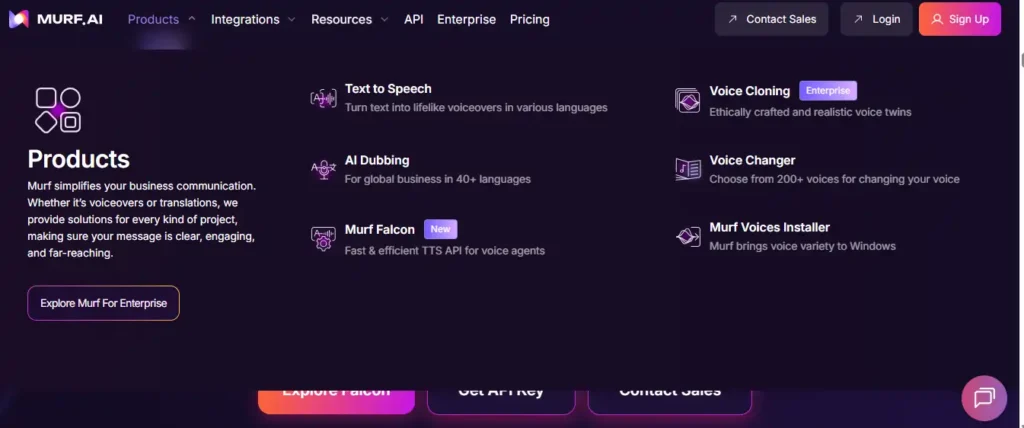
The voice changer is an underrated feature. You can record a “scratch” audio track on your phone—stumbles, bad mic, and all—and Murf will swap your voice for a professional AI voice while keeping the timing. This is brilliant for script prototyping. Additionally, the built-in library of stock music and images allows you to create simple explainer videos entirely within the platform, though it won’t replace a dedicated editor like Davinci Resolve for complex projects.
Multilingual Support: 120+ Voices in 20+ Languages
If you are targeting a global audience, the multilingual AI voices are a major selling point. I tested the Spanish and German voices, and native speakers confirmed they sound grammatically and tonally correct, not just like an English bot reading foreign words. This makes it a viable tool for localizing content without re-recording everything from scratch.
Murf AI Pricing Breakdown: Is It Worth the Cost?
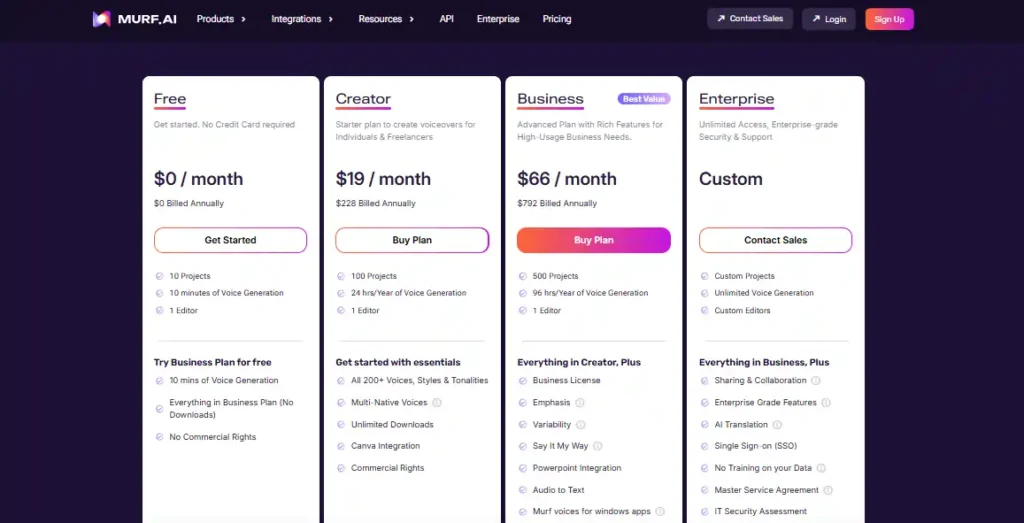
Pricing is usually where creators get frustrated. Let’s break down the Murf AI pricing structure so you don’t get hit with surprises. You can check the current pricing plans here.
Is Murf AI Free? Understanding Free Plan Limitations
Many users ask, “Is Murf AI free?” Technically, yes, but it’s really just a trial. The free plan gives you 10 minutes of voice generation to test the quality.
- The Catch: You cannot download the audio files on the free plan. You can only share a link to the project.
- The Verdict: The free plan is for testing only. If you want to use the audio in a YouTube video or podcast, you must upgrade. Don’t waste time perfecting a script on the free tier expecting to export an MP3.
Basic vs. Pro Plan: Which Offers Better Value?
- Basic ($19/mo): Good for individuals. You get unlimited downloads but access to only basic voices.
- Pro ($26/mo): This is the sweet spot. You get the high-quality realistic AI voiceovers, commercial rights, and priority support.
- Comparison: The jump in quality from Basic voices to Pro voices is massive. If you are serious about engagement, the Basic plan might disappoint you.
Examining Commercial Usage Rights for Each Tier
This is critical: Commercial usage rights are NOT included in the free plan. If you publish content generated on the free plan to YouTube (even if not monetized), you are technically violating the terms. You need at least the Basic plan to own the rights to the audio for monetization, ads, or corporate use.
Murf AI vs. ElevenLabs and Top Competitors
Murf AI vs. ElevenLabs: The Battle for Natural Sounding Voices
This is the main rivalry. Murf AI vs ElevenLabs comes down to use case.
- ElevenLabs: Currently holds the crown for the absolute most realistic, emotive speech synthesis and cloning. If audio quality is your only metric, ElevenLabs wins.
- Murf AI: Wins on workflow. It gives you a timeline, video syncing, and background music. ElevenLabs is just a generator; Murf is a production suite.
- Winner: ElevenLabs for pure audio; Murf for video creators.
Murf AI vs. Play.ht and Speechify: A Quick Comparison
- Speechify: Excellent for listening (reading books/articles), but less tuned for production. It’s a consumption tool, not a creation tool.
- Play.ht: Very similar to Murf with great voices, but I found Murf’s UI slightly more intuitive for beginners.
| Feature | Murf AI | ElevenLabs | Speechify |
|---|---|---|---|
| Best For | Video Creators / E-Learning | Pure Audio / Developers | Reading / Consumption |
| Voice Quality | 9/10 (Pro Voices) | 10/10 | 8/10 |
| Video Sync | Yes | No | No |
| Free Plan | No Downloads | Limited Characters | Limited |
Best Murf AI Alternatives for Budget-Conscious Creators
If Murf AI pricing is too steep, consider:
- CapCut Text-to-Speech: Surprisingly good for short-form social content (and free).
- Clipchamp: Built into Windows, decent for basic narration.
Real-World Use Cases for Content Creators
Optimizing Murf AI for YouTube Video Narration
For YouTube video narration, consistency is key. I found that creating a specific “Brand Voice” project in Murf allows you to save settings (speed, pitch) for a specific narrator. This ensures your channel sounds the same in every video, which helps with branding.
Creating Professional Audiobooks and Podcasts
The “pause” feature is essential here. Murf allows you to insert pauses of specific durations (e.g., 0.5s) to create dramatic effect or separate chapters. For audiobook narration, this granular control prevents the listener from feeling fatigued by a relentless wall of text.
E-Learning Modules and Corporate Training Videos
This is Murf’s stronghold. The ability to import PowerPoint slides and voice them over individually is a killer feature for instructional designers. It turns a 3-day recording job into a 3-hour editing session.
The Pros and Cons of Using Murf AI
Where Murf Excelled in Our Testing
- Workflow: The timeline editor is intuitive and mimics tools creators already use.
- Quality: Pro voices are broadcast-ready.
- Collaboration: Enterprise plans allow teams to work on scripts together.
Missing Features and Areas for Improvement
- Mobile Experience: Murf AI login on mobile is clunky; it’s strictly a desktop tool.
- Credit Limits: Even paid plans have generation limits (hours per year). Heavy users might hit a wall.
- Emotion Control: While good, it lacks the granular “whisper” or “shout” controls that some competitors like ElevenLabs are introducing.
Final Verdict: Should You Subscribe to Murf AI in 2026?
After extensive testing for this Murf AI review, my conclusion is straightforward:
If you are a video creator, educator, or marketer who needs a polished, all-in-one workflow to turn scripts into finished content, Murf AI is the best tool on the market. The time saved on syncing audio alone justifies the subscription cost.
However, if you are a developer building an app or an audiophile seeking the absolute bleeding edge of human replication regardless of workflow, look at Murf AI alternatives like ElevenLabs.
Frequently Asked Questions (FAQ)
Can I monetize Murf AI voices on YouTube without copyright issues?
Does Murf AI allow unlimited downloads?
How secure is the Murf AI login and data processing?
Murf uses enterprise-grade encryption and is compliant with standard data protection regulations. They claim not to use your specific private data to train public models without consent.
Is Murf AI Worth Your Money? Our Final Take
Ultimately, Murf AI isn’t just about text-to-speech; it’s a productivity lifesaver for creators tired of timeline headaches. While it might not completely dethrone ElevenLabs for pure, raw audio fidelity, the ability to sync voiceovers directly to video makes it the superior choice for YouTubers and corporate trainers.
Just remember to skip the Basic plan if you want those truly realistic Pro voices—the quality jump is non-negotiable. I’d recommend jumping into the free trial to test the workflow yourself before committing; it’s the best way to see if it actually speeds up your production.