You spend hours recording a YouTube video, and then the editing begins. Trimming dead air, syncing captions, correcting audio levels — the process quietly eats entire afternoons before you’ve even exported a single file. For creators who publish consistently, that time pressure becomes a genuine obstacle.
The automated video editing landscape has expanded rapidly, but the sheer variety of platforms makes it difficult to know which ones actually deliver on their promises. Some tools handle smart video trimming effortlessly yet fall short on color grading. Others excel at AI-powered caption generation but struggle with background noise removal during the final render.
For YouTube creators at any experience level — whether you’re managing a growing side channel or scaling a full-time presence — understanding where AI video editor software genuinely fits into your workflow matters. The 9 best AI tools for YouTube video editing cover a wider range of practical needs than most creators initially expect.
Why Creators Need AI Tools for YouTube Video Editing to Scale Production
Editing a single YouTube video often takes longer than scripting and filming combined. As your channel grows, this post-production bottleneck makes it nearly impossible to increase your content output without sacrificing quality or risking burnout.
Integrating AI-assisted editing features directly addresses the most tedious parts of the timeline. Instead of manually scrubbing through hours of raw footage, creators can offload repetitive tasks to software and focus on actual storytelling.
Relying on automated workflows helps scale production in several practical ways:
- Accelerating rough cuts: Instantly removing silences, filler words, and bad takes provides a clean baseline in minutes.
- Enhancing audience retention: Smart auto-framing and dynamic visual adjustments keep viewers engaged without requiring tedious manual keyframing.
- Streamlining accessibility: Accurate, auto-generated subtitles and closed captions ensure your uploads reach a broader demographic immediately.
Reclaiming those lost hours from the editing bay allows you to focus on high-level channel strategy and community engagement. Recognizing exactly which parts of your workflow drain the most time makes evaluating specific video editing platforms much easier as you build your tech stack.
9 Best AI Tools for YouTube Video Editing (2026 Technical Review & Workflow Guide)
| AI Tools for YouTube Video Editing | Core AI Feature | Best For |
|---|---|---|
| OpenArt | Image generation | Thumbnails |
| Pictory | Text-to-video | Faceless channels |
| HeyGen | AI avatars | Talking-heads |
| Fliki | Voice + visuals | Shorts creation |
| Murf.ai | Studio voiceovers | Narration |
| ElevenLabs | Voice cloning | Storytelling |
| DupDub | Video translation | Global expansion |
| Akool | Face swapping | Visual effects |
| Synthesia | Enterprise avatars | Corporate content |
1. OpenArt

Visual assets are vital for audience retention. For YouTubers needing custom thumbnails or B-roll, OpenArt provides an advanced AI image generation platform. When integrating the best AI tools for YouTube video editing into your workflow, sourcing high-quality, copyright-free visuals often slows down production. OpenArt solves this by allowing creators to train custom models and generate precise images based on specific prompts.
This platform is highly useful for channel managers and bloggers who require consistent branding without hiring graphic designers. You can quickly sketch ideas or use existing images to create compelling YouTube assets. It seamlessly supports your broader AI video editing software setup by supplying continuous visual material.
Create AI images, videos, audio, and characters in one place! Use code SUITE20 for 20% off OpenArt.
Pros and Cons
Pros:
- Offers highly customisable AI image generation.
- Supports training of personalised visual models.
- Includes intuitive sketch-to-image rendering tools.
- Provides extensive libraries of community prompts.
Cons:
- Focuses purely on static visual assets.
- Requires prompt engineering skills for accuracy.
Pricing Plans:
OpenArt features a free tier with daily credits, alongside paid subscriptions starting at roughly $7 monthly for advanced features.
Use Cases:
- Designing custom YouTube thumbnails for high click-through rates.
- Generating unique B-roll images for faceless channel videos.
- Creating consistent character designs for animated storytelling.
- Developing engaging visual assets for community tab posts.
Limitations:
- Cannot edit or render actual timeline video files.
- Complex prompt structures can steepen the learning curve.
Why Choose OpenArt?
Choose OpenArt if you are a YouTube creator needing a reliable, customisable image generator to produce consistent, high-quality thumbnails and visual B-roll for your channel.
2. Pictory
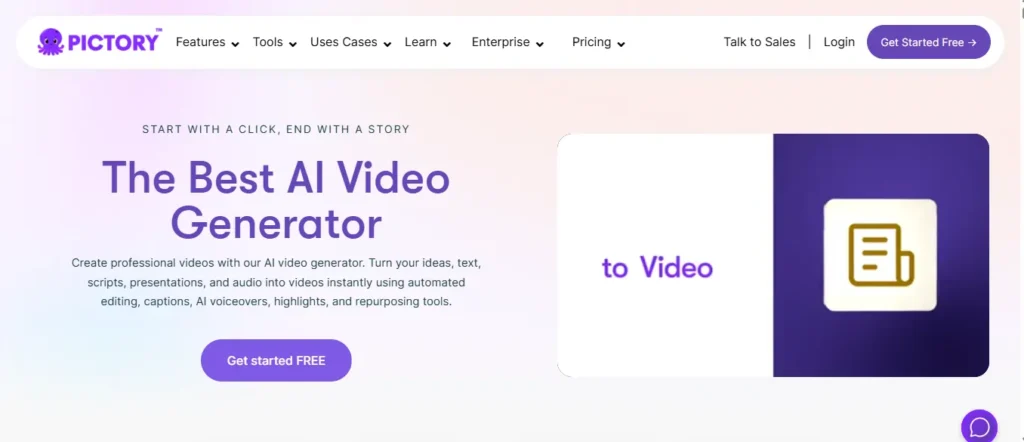
Transforming written scripts into engaging visual content is a major bottleneck for faceless channels. Pictory stands out among the best AI tools for YouTube video editing by automatically converting text into fully edited videos. By analysing your script, the software pulls relevant stock footage, adds background music, and inserts captions seamlessly.
This tool is exceptionally suited for bloggers and marketers looking to repurpose written content into YouTube formats quickly. Instead of spending hours on manual timeline scrubbing, users can rely on this AI YouTube video editor to handle the heavy lifting. It ensures consistent output whilst keeping audience retention high through dynamic visual pacing.
Get 20% off your Pictory AI subscription with code CABF20. Automate your YouTube video editing and scale instantly!
Pros and Cons
Pros:
- Automatically matches scripts to relevant stock footage.
- Generates accurate auto-captions for YouTube videos.
- Allows easy text-based timeline video editing.
- Ideal for repurposing long-form blog posts.
Cons:
- Stock footage selection occasionally requires manual tweaking.
- Voiceover options sound slightly robotic at times.
Pricing Plans:
Pictory offers a free trial, with standard paid plans starting at $19 per month for fundamental video creation features.
Use Cases:
- Converting written blog posts into engaging YouTube videos.
- Creating fast-paced faceless YouTube channels with minimal effort.
- Extracting short viral clips from long-form webinar recordings.
- Adding automatic subtitles to improve viewer retention metrics.
Limitations:
- Limited advanced colour grading and transition effects.
- High dependency on internet speed for cloud rendering.
Why Choose Pictory
Select Pictory if you are a marketer or blogger who needs a reliable, text-based editor to rapidly convert scripts into professional, publish-ready YouTube videos.
3. HeyGen

Maintaining a consistent on-camera presence is challenging for many creators. HeyGen changes the landscape of the best AI tools for YouTube video editing by providing highly realistic AI avatars. This allows users to produce professional talking-head videos without requiring expensive camera gear, studio lighting, or physical recording time.
For publishers and educators aiming to scale their YouTube production, HeyGen offers an incredibly efficient solution. By simply typing a script, the AI-powered video editing platform generates a lifelike presenter with accurate lip-syncing. It integrates seamlessly into automated workflows, making it a powerful asset for producing tutorials and corporate channel content efficiently.
Pros and Cons
Pros:
- Produces highly realistic AI talking-head avatars.
- Features exceptional lip-syncing and voice cloning.
- Eliminates the need for expensive filming equipment.
- Supports dozens of different languages and accents.
Cons;
- Advanced custom avatars require premium subscription tiers.
- Movements can occasionally appear slightly stiff.
Pricing Plans:
HeyGen provides a limited free plan, while creator subscriptions start at $29 monthly, giving access to premium AI avatars.
Use Cases:
- Producing professional talking-head YouTube tutorials without a camera.
- Creating multi-language YouTube channels using seamless audio translation.
- Developing faceless channel content with custom digital presenters.
- Generating rapid promotional videos for YouTube ad campaigns.
Limitations:
- Processing times can be lengthy during peak hours.
- Lacks traditional multi-track video timeline editing features.
Why Choose HeyGen?
Choose HeyGen if you require a dependable avatar generator to produce high-quality, on-camera YouTube tutorials and presentations without the hassle of physical filming.
4. Fliki
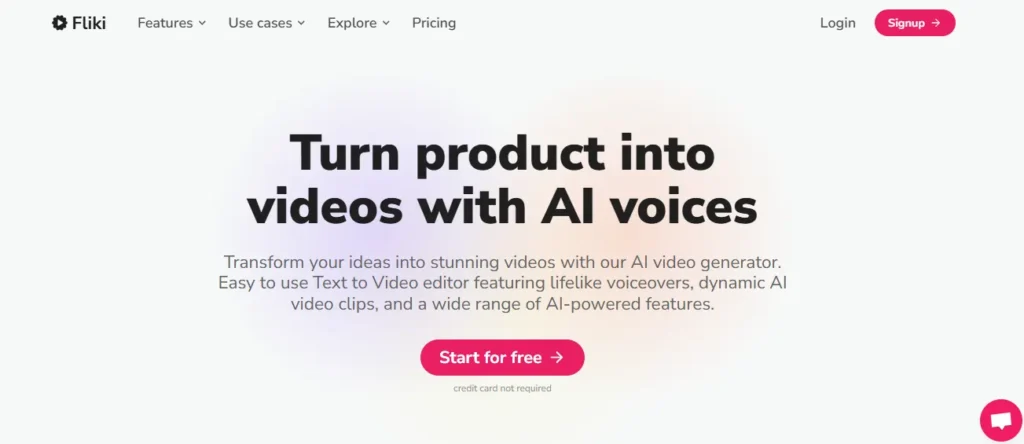
Combining text-to-speech with visual creation can drastically reduce content turnaround times. Fliki simplifies this by blending lifelike voiceovers with automated video generation, securing its place among the best AI tools for YouTube video editing. Users simply input their text, and the platform curates relevant media whilst applying natural-sounding narration.
This software is particularly beneficial for beginners and marketers who want an all-in-one solution for YouTube Shorts and standard uploads. As a streamlined AI video editing software, Fliki removes the friction of sourcing audio and visuals separately. It helps creators maintain a high publishing frequency without compromising on basic production values.
Pros and Cons
Pros:
- Combines text-to-speech with automated video creation.
- Features highly natural sounding AI voiceovers.
- Integrates an extensive stock media library seamlessly.
- Optimised for creating fast YouTube Shorts formats.
Cons:
- Offers limited advanced timeline editing controls.
- Free tier exports include a prominent watermark.
Pricing Plans:
Fliki features a free tier with watermarks, while standard premium plans start at $28 per month for commercial usage.
Use Cases:
- Generating rapid, voice-narrated YouTube Shorts from simple text.
- Creating automated top-ten list videos for faceless channels.
- Producing educational slideshows with high-quality AI voiceovers.
- Converting Twitter threads into engaging visual YouTube content.
Limitations:
- Visual customisation is somewhat restricted for advanced users.
- Voice emotion control is less granular than competitors.
Why Choose Fliki
Fliki is ideal for beginners and social media marketers seeking a fast, unified platform to turn scripts into narrated videos for YouTube Shorts.
5. Murf.ai

High-quality audio is fundamentally linked to audience retention on YouTube. Murf addresses this by offering studio-grade text-to-speech capabilities, making it an essential companion to the best AI tools for YouTube video editing. It allows creators to generate professional voiceovers without needing recording equipment or acoustic treatments.
For documentary channels, faceless creators, and educational publishers, Murf provides a vast library of voices with adjustable pitch and emphasis. While not a traditional AI YouTube video editor for visual timelines, it solves the critical problem of audio narration. Integrating this tool ensures your content sounds authoritative, polished, and ready for high-level viewer engagement.
Pros and Cons
Pros:
- Delivers exceptionally realistic studio-quality AI voices.
- Allows precise control over pitch and emphasis.
- Supports seamless audio syncing with video files.
- Offers a diverse range of global accents.
Cons:
- Primarily focuses on audio rather than visuals.
- High usage limits require expensive subscription plans.
Pricing Plans:
Murf allows free project testing, with standard creator plans costing around $19 monthly to unlock unlimited voice generation downloads.
Use Cases:
- Providing professional narration for faceless YouTube documentary channels.
- Creating clear, concise voiceovers for technical software tutorials.
- Localising video content with diverse international AI accents.
- Enhancing automated video edits with broadcast-quality audio tracks.
Limitations:
- Requires third-party software for complex video timeline editing.
- Fine-tuning pronunciation of niche words takes extra time.
Why Choose Murf.ai?
Opt for Murf if your YouTube channel relies heavily on professional, varied narration and you need dependable, studio-quality audio without hiring voice actors.
6. ElevenLabs

Exceptional voice generation has become a cornerstone of modern digital storytelling. ElevenLabs leads the market in AI audio, functioning as a vital component alongside the best AI tools for YouTube video editing. It specialises in creating hyper-realistic, emotionally expressive text-to-speech and highly accurate voice cloning for creators.
Marketers and vloggers utilise this platform to maintain narrative consistency or to automate narration without sacrificing human emotion. By integrating this AI-powered audio into your video editing software workflow, you can significantly elevate the production value of your channel. It is the perfect solution for creators who demand the highest standard of synthetic audio.
Pros and Cons
Pros:
- Unmatched realism in emotional AI voice generation.
- Provides highly accurate and fast voice cloning.
- Features an intuitive and clean user interface.
- Continuously updates with new linguistic models.
Cons:
- Audio-only platform requiring separate video editing software.
- Character limits can deplete quickly on large projects.
Pricing Plans:
ElevenLabs offers a free tier with attribution, whilst the creator plan starts at $22 monthly for expanded character limits.
Use Cases:
- Cloning your own voice for automated YouTube narration.
- Generating emotionally dynamic voiceovers for storytelling faceless channels.
- Dubbing existing YouTube videos into multiple foreign languages.
- Creating unique character voices for animated YouTube series.
Limitations:
- Does not offer any visual video editing capabilities.
- Strict character limits can hinder long-form documentary creators.
Why Choose ElevenLabs?
ElevenLabs is the premier choice for YouTubers who require the most realistic, emotionally nuanced AI voiceovers and accurate voice cloning available today.
7. DupDub
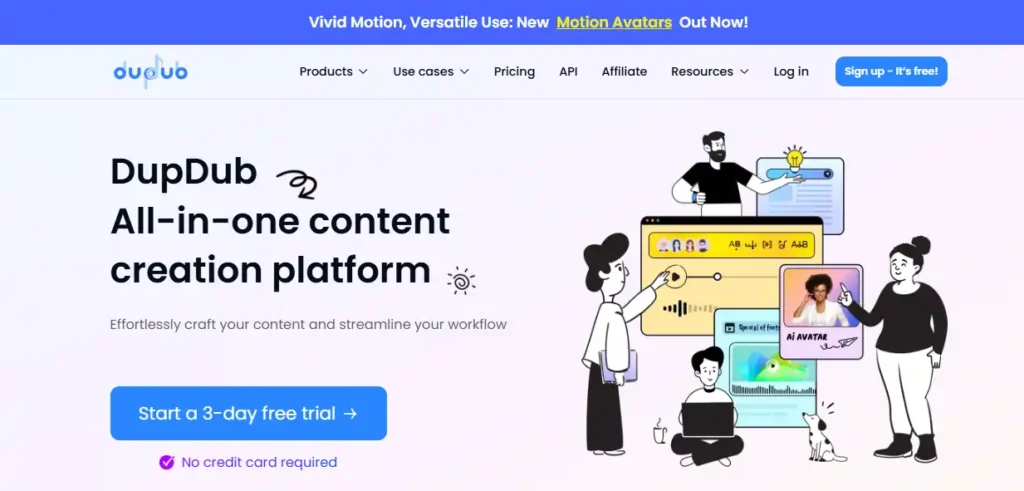
Globalising content is a proven strategy for accelerating channel growth. DupDub serves as a multifaceted platform among the best AI tools for YouTube video editing, excelling in voiceovers, transcription, and seamless video translation. It empowers creators to adapt their existing content for international audiences with minimal friction.
This platform is highly practical for established YouTubers and marketers wanting to break into foreign markets. Beyond simple translation, this AI video editing software provides lip-syncing and avatar features to ensure localised videos remain authentic. It streamlines the complex localisation workflow, making global expansion an achievable goal for independent channel operators.
Pros and Cons
Pros:
- Excels in multi-language YouTube video translation.
- Provides an extensive library of AI voices.
- Includes useful video editing and transcription tools.
- Features AI avatars for diverse content creation.
Cons:
- Interface can feel cluttered for absolute beginners.
- Advanced lip-syncing features consume credits very quickly.
Pricing Plans:
DupDub provides a limited free trial, with personal tier subscriptions beginning around $11 per month for standard localisation tools.
Use Cases:
- Translating existing YouTube videos for broader international reach.
- Generating quick AI voiceovers for product review channels.
- Transcribing long videos to create accurate YouTube subtitles.
- Utilising AI avatars for corporate YouTube training videos.
Limitations:
- Complex translation projects require careful manual review.
- Credit system can be confusing for heavy users.
Why Choose DupDub?
Choose DupDub if your primary goal is expanding your YouTube channel globally through reliable video translation, transcription, and efficient multi-language voiceovers.
8. Akool
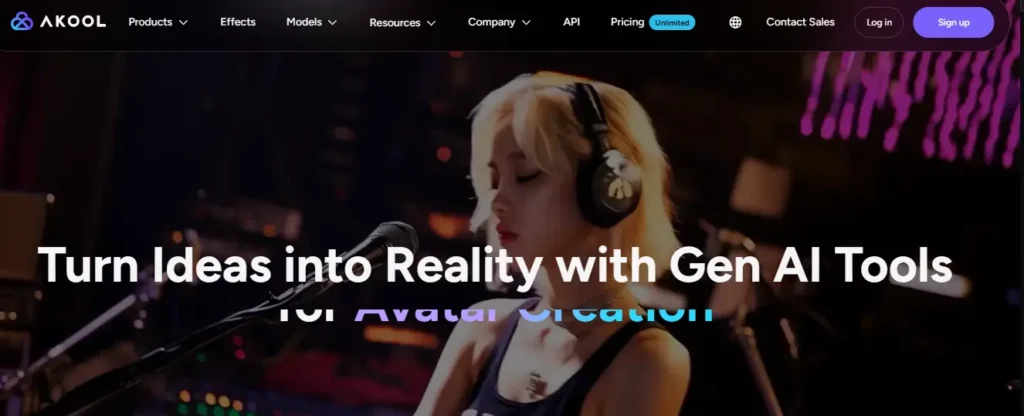
Engaging audiences with visually striking modifications can significantly boost viewer retention. Akool is a creative powerhouse in the realm of the best AI tools for YouTube video editing, specialising in face swapping, realistic avatars, and background modifications. It allows creators to execute complex visual effects that previously required extensive VFX knowledge.
For imaginative vloggers and marketing agencies, Akool provides a streamlined approach to high-end visual manipulation. By incorporating this AI tool into your YouTube workflow, you can personalise content dynamically or translate videos while matching lip movements. It bridges the gap between professional studio effects and accessible browser-based editing.
Pros and Cons
Pros:
- Delivers highly realistic AI face-swapping capabilities.
- Offers excellent lip-syncing for video translation.
- Provides customisable digital avatars for marketing videos.
- Features an easy-to-use cloud-based dashboard.
Cons:
- Rendering complex effects takes considerable processing time.
- High-tier features represent a significant financial investment.
Pricing Plans:
Akool operates on a credit-based system, with standard premium subscriptions starting at $15 monthly for enhanced video processing capabilities.
Use Cases:
- Creating entertaining face-swap content for YouTube Shorts.
- Localising videos with accurate multi-language lip-syncing.
- Designing custom digital avatars for faceless brand channels.
- Integrating seamless background replacements in vlog footage.
Limitations:
- Not designed for standard multi-track timeline editing.
- Requires high-quality source footage for optimal results.
Why Choose Akool?
Select Akool if you are a creative marketer wanting to deploy reliable face-swapping, custom avatars, and advanced visual modifications to enhance viewer engagement.
9. Synthesia

Corporate channels and educational creators often struggle with the logistics of continuous filming. Synthesia resolves this by standing as a leading enterprise-grade platform among the best AI tools for YouTube video editing. It generates professional, studio-quality videos featuring AI presenters based entirely on written scripts.
Ideal for B2B marketers and instructional bloggers, Synthesia removes the need for physical studios and talent acquisition. This AI YouTube video editor allows users to update content instantly by simply rewriting the text. It guarantees an authoritative, polished aesthetic, ensuring your channel maintains a high standard of professional communication without technical delays.
Pros and Cons
Pros:
- Industry leader in professional AI video avatars.
- Supports over one hundred different languages natively.
- Allows instant video updates via text editing.
- Provides polished, enterprise-ready video template designs.
Cons:
- Avatars can feel too formal for casual vlogging.
- Pricing structure is tailored towards corporate budgets.
Pricing Plans:
Synthesia offers a starter plan at $18 monthly, providing limited minutes, whilst enterprise plans scale for heavy commercial use.
Use Cases:
- Producing professional B2B software tutorials for YouTube.
- Creating multi-lingual onboarding videos for corporate channels.
- Generating educational content without hiring on-screen talent.
- Developing highly polished promotional videos for agency clients.
Limitations:
- Not suitable for dynamic, fast-paced vlog editing.
- Custom avatar creation requires an additional fee.
Why Choose Synthesia?
Synthesia is the premier choice for corporate marketers and educators needing a reliable, polished platform to produce professional presenter-led videos at scale.
Technical Criteria: How to Choose the Best AI Video Editing Tools for YouTube
With new video editing platforms launching constantly, choosing the right software requires looking past the marketing hype and focusing on how the tool actually handles raw footage. Not every application is built for the same type of creator, so matching the technical capabilities to your specific YouTube format is essential.
A reliable AI editor must integrate smoothly into your existing workflow rather than forcing you to learn an entirely new, complicated timeline. Before committing to a subscription, test how the platform manages the heaviest parts of post-production, such as cloud processing speeds and rendering times.
When evaluating your options, prioritize software that meets these core technical criteria:
- Precision editing controls: Ensure the platform allows for manual adjustments after the AI makes its initial cuts, giving you the final creative say.
- Audio processing power: Look for advanced noise reduction, auto-leveling, and accurate transcription features to guarantee professional-grade sound.
- Format adaptability: The best tools can seamlessly reframe and export a long-form 16:9 video into multiple 9:16 Shorts without distorting the visual quality.
By filtering your choices through these specific technical requirements, you avoid paying for gimmicky features you will never use. Once you establish what your workflow demands, you can confidently explore the specific applications that dominate the current market.
People Also Ask: AI Tools for YouTube Video Editing (FAQs)
What are AI tools for YouTube video editing?
AI video editing tools automate tasks like silence removal, caption generation, reframing, and rough cuts, helping creators edit faster while keeping control over final quality.
Are AI video editing tools good for beginners?
Yes, beginners can use AI editors to handle repetitive edits, create subtitles, and organize clips, which reduces overwhelm and makes the editing process easier to learn.
Can an AI YouTube video editor replace Premiere Pro?
Most modern AI editors support both long-form videos and YouTube Shorts by resizing footage, reframing key subjects, and adjusting layouts for vertical or widescreen publishing.
Do free AI video editors add watermarks?
Some free AI video editing tools include watermarks, export limits, or restricted features, so creators should review upload quality, branding rules, and usage caps first.
Can AI improve audio quality in YouTube videos?
Many AI editing tools can reduce background noise, level speech, and generate transcripts, but creators should still review audio manually for clarity and natural pacing.
Is AI video editing good for faceless YouTube channels?
AI tools are useful for faceless channels because they speed up captioning, stock footage assembly, scene timing, and voiceover alignment without demanding advanced editing skills.
Will AI replace manual video editing for YouTubers?
No, AI handles repetitive production tasks well, but strong YouTube videos still need human judgment for storytelling, pacing, emotional tone, branding, and audience retention.
What features matter most in AI video editing software?
Focus on transcription accuracy, silence detection, subtitle editing, manual timeline control, export quality, and support for vertical and horizontal formats before paying.
How do AI tools help YouTube creators save time?
They shorten the rough-cut stage by trimming pauses, generating captions, organizing scenes, and speeding up repetitive edits, which leaves more time for scripting and publishing.
Are AI-edited videos good enough for monetized channels?
They can be, as long as creators review every cut, fix errors, refine branding, and make sure the final video feels accurate, polished, and audience-friendly.
Conclusion: Scaling Your Channel with AI Video Editing
AI video editing tools have genuinely changed how YouTube creators manage their post-production workflow. Whether you run a growing side channel or a full-time content business, the right AI video editor can save hours every week on rough cuts, captions, and audio cleanup.
But no software replaces your creative instincts. Use these tools to handle the heavy lifting, then bring your own storytelling and personality to every final edit.
If you found this guide useful, share it with a fellow creator who is still editing manually. Drop a comment below telling us which AI tool you are planning to try first — your feedback helps this content stay fresh and genuinely helpful.