You upload a photo, adjust the motion settings, and wait. The render looks perfect, but right as you click download, a paywall pops up. Or worse, a massive watermark ruins your entire clip.
It is frustrating to sift through platforms that market themselves as cost-free, only to demand a monthly subscription at the last second. If you need a straightforward way to bring static pictures to life for social media or a personal project, you need tools that actually deliver on their initial promises.
This article breaks down the 10 best AI image to video generator free options available right now. Whether you are a creator on a tight budget or simply experimenting with new technology, you will see exactly what each platform offers, what realistic limitations exist, and which ones let you export your work without the constant bait-and-switch.
What Makes a Free AI Image To Video Generator Worth Using?
Finding a tool that actually lets you animate static photos without hidden fees is harder than it looks. A worthwhile free AI image to video generator needs to offer more than just a brief trial run disguised as a free plan.
When evaluating these video creation tools, the most reliable platforms share a few non-negotiable features:
- Generous credit resets: True free tiers replenish your generation credits daily or weekly, rather than forcing a strict one-time use limit.
- Usable output quality: The software should maintain clear resolution and smooth motion without turning your original picture into a distorted mess.
- Reasonable branding: While you might not be able to completely remove watermarks on a non-paid account, the platform’s logo shouldn’t obscure the main subject of your video.
If an application locks basic text-to-video capabilities behind a sudden paywall right before you try to export, it wastes your time. Knowing what separates a genuinely useful platform from a restrictive trial makes it much easier to navigate the software options available right now.
Quick Comparison: Top 10 AI Image To Video Generator Free Tools
| AI Video Platform | Best Used For | Free Plan Perks |
|---|---|---|
| OpenArt AI Tool | Cinematic motion videos | Limited free credits |
| Pictory Video Maker | Fast script conversion | Free short trial |
| HeyGen AI Avatars | Realistic talking photos | Three free videos |
| Fliki Video Creator | Fast social reels | Monthly free credits |
| Akool Studio App | Pro face swapping | Free trial available |
| Murf Voice Generator | Lifelike video voiceovers | Ten free minutes |
| ElevenLabs AI Audio | Natural voice cloning | Free character limits |
| Synthesia Video AI | Corporate training avatars | Free demo video |
| APOB AI Influencer | Faceless social channels | Eighty daily credits |
| DupDub Creator Suite | Multilingual video dubbing | Three day trial |
1. OpenArt: The Ultimate AI Image To Video Generator Free

Are you searching for a reliable AI image to video generator free of complex learning curves? OpenArt is an incredible platform that respects your time by transforming static photos into stunning cinematic clips effortlessly. We know our readers value tools that deliver genuine results without endless frustration.
With OpenArt, you gain access to top-tier models like Sora 2 and Kling 3.0 Omni. The intuitive frame-to-video capabilities allow creators to breathe life into images seamlessly. You can even sync motion and add realistic lip-sync features with audio.
For our amazing community, this AI image to video generator free platform offers unparalleled control. Turn your imagination into high-quality, professional videos today!
Ready to Create Cinematic AI Videos with OpenArt?
Transform static images into stunning cinematic videos instantly using OpenArt’s premium AI video generation tools.
Exclusive Discount: Use coupon code
NISHA15at checkout to claim 15% OFF your premium subscription today!
Pros and Cons
Pros:
- Access premium video models like Sora 2.
- Seamlessly sync lip movements with custom audio.
- Create amazing cinematic videos from static photos.
- Experience incredibly fast and efficient video generations.
Cons:
- High-quality premium features require paid subscription plans.
- Credit limits restrict heavy video generation usage.
Pricing
Start exploring freely, then easily upgrade to premium subscription plans starting at seven dollars monthly for advanced video creation capabilities.
Best For
This versatile platform is absolutely perfect for content creators, digital marketers, and storytellers wanting high-quality animated videos from static pictures.
Rating
⭐⭐⭐⭐⭐ 4.9 out of 5 stars
Use Cases
- Generate engaging social media content quickly using amazing static image assets.
- Produce professional marketing videos with synchronized lip movements and custom audio.
- Animate personal photographs into stunning cinematic memories to share with family.
- Develop realistic character animations for dynamic digital storytelling and creative projects.
Why Choose OpenArt?
Select this remarkable AI image to video generator free platform to easily bring your creative visions to life without limits.
2. Pictory AI: A Powerful Free AI Image To Video Generator for Every Creator
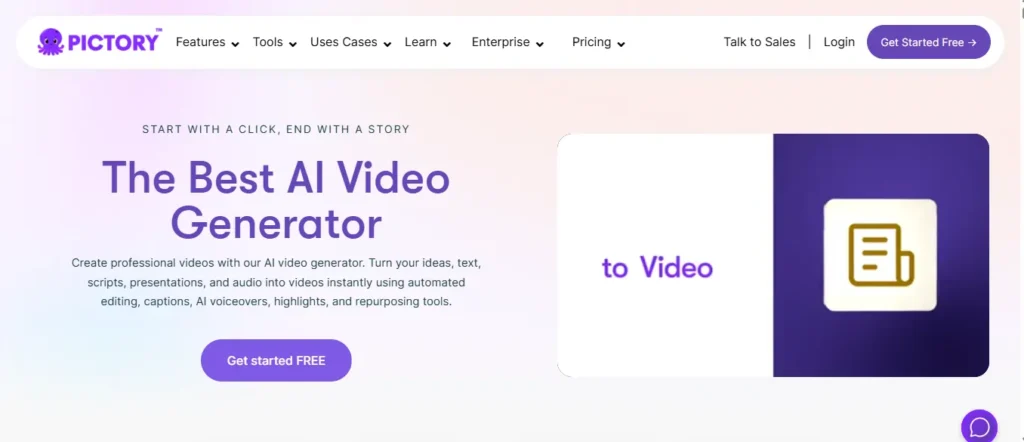
Struggling to turn raw images and scripts into polished videos without a full production setup? Pictory AI solves that problem instantly. Trusted by over 20,000 companies worldwide, this platform transforms your images, blogs, scripts, URLs, and presentations into professional videos within minutes.
No cameras. No complicated timelines. No technical experience required.
Pictory’s AI image to video generator free starting tier lets you experiment with real features immediately, no credit card needed. From automated captions and ElevenLabs AI voices to branded templates and smart scene building, every tool works together seamlessly.
For content creators, marketers, educators, and growing businesses, Pictory removes every traditional bottleneck and replaces it with intelligent automation.
Automate Your Video Production with Pictory AI
Instantly turn your scripts, blogs, and images into professional, publish-ready videos within minutes.
Exclusive Discount: Use coupon code
CABF20at checkout to unlock an instant 20% OFF any paid plan!
Pros and Cons
Pros:
- Converts images, scripts, URLs, and blogs instantly.
- Auto-generates captions and realistic AI voiceovers.
- Supports multi-platform resizing without manual effort.
- Trusted by 20,000+ companies with a 4.7/5 G2 rating.
Cons:
- Free trial limits video minutes quite significantly.
- Advanced AI credits locked behind paid subscription tiers.
Pricing
Plans start at just $25 per month billed annually, with a completely free trial requiring absolutely no credit card upfront.
Best For
Content creators, digital marketers, educators, and businesses needing fast, professional, branded video production at scale.
Rating
⭐⭐⭐⭐⭐ 4.7 out of 5 — Rated on G2
Use Cases
- Turn blog posts into engaging social media video clips.
- Generate professional onboarding and corporate training videos quickly.
- Convert static product images into polished promotional video ads.
- Create branded YouTube and TikTok content from simple text prompts.
Why Choose Pictory AI?
Pictory eliminates complicated editing entirely, turning any image or text into publish-ready, branded video content within minutes.
3. HeyGen: The Most Powerful Free AI Image To Video Generator for Creators and Businesses

What if you could upload a single photo and instantly generate a fully animated, multilingual video complete with realistic lip-sync and a natural AI voice? That is exactly what HeyGen delivers. With over 113 million videos generated and trusted by 100,000+ businesses globally, this AI image to video generator free starting plan puts professional-grade video creation directly in your hands.
No camera setup. No recording. No production crew needed.
HeyGen transforms any static image into a dynamic talking video using hyper-realistic avatars, expressive facial motion, and voice cloning technology. Whether you are a solo content creator, digital marketer, or a growing business, the platform scales effortlessly with your ambitions.
Named G2’s #1 Fastest Growing Product of 2025, HeyGen is not just a tool — it is a complete video creation ecosystem that supports 175+ languages and dialects.
Pros and Cons
Pros:
- Turns static photos into realistic talking avatar videos.
- Supports multilingual dubbing across 175+ languages.
- Free plan available with no credit card required.
- Trusted by 100,000+ teams and businesses worldwide.
Cons:
- Free plan limits output to only 3 videos per month.
- 4K export and advanced features require the Pro plan.
Pricing
Start completely free at $0/month, then upgrade to Creator at $29/month or Pro at $99/month for unlimited professional video creation.
Best For
Marketers, educators, sales teams, agencies, and content creators needing multilingual, avatar-driven video content at massive scale.
Rating
⭐⭐⭐⭐⭐ 4.8 out of 5 — G2’s #1 Fastest Growing Product 2025
Use Cases
- Transform a headshot into a branded talking spokesperson video instantly
- Dub existing marketing videos into 175+ languages with accurate lip-sync
- Create faceless YouTube and TikTok channels using AI avatar technology
- Produce professional corporate training videos without any camera or crew
Why Choose HeyGen?
HeyGen combines realistic avatar animation, intelligent voice cloning, and multilingual translation into one seamless AI image to video generator free platform — making it the single most versatile video creation tool available for creators and businesses in 2026.
Get Started Free — No Credit Card Required
HeyGen’s free plan lets you generate your first 3 AI videos right away with zero financial commitment. Experience the full power of talking photo AI, hyper-realistic avatars, and multilingual dubbing before spending a single dollar.
Start Free on HeyGen — 3 Free Videos Every Month
When you are ready to scale your video content without limits, upgrade to the Creator plan and unlock unlimited avatar videos, voice cloning, watermark removal, and 1080p exports immediately.
4. Fliki: The Ultimate AI Image To Video Generator Free Platform for Fast Production
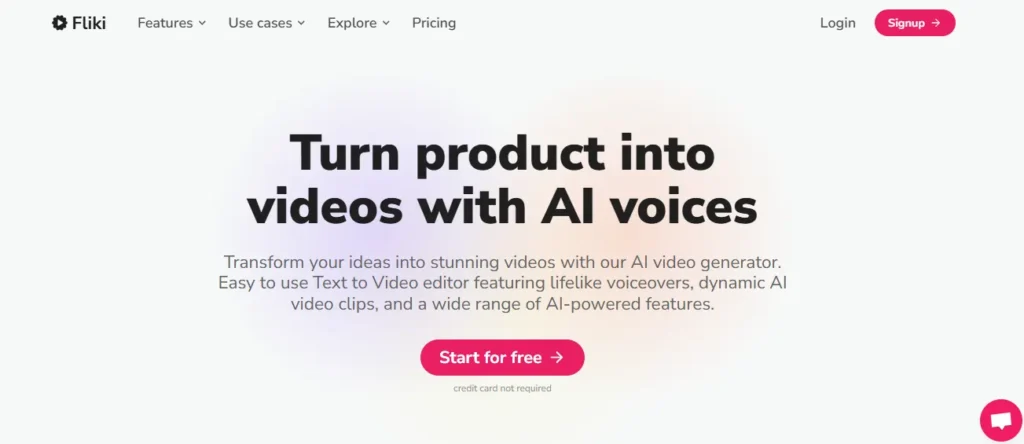
Looking for an incredibly fast way to convert basic concepts and images into fully realized video content? Fliki is the AI image to video generator free solution you need right now. Built with simplicity in mind, it allows you to transform static assets into dynamic visual stories in literally minutes.
With absolutely no technical skills required, you can create engaging clips complete with ultra-realistic AI voiceovers. Fliki gives you immediate access to over 2,500 distinct AI voices across 80+ languages, guaranteeing your content always sounds natural. You can even include AI avatars to present your information without ever stepping in front of a camera yourself.
Trusted by more than 10 million content creators globally, Fliki is revolutionizing how we handle digital storytelling.
Pros and Cons
Pros:
- Transform ideas into videos incredibly fast.
- Access 2,500+ ultra-realistic AI voice options.
- Create talking avatar videos without a camera.
- Generous free plan requires absolutely no credit card.
Cons:
- Free plan restricts videos to 720p resolution.
- All free videos include a permanent Fliki watermark.
Pricing
Start completely free with 5 credits per month, then upgrade to the Standard plan for just $21 monthly to unlock 1080p, no watermarks, and full commercial rights.
Best For
Digital marketers, social media managers, and busy content creators who need to produce high volumes of engaging video content incredibly fast.
Rating
⭐⭐⭐⭐⭐ 4.8 out of 5 — Trusted by 10 Million+ Creators.
Use Cases
- Instantly convert old blog posts into engaging YouTube videos.
- Transform Amazon product listings into highly converting promotional ads.
- Create internal corporate training videos featuring realistic AI avatars.
- Generate social media reels in over 80 distinct global languages.
Why Choose Fliki?
Fliki completely streamlines the content creation pipeline, making it the fastest AI image to video generator free tool for converting basic text and images into fully narrated, polished video content without complicated editing software.
5. Akool: A Comprehensive Enterprise-Grade Free AI Image To Video Generator
Are you tired of jumping between different artificial intelligence tools just to finish one video? Akool serves as a massive, all-in-one AI image to video generator free platform that consolidates everything into a single workspace. With over 300 million assets generated and trusted by Fortune 500 giants like Coca-Cola and Canon, it delivers premium, commercial-ready results fast.
Akool goes far beyond simple animation. It allows you to transform static photos into dynamic 4K videos, generate photorealistic full-body avatars, and seamlessly swap faces with Hollywood-grade precision. You can even translate your final videos into multiple languages with flawless lip-syncing capabilities.
For marketers, educators, and enterprise teams, Akool eliminates the need for expensive studio equipment or complex editing software.
Pros and Cons
Pros:
- Access enterprise-grade 4K video rendering tools.
- Generate incredibly realistic full-body talking avatars.
- Translate and dub videos with perfect lip-syncing.
- Utilize powerful, Hollywood-grade face swap technology.
Cons:
- Massive feature set feels overwhelming for absolute beginners.
- Premium models require dedicated paid subscription tiers.
Pricing
Akool provides a flexible freemium entry point to explore its tools, with specialized paid subscriptions scaling up for high-volume enterprise and commercial marketing production.
Best For
Enterprise marketers, large e-commerce brands, global educators, and professional agencies needing a massive, all-in-one content generation API and platform.
Rating
⭐⭐⭐⭐⭐ 4.8 out of 5 — Trusted by Fortune 500 Companies.
Use Cases
- Translate and localize global e-learning courses into multiple languages effortlessly.
- Generate stunning 4K promotional product ads from basic e-commerce images.
- Build customized interactive marketing campaigns using real-time streaming avatars.
- Swap faces in corporate training videos to update personnel without reshooting.
Why Choose Akool?
Akool is the ultimate “Swiss Army Knife” AI image to video generator free tool, allowing you to animate images, generate avatars, and translate video audio inside one incredibly powerful, enterprise-secure platform.
6. Murf AI: The Best Free AI Voice Generator to Power Your AI Image To Video Generator Free Workflow

Creating a stunning video from a static image is only half the battle. Without a natural, professional-sounding voiceover, even the most beautifully animated clip falls completely flat. Murf AI bridges that exact gap, giving your AI image to video generator free workflow a powerful and realistic vocal layer that elevates every single project.
Trusted by over 300 Fortune 2000 companies including Nestle and Air France, Murf delivers more than 200 expressive AI voices across 35+ languages with industry-leading 99.38% pronunciation accuracy. Whether you need a calm educational narrator, an energetic product ad voiceover, or a multilingual dubbing solution, Murf handles it all professionally.
With its lightning-fast Falcon TTS model achieving just 130ms latency, your voiceovers render almost instantly. Canva, PowerPoint, and Google Slides integrations mean you can embed ultra-realistic narration into video content directly from tools you already use daily.
Pros and Cons
Pros:
- Access 200+ ultra-realistic AI voices instantly.
- Achieve industry-leading 99.38% pronunciation accuracy.
- Integrate seamlessly with Canva, PowerPoint, and Google Slides.
- Free plan available with absolutely no credit card needed.
Cons:
- Free plan restricts downloads and commercial rights usage.
- Advanced business features require higher-tier paid subscriptions.
Pricing
Start completely free with 10 minutes of voice generation monthly, then upgrade to the Creator plan starting at just $19 per month for unlimited downloads and full commercial rights.
Best For
Content creators, course designers, marketers, and developers who need professional-grade AI voiceovers to complement their AI image to video generator free projects across multiple global languages.
Rating
⭐⭐⭐⭐⭐ 4.7 out of 5 — Trusted by 300+ Fortune 2000 Companies
Use Cases
- Add professional AI narration to animated AI image video clips effortlessly.
- Dub existing marketing videos into 40+ languages with accurate lip-sync.
- Generate realistic podcast-style voiceovers from plain written scripts instantly.
- Create engaging e-learning course narration without hiring expensive voice talent.
Why Choose Murf AI?
Murf AI is the perfect complementary layer for any AI image to video generator free platform. Once your visuals are animated, Murf adds the voice, character, and multilingual reach that transforms a simple clip into a professional, publish-ready video asset.
Start Free — No Credit Card Required
Jump into Murf’s free studio today and experience what genuinely human-sounding AI voices feel like on your very first video project.
Try Murf AI Free — 10 Free Voice Generation Minutes Every Month
When you are ready to scale narration across unlimited projects with full commercial broadcasting rights, the Creator plan at $19/month gives you everything needed to produce professional content at speed.
7. ElevenLabs: The Most Lifelike AI Audio Companion for Your AI Image To Video Generator Free

What good is a beautifully animated video if the voiceover sounds like a robot? ElevenLabs is widely recognized as the industry standard for hyper-realistic AI voice generation. If you are using an AI image to video generator free to create content, pairing it with ElevenLabs guarantees your final product sounds genuinely human.
Trusted by major brands like Nvidia, Disney, and Meta, ElevenLabs goes beyond basic text-to-speech. It allows you to clone your own voice, choose from over 10,000 community-created voices, and even generate custom sound effects and music directly from text prompts.
Whether you need a suspenseful storyteller for a YouTube Short or a professional corporate voice for a training module, ElevenLabs delivers studio-quality audio in 70+ languages, bringing your animated images to life effortlessly.
Pros and Cons
Pros:
- Widely considered the most lifelike AI voice models available.
- Clone your own voice instantly from a short audio sample.
- Generate full music tracks and sound effects from text.
- Translates and dubs content naturally across 70+ languages.
Cons:
- The free plan limits character counts quite strictly.
- Advanced voice cloning requires a paid subscription.
Pricing
Start exploring with the generous free tier to test the voices, then upgrade to paid plans (starting very affordably) to unlock custom voice cloning, increased character limits, and commercial usage rights.
Best For
Content creators, game developers, audiobook narrators, and marketers who demand the absolute highest quality, most natural-sounding voiceovers and sound effects for their video projects.
Rating
⭐⭐⭐⭐⭐ 4.9 out of 5 — The Industry Standard for AI Audio
Use Cases
- Clone your own voice to narrate faceless YouTube and TikTok videos naturally.
- Generate custom ambient soundscapes to match your AI image video clips.
- Translate and dub existing marketing videos into 70 distinct languages.
- Produce immersive audiobook narration with distinct character voices.
Why Choose ElevenLabs?
ElevenLabs provides the perfect audio ecosystem for any AI image to video generator free workflow. By combining its unmatched lifelike voices, custom sound effects, and generative music, it completely transforms silent animated images into cinematic, professional-grade content.
8. Synthesia: The World’s #1 Rated Free AI Image To Video Generator for Business

If your business needs to produce professional, branded video content at scale without cameras, studios, or expensive production teams, Synthesia is the platform built exactly for that challenge. Trusted by over 90% of Fortune 100 companies and loved by more than 1 million users globally, it stands as the most enterprise-ready AI image to video generator free solution available today.
Synthesia transforms simple scripts, documents, and images into stunning studio-quality videos featuring hyper-expressive AI avatars in 160+ languages. No acting. No filming. No complicated editing timelines.
What truly separates Synthesia from the competition is its rock-solid compliance architecture. SOC2, GDPR, and ISO42001 certified, it has passed security audits at 90% of Fortune 100 companies. For corporate teams and educators operating in regulated industries, that level of institutional trust is genuinely irreplaceable.
With 2,000+ five-star reviews on G2 and plans starting completely free, Synthesia removes every traditional barrier between your idea and a finished, publish-ready video.
Pros and Cons
Pros:
- Trusted by 90% of Fortune 100 companies worldwide.
- Create videos in 160+ languages with one-click translation.
- SOC2, GDPR, and ISO42001 enterprise-grade security certified.
- Free plan available with absolutely no credit card required.
Cons:
- Free plan caps usage at only 10 video minutes monthly.
- Custom personal avatars require a paid subscription tier.
Pricing
Start completely free at ₹0/month with 10 minutes of video, then upgrade to the Starter plan from just $18 per month billed yearly for unlimited downloads and AI dubbing capabilities.
Best For
Enterprise HR teams, corporate L&D managers, sales enablement professionals, and global marketing teams needing secure, compliant, multilingual video production at consistent scale.
Rating
⭐⭐⭐⭐⭐ 4.7 out of 5 — World’s #1 Rated AI Video Platform on G2
Use Cases
- Create multilingual employee onboarding training videos without filming anyone.
- Transform existing PowerPoint presentations into fully narrated AI video content.
- Produce consistent, on-brand product demo videos across 160+ global languages.
- Build interactive video courses with quizzes and branching for corporate LMS platforms.
Why Choose Synthesia?
Synthesia is the only AI image to video generator free platform that combines enterprise-grade security, real-time team collaboration, SCORM LMS export, and 240+ expressive AI avatars in a single workspace — making it the definitive choice for serious business video production in 2026.
Try Synthesia Free — No Credit Card Required
Start creating professional AI avatar videos today without spending a single rupee. The free plan gives you immediate access to 9 stock avatars, 160+ language voices, and 10 video minutes every month.
Get Started Free on Synthesia — No Credit Card Needed
When your team is ready to scale video production across departments and markets, Synthesia’s enterprise plans deliver unlimited video minutes, dedicated onboarding, and custom brand kits at a single subscription price.
9. APOB AI: The Most Creative Free AI Image To Video Generator for Social Media Influencers
Most AI video tools are built for generic content production. APOB AI was built specifically for one thing — helping creators dominate social media as a faceless AI influencer. If you are looking for an AI image to video generator free platform that actively helps you build a monetizable online presence, this is genuinely unlike anything else available right now.
With over 1.4 million AI influencers created and 80 free daily credits available to every member, APOB AI lets you generate studio-quality images, animate them into cinematic video clips, add lip-sync audio, and publish scroll-stopping TikTok and Instagram Reels — all without ever showing your real face on camera.
The platform houses cutting-edge video models including Kling 3.0, Sora 2, Veo 3.1, Wan 2.2, and Seedance 1.5 in one place. Whether you are a complete beginner selecting trending styles or an advanced creator building custom prompts, APOB AI scales seamlessly with your skill level.
For affiliate marketers and content creators wanting to build profitable faceless channels quickly, this platform delivers extraordinary creative power completely free.
Pros and Cons
Pros:
- Receive 80 free credits daily with zero credit card required.
- Access powerful models including Kling 3.0, Sora 2, and Veo 3.1.
- Build fully monetizable AI influencers for faceless social media channels.
- Lip-sync and talking avatar features create hyper-realistic human interaction.
Cons:
- Advanced 4K rendering and priority queue require premium plan upgrade
- Platform is heavily influencer-focused, less suited for corporate video production
Pricing
Start completely free with 80 daily credits automatically refreshed every single day, then upgrade to premium plans for commercial rights, priority 4K rendering, and advanced face-lock consistency features.
Best For
Affiliate marketers, faceless YouTube creators, TikTok influencers, and social media managers who need a powerful AI image to video generator free tool to build a profitable, anonymous online brand.
Rating
⭐⭐⭐⭐⭐ 4.8 out of 5 — Trusted by 1.4 Million+ AI Influencer Creators
Use Cases
- Build a consistent AI influencer persona across TikTok and Instagram Reels completely anonymously.
- Animate product review images into engaging lip-synced talking avatar videos for affiliate promotion.
- Generate cinematic image-to-video content using Kling 3.0 and Sora 2 at zero upfront cost.
- Create faceless YouTube channel content with text-to-video and camera motion control tools.
Why Choose APOB AI?
APOB AI is the only AI image to video generator free platform designed specifically around influencer monetization and faceless brand building. With daily free credits, access to 10+ cutting-edge video models, and built-in lip-sync and talking avatar tools, it gives ambitious creators an unfair competitive advantage on every major social media platform.
Start Free — 80 Credits Refresh Every Single Day
No subscription. No credit card. Just create.
Create Your Free AI Influencer on APOB AI — 80 Daily Free Credits
Every day your credit balance resets automatically, meaning serious content creators can generate a consistent stream of high-quality AI videos without ever spending a single rupee on production costs.
10. DupDub: The Most Complete Free AI Image To Video Generator for All-in-One Content Creation
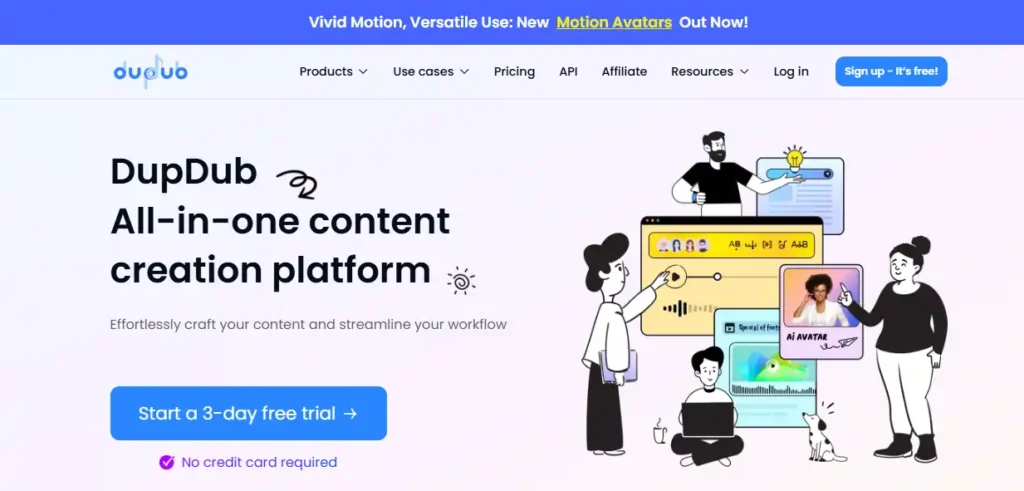
Most creators waste enormous amounts of time switching between separate tools for voiceovers, video translation, avatar generation, and subtitle creation. DupDub eliminates that entire problem by combining every single content creation capability you need into one surprisingly clean, intuitive platform.
As a free AI image to video generator, DupDub lets you instantly bring static photos to life using its AI talking photo and gesture avatar features. Upload your image, add a voice, apply cinematic motion, and export a finished video clip — all within a single workspace. No external tools. No complicated handoffs between different platforms.
With 700+ ultra-realistic AI voiceovers across 90+ languages, built-in video translation with lip synchronization, automatic subtitles, AI writing powered by GPT, and real-time voice cloning, DupDub genuinely covers the entire content production pipeline. Whether you are producing YouTube videos, TikTok content, audiobooks, podcasts, or corporate training material, this platform handles it effortlessly.
The generous 3-day free trial with no credit card required lets you explore all 13 AI tools immediately.
Pros and Cons
Pros:
- Access all 13 AI tools completely free during trial period.
- Generate talking avatar videos with instant voice cloning included.
- Translate and dub videos into 90+ languages with lip-sync accuracy.
- Canva and GPT integrations streamline your existing creative workflow.
Cons:
- Free trial is limited to only 10 credits for a 3-day window.
- Monthly credit refresh on paid plans can feel restrictive for heavy users.
Pricing
Start with a completely free 3-day trial requiring no credit card, then upgrade to paid plans with 1,800 annual credits on Personal or 6,000 annual credits on Professional for unlimited commercial production.
Best For
YouTubers, podcasters, audiobook creators, marketers, and multilingual content teams who need a single affordable platform covering voiceover, video translation, avatar animation, and AI writing simultaneously.
Rating
⭐⭐⭐⭐⭐ 4.7 out of 5 — Loved by Creators Across Marketing, Education & Media
Use Cases
- Animate still photos into engaging talking avatar videos for TikTok and Instagram instantly.
- Translate existing marketing videos into 90+ languages with accurate automatic lip-sync.
- Generate professional AI voiceovers for YouTube content without hiring any voice artist.
- Create multilingual e-learning courses with auto-generated subtitles and transcription.
Why Choose DupDub?
DupDub is the most genuinely comprehensive free AI image to video generator platform available for solo creators and growing content teams. By combining talking avatars, voice cloning, video translation, AI writing, and sound effect generation inside one unified workspace, it saves serious creators hours of production time on every single project.
Try All 13 AI Tools Free — No Credit Card Required
DupDub’s 3-day free trial gives you immediate hands-on access to every tool on the platform, including talking photo avatars, AI voiceovers, video translation, and motion avatar generation.
Start Your Free Trial on DupDub — No Credit Card Needed
Once you experience the full workflow, upgrading to a paid plan unlocks unlimited commercial rights, extended credit pools, priority rendering, and multiple cloned voice and avatar profiles for serious content scaling.
How AI Image To Video Technology Works Under the Hood
Understanding what happens when you upload a picture helps you prompt the software for better results. Instead of just applying standard digital filters, a generative AI video model actually analyzes the pixels in your static image to map out depth, lighting, and individual subjects.
Once the image is analyzed, the system predicts how those elements should move over time. This process typically involves three key steps:
- Subject isolation: The AI separates the main foreground character or object from the background environment.
- Motion prediction: It calculates natural physics, figuring out how hair might blow in the wind or how water should ripple.
- Frame generation: The engine creates entirely new visual frames between your starting picture and the predicted motion to build a smooth, dynamic video.
Because this computing process requires massive server power, rendering clips is expensive for the developers. This high processing cost is exactly why finding a reliable free AI image to video generator without severe limitations takes careful research.
Free vs Paid: What Do You Actually Lose With a Free AI Image To Video Generator?
Even the most generous video creation tools place restrictions on non-paying users to manage their server costs. When you use a free AI image to video generator, the core artificial intelligence model is usually the exact same one paying users access, but your output parameters are capped.
Here is what you typically sacrifice when sticking to a free tier:
- Export resolution: Free clips are often limited to 720p or standard 1080p, while true 4K resolution is locked behind premium subscriptions.
- Forced branding: Most unpaid platforms will embed a watermark or logo in the corner of your final video.
- Commercial rights: Free plans frequently restrict usage to personal projects, meaning you cannot legally use the generated clips for paid client work or advertisements.
- Generation speed: Paying members get priority server access, which pushes free users into longer wait queues during peak traffic hours.
For personal projects, testing out prompts, or building quick social media reels, these limitations are rarely dealbreakers. If your goal is simply to animate a few images for your audience, the free plans offer more than enough power to get the job done.
People Also Ask — AI Image To Video Generator Free
What is the best free AI image to video generator in 2026?
OpenArt, HeyGen, and Kling AI are currently the strongest free options, offering cinematic motion, no watermark trials, and generous daily credit allowances.
Can I use a free AI image to video generator without a watermark?
Yes. Platforms like HeyGen’s Creator plan and Pictory’s trial tier allow watermark-free exports, though most completely free plans do include branding overlays.
Which free AI video generator works best for TikTok and Instagram Reels?
APOB AI and DupDub are specifically optimized for short-form social content, offering vertical formats, lip-sync, and motion avatars designed for TikTok and Reels.
Is there a truly free AI image to video generator with no credit card?
Yes. HeyGen, Synthesia, Fliki, DupDub, and APOB AI all offer genuine free tiers requiring absolutely no credit card details to get started immediately.
How do I turn a photo into a video using AI for free?
Upload your image to platforms like OpenArt or HeyGen, select a motion style or avatar, add optional audio, then generate and download your animated video clip.
Can I use free AI video generators for commercial projects?
Most free plans restrict commercial usage. Platforms like Pictory, Fliki, and DupDub require upgrading to a paid plan to unlock full commercial licensing rights.
What free AI tool can make a photo talk with lip-sync?
HeyGen’s talking photo feature and DupDub’s AI avatar tool both animate static portraits with realistic lip-sync using custom audio or AI-generated voiceovers completely free.
Which AI image to video generator gives the most free credits daily?
APOB AI refreshes 80 free credits every single day automatically, making it the most consistently generous free AI image to video generator currently available.
Are free AI video generators safe to use for YouTube content?
Yes, provided you check each platform’s terms of service. Synthesia, Pictory, and HeyGen are SOC2 and GDPR compliant, making them safe for YouTube content production.
What is the difference between text-to-video and image-to-video AI tools?
Text-to-video generates visuals from written prompts while image-to-video animates an existing static photo. Many platforms including OpenArt and Akool support both capabilities simultaneously.
Can I make faceless YouTube videos using a free AI image to video generator?
Absolutely. APOB AI, HeyGen, and Synthesia are specifically designed to help creators produce professional faceless YouTube content using AI avatars and voiceovers without any camera.
Which free AI video tool supports the most languages?
Synthesia supports 160+ languages, HeyGen covers 175+ languages and dialects, and DupDub handles 90+ languages, making all three excellent choices for multilingual global content production.
Final Verdict — Which Free AI Image To Video Generator Should You Use in 2026?
Finding the right AI image to video generator free platform depends entirely on what you actually need from it. If corporate video production is your priority, Synthesia and HeyGen deliver unmatched professional polish. For social media creators building faceless channels, APOB AI and DupDub offer the most generous free access daily.
Pictory and Fliki remain the fastest options for converting existing content into publishable video clips. OpenArt stands out for cinematic quality, while Murf and ElevenLabs perfect your audio layer.
Stop overthinking it. Pick one platform from this list, create your first video today, and build from there. Your audience is already waiting.