Video creators often waste hours testing new AI platforms, only to hit a sudden paywall right at the export button. You craft the perfect avatar, but the final file demands a costly subscription or ruins your footage with a massive logo. It is incredibly frustrating when an AI video generator “no watermark” claim turns out to be misleading.
Many people hear about the Akool free trial but wonder about the actual limits. Will your free credits dry up after a single test? Navigating the hidden restrictions of the Akool Pro Max free trial requires readng the fine print. We explore what this free AI face swap tool actually lets you access — and how to squeeze maximum value from your initial access.
What Exactly s the Akool Free Trial?
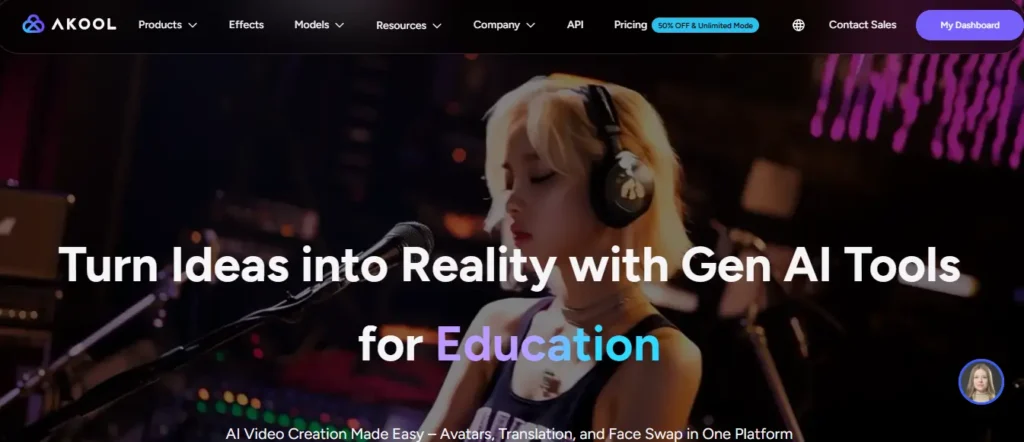
The Akool free trial is not a temporary paid plan. It is a permanently free Basic plan that gives you access to a limited version of the platform without any time expiry.
You sign up, create an account, and land on the Basic (Free) tier automatically. No countdown timer. No 7-day pressure. What you get is a genuinely functional — though restricted — version of one of the more capable AI video and image platforms available right now.
The platform covers a wide range of tools: AI video generation, face swap, talking avatars, video translation across 155+ languages, AI voice generation, and image generation. The free plan touches most of these, but the walls are very real. More on that shortly.
Top Features You Can Access During the Akool AI Free Trial
The free plan is not empty. You get a meaningful preview of the platform’s core capabilities — enough to test quality and decide if upgrading makes sense.
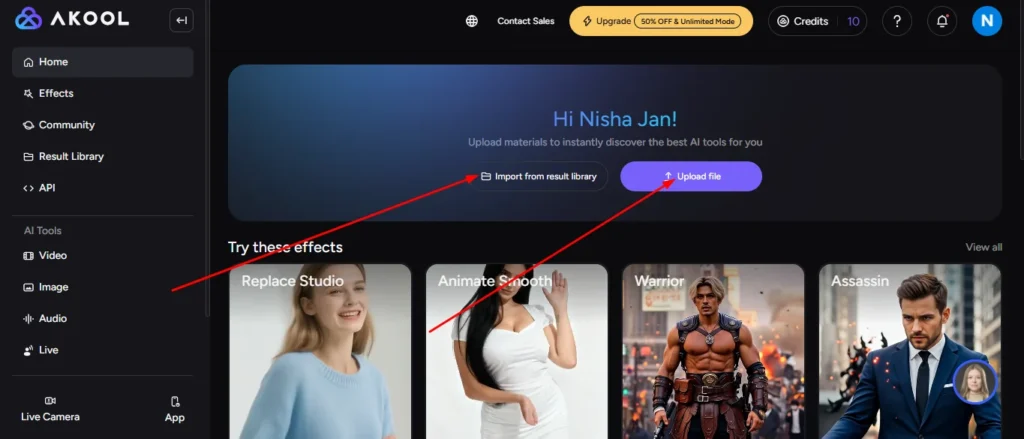
Testing Face Swap Technology in the Akool Free Trial
Face swap is one of Akool’s strongest tools, and the free trial does let you use it. However, upload quality is capped at 720P on the Basic plan. Paid plans jump straight to 16K quality, so the difference in output sharpness is significant.
Here is what you can do with the free face swap access:
- Upload video files up to 150MB and 30 seconds in length
- Upload image files up to 5MB
- Use multi-face detection and the re-age feature
- Access 5 minutes of free live face swap time
Face enhancement is not available on the free plan — that is a Pro+ feature. For testing the core concept, though, the free access is enough to see how accurate the model is.
Video Generation and Avatars on the Akool Free Trial
For video, the Basic plan limits output to 720P resolution and a maximum video length of 10 minutes. You can access the Akool Basic AI video model only. Premium models like Minimax Hailuo and Seedance are locked behind Pro and Pro Max plans.
For avatars, the free plan gives you:
- Access to all public avatars
- 1 custom instant avatar creation
- 5 minutes of free streaming avatar session time
Custom Studio Avatars and Ultra Avatars are unavailable on the free plan. For individual creators just starting out, the 1 instant avatar slot is enough to test whether the output quality matches their content needs.
Step-by-Step Guide to Activating Your Akool Free Trial
Getting started takes under two minutes. Here is the exact process:
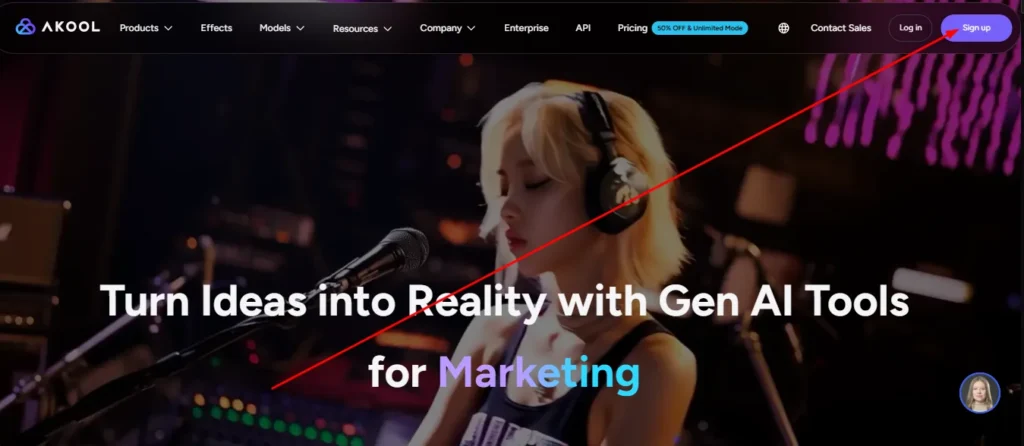
- Go to akool.com and click “Get Started Free” or “Sign Up”
- Create an account using your Google account or email address
- Verify your email if signing up manually
- You are automatically placed on the Basic (Free) plan — no credit card required
- Access your dashboard and explore the available tools
- To unlock the 7-day Pro Max trial (when available during promotional periods), navigate to Billing and look for any active promotional offer
There is no hidden activation step. The free plan is your default starting point, and you can upgrade at any time from the Billing section in your workspace.
Akool Free Trial Limits: Credits, Watermarks, and Restrictions
This is the section most people actually need. The free plan has clear, honest limits — and knowing them upfront saves a lot of frustration.
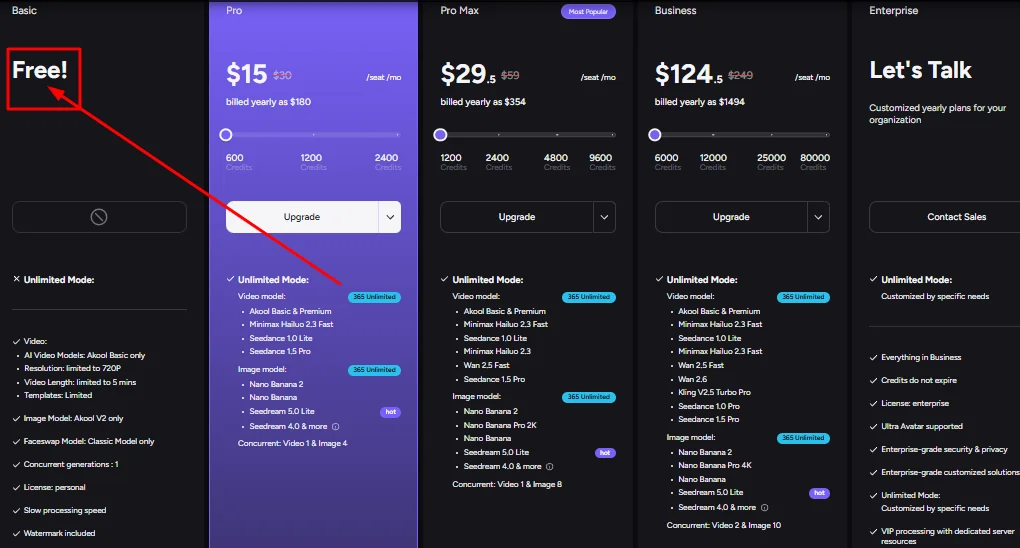
| Feature | Free (Basic) Plan |
|---|---|
| Watermark | Full screen watermark on all outputs |
| Video Resolution | Up to 720P only |
| Max Video Length | 10 minutes |
| Face Swap Upload Quality | 720P |
| Live Face Swap Time | 5 minutes free |
| Voice Clone | 5 voices total |
| TTS Usage | 5 uses, up to 1,000 characters each |
| Voice Changer | Up to 30 minutes |
| Storage Space | 5 GB |
| Processing Speed | Slow (standard) |
| Concurrent Generations | 1 at a time |
| Video Translation Upload | Up to 5 minutes |
| License | Personal only |
The watermark is the biggest practical limitation. Every video and image you export on the free plan carries a full-screen Akool watermark, which makes the output unusable for professional or client-facing work.
The voice generator is also noticeably limited. You get only 5 total TTS uses — not per day, but total. Once those are used, you either upgrade or stop
Akool Free Trl vs. Akool Pro Max Free Trial: What is the Difference?
These are two very different things, and the confusion is understandable.
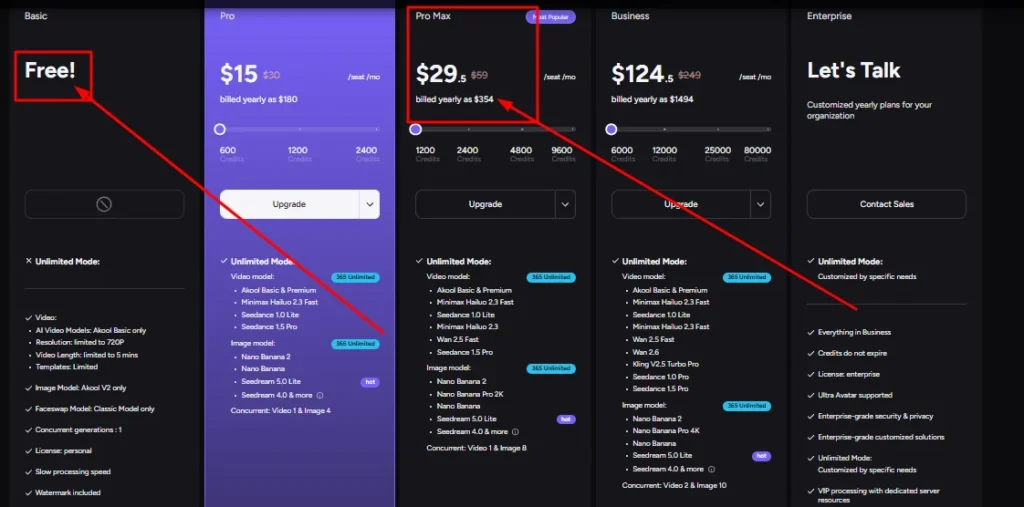
The Basic free plan is permanent. It never expires, but it comes with all the restrictions outlined above — watermark, 720P, slow speed, 1 concurrent generation.
The Pro Max plan (available at $29.50/seat/month billed yearly, or $59/month billed monthly) is a paid tier. Akool occasionally offers a 7-day Pro Max free trial through promotional campaigns, which gives temporary access to:
- Up to 8K video resolution
- Up to 45-minute video length
- 1,200 credits per month (equal to ~300 videos or ~1,200 images)
- Access to all AI video and image models including Seedance 1.5 Pro and Minimax Hailuo 2.3
- Watermark-free exports
- API access and workspace collaboration
- Up to 180 voice clones
- Faster processing speed and 5 concurrent generations
If you can access the promotional 7-day Pro Max trial, it is worth activating. The quality gap between Basic and Pro Max is substantial enough to affect your decision to subscribe.
Do You Nee a Credit Card to Start the Akool Free Trial?
No. The Basic free plan requires no credit card, no payment details, and no commitment.
You sign up with an email or Google account and immediately access the free tier. Credit card details only become necessary when you choose to upgrade to a paid plan or purchase additional credit packs.
Akool supports a wide range of payment methods including PayPal, Google Pay, Apple Pay, Amazon Pay, Crypto, Klarna, and credit/debit cards. So when you are ready to upgrade, payment flexibility is not an issue.
How to Cancel the Akool Free Trial Before Being Charged
If you activated a paid promotional trial and want to cancel before being charged, the process is straightforward:
- Go to your workspace and navigate to Billing
- Click “Manage Plan”
- Answer the brief questions from the support agent
- Click the cancellation link provided by the agent
After cancellation, you retain access to paid features until the end of your current billing cycle. Your account then reverts to the Basic free plan — you do not lose your account or any previously saved work within the 5GB storage limit.
Frequently Asked Questions About the Akool Free Trial
How many free credits do I get with the Akool Free Trial?
The Basic free plan does not use a credit-based system — instead, it gives you access to capped features like 5 TTS uses, 5 voice clones, 5 minutes of live face swap, and 5 minutes of video translation upload.
Can I use the Akool Free Trial for commercial purposes?
No. The Basic plan carries a personal-use license only. A Business plan license is required for commercial output.
Is the Akool AI Free Trial completely safe to use?
Yes. Akool is a registered company based in Palo Alto, California, and publishes a full Terms of Service and Privacy Policy on its website. Signing up with your email or Google account poses no unusual risk.
Does the Akool free trial have a time limit?
No, the Basic free plan never expires. However, if you activate a promotional Pro Max trial, that specific upgrade lasts for 7 days before requiring payment.
Can I get 100 free credits on Akool?
Yes. If you sign up using a valid referral link from an existing user, Akool automatically credits your new account with 100 free credits to test premium features.
How do I cancel my Akool free trial before being charged?
Go to your workspace, click Billing, select Manage Plan, answer the brief agent questions, and click the cancellation link. You will not be charged.
Does the free version include 4K video export?
No. The Basic free plan caps all video exports and face swap uploads at 720P. To access 4K resolution, you must upgrade to the Pro plan.
Can I use Akool’s Seedance or Hailuo models for free?
No. The free plan restricts you to the Akool Basic AI video model. Advanced models like Seedance and Minimax Hailuo require a Pro or Pro Max subscription.
Is there a workaround to remove the free trial watermark?
No legitimate workaround exists. Every export on the Basic plan includes a full-screen watermark. You must upgrade to any paid tier to remove it completely.
Do I lose my generated videos when the free trial ends?
No. Your account retains up to 5GB of storage on the Basic plan. Any videos or images you generated remain in your workspace even if you downgrade.
Final Verdict: Is the Akool Free Trial Worth Your Time?
For content creators, marketers, and social media managers who want to test a genuinely capable AI video platform — yes, the Akool free trial is worth at least one serious session.
The Basic plan is limited, but it is functional enough to evaluate the quality of face swap accuracy, avatar generation, and video translation. The watermark and 720P cap will prevent any professional output, but the tool quality underneath those limits is solid.
If a 7-day Pro Max promotional trial is available when you sign up, grab it immediately. Seven days at the Pro Max level is enough time to produce real content, test every major feature, and make an informed decision about whether the $29.50/month investment makes sense for your workflow.