Hello, my lovely audience! I’m Nisha from AI Blog First, and after six months of using both HeyGen and Pictory almost every single day, I finally have enough real experience to give you an honest, no-fluff comparison. I’ve tested both tools across YouTube automation, short-form content, podcast repurposing, and client projects — so this isn’t guesswork.
And yes — I have an exclusive discount code for my daily readers. Stay with me until the end.
If you’ve been going back and forth between these two tools, unsure which one fits your actual workflow, this article covers every angle — features, pricing, avatars, ease of use, and real-world performance. Whether you’re a solo content creator, a freelancer, or someone just stepping into AI video generation, there’s something here for you.
What Is HeyGen? (Best for AI Avatars & Digital Twins)

HeyGen is an AI video generation platform built around one core strength: realistic AI avatars. You can either use one of their pre-built digital presenters or upload your own likeness to create a custom avatar that speaks your script.
What makes HeyGen stand out is its lip-sync accuracy. When you paste a script, the avatar’s mouth movements, facial expressions, and eye contact feel genuinely natural — not robotic. It also supports video translation into 40+ languages, which is huge for creators trying to reach global audiences without hiring voice actors.
HeyGen is particularly strong for:
- Talking-head style YouTube videos.
- Corporate and marketing presentations.
- Multilingual video content.
- Personal brand building with a custom AI clone.
It’s not the cheapest tool out there, but for avatar-driven content, it’s one of the most polished options available right now. [Internal link suggestion: HeyGen Review: Full Feature Breakdown]
What Is Pictory? (Best for Faceless Channels & Content Repurposing)

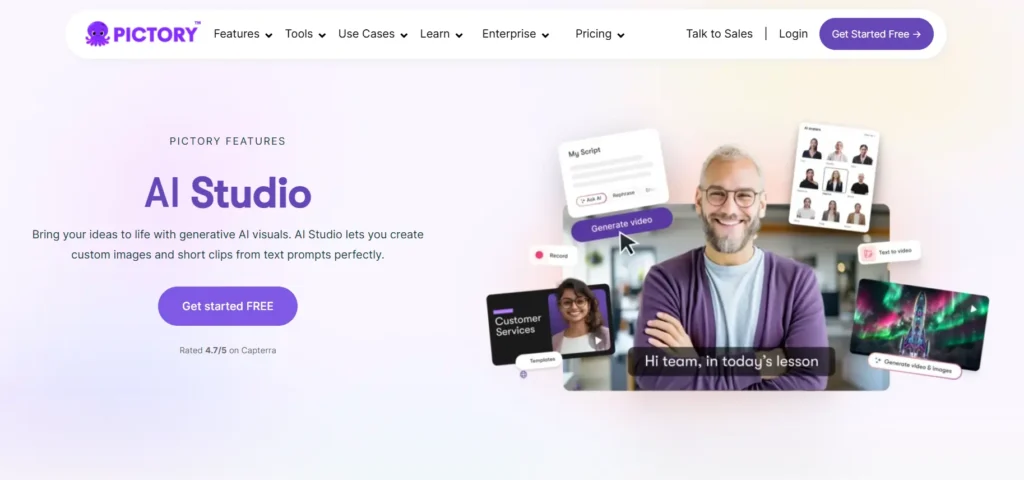
Pictory takes a completely different approach. Instead of focusing on avatars, it focuses on turning text into video automatically — pulling relevant B-roll footage, adding AI voiceovers, and syncing everything together without you touching a timeline.
If you have a long blog post, a podcast episode, or a recorded Zoom call, Pictory can convert it into a shareable video in minutes. That’s its real value proposition.
An Exclusive Gift For AI Blog First Readers
Use my promo code CABF20 at checkout to get a flat 20% OFF your Pictory subscription for life.
Pictory is particularly strong for:
- Faceless YouTube channels
- Repurposing long-form blog content into short clips
- Social media content at scale
- Teams creating large volumes of video without designers
The interface is clean, beginner-friendly, and doesn’t require any prior video editing knowledge. [Internal link suggestion: Pictory AI Review: Is It Worth It for Content Creators?]
HeyGen vs Pictory: Feature Comparison
Let’s go deep. Here’s how they actually compare across every major feature that matters to content creators.
Text-to-Video Creation Workflow
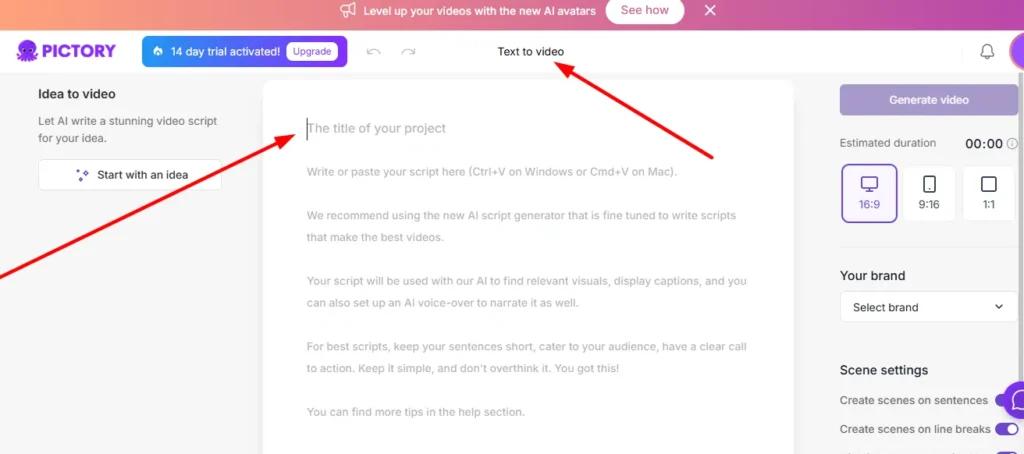
Both tools start with text — but they handle it very differently.
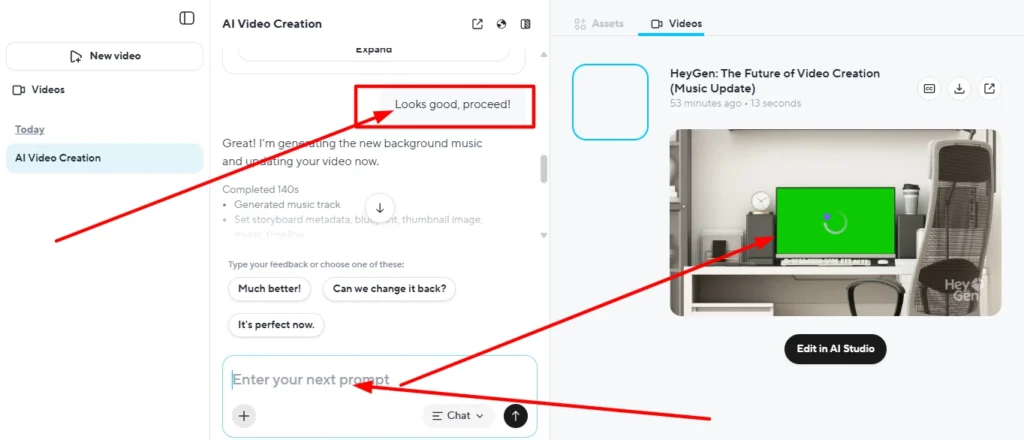
With HeyGen, you paste your script, assign it to an avatar, and the tool generates a presenter-style video. There’s minimal stock otage involved unless you add it manually. The output looks professional, almost like a real person recorded it.
With Pictory, you paste your script or blog URL, and it automatically finds matching stock clips from a massive library, lays them as B-roll, and adds a voiceover. The output feels more like a polished explainer video than a talking-head video.
Which is better? Depends on your content style. If you want a face on screen, HeyGen wins. If you want faceless, clip-based videos at scale, Pictory wins.
AI Avatars and Facial Expressions: Which Looks More Real?
This is where HeyGen has a clear, undeniable edge.
HeyGen’s avatars in 2026 are remarkably lifelike. The facial muscle movement, blinking patterns, and natural head tilts make it genuinely difficult to tell it’s AI — especially for casual viewers. You can also clone your own face and voice with their custom avatar feature.
Pictory does offer AI avatars, but they feel noticeably more basic in comparison. The expressions are stiffer, the movements less natural. For creators who need high realism, this gap is significant.
| Feature | HeyGen | Pictory |
|---|---|---|
| Custom AI Avatar | ✅ Yes (face clone) | ✅ Basic avatars |
| Lip-Sync Quality | ⭐⭐⭐⭐⭐ Excellent | ⭐⭐⭐ Average |
| Facial Expressions | Very natural | Somewhat stiff |
| Voice Cloning | ✅ Yes | ❌ Limited |
Voiceover Quality and Lip-Sync Accuracy
HeyGen’s voiceover engine is excellent. The voices feel warm and conversational, not robotic. And the lip-sync — this is the part that genuinely impressed me — is frame-accurate. When the avatar says “B,” the lips close. Small detail, massive impact on perceived professionalism.
Pictory’s voiceovers are solid for general content. They’re clear, neutral, and work well for informational or educational videos. But they don’t have the emotional range or naturalness that HeyGen achieves.
If you’re building a personal brand where the presenter’s voice and face need to feel real, HeyGen is the stronger choice.
Auto B-Roll and Stock Footage Libraries
Here, Pictory clearly leads.
Pictory has access to millions of stock clips through integrations with Storyblocks and Getty Images. When you input a script, it reads the context and pulls visually relevant clips automatically. The accuracy of the matching is surprisingly good — it’s not just random footage.
HeyGen doesn’t have a large built-in B-roll library. You’d need to source and upload footage manually if you want anything beyond the avatar on screen.
For faceless channels or explainer content, Pictory’s automatic B-roll is a genuine time-saver.
Video Translation and Multilingual Support
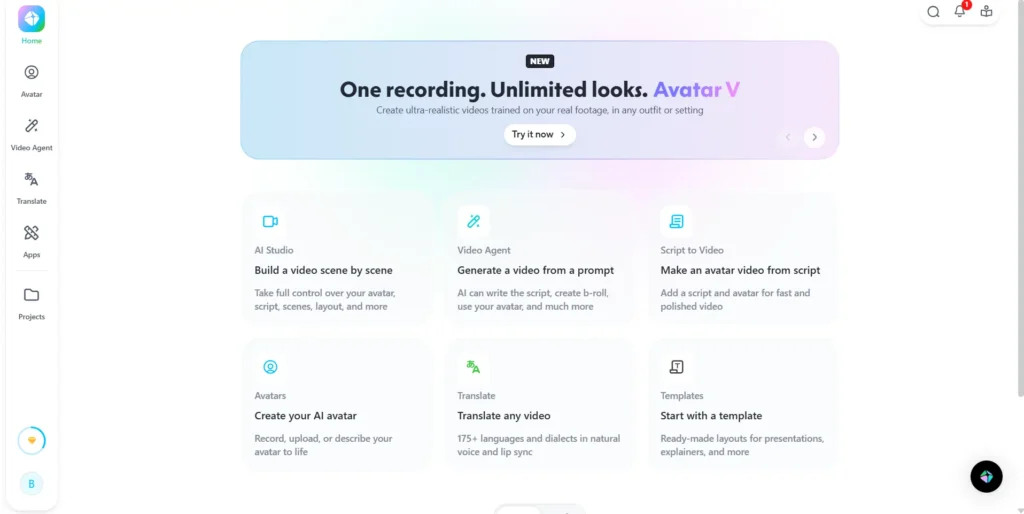
HeyGen dominates this category. Its video translation feature lets you upload an existing video and convert it into 40+ languages — keeping your original avatar’s lip movements synced to the new language. For global creators, this is extraordinary.
Pictory supports multiple languages for voiceovers, but there’s no automatic video translation or lip-sync adjustment for different languages.
HeyGen vs Pictory Pricing: Which Gives Better Value?
Pricing is where most people get stuck — and honestly, neither tool is cheap once you go beyond the free tier.
Pictory Pricing: The Minute-Based Model

Pictory’s pricing is based on video minutes per month. Plans start at around $25/month for the Starter tier, which includes a limited number of video minutes. Higher tiers give you more minutes, access to premium stock footage, and team features.
The minute-based model is straightforward, but if you create long or high-volume content, you can burn through your quota faster than expected.
HeyGen Pricing: The Video Credit Model
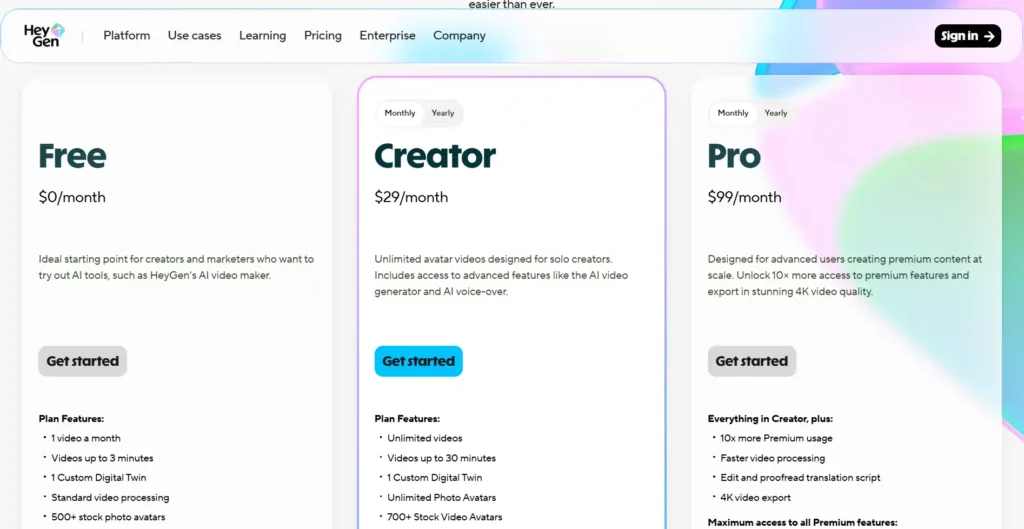
HeyGen’s pricing is structured around video credits and seat access. The free plan gives you a limited number of minutes with a watermark. Paid plans start at around $29/month and scale up based on video minutes and avatar access.
The custom avatar and voice cloning features are locked behind higher tiers, so factor that in if those are the reasons you want HeyGen.
| Plan | HeyGen | Pictory |
|---|---|---|
| Free Tier | ✅ (limited, watermarked) | ✅ (trial) |
| Entry Paid Plan | ~$29/month | ~$25/month |
| Custom Avatar | Higher tier only | Basic included |
| Best For | Avatar-first creators | Volume content creators |
Ease of Use and Editing Capabilities
Both tools are genuinely beginner-friendly — you don’t need video editing skills to use either one.
HeyGen has a clean dashboard where you script → assign avatar → generate. Editing options include scene management, background customization, and text overlays. The learning curve is low, but the avatar customization options go deep if you want them.
Pictory’s editor is drag-and-drop friendly. You can swap clips, edit the auto-generated captions, adjust timing, and add your brand logo easily. For someone completely new to video creation, Pictory may feel slightly more intuitive.
HeyGen vs Pictory: Pros and Cons
HeyGen Advantages & Limitations
Pros:
- Best-in-class AI avatars and lip-sync
- Voice cloning and custom digital twin
- Powerful multilingual video translation
- Great for personal branding and presenter-style content
Cons:
- Higher cost for premium avatar features
- Limited B-roll/stock footage library
- Not ideal for faceless, clip-based content
Pictory Advantages & Limitations
Pros:
- Excellent for repurposing blogs, podcasts, and long-form content
- Massive stock footage library with smart auto-matching
- Very beginner friendly
- Better value for high-volume content creators
Cons:
- Avatar quality lags behind HeyGen
- No real voice cloning
- Less suitable for personal brand presenter videos
Which Tool Wins for Your Specific Needs?
Best AI Video Generator for Solo Creators & Personal Brands
→ HeyGen. If your audience connects with your face and personality, HeyGen’s avatar realism makes your AI-generated videos feel genuine and credible.
Best AI Video Generator for YouTube Automation & Faceless Channels
→ Pictory. The automatic B-roll, clean voiceovers, and caption generation make it ideal for faceless content at scale without spending hours in an editor.
Best for Repurposing Blogs and Podcasts
→ Pictory, without question. Paste your blog URL, let Pictory do its thing, and you’ll have a shareable video in under 10 minutes. Nothing else in this price range does it faster.
Frequently Asked Questions (HeyGen vs Pictory)
Is HeyGen better than Pictory for realistic videos?
Yes — if realistic AI avatars and lip-sync accuracy are priorities, HeyGen is currently ahead of Pictory in that specific area.
Can I use my own voice in HeyGen and Pictory?
HeyGen supports full voice cloning on higher plans. Pictory has limited voice customization but does not offer full cloning.
Which is cheaper: HeyGen or Pictory?
Pictory’s entry plan starts slightly lower (~$25/month vs HeyGen’s ~$29/month), but costs depend heavily on your usage volume and which features you actually need.
Does Pictory support multiple languages?
Yes, Pictory supports multiple languages for voiceovers, but it doesn’t offer the video translation feature that HeyGen provides.
What’s the best AI video tool for a complete beginner?
Pictory has a slightly more intuitive interface for total beginners, while HeyGen has a short but worthwhile learning curve for its avatar features.
Final Verdict: Should You Choose HeyGen or Pictory?
Both tools genuinely do what they promise — just for different types of creators. HeyGen shines when realism and avatar quality matter most. Pictory quietly handles the heavy lifting when you need volume, speed, and faceless content that still looks professional.
There’s no wrong answer here. It really comes down to the kind of videos you want to make and how often you make them.
The HeyGen vs Pictory debate isn’t about which tool is superior — it’s about which one fits the work you’re actually doing.
Start with the free tier of each, test your real workflow, and the right one will become obvious quickly.