Stuck between HeyGen and Akool? You’re not alone. A lot of creators, marketers, and small business owners are asking the same question right now — both tools promise stunning AI avatars, realistic video translation, and smooth voice cloning, but they feel surprisingly different once you actually use them.
The pricing looks similar on the surface. The features sound almost identical in the demos. Yet the experience of working with each tool day-to-day tells a completely different story.
Hi, I’m Nisha from AIBlogFirst — I’ve been testing and reviewing AI tools for over 6 years. Today, I’m breaking down HeyGen vs Akool side by side, so you can stop second-guessing and start creating with the right tool for your workflow.
HeyGen vs Akool: Quick Comparison Overview
Before diving into the details, here’s a fast snapshot of how HeyGen and Akool stack up:
| Feature | HeyGen | Akool |
|---|---|---|
| Starting Price | Free / $29/mo (Creator) | Free / $18/mo (Pro, billed yearly) |
| Video Resolution | Up to 4K (Pro plan) | Up to 16K (Business plan) |
| Languages Supported | 175+ | 155+ |
| Custom Avatars | Digital Twins | Instant + Studio Avatars |
| Face Swap | Limited | Advanced (4 models) |
| Voice Cloning | Yes (Creator+) | Yes (Pro+, up to 180 voices) |
| Free Plan | ✅ 1 video/month | ✅ Limited credits |
| Best For | Avatar-focused video | Multi-tool creative workflow |
Both platforms are strong. The right one depends entirely on what you’re actually building.
What is HeyGen Best For?

HeyGen is primarily an AI avatar video creation platform — and it’s exceptionally good at that one thing. Over 100,000 businesses use it to create on-brand videos without cameras, studios, or production teams.
If your work involves e-learning, corporate training videos, marketing explainers, or multilingual video content, HeyGen is designed with you in mind.
Key Features of HeyGen
- 700+ stock video avatars on paid plans, plus the ability to create your own Custom Digital Twin.
- 175+ languages and dialects with natural lip-sync on Creator and Pro plans.
- Voice cloning — unlimited clones on Creator and above.
- Avatar IV Generation — HeyGen’s most realistic avatar model with gesture and motion control.
- Video translation with lip-sync — translate any existing video into 175+ languages
- 4K export available on the Pro plan ($99/month.)
- PowerPoint and PDF imports to auto-convert presentations into avatar-narrated videosYou can also explore our in-depth HeyGen review to understand how Avatar IV performs in real use cases.
HeyGen Pros and Cons
Pros:
- Genuinely clean, natural-looking avatars.
- One of the smoothest video translation tools available.
- Strong brand kit and collaboration tools for teams.
- Excellent for e-learning and corporate content.
Cons:
- The free plan allows only 1 video per month — that’s very limiting.
- 4K quality locked behind the $99/mo Pro plan.
- Face swap features are basic compared to Akool.
- Advanced features like proofread translation editor require the Pro plan.
What is Akool Best For?
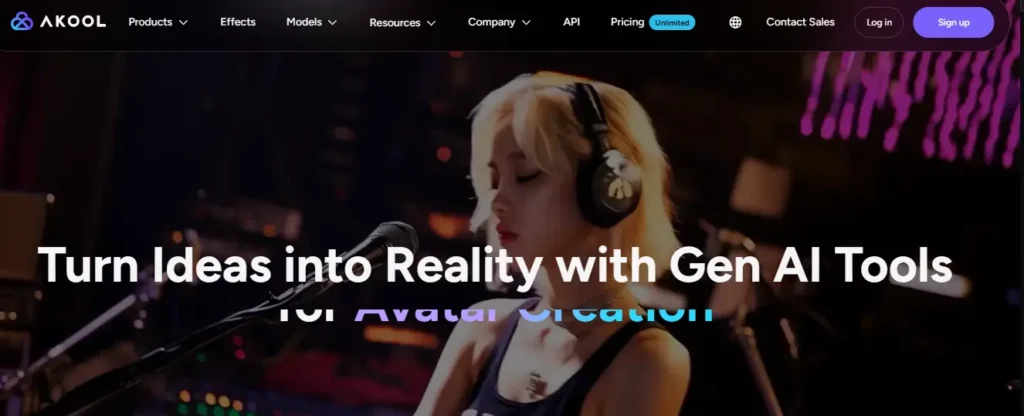
Akool is a multi-tool creative AI platform — it does avatar videos, but also goes deep into face swap, image generation, voice cloning, and video campaigns under one roof.
It’s a better fit for marketers, agencies, startups, and creators who want one platform for multiple workflows instead of juggling several tools.
Key Features of Akool
- Advanced face swap with 4 dedicated models — supports up to 16K upload quality on Business plan.
- Video translation in 155+ languages with lip-sync and proofread editor (Pro+.)
- Studio Avatars — hyper-realistic custom avatars available on Business plan.
- Credit-based system — buy what you need, no fixed video limits on paid plans.
- Video resolution up to 16K on Business plan.
- Voice cloning — 30 voices on Pro, scaling to 500 voices on Business.
- Live face swap — up to 60–120 minutes depending on plan.
- Video campaigns with variable personalization fields for mass outreachIf you’re curious about Akool’s image generation capabilities, check out our guide on AI image generator tools for creators.
Akool Pros and Cons
Pros:
- Incredibly versatile — replaces multiple tools in one subscription.
- Face swap quality and resolution are a step ahead of most competitors.
- Flexible credit system — you only pay for what you generate.
- Business plan license allows commercial use for client work.
Cons:
- The free plan is quite restricted — no watermark removal, slow speed, limited models.
- Studio Avatars (the most realistic tier) only unlock at the Business plan ($149.40/mo billed yearly.)
- The interface can feel overwhelming for beginners with all the tools available.
HeyGen vs Akool Features: A Side-by-Side Comparison
AI Avatar Realism and Lip-Sync Quality
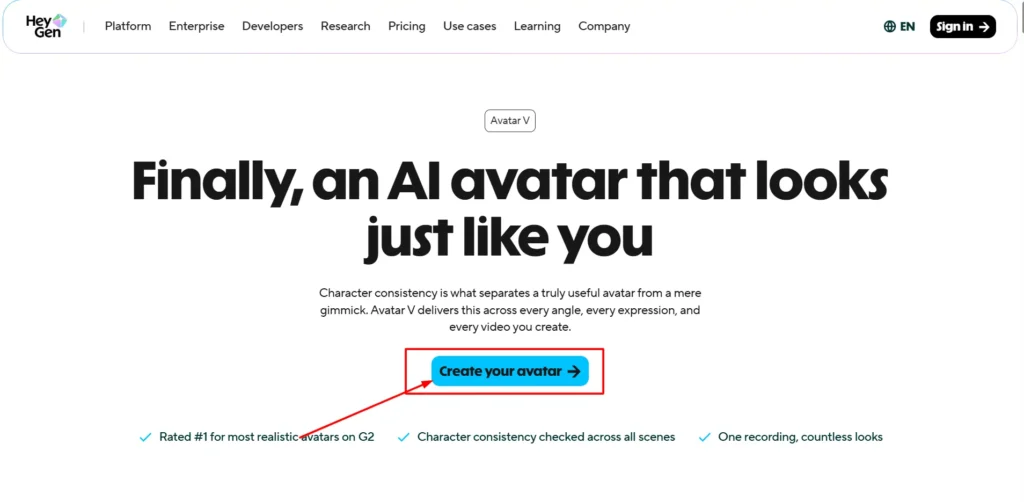
Both tools produce convincing talking avatars, but they approach realism differently. HeyGen’s Avatar IV model focuses on natural gestures, eye tracking, and facial expression — it feels polished and professional, especially for corporate or educational content.
Akool leans harder into photorealism and body movement precision. Their Instant Avatars update quickly and the Studio Avatar tier, while only available at Business level, produces noticeably more cinematic results. For social-first content or ad campaigns, Akool’s output tends to feel slightly more dynamic.
Video Translation and Localization
This is where HeyGen has historically led the market. Its video translation supports 175+ languages with lip-sync and a brand glossary to keep your terminology consistent. The Pro plan also unlocks the ability to edit and proofread translated scripts before finalizing — which is a huge deal for accuracy-sensitive content.
Akool supports 155+ languages with solid lip-sync, and adds useful features like subtitle/SRT file upload and download, and a voice dictionary for terminology control. For most translation use cases, both tools are competitive — HeyGen edges ahead on language count and script editing control.
User Interface and Learning Curve
HeyGen’s studio editor is clean and focused. If all you want is to make avatar videos and translate content, the interface guides you through it without confusion.
Akool is more like a creative dashboard — you have tools for face swap, voice cloning, image generation, video campaigns, and more, all in one place. That versatility is a strength, but it does mean a slightly steeper learning curve for someone just starting out.
Extra Tools: Face Swap, Image Generation, and More
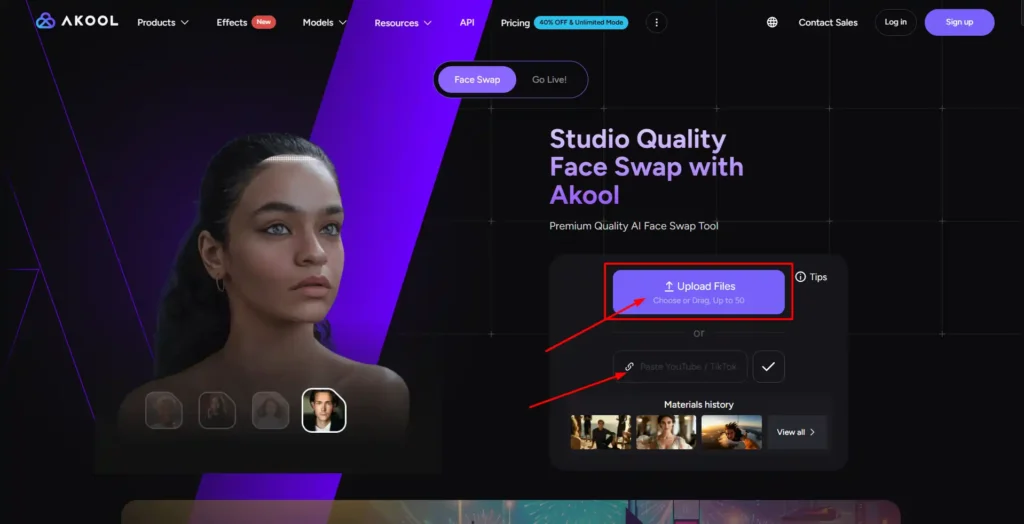
This is Akool’s clear advantage. Beyond avatar videos, Akool packs in:
- Live face swap sessions up to 120 minutes
- Re-age and face enhance filters
- AI image generation models (Nano Banana 2, Seedream 4.0, and more)
- Video campaign tool for personalized mass video outreach
- Voice changer (unlimited on all paid plans)
HeyGen doesn’t offer anything comparable in terms of breadth. It focuses on doing video avatars extremely well — and it succeeds at that — but if you want a Swiss Army knife of AI creative tools, Akool delivers more for the money.
HeyGen vs Akool Pricing: Which Gives You Better Value?
HeyGen Pricing and Subscription Plans
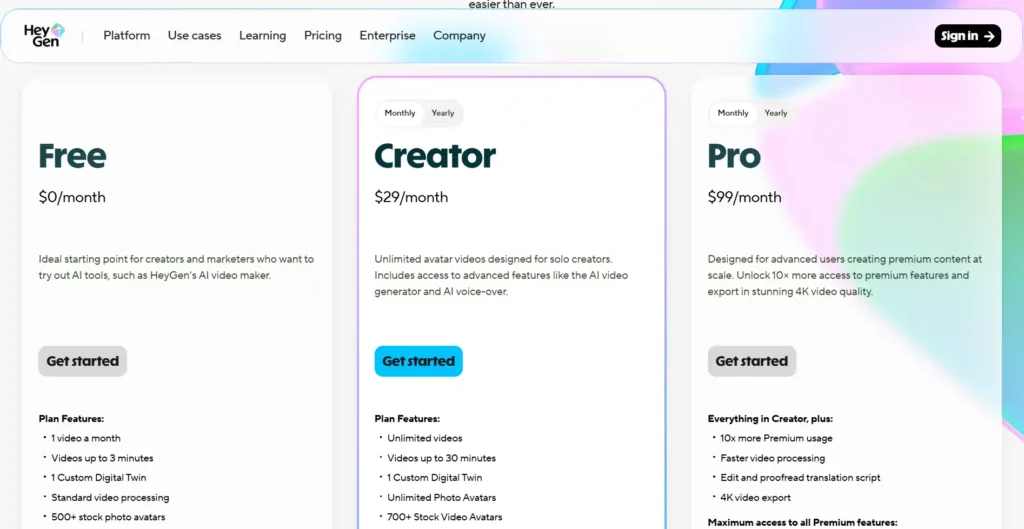
HeyGen offers a genuinely usable free plan, but it’s tight — just 1 video per month, 3 minutes max, at 720p resolution. The Creator plan at $29/month (or $24/month billed annually) opens up unlimited videos, 1080p export, and full access to 175 languages. Most individual creators will live comfortably on this tier.
The Pro plan at $99/month is for power users — it adds 4K export, faster processing, and 10x more premium usage for features like Avatar IV.
| HeyGen Plan | Monthly Price | Key Limits |
|---|---|---|
| Free | $0 | 1 video/month, 720p, 30 languages |
| Creator | $29/mo | Unlimited videos, 1080p, 175 languages |
| Pro | $99/mo | 4K, faster processing, 10x premium access |
Akool Pricing and Pay-As-You-Go Credits
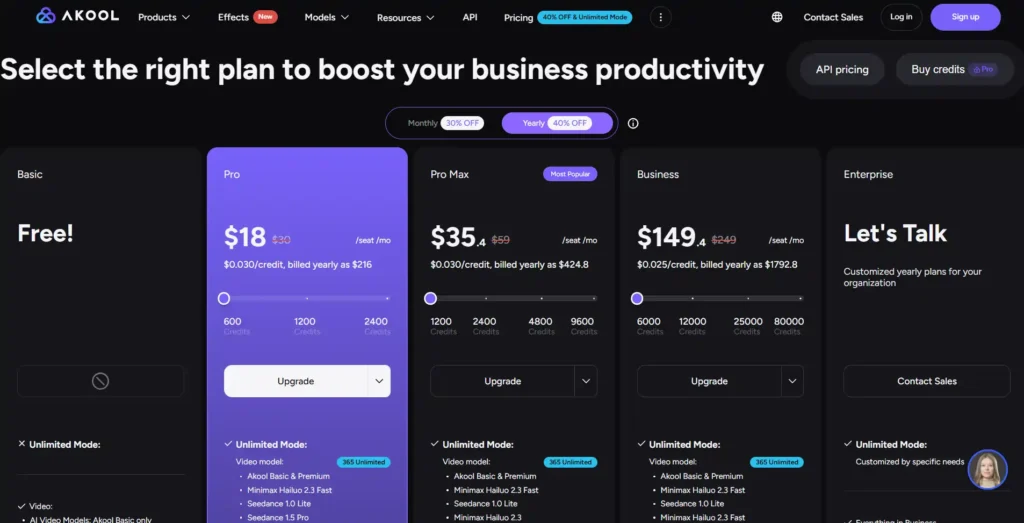
Akool’s pricing model is structured around credits + unlimited daily generation modes, which is quite different from HeyGen’s seat-based subscription.
The Pro plan starts at $18/month (billed annually, otherwise $30/month) and includes 600 credits/month plus unlimited daily access to select video and image models.
| Akool Plan | Yearly Price | Credits/Month | Key Perks |
|---|---|---|---|
| Free | $0 | Limited | 720p, 1 avatar, watermark |
| Pro | $18/mo | 600 | 4K, 4 face swap models, 155+ languages |
| Pro Max | $35.40/mo | 1,200 | 8K video, API access, workspace tools |
| Business | $149.40/mo | 6,000 | 16K, Studio Avatar, commercial license |
For solo creators on a budget, Akool Pro at $18/month billed annually undercuts HeyGen Creator at $29/month — and delivers more tools alongside it. However, if avatar video quality and translation accuracy are your priorities, HeyGen’s $29 plan is purpose-built and arguably smoother for that specific use case.
Free AI Video Generator Alternatives to HeyGen and Akool
If neither tool feels quite right, there are strong alternatives worth exploring. Synthesia is excellent for enterprise e-learning and compliance training, with a cleaner enterprise-grade UI. For creators focused heavily on video translation specifically, tools like Wavel AI also offer competitive dubbing accuracy at accessible price points.
You can explore our full comparison of the best AI avatar generators to find the right fit for your content style and budget.
Final Verdict: Should You Choose HeyGen or Akool?
Both are genuinely excellent tools in 2026 — the choice really comes down to your workflow.
Choose HeyGen If…
- Your primary need is high-quality talking avatar videos.
- You create corporate, educational, or training content at scale.
- You need video translation in 175+ languages with script-level editing control.
- You want a focused, clean interface without distractions.
Choose Akool If…
- You want one platform for multiple creative tasks — avatars, face swap, image gen, voice cloning.
- You’re on a tighter budget and want more tools for less money.
- You need advanced face swap or video campaign personalization.
- You’re a marketer or agency producing diverse content types regularly.
Frequently Asked Questions (People Also Ask)
Is Akool cheaper than HeyGen?
Yes. Akool’s Pro plan starts at $18/month (billed annually), while HeyGen’s Creator plan starts at $29/month. Both have free tiers, though both are limited.
Which tool has the most realistic AI talking avatars?
HeyGen’s Avatar IV model is among the most polished for corporate-style talking avatars. Akool’s Studio Avatar is more cinematic but only available at the Business tier ($149.40/mo).
Can Akool translate videos like HeyGen?
Yes. Both tools offer AI video translation with lip-sync. HeyGen supports 175+ languages with script editing; Akool supports 155+ languages with subtitle export and a voice dictionary.
Does HeyGen have a completely free plan without a watermark?
No. HeyGen’s free plan includes a watermark. Watermark removal starts on the Creator plan at $29/month. Similarly, Akool removes watermarks only on paid plans starting at $18/month.
My Final Take on HeyGen vs Akool
Both tools are genuinely impressive in 2026, but they serve different creators. If you want clean, professional avatar videos with top-tier translation, HeyGen is hard to beat. If you want more tools, more flexibility, and better value for money, Akool delivers that and more.
I’ve tested both extensively, and honestly? Neither is a bad choice. It just depends on your workflow.
Try the free plan of whichever feels right — then decide. Have questions? Drop them in the comments below. I read every single one. 👇