Running a faceless YouTube channel sounds simple — until you realize your biggest problem isn’t content. It’s your face. Or rather, the fact that you don’t want to show it.
Most creators get stuck right here. They want to grow on YouTube, stay anonymous, and still look professional on camera. That’s a real challenge — and most generic advice completely ignores it.
Hey, I’m Nisha from AIBlogFirst.com. I’ve been using AI avatar tools personally for the past 6 months, and today I have an exclusive discount code just for my daily readers.
I’ve tested, compared, and narrowed down the 5 best AI avatar generators for faceless YouTube channels — so you don’t have to waste a single hour doing it yourself.
Why AI Avatar Generators Are a Game-Changer for Faceless YouTube Channels
Running a YouTube channel without showing your face used to mean settling for voiceovers, stock footage, or basic screen recordings. The results rarely felt professional — and building an audience was twice as hard.
AI avatar generators changed that entirely.
These tools let you create a realistic, on-screen presenter without a camera, a studio, or even your own face. You simply type your script, and the AI avatar delivers it — with natural lip sync, realistic expressions, and a human-like voice.
For faceless YouTube creators, this solves three problems at once: it removes the discomfort of being on camera, cuts production time significantly, and makes videos look polished enough to compete with traditional channels.
The technology has also matured quickly. Today’s AI avatars support multiple languages, custom appearances, and even voice cloning — features that were expensive or impossible just two years ago.
That’s why more creators are now turning to AI-generated avatars as a core part of their content workflow — not just a shortcut, but a genuine production upgrade.
Now let’s look at what to know before you try any of these tools.
5 Best AI Avatar Generators for Faceless YouTube Channels — My Honest Reviews
| Best AI Avatar Generators | Best For | Free Trial |
|---|---|---|
| OpenArt | Custom avatars from photos | Yes, 6 months |
| Pictory AI | Faceless YouTube videos with AI presenters | Yes, 14‑day trial |
| ElevenLabs | Realistic voice cloning | Yes, limited |
| Akool | HD video generation | Yes, basic plan |
| Murf AI | Professional voiceovers | Yes, 10 min |
| Synthesia | Enterprise avatars | Yes, demo only |
1. OpenArt — Best AI Avatar Generator for Faceless YouTube Channels
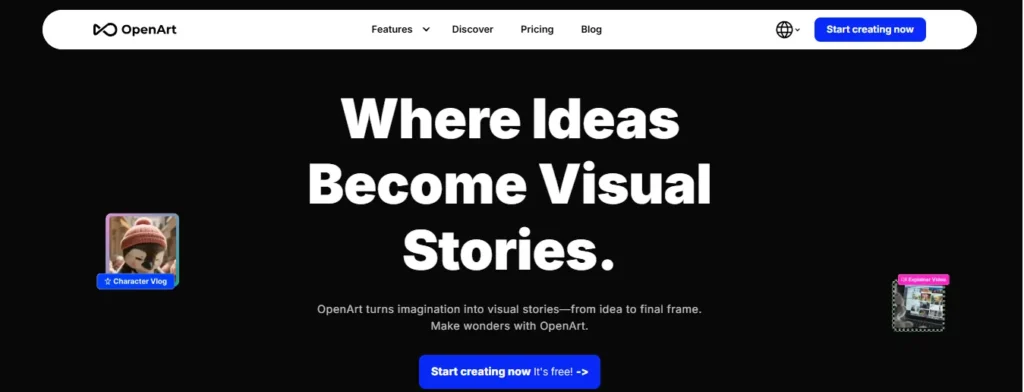
OpenArt is not just another AI image tool. It is a full creative suite built for content creators who want to produce professional videos, characters, and stories — without ever stepping in front of a camera.
If you run a faceless YouTube channel, OpenArt gives you everything in one place.
You can build consistent AI characters, sync lip movements to your voiceover, generate cinematic video from a single text prompt, and even create original background music — all inside the same dashboard.
It is fast, flexible, and genuinely fun to use. For creators who want studio-quality results without studio costs, OpenArt is one of the most complete AI tools available right now.
Exclusive 15% Off OpenArt for My Audience
Get 15% off OpenArt with my special code NISHA15 — perfect for creating custom AI avatars for your faceless YouTube channel daily.
Key Features
- Lip-Sync Technology: Perfectly syncs mouth movement to any audio or voiceover.
- Consistent AI Character Builder: Create and reuse the same avatar across all videos.
- Text to Video Generation: Turn a written script into a full cinematic video instantly.
- One-Click Story Creation: Build complete storyboard videos with a single prompt.
My Experience with OpenArt
I have personally used OpenArt for 6 months — the lip-sync and character consistency features save me hours every single week.
Pricing Plans
OpenArt offers four plans starting from $7/month — Essential, Advanced, Infinite, and Wonder — with a free tier available for beginners.
Ratings
| Category | Score |
|---|---|
| Ease of Use | ⭐⭐⭐⭐⭐ 5/5 |
| Avatar Quality | ⭐⭐⭐⭐½ 4.5/5 |
| Lip Sync Accuracy | ⭐⭐⭐⭐½ 4.5/5 |
| Value for Money | ⭐⭐⭐⭐⭐ 5/5 |
| Overall Rating | ⭐⭐⭐⭐⭐ 4.8/5 |
Why Choose OpenArt?
OpenArt gives faceless YouTube creators a complete AI production studio — avatars, videos, voice, and music — all under one affordable plan.
🎁 Exclusive Offer for AIBlogFirst Readers
Right now, OpenArt annual plans are 50% off — a limited-time deal I personally recommend grabbing before it ends. This is the exact plan I use myself, and it is the most complete AI avatar setup you will find at this price.
👉 Claim Your 50% Off OpenArt Deal Here
Here’s your SEO-optimized promotional description for Pictory.ai:
2. Pictory.ai — Best AI Avatar Generator for Faceless YouTube Channels
Want to grow a faceless YouTube channel without showing your face? Pictory.ai is the ultimate AI avatar generator built for creators like you.
Simply paste your script, and Pictory transforms it into a polished, professional video — complete with realistic AI avatars, natural voiceovers, auto-captions, and stunning visuals.
No camera. No microphone. No editing skills required.
Whether you’re a beginner or a seasoned creator, Pictory makes faceless YouTube content creation faster, easier, and more affordable than ever before.
Exclusive 20% Off Pictory AI Discount Code
Apply code CABF20 at checkout for an instant twenty percent discount today.
Key Features:
- Realistic AI Avatars: Lifelike digital presenters deliver your script professionally on screen.
- Text-to-Video Generation: Turn any script or idea into a complete YouTube-ready video instantly.
- Auto Captions & Subtitles: Boost watch time with automatically generated, perfectly synced captions.
- Multi-Platform Export: Export videos in 1080p for YouTube, Shorts, Reels, and TikTok effortlessly.
Pricing Plans
Plans start at just $25/month (billed annually). Starter, Professional, and Team plans available — all with a free 14-day trial, no credit card required.
My Experience with Pictory.ai
Pictory completely transformed my faceless YouTube workflow — faster production, stunning results, zero hassle!
Ratings
| Category | Score |
|---|---|
| Ease of Use | ⭐⭐⭐⭐⭐ 5/5 |
| Avatar Quality | ⭐⭐⭐⭐½ 4.5/5 |
| Lip Sync Accuracy | ⭐⭐⭐⭐½ 4.5/5 |
| Value for Money | ⭐⭐⭐⭐⭐ 5/5 |
| Overall Rating | ⭐⭐⭐⭐⭐ 4.8/5 |
Why Choose Pictory.ai?
Pictory is the #1 AI avatar generator trusted by 20,000+ creators worldwide for faceless YouTube channels — no filming needed!
🔥 Limited Offer: 40% Off Pro Annual + 2X AI Credits
Grab 40% off the Pro Annual plan today and double your AI credits — the best deal for serious faceless YouTube creators!
3. ElevenLabs — Best AI Voice Generator for Faceless YouTube Channels

If your faceless YouTube channel needs a voice that sounds completely human, ElevenLabs is the tool you have been waiting for.
Most AI voiceovers sound flat and robotic. ElevenLabs sounds different — genuinely different. The voices are expressive, emotional, and natural enough that viewers simply cannot tell it is AI-generated.
Beyond voice, ElevenLabs now offers video generation, AI music, sound effects, and voice cloning — making it a surprisingly complete production platform for faceless creators.
You can clone your own voice, generate studio-quality background music, and produce multilingual content across 70+ languages — all without recording a single professional audio session.
For any creator who wants their faceless channel to sound as good as it looks, ElevenLabs is the clear first choice.
Key Features
- Ultra-Realistic Voice Generator: Creates human-sounding voiceovers across 70+ languages instantly.
- Voice Cloning Technology: Clone your own voice for consistent, personal-sounding narration.
- AI Music Generator: Produces studio-quality background tracks in any genre or style.
- Video + Audio in One Platform: Generate images, videos, and sound effects inside one dashboard.
My Experience with ElevenLabs
The voice quality genuinely shocked me the first time — it sounds so natural that my audience thought I was recording myself every single time.
Pricing Plans
ElevenLabs offers plans starting completely free, with paid options from $6/month — Free, Starter, Creator, Pro, Scale, and Business tiers available.
Ratings
| Category | Score |
|---|---|
| Voice Realism | ⭐⭐⭐⭐⭐ 5/5 |
| Ease of Use | ⭐⭐⭐⭐⭐ 5/5 |
| Language Support | ⭐⭐⭐⭐⭐ 5/5 |
| Value for Money | ⭐⭐⭐⭐½ 4.5/5 |
| Overall Rating | ⭐⭐⭐⭐⭐ 4.8/5 |
Why Choose ElevenLabs?
ElevenLabs gives faceless YouTube creators the most realistic AI voice available today — paired with music, video, and cloning tools that make every video sound professionally produced.
🎁 Exclusive Offer for AIBlogFirst Readers
ElevenLabs Creator plan is currently 50% off your first month — dropping to just $11. If you want your faceless channel to sound human, credible, and professional from day one, this is the plan to start with.
👉 Claim Your 50% Off ElevenLabs Deal Here
4. Akool — Best AI Avatar Generator for Faceless YouTube Channels with 4K Quality
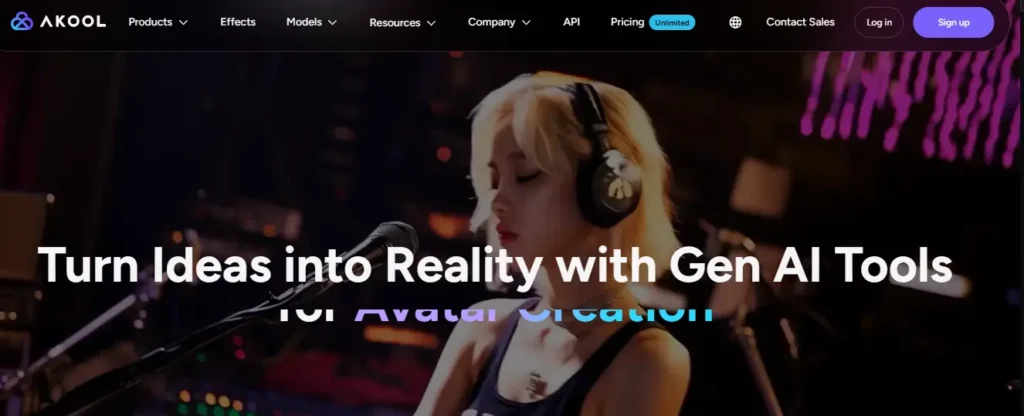
Most AI avatar tools give you decent results. Akool gives you results that look like they came out of a professional studio — and that difference is visible the moment you watch your first video.
Akool is trusted by over 10 million users and Fortune 500 companies including Canon, Google Cloud, and Coca-Cola. But what matters more to you as a faceless YouTube creator is this — it works beautifully for independent creators too.
You get a realistic talking avatar, precise lip sync, face swap, video translation across 155+ languages, and 4K video exports — all inside one clean platform.
The avatar quality here is genuinely on another level. Expressions feel natural, movements feel fluid, and nothing looks stiff or artificial on screen.
For faceless creators who want their channel to look like it has a full production team behind it, Akool is the tool that delivers that impression — without the budget.
Key Features
- Photorealistic 4K Avatar Videos: Produces studio-quality avatar videos up to full 4K resolution.
- Talking Avatar with Lip Sync: Creates natural on-screen presenters perfectly synced to any voiceover.
- Video Translation in 155+ Languages: Translates and lip-syncs your videos into any language instantly.
- Face Swap and Live Avatar Tools: Swap faces and create live streaming avatars for real-time content.
My Experience with Akool
The 4K export quality genuinely surprised me — my faceless videos looked more professional than anything I had produced before, with zero studio setup needed.
Pricing Plans
Akool offers a free Basic plan, with paid plans starting from $21/month — Pro, Pro Max, Business, and Enterprise tiers available for every level of creator.
Ratings
| Category | Score |
|---|---|
| Avatar Realism | ⭐⭐⭐⭐⭐ 5/5 |
| Video Quality | ⭐⭐⭐⭐⭐ 5/5 |
| Lip Sync Accuracy | ⭐⭐⭐⭐⭐ 5/5 |
| Ease of Use | ⭐⭐⭐⭐½ 4.5/5 |
| Overall Rating | ⭐⭐⭐⭐⭐ 4.9/5 |
Why Choose Akool?
Akool gives faceless YouTube creators enterprise-grade avatar quality at creator-friendly prices — with 4K exports, multilingual video translation, and talking avatars that genuinely look human on screen.
🎁 Exclusive Offer for AIBlogFirst Readers
Akool’s Pro plan is currently 30% off on annual billing — bringing it down to just $21/month. For 4K avatar videos and professional lip sync at that price, this is one of the strongest deals in the AI video space right now.
👉 Claim Your 30% Off Akool Deal Here
5. Murf AI — Best AI Voice Generator for Faceless YouTube Channel Voiceovers

Here is the truth most creators discover too late — your YouTube avatar can look perfect, but if the voice sounds robotic, viewers will leave within the first 30 seconds.
Murf AI solves that problem completely.
It is one of the most realistic AI voice generators available today, rated 4.7 out of 5 on G2 with over 1,000 verified reviews. Real people genuinely cannot tell the difference between a Murf voice and a human recording — and that is not marketing language, that is something Murf’s own users have tested and confirmed.
For faceless YouTube creators, Murf gives you 200+ expressive voices across 35+ languages, full control over pitch, speed, and tone, and direct integrations with Canva, PowerPoint, and Google Slides.
You write your script, choose your voice, and your voiceover is ready in minutes — no microphone, no recording booth, no re-takes.
If the voice of your faceless channel matters to you — and it absolutely should — Murf AI is the tool that gets it right every single time.
Key Features
- 200+ Ultra-Realistic AI Voices: Choose from expressive voices across 35+ languages and accents worldwide.
- Full Voice Customization Controls: Adjust pitch, speed, emphasis, and intonation for every single line.
- AI Video Dubbing in 40+ Languages: Translate and dub your YouTube videos instantly with accurate lip sync.
- Canva, PowerPoint and Google Slides Integration: Add professional voiceovers directly inside tools you already use.
My Experience with Murf AI
The voice naturalness genuinely impressed me — I ran the same blind test my audience did, and even I could not tell which was AI and which was human.
Pricing Plans
Murf AI offers a free plan to start, with paid plans from $19/month — Creator, Business, and Enterprise tiers available for every level of creator and team.
Ratings
| Category | Score |
|---|---|
| Voice Realism | ⭐⭐⭐⭐⭐ 5/5 |
| Voice Variety | ⭐⭐⭐⭐⭐ 5/5 |
| Ease of Use | ⭐⭐⭐⭐⭐ 5/5 |
| Value for Money | ⭐⭐⭐⭐½ 4.5/5 |
| Overall Rating | ⭐⭐⭐⭐⭐ 4.8/5 |
Why Choose Murf AI?
Murf AI gives faceless YouTube creators the most realistic, customizable AI voiceover experience available — with 200+ voices, multilingual dubbing, and seamless integrations that fit directly into your existing content workflow.
🎁 Exclusive Offer for AIBlogFirst Readers
Murf AI offers a completely free plan to start — no credit card needed. When you are ready to unlock unlimited downloads and commercial rights, the Creator plan starts at just $19/month. For the quality you get, it is genuinely one of the best value AI voice tools available right now.
👉 Try Murf AI Free Today — No Credit Card Needed
6. Synthesia — Best AI Avatar Generator for Professional Faceless YouTube Videos

There is a reason over 1 million creators and 90% of Fortune 100 companies use Synthesia. It simply produces the most polished, professional-looking AI avatar videos available today — and it does it without a single camera, microphone, or editing skill required.
For faceless YouTube creators, this is a significant deal.
You type your script, choose from 240+ realistic AI avatars, and Synthesia delivers a finished video that looks like it came from a professional production team. No awkward expressions. No robotic delivery. No stiff movements.
What makes Synthesia stand out from everything else on this list is consistency. Every video looks branded, clean, and professional — whether it is your first video or your five hundredth.
It also supports 160+ languages with one-click translation and real lip sync — which means your faceless YouTube channel can reach a global audience without recording separate videos for each language.
If you want your faceless channel to look like a serious, established brand from day one, Synthesia is the tool that makes that happen.
Key Features
- 240+ Realistic AI Avatars: Choose from the largest library of professional AI presenters available anywhere.
- 160+ Languages with One-Click Translation: Translate and lip-sync entire videos into any language instantly.
- Custom Personal AI Avatar: Create your own AI avatar that looks and speaks exactly like you.
- AI Video Assistant with Brand Kit: Turn documents and scripts into fully branded videos automatically.
My Experience with Synthesia
The consistency surprised me most — every single video I produced looked polished and on-brand without any extra editing work at all.
Pricing Plans
Synthesia offers a free Basic plan, with paid plans now starting from just $18/month — Starter, Creator, and Enterprise tiers available with significant annual savings.
Ratings
| Category | Score |
|---|---|
| Avatar Realism | ⭐⭐⭐⭐⭐ 5/5 |
| Video Quality | ⭐⭐⭐⭐⭐ 5/5 |
| Language Support | ⭐⭐⭐⭐⭐ 5/5 |
| Ease of Use | ⭐⭐⭐⭐⭐ 5/5 |
| Overall Rating | ⭐⭐⭐⭐⭐ 4.9/5 |
Why Choose Synthesia?
Synthesia gives faceless YouTube creators the most complete, professional AI avatar video platform available — 240+ avatars, 160+ languages, custom branding, and one-click translation, all inside one beautifully simple dashboard.
🎁 Exclusive Offer for AIBlogFirst Readers
Synthesia has just dropped prices by 38% — the Starter plan now begins at only $18/month on annual billing. Plus there is a completely free Basic plan with no credit card required, so you can test the full quality before spending a single rupee or dollar.
👉 Try Synthesia Free Today — No Credit Card Needed
What to Know Before You Try Any AI Avatar Generator for YouTube
Before you commit to any AI avatar tool, there are a few things worth understanding. Not every generator is built the same way — and the wrong choice can cost you time, money, and a lot of frustration.
Output quality varies significantly between tools. Some AI avatars look natural and fluid on screen. Others still feel slightly robotic or stiff. Always test with a free trial before paying for a full plan.
Lip sync accuracy matters more than it seems. On YouTube, viewers notice when audio and mouth movement are even slightly off. Prioritize tools that are specifically designed for video content, not just image-based avatars.
Check the usage rights before publishing. Some platforms restrict how you can use AI-generated videos commercially. If you plan to monetize your channel, verify the tool’s licensing terms upfront.
Pricing structures differ widely. Most tools charge by video minutes, not per video. A plan that looks affordable can get expensive fast if you upload frequently.
One more thing many creators overlook — YouTube’s own disclosure policy now requires labeling realistic AI-generated content in certain cases. Knowing this early saves complications later.
With that context in place, here are the five best AI avatar generators for faceless YouTube channels that genuinely deliver on their promises.
Frequently Asked Questions About AI Avatar Generators for Faceless YouTube Channels
What is an AI avatar generator for faceless YouTube channels?
An AI avatar generator creates a realistic digital presenter that speaks your script on screen — so you never need to show your real face on YouTube.26 words
Can I run a successful YouTube channel without showing my face?
Yes. Thousands of creators run profitable faceless YouTube channels using AI avatars, voiceovers, screen recordings, and animated presenters — with no camera required.25 words
How does an AI avatar work in a YouTube video?
You type a script, and the AI generates a realistic human presenter that lip-syncs to the text or uploaded audio — creating a complete talking-head video.28 words
Is it hard to create a faceless YouTube channel with AI?
Not at all. Most AI avatar tools require zero editing skills. You write a script, choose an avatar, and your video is ready within minutes.27 words
Do I need any technical skills to use AI avatar generators?
No technical skills are needed. Tools like Synthesia, HeyGen, and OpenArt are designed for complete beginners — just type, click, and download your finished video.27 words
What kind of YouTube channels work best with AI avatars?
AI avatars work best for educational, finance, tech review, news, motivation, and tutorial channels — any niche where information matters more than personal on-camera presence.26 words
Which AI avatar generator has the best lip sync for YouTube?
HeyGen, Akool, and Synthesia offer the most accurate lip sync technology for YouTube videos — matching mouth movement to audio with near-perfect natural precision.25 words
Can I create a custom AI avatar that looks like me?
Yes. Tools like Synthesia and HeyGen let you create a personal AI avatar using your own photos or short video clip — no studio needed.28 words
Can AI avatars speak multiple languages for YouTube?
Yes. Synthesia supports 160+ languages, Murf AI covers 35+, and Akool translates across 155+ languages — all with automatic lip sync to match each language.27 words
What video quality do AI avatar generators produce for YouTube?
Most premium tools produce Full HD or 4K video output. Akool specifically offers photorealistic 4K rendering — high enough quality for professional YouTube channel publishing.26 words
Final Thoughts on AI Avatar Generators for Faceless YouTube Channels
Every creator’s workflow is a little different, and that’s completely fine. The right AI avatar generator is the one that fits how you actually work, not just the one with the most features on paper.
AI avatar generators for faceless YouTube channels have genuinely matured over the past year. The quality gap between free and paid tools is narrowing, and even beginners can produce professional-looking videos without showing their face.
Take your time, test a free tier before spending anything, and trust your own judgment. A calm, consistent channel built with the right tool will always outperform one rushed with the wrong one.