You searched for a free AI voice generator, found something that looked promising — then hit a paywall after just a few seconds of audio.
Sound familiar?
Most tools labeled “free” come with strict character limits, watermarked exports, or natural-sounding voices locked behind a paid plan. For content creators, educators, and beginners just getting started with voiceovers, that’s genuinely frustrating.
Not every free AI voice generator is built the same. Some deliver clean, realistic audio without a credit card — no catches.
We’ve pulled together the 7 best free AI voice generators worth your time. You’ll see what each tool actually offers, how it performs, and where it falls short.
Why You Need a Reliable Free AI Voice Generator Today
Audio content is no longer just an optional feature; it is a core requirement for reaching modern audiences. Whether you are running an automated YouTube channel or designing e-learning modules, viewers expect high-quality narration. However, hiring professional voice actors takes time, negotiation, and a significant budget.
This is where a reliable free AI voice generator transforms your daily workflow. Instead of waiting days for an audio recording, you can convert your text to speech in a matter of seconds. Today’s advanced speech synthesis produces natural sounding voices that accurately mimic human cadence and emotion.
Integrating a dependable voiceover tool into your content process allows you to:
- Test different voice styles, ages, and regional accents without upfront costs.
- Update audio scripts instantly when a video needs a quick revision.
- Scale your audio content creation across multiple platforms efficiently.
The real challenge isn’t finding a basic text-to-speech app—it is finding one that doesn’t sound robotic or restrict your commercial usage rights. Let’s look at what actually separates the usable platforms from the frustrating ones.
Top 7 Free AI Voice Generators (Tested & Reviewed)
| AI Voice Generator | Top SEO Benefit | Free Plan Status |
|---|---|---|
| ElevenLabs | Realistic Human Emotion | 10K Monthly Credits |
| OpenArt | Complete Creative Studio | Free Audio Credits |
| Pictory AI | Faceless Video Creation | Free Trial Available |
| HeyGen | Multilingual Video Avatars | Free Trial Credits |
| Murf AI | Professional Studio Quality | Free Basic Plan |
| Fliki AI | Social Media Videos | Free Export Options |
| Akool | Perfect Video Dubbing | Free Starting Credits |
1. ElevenLabs – Best Free AI Voice Generator for Realistic Human Emotion

ElevenLabs stands apart from the crowd as the most sophisticated free AI voice generator available to content creators today. With over 10,000 studio-quality voices across 70+ languages, it delivers speech that genuinely mimics natural human intonation, pausing, and emotional depth.
You get instant access on the free plan — no credit card, no complicated setup. Whether you are a solo YouTuber or a growing brand, the output quality is noticeably cleaner and more expressive than most tools in this space.
Key Features:
- Massive Voice Library: Access 10,000+ expressive, studio-quality AI voices instantly.
- Multilingual Support: Generate natural-sounding speech across 70+ global languages.
- Voice Cloning: Clone any voice from a short audio sample with high accuracy.
- Emotion & Tone Control: Adjust stability, style, and emotional exaggeration per generation.
Best For: YouTube creators, podcasters, educators, and multilingual content teams
Use Cases:
- Create professional YouTube voiceovers without recording your own voice.
- Generate realistic audiobook narration across multiple character voices.
- Produce multilingual marketing content for global audience campaigns.
- Build AI voice agents for customer support and conversational workflows.
Pricing Plan: Free plan includes 10,000 credits monthly (~10 minutes of audio); paid plans start at $5/month with a commercial license.
Why Choose ElevenLabs: Industry-leading voice realism, trusted by Disney, NVIDIA, and Epic Games — free to start.
2. OpenArt – Best All-in-One Free AI Platform with Built-In Voice Generator

OpenArt is not your typical single-purpose tool. While most platforms ask you to switch between apps for images, videos, and audio, OpenArt brings everything under one free creative workspace. Its built-in AI voice generator lets you generate natural-sounding text-to-speech audio without ever leaving the platform.
Powered by ElevenLabs voice synthesis, OpenArt’s audio studio gives you fine-grained control over tone, pacing, and emotional stability. For creators who already use it for visuals, the voice feature makes it a genuinely practical all-in-one solution.
Exclusive OpenArt Discount – Limited Time Offer
Get 15% OFF your OpenArt plan — Use code NISHA15** at checkout and start creating today!
Key Features:
- ElevenLabs-Powered TTS: Studio-quality text-to-speech built directly into the platform.
- Voice Cloning: Upload a 30-second clip to clone any voice for personalised narration.
- Smart Voice Filtering: Filter voices by accent, age, and gender to match your project.
- All-in-One Studio: Combine AI images, video, and voice creation in one workflow.
Best For: Visual content creators who also need voiceovers, podcasters, and educators
Use Cases:
- Generate voiceovers for AI-generated videos without switching tools.
- Clone your voice for consistent narration across multiple content pieces.
- Add professional text-to-speech audio to social media video content.
- Create character dialogue for animated or story-driven video projects.
Pricing Plan: Free plan available with image, video, and audio credits; paid plans offer extended credits and commercial use. (Use code NISHA15 for a discount)
Why Choose OpenArt: A rare all-in-one AI platform where voice, image, and video creation live together — free to start, no juggling multiple tools.
3. Pictory AI – Best AI Voice Generator for Faceless Video Creators
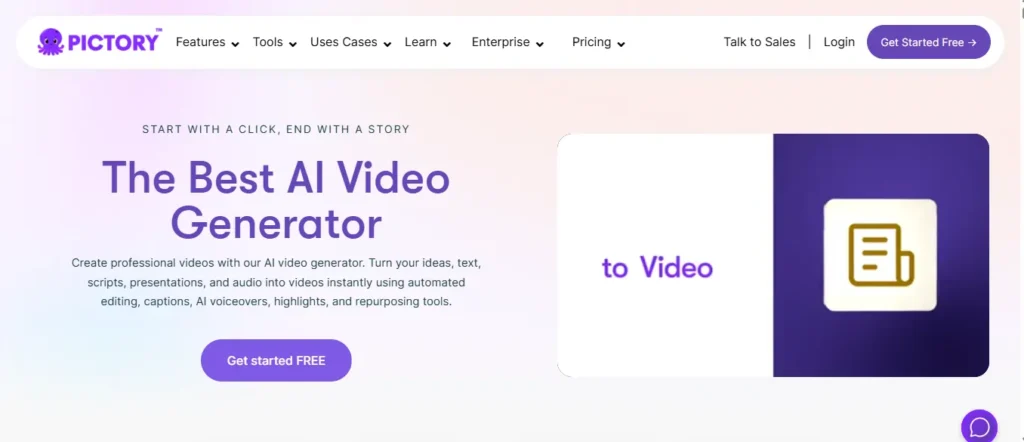
Pictory AI approaches voice generation from a completely different angle — it is built specifically for creators who need narration tied directly to video content. If you are running a faceless YouTube channel, creating training modules, or converting blog posts into social media clips, generating standalone audio often creates more work because you still have to manually sync it to your visuals.
With Pictory, you paste your script, select from dozens of natural-sounding AI voices (powered by ElevenLabs), and the platform automatically times the voiceover to match your on-screen captions and B-roll footage. It is a massive time-saver for visual storytellers.
Exclusive Pictory AI Discount – Save 20%
Get 20% OFF any Pictory AI plan — Use code CABF20** at checkout and automate your videos today!
Key Features:
- Auto-Sync Narration: Automatically times your AI voiceover perfectly with video scenes and captions.
- Blog-to-Voiceover: Converts any published blog post URL into a fully narrated video.
- Premium Voices Included: Access highly realistic ElevenLabs voice models directly inside the editor.
- Instant Script Updates: Edit your text script, and the AI voiceover automatically updates in real-time.
Best For: Faceless YouTube creators, marketers, educators, and blog owners.
Use Cases:
- Convert written blog articles into fully narrated YouTube videos instantly.
- Generate professional voiceovers for corporate explainer or training videos.
- Create faceless TikTok and Instagram Reels with synced narration and captions.
- Replace robotic-sounding text-to-speech in older videos with realistic AI voices.
Pricing Plan: Free trial available; paid plans start at $19/month. (Use code CABF20 for 20% off any plan.)
Why Choose Pictory AI: It eliminates the tedious process of manually syncing audio to video by combining high-quality text-to-speech with an automated video editor.
4. HeyGen – Best Free AI Voice Generator for Multilingual Video Avatars

While HeyGen is widely known for its hyper-realistic AI avatars, it is also quietly housing one of the most powerful free AI voice generators and translation engines on the market. If your goal is to produce localized content across different regions without hiring translators or voice actors, HeyGen’s audio architecture is incredibly tough to beat.
With access to over 300 voices across 175+ languages and dialects, the platform goes far beyond basic text-to-speech. You can prompt the AI to generate a custom voice from scratch based on a text description, or upload a clean audio clip to clone your own voice. The AI then automatically syncs that audio perfectly with your chosen video avatar.
Key Features:
- Multilingual Support: Generate natural-sounding voiceovers in 175+ languages and regional dialects.
- Instant Voice Cloning: Upload a short audio sample to securely clone your own voice.
- Prompt-to-Voice: Type a text description (e.g., “warm, middle-aged British narrator”) to generate a unique voice.
- Perfect Lip-Syncing: Audio automatically syncs with AI avatars without manual video editing.
Best For: Global marketers, training departments, educators, and YouTube creators
Use Cases:
- Translate a single English video into Spanish, German, and Hindi with matching lip-sync.
- Clone your voice to create continuous social media content without picking up a microphone.
- Produce scalable corporate training videos with consistent, on-brand narration.
- Add hyper-realistic AI presenters and voiceovers directly into Canva designs.
Pricing Plan: Free plan available with limited credits; Creator plan starts at $29/month with watermark-free exports and premium voice cloning.
Why Choose HeyGen: It eliminates the language barrier entirely. You can clone your voice once and have your avatar speak flawlessly in over 175 languages with perfect lip-syncing.
5. Murf AI – Best Free AI Voice Generator for Professional Voiceovers

Murf AI is the go-to free AI voice generator for professionals who refuse to compromise on audio quality. While many free tools give you robotic, monotonous output, Murf delivers 200+ expressive, studio-grade voices across 35+ languages — all powered by its own proprietary neural speech models.
What genuinely separates Murf from the crowd is its level of control. You can adjust pitch, speed, intonation, emphasis on specific words, and even speaking style — all within a clean, beginner-friendly studio interface. For corporate teams, e-learning designers, and content creators, that granular control makes a real difference in the final output.
Key Features:
- 200+ Expressive Voices: Access a rich catalogue of voices across 35+ languages and 10+ regional accents.
- 99.38% Pronunciation Accuracy: Industry-leading phonetic precision for technical, medical, and legal content.
- Word-Level Emphasis Control: Highlight specific words to change tone, emotion, and delivery naturally.
- Canva & PowerPoint Integration: Add AI voiceovers directly inside tools your team already uses daily.
Best For: E-learning designers, corporate trainers, podcast creators, and YouTube voiceover artists
Use Cases:
- Build professional narrated e-learning modules and corporate training videos faster.
- Create engaging podcast episodes and audiobooks without recording equipment.
- Generate multilingual voiceovers for product demos and explainer videos.
- Add studio-quality narration directly to Canva designs and PowerPoint presentations.
Pricing Plan: Free plan available with limited minutes; paid plans start at $29/month with full commercial licensing and advanced voice controls.
Why Choose Murf AI: Trusted by 300+ Forbes 2000 companies including Nestlé and Air France — Murf delivers the precision and voice quality that professional content genuinely demands.
6. Fliki AI – Best Free AI Voice Generator for Turning Text Into Social-Ready Videos
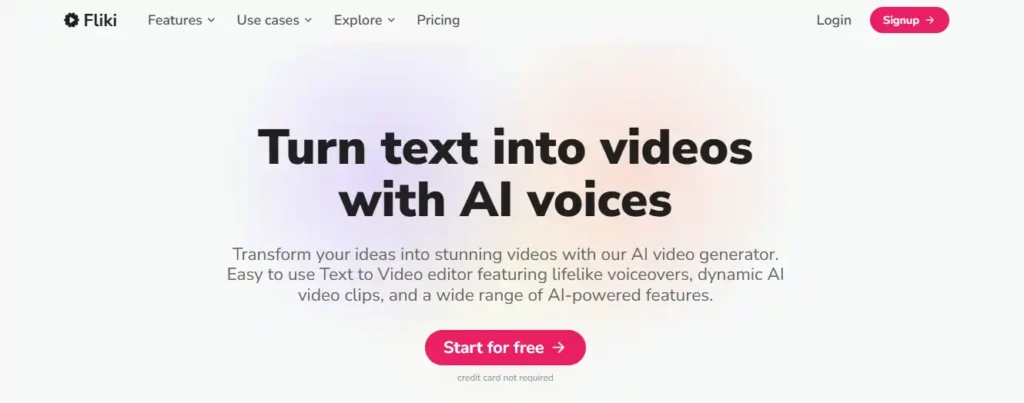
Fliki sits in a unique category among free AI voice generators — it does not just create audio, it transforms that audio into a fully produced video in the same workflow. For content creators who spend hours writing scripts, recording voiceovers, and manually syncing footage, Fliki compresses all three steps into one fast, beginner-friendly process.
With 2,500+ ultra-realistic voices across 80+ languages and 100+ dialects, the voice library alone is one of the most extensive available on a free plan. Whether you are building faceless YouTube channels, Instagram Reels, or TikTok content, the platform handles scripting, voiceover, B-roll, captions, and music automatically.
Key Features:
- 2,500+ Realistic AI Voices: One of the largest free voice libraries across 80+ languages and 100+ dialects.
- Blog-to-Video in One Click: Paste any blog URL and Fliki converts it into a narrated social video instantly.
- AI Reel Generator: Auto-produces short-form videos optimised for YouTube Shorts, TikTok, and Instagram Reels.
- AI Avatar + Voice Clone: Clone your own voice and face for authentic on-brand video creation.
Best For: Faceless video creators, social media marketers, bloggers, and e-learning content teams.
Use Cases:
- Convert written blog articles into fully narrated, social-ready video content.
- Create faceless YouTube Shorts and TikTok Reels with AI voices and auto-synced B-roll.
- Produce multilingual training videos and e-learning modules in minutes.
- Transform PowerPoint presentations into professionally narrated video content.
Pricing Plan: Free plan available with watermarked videos and basic features; Standard plan at $28/month (annual billing saves 25%) with watermark-free exports and full voice access.
Why Choose Fliki AI: Trusted by 50,000+ companies with a 4.8/5 rating on G2 and Capterra — Fliki delivers 5x faster video production than traditional methods, all starting completely free.
7. Akool – Best Free AI Voice Generator for Multilingual Video Dubbing & Avatars
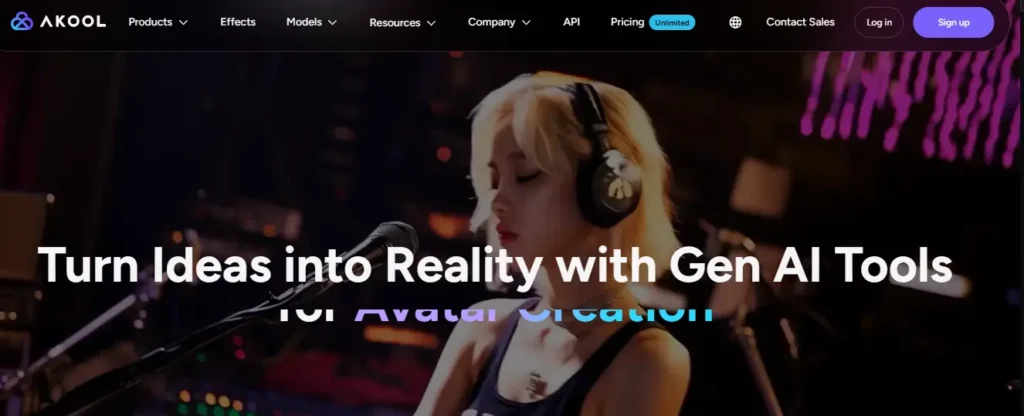
Akool takes a distinctly different approach to AI voice generation. Rather than offering a simple text-to-speech editor, it delivers a full generative AI video suite where voice, avatar, face, and lip-sync all work together inside one platform. For marketing teams, agencies, and global content creators, that level of integration genuinely removes the need to patch together multiple tools.
The Voice Lab alone supports 900+ voices across 175 languages, with natural real-time facial expressions that automatically sync with the generated audio. Whether you are localizing product demos or creating talking avatar content for social media, the voice output is consistently clear and human-sounding.
Key Features:
- 900+ Voices in 175 Languages: One of the most expansive multilingual voice libraries available free.
- Real-Time Lip Sync: AI-generated audio syncs flawlessly with avatar facial expressions in real-time.
- Voice Cloning Technology: Clone any voice from a short audio sample for personalised brand narration.
- Free Real Voice Generator: Generate ultra-realistic, watermark-free voiceovers at zero cost.
Best For: Marketing teams, agencies, global content creators, and e-learning developers.
Use Cases:
- Dub existing English videos into 40+ languages with accurate lip-sync instantly.
- Create personalised talking avatar videos for product marketing campaigns.
- Generate realistic voiceovers for YouTube, TikTok, and Instagram Reels without a microphone.
- Build multilingual e-learning modules with consistent branded AI narration.
Pricing Plan: Free plan available with limited credits; paid plans start at $30/month (billed annually). ⚠️ Note: Akool’s free trial auto-renews into an annual subscription — read the billing terms carefully before entering payment details.
Why Choose Akool: It combines AI voice generation, avatar video, face swap, and dubbing under one roof — making it a genuinely powerful free starting point for creators who want everything in a single workflow.
How to Choose the Best Free AI Voice Generator for Your Needs
Not every free AI voice generator will suit your specific workflow, and downloading five different tools before realising none of them work is a frustrating waste of time. Before committing to a platform, it helps to know exactly what to prioritise based on your use case.
Start by asking yourself one clear question: What am I actually creating? Your answer changes everything about which tool deserves your attention.
Match the tool to your purpose:
- YouTube creators — Prioritise natural cadence, emotion control, and MP3 export without watermarks.
- Educators and course creators — Look for clear articulation, multiple language support, and longer character limits.
- Business and marketing content — Confirm the platform explicitly allows commercial use on its free tier.
- Developers and automation users — Check whether the tool offers an API on a free plan.
Beyond features, pay attention to voice quality on the free tier specifically — not the paid demo. Many platforms showcase premium voices in their previews but deliver noticeably robotic output at the free level.
A tool that genuinely fits your workflow will always outperform a technically superior one that constantly interrupts your process with upgrade prompts.
Proven Tips to Make AI Voices Sound More Human
Even the best free AI voice generator can sound slightly robotic if you simply paste a massive block of text and hit generate. To achieve a truly natural sounding voice, you must format your script specifically for how a text-to-speech engine processes language.
Speech synthesis algorithms read differently than humans do, but manipulating the final audio requires only a few simple script adjustments.
- Force pauses with punctuation: Commas, em-dashes, and ellipses (…) trick the AI into taking a brief breath. This breaks up monotonous sentences and creates a realistic human cadence.
- Spell words phonetically: AI often stumbles on acronyms, brand names, or industry jargon. Writing “S E O” with spaces or spelling out numbers ensures much clearer articulation.
- Adjust pitch and speed: If your platform offers pace control, use it. Slowing the audio track down by just five to ten percent frequently removes that rushed, automated sound.
Taking a few extra minutes to polish your text before generating the audio makes a massive difference in the final export.
Frequently Asked Questions About Free AI Voice Generators
What is the best completely free AI voice generator?
ElevenLabs is widely considered the best free option, offering 10,000+ voices, 70+ languages, and 10 minutes of monthly audio on its free plan.
Can I use a free AI voice generator for commercial YouTube videos?
Yes — but always check the tool’s license. ElevenLabs, Fliki, and Murf AI explicitly allow commercial use on their paid tiers, not always free plans.
Which free AI voice generator sounds the most human?
ElevenLabs consistently ranks highest for realism, accurately mimicking natural intonation, emotional range, and human speech pacing across multiple languages.
Is there a free AI voice generator that works without signing up?
Yes. TTSMaker lets you generate unlimited audio on 20 voices completely free with no account or credit card required.
Can I clone my own voice for free with AI?
HeyGen and Akool both offer free voice cloning from a short audio sample. ElevenLabs also supports it on the free tier with limited minutes.
Which free AI voice generator supports the most languages?
Akool supports 175+ languages, while Fliki covers 80+ languages and 100+ dialects — both offering strong multilingual coverage entirely free.
Are free AI voices safe to use for business or training content?
Most reputable tools like Murf AI and ElevenLabs are SOC 2 and GDPR compliant, making them safe for professional and corporate usage.
What is the difference between text-to-speech and an AI voice generator?
Text-to-speech converts written text into basic audio. An AI voice generator adds emotion, pitch control, cloning, and multilingual realism far beyond standard TTS.
Which free AI voice generator is best for faceless YouTube channels?
Pictory AI and Fliki are built specifically for faceless creators, automatically syncing voiceovers with video scenes, captions, and B-roll footage.
Do free AI voice generators have character or time limits?
Yes, most do. ElevenLabs gives 10,000 free credits monthly; Fliki offers limited minutes. TTSMaker provides truly unlimited access on select voices.
Final Thoughts: Start Using Free AI Voice Generators Today
Getting your audio right shouldn’t require a massive studio budget or hours of complex editing. The free AI voice generators available today are more than capable of handling professional projects, provided you align the platform with your daily workflow.
Instead of overthinking the software, just test one that fits your immediate needs and start creating. You can always adapt or switch tools later as your audience grows. The most important step is simply getting your first script narrated. Your story deserves to be heard, and now you have the tools to tell it.