Struggling to choose between the polished aesthetic of Midjourney and the flexible control of OpenArt? You aren’t alone. For bloggers, publishers, and marketers tired of Discord clutter, finding the right text-to-image AI tools is critical for a smooth workflow. While Midjourney v6 creates stunning visuals, OpenArt offers a robust web-based alternative with features like ControlNet and inpainting that give you precision where others just give you randomness.
In this complete OpenArt vs Midjourney 2026 breakdown, we test prompt adherence, pricing, and output quality to see which generator actually delivers ROI. Whether you need beginner-friendly AI art tools or commercial-grade assets for your next ad campaign, let’s find the perfect fit for your creative stack.
What is the Difference Between OpenArt and Midjourney?
If you want the short version: Midjourney is a magical image-summoning box, while OpenArt is a full-fledged creative playground.
Midjourney operates on its own proprietary closed-source model, meticulously trained to produce highly stylized, cinematic, and breathtakingly beautiful imagery. OpenArt, conversely, is an aggregator platform. It doesn’t restrict you to a single algorithm; instead, it gives you access to multiple foundational mdels—including various Stable Diffusion checkpoints, FLUX, and Imagen—all wrapped in a user-friendly interface.
Midjourney v6: High-End Aesthetics for Publishers
For digital publishers and editorial teams, visual impact is everything. Midjourney v6 is widely regarded as the gold standard for “out-of-the-box” artistic flair. When you feed it a basic prompt, it actively fills in the blanks with dramatic lighting, dynamic composition, and rich textures. It leans heavily toward a premium, polished aesthetic. If you run a high-traffic blog and need a striking featured image that looks like it belongs in a high-end magazine, Midjourney does the heavy lifting for you without requiring complex prompt engineering.
OpenArt AI: The Best Free Web-Based Alternative to Midjourney?

Not everyone has the budget to blindly subscribe to an AI tool just to test the waters. OpenArt positions itself as a top-tier OpenArt alternative to Midjourney by offering 40 one-time trial credits for free users. Beyond the freemium appeal, it solves Midjourney’s biggest workflow bottleneck: the platform itself. OpenArt exists entirely on the web, offering dedicated workspaces, saved assets, and intuitive menus that feel remarkably similar to traditional design software like Canva or Figma.
Midjourney vs OpenArt: Interface and Usability
The biggest dividing line in any Midjourney vs OpenArt comparison isn’t the art itself—it’s how you actually get the art onto your screen.
Midjourney Discord vs OpenArt Web UI
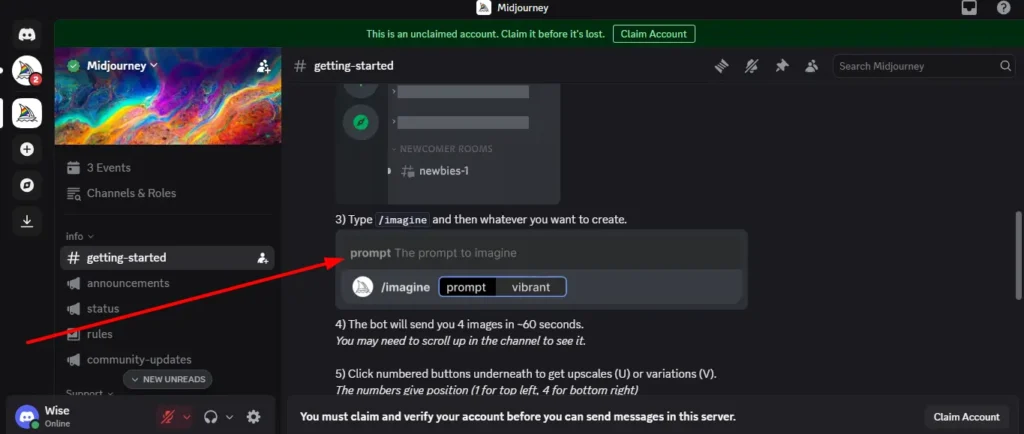
Midjourney’s reliance on Discord is a massive point of friction for many marketers. Unless you are on a higher-tier plan that unlocks their web alpha, you are forced to generate images in a chat room environment. Your prompts mix with other users’ generations in public channels unless you message the bot directly, and organizing past generations requires sifting through endless chat logs.
OpenArt’s web UI completely eliminates this chaos. The dashboard is clean and categorizes your projects. You can easily browse community styles, remix existing images, and tweak settings using sliders rather than typing out complex syntax codes.
Which AI Art Generator is Best for Beginners?
When comparing these two, OpenArt easily takes the crown as one of the most beginner-friendly AI art tools on the market. If you want a 16:9 aspect ratio in OpenArt, you click a button that says “16:9”. If you want to change the style to “Cyberpunk,” you select a visual thumbnail. Midjourney requires a steeper learning curve, demanding that beginners memorize parameters to get exactly what they want.
Midjourney Commands vs OpenArt Prompts
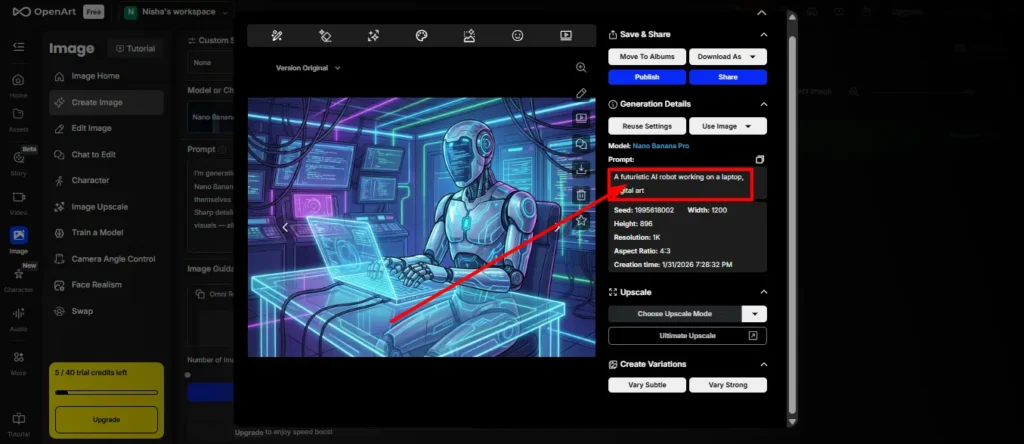
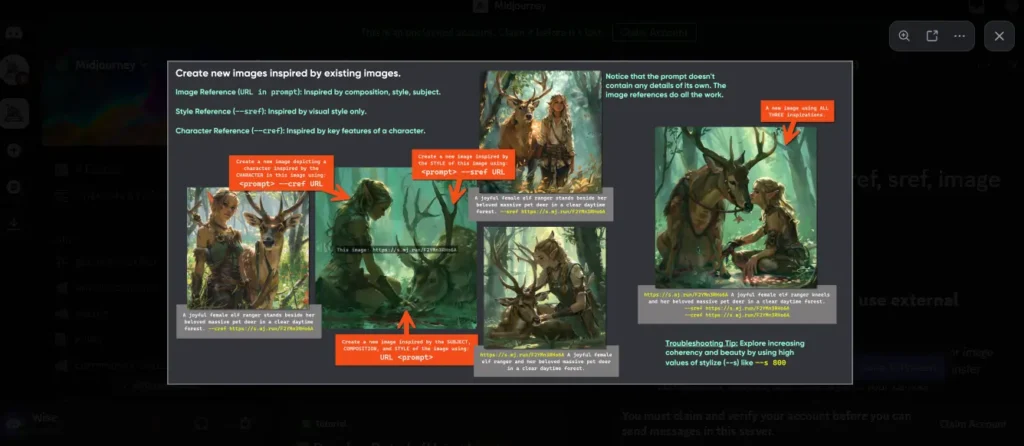
To get the most out of Midjourney, you have to learn its language. Generating an image requires the /imagine command. Want to change the aspect ratio? You must type --ar 16:9. Want a raw photographic style? Add --style raw.
OpenArt handles prompting differently. While your text prompt still drives the core concept, the platform relies on visual toggles for styling, negative prompts, and aspect ratios. For a marketer who just needs a quick blog graphic, OpenArt’s visual interface removes the friction of syntax errors.
AI Image Quality and Styling Showdown
Aesthetics are subjective, but in the realm of AI image quality and styling, clear differences emerge based on the underlying technology.
Generating Realistic Human Photos with AI
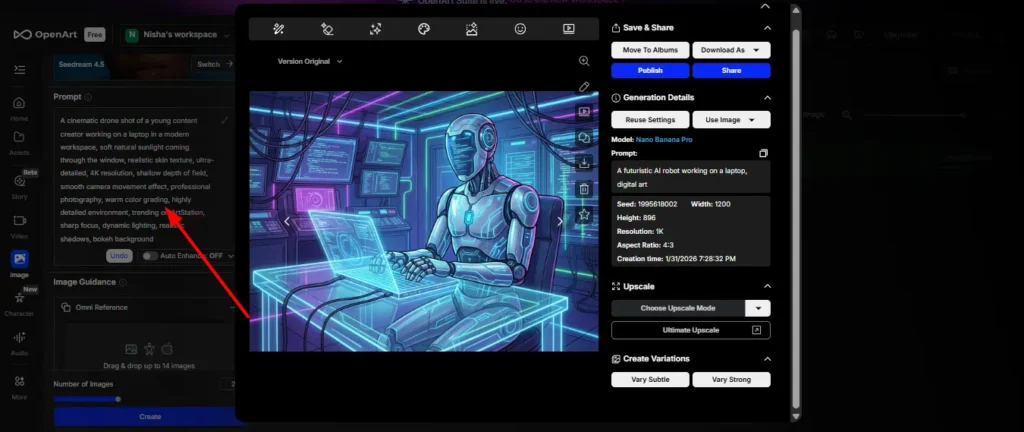
If your content strategy relies on generating realistic human photos AI, Midjourney v6 is currently the undisputed heavyweight champion. The model has mastered skin texture, micro-expressions, complex lighting, and natural eye contact.
OpenArt’s realism heavily depends on which model you select. While you can achieve photorealism using specialized Stable Diffusion models on their platform, users often note that default outputs can sometimes carry that slightly glossy, easily recognizable “AI look” compared to Midjourney’s gritty realism.
Stable Diffusion Models vs Midjourney v6
This is where the OpenArt AI vs Midjourney debate gets technical.
- Midjourney v6: Highly opinionated. It has a specific artistic “flavor” that it naturally defaults to. It wants to make things look epic.
- OpenArt (Stable Diffusion/FLUX): Highly literal. If you use a base Stable Diffusion model, it will give you exactly what you asked for, without adding extra artistic flair. This is perfect if you need a very specific, plain asset (like a product mockup on a white background) where Midjourney’s dramatic lighting would actually ruin the shot.
AI Image Upscaling Features and Variations
Both platforms offer excellent upscaling, but their approaches to variations differ. Midjourney gives you standard “V1-V4” buttons, allowing for subtle or strong variations of a chosen grid image. OpenArt offers more granular control, letting you dictate exactly how much deviation you want from the original seed image using a slider.
Advanced Editing: ControlNet and Inpainting Tools
For professional workflows, generating the initial image is only 10% of the job. The real work happens in post-generation editing.
Can OpenArt Replace Midjourney for AI Art?
If your job requires fixing mistakes, yes. The biggest flaw in Midjourney’s system is its lack of a proper canvas. While Midjourney offers a “Vary (Region)” tool to change specific parts of an image, it is clunky and operates entirely within a chat box constraint. If you are a marketer asking, “Is OpenArt better than Midjourney?”, the answer is a resounding yes when it comes to editing.
Fixing Image Details with OpenArt’s Inpainting
OpenArt features built-in, brush-based inpainting. If the AI generates a perfect image of a woman holding a coffee cup, but the cup has three handles, you don’t need to re-roll the whole prompt. You simply brush over the cup in OpenArt’s canvas and type “normal coffee cup.” This targeted editing saves countless hours for content teams.
Achieving Consistency with ControlNet
One of the hardest tasks in AI art is character and layout consistency. OpenArt natively supports ControlNet and inpainting tools, which are absolute game-changers for bloggers. ControlNet allows you to upload a reference image and force the AI to copy its exact pose, depth, or outlines. If you are creating a comic book, a storyboard, or a consistent brand mascot, OpenArt’s structural control easily outpaces Midjourney’s more fluid reference features.
OpenArt AI vs Midjourney Pricing Comparison
Budget often dictates which tool makes it into a company’s tech stack. Let’s break down the actual costs.
Freemium AI Art vs Paid Subscription Tiers
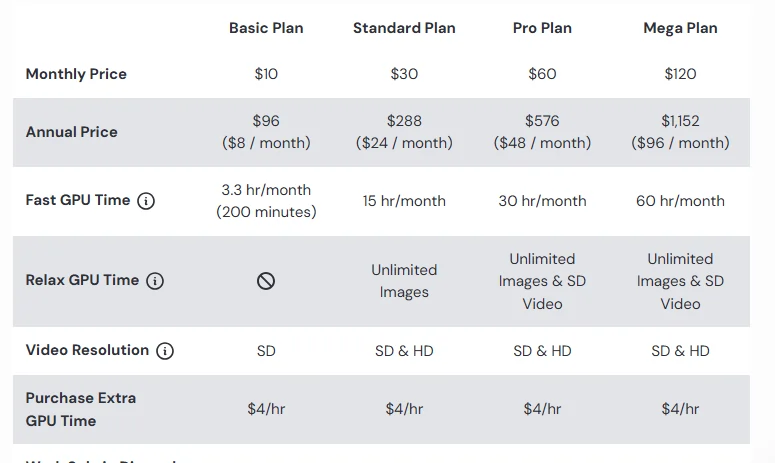
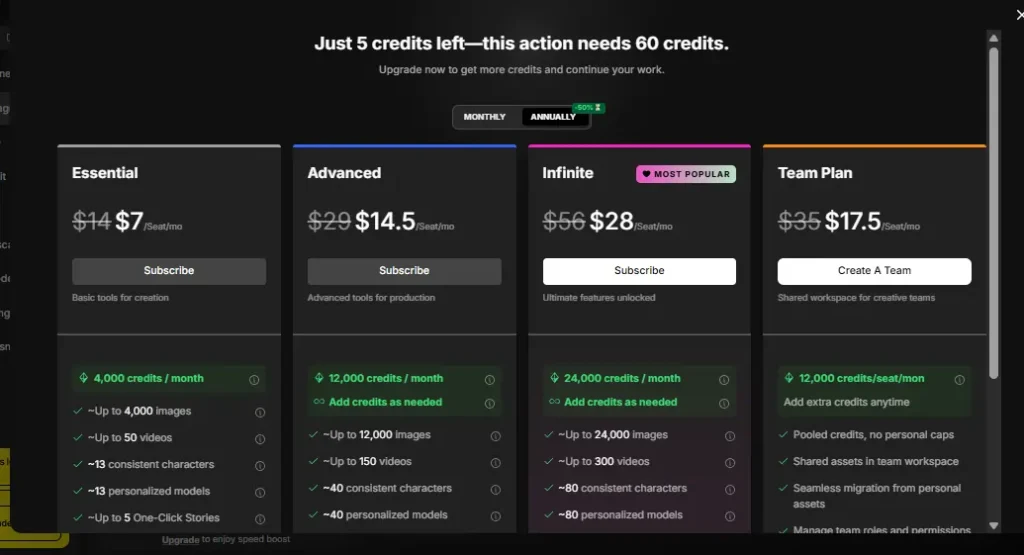
As mentioned, OpenArt operates on a freemium AI art vs paid subscription model. You get 40 one-time trial credits to test the waters. Midjourney completely eliminated its free tier due to server demand; you cannot generate a single image without pulling out your credit card.
How Much Does Midjourney Cost Compared to OpenArt?
Here is a breakdown of their standard monthly pricing structures (note that both offer discounts for annual billing):
Commercial Use and Licensing for Marketers
If you are using these tools for client work, blog monetization, or social media ads, licensing is a non-negotiable factor.
Can I Use OpenArt for Commercial Purposes?
Yes. Once you upgrade to any of OpenArt’s paid subscription tiers, you are granted commercial usage rights for the images you generate. You can use them for marketing materials, website graphics, and digital products without attribution.
Midjourney Copyright Rules for Bloggers
Midjourney also grants general commercial terms to users on any of its paid tiers. If you pay for the $10 Basic plan, you can use the images commercially. However, it’s vital to remember that under current US Copyright Office guidelines, purely AI-generated images cannot be copyrighted by the prompter. This applies to both tools—you can use the art commercially, but you cannot easily prevent a competitor from right-clicking and saving your generated image.
Is OpenArt Better Than Midjourney? The Final Verdict
Choosing between these two best AI image generators comes down to your daily workflow, not just the final output.
Best Text-to-Image AI Tools for Casual Creators
If you are a casual creator, a blogger who needs quick header images, or someone who wants to experiment without paying upfront, OpenArt is the clear winner. The intuitive web interface, the ability to seamlessly switch between multiple models, and the powerful built-in editing suite make it an incredibly versatile daily driver.
Best AI Image Generators for Professional Marketers
If your brand relies on jaw-dropping, hyper-realistic, or highly stylized cinematic visuals, Midjourney remains the king of raw aesthetic quality. Many professional marketers actually use both: they generate the breathtaking base image in Midjourney, then bring it into OpenArt’s canvas to fix the weird hands, expand the background, and add consistent typography.
Frequently Asked Questions (People Also Ask)
Does OpenArt Use Stable Diffusion?
Yes, OpenArt heavily utilizes Stable Diffusion. It acts as an aggregator, allowing users to choose between various custom-trained Stable Diffusion models, as well as other powerful engines like FLUX and Imagen, to achieve different artistic styles.
What is the Best Free Alternative to Midjourney?
Can You Use OpenArt Without Discord?
Absolutely. Unlike Midjourney, which forces most users to generate art through Discord chat commands, OpenArt is a 100% web-based platform. You simply log in through your browser and use a clean, visual dashboard to manage all your generations and edits.
Conclusion
At the end of the day, the OpenArt vs Midjourney debate doesn’t have a single winner — it has two different winners for two different people. If pure visual quality is your priority, Midjourney still sets the bar. If flexibility, editing control, and budget matter more, OpenArt is the smarter daily tool for most bloggers and marketers.
Honestly? The best creative stacks in 2026 use both. Start your free trial on OpenArt, test your prompts, and see what your workflow actually needs before committing to any paid plan.