If you’re anything like me, you’ve probably already burned through three different email addresses trying to find a tool that doesn’t slap a massive watermark across your work. It’s exhausting. Here is the reality check: the Vidnoz AI vs InVideo Ai debate isn’t actually about quality anymore—it’s about whether you need a talking head or a cinematic story.
Most beginners grab InVideo Ai because it’s famous for YouTube automation, only to realize the free plan limits are much tighter in 2026 than they used to be. On the flip side, Vidnoz is arguably the best free AI video generator if you need realistic avatars, but it struggles if you just want b-roll. I’ve used both for my own niche sites this year, and honestly, picking the wrong one is just a recipe for wasted rendering time.
At a Glance: Vidnoz AI vs InVideo AI Comparison for Busy Creators
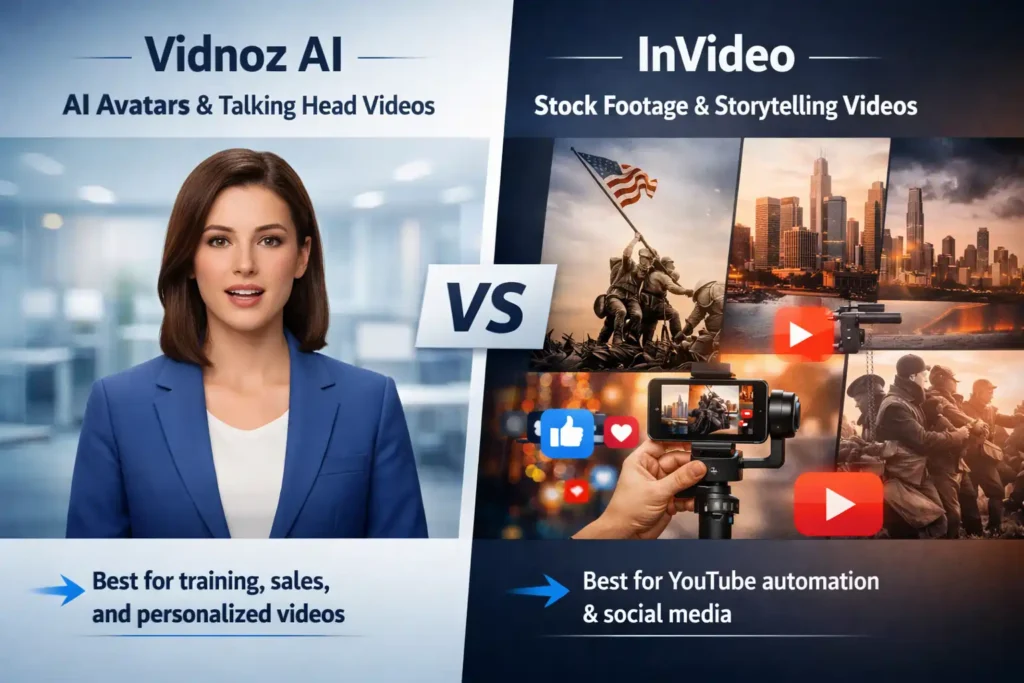
Skimming this article between meetings? Here is the brutal truth: these two tools are not interchangeable. Trying to use InVideo Ai for a corporate training video is painful. Trying to use Vidnoz for a faceless YouTube documentary is equally frustrating.
The Core Difference: AI Avatars vs. Cinematic Stock Footage
Think of Vidnoz AI as a digital casting agency. Its entire engine is built around “Talking Heads”—AI avatars that lip-sync to your script. The technology focuses on mouth movements, facial expressions, and human gestures. It’s designed to replace the need for a camera, a studio, and an actor.
InVideo AI, on the other hand, is a digital stock footage editor. It shines when you feed it a prompt like “history of the Roman Empire,” and it instantly stitches together archival footage, voiceovers, and subtitles. It’s built for storytelling where the visual is the hero, not a person.
Quick Verdict: Who Should Choose Vidnoz AI?
You should pick Vidnoz AI if you are:
- An Educator or Course Creator: You need a consistent “teacher” face for your lessons without filming yourself.
- A Sales Professional: You want to send personalized video emails to leads but can’t record 50 individual videos.
- Camera-Shy: You want the trust-building factor of a human face but hate being on camera.
Quick Verdict: Who Should Choose InVideo AI?
You should stick with InVideo Ai if you are:
- A YouTube Automation Channel: You produce “Top 10” lists, history documentaries, or explainer videos.
- A Social Media Manager: You need quick, snappy promo videos made from stock clips for Instagram or TikTok.
- A Blogger: You want to turn your existing blog posts into video summaries (Text-to-Video) without any characters.
Feature Showdown: “Talking Heads” vs. “Faceless” Video Production
Let’s get into the weeds. I’ve rendered about 20 videos on each platform this month to see how they handle real-world tasks.
Vidnoz AI Review: Testing the 1,200+ Realistic Avatars & Voices
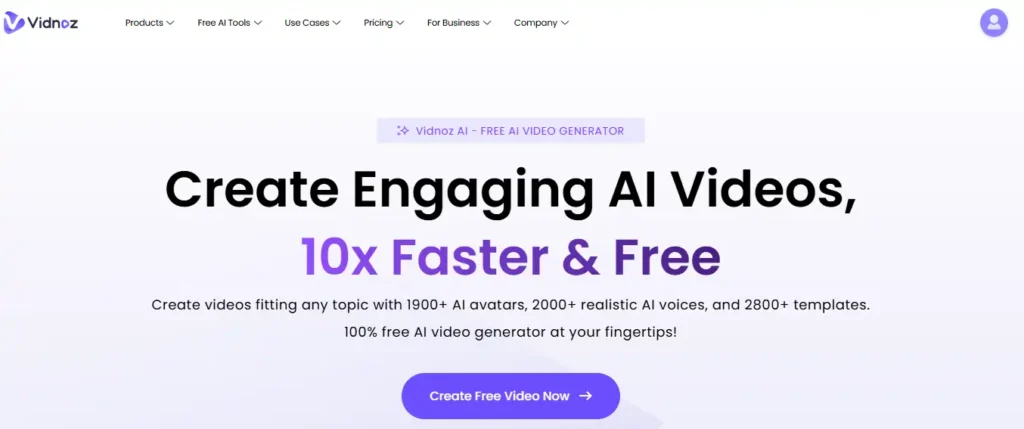
When you open Vidnoz, you aren’t greeted by a timeline; you are greeted by faces. The library has exploded to over 1,200 avatars in 2026.
The standout feature here is the diversity. You aren’t just getting generic “corporate white guy.” You get avatars of different ages, ethnicities, and even casual vs. formal attire. I tested an avatar for a “fitness tip” video, and the lip-syncing was surprisingly tight. It wasn’t perfect—sometimes the eyes look a bit dead—but for a 30-second social clip on a small phone screen? It’s absolutely passable.
Pro Tip: Use the “Gestures” feature. You can make the avatar point or nod at specific times in your script, which stops it from looking like a robot reading a teleprompter.
InVideo AI Review: Analyzing Text-to-Video Stock Library Quality
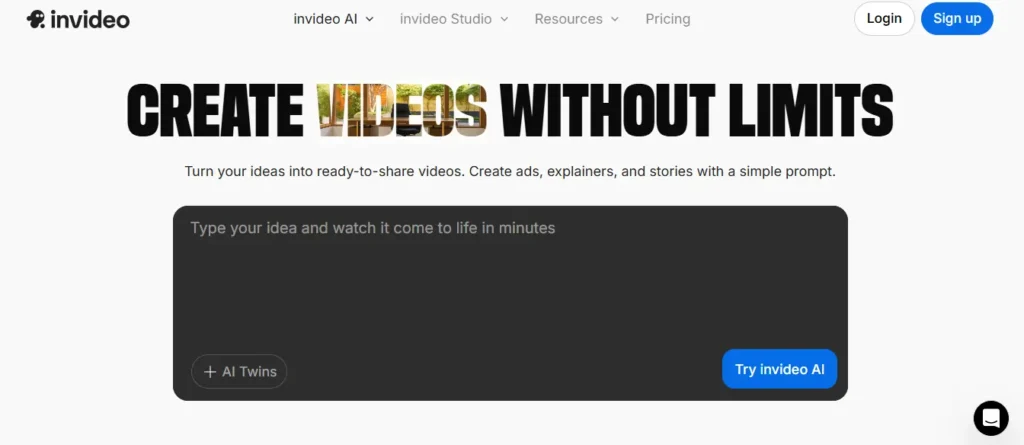
InVideo Ai’s magic trick is its integration with iStock and Shutterstock. When you type “A busy New York street in the 1920s,” it actually finds relevant, high-quality footage. It doesn’t hallucinate weird AI artifacts like some other generators.
However, the “AI Voice” in InVideo Ai has always felt a bit more robotic to me compared to specialized voice tools like ElevenLabs. It’s good for narration, but it lacks the emotional nuance you get from Vidnoz’s voice clones.
Lip-Sync vs. Scene Matching: Which AI Is Smarter in 2026?
Here is where the “smart” part comes in.
- Vidnoz is smart at Lip-Syncing. If you upload your own voice, the avatar matches your speed almost perfectly.
- InVideo AI is smart at Scene Matching. It analyzes your script context. If you say “the economy crashed,” it automatically cuts to a clip of a falling stock chart. You don’t have to manually search for that clip.
Free AI Video Generator Comparison: The “Free Plan” Reality Check
This is what you came for. “Free” usually comes with an asterisk the size of Texas.
Vidnoz AI Free Plan Limits (Daily Minutes & Watermark Policy)
Vidnoz is unique because its free plan resets daily.
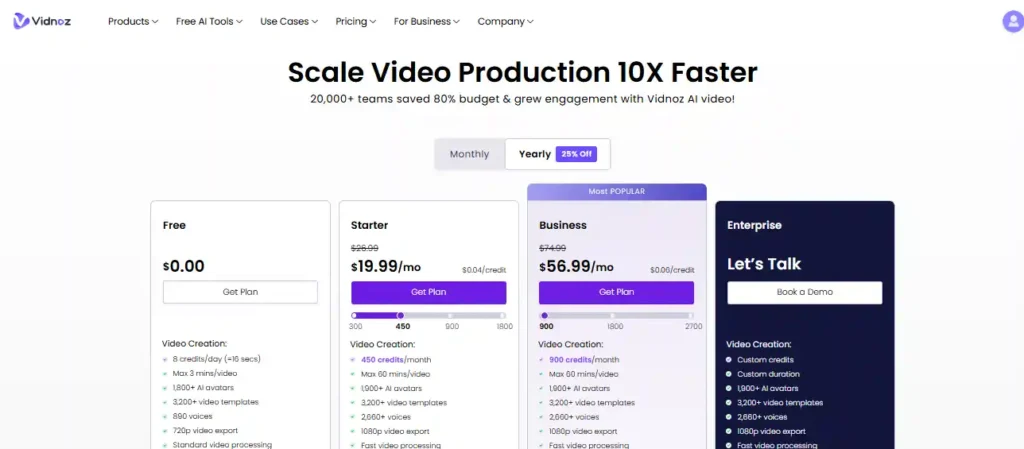
- The Allowance: You get roughly 3 minutes of video generation per day.
- The Catch: There is a watermark, and you can’t export in 1080p (only 720p).
- The Strategy: This is actually great for daily content creators. You can make one TikTok or Reel every single day without ever paying a dime. The daily reset is a huge advantage over monthly limits.
InVideo Free Plan Restrictions (Weekly Exports & Stock Branding)
InVideo is stingier with frequency but more generous with duration.
- The Allowance: You get 10 minutes per week.
- The Catch: The watermarks are aggressive. You get the InVideo branding plus watermarks on any premium stock footage you use. It makes the video look very “draft-like.”
- The Strategy: It’s really only useful for testing the tool. You cannot realistically grow a YouTube channel using the free version of InVideo because the watermarks are too distracting for viewers.
Comparison of Free Plan Limits for Vidnoz AI and InVideo AI in 2026
Which Tool Actually Lets You “Try Before You Buy”?
Vidnoz wins the “try before you buy” battle simply because the daily reset allows you to learn the tool. With InVideo, you burn through your weekly credits in one bad edit, and then you are stuck waiting for 7 days.
Pricing Wars: Which Tool Offers Better Value for Money?
If you decide to upgrade, here is where my exclusive 20% discount comes in handy for Vidnoz.
Vidnoz AI Pricing & Hidden Costs (Plus 20% OFF Exclusive Deal)
Vidnoz has shifted to a credit-based monthly model.
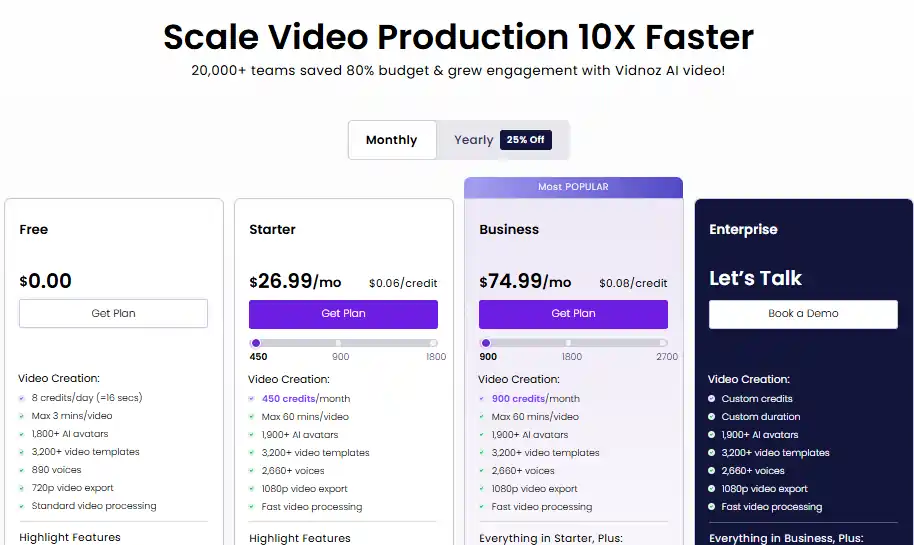
- Starter Plan: Now priced at $26.99/month.
- The Deal: Use code AIiblogfirst20 to knock 20% off. That brings the price down to roughly $21.60/month.
- Business Plan: Jumps to $74.99/month for 900 credits and team features like brand kits and video analytics.
- Hidden Value: The “No Watermark” and “Commercial Rights” on the Starter plan are the main reasons to upgrade.
InVideo AI Pricing Tiers & Credit Systems Explained
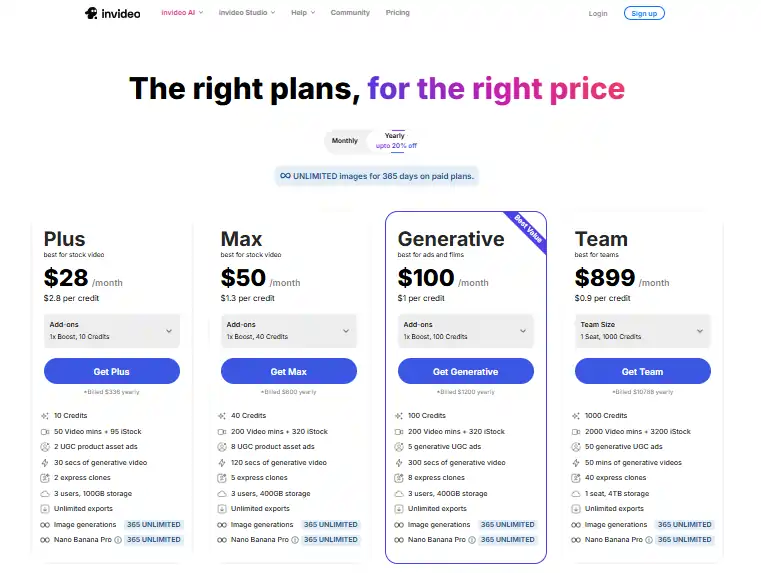
InVideo’s pricing is now segmented by “Credits” and “Video Minutes,” with a strong focus on stock footage.
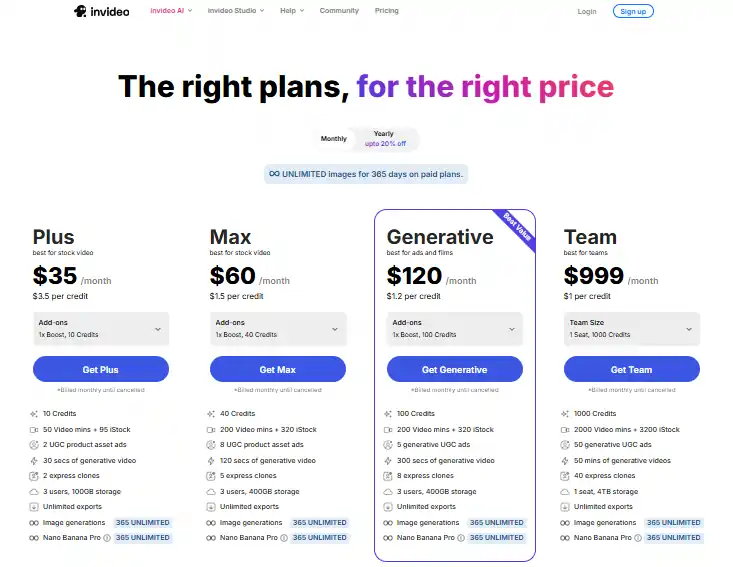
- Plus Plan:$35/month (Best for Stock Video).
- Max Plan:$60/month.
- Value: 200 video minutes + 40 AI credits + 320 iStock clips.
- Generative Limit: 120 seconds of generative video.
- Hidden Costs: The “Generative Video” limits (30s on Plus, 120s on Max) are surprisingly low. You are paying mostly for the editing capability and stock library, not for the AI to generate entire videos from scratch.
Cost-Per-Minute Analysis
InVideo AI is the premium choice for high-volume stock footage users, but be careful—the “Generative Video” limits are strict. You’ll be doing more manual editing than you might expect.
Vidnoz AI is cheaper if you specifically need AI Avatars ($26.99 vs. no avatar focus in InVideo’s lower tiers).
Ease of Use & Editor Flexibility for Beginners
You don’t want to spend three days learning a new dashboard.
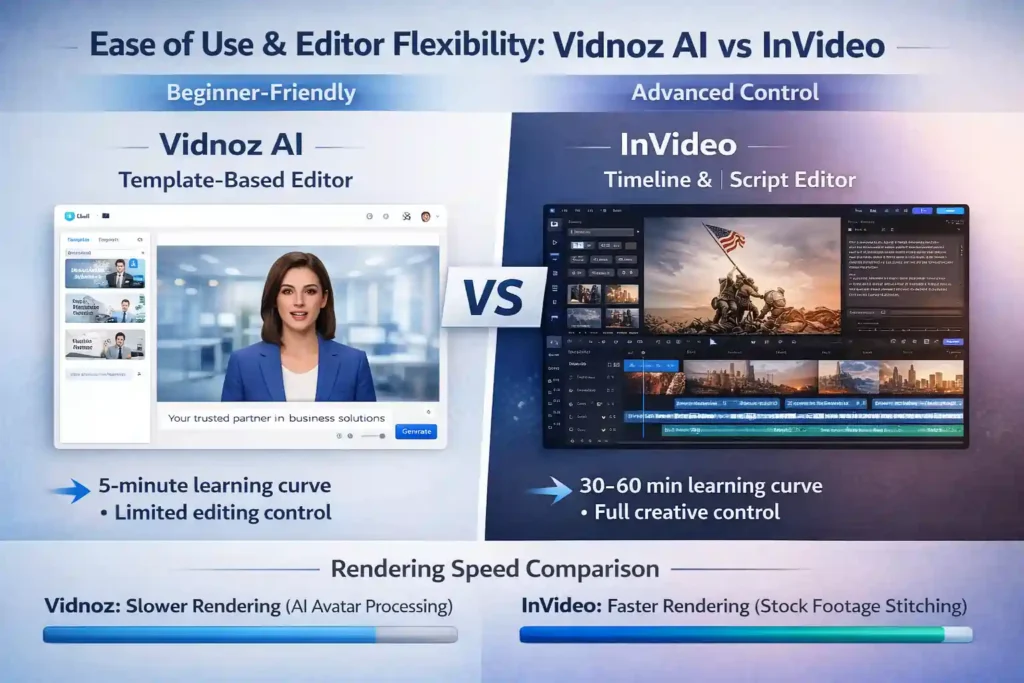
Navigating Vidnoz’s Template-Based Dashboard
Vidnoz feels like PowerPoint. You pick a template (News, Social Media, Training), type your text in the box, and hit “Generate.” It is incredibly linear.
- Learning Curve: 5 minutes.
- Frustration: You have less control over detailed editing. You can’t easily layer ten different video tracks on top of each other.
Mastering InVideo’s Advanced Timeline & Script Editor
InVideo feels like a simplified Adobe Premiere Pro. You have a timeline. You can cut clips, add background music, adjust volume levels, and overlay text.
- Learning Curve: 30–60 minutes.
- Power: You have way more control. If you want the music to swell exactly when the lion roars, you can do that in InVideo. You can’t really do that in Vidnoz.
Rendering Speeds: Which Tool Exports Faster?
In my tests, Vidnoz is slower. Generating a realistic human face frame-by-frame takes massive computing power. A 1-minute video might take 5–10 minutes to render.
InVideo is faster. Since it’s mostly stitching existing stock clips together, a 1-minute video often renders in under 2 minutes.
Final Verdict: The Best AI Video Generator for Your Goals
Choose Vidnoz AI If You Need Professional Spokespersons
If your goal is to build a personal brand or trust, you need a face. Viewers connect with eyes, not stock footage of a handshake. Vidnoz gives you that human element for a fraction of the cost of hiring an actor.
Choose InVideo If You Run a Faceless YouTube Automation Channel
If your goal is to pump out high-volume search content (like “How to fix a leaky sink” or “History of Bitcoin”), InVideo is superior. The stock library does the heavy lifting, and you don’t need a character on screen to explain those topics.
Frequently Asked Questions (People Also Ask)
Can I monetize Vidnoz AI videos on YouTube?
How do I remove the InVideo watermark for free?
Legally, you can’t. The watermark is the price of using the free service. There are shady “watermark remover” tools online, but they often blur the video quality and violate InVideo’s terms of service.
Does Vidnoz AI have a lifetime deal available in 2026?
Which tool is better for making Instagram Reels and TikToks?
Vidnoz AI wins here. They have specific vertical templates (9:16) and short-form “viral” avatars designed specifically for stopping the scroll on TikTok. InVideo can do it, but their templates feel more like traditional YouTube ads resized
Ready to Start? Here Is Your Ideal Workflow
Look, I’ve seen enough “game-changing” tools come and go to know that “best” usually just means “best for right now.” If you need a digital twin to present your sales deck, Vidnoz AI is the only one I’d trust to not look creepy.
But if you’re building a faceless empire on YouTube, InVideo’s stock library is still the king of speed. My advice? Don’t overthink it. Burn through the free minutes on both this weekend. You’ll know within five minutes which workflow actually clicks with your brain. Drop a comment below if you find a workaround I missed—I’m always learning, too