Recording yourself on camera isn’t always an option — bad lighting, no microphone, or simply not feeling comfortable on screen. Yet video content keeps winning online, and that gap can feel genuinely frustrating, especially when you’re a creator, marketer, or educator trying to get your message across without expensive equipment or studio time.
That’s where AI talking head tools have quietly become useful. You type a script, pick an avatar, and get a realistic presenter video in minutes — no camera, no editing skills required.
If you’re looking for something that actually works without paying upfront, this breakdown of the top 10 free AI talking head generators covers the real options worth your time in 2026 — with honest notes on what each one does well and where it falls short.
Why Free AI Talking Head Generators Are Changing How Creators Make Videos
Not long ago, producing a professional presenter video meant booking a studio, hiring talent, or at minimum sitting in front of a camera yourself. That barrier quietly kept a lot of people — educators, solo marketers, small business owners — from making video content at all.
Free AI talking head generators have removed that friction entirely. You write a script, choose a realistic AI avatar, and walk away with a polished video in minutes. No camera, no editing software, no recording anxiety.
What’s making these tools genuinely useful right now isn’t just the novelty — it’s the quality. Modern AI lip sync technology has reached a point where avatar movement, voice timing, and facial expressions feel natural enough for real content.
For creators working across YouTube, LinkedIn, or online courses, this shift means:
- Publishing video content consistently without production delays
- Creating multilingual versions of the same video without re-recording
- Maintaining a professional presence on screen without appearing on screen
The result is a more level playing field — where the quality of your content matters more than your access to expensive equipment.
Top 10 Free AI Talking Head Generator Tools — Ranked and Reviewed for 2026
| AI Tool Name | Top Standout Feature | Best Ideal Use |
|---|---|---|
| OpenArt AI Tool | Cinematic Lip Sync | Digital Storytelling Videos |
| HeyGen AI Generator | Ultra Realistic Avatars | Global Marketing Content |
| Pictory AI Video | Script To Video | Content Repurposing Fast |
| Fliki AI Creator | Huge Voice Library | Social Media Clips |
| Akool Enterprise AI | Flawless Face Swap | Real Time Streaming |
| Murf AI Studio | Studio Quality Voices | Pro ELearning Modules |
| ElevenLabs Voice AI | Instant Voice Cloning | Human Sounding Audiobooks |
| DupDub Video Studio | Quick Video Translation | Faceless YouTube Channels |
| Synthesia Video Maker | Highly Professional Avatars | Corporate Team Training |
| APOB AI Influencer | Viral Digital Personas | Consistent Social Brands |
1. OpenArt.ai — A Powerful Free AI Talking Head Generator

If you need a highly versatile platform, OpenArt.ai has quietly evolved into a powerhouse for video creators. Originally known for AI art, it now features a dedicated Lip-Sync tool that turns any static portrait into a realistic free AI talking head generator.
What makes OpenArt stand out is your absolute creative control. You are not limited to generic stock avatars. You can generate a custom character using advanced models, clone a specific voice, and sync them perfectly using built-in Motion Sync features.
For creators who want full ownership of their digital presenter’s look and sound without spending a dime upfront, OpenArt delivers a seamless studio experience that genuinely respects your creative vision.
Ready to unlock unlimited high-fidelity AI video generation? Apply the exclusive code NISHA15 for a 15% discount today!
Pros and Cons
Pros
- Features highly accurate lip-sync video technology.
- Includes advanced cinematic video generation models.
- Generates natural voiceovers directly from text.
- Offers a very user-friendly creative suite.
Cons
- Advanced models require unlocking premium plans.
- Interface might overwhelm complete video beginners.
Pricing
OpenArt provides a generous free tier with basic daily credits, while premium plans unlock $7 unlimited high-fidelity AI video generation.
How to Use OpenArt.ai:
Simply navigate to the Video section, choose the Lip-Sync tool, upload your image, add your custom audio or generated voiceover, and click generate instantly.
Why Choose OpenArt.ai?
Choose OpenArt because it seamlessly combines top-tier voice cloning, precise lip-syncing, and cutting-edge video models in one unified workspace.
Top Use Cases
- Marketing Videos: Create engaging promotional materials with highly realistic AI talking avatars easily.
- Social Media: Produce viral short-form clips using the precise audio and motion sync.
- E-Learning Courses: Develop professional educational tutorials without needing expensive camera equipment or studios.
- Digital Storytelling: Bring your custom AI-generated characters to life with natural voiceovers quickly.
2. HeyGen — A World-Class Free AI Talking Head Generator

When it comes to professional-grade realism, HeyGen is widely considered the gold standard for marketing teams and business creators. Operating as a highly advanced free AI talking head generator, HeyGen focuses heavily on cinematic quality, ultra-realistic micro-expressions, and flawless lip-syncing that rarely feels robotic.
What sets HeyGen apart is its incredible library of over 700 diverse stock avatars and its powerful localization capabilities. You can generate a polished presenter video in English and instantly translate it into over 175 languages with matching voice clones and adjusted lip movements.
For creators, educators, and businesses needing broadcast-quality digital spokespersons without hiring a production crew, HeyGen provides an unmatched, human-first storytelling platform that genuinely elevates your brand’s visual identity.
Pros and Cons
Pros
- Features incredibly realistic, studio-quality AI avatars.
- Includes culturally accurate translations in 175+ languages.
- Supports seamless text, audio, and photo inputs.
- Integrates powerful generative AI models like Sora.
Cons
- Free plan has a three video limit.
- Advanced features require premium business subscription upgrades.
Pricing
HeyGen offers a free plan for up to three videos monthly, with unlimited video creation plans starting at $29 monthly for individual creators.
How to Use HeyGen
Simply log in, pick a realistic avatar, paste your script or upload audio, customize your visual branding, and hit generate for instant professional videos.
Why Choose HeyGen
Choose HeyGen because it perfectly combines ultra-realistic digital twins, precise voice cloning, and effortless text-based editing to scale your content creation beautifully.
Top Use Cases
- Corporate Training: Create engaging, professional onboarding and educational videos quickly and effortlessly.
- Global Marketing: Translate promotional campaigns accurately into 175 languages with perfect lip-syncing.
- Sales Outreach: Generate highly personalized, realistic video messages to connect with potential clients.
- Social Media: Produce viral, faceless content using dynamic reaction videos and custom avatars.
3. Pictory.ai — An Effortless Free AI Talking Head Generator
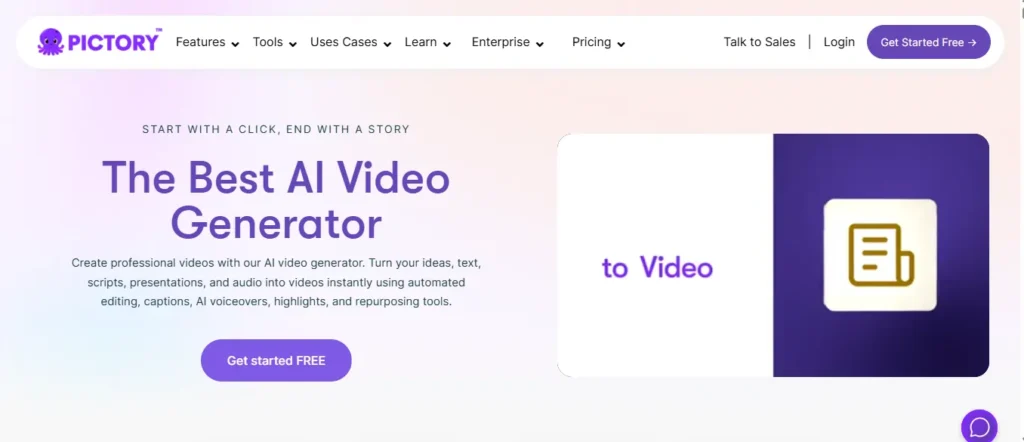
Welcome, amazing marketers! If you want to scale your content easily, Pictory.ai is an exceptionally smart free AI talking head generator designed to transform your workflow. We deeply respect the challenges of video production, and Pictory completely removes the steepest learning curves.
Instead of spending hours filming or editing, Pictory allows you to turn URLs, scripts, or long-form blogs directly into captivating presenter videos instantly. Powered by ElevenLabs for incredibly realistic voices, it now features professional AI avatars that narrate your story beautifully.
Whether you are repurposing an old article or creating educational modules from scratch, Pictory builds the storyboard, matches the visuals, and perfectly synchronizes the audio automatically. It is a highly efficient, time-saving tool created specifically to help you publish consistent, polished videos that your audience will truly love and appreciate.
Want to turn any script into a stunning video instantly? Apply code CABF20 to instantly save 20% on checkout!
Pros and Cons:
Pros:
- Converts scripts and URLs into videos instantly.
- Automatically creates highly accurate captions and subtitles.
- Features ultra-realistic voiceovers powered by ElevenLabs.
- Offers excellent tools for repurposing long-form content.
Cons:
- AI-selected background stock footage occasionally requires manual swapping.
- Customizing avatar positioning has a slight learning curve.
Pricing:
Pictory offers a free trial to test core features, while premium plans for advanced generation and unlimited exports start at affordable monthly rates.
How to Use Pictory.ai:
Log into your dashboard, paste your script or article URL, select a custom AI avatar, apply your brand kit, and click generate to create your video.
Why Choose Pictory.ai?
Choose Pictory because it brilliantly automates the entire video creation process, perfectly merging text-to-video capabilities with professional, realistic AI speaking avatars.
Top Use Cases
- Content Repurposing: Turn text-heavy blog posts into engaging, short-form talking head videos effortlessly.
- Corporate Training: Produce professional instructional videos and onboarding materials rapidly without hiring actors.
- Social Media: Generate fast, high-quality promotional clips complete with auto-captions for platforms like TikTok.
- Educational Modules: Transform written lesson plans into dynamic, narrated teaching videos quickly.
4. Fliki.ai
Fliki.ai is a beautifully simple yet incredibly powerful free AI talking head generator that genuinely respects your valuable creative time. We deeply appreciate how hard you work on your content, and Fliki removes every unnecessary barrier standing between your idea and a finished, publish-ready video.
Instead of stressing over camera setups or complex editing timelines, Fliki lets you type your script, instantly choose from 70+ expressive AI avatars, and generate a polished talking head video within minutes. Trusted by over 10 million creators worldwide and rated an impressive 4.8/5 on both G2 and Capterra, Fliki delivers results that consistently impress audiences.
What truly sets Fliki apart is its extraordinary voice library — featuring over 2,500 ultra-realistic AI voices across 80+ languages with one-click translation built right in. Whether you are a solo content creator, educator, marketer, or enterprise team, Fliki is your most reliable partner for producing consistent, professional, and audience-ready talking head videos that Google and people genuinely love.
Pros and Cons
Pros:
- Features 2,500+ ultra-realistic AI voiceover voices.
- Converts blogs, PPTs, and URLs into videos instantly.
- Includes one-click translation across 80+ languages.
- Offers professional voice cloning for authentic branding.
Cons:
- Free plan has limited monthly video export credits.
- Stock media selection occasionally needs manual adjustments.
Pricing
Fliki offers a completely free plan with no credit card required, while premium plans unlock unlimited exports, voice cloning, and advanced avatar features affordably.
How to Use Fliki.ai
Simply sign up free, paste your script or blog URL, select a lifelike AI avatar, choose your preferred voice from 2,500+ options, and generate your talking head video instantly.
Why Choose Fliki.ai?
Choose Fliki because it uniquely combines an enormous voice library, expressive AI avatars, effortless blog-to-video conversion, and one-click multilingual translation inside one beautifully simple platform.
Top Use Cases
- Content Creation: Transform written blog posts and scripts into engaging, audience-ready talking head videos effortlessly.
- Education & E-Learning: Build narrated, avatar-driven lesson videos from PowerPoint slides quickly and professionally.
- Marketing & Social Media: Produce branded, multilingual promotional clips for Instagram, TikTok, and LinkedIn seamlessly.
- Internal Communications: Create clear, professional HR announcements and team update videos without needing a camera.
5. Akool — An Enterprise-Ready Free AI Talking Head Generator
Welcome, visionary creators! Akool is an extraordinary free AI talking head generator bringing your imaginative ideas to reality. We deeply appreciate the hard work you pour into campaigns, and this platform makes your creative process seamless.
Instead of spending endless hours filming, Akool lets you produce stunning, photorealistic avatars and engaging presenter videos instantly. Trusted globally, it offers unmatched tools like flawless video translation and dynamic face swapping directly in your browser.
By combining lifelike talking avatars with professional-grade models, Akool empowers you to scale content effortlessly. Your audience deserves high-quality visuals, and this exceptional tool helps deliver breathtaking results they will truly love and appreciate.
Pros and Cons
Pros:
- Features photorealistic avatars with flawless video translation.
- Integrates powerful models like Sora and Kling.
- Includes professional face swap and background removal.
- Offers highly engaging real-time streaming AI avatars.
Cons:
- Free basic plan leaves watermarks on videos.
- Advanced 4K resolution requires a premium upgrade.
Pricing
Akool provides a free basic tier, while feature-rich Pro plans with watermark removal start at just $15 per month.
How to Use Akool:
Simply access the Akool studio, choose a realistic avatar, upload your script or audio, select a top-tier generation model, and seamlessly export your professional talking head video.
Why Choose Akool?
Choose Akool because it brilliantly unifies advanced AI avatars, flawless video translation, and highly realistic face swapping in one platform.
Top Use Cases
- Global Marketing: Translate and localize promotional videos flawlessly for diverse international audiences.
- E-Learning Courses: Produce professional educational tutorials using highly realistic, multilingual AI speaking avatars.
- Real-Time Support: Implement interactive streaming avatars to beautifully enhance your live customer service.
- Social Media: Create highly engaging viral content using advanced face swapping and animation.
6. Murf.ai — A Studio-Quality Free AI Talking Head Generator

Murf.ai stands out as a highly specialized free AI talking head generator focusing heavily on unparalleled audio realism. We deeply respect how crucial voice quality is for audience retention, and this tool masters that domain perfectly.
Instead of relying on robotic text-to-speech, Murf offers over two hundred ultra-realistic voices across thirty-five languages. Its sophisticated Studio allows you precise control over pitch, speed, and subtle emotional emphasis.
It seamlessly integrates with platforms like Canva and PowerPoint, letting you add studio-quality narration to existing projects effortlessly. Your listeners deserve authentic, human-like engagement, and Murf consistently delivers that emotional connection, ensuring your final video content feels genuinely professional, polished, and remarkably impactful.
Pros and Cons
Pros:
- Features 200+ incredibly natural, human-like AI voices.
- Achieves verified 99.38% pronunciation accuracy across languages.
- Includes powerful video translation and instant dubbing.
- Offers fine-grained control over pitch and tone.
Cons:
- Free plan does not allow final file downloads.
- Heavy video rendering requires faster computer processing.
Pricing:
Murf offers a free trial with 10 minutes of voice generation, while the Creator plan with unlimited downloads and commercial rights starts at $19 monthly.
How to Use Murf.ai:
Simply open the Murf Studio, type your script, select an expressive AI voice from the library, adjust the pitch and speed, and generate your high-quality audio instantly.
Why Choose Murf.ai?
Choose Murf because it delivers unparalleled, studio-quality voice realism and precise linguistic modeling, ensuring your talking head videos sound authentically human every time.
Top Use Cases?
- E-Learning Modules: Design engaging, accessible educational content with exceptionally clear, accurately pronounced narration.
- Corporate Training: Produce professional internal communications efficiently using customized, brand-aligned voiceovers and avatars.
- Podcast Creation: Generate high-quality podcast episodes rapidly without needing expensive microphones or studio time.
- Global Video Dubbing: Translate and dub marketing videos instantly while preserving the original speaker’s authentic emotion.
7. ElevenLabs — An Ultra-Realistic Free AI Talking Head Generator Companion

ElevenLabs is an industry-leading free AI talking head generator specifically renowned for producing the most emotionally expressive voiceovers available today. We deeply appreciate your need to create captivating content, and this powerful platform elevates your videos instantly.
Instead of settling for robotic narration, ElevenLabs allows you to generate ultra-realistic speech across seventy different languages with remarkable precision. It integrates cutting-edge voice cloning technology, enabling creators to safely replicate their own voices or choose from thousands of unique, meticulously crafted stock profiles.
Trusted by massive global enterprises and solo developers alike, this platform transforms ordinary text into dynamic, cinematic audio experiences. Your loyal audience deserves high-quality auditory engagement, and ElevenLabs consistently provides that flawless execution, ensuring your digital presenters sound incredibly authentic, persuasive, and completely human.
Pros and Cons
Pros:
- Generates ultra-realistic voices in 70+ languages.
- Features incredibly accurate, instant voice cloning technology.
- Delivers perfect emotional pacing and natural intonation.
- Integrates seamlessly with advanced AI video platforms.
Cons:
- Commercial licensing requires a paid premium upgrade.
- Free tier limits monthly voice generation credits.
Pricing:
ElevenLabs offers a generous free plan with 10,000 monthly credits, while commercial Starter plans begin affordably at just $5 monthly.
How to Use ElevenLabs:
Simply type your script, select an expressive voice from the extensive library, adjust the emotional settings, and generate perfect audio for your talking head avatar.
Why Choose ElevenLabs?
Choose ElevenLabs because it provides the industry’s most advanced, human-sounding AI voices, bringing your digital avatars to life flawlessly.
Top Use Cases:
- Global Marketing: Translate and dub promotional videos beautifully across 70 different languages instantly.
- Audiobook Creation: Produce deeply engaging, long-form narratives using highly expressive, natural AI voices.
- Content Creation: Pair ultra-realistic voiceovers with talking head avatars for viral social media.
- Video Games: Design dynamic, authentic character dialogue quickly without needing professional voice actors.
8. DupDub — An All-In-One Free AI Talking Head Generator
DupDub is a versatile free AI talking head generator that remarkably streamlines your entire workflow. We deeply respect the passion you pour into digital projects, and DupDub honors that dedication by providing an all-in-one platform for stunning video generation.
Instead of struggling with complex editing software, DupDub empowers you to effortlessly transform text into highly engaging, lifelike avatar videos. With access to over 700 ultra-realistic voiceovers and instant voice cloning, your presence always sounds authentically yours.
If producing educational tutorials or global marketing campaigns, this tool flawlessly handles translation and perfect lip-syncing. It is a brilliantly comprehensive solution designed to help craft captivating videos your audience will profoundly love and appreciate.
Pros and Cons
Pros:
- Features over 700 highly realistic AI voiceovers.
- Includes instant avatar and professional voice cloning.
- Provides flawless multilingual video translation and dubbing.
- Offers an incredibly intuitive, all-in-one creative platform.
Cons:
- Free trial limits usage to ten credits.
- Requires a premium upgrade for longer videos.
Pricing:
DupDub provides a very helpful free trial, while essential personal premium plans affordably start at eleven dollars every single month.
How to Use DupDub:
Simply log in, select a lifelike AI avatar, paste your written script, choose a realistic voice, and instantly generate your professional talking head video.
Why Choose DupDub?
Choose DupDub because it seamlessly integrates incredibly accurate voice cloning, flawless video translation, and engaging avatars into one exceptional platform.
Top Use Cases:
- Global Marketing: Translate your promotional videos effortlessly to reach massive international audiences.
- Audiobook Creation: Produce captivating narratives using incredibly realistic, customized AI voiceover characters.
- Educational Training: Generate highly engaging instructional videos rapidly without needing expensive recording equipment.
- YouTube Content: Create stunning talking photos and viral videos to easily monetize channels.
9. Synthesia — An Industry-Leading Free AI Talking Head Generator

Synthesia is an industry-leading free AI talking head generator that remarkably transforms how professionals produce videos. We profoundly appreciate your commitment to high-quality content, and Synthesia perfectly supports your vision by replacing expensive video shoots with an intuitive generation platform.
Instead of hiring actors, Synthesia empowers you to instantly generate studio-quality videos featuring incredibly expressive AI avatars. You simply type your script, and the system automatically creates realistic talking head content with flawless lip-syncing across 160 languages.
Whether building global training programs or localized marketing campaigns, this tool guarantees exceptional results. It is a highly secure, incredibly efficient solution designed to help deliver deeply engaging videos your audience will absolutely love.
Pros and Cons
Pros:
- Features 240+ highly realistic, professional AI avatars.
- Supports instant translation across 160 different languages.
- Offers an intuitive, incredibly simple video editor.
- Provides top-tier security for enterprise business teams.
Cons:
- Free plan limits generation to ten minutes.
- Premium custom studio avatars cost extra money.
Pricing:
Synthesia offers a free plan for basic usage, while premium subscriptions with advanced enterprise features start at eighteen dollars monthly.
How to Use Synthesia:
Simply log into Synthesia, choose a realistic avatar, type your script in your preferred language, customize the visuals, and generate your professional talking head video instantly.
Why Choose Synthesia?
Choose Synthesia because it provides unmatched enterprise security, exceptionally realistic avatars, and completely effortless multilingual translation for global content creation.
Top Use Cases:
- Employee Training: Create scalable, localized onboarding videos effortlessly for global corporate workforces.
- Customer Support: Produce clear, helpful instructional guides quickly without needing external agencies.
- Sales Enablement: Generate personalized outreach pitches rapidly to engage and convert clients.
- Marketing Campaigns: Translate promotional advertisements flawlessly across one hundred sixty international languages.
10 APOB AI — A Unique Free AI Talking Head Generator
APOB AI is an incredibly powerful free AI talking head generator specifically designed for building viral AI influencers. We sincerely admire your dedication to growing digital brands, and APOB perfectly supports your vision by allowing you to create consistent, high-performing digital avatars effortlessly.
Instead of paying expensive models or photographers, APOB enables you to generate a fully customized digital persona instantly. You can easily adjust attributes like age, nationality, and style, then animate your creation using their exceptional image-to-video and precise lip-sync technologies.
If you are launching a faceless YouTube channel or dominating Instagram reels, this platform provides the exact tools needed. It is a wildly innovative, highly profitable solution designed to help you construct engaging digital identities that your audience will absolutely love and appreciate.
Pros and Cons
Pros:
- Generates incredibly consistent AI influencer digital personas easily.
- Features advanced face-lock for perfect long-term branding.
- Supports flawless talking avatar videos with precise lip-sync.
- Delivers stunning studio-quality imagery for every niche.
Cons:
- Free Nano plan leaves watermarks on exported images.
- Complex expert modes require understanding advanced prompt engineering.
Pricing:
APOB AI offers a generous free Nano plan with 80 daily credits, while premium Micro plans begin very affordably at just $16.99 monthly.
How to Use APOB AI:
Simply sign up for free, upload a reference photo or generate a brand new persona, select your preferred video style, and animate your avatar with lip-sync.
Why Choose APOB AI?
Choose APOB AI because it uniquely focuses on creating highly consistent, monetize-ready digital influencers, perfect for building profitable, engaging, and professional faceless channels.
Top Use Cases:
- Faceless YouTube: Create entirely anonymous, highly profitable digital channels using ultra-realistic custom AI avatars.
- Affiliate Marketing: Build massive trust and drive massive sales through engaging, cinematic talking influencer reels.
- Social Media: Dominate TikTok and Instagram natively with flawlessly consistent, trend-ready AI character videos.
- Brand Ambassadorship: Develop unique, perfectly customized virtual spokespersons for modern digital corporate marketing campaigns.
What Is a Free AI Talking Head Generator — And How Does It Work?
A free AI talking head generator is a web-based tool that creates realistic presenter videos using artificial intelligence — no camera, no actor, and no studio required. You provide a script, select a digital avatar, and the tool produces a video of that avatar speaking your words with synchronized lip movements, natural facial expressions, and a human-like voice.
At its core, the technology combines three distinct systems working together:
- Text-to-speech (TTS) engine — converts your typed script into natural-sounding audio
- Facial animation model — generates realistic head movements, blinking, and micro-expressions
- Lip-sync algorithm — maps mouth positions to each speech sound with frame-level accuracy
The result is a polished presenter video that looks far more natural than older animation tools ever managed.
It’s worth knowing the difference between talking head generators and deepfakes. Deepfakes manipulate real footage of a real person. Free AI talking head generators, by contrast, create original synthetic presenters from scratch — no real face is altered or misused.
These tools are particularly useful when you need to produce consistent video content across multiple platforms, languages, or formats without re-recording anything from scratch.
What Makes a Talking Head Video Different From a Regular AI Video
General AI video generators build full scenes — backgrounds, motion, transitions. A talking head generator focuses specifically on the human presenter element: a realistic face speaking directly to the viewer. That focused approach is why talking head tools produce noticeably higher facial realism than broader video generators.
How AI Lip Sync Technology Powers These Free Tools
When you submit a script, the AI breaks it down into individual phonemes — the smallest units of sound in speech. It then maps each phoneme to the correct mouth shape and times the facial movements to match the audio precisely. Advanced platforms also adjust subtle expressions based on the emotional tone of your script, so a line about a product feature looks different from a line about a deadline.
How to Create a Talking Head Video for Free Using AI — Step by Step
Creating a free AI talking head video is genuinely straightforward once you know the workflow. Most platforms follow the same core process, so these steps apply whether you are using Vidnoz, Synthesia, HeyGen, or any other free tool on this list.
Step 1: Choose Your Free AI Talking Head Generator Tool
Start by picking a platform that fits your use case. If you need no watermark, Toki AI is worth checking first. If multilingual support matters, Vidnoz and Gan.AI both offer free plans with broad language options. If you want the most professional-looking avatars, Synthesia’s free tier is hard to beat.
Step 2: Write or Paste Your Script Into the Platform
Keep your script tight. A good rule of thumb is approximately 150 words per minute of video. Write the way you speak — short sentences, contractions, natural pauses. Avoid overly formal language, since the AI voice reads exactly what you type, and stiff writing sounds stiff even with a good TTS engine.
Step 3: Select an AI Avatar or Upload Your Own Photo
Most free platforms offer an avatar library filtered by gender, attire, ethnicity, and background. Browse and preview before committing — most tools show a short animation loop so you can assess facial realism before generating. Some platforms like D-ID and Toki AI also let you upload a still photo of your own choosing to animate.
Step 4: Customize Voice, Language, and Video Style
Choose a voice tone that matches your content. Most free plans include multiple voice profiles and at least a few language options. If your platform supports emotion settings, select the one closest to your content’s mood — a tutorial video benefits from a calm, measured tone, while a product teaser benefits from something more energetic.
Step 5: Generate, Preview, and Download Your Free Talking Head Video
Once satisfied with the preview, hit generate. Processing typically takes between one and five minutes depending on video length and platform load. Always watch the full preview before downloading to catch any lip-sync timing issues or awkward pauses. Download in the highest resolution available on the free plan — most offer at least 720p.
From script to finished video, the entire process usually takes under 15 minutes on your first attempt — and significantly less once you are familiar with a specific platform’s interface.
Frequently Asked Questions About Free AI Talking Head Generators
What is the best free AI talking head generator in 2026?
The best free AI talking head generator depends on your needs. Synthesia excels for professional corporate training, Fliki is outstanding for fast social media clips, and APOB AI is unmatched for building highly consistent, viral digital influencers easily.
Can I use a free AI talking head generator without signing up?
Yes, a few platforms allow limited usage without signing up. However, to access advanced features, save your generated projects, and download high-quality talking avatar videos, creating a free account is highly recommended by most major AI video tools.
Are there free AI talking head generators with no watermark?
Yes, certain tools like Toki AI occasionally offer watermark-free exports during promotions. However, most leading platforms like HeyGen and Synthesia place small watermarks on their free tier videos, requiring an affordable premium upgrade for complete watermark removal.
How realistic are free AI talking head videos?
Today’s free AI talking head videos are incredibly realistic. Powered by advanced lip-sync technology and models like ElevenLabs, these avatars feature natural blinking, human-like micro-expressions, and perfect audio timing, making them virtually indistinguishable from real presenters.
Can I create an AI talking head video from just a photo for free?
Absolutely! Tools like D-ID, DupDub, and HeyGen allow you to upload a single static image and instantly animate it. The AI automatically adds realistic facial movements, precise lip-syncing, and expressive voiceovers to bring your portrait to life.
Which free AI talking head generator works best for YouTube?
For YouTube creators, Fliki and Pictory are exceptional choices. They seamlessly convert lengthy scripts or blog posts into highly engaging talking head videos, complete with automatic captions, b-roll footage, and realistic AI voiceovers tailored perfectly for YouTube audiences.
Final Thoughts on Choosing a Free AI Talking Head Generator
Finding the perfect free AI talking head generator can truly revolutionize how you create video content. Whether you are building corporate training with Synthesia or launching a viral influencer on APOB AI, these remarkable tools save you countless hours and budget. Stop letting camera shyness hold you back. Pick your favorite platform today, input your script, and watch your creative ideas come beautifully to life!