Creating videos used to take hours of editing — now, the best AI text to video free tools can transform a simple text prompt into a stunning clip in seconds. Whether you’re building a faceless YouTube channel, converting blog posts into short reels, or searching for a free AI video generator with no watermark — the right tool can completely revolutionize your content workflow without spending a dollar.
With so many options flooding the market in 2026, choosing the right AI video maker can feel overwhelming. That’s exactly why we tested and ranked these Top 9 AI text to video tools — so you get real results, not just another list. Let’s dive in.
The Engineering Behind AI Text To Video Free Tools: How Prompt-to-Generation Works
Most AI text to video free tools follow a similar pipeline: your text prompt (or full script) is first parsed into intent, entities, tone, and a rough storyboard (scene-by-scene). Many free platforms also map your script to “visual beats” and automatically suggest stock clips or AI-generated B-roll footage, then generate or assemble scenes to match pacing and duration. Many free text-to-video AI tools let you convert text to video online in the browser.
Next comes generation + alignment: the engine tries to keep prompt-to-video style consistent across frames (characters, background, lighting), adds motion, and syncs optional text to speech and video AI voiceover with captions. Finally, it renders exports for common formats (16:9 YouTube, 9:16 Reels/Shorts), which is why “render time,” “export limits,” and “watermark/no watermark” vary so much between a free AI video generator from text and a paid tier.
Top 9 AI Text To Video Free Tools (Deep-Dive Analysis & Export Quality)
| AI Text To Video Free Tools | Best Used For | Standout Feature |
|---|---|---|
| OpenArt AI | Multi-modal creativity | Instant motion sync |
| HeyGen | Realistic digital humans | 175+ language translation |
| Pictory AI | Blog to video | Smart auto-captioning |
| Akool AI | Enterprise avatar marketing | Real-time streaming avatars |
| Fliki AI | Social media shorts | Fast idea-to-video |
| ElevenLabs | Cinematic audio-visuals | Voice cloning engine |
| Synthesia | Corporate L&D training | SCORM LMS export |
| Leonardo AI | Storyboarding & cinematic | Precise frame control |
| VEED.IO | Browser timeline editing | Eye contact correction |
1. OpenArt AI — Best Free AI Text to Video Generator for Multi-Modal Creative Workflows

OpenArt AI is not just another free AI text to video tool — it is a complete creative suite engineered for creators who demand professional output without a studio budget. Powered by cutting-edge models like Veo 3.1, Kling 3.0 Omni, and Seedance 1.5 Pro, it transforms plain text prompts into cinematic-quality video clips within seconds.
What truly separates OpenArt from every other free AI video generator from text is its multi-modal architecture — you can generate videos from text, animate still images using Motion Sync, add realistic voiceovers, and even lip-sync audio to AI characters, all inside one browser-based platform.
Whether you are building a faceless YouTube channel, producing short-form social reels, or experimenting with AI-generated B-roll footage — OpenArt’s unified workflow eliminates the need for five separate tools.
Ready for cinematic AI videos? Get 15% OFF OpenArt AI today using code NISHA15.
Key Features:
- Text to Video Engine: Convert any text prompt into high-fidelity video clips instantly
- Motion Sync Technology: Animate static images with natural, smooth motion reference control
- AI Lip-Sync Module: Synchronize realistic audio voiceover to AI character faces seamlessly
- Multi-Model Access Free: Use Veo 3.1, Kling 3.0 Omni, and Seedance 1.5 Pro at zero cost
Best For
Content creators, digital marketers, and bloggers who need a complete AI video creation workflow — from text prompt to finished cinematic clip — entirely free.
Use Cases
Ideal for YouTube automation, faceless video channels, social media reels, AI avatar content, and converting blog posts into short promotional video clips.
⭐ Rating
4.7 / 5 ⭐⭐⭐⭐½ — Exceptional free-tier creative power
✅ Why Choose OpenArt AI?
OpenArt AI gives you Hollywood-grade AI models, lip-sync, voiceover, and motion tools completely free — no other tool matches this.
2. HeyGen — Best AI Text To Video Free Tool for Lifelike Avatars and Global Translation

HeyGen is rapidly redefining the industry standard as an elite AI text to video free tool, built specifically for creators who need a human touch without a real-life camera. By combining hyper-realistic AI avatars with an intuitive text-based video editor, HeyGen allows you to generate complete, studio-quality videos just by typing a script.
What makes this platform stand out among every other free AI video generator from text is its incredible voice cloning and translation capabilities. You can automatically dub your videos into 175+ languages with perfect lip-syncing. Whether you are building corporate training modules, scaling UGC product ads, or running a global faceless YouTube channel, HeyGen delivers enterprise-grade 4K cinematic scenes directly from your browser. It is the ultimate workflow for speed and authenticity.
Key Features
- Text-Based AI Studio Editor: Create complete videos as easily as typing a text document
- Hyper-Realistic AI Avatars: Access pre-made digital humans or create your own custom clone
- 175+ Language Video Translator: Auto-translate scripts with natural voice cloning and exact lip-syncing
- One-Shot Video Agent: Generate instant, share-ready cinematic videos from a single text prompt
Best For
Marketers, educators, and content creators looking for a free AI video maker to produce highly realistic, human-led presentations and localized global content at scale.
Use Cases
Perfect for YouTube automation, corporate onboarding, UGC product ads, faceless social media channels, and instantly translating explainer videos into multiple languages.
⭐ Rating
4.9 / 5 ⭐⭐⭐⭐⭐ — The industry leader in avatar realism
Why Choose HeyGen?
HeyGen offers the most natural-looking AI avatars, perfect lip-sync technology, and seamless multilingual translation in one incredibly fast platform.
3. Pictory AI — Best Free AI Text To Video Tool for Auto-Captioning and Blog Repurposing
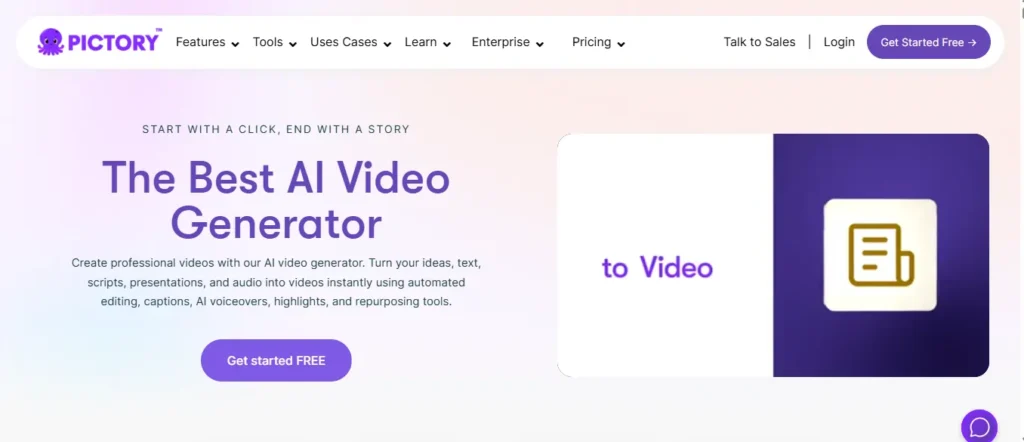
Pictory AI has cemented its place as a powerhouse AI text to video free tool, specifically engineered for digital marketers, bloggers, and YouTube creators who need to repurpose long-form written content into engaging video formats quickly. By pasting a script, article URL, or blog post into the platform, Pictory’s AI engine instantly extracts the core message, builds a storyboard, and pairs it with millions of royalty-free stock assets.
What makes Pictory superior to other free AI video generators from text is its automated editing capabilities and hyper-accurate auto-captioning. With 85% of social videos watched on mute, Pictory’s automatic subtitling dramatically increases viewer retention. Whether you are running a faceless YouTube channel, creating B-roll reels for Instagram, or transforming an old blog post into a fresh promotional video, Pictory eliminates the technical learning curve of timeline editing.
Turn your blog posts into viral videos instantly! Save 20% on Pictory AI using code CABF20.
Key Features
- Blog to Video Conversion: Paste any URL to instantly convert articles into highly engaging videos.
- Smart Auto-Captioning: Generate highly accurate subtitles automatically to boost social media retention.
- AI Voiceover Integration: Access 51+ natural ElevenLabs voices across 29 different languages.
- Massive Stock Library: Auto-match scenes with 12 million royalty-free images and premium video clips.
Best For
Content marketers, educators, and bloggers looking for a fast, free AI video maker to repurpose written text and articles into polished, ready-to-publish social media clips.
Use Cases
Ideal for YouTube automation, faceless social media channels, turning blog posts into explainer videos, creating automated highlight reels, and bulk-generating captioned shorts.
⭐ Rating
4.8 / 5 ⭐⭐⭐⭐⭐ — The ultimate blog-to-video repurposing engine
Why Choose Pictory AI?
Pictory offers the absolute best automated editing, auto-captioning, and article-to-video workflow, saving creators hours of manual scene-matching and timeline tweaking.
4. Akool AI — Best Free AI Text To Video Tool for Enterprise-Grade Avatar Marketing
Akool AI is not your average AI text to video free tool — it is a full-scale, Fortune 500-trusted generative AI platform ranked #1 on Inc 5000, designed to transform how brands, marketers, and content creators produce high-impact video content at scale. With over 300 million AI assets created and trusted by 73,000+ companies worldwide, Akool brings enterprise-level power directly to free-tier users without requiring a studio budget.
Akool stand out from every other free AI video generator from text is its extraordinary breadth of creative tools — all packed into one integrated workspace. From photorealistic streaming avatars and AI face swap to multilingual video translation and talking photo animation, Akool gives creators an unmatched arsenal for building a faceless YouTube channel, scaling UGC ad campaigns, or producing multilingual e-learning content from a single text prompt.
Backed by partnerships with Google Cloud, Amazon AWS, Canon, and Coca-Cola, and featured in TechCrunch, Forbes, and TIME Magazine, Akool is the rare free AI text to video maker that genuinely delivers enterprise-grade cinematic quality to individual creators at zero entry cost.
Key Features
- Photorealistic Streaming Avatars: Generate real-time interactive AI presenters directly from any typed script.
- AI Face Swap Technology: Instantly replace faces in images and videos with perfectly blended natural results.
- Multilingual Video Translator: Auto-dub and lip-sync videos into global languages with flawless audio precision.
- Multi-Model Video Engine: Access Google Veo, Kling, Sora, Seedance, and Wan AI models completely free.
Best For
Enterprise marketers, e-learning creators, and digital agencies who need a free AI video maker capable of producing photorealistic avatar videos, multilingual campaigns, and branded social content at massive scale.
Use Cases
Perfect for YouTube automation, personalized B2B outreach videos, multilingual course creation, UGC product ads, AI avatar spokespersons, and corporate training video generation without filming.
⭐ Rating
4.8 / 5 ⭐⭐⭐⭐⭐ — #1 enterprise AI video suite on G2✅ Why Choose Akool AI?
Akool is the only free AI text to video tool trusted by Fortune 500 companies, offering photorealistic avatars, real-time streaming, and multi-model access — all inside one platform.
Here is the full SEO-optimized promotional content block for Fliki AI as the fifth featured tool in your Top 9 AI Text To Video Free Tools article:
5. Fliki AI — Best AI Text To Video Free Tool for Rapid Social Media Content Creation
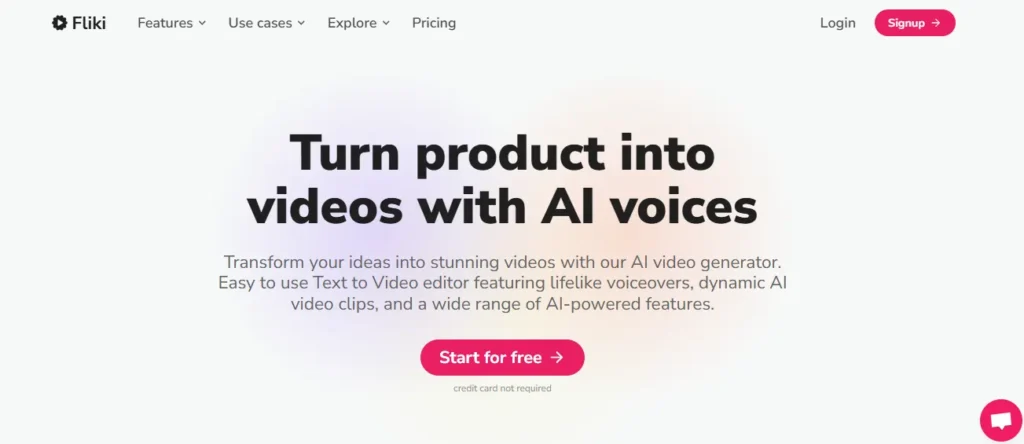
Fliki AI has emerged as a crowd-favorite AI text to video free tool, built specifically for creators who need to generate social media content at lightning speed. Rather than dealing with complex timelines, Fliki uses a unique, beginner-friendly interface where you simply type a script or paste an idea, and the AI automatically syncs your words with relevant stock footage and ultra-realistic voiceovers.
What makes Fliki a top-tier free AI video generator from text is its incredible text-to-speech audio engine. Boasting over 2,500+ lifelike voices across 80+ languages, Fliki ensures your videos sound like they were narrated by a professional human voice actor. Whether you are running a faceless YouTube channel, turning a PowerPoint presentation into a corporate explainer, or creating TikToks from Amazon product listings, Fliki delivers a completely hands-off editing experience.
Trusted by over 10 million users and holding a massive 4.8/5 rating on G2, Fliki is the ultimate free AI video maker for turning raw ideas, blogs, and scripts into stunning short-form videos in under five minutes.
Key Features
- Idea to Video Engine: Instantly generate complete video sequences from a single short text prompt.
- Ultra-Realistic AI Voiceovers: Choose from 2,500+ human-sounding voices across 80+ global languages.
- Multi-Format Repurposing: Automatically convert blogs, PPTs, and product URLs into engaging video clips.
- 70+ Realistic AI Avatars: Add dynamic, lip-synced digital presenters to your videos without using a camera.
Best For
Social media managers, digital marketers, and solo creators looking for a fast, intuitive free AI video maker to produce high-volume short-form content with professional voiceovers.
Use Cases
Ideal for YouTube automation, faceless social media channels, TikTok and Reels creation, e-commerce product videos, and turning blog articles into engaging visual content.
⭐ Rating
4.8 / 5 ⭐⭐⭐⭐⭐ — The fastest idea-to-video workflow available
Why Choose Fliki AI?
Fliki offers the absolute best text-to-speech voiceovers combined with automated scene generation, saving creators up to 96 hours of manual editing time every single month.

6. ElevenLabs — Best AI Text To Video Free Tool for Studio-Grade Audio and Cinematic Generation
ElevenLabs is globally recognized as the reigning champion of AI voiceovers, but with the launch of ElevenCreative, it has evolved into an unstoppable AI text to video free tool. By integrating top-tier video generation models like Veo, Sora, Kling, and Seedance directly into their platform, ElevenLabs now allows you to generate ultra-realistic speech, immersive sound effects, and cinematic video clips all in one seamless workflow.
What elevates ElevenLabs above a standard free AI video generator from text is its foundational audio research. Other video tools treat audio as an afterthought, but ElevenLabs pairs your text-to-video prompts with the world’s most expressive text-to-speech engine across 70+ languages. You can even clone your own voice or instantly generate royalty-free background music to match the mood of your visuals.
Trusted by massive brands like Disney, Epic Games, and Meta, ElevenLabs is the ultimate free AI video maker for creators building a faceless YouTube channel who refuse to compromise on audio or visual quality.
Key Features
- Multi-Model Video Generation: Turn text prompts into stunning videos using Veo, Sora, Kling, and Seedance
- World-Class AI Voiceovers: Access over 10,000 hyper-realistic, emotionally expressive voices in 70+ global languages
- Instant Voice Cloning: Create a perfect digital replica of your own voice for authentic, personalized video narration
- Text-to-SFX & Music: Generate custom soundscapes, Foley effects, and studio-grade background tracks via text prompts
Best For
Filmmakers, podcasters, and YouTube creators seeking a free AI video maker that provides absolute dominance over both cinematic video generation and hyper-realistic audio production.
Use Cases
Perfect for YouTube automation, faceless social media channels, audiobook trailers, documentary B-roll, and fully localized multilingual video marketing campaigns.
⭐ Rating
4.9 / 5 ⭐⭐⭐⭐⭐ — The undisputed king of AI audio and voiceovers
Why Choose ElevenLabs?
ElevenLabs offers an unmatched all-in-one creative editor, combining the world’s best text-to-speech engine with elite AI video models like Sora and Veo in a single platform.
7. Synthesia — Best AI Text To Video Free Tool for Business Training and Corporate Video Production

Synthesia is the undisputed #1 AI text to video free tool built exclusively for business professionals, L&D teams, and corporate marketers who need to produce studio-quality videos at enterprise scale. Trusted by over 90% of Fortune 100 companies and rated 4.7/5 from 2,000+ reviews on G2, Synthesia transforms any typed script into a polished, professional video featuring lifelike AI avatars that speak 160+ languages with uncanny expressiveness — all without cameras, microphones, or a single minute of traditional video editing.
Creating content with Synthesia is refreshingly simple. Select one of its 240+ AI avatars, type your script in any language, and within minutes you receive a broadcast-ready video complete with synchronized lip movements, branded visuals, and professional voiceovers. Over 90% of new users publish their very first video without ever needing a tutorial — making it the most beginner-friendly free AI video generator from text available today.
Synthesia also offers powerful one-click video translation into 160+ languages, built-in version control, SCORM export for LMS integration, and detailed video analytics tracking views, drop-off points, and completion rates — capabilities that elevate it far beyond a standard free AI text to video maker.
Key Features
- 240+ Expressive AI Avatars: Choose professional digital humans speaking 160+ languages with perfect lip-sync accuracy.
- One-Click Video Translation: Instantly localize any video into 160+ languages with automated dubbing and lip-sync.
- SCORM Export for LMS: Seamlessly integrate training videos into any learning management system with one click.
- AI Video Analytics Dashboard: Track viewer behavior with drop-off rates, completion metrics, and engagement data.
Best For
Corporate L&D teams, HR professionals, and business marketers who need a reliable free AI video maker to produce branded, multilingual training and communication videos at scale.
Use Cases
Ideal for employee onboarding videos, compliance training, sales enablement content, multilingual marketing campaigns, and converting PowerPoint presentations into engaging AI avatar-led explainers.
⭐ Rating
4.7 / 5 ⭐⭐⭐⭐½ — The #1 AI video platform for Fortune 100 businesses
Why Choose Synthesia?
Synthesia is the only free AI text to video tool built to satisfy the most demanding legal, compliance, and brand teams — with SOC2, GDPR, and ISO42001 certifications already cleared.
8. Leonardo AI — Best Free AI Text To Video Tool for Cinematic Motion and Creative Production Control
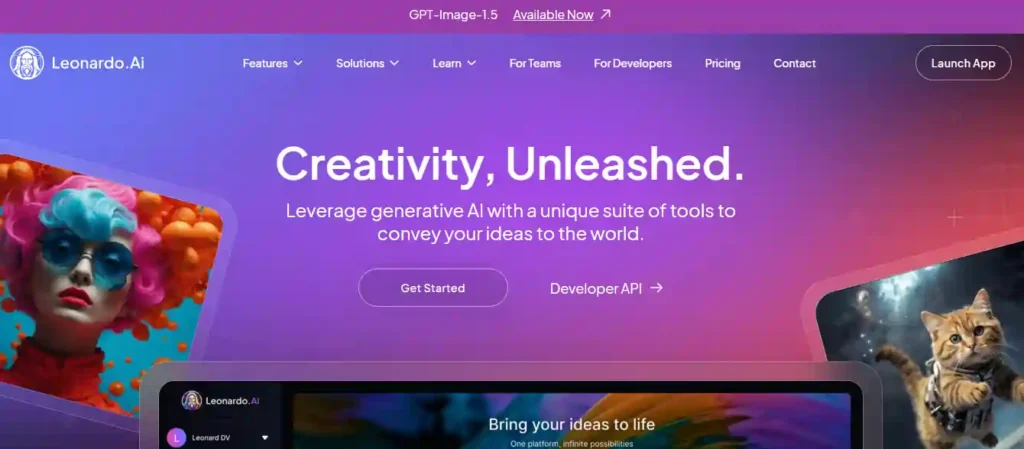
Leonardo AI redefines what a free AI text to video tool can deliver by putting creative precision at the absolute center of every generation. Unlike most free AI video generators from text that simply produce basic motion from a prompt, Leonardo gives creators granular control over composition, pacing, start frames, end frames, and visual consistency — making it the go-to platform for storyboarders, filmmakers, and brand content creators who demand intentional, production-ready results.
Leonardo’s multi-model architecture is truly extraordinary. With direct access to Veo 3.1, Kling 3.0, Seedance 1.0 Pro, and Hailuo 2.3 all inside one workspace, you can choose the exact video model that matches your specific shot type, whether it is a cinematic slow-motion product spin, a hyper-realistic avatar portrait, or a B-roll sequence for your faceless YouTube channel. The platform’s exclusive Blueprints feature takes this further by providing pre-built, prompt-optimized workflows for instant product spin videos, cinematic zoom-out effects, and social-first animated stills.
Rated 4.8/5 based on 72,700+ reviews on the Google Play Store, Leonardo has earned the trust of freelancers and global creative teams who use it to produce polished, campaign-ready motion content without sacrificing artistic control over a single frame.
Key Features
- Multi-Model Video Access: Generate stunning videos using Veo 3.1, Kling 3.0, Seedance, and Hailuo inside one workspace.
- Start & End Frame Control: Anchor your scene’s opening and closing composition for seamless cinematic consistency.
- Blueprint Workflow System: Use pre-built prompt-optimized workflows for instant product spins and zoom-out sequences.
- Text-to-Video + Image-to-Video: Convert both text prompts and still images into fluid, motion-rich short video clips.
Best For
Filmmakers, storyboard artists, brand designers, and advanced content creators looking for a free AI video maker that delivers precise creative control over every frame of generated motion content.
Use Cases
Perfect for YouTube automation, cinematic B-roll generation, product showcase videos, social media reels, faceless channel content, and building campaign-ready motion sequences for marketing agencies.
⭐ Rating
4.8 / 5 ⭐⭐⭐⭐⭐ — Best AI video tool for cinematic creative control
Why Choose Leonardo AI?
Leonardo is the only free AI text to video tool offering multi-model video generation, Blueprint workflows, and frame-level creative control — all inside a single SOC 2 certified platform.
9. VEED.IO — Best Free AI Text To Video Tool for Browser-Based Editing and Auto-Subtitling

VEED.IO is arguably the most versatile and beginner-friendly AI text to video free tool available in 2026, combining a powerful browser-based video editor with a full-stack AI generation engine — all without downloading a single piece of software. Trusted by millions of creators and teams worldwide, VEED transforms any typed prompt, pasted script, or article URL into a fully produced video complete with AI-generated visuals, synchronized voiceovers, and accurate auto-subtitles in seconds.
Where VEED.IO truly dominates every other free AI video generator from text is its unmatched post-generation editing suite. After your video is generated, you can instantly refine it using exclusive AI tools like Eye Contact Correction, Filler Word Removal, Magic Cut, and Smart Clips — features that automatically detect and trim the best moments from long-form content into viral-ready short clips. Access to elite video generation models including Veo 3.1, Kling, and Hailuo is also built directly into the platform, giving you cinematic-quality output.
Whether you are building a faceless YouTube channel, producing Instagram Reels at scale, or converting blog articles into social-first video content, VEED.IO’s free plan gives you immediate access to the full text-to-video workflow — making it the perfect last stop on your free AI text to video maker journey.
Key Features
- AI Text-to-Video Generator: Instantly convert text prompts, scripts, and URLs into fully produced video clips.
- Smart Auto-Subtitles & Translation: Generate highly accurate captions in 100+ languages with one-click AI dubbing.
- Eye Contact Correction + Magic Cut: AI-powered editing tools that polish talking-head videos and remove filler words automatically.
- Multi-Model Video Engine: Generate cinematic footage using Veo 3.1, Kling, and Hailuo directly inside the browser editor.
Best For
Solo content creators, social media managers, and digital marketers looking for a complete free AI video maker that handles both text-to-video generation and advanced AI-powered post-production editing inside one browser tab.
Use Cases
Perfect for YouTube automation, faceless social media channels, TikTok and Instagram Reels creation, product explainer videos, auto-captioning existing footage, and turning blog articles into engaging viral video clips.
⭐ Rating
4.8 / 5 ⭐⭐⭐⭐⭐ — The most complete browser-based AI video editor
Why Choose VEED.IO?
VEED.IO is the only free AI text to video tool that combines elite multi-model video generation with professional post-production AI editing — including Eye Contact Correction and Smart Clips — all inside one zero-download browser platform.
Technical Evaluation Metrics Used to Rank These AI Text To Video Free Tools
To rank the best free AI text to video generator options fairly, use measurable, repeatable checks (not vibes). Here are the metrics that matter for real creators:
- Prompt adherence: Does the video actually match the text prompt, scene order, and key objects (high intent for “convert script to video AI”)?
- Temporal consistency: Do faces, hands, logos, and backgrounds stay stable across frames (no flicker/shape shifting)?
- Motion realism: Natural camera movement, physics, lip sync (if using an AI avatar video maker), and smooth transitions.
- Output quality: Max resolution, fps, compression artifacts, color banding, subtitle sharpness, and “text in video” readability.
- Audio stack: Built-in voiceover quality, accent options (US/UK/India), music licensing, and auto-ducking under narration.
- Editing controls: Timeline editor, scene locking, prompt-per-scene, templates, stock library, and subtitle styling.
- Free plan reality: Watermark policy (“text to video AI free no watermark”), credit caps, export limits, signup requirements, and commercial-use clarity.
- Speed & reliability: Render queue time, crash rate, and how often generations fail on longer scripts.
- Workflow fit: Can it reliably produce AI shorts (9:16), faceless YouTube videos, and “turn blog to video free” repurposing?
If you evaluate each AI text to video maker free online with the same 60–90 second script and the same style prompt, your rankings become defensible—and your article reads like a true hands-on test.
Workflow Automation: Maximizing AI Text To Video Free Tools Using Semantic Prompts
To get consistently better results from an AI video generator free unlimited (or any free tier), treat prompts like a lightweight spec. Use semantic prompting so the model “knows” structure, not just vibe:
- Start with the goal: “Create a 35–45s 9:16 faceless YouTube Shorts video from this script.”
- Provide a scene plan: 5–7 scenes; include setting, subject, action, and camera direction per scene.
- Define style constraints: “clean product explainer,” “cinematic b-roll,” “minimal text overlays,” “high contrast,” “no distorted text.”
- Specify output rules: aspect ratio, pacing, transitions, subtitle style, and whether to add voiceover (text-to-speech) or keep it music-only.
- Add negative constraints: “No random faces, no unreadable captions, no glitchy hands, no fast strobing.”
Example semantic prompt (copy/adapt):
“Create a 45s 9:16 video. Style: modern tech, cinematic b-roll. Audience: beginners. Scenes: (1) laptop typing, (2) AI generating storyboard, (3) quick montage of stock clips, (4) captions + voiceover, (5) final CTA. Captions: bold, high-contrast, 2 lines max. Voiceover: friendly US accent. Avoid: distorted text, extra fingers, flicker.”
This approach upgrades any free AI video creator from prompt into a repeatable production system for cluster content—blog-to-video repurposing, AI clip generator outputs for social, and faster testing of multiple hooks without rewriting everything from scratch.
Technical Troubleshooting for AI Text To Video Free Tools
Which AI text to video free tools offer full commercial rights for YouTube monetization?
Tools like Leonardo AI and ElevenLabs allow commercial use on free tiers, but always check their current Terms of Service before monetizing your faceless YouTube channel content.
How do free AI video generators handle cloud rendering speeds and server latency?
Free tiers often place users in a server queue during peak hours. To maximize rendering speeds, try generating videos during off-peak times or use multi-model platforms like OpenArt.
Are there any completely free AI text to video tools with zero watermark constraints?
Most completely free tiers include watermarks, but platforms like CapCut or open-source local installations offer watermark-free exports. Paid plans are usually required for clean, professional cloud rendering.
Can AI video makers instantly translate my script while generating the video?
Yes. Platforms like HeyGen and Synthesia simultaneously generate video avatars and auto-translate your script into 100+ languages with perfect lip-syncing, eliminating the need for separate dubbing software.
What is the best prompt structure for generating cinematic B-roll footage?
Use a semantic prompt: define the subject, camera angle, lighting, and motion. Example: “Slow-motion panning shot, neon-lit cyberpunk street, ultra-realistic, 4K resolution, cinematic lighting.”
Final Thoughts: Start Creating Today
Finding the right AI text to video free tool does not have to be complicated. Whether you need cinematic B-roll from Leonardo AI, hyper-realistic avatars from HeyGen, or quick blog repurposing with Pictory AI, these free AI video generators will save you hours of editing.
The best way to know which tool fits your workflow? Test them yourself. Click the links above to claim your free credits and start building your faceless YouTube channel today!