Hello, my lovely audience! I’m Nisha from AI Blog First. After six years of testing AI software, my main priority is sharing practical tools that truly respect your time and workflow.
You want to turn text into engaging video, but hitting unexpected paywalls right before exporting is incredibly frustrating. Countless text-to-video generators promise zero costs, only to ruin your footage with giant watermarks or lock realistic AI voiceovers behind expensive upgrades.
I bypassed the deceptive marketing to uncover which platforms actually deliver. Instead of wasting hours on dead ends, we are diving into the 6 best free AI alternatives to Pictory AI, focusing strictly on reliable video editors that let you create without hidden barriers.
Why Look for Free AI Alternatives to Pictory AI?
Pictory AI is a solid text-to-video tool, but its free plan comes with real limitations — watermarked exports, capped video lengths, and restricted access to premium stock footage. For creators just starting out or working with a tight budget, those restrictions hit hard.
The demand for free AI alternatives to Pictory AI has grown significantly among:
- Bloggers and marketers repurposing written content into video without a monthly subscription.
- YouTubers and short-form creators producing faceless videos consistently without cost barriers.
- Small business owners who need professional-quality video output without enterprise pricing.
Not every creator is ready to commit to a paid plan, and honestly, they shouldn’t have to be. Several platforms today offer genuinely capable free tiers — with AI voiceovers, auto-captions, and stock footage — that directly compete with what Pictory charges for.
Understanding exactly where Pictory falls short helps you match your workflow to a tool that fills those gaps without draining your budget. The six alternatives covered ahead each solve a specific pain point that Pictory’s free tier leaves unaddressed.
Still Interested in Pictory AI? Here’s an Exclusive Deal for You!
Use coupon code NISHA15 at checkout and get an instant 15% OFF** on any Pictory AI paid plan — exclusively for our lovely audience at AI Blog First!
Apply code NISHA15 at checkout. Limited-time offer — grab it before it expires!
Top 6 Free Ai Alternatives TO Pictory Ai for Content Creators
| Best Free Ai Alternatives TO Pictory Ai | Best Used For | Free Plan Perk |
|---|---|---|
| OpenArt AI | Image to Video | 40 Trial Credits |
| HeyGen AI | Realistic Talking Avatars | One Free Video |
| Akool AI | Face Swap Avatars | Free Trial Access |
| InVideo AI | Fast YouTube Shorts | Free AI Minutes |
| ElevenLabs AI | Realistic AI Voiceovers | 10,000 Free Characters |
| Murf AI | Pro Audio Editing | 10 Free Minutes |
1. OpenArt AI — Best Free AI Alternative to Pictory AI for Visual Storytelling

If you have ever wanted to turn a raw idea directly into a stunning visual story without touching a single video editing timeline, OpenArt AI is built precisely for that.
Unlike Pictory, which relies heavily on assembling stock clips around your script, OpenArt gives you genuine creative control. You can generate original AI images, convert photos to video, create consistent characters across multiple scenes, and even sync lip movement — all from one clean dashboard.
It is trusted by millions of artists and businesses worldwide, which says a lot about its reliability for both personal projects and professional content creation.
Loving OpenArt AI? Grab an Exclusive Discount Just for You!
Use coupon code NISHA15 at checkout and get an instant 15% OFF** on any OpenArt AI paid plan — an exclusive deal for our lovely audience!
Apply code NISHA15 at checkout. Grab it while it lasts!
OpenArt AI Key Features:
- AI Image to Video: Convert static photos into dynamic video clips instantly.
- Consistent Character Creator: Build and reuse characters across unlimited story scenes.
- One-Click Story Creation: Turn any idea into a complete visual narrative automatically.
- Advanced AI Editing Suite: Inpainting, object removal, and creative upscaling in seconds.
Pricing: Free plan includes 40 trial credits for 7 days; paid plans start at just $7/month (billed annually).
My Experience with OpenArt: After six years of testing AI tools, OpenArt genuinely impressed me with its seamless image-to-video pipeline and character consistency.
Why Pick OpenArt: It replaces multiple paid tools at once — image generation, video creation, and editing all under one free account.
2. HeyGen — Best Free AI Alternative to Pictory AI for Realistic Avatar Videos

Most text-to-video tools give you stock clips and automated cuts. HeyGen takes a completely different approach — it puts a talking AI avatar at the center of your video, making every piece of content feel personally presented rather than machine-assembled.
That distinction matters enormously for creators building personal brands, faceless YouTube channels, or professional marketing content. Where Pictory automates clip selection, HeyGen hands you a digital spokesperson that speaks your script in 175+ languages with natural lip sync.
Trusted by over 100,000 businesses globally and recognized as G2’s #1 Fastest Growing Product of 2025, HeyGen has earned its reputation through consistent delivery on both quality and ease of use.
HeyGen Key Features:
- Custom Digital Twin: Clone your own likeness as a reusable AI video avatar.
- 500+ Stock Photo Avatars: Launch professional videos instantly without recording yourself.
- Text-to-Video with AI Agent: Convert raw scripts into complete narrated videos in minutes.
Pricing: Free plan starts at $0/month — 1 video per month, up to 3 minutes, 720p export with no credit card required. Paid plans begin at $29/month.
My Experience with HeyGen: After testing dozens of AI video tools, HeyGen’s avatar realism and multilingual lip sync accuracy genuinely stand out from every competitor I have reviewed.
Why Pick HeyGen: No other free AI alternative to Pictory AI delivers broadcast-quality avatar videos with zero camera setup and zero upfront cost.
3. Akool — Best Free AI Alternative to Pictory AI for Enterprise-Grade Marketing Content
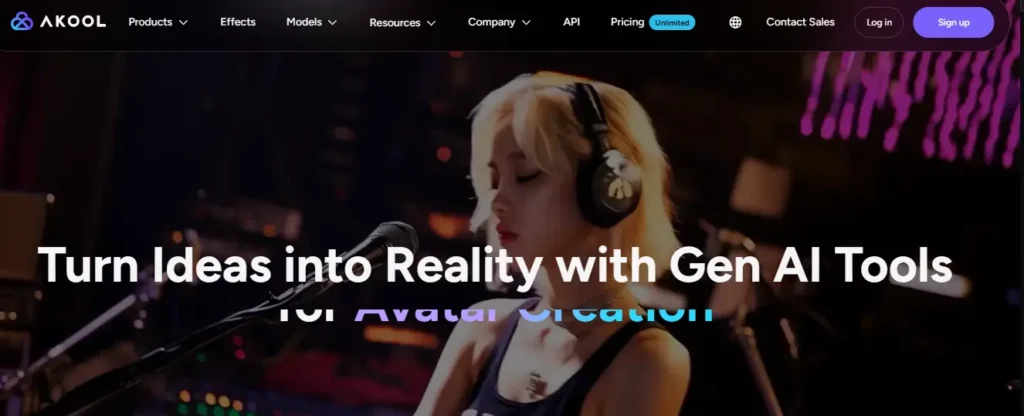
Pictory AI helps you build videos around existing content. Akool, on the other hand, hands you an entire generative AI studio — one that Fortune 500 companies like Canon, Coca-Cola, and Google Cloud are already using to produce large-scale marketing campaigns without traditional production costs.
What separates Akool from every other tool on this list is its depth. You are not just converting text to video — you are generating photorealistic full-body avatars, swapping faces in real time, changing backgrounds, cloning voices, and translating videos with precise lip sync, all inside a single dashboard.
With over 300 million AI assets created and 73,000+ companies relying on the platform, Akool has quietly built one of the most comprehensive free AI video creation ecosystems available to independent creators right now.
Akool Key Features:
- Streaming Avatar: Generate real-time AI spokesperson videos from any script instantly
- AI Face Swap: Replace faces in images and videos with photorealistic precision in seconds
- Video Translator with Lip Sync: Localize video content accurately across multiple languages
- Image to Video + Text to Video: Animate static visuals or raw scripts into polished video content
Pricing: Free tier available with trial access; paid plans are flexible with tiered and subscription-based pricing suited for individuals to enterprises.
My Experience with Akool: Akool genuinely surprised me — the face swap accuracy and streaming avatar realism are miles ahead of what most free tools offer at this level.
Why Pick Akool: No other free AI alternative to Pictory AI matches Akool’s range — from faceless videos to enterprise avatar campaigns, all under one roof.
4. InVideo AI — Best Overall Free AI Alternative to Pictory AI for Content Creators
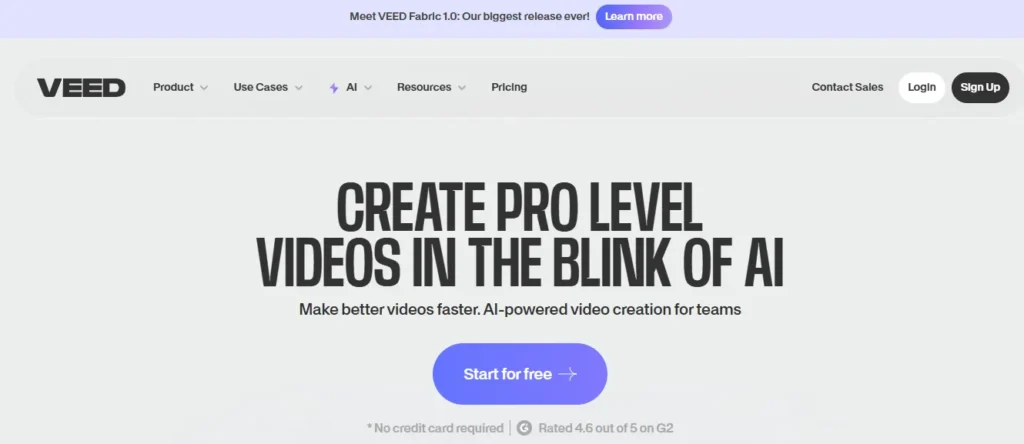
Pictory builds your video from a script by pulling existing stock footage. InVideo AI goes a step further — it actually generates original visuals, writes your script, adds voiceover, and edits the entire sequence based on a single text prompt, often producing a publish-ready video in under 30 minutes.
That end-to-end generation capability makes InVideo one of the most practical free AI alternatives to Pictory AI available right now, especially for creators running faceless YouTube channels, explainer content, or social media ads.
What also stands out is the breadth of AI models built directly into the platform. From Google Veo 3.1 and Sora 2 Pro to Kling 3.0 and ElevenLabs audio, InVideo gives you access to 200+ cutting-edge models inside one clean workspace that over 50 million users across 190 countries already trust.
InVideo AI Key Features:
- InVideo v4 AI Agent: Generate up to 30 minutes of video from a single text prompt automatically.
- 200+ AI Models Built-In: Access Google Veo, Sora 2, Kling, and ElevenLabs without switching tools.
- Conversational Video Editing: Refine any part of your video simply by typing an instruction.
- UGC Ads & Avatar Generator: Create scroll-stopping user-generated style ads without filming yourself.
Pricing: Free plan available with no credit card required — includes limited AI generation minutes and watermarked exports; paid plans start at $28/month.
My Experience with InVideo AI: After testing it across multiple content formats, InVideo AI consistently delivered the fastest script-to-video output of any free tool I have reviewed in six years.
Why Pick InVideo AI: It is the only free AI alternative to Pictory AI that combines 200+ AI models, voice cloning, and a conversational editor all inside one platform.
5. ElevenLabs — Best Free AI Alternative to Pictory AI for Voiceovers and Audio

While Pictory AI focuses primarily on assembling video clips, audio quality is often what separates amateur content from professional production. If your main frustration with free video generators is their robotic, lifeless narration, ElevenLabs is the exact tool you need to bridge that gap.
ElevenLabs does not generate video footage; instead, it is widely considered the industry standard for AI voice generation. By pairing ElevenLabs’ audio with any basic free video editor, you can create broadcast-quality content that sounds identical to a human voice actor.
Its text-to-speech models understand context, allowing the AI to naturally adjust pacing, insert pauses, and express emotion based on the meaning of your script. It is the secret weapon behind thousands of successful faceless YouTube channels and professional marketing campaigns.
ElevenLabs Key Features:
- Ultra-Realistic Text-to-Speech: Generate human-sounding narration with natural emotional intelligence.
- Instant Voice Cloning: Create a digital replica of your own voice from just a short audio sample.
- Massive Voice Library: Access over 10,000 pre-made, studio-quality voices in 32+ languages.
- Advanced Audio Control: Adjust stability, clarity, and style exaggeration for precise vocal delivery.
Pricing: The free plan offers 10,000 characters per month (about 10 minutes of audio) with attribution required. Paid plans start at just $5/month.
My Experience with ElevenLabs: Out of every audio tool I have tested in the last six years, ElevenLabs is the only one that consistently fools people into thinking I hired a professional voice actor.
Why Pick ElevenLabs: When used alongside other free visual editors, it completely eliminates the robotic “AI sound,” instantly elevating the perceived quality of your content.
6. Murf AI — Best Free AI Alternative to Pictory AI for Professional Audio Editing

When producing explainer videos or corporate presentations, Pictory AI’s built-in voices can sometimes lack the professional polish required for business-grade content. If you want granular control over how your script sounds without paying studio fees, Murf AI is the perfect companion tool.
Murf operates as an advanced text-to-speech studio rather than a standard video generator. It allows you to adjust the pitch, speed, and exact intonation of specific words, ensuring the AI emphasizes the right parts of your message. You can even upload your own low-quality voice recording and use Murf’s Voice Changer to instantly convert it into a professional studio voiceover.
Trusted by teams at Nestle, Air France, and Omnicom, Murf provides the audio backbone for serious creators who need their videos to sound as premium as they look.
Murf AI Key Features:
- Customizable Studio Editor: Complete control over pitch, speed, emphasis, and pronunciation.
- 200+ Expressive Voices: Access high-fidelity AI voices across 35+ languages and varied accents.
- Voice Changer: Convert amateur home recordings into professional-grade studio voiceovers.
- Seamless Integrations: Plug voiceovers directly into Canva, PowerPoint, and Captivate workflows.
Pricing: Free plan includes 10 minutes of voice generation to test the voices. Paid plans start at $19/month (billed annually).
My Experience with Murf AI: What impressed me most was the pronunciation library—being able to train the AI to perfectly say complex brand names or technical jargon is a massive time-saver.
Why Pick Murf AI: It offers the most detailed audio editing interface of any free AI alternative to Pictory AI, making it essential for corporate and e-learning content.
Free Ai Alternatives TO Pictory Ai vs. Paid Plans: What’s the Catch?
While finding free AI alternatives to Pictory AI feels like a major win for your budget, it is important to understand how these platforms operate. Software companies still need to cover heavy computing costs, which means their free tiers always come with a few strategic limitations.
Before migrating your entire video creation workflow, you should be aware of the common restrictions tied to unpaid plans:
- Visual branding: Many free text-to-video generators enforce unremovable watermarks on your final exports.
- Export quality: Your rendering options might be capped at 720p resolution rather than crisp 1080p or 4K.
- Asset restrictions: Access to premium stock footage libraries, hyper-realistic AI voiceovers, and auto-caption styles is often locked behind a paywall.
- Monthly quotas: You will likely face strict caps on your maximum video length or total generation minutes per month.
If your goal is to test a concept, build a personal project, or manage a brand new YouTube channel, these limitations are rarely dealbreakers. Using these free tiers as a testing ground is actually the smartest way to decide if a future upgrade is worth your money.
Frequently Asked Questions (FAQs) About Free AI Alternatives to Pictory AI
Is there a completely free AI video generator without a watermark?
Yes, tools like CapCut offer powerful text-to-video features and high-quality 1080p exports completely free of charge, without forcing unremovable watermarks on your final video.
Which free AI alternative to Pictory AI has the most realistic voiceovers?
ElevenLabs is the industry standard for ultra-realistic AI voices. By pairing its free audio tier with a free video editor, you achieve broadcast-quality narration.
What is the best free Pictory AI alternative for making YouTube Shorts?
InVideo AI is highly recommended for Shorts. Its AI agent can generate vertical videos, write scripts, and add voiceovers from a single text prompt within minutes.
Can I use CapCut instead of Pictory AI for faceless videos?
Absolutely. Combining ChatGPT for your script, CapCut for assembling stock footage, and a free AI voice tool creates a complete, cost-free faceless video workflow.
Which free AI tool turns blog posts into videos automatically?
Zebracat AI and InVideo AI are excellent for this. You can paste your article’s text, and the AI will automatically generate matching scenes, captions, and narration.
Are there free AI video editors that feature talking avatars?
Yes, HeyGen offers a free plan that lets you create professional talking avatar videos using your script, completely eliminating the need to record yourself.
How do free AI alternatives compare to Pictory’s paid plans?
Free alternatives often provide better specific features—like ElevenLabs for voice or HeyGen for avatars—but they usually limit monthly generation minutes or export resolutions.
Can I translate my videos into other languages for free?
Yes, platforms like Murf AI and HeyGen include multilingual support and AI dubbing in their toolsets, allowing you to seamlessly translate content into dozens of languages.
What is the easiest free AI video maker for total beginners?
Vmaker AI and InVideo AI are incredibly beginner-friendly. You simply type your idea or script into a chat box, and the platform handles the editing timeline automatically.
Do I own the commercial rights to videos made with free AI tools?
This depends strictly on the platform’s terms. Most free tiers restrict commercial use, requiring a paid upgrade to legally use the videos for monetization or client work.
Final Thoughts
Not every creator has the budget for a paid Pictory subscription, and honestly, that is completely fine. The tools covered above prove that quality video content does not have to cost anything upfront. Each platform handles a different piece of the puzzle — some generate visuals, others handle voiceovers, and a few manage the entire production from a single prompt.
The best approach is to test two or three free AI alternatives to Pictory AI and see which one naturally fits your current workflow. Great content always comes down to consistency and creativity, not the price tag on your software.