Making short videos shouldn’t feel like a second job. But for most creators and marketers, that’s exactly what it becomes — hours spent trimming clips, writing scripts, and syncing captions, all before a single video goes live.
The market is flooded with AI video tools right now. Some are genuinely useful. Others look impressive in demos but fall apart in real workflows.
So how do you know which ones are actually worth your time?
This guide cuts through the noise on the 6 best short-form AI video tools available today — covering what each one does well, where it struggles, and who it’s really built for.
Whether you’re a solo content creator, a social media manager, or a small business owner trying to show up consistently online, the right AI video tool can cut your production time dramatically.
But not all of them will work for your use case.
What are short-form AI video tools and why do creators need them?
Short-form AI video tools are software platforms that use artificial intelligence to help users create, edit, and publish brief video content — typically under 60 seconds — with minimal manual effort. They’re built for platforms like TikTok, Instagram Reels, and YouTube Shorts, where fast, consistent output matters.
Traditional video production takes time. Scripting, recording, editing, adding captions — even a simple 30-second clip can take hours. AI video tools compress that process significantly by automating the repetitive parts.
Most of these tools can do at least one of the following:
- Convert a blog post or script into a video automatically.
- Extract short clips from longer recordings.
- Add captions, transitions, and voiceovers without manual editing.
- Resize and reformat content for different platforms in one click.
For solo creators, marketers, and small business owners, that kind of time saving is meaningful — not because the tools are perfect, but because they remove the biggest barrier to consistent content publishing.
The six tools covered below each approach this differently. Understanding what separates them helps you match the right tool to your actual workflow.
Quick comparison: 6 best short-form AI video tools at a glance
| Best Short-Form AI Video Tools | Core Use | Key Feature | Best For |
|---|---|---|---|
| Pictory AI | Blog to video | Auto captions | Content marketers |
| OpenArt AI | AI image creation | Style image control | Visual designers |
| Akool AI | Avatar media creation | Face swap tools | Promo creators |
| ElevenLabs | AI voice generation | Voice cloning tech | Audio creators |
| Synthesia | AI avatar videos | Presenter-style output | Training teams |
| Fliki | Text to video | Voiceover generation | Social publishers |
1. Pictory AI — Best Short-Form AI Video Tool for Repurposing Content
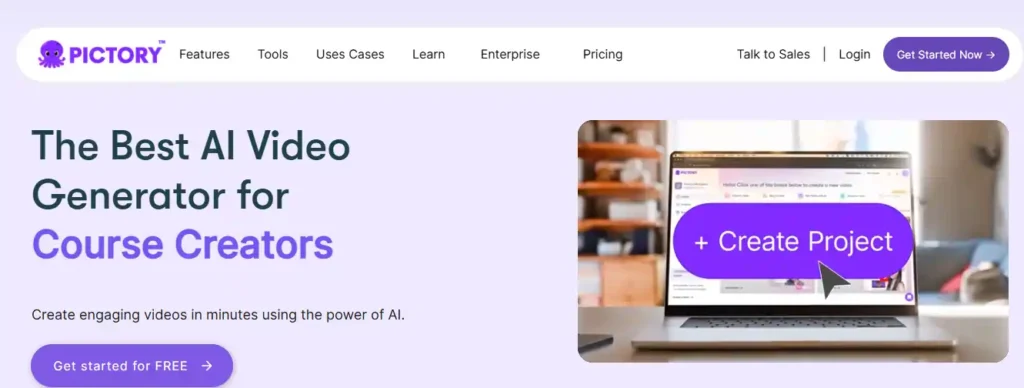
Pictory AI is one of the most practical short-form AI video tools available for creators, marketers, and businesses today. It converts text, blog posts, scripts, URLs, and presentations into polished, publish-ready videos — without any filming, editing software, or technical skills required.
What makes Pictory stand out is how well it handles content repurposing. You bring the content you already have, and Pictory builds the video structure, matches visuals, adds captions, and applies AI voiceovers automatically. For anyone producing consistent short-form video for TikTok, Instagram Reels, or YouTube Shorts, it removes the most time-consuming parts of the workflow entirely.
Trusted by over 20,000 companies, Pictory is built for speed, simplicity, and scale.
Save 20% on Pictory AI — Exclusive Deal!
Use code CABF20 at checkout and get instant 20% off on any Pictory AI paid plan today!
Key Features
- Text to video generation: Converts scripts, articles, and blog posts into structured video scenes automatically.
- AI voiceovers powered by ElevenLabs: Realistic narration available in 29 languages across multiple voice styles.
- Auto captions and subtitle export: Generates accurate captions instantly with .srt, .vtt, and .txt export support.
- Brand kit and custom styling: Upload logos, fonts, and colors to keep every video on-brand consistently.
Pros and Cons
Pros
- Handles multiple input formats seamlessly.
- No video editing experience required.
- Supports all major platform aspect ratios.
- Stock library includes 18 million Getty and Storyblocks assets.
Cons
- Free trial limits video length to 5 minutes.
- Advanced features locked behind Professional plan.
Pricing Plans
Pictory offers a 14-day free trial. Paid plans start at $25/month (Starter), $35/month (Professional), and $119/month (Team), billed annually.
My Experience with Pictory AI
Pictory delivers a genuinely smooth workflow for content repurposing. The storyboard editor is intuitive, and the ElevenLabs voice quality noticeably elevates the final output.
Rating: ⭐⭐⭐⭐⭐ — 4.7 / 5
Why Choose Pictory AI?
Pictory is the most well-rounded short-form AI video tool for creators who want consistent, branded video output without a production team.
2. OpenArt AI — Best Short-Form AI Video Tool for Creative Visual Storytelling

OpenArt AI is a powerful short-form AI video tool built for creators who want cinematic-quality output without a production studio. Unlike most AI video platforms, OpenArt goes beyond basic text-to-video — it gives you a full creative suite covering video generation, VFX, background replacement, lip-sync, motion sync, relighting, and AI image editing, all inside one workspace.
For content creators producing short-form videos for TikTok, Instagram Reels, or YouTube Shorts, OpenArt’s depth is genuinely impressive. You can generate videos from text prompts, animate images, swap scenes, and apply visual effects in a few clicks. With access to over 100 premium AI models including Seedance 2.0 and Kling 3.0, the output quality stands clearly above most tools in this category.
OpenArt is built for creators who take visual quality seriously.
Save 15% on OpenArt AI — Exclusive Deal!
Use code NISHA15 at checkout and get instant 15% off on any OpenArt AI paid plan today!
Key Features
- Text to video generation: Creates smooth, high-quality video clips directly from text prompts.
- OpenArt VFX suite: Replace backgrounds, relight scenes, and apply full visual effects to videos.
- Lip-sync and motion sync tools: Sync audio and motion references to video with precision.
- Access to 100+ AI models: Includes Seedance 2.0, Kling 3.0 Omni, and ChatGPT Image 2.0.
Pros and Cons
Pros
- Extensive creative toolkit beyond basic video generation.
- Access to the latest frontier AI video models.
- Supports images, video, audio, and characters in one platform.
- Generous credit system across all paid plans.
Cons
- Credit-based system can feel limiting on lower plans.
- Steeper learning curve for complete beginners.
Pricing Plans
OpenArt offers a free plan with limited credits. Annual paid plans start at $7/month (Essential), $14.50/month (Advanced), $28/month (Infinite), and $120/month (Wonder) — currently 50% off.
My Experience with OpenArt AI
OpenArt genuinely surprised me with its depth. The VFX tools and multi-model access make it feel less like a basic generator and more like a professional creative suite.
Rating: ⭐⭐⭐⭐⭐ — 4.6 / 5
Why Choose OpenArt AI?
OpenArt is the right short-form AI video tool for creators who want cinematic visual quality, advanced effects, and multi-model flexibility in one place.
3. Akool AI — Best Short-Form AI Video Tool for Avatar and Face Swap Videos
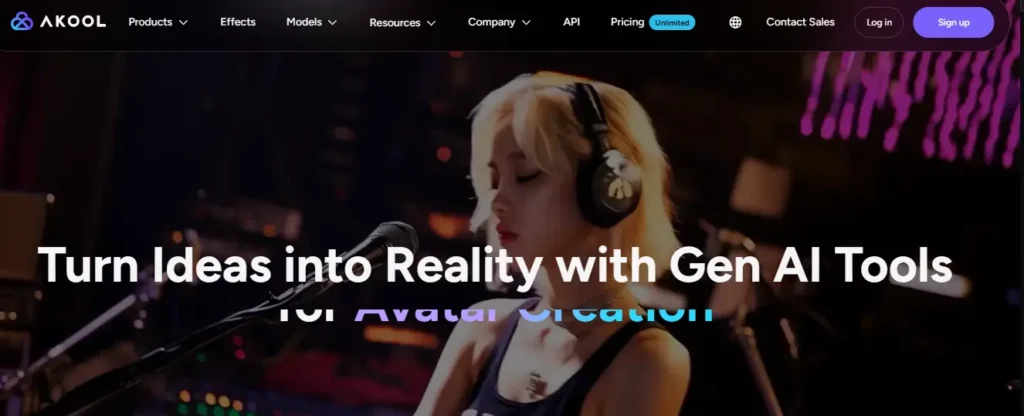
Akool is a enterprise-grade short-form AI video tool that combines avatar creation, face swap technology, video translation, and AI-powered content generation inside one professional platform. Ranked #1 on Inc 5000 and trusted by Fortune 500 companies, Akool is built for creators and marketing teams who need studio-quality output at scale.
What sets Akool apart from other AI short video tools is its depth of personalization. You can create talking avatar videos, swap faces realistically, translate videos into multiple languages with accurate lip-syncing, and generate short-form content without ever appearing on camera. With over 300 million AI assets already created and 73,000+ companies actively using the platform, Akool has proven itself well beyond the typical AI video generator category.
For marketers, educators, and content teams, Akool delivers genuine production value.
Key Features
- Streaming and talking avatar videos: Create realistic AI presenter videos without a camera or microphone.
- AI face swap technology: Replace faces in videos and images with natural, precise results instantly.
- Video translation with lip-sync: Translate videos into multiple languages while matching lip movements accurately.
- 4K photorealistic video rendering: Generate high-fidelity video assets with production-ready visual clarity.
Pros and Cons
Pros
- Trusted by Fortune 500 brands and major enterprises.
- Supports 20+ distinct AI tools within one platform.
- 4K export quality suitable for professional campaigns.
- Strong API access for automated content workflows.
Cons
- Feature depth can overwhelm complete beginners initially.
- Enterprise-level pricing may not suit individual creators.
Pricing Plans
Akool offers a free tier with limited access. Paid plans are available with flexible tiered and subscription pricing. Custom enterprise plans are available for teams and large organizations needing API integration and scale.
My Experience with Akool AI
Akool genuinely feels like a professional production platform rather than a basic AI tool. The face swap accuracy and avatar quality are noticeably ahead of most competitors in this space.
Rating: ⭐⭐⭐⭐⭐ — 4.8 / 5
Why Choose Akool AI?
Akool is the right short-form AI video tool for marketers and businesses that need enterprise-grade avatar videos, multilingual content, and production-quality output at scale.
4. ElevenLabs — Best Short-Form AI Video Tool for Voiceover and Audio-Driven Content

ElevenLabs is a professional AI audio and video platform that gives short-form content creators one of the most powerful voice generation engines available today. While it started as a text-to-speech tool, ElevenLabs has expanded into a full creative suite covering AI video generation, image creation, automatic dubbing, voice cloning, sound effects, and music — making it a genuinely versatile short-form AI video tool for creators who lead with audio quality.
For TikTok creators, YouTube Shorts producers, and marketers building multilingual content, ElevenLabs solves one of the most common short-form video problems: robotic, unconvincing AI voiceovers. The platform produces natural, human-sounding narration in multiple languages with remarkable accuracy, and its dubbing studio can translate and re-voice existing videos while preserving the original speaker’s tone and delivery.
Trusted by individual creators and enterprise teams alike, ElevenLabs sets the audio standard for AI video content.
Key Features
- AI voice cloning and generation: Reproduce any voice with natural tone, pacing, and emotional delivery.
- Automatic video dubbing studio: Translate and re-voice short videos into multiple languages accurately.
- AI video and image generator: Create complete short-form video content directly inside the platform.
- Professional voice design tools: Build custom AI voices tailored to your brand identity and content style.
Pros and Cons
Pros
- Industry-leading voice quality across all supported languages.
- Free plan available with no credit card required.
- Covers audio, video, image, and music inside one platform.
- Strong API access for automated short-form content workflows.
Cons
- Core strength is audio — video features are newer and still maturing.
- Higher-tier plans needed for commercial use and voice cloning.
Pricing Plans
ElevenLabs offers a free plan with 10,000 credits monthly. Paid plans start at $6/month (Starter), $22/month (Creator), $99/month (Pro), and $299/month (Scale), billed monthly with annual savings available.
My Experience with ElevenLabs
ElevenLabs produces the most natural-sounding AI voiceovers I’ve tested across any short-form video tool. The dubbing accuracy in particular is genuinely impressive for multilingual content production.
Rating: ⭐⭐⭐⭐⭐ — 4.8 / 5
Why Choose ElevenLabs?
ElevenLabs is the right short-form AI video tool for creators who want broadcast-quality voiceovers, multilingual dubbing, and professional audio that makes every video sound human.
5. Synthesia — Best Short-Form AI Video Tool for Faceless and Avatar-Based Videos

Synthesia is the world’s number one rated AI video platform for businesses, creators, and learning teams who need professional short-form video content without cameras, microphones, or studios. Rated 4.7/5 on G2 with over 2,000 five-star reviews and trusted by over 90% of Fortune 100 companies, Synthesia has earned its reputation as one of the most reliable short-form AI video tools available today.
What makes Synthesia genuinely different is the quality and range of its AI avatars. With 240+ stock avatars, personal avatar creation, and support for 160+ languages with accurate lip-syncing, it removes every traditional barrier to multilingual short-form video production. You type a script, choose an avatar, and Synthesia delivers a polished, publish-ready video in minutes.
For corporate teams, marketers, and solo creators producing consistent video content at scale, Synthesia is purpose-built for exactly that workflow.
Key Features
- 240+ AI avatars with 160+ language support: Create multilingual short videos with natural lip-sync accuracy.
- Personal AI avatar creation: Build a custom digital version of yourself for consistent branded content.
- One-click video translation and dubbing: Translate any existing short video into 80+ languages instantly.
- PowerPoint to video conversion: Transform presentations into professional AI narrated videos automatically.
Pros and Cons
Pros
- Free plan available with no credit card required.
- Trusted by Fortune 100 companies with SOC2 and GDPR compliance.
- Supports SCORM export for learning management system integration.
- 90% of users publish their first video without needing a tutorial.
Cons
- Video minute limits on lower plans restrict high-volume publishing.
- Custom studio avatars available as a paid add-on only.
Pricing Plans
Synthesia offers a free plan with 10 video minutes monthly. Paid plans start at $22/month (Starter), $67/month (Creator), with custom Enterprise pricing available for unlimited video production and team collaboration.
My Experience with Synthesia
Synthesia delivers the most polished avatar video quality I have tested across any short-form AI video tool. The lip-sync accuracy in multiple languages is genuinely impressive and consistently reliable across projects.
Rating: ⭐⭐⭐⭐⭐ — 4.7 / 5
Why Choose Synthesia?
Synthesia is the right short-form AI video tool for businesses and creators who need faceless, multilingual, avatar-driven video content produced consistently at professional quality.
6. Fliki — Best Short-Form AI Video Tool for Faceless TikTok and Reels Content
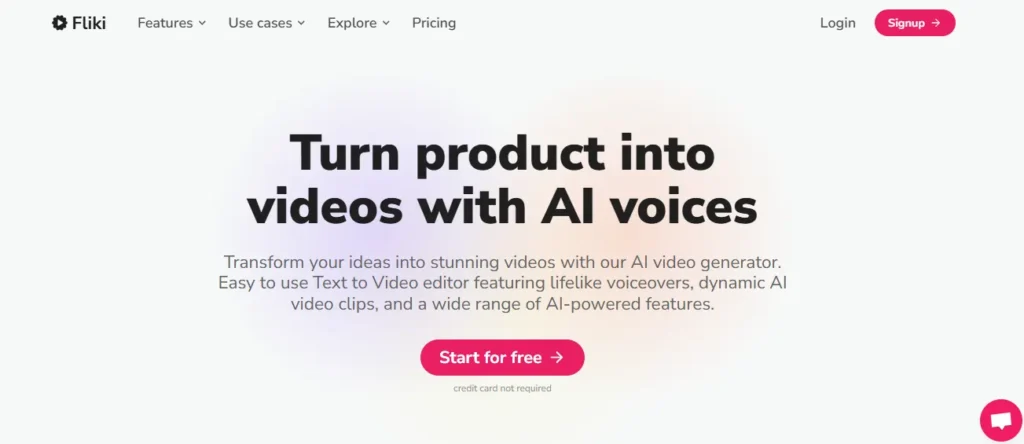
Fliki is one of the most creator-friendly short-form AI video tools available today, trusted by over 12 million users worldwide and rated 4.8/5 on both G2 and Capterra. Built specifically for creators who want to produce consistent, high-quality short-form content without cameras, expensive equipment, or video editing skills, Fliki turns any text, script, blog post, or idea into a publish-ready video in under five minutes.
What genuinely sets Fliki apart is its combination of depth and simplicity. It brings together 2,000+ AI voices across 80+ languages, voice cloning, digital twin creation, AI avatar videos, and direct publishing to TikTok, Instagram Reels, and YouTube Shorts — all inside one clean workspace. With access to leading AI models including Veo 3.1, Kling 3.0, and Seedance, the visual quality matches what you would expect from tools costing significantly more.
For solo creators, marketers, and small teams producing daily short-form content, Fliki removes every technical barrier that slows down publishing.
Key Features
- Faceless short video generation: Create TikTok and Reels content from text prompts without any camera.
- 2,000+ AI voices across 80+ languages: Generate lifelike voiceovers with real emotion and natural pacing.
- Digital twin and voice cloning: Build an AI version of yourself that presents videos in 80+ languages.
- One-click publish to TikTok, Instagram, and YouTube: Export and distribute short videos directly from Fliki.
Pros and Cons
Pros
- Free forever plan available with no credit card required.
- Rated 4.8/5 across 5,000+ verified user reviews.
- Supports all major AI video models in one unified workspace.
- Voice cloning works consistently across 70+ languages.
Cons
- Free plan includes Fliki watermark on all video exports.
- Advanced avatar features require Premium plan access.
Pricing Plans
Fliki offers a free plan with limited monthly credits. Paid plans start at $21/month (Standard) and $66/month (Premium), billed annually. Enterprise plans with custom credits, API access, and team collaboration are available on request.
My Experience with Fliki AI
Fliki is the fastest short-form AI video tool I have used for going from a raw idea to a published TikTok or Reel. The voice quality and faceless video output are consistently strong even on the standard plan.
Rating: ⭐⭐⭐⭐⭐ — 4.8 / 5
Why Choose Fliki AI?
Fliki is the right short-form AI video tool for creators who want to produce faceless TikToks, Reels, and YouTube Shorts consistently, quickly, and without any filming or editing experience.
How to decide which short-form AI video tool is right for you
No single short-form AI video tool works well for every use case. The right one depends on what you’re actually trying to do — and how much time, budget, and technical experience you’re working with.
Start by asking one practical question: what’s the biggest bottleneck in your current video workflow?
If you spend most of your time editing and cutting clips, a repurposing tool like Opus Clip or Pictory will save you the most time. If you need to produce videos without appearing on camera, an avatar-based tool like Synthesia is a better fit. If scripting and formatting is the slow part, Openart or Akool handles that well.
Budget matters too. Most tools offer a free plan, but output limits and watermarks make paid plans necessary for consistent publishing. Before committing, consider:
- How many videos do you plan to publish per week
- Whether you need multi-platform formatting (TikTok, Reels, Shorts)
- How important custom branding is to your content
The next three sections break down specific recommendations by audience type — beginners, solo marketers, and small business owners — so you can match the right tool to your situation without guesswork.
Free vs paid short-form AI video tools — what actually matters
Most short-form AI video tools offer a free plan. But free rarely means fully usable — and understanding exactly where the limits sit will save you from wasting time on a tool that can’t serve your actual needs.
Free plans typically come with three real constraints: watermarked exports, capped monthly video credits, and restricted access to advanced features like custom branding, longer video lengths, or priority rendering. For casual testing, that’s fine. For consistent publishing, it usually isn’t.
The more useful question isn’t free vs paid — it’s what you lose on the free tier that you actually need.
A creator publishing twice a week for a personal brand can often manage on a free or low-cost plan. A social media manager running accounts for multiple clients cannot. The volume and branding requirements alone make a paid plan necessary.
Paid plans across most AI short video tools start between $15–$30 per month. At that price point, the time saved on a single week of content creation typically offsets the cost.
One practical approach: use the free trial on two or three tools before committing. Most offer 7–14 days of full access — enough to test the tool against your real workflow, not just a demo.
Frequently Asked Questions About Short-Form AI Video Tools
What is a short-form AI video tool?
A short-form AI video tool uses artificial intelligence to automatically create, edit, and publish videos typically under 60 seconds, without requiring cameras, studios, or manual editing skills.
How do AI video tools generate videos from text?
They analyze your text input, break it into scenes, match relevant visuals, add AI voiceovers, sync captions, and assemble a complete publish-ready video automatically within minutes.
Which short-form AI video tool is best for beginners?
Fliki and Pictory are best for beginners. Both offer intuitive interfaces, free plans, and require zero video editing experience to produce professional-quality short-form content immediately.
Can AI video tools create TikTok and Instagram Reels automatically?
Yes. Tools like Fliki, InVideo AI, and Pictory generate vertical 9:16 format videos optimized specifically for TikTok, Instagram Reels, and YouTube Shorts with one click.
Do short-form AI video tools require any technical skills?
No technical skills are required. Most tools work entirely through text prompts, drag-and-drop editors, and pre-built templates that guide you through the entire video creation process.
What is the difference between text-to-video and script-to-video AI tools?
Text-to-video generates videos from simple prompts or ideas. Script-to-video converts detailed, structured scripts into scene-by-scene videos with matched visuals, voiceovers, and captions already aligned.
Can I use AI-generated short videos commercially?
Yes, on paid plans. Most tools including Fliki, Pictory, and Synthesia include full commercial rights, allowing you to publish monetized content, run paid ads, and deliver client work legally.
How accurate is AI lip-sync in multilingual short videos?
Tools like Synthesia and Akool deliver highly accurate lip-sync across 80–160 languages. The technology has improved significantly, making dubbed short videos look natural and professionally produced.
What AI models power short-form video generation tools?
Leading tools use models including Veo 3.1, Kling 3.0, Seedance 2.0, Sora, and Minimax. Fliki and OpenArt give users direct access to multiple frontier models within one workspace.
Can I clone my own voice for AI short video creation?
Yes. Fliki, ElevenLabs, Pictory, and Synthesia all support voice cloning from a short audio sample, letting you narrate videos in your own voice across multiple languages automatically.
Are there free short-form AI video tools available?
Yes. Pictory, Fliki, Synthesia, and ElevenLabs all offer free plans. Most include watermarked exports and limited monthly credits, which are sufficient for testing before committing to a paid plan
How long does it take to create a short AI video?
Most short-form AI video tools produce a 30–60 second video in under two minutes. Longer or more complex videos with multiple scenes typically render within five to ten minutes.
What video formats and aspect ratios do AI video tools support?
Most tools support landscape 16:9, portrait 9:16, and square 1:1 formats. Platform-specific presets for TikTok, Instagram Reels, YouTube Shorts, and LinkedIn are included automatically.
Can AI video tools repurpose long videos into short clips?
Yes. Tools like Opus Clip and Pictory specialize in automatically identifying highlight moments from longer recordings and converting them into optimized short-form clips ready for social media.
Is content created with AI video tools copyright-safe?
Yes, when using paid plans with licensed stock libraries. Platforms like Pictory use Getty Images and Storyblocks assets, and Fliki provides fully royalty-free media with commercial publishing rights included.
Conclusion
Short-form AI video tools have completely transformed how creators, marketers, and businesses produce engaging content. Whether you choose Pictory AI for blog-to-video conversion, ElevenLabs for realistic voiceovers, Synthesia for avatar-based videos, Fliki for quick social clips, OpenArt AI for stunning visuals, or Akool AI for personalized avatars — there is a perfect tool for every need and budget.
The best strategy? Test each tool with its free trial before committing.
👉 Ready to supercharge your content? Pick one tool from this list, start your free trial today, and create your first short-form AI video in minutes. Drop your favorite tool in the comments below!