Hello my lovely audience, Nisha here! 👋
You’ve probably typed “Is OpenArt Worth It?” into Google late at night, staring at your screen, wondering if you should hand over your money or keep scrolling for something better.
I get it. There are so many AI art tools out there right now, and every review sounds the same. Big claims. Zero honesty.
I’ve been using OpenArt for the last 6 months, testing it in my daily workflow, pushing its limits, and watching where it actually holds up versus where it quietly disappoints.
If you’re a creator, a beginner exploring AI art tools, or someone about to spend money on a subscription, you deserve real answers, not marketing fluff.
So before you make that decision, let’s walk through exactly what I found.
What Is OpenArt AI and How Does It Work?
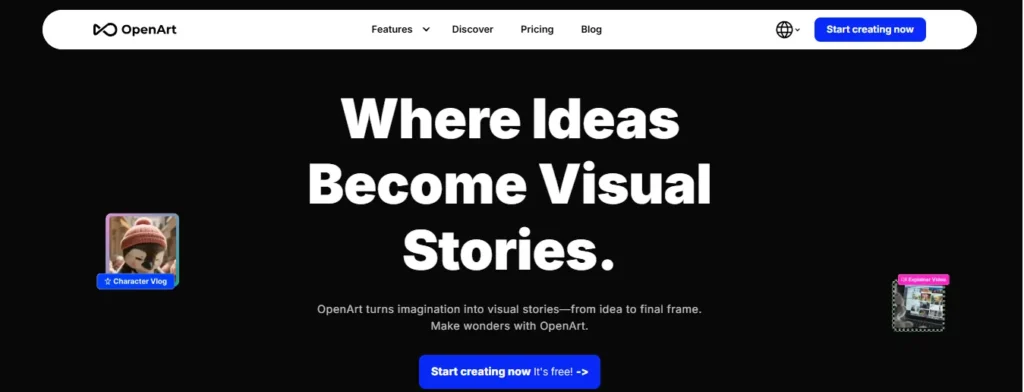
OpenArt AI is a web-based creative platform that gives you access to over 100 AI models for generating images, videos, characters, and even voiceovers, all from one dashboard.
Instead of subscribing separately to Midjourney, Runway, and ElevenLabs, OpenArt tries to be the “one login” version of your entire AI toolkit. You’ll find models like Nano Banana Pro, Seedream, Kling 3.0, and ChatGPT Image-2 sitting right next to each other.
Technically, it runs on diffusion models. In plain English, that means it doesn’t “draw” the way a human does. It starts with noise and slowly refines it into an image based on your prompt. You don’t need to understand any of that to use it, though. The interface is built for regular people, not engineers.
Under the hood, it also includes:
- Text-to-image and image-to-video generation.
- Consistent character creation (keeping a face the same across scenes.)
- Editing tools like inpainting and background swapping.
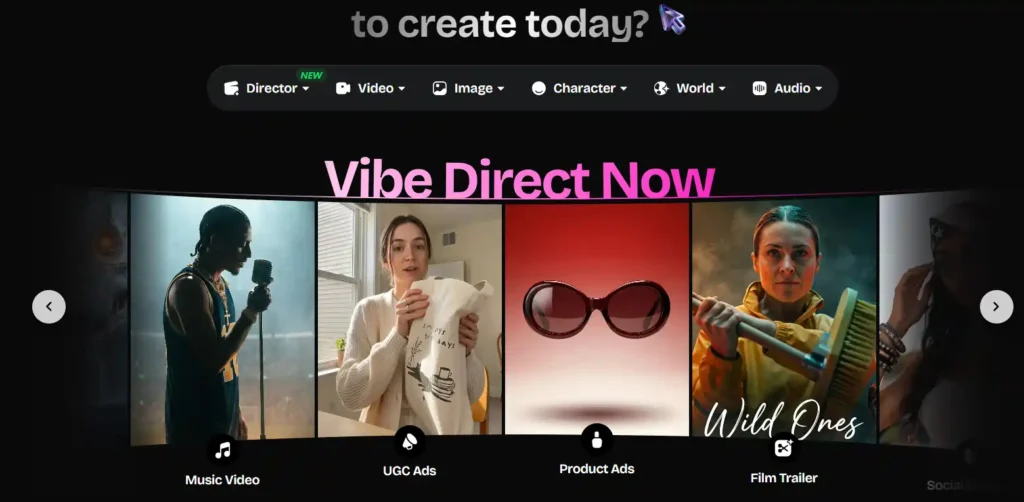
- A Director mode for building short films, ads, or social content.
- MCP access, so you can generate directly from tools like Claude or Cursor.
That’s a lot packed into one product. Which brings us to the real question.
Save 15% on OpenArt With Nisha’s Code
Get 15% off any OpenArt plan instantly. Use code NISHA15 at checkout and start creating today before this offer ends.
Code: NISHA15
Is OpenArt Worth It? My Quick Verdict
Short answer: yes, for the right person, and no for others. I know that’s not the dramatic yes/no you wanted, but it’s the honest one.
If you’re someone juggling multiple AI subscriptions just to generate images, edit them, and turn them into short videos, OpenArt genuinely simplifies that. I stopped paying for two separate tools once I moved my workflow here.
If you’re a casual user who wants to generate a handful of fun images once a month, the free plan will frustrate you fast, and the paid plans will feel like overkill.
The people who get the most value are creators, marketers, and small teams producing content regularly. The people who feel let down tend to be occasional users who expected unlimited generations for a low monthly fee.
OpenArt Pricing Explained — Is OpenArt Worth the Money?
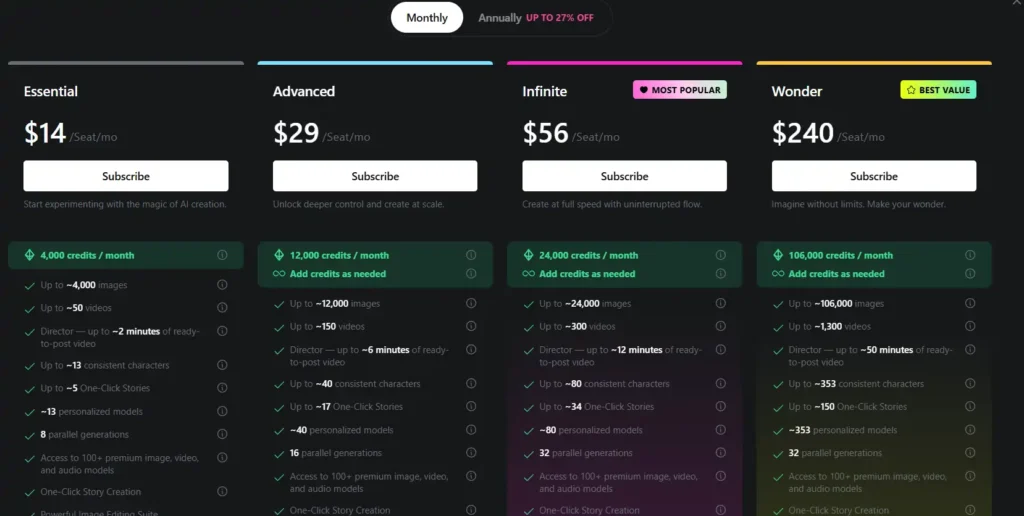
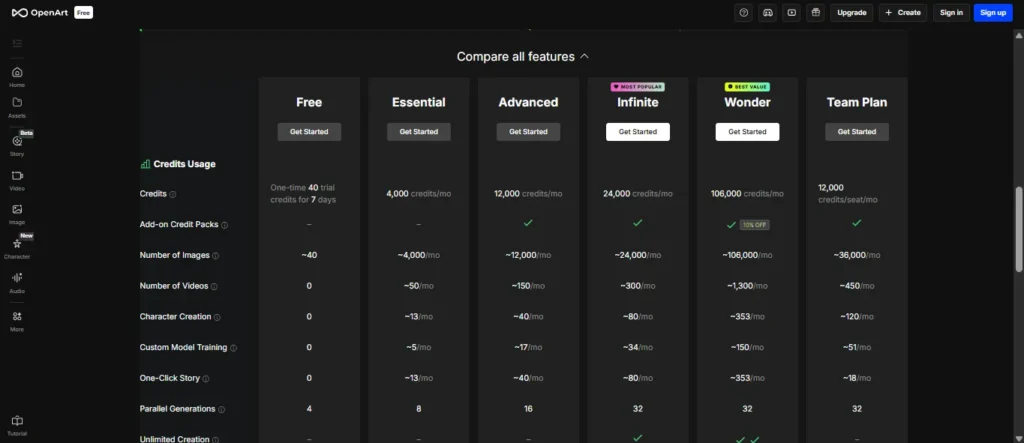
OpenArt runs on a credit system. You pay monthly (or annually for a discount), and your plan gives you a set number of credits that refresh each cycle. Different models cost different amounts of credits per generation, so a Kling video will use more credits than a quick image.
Here’s the current pricing breakdown:
| Plan | Price/Seat | Credits/Month | Est. Images | Est. Videos | Commercial Rights |
|---|---|---|---|---|---|
| Essential | $14/mo | 4,000 | ~4,000 | ~50 | No |
| Advanced | $29/mo | 12,000 | ~12,000 | ~150 | Yes |
| Infinite | $56/mo | 24,000 | ~24,000 | ~300 | Yes |
| Wonder | $240/mo | 106,000 | ~106,000 | ~1,300 | Yes |
A few things worth knowing before you subscribe:
- Commercial use rights only kick in from the Advanced plan upward. If you’re planning to sell or publish work commercially, the Essential plan won’t legally cover you.
- Credits don’t roll over. Whatever you don’t use by the end of the billing cycle is gone. This is the single most common complaint I’ve seen in user reviews, and honestly, I agree it stings.
- There’s currently a 10% discount on select models through OpenArt’s MCP integration for Advanced-tier plans and above, running until July 12th. If you’re already leaning toward Advanced, that’s a reasonable window to subscribe.
My honest take: the Advanced plan at $29/month is the realistic starting point for anyone doing this semi-professionally. The Essential plan feels more like a trial than a real working tier.
OpenArt Free Plan — What You Actually Get
Yes, OpenArt has a free plan, and yes, you can test it before paying anything.
On the free tier, you’re limited to smaller image resolutions (around 512×512 pixels) and a capped number of generation steps. It’s genuinely useful for figuring out if you like the interface and the model variety, but it’s not built for real projects.
Think of the free plan as a test drive, not a workspace. You’ll hit its ceiling within a day or two of serious use.
OpenArt Features That Make It Worth Considering
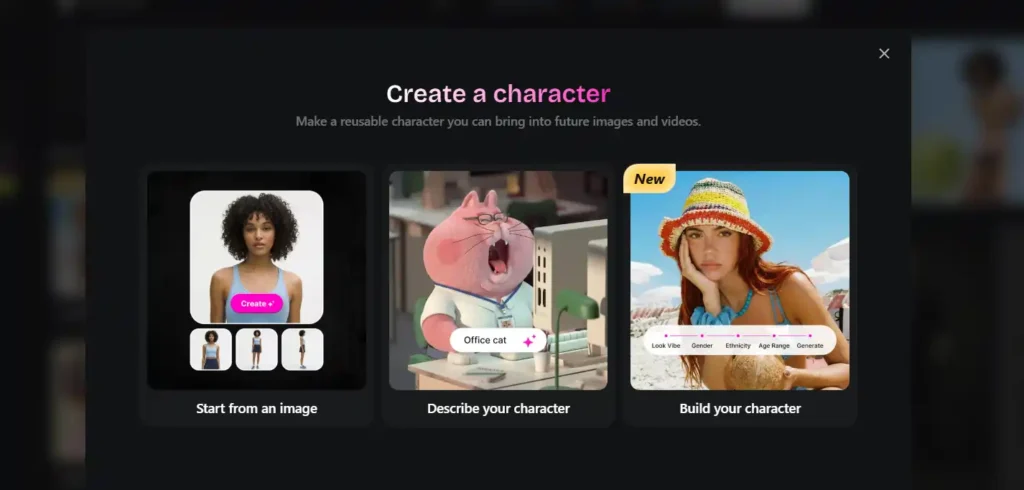
This is where OpenArt actually earns its reputation. Let me walk through what stood out to me.
Consistent Character Creation (Identity Locking)
If you’ve ever tried generating the same character across multiple images with a standard AI tool, you know the pain. The face shifts. The hair changes. It never quite looks like “them” twice.
OpenArt’s Identity Locking solves this reasonably well. You upload one reference image (or a few for better accuracy), and it locks the face, proportions, and general look across new generations. I used this for a small comic project and it held up better than I expected, though not flawlessly. Occasionally, small details like hand poses still drift.
100+ AI Models in One Platform
Instead of picking one model and living with its quirks, you can switch between Flux, Kling, Nano Banana Pro, and dozens of others depending on the style you want. This alone is why a lot of professional users stick around, even when they complain about pricing.
Image Editing Tools (Inpainting & Magic Erase)
You can regenerate specific parts of an image without starting over. Want to remove a background object or change a shirt color? Inpainting and Magic Erase handle that inside the same tab, no exporting to Photoshop required.
Text-to-Video and Story Builder Tools
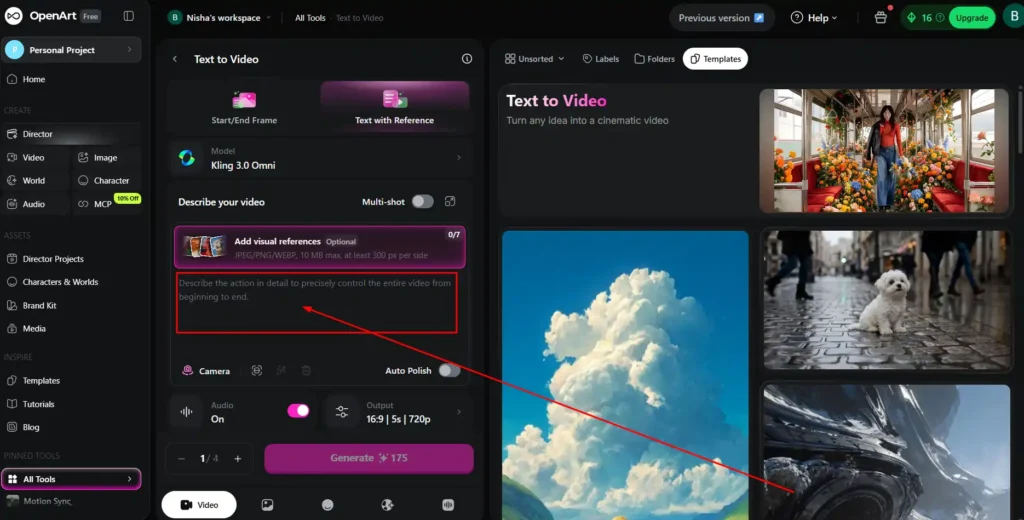
The Director feature lets you go from a written idea to a structured short film, ad, or social clip. It’s not Hollywood-grade, but for social content, product ads, or explainer videos, it’s a genuinely fast way to get from concept to draft.
Is OpenArt Good for Beginners?
Mostly, yes. The interface is visual and drag-and-drop friendly, which is a big improvement over tools that require Discord commands or command-line setups.
That said, beginners should expect a small learning curve around prompt writing. The tool is intuitive, but getting genuinely great results still depends on how well you describe what you want. I’d budget a week of casual experimenting before you judge the output quality fairly.
Is OpenArt Safe and Legit? (Trust & Credibility Check)
This is a fair question, and I looked into it directly instead of just assuming.
OpenArt was founded in 2022 by former Google engineers and is headquartered in San Francisco. It didn’t start as a random app — it began as a Stable Diffusion prompt discovery tool that earned real community credibility before it ever sold a subscription.
It’s a legitimate, funded company, not a scam. However, “legitimate” and “flawless” are different things. User reviews on Trustpilot and Reddit consistently mention two recurring pain points: credit loss on failed generations, and a strict refund policy that frustrates people who cancel mid-cycle.
You retain ownership of the images you generate, according to their terms of service, which is worth knowing if you’re a designer or marketer using this for client work.
OpenArt Pros and Cons — Is OpenArt Worth It for You?
| Pros | Cons |
|---|---|
| 100+ models under one subscription | Credits don’t roll over |
| Strong consistent character tools | Strict refund policy |
| Built-in editing (no external app needed) | Credit loss reported on failed generations |
| Good for beginners, visual interface | Learning curve for quality prompting |
| Commercial rights from Advanced plan up | Free plan very limited |
| MCP integration for developers | Annual plans are a bigger financial commitment |
Is OpenArt Worth It for Commercial Use?
If you plan to sell, publish, or use generated content for client or brand work, you’ll need at least the Advanced plan ($29/month), since commercial usage rights aren’t included on Essential.
For agencies training custom models for on-brand assets, or marketers building repeatable ad creative, this tier makes practical sense. For a hobbyist just making personal art, it’s not necessary.
OpenArt vs Midjourney — Which One Is Actually Worth It?
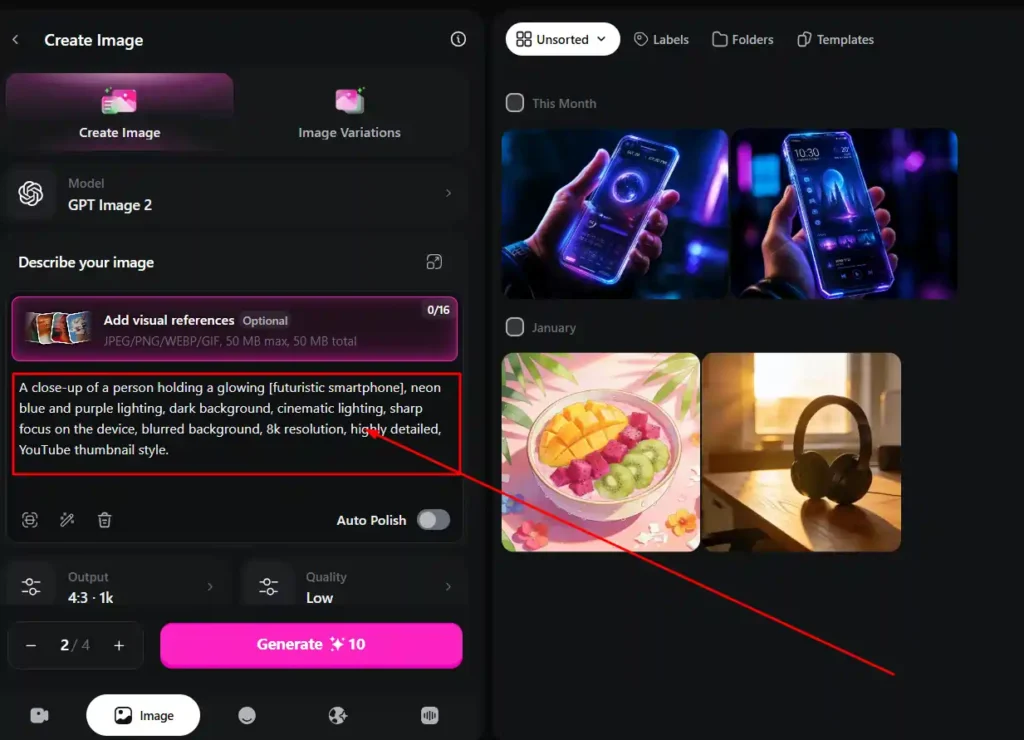
This comparison comes up constantly, so let’s be direct about it.
Midjourney is still the go-to for artists chasing a very specific, painterly aesthetic. Its image quality, especially for stylized or fine-art results, tends to edge out OpenArt in blind comparisons.
OpenArt wins on flexibility. You’re not locked into one model or one aesthetic. You also get video, editing, and character consistency tools that Midjourney simply doesn’t offer natively.
If your priority is pure image artistry, test Midjourney first. If your priority is a full creative workflow (image, video, character, editing) in one place, OpenArt is the more practical choice.
OpenArt Customer Reviews — What Real Users Say
Reviews are genuinely mixed, and I think that’s worth sharing honestly rather than smoothing it over.
Positive reviewers consistently praise the consistent character tools and the sheer variety of models available for the price. Several creators mention it replaced two or three other subscriptions entirely.
Critical reviewers focus almost entirely on billing: unexpected auto-renewals, credits disappearing on failed generations, and slow refund responses. This isn’t a rare complaint. It shows up across Trustpilot, Reddit, and Product Hunt reviews repeatedly.
My personal experience landed in the middle. I never lost credits to a bug, but I did have to contact support once about a renewal date, and it took a few days to resolve.
Common Problems With OpenArt (Credits, Refunds, Support)
To save you some frustration, here’s what to watch for:
- Credits expire. Use them before your billing cycle resets, or you lose them.
- Refunds are hard to get once you’ve used credits, even partially.
- Support response times vary. Some users get same-day help; others wait over a week.
- Failed generations sometimes still cost credits. This is the most reported bug-related complaint.
None of this means avoid OpenArt. It means go in with clear expectations and use your credits actively instead of letting them sit.
Best OpenArt Alternatives If It’s Not Worth It for You
If OpenArt doesn’t fit your workflow, here’s where to look instead:
- Midjourney — better for pure artistic image quality.
- Leonardo.ai — more stable interface, similar model variety.
- Higgsfield — more image credits at a similar price point.
- ComfyUI / RunPod — for technical users who want self-hosted control.
You can also explore our guide on AI image tools for a deeper side-by-side if you’re still deciding between platforms.
Is OpenArt Worth It in 2026? Final Verdict
For creators, marketers, and small teams who need images, video, and character consistency without juggling five different subscriptions, OpenArt earns its price tag. The Advanced plan at $29/month is where I’d personally start.
For casual users who just want to play with AI art once in a while, the free plan will feel restrictive, and paying for a full plan probably isn’t worth it yet.
FAQs — Is OpenArt Worth It?
Is OpenArt free to use?
Yes, there’s a free plan, but it’s limited to smaller image sizes and fewer generation steps. It’s good for testing, not for real projects.
Is OpenArt better than Midjourney?
It depends on your priority. Midjourney tends to win on pure image aesthetics; OpenArt wins on overall workflow flexibility (image, video, editing, characters).
Does OpenArt have a free trial?
It offers a free plan with limited credits rather than a traditional time-boxed trial.
Is OpenArt safe and legit?
Yes. It’s a funded company founded by former Google engineers, with a real community track record predating its paid plans.
How much does OpenArt cost per month?
Plans range from $14/month (Essential) to $240/month (Wonder), based on credit volume and features like commercial rights.
Can I use OpenArt images commercially?
Yes, but only from the Advanced plan and above. The Essential plan does not include commercial usage rights.
Nisha’s Final Take: Is OpenArt Worth It?
After six months of hands-on testing, my honest answer is yes, if you’re a creator, marketer, or small team ready to actually use your credits. The Advanced plan gives the best balance of pricing and commercial rights.
If you’re just curious, start with the free plan first before committing any money.
Have you tried OpenArt yet? Drop your experience in the comments below, I read every single one, and let’s help each other make smarter AI tool decisions. 💛