Most people don’t realize how crowded the AI video space has actually gotten.
There are dozens of tools out there, all promising free access — but once you sign up, you hit a paywall after two minutes, or your exported video has a watermark stamped across the screen. Not exactly what you expected.
If you’re a content creator, marketer, or someone just getting started with video, you’ve probably already wasted time on tools that barely scratch the surface. Some offer a “free plan” that locks basic exports. Others ask for a credit card before you’ve even seen the dashboard.
That’s where 8 AI video generators with free trial access actually change the game — real features, not just a two-clip teaser.
This guide covers seven tools worth your time, breaking down exactly what each one offers for free, where the limits kick in, and which type of user each tool genuinely suits.
What Makes a Good AI Video Generator With Free Trial Worth Testing?
Time is your most valuable asset when evaluating new software. Testing every single AI video creator on the market isn’t practical, so you need to know which platforms actually let you look under the hood before handing over your email address.
A worthwhile free trial shouldn’t just be a glorified demo. It needs to give you hands-on access to the actual generation engine so you can gauge output quality. When evaluating text-to-video AI tools or avatar generators, the most valuable trial periods share a few specific traits.
- Usable export limits: You should be able to download or share at least one short video to check the final rendering quality outside the editor.
- Transparent watermark policies: If the platform stamps a massive logo over your footage, they need to make that clear before you spend twenty minutes editing.
- Access to premium features: A proper trial lets you test pro-level AI voices, advanced templates, and scripting capabilities, rather than locking everything behind an immediate paywall.
If an AI video platform restricts its core functionality before you even generate a single clip, it’s usually a red flag. Let’s break down the exact criteria we used to separate the genuinely helpful free trials from the frustrating time-wasters.
7 Best AI Video Generators With Free Trial — Full Breakdown
| AI Video Generator | Best Core Feature | Free Trial Limits |
|---|---|---|
| HeyGen | Realistic lip-sync avatars | 3 monthly videos |
| OpenArt AI | Cinematic 3D storytelling | 50 video credits |
| Pictory AI | Long-form content repurposing | 14-day full access |
| Akool | Enterprise marketing avatars | Basic feature access |
| Fliki AI | Voice-first video creation | 5 monthly credits |
| Murf AI | Studio-grade AI voiceovers | Free studio preview |
| ElevenLabs | Full audio-visual production | 10k monthly credits |
1. HeyGen — Best AI Video Generator With Free Trial for Realistic Avatars

HeyGen completely changes the game when it comes to producing high-quality, talking-head videos without ever stepping in front of a camera. If you’re a content creator, marketer, or educator who wants to scale video production, this AI video generator with free trial access is exactly what you need.
Instead of dealing with lighting, audio issues, or multiple takes, HeyGen lets you simply type your script and watch an ultra-realistic digital avatar deliver your message flawlessly. The platform supports over 175 languages and dialects, making it incredibly powerful for global outreach.
What makes HeyGen stand out from the competition is the sheer realism of its lip-sync technology. The facial expressions are natural, the voiceovers sound human, and the editing process is as simple as writing a text document. You can even translate existing videos with perfect voice cloning, saving you hours of manual editing and dubbing.
Pros and Cons
Pros:
- Highly realistic AI avatars.
- Supports 175+ global languages.
- Excellent voice cloning capabilities.
- Text-based editing is user-friendly.
Cons:
- Free tier limits video length.
- Complex scenes take longer processing.
Pricing:
HeyGen offers a free plan allowing up to 3 videos monthly. Paid plans start at $29/month for creators, while the Business plan costs $119/month for advanced team features.
Use Cases:
- Marketing & Sales: Create personalized outreach videos instantly.
- E-Learning: Develop engaging course modules and training content.
- Social Media: Scale YouTube Shorts and TikToks efficiently.
- Localization: Translate existing videos for international audiences.
Best For:
HeyGen is the perfect fit for marketers, course creators, and businesses that need professional-grade, spokesperson-style videos without the heavy costs of traditional studio production.
Rating:
⭐⭐⭐⭐⭐ 4.8/5
Why Choose This AI Video Generator With Free Trial?
Choosing HeyGen means prioritizing speed, quality, and authenticity. It eliminates the friction of traditional video production while offering a genuine free trial that lets you test its most impressive features—like voice cloning and realistic avatars—before committing to a paid plan.
2. OpenArt AI — Best AI Video Generator With Free Trial for Creative Storytelling

If you are looking for a platform that blends image generation, character consistency, and cinematic video creation into one seamless workspace, OpenArt AI is an absolute powerhouse. As an AI video generator with free trial access, it gives creators, designers, and marketers unparalleled control over their visual storytelling. Unlike basic text-to-video tools, OpenArt AI lets you build entire 3D worlds, maintain consistent characters across multiple scenes, and even execute precise camera angle controls.
What truly sets OpenArt AI apart is its integration of the latest AI models, including Sora 2 and Kling 3.0 Omni. Whether you want to turn a text prompt into a dynamic scene, transform a static frame into a video, or use advanced motion sync and lip-syncing features, this tool handles it effortlessly. It’s built for those who want to push the boundaries of AI creativity without needing complex prompt engineering skills.
Apply coupon code NISHA15 at checkout to instantly save 15% on your OpenArt AI upgrade.
Pros and Cons
Pros:
- Maintains consistent characters easily.
- Access to Sora 2 models.
- Advanced camera angle controls.
- Seamless image-to-video generation.
Cons:
- Requires prompt writing skills.
- Commercial rights require paid plans.
Pricing:
OpenArt AI offers a free tier to test basic features. Paid plans start at $14/month for the Essential plan (yielding ~50 videos), while the Advanced plan costs $29/month, unlocking commercial rights and higher credit limits.
Use Cases:
- Storyboarding: Create cinematic storyboards for film and ad pitches.
- Character Design: Generate consistent characters for ongoing content.
- Social Media: Produce visually striking AI-generated influencer content.
- Marketing: Build dynamic product showcases using frame-to-video features.
Best For:
OpenArt AI is the perfect platform for visual artists, creative directors, and digital marketers who need precise control over character consistency, cinematic aesthetics, and advanced AI video modeling.
Rating:
⭐⭐⭐⭐⭐ 4.7/5
Why Choose This AI Video Generator With Free Trial?
Choosing OpenArt AI means prioritizing creative freedom and cutting-edge technology. It offers a genuine free trial experience where you can test advanced features like motion sync and lip-syncing, giving you a true feel for its cinematic capabilities before you ever have to upgrade. Don’t forget to use coupon code NISHA15 when you decide to upgrade!
3. Pictory AI — Best AI Video Generator With Free Trial for Repurposing Long-Form Content
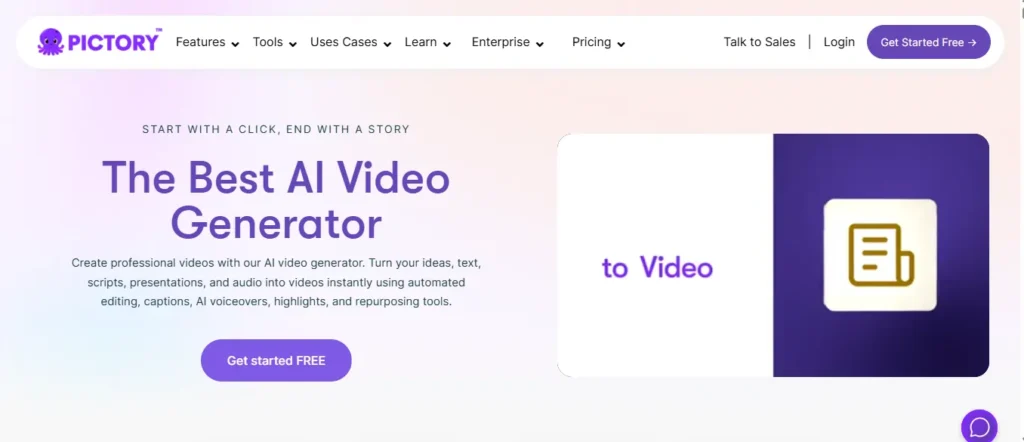
If you have ever stared at a 2,000-word blog post and wished it could just become a video without touching a single editing tool, Pictory AI was genuinely built for that exact moment. As one of the most practical AI video generators with free trial access, Pictory removes the entire production barrier and replaces it with a clean, intuitive workflow that anyone can master in under an hour.
What makes Pictory AI genuinely different is its ability to transform content you already own — blog posts, scripts, URLs, presentations, and even audio files — into polished, publish-ready videos automatically. It pulls relevant stock footage from a library of over 18 million Getty Images and Storyblocks assets, pairs them with ElevenLabs AI voiceovers in 29 languages, and structures everything into a scene-by-scene storyboard without manual input.
The 14-day free trial is one of the most generous in the industry. You get real access to the editor, AI voices, stock assets, and export features — not just a two-minute preview. For marketers, educators, and content teams producing videos at scale, this is rare and refreshing.
Apply code CABF20 at checkout to unlock an instant 20% off your Pictory AI upgrade.
Pros and Cons
Pros:
- 14-day free trial, no credit card required.
- Blog-to-video and URL-to-video automation.
- ElevenLabs AI voices in 29 languages.
- Access to 18M+ premium stock assets.
Cons:
- Free trial limits exports to 720p resolution.
- AI avatars still in development phase.
Pricing:
Pictory AI offers a full 14-day free trial with no credit card needed. Paid plans start at just $25/month (Starter) on annual billing, with the Professional plan at $35/month offering 600 video minutes and 1,000 AI credits. Use coupon code CABF20 to unlock exclusive savings on your upgrade.
Use Cases:
- Content Repurposing: Convert existing blog posts and articles into scroll-stopping videos instantly.
- YouTube & Social Media: Generate platform-ready clips in landscape, portrait, and square formats.
- Corporate Training: Build onboarding and compliance videos from internal documents and scripts.
- Marketing Campaigns: Turn product pages and landing page URLs directly into promotional video ads.
Best For:
Pictory AI is the ideal platform for bloggers, content marketers, and digital agencies who want to extract maximum value from written content by transforming it into video at scale — without hiring a production team or learning complex software.
Rating:
⭐⭐⭐⭐⭐ 4.7/5 — Rated 4.7/5 on G2 by 500+ verified users
Why Choose This AI Video Generator With Free Trial?
Pictory AI earns its place on this list because the free trial is genuinely useful, not artificially restricted. You get full editor access, real AI voices, and premium stock assets for 14 days — enough time to produce and evaluate multiple videos before spending a single dollar. Use code CABF20 at checkout for an exclusive discount when you’re ready to upgrade.
4. Akool — Best AI Video Generator With Free Trial for Enterprise Marketing
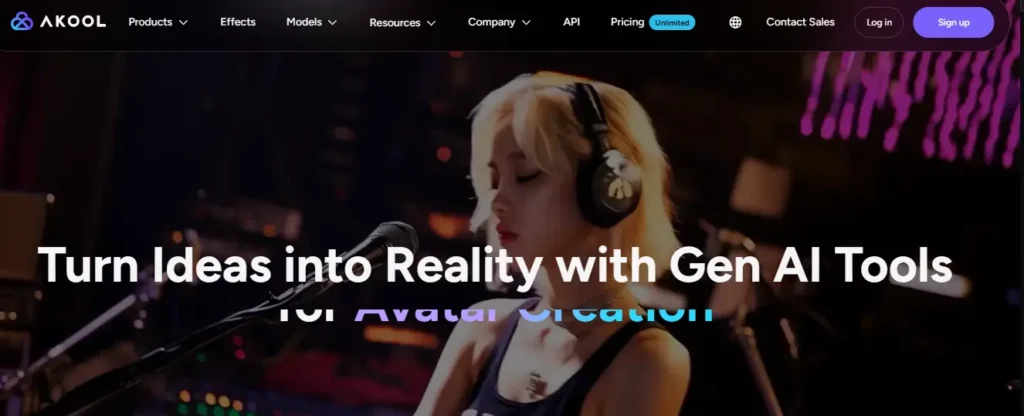
Looking for a comprehensive suite that handles everything from face swapping to multilingual dubbing? Akool is an enterprise-grade AI video generator with free trial access designed specifically to scale high-end marketing campaigns. Instead of juggling multiple single-feature apps, this all-in-one workspace streamlines your entire production process.
Whether you are producing e-learning modules or immersive brand experiences, the platform delivers photorealistic streaming avatars and flawless lip-syncing. It seamlessly integrates top-tier models like Sora and Google Veo, giving you unmatched creative flexibility.
By offering a robust testing environment, creators can easily experiment with dynamic animations and personalized B2B outreach clips. It is the ultimate solution for teams wanting studio-quality output without the heavy lifting.
Pros and Cons
Pros:
- Offers highly realistic streaming AI avatars.
- Includes advanced, natural-looking face swap technology.
- Integrates premium models like Sora and Veo.
- Enterprise-grade security with SOC 2 compliance.
Cons:
- Interface can feel overwhelming for complete beginners.
- Advanced API features require higher paid tiers.
Pricing:
Akool provides a free trial to explore its basic features, with flexible subscription and API pricing tiers for scaling businesses.
Use Cases:
- Event Marketing: Power interactive brand experiences with real-time streaming AI avatars.
- Global E-Learning: Localize training materials effortlessly using flawless multilingual video translation tools.
- B2B Outreach: Generate personalized video messages at scale to boost prospect engagement.
- Social Media: Create scroll-stopping reaction clips and memes with precise face swapping.
Best For:
Akool is ideal for enterprise teams, creative agencies, and advanced marketers needing a comprehensive platform for scalable, professional video production.
Rating:
⭐⭐⭐⭐⭐ 4.8/5 Rated highly by enterprise users
Why Choose This AI Video Generator With Free Trial?
Choose this AI video generator with free trial to access diverse, enterprise-level creation tools within one highly secure, scalable workspace.
5. Fliki — Best AI Video Generator With Free Trial for Social Media Creators
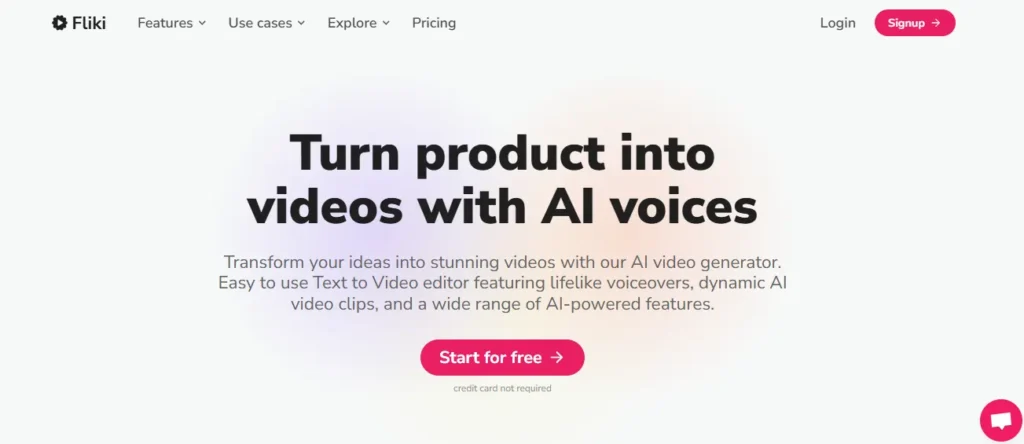
When you need to turn a blog post, a tweet, or a product link into a highly engaging video in under two minutes, Fliki is the fastest tool in the room. As a remarkably efficient AI video generator with free trial access, it completely eliminates the steep learning curve associated with traditional video editing.
Fliki shines by focusing heavily on audio and text-to-video synchronization. It offers over 2,000 ultra-realistic AI voices in 80+ languages, paired seamlessly with a massive library of premium stock footage. You literally just paste your text, and Fliki automatically segments the script, selects the matching visuals, and layers the voiceover.
For creators who hate being on camera, you can even deploy over 70 AI avatars to give your channel a consistent face. It is an absolute game-changer for producing rapid-fire content for TikTok, Instagram Reels, and YouTube Shorts.
Pros and Cons
Pros:
- Turns URLs and blogs into videos instantly
- Massive library of 2,000+ realistic voices
- Seamless, automated visual matching
- Incredibly fast, beginner-friendly interface
Cons:
- Free trial limited to 720p resolution
- Contains a watermark on the free tier
Pricing:
Fliki offers a permanent free plan granting 5 credits per month. To unlock 1080p exports and remove the watermark, the Standard plan costs just $21/month (billed annually), making it highly accessible for solo creators.
Use Cases:
- Social Media: Generate rapid-fire TikToks and YouTube Shorts from simple ideas.
- E-Commerce: Transform Amazon or Airbnb product URLs into promotional videos.
- Content Repurposing: Turn existing written blog posts into engaging audio-visual content.
- Corporate Training: Convert dense PowerPoint slides into dynamic internal communication videos.
Best For:
Fliki is the ultimate tool for solo content creators, social media managers, and e-commerce brands who prioritize speed and need to produce high volumes of short-form video content without complex editing.
Rating:
⭐⭐⭐⭐⭐ 4.8/5 Over 5,500 reviews on G2
Why Choose This AI Video Generator With Free Trial?
Choose Fliki if your primary goal is speed without sacrificing audio quality. This AI video generator with free trial lets you test its industry-leading text-to-speech engine and auto-matching visual tools completely risk-free, proving how fast content creation can actually be.
6. Murf AI — Best AI Video Generator With Free Trial for Professional Voiceover & Dubbing

Video without a strong voice is just a slideshow. Murf AI tackles that truth head-on, delivering one of the most technically advanced AI video generator with free trial experiences built around the audio layer that most tools overlook entirely. With over 200 expressive voices spanning 35+ languages and a text-to-speech engine that runs at a record-breaking 130ms latency, Murf transforms any script, presentation, or raw video clip into a polished, voice-driven production in minutes.
Powering more than 10 million developers and creators, Murf’s Studio handles narration for e-learning modules, YouTube content, advertisements, and audiobooks with full pitch, speed, and intonation control. The AI Dubbing suite goes even further, translating and re-voicing existing videos into 40+ languages while intelligently preserving the original speaker’s tone and emotional delivery. Global brands including Nestlé, Air France, and Omnicom actively rely on Murf’s infrastructure to cut voiceover production timelines by up to 30%.
Pros and Cons
Pros:
- Industry-leading 130ms text-to-speech latency.
- 200+ expressive voices across 35+ languages.
- AI dubbing preserves original speaker tone.
- Integrates with Canva, PowerPoint, and Captivate.
Cons:
- Primarily voice-first, limited visual editing tools.
- Advanced API features suited for developer workflows only.
Pricing:
Murf AI offers a free Studio trial to test voices without a credit card. Paid plans scale from individual creators up to enterprise teams with custom dubbing workflows.
Use Cases:
- E-Learning & Training: Narrate entire course modules with consistent, human-like instructors.
- Video Localization: Re-voice marketing videos into 40+ languages with accurate lip-sync.
- Podcast & Audiobook Production: Generate studio-grade audio narration at scale without recording equipment.
- Voice Agent Development: Build real-time conversational AI agents with sub-150ms response latency.
Best For:
Murf AI suits developers, L&D teams, and multilingual content creators who need precision voiceover and dubbing capabilities at enterprise speed.
Rating:
⭐⭐⭐⭐⭐ 4.7/5 — Verified across 1,000+ reviews on G2
Why Choose This AI Video Generator With Free Trial?
Murf AI earns its position by solving the hardest part of video production — natural, accurate, human-like narration — at a speed and scale no traditional voiceover workflow can match.
7. ElevenLabs — Best AI Video Generator With Free Trial for Cinematic Audio-Visual Storytelling
There is a reason Walt Disney Studios, Epic Games, Nvidia, and Revolut all trust the same platform for their audio-visual production pipelines. ElevenLabs operates at a level that genuinely redefines what an AI video generator with free trial can deliver — not just decent narration, but a complete creative ecosystem spanning ultra-realistic speech, AI video generation, studio-grade music, custom sound effects, and voice cloning, all unified inside one research-backed platform.
Unlike tools that bolt audio onto an existing video editor, ElevenLabs builds from the audio layer outward. The ElevenCreative suite lets you generate cinematic videos using leading models including Veo, Sora, Wan, Kling, and Seedance, while simultaneously composing original licensed music tracks and immersive sound design from text prompts. The result is a finished audio-visual production that sounds and looks crafted, not assembled. Every component — speech, music, effects, and visuals — originates from a single workspace with no third-party stitching required.
The free tier hands you genuine access to text-to-speech, image and video generation, music creation, sound effects, and voice design immediately with no credit card required — making it one of the most substantive zero-commitment trials on this entire list.
Pros and Cons
Pros:
- Generates speech, video, music, and SFX together.
- Access to Veo, Sora, Kling, and Wan video models.
- 10,000+ voices across 70+ languages.
- 98% transcription accuracy with Scribe v2.
Cons:
- Free tier limited to 10k credits monthly.
- Video generation depth requires Creator tier or above.
Pricing:
ElevenLabs offers a genuinely functional free plan at $0/month with 10k credits, no credit card needed. The Starter plan begins at just $5/month, while the Creator plan — currently 50% off the first month — delivers 100k credits, professional voice cloning, and commercial rights at $11/month.
Use Cases:
- Film & Ad Production: Combine AI video generation with original scored music for complete cinematic spots.
- Audiobook & Podcast Creation: Narrate long-form content across 70+ languages with emotionally expressive AI voices.
- Game & Animation Development: Design fully custom sound effects, ambient audio, and character voices from text prompts.
- Conversational AI Deployment: Build and launch real-time voice agents for customer service with 75ms latency responses.
Best For:
ElevenLabs is the definitive platform for filmmakers, advanced content creators, game developers, and enterprises that demand full audio-visual production quality — not just a standalone video clip generator.
Rating:
⭐⭐⭐⭐⭐ 4.9/5 — Trusted by Fortune 500 companies, Disney, Nvidia, and Epic Games
Why Choose This AI Video Generator With Free Trial?
ElevenLabs stands apart because its free trial is not a teaser — it is a working creative studio. You can generate videos with leading AI models, compose original music, clone a voice, and export real content before spending a single dollar, making it one of the most risk-free creative investments available in 2026.
How We Evaluated These AI Video Generators With Free Trial
Not every “free trial” is created equal. Some platforms hand you five credits and call it a free plan. Others genuinely let you explore the full product for a limited window. To make this guide worth your time, every tool listed here was evaluated against the same criteria — no exceptions.
The goal wasn’t to judge which tool looks the most impressive on paper. It was to measure what an average user actually experiences during the trial period before committing to a paid subscription.
Free Trial Depth (Credits, Minutes, or Full Feature Access?)
There’s a big difference between a tool giving you 3 video credits and one offering 10 minutes of generated footage or full feature access for 7 days. We categorized each tool’s trial structure clearly so you know exactly what you’re walking into.
Watermark Policy on Free Exports
A watermark isn’t always a dealbreaker, but it must be disclosed upfront. We checked whether each platform’s free-tier videos carry a visible watermark on export and whether removing it requires upgrading immediately.
Commercial Use Rights During the Trial Period
Many creators don’t ask this question until it’s too late. We verified whether videos generated during the free trial can legally be used in client projects, social media content, or monetized YouTube channels.
No Credit Card vs. Card-Required Signups
A tool requiring your billing information before you generate a single frame creates unnecessary friction — and risk. We flagged every platform that asks for payment details upfront so you can make an informed decision.
Red Flags to Watch Before You Sign Up for Any AI Video Free Trial
This section might be the most important one in the entire article.
Most comparison guides jump straight into the tool list without warning you about the frustrating patterns that quietly waste your time and, sometimes, your money. These aren’t rare edge cases — they show up across the industry regularly.
If you’ve ever signed up for a “free” tool only to feel tricked afterward, at least one of the patterns below was the culprit.
Hidden Watermarks That Only Appear After Export
Some platforms preview your video cleanly inside the editor, but the moment you hit download, a large brand watermark appears across the center of the footage. You only discover this after investing time scripting, editing, and rendering. Always download a test clip before building anything serious.
Auto-Renewal Traps After the Trial Period Ends
Several AI video platforms quietly transition your free trial into a paid subscription if you don’t cancel within the trial window. The 7-day clock often starts the second you enter your card details — not from your first login. Read the cancellation policy before entering any billing information.
Free Trials That Don’t Include Commercial Use Rights
This catches a surprising number of marketers and freelancers off guard. Generating a video during a free trial period does not automatically grant you commercial rights to that footage. Some platforms explicitly state that commercial licensing only begins with a paid plan. If you’re creating content for clients or monetized channels, verify this before you build anything.
Frequently Asked Questions About AI Video Generators With Free Trial
Which AI video generator with free trial is best for beginners?
HeyGen and Fliki AI are ideal for beginners. Both offer no credit card sign-up, intuitive dashboards, and real output quality without prior video editing experience.
Do AI video generators with free trials include watermarks on exported videos?
Most do. HeyGen, InVideo, and Synthesia apply watermarks on free exports. Pictory AI’s 14-day trial, however, removes watermarks entirely on qualifying plan downloads.
Can I use AI-generated videos commercially during a free trial?
Not always. Most platforms restrict commercial use to paid plans. ElevenLabs Starter at $5/month and Fliki’s Standard plan both unlock full commercial licensing rights.
Which AI video generator offers a free trial without a credit card?
Fliki AI, ElevenLabs, Pictory AI, and Murf AI all offer free access without requiring credit card details upfront before generating your first video.
How long do most AI video generator free trials last?
Trial lengths vary significantly. Pictory AI offers 14 full days. HeyGen provides 3 free video credits. ElevenLabs gives 10,000 monthly credits permanently on its free tier.
Is HeyGen completely free to use for AI avatar videos?
HeyGen offers 3 free video credits monthly with watermarked exports. Paid plans starting at $29/month remove watermarks and unlock unlimited avatar video generation capabilities.
What is the difference between a free plan and a free trial for AI video tools?
A free plan has no expiry but limited features. A free trial gives full access temporarily. Pictory AI offers a time-limited trial; ElevenLabs offers a permanent free tier.
Which AI video generator gives the most value during its free trial period?
ElevenLabs delivers the broadest free trial value — covering text-to-speech, video generation, music creation, and voice cloning, all accessible immediately without payment details.
Can I create videos in multiple languages using a free AI video generator trial?
Yes. Fliki AI supports 80+ languages on its free tier. ElevenLabs covers 70+ languages. Murf AI’s free Studio access includes multilingual voice previewing before any paid commitment.
Are AI video generators with free trials safe for professional business use?
Yes, when you choose platforms with SOC 2 compliance. Pictory AI, Akool, HeyGen, and Murf AI are all independently audited and trusted by Fortune 500 companies globally.
Final Thoughts: Which AI Video Generator With Free Trial Is Right for You?
Every tool on this list solves a real problem — but the right one depends entirely on what you actually need to create.
If voice quality drives your content, Murf AI or ElevenLabs will feel like a revelation. If avatar-based spokesperson videos are your focus, HeyGen and Akool are hard to beat. For content repurposing at scale, Pictory AI remains the most practical starting point.
The smartest move? Don’t overthink it. Most of these AI video generators with free trial access require zero payment upfront.
Start with the tool that matches your immediate goal, test it thoroughly, and scale only when the output earns your trust.
Your next great video is one free trial away — start creating today.