Hi, I’m Nisha, and if you’ve been searching for reliable InVideo AI alternatives, you probably know how confusing this space has become. New AI video tools launch every week, each promising faster edits, better voiceovers, or smarter automation, yet not every option delivers on that promise.
I’ve spent years testing AI tools before recommending them to my readers, and this topic sits close to that work. Some alternatives suit beginners, others fit marketers or creators handling heavier workloads, and a few solve problems InVideo simply doesn’t.
This list of 7 best InVideo AI alternatives digs into what genuinely sets these tools apart, so you don’t waste time guessing which one fits your workflow.
What Is InVideo AI and Why Are Users Searching for Alternatives?
InVideo AI is a text-to-video platform that turns prompts, scripts, or blog content into finished videos using stock footage, AI voiceovers, and automated editing. It’s popular with content creators and marketers who need quick, template-based video output.
But InVideo AI has real limits. Its free plan restricts commercial use entirely, allowing only a small number of weekly exports with watermarks. Paid plans run on a credit system, and unused credits don’t roll over month to month.
Several patterns show up consistently in user reviews:
- Stock footage feels generic for product-focused or B2B content.
- Credit and minute caps make production costs unpredictable.
- Editing flexibility is limited compared to full timeline editors.
- Brand consistency requires manual template adjustments.
These gaps are why creators, marketers, and business teams start comparing InVideo AI alternatives, especially once their content needs grow beyond simple prompt-to-video generation. The right alternative depends on whether the priority is avatar realism, editing control, free access, or team collaboration. That’s exactly what the comparison below breaks down.
Quick Comparison Table – Best InVideo AI Alternatives at a Glance
| Tool | Best For | Starting Price | Rating |
| Pictory | Blog-to-video repurposing | $25/month | 4.7/5 (G2) |
| OpenArt | Cinematic AI video | Free plan available | 3.7/5 (Trustpilot) |
| ElevenLabs | Realistic AI voiceovers | Free plan available | 4.5/5 (G2) |
| vidIQ | YouTube growth & SEO | Free plan available | 4.7/5 (Chrome Store) |
| Submagic | Fast short-form editing | $12/month | 4.9/5 (G2) |
| Murf AI | Studio voiceover narration | Free plan available | 4.7/5 (G2) |
| Synthesia | AI avatar business videos | $29/month | 4.7/5 (G2) |
1. Pictory – Best InVideo AI Alternative for Repurposing Blog Content

Pictory stands out among InVideo AI alternatives for one reason: it turns content you already have, blogs, scripts, presentations, URLs, and screen recordings, into publish-ready videos without a steep learning curve.
Where InVideo AI leans on stock-based templates, Pictory adds AI avatars, realistic ElevenLabs voiceovers, automatic captions, and a dedicated AI Studio for generating custom visuals from simple prompts. Teams also get brand kits, multi-language support, and export formats built for YouTube, TikTok, and Instagram.
Backed by a 4.7/5 rating on G2 and trusted by over 20,000 companies, Pictory offers a genuine 14-day free trial with no credit card required, making it one of the easiest InVideo AI alternatives to test before committing.
Save 20% on Pictory AI – Code CABF20
Turn your ideas into stunning videos instantly. Use code CABF20 to unlock 20% off your Pictory AI plan today.
Pros and Cons
Pros:
- Converts blogs, scripts, and URLs into video.
- No watermark included even on entry plan.
- AI avatars and ElevenLabs voice cloning included.
- 14-day free trial, no credit card.
Cons:
- Custom AI avatars still marked “launching soon”.
- Premium ElevenLabs voices limited on lower tiers.
Pricing: Plans start at $25/month Starter, $35/month Professional, $119/month Team, and custom Enterprise pricing, billed annually.
Use Cases: Blog-to-video, webinar repurposing, social media clips, marketing campaigns, training videos, and PowerPoint-to-video conversion.
Best For: Content creators and marketers repurposing blogs, scripts, and presentations into fast, branded videos.
Rating: 4.7/5 ⭐ (G2)
Why Choose This Tool: Pictory turns content you already have into polished video fast, without editing skills, backed by avatars and voiceovers.
2. OpenArt – Best InVideo AI Alternative for AI-Generated Cinematic Video & Multi-Model Creation

OpenArt takes a different approach among InVideo AI alternatives, it’s built for creators who want cinematic, prompt-driven video rather than blog-to-video automation. Through its Director tool, users can generate short films, UGC ads, product ads, and social content using 100+ premium AI models like Seedance 2.0, Kling 3.0 Omni, and Nano Banana Pro.
Unlike InVideo’s template-first workflow, OpenArt focuses on consistent characters, custom worlds, lip-sync, motion sync, and camera angle control, giving creators far more creative range for storytelling-driven content.
With a Trustpilot score of 3.7/5 from 716 reviews, OpenArt has an active free plan and flexible credit-based pricing, making it worth testing before scaling into paid tiers.
Save 15% on OpenArt – Code NISHA15
Create stunning AI art in seconds with OpenArt. Use code NISHA15 at checkout to unlock 15% off instantly today.
Pros and Cons
Pros:
- 100+ premium AI video and image models.
- Strong character and world consistency tools.
- Free plan available, no upfront payment.
- Director tool for cinematic storytelling control.
Cons:
- Credit system can burn fast on retries.
- Mixed reviews around billing and refunds.
Pricing: Free plan available; paid plans start at $14/month Essential, up to $240/month Wonder, billed monthly or annually.
Use Cases: Short films, UGC ads, product ads, music videos, explainer videos, and social media content creation.
Best For: Creators and marketers who want AI-generated cinematic video content with strong character and story consistency.
Rating: 3.7/5 ⭐ (Trustpilot)
Why Choose This Tool: OpenArt offers cinematic-grade AI video generation across 100+ models, ideal for creators wanting story-driven visuals beyond templates.
3. ElevenLabs – Best InVideo AI Alternative for AI Voiceovers & Audio-First Video Production

ElevenLabs takes a different route among InVideo AI alternatives, it leads with studio-grade AI voice instead of stock-based templates. Through ElevenCreative, users get ultra-realistic text-to-speech, voice cloning, dubbing in 70+ languages, AI music, and an AI Video Generator powered by leading models like Veo, Sora, Kling, and Seedance.
Where InVideo AI voiceovers can sound flat, ElevenLabs voices carry emotion, pacing, and natural inflection, closing the biggest gap creators complain about most.
Rated 4.5/5 on G2 from 1,136+ reviews, ElevenLabs offers a genuine free plan with no credit card required, making it easy to test voice quality before upgrading.
Pros and Cons
Pros:
- Industry-leading, ultra-realistic AI voice quality.
- Free plan with no credit card needed.
- Video generation via Veo, Sora, Kling models.
- Dubbing and voice cloning in 70+ languages.
Cons:
- Credits burn fast on regenerations and retries.
- Advanced features locked behind higher-paid tiers.
Pricing: Free plan available; paid plans start at $6/month Starter, up to $990/month Business, custom Enterprise pricing.
Use Cases: Video voiceovers, podcasts, audiobooks, dubbing, AI music, ads, and multilingual video localization.
Best For: Creators and marketers needing studio-quality AI voiceovers paired with fast, model-powered video generation.
Rating: 4.5/5 ⭐ (G2)
Why Choose This Tool: ElevenLabs pairs the most realistic AI voices available with built-in video generation, solving InVideo’s biggest voiceover weakness directly.
4. vidIQ : Pair Your InVideo AI Alternative with vidIQ for YouTube & Instagram Growth
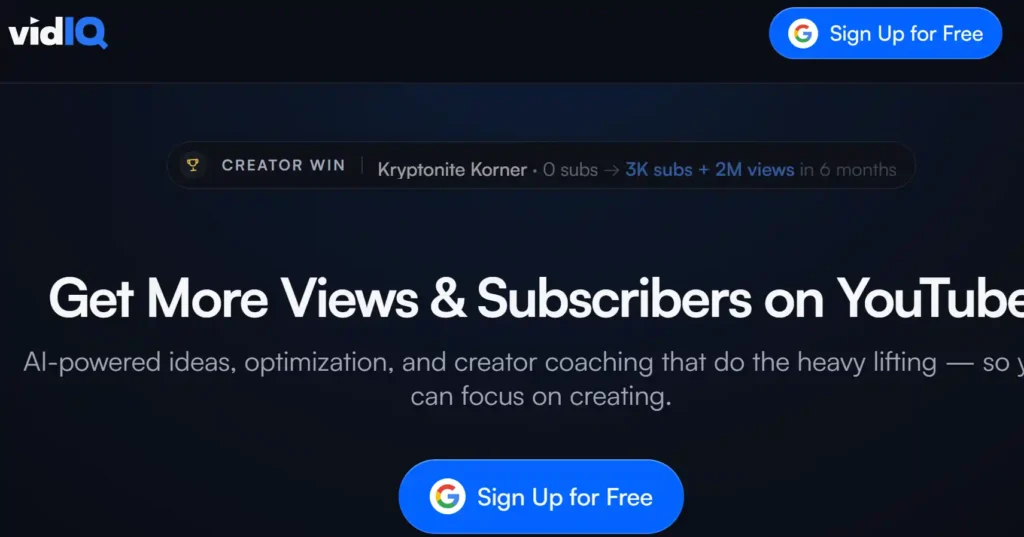
Creating a great video solves only half the problem, getting it found solves the other half. That’s where vidIQ comes in. It’s not a video creation tool like the alternatives above, it’s the growth layer that helps the videos you make actually get views.
vidIQ analyzes what’s working right now on YouTube and Instagram, then hands you data-backed titles, tags, thumbnails, and content ideas instead of guesswork. Once your InVideo AI alternative produces the video, vidIQ helps you publish it with the best shot at ranking and reaching new viewers.
Used by 20M+ creators across 190+ countries, vidIQ holds a 4.7 average rating on the Chrome Web Store, with a free plan available to start immediately.
Pros and Cons
Pros:
- Data-backed titles, tags, and thumbnails.
- AI Coach gives personalized channel feedback.
- Works across both YouTube and Instagram.
- Free plan available, no credit card.
Cons:
- AI credits reset monthly, don’t roll over.
- Deeper AI features locked behind paid tiers.
Pricing: Free plan available; Boost starts at $16.58/month (billed annually) or $39/month month-to-month; Max at $39/month annually.
Use Cases: Keyword research, thumbnail testing, video SEO, trend tracking, and channel growth coaching.
Best For: Creators who’ve made their video and now need it discovered, ranked, and grown on YouTube or Instagram.
Rating: 4.7/5 ⭐ (Chrome Web Store)
Why Choose This Tool: vidIQ turns a finished video into a growth strategy, pairing perfectly with any InVideo AI alternative on this list.
5. Submagic – Best InVideo AI Alternative for Fast Short-Form Video Editing
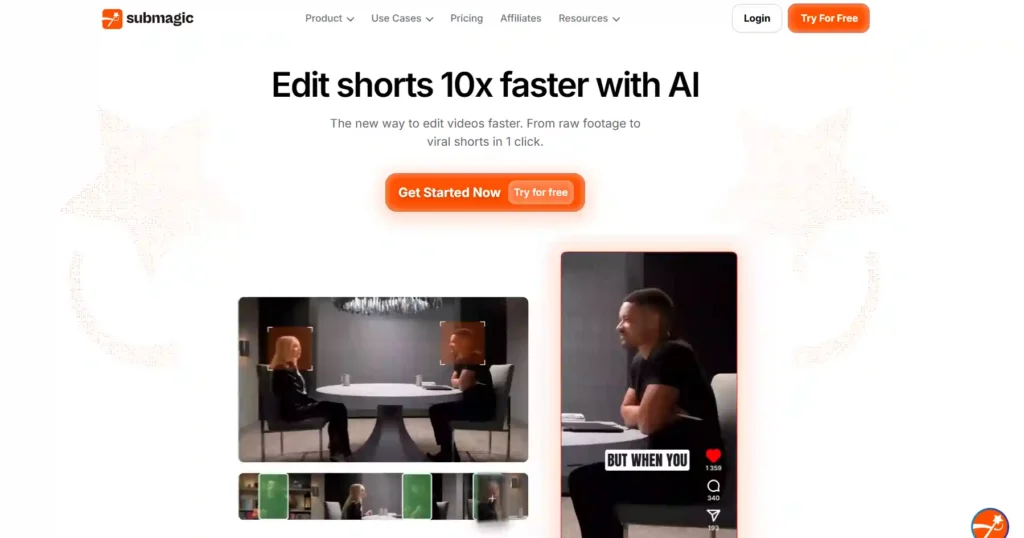
Submagic takes a sharper angle among InVideo AI alternatives, it’s built specifically for turning raw footage into scroll-stopping shorts, not full-length template videos. Upload a video or YouTube link, and Submagic automatically adds viral-style captions in 48 languages, cuts silences, inserts B-roll, and finds the best moments, all in one click.
Where InVideo AI focuses on prompt-to-video generation, Submagic focuses on speed and repurposing: one long video becomes multiple shorts instantly, ready to publish straight to TikTok, Reels, and YouTube Shorts.
With a 4.9/5 rating on G2 and 4.8/5 on Trustpilot, Submagic backs its claims with real numbers, users report 10x faster editing and a 40% average increase in views.
Pros and Cons
Pros:
- Automatic captions in 48 languages, 99% accurate.
- Turns one video into multiple shorts instantly.
- AI avatars available, no filming required.
- Direct scheduling and publishing to social platforms.
Cons:
- Video length capped by plan tier.
- AI credits limited on lower-priced plans.
Pricing: Starts at $12/month Starter, $23/month Pro (most popular), $41/month Business+API, billed yearly with custom Enterprise options.
Use Cases: Repurposing podcasts, YouTube videos, and interviews into short-form content for TikTok, Reels, and Shorts.
Best For: Content creators, agencies, and marketing teams who need fast, high-volume short-form video editing.
Rating: 4.9/5 ⭐ (G2)
Why Choose This Tool: Submagic turns long footage into viral-ready shorts in one click, solving speed and repurposing gaps InVideo AI doesn’t cover.
6. Murf AI: Pair Your InVideo AI Alternative with Murf AI for Studio-Quality Voiceovers

Some InVideo AI alternatives handle editing and visuals well but fall short on voice quality. Murf AI fills that gap. It’s not a video generator, it’s a dedicated AI voiceover platform used to narrate explainer videos, YouTube content, presentations, and e-learning courses.
Murf gives creators 200+ voices across 30+ languages and accents, with fine controls for pitch, speed, emphasis, and pronunciation. Its “Say It My Way” feature lets you correct how specific words sound, something most built-in video tool voiceovers can’t do.
Rated 4.7/5 on G2 from 1,000+ reviews and trusted by 300+ Forbes 2000 companies, Murf offers a genuine free plan to test voice quality before committing.
Pros and Cons
Pros:
- 200+ natural voices across 30+ languages.
- Fine control over pitch, speed, emphasis.
- Free plan available, no credit card.
- Canva and PowerPoint integrations included.
Cons:
- Only 1 editor seat on Creator and Business.
- Commercial rights excluded on free plan.
Pricing: Free plan available; Creator at $19/month, Business at $66/month, billed annually, with custom Enterprise pricing.
Use Cases: YouTube voiceovers, explainer videos, e-learning narration, podcasts, presentations, and audiobooks.
Best For: Creators and teams who need studio-quality AI narration to pair with their video editing tool of choice.
Rating: 4.7/5 ⭐ (G2)
Why Choose This Tool: Murf delivers some of the most natural AI voiceovers available, ideal for creators whose video tool lacks strong narration options.
7. Synthesia – Best InVideo AI Alternative for AI Avatars & Enterprise Video
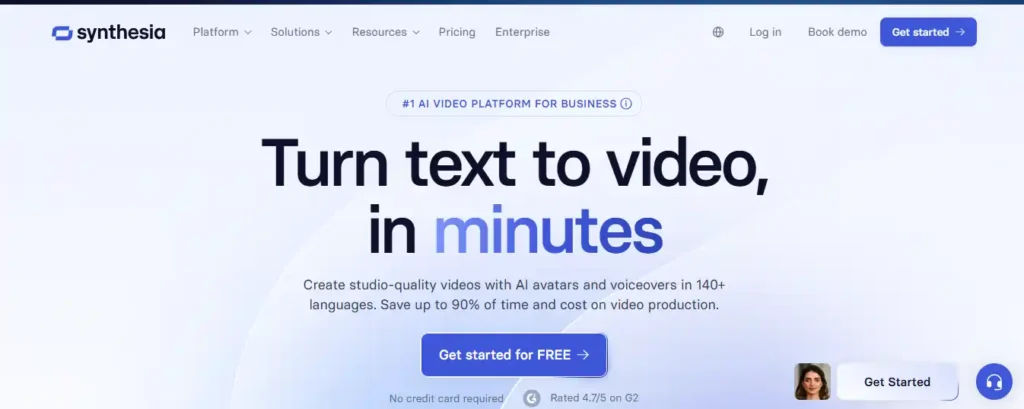
Synthesia takes the most direct route among InVideo AI alternatives for business use: instead of stock footage and templates, it generates studio-quality videos with realistic AI avatars speaking in 160+ languages. Type a script, pick an avatar, and Synthesia handles voiceover, lip-sync, and translation automatically.
Where InVideo AI struggles with brand consistency and commercial-use restrictions on its free tier, Synthesia is built for business from the ground up, brand kits, real-time team collaboration, SCORM export for LMS platforms, and enterprise-grade compliance (SOC2, GDPR).
Rated 4.7/5 on G2 from 2,000+ reviews and used by over 90% of Fortune 100 companies, Synthesia offers a genuine free plan with no credit card required to test avatar quality first.
Pros and Cons
Pros:
- Realistic AI avatars speaking 160+ languages.
- One-click video translation with lip-sync.
- Built for teams: comments, collaboration, brand kits.
- SOC2, GDPR, and SCORM compliance included.
Cons:
- Video minutes capped monthly, no rollover.
- Custom avatar creation costs extra per year.
Pricing: Free plan (10 min/month); Starter at $29/month, Creator at $89/month, custom Enterprise pricing, billed monthly or annually.
Use Cases: Employee training, sales enablement, marketing videos, multilingual onboarding, and instructional content.
Best For: Business teams needing polished, on-brand avatar videos without cameras, actors, or studios.
Rating: 4.7/5 ⭐ (G2)
Why Choose This Tool: Synthesia replaces filming entirely with realistic AI avatars, ideal for teams needing multilingual, on-brand business videos at scale.
Which InVideo AI Alternative Should You Choose? (Use-Case Guide)
The right InVideo AI alternative depends less on overall ranking and more on what you’re actually creating. Each tool above solves a different bottleneck, so matching the tool to your workflow matters more than picking the “best” one on paper.
If you’re repurposing blogs or scripts into video, Pictory fits that workflow directly. For cinematic, prompt-driven storytelling, OpenArt offers more creative range through multiple AI models.
Teams needing polished business videos with a spokesperson benefit most from Synthesia’s AI avatars. Creators publishing high volumes of short-form content will move faster with Submagic’s automated editing.
When voiceover quality is the priority, ElevenLabs and Murf both outperform template-based narration.
- Blog or article-to-video: Pictory.
- Cinematic AI storytelling: OpenArt.
- Business avatar videos: Synthesia.
- Short-form repurposing: Submagic.
- Studio-quality voiceovers: ElevenLabs or Murf.
None of these tools fully replace InVideo AI, they specialize instead. The next section breaks down where InVideo AI still holds up, and where its limitations become harder to ignore.
Frequently Asked Questions About InVideo AI Alternatives
What is the best alternative to InVideo AI?
The best InVideo AI alternative depends on your use case. Pictory suits blog-to-video conversion, Synthesia excels at AI avatars, and Submagic leads for fast short-form video editing.
Is there a free alternative to InVideo AI?
Yes, several free InVideo AI alternatives exist. Pictory, OpenArt, ElevenLabs, and Murf all offer free plans, though most limit video minutes, credits, or watermark-free exports.
Which AI video generator is better than InVideo?
“Better” depends on need. Synthesia offers stronger AI avatars, Pictory handles content repurposing better, and ElevenLabs delivers more realistic AI voiceovers than InVideo’s built-in narration.
Is InVideo AI worth the price compared to alternatives?
InVideo AI works well for quick template-based videos, but credit caps and free-plan restrictions push many creators toward alternatives with better pricing transparency and commercial-use flexibility.
What is cheaper than InVideo AI?
Submagic starts at $12/month, and Pictory begins at $25/month, both undercutting InVideo AI’s paid tiers while offering comparable AI video editing and automation features.
Do InVideo AI alternatives offer a free trial?
Most do. Pictory, ElevenLabs, Murf, OpenArt, and Synthesia all provide free plans or trials, letting creators test AI video generation and voiceover quality before subscribing.
Which InVideo AI alternative is best for beginners?
Pictory and Synthesia are the most beginner-friendly InVideo AI alternatives, offering drag-and-drop editing, guided templates, and AI-assisted video creation without prior editing experience required.
Final Thoughts from Nisha: Choosing Your InVideo AI Alternative
Picking the right InVideo AI alternative comes down to one question: what are you actually trying to create? If you’re repurposing blogs, Pictory fits. Need a spokesperson? Synthesia delivers. Chasing short-form volume? Submagic saves hours. Voice quality matters more than visuals? ElevenLabs or Murf won’t disappoint.
There’s no single “best” tool here, only the right fit for your workflow and budget. Test the free plans, compare outputs on your own content, and let results guide the decision. That’s always been more reliable than any list, including this one.