Choosing an AI image generator usually comes down to one question: does it actually deliver enough variety and quality to be worth your time? OpenArt AI image generator tries to answer that by bringing together dozens of image and video models in a single browser-based platform, rather than asking you to jump between separate tools.
For creators trying to figure out if it fits their workflow, the real considerations are usually the same: how the credit system works, what the free trial actually includes, and how the paid plans compare once you move past casual testing.
This overview walks through what OpenArt AI offers, how its pricing and credits function in practice, and what to expect before you commit to a plan.
What Is OpenArt AI Image Generator?
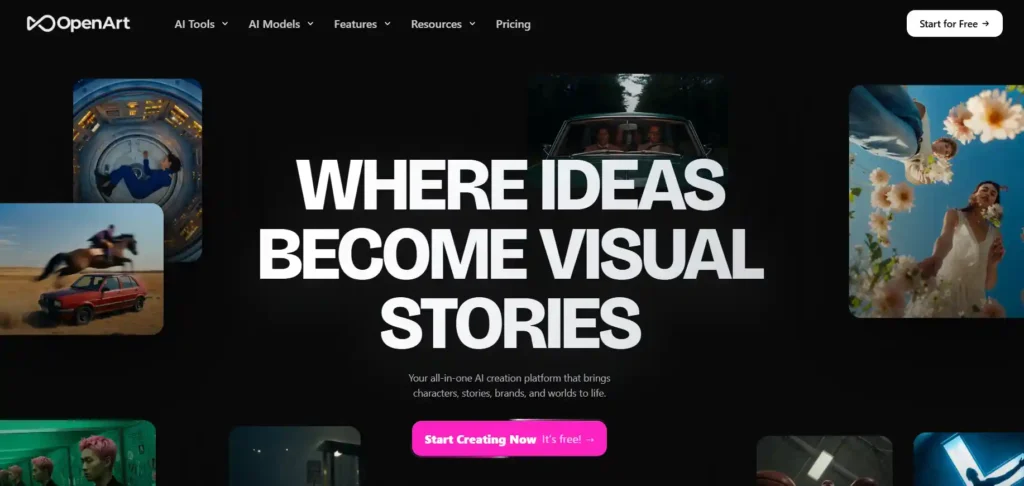
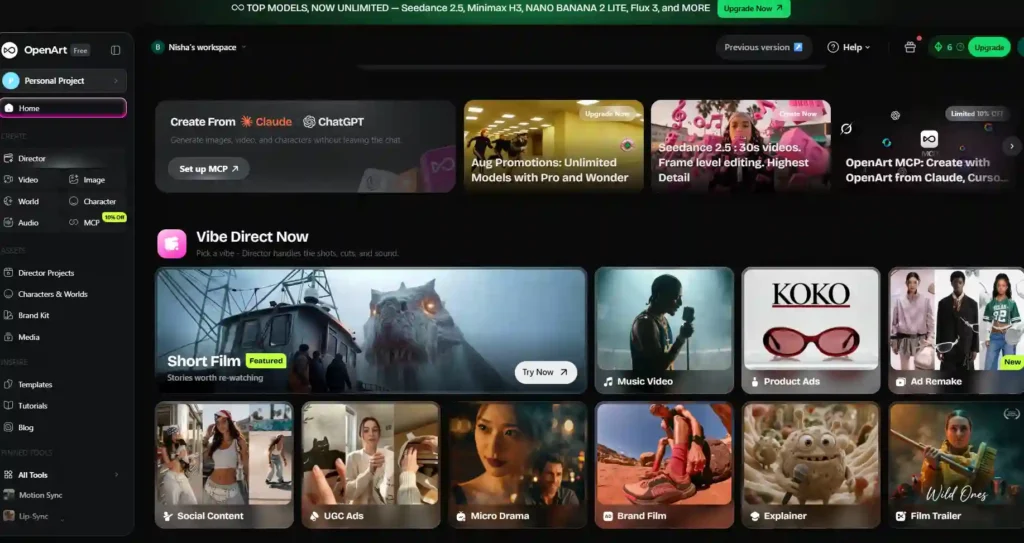
OpenArt AI image generator is a web-based creative platform that lets users generate and edit images and videos using AI models, without installing any software. Instead of building its own single model, OpenArt works as an aggregator, giving users access to more than 100 image, video, and audio models — including well-known names like GPT Image 2, Nano Banana Pro, Seedream, and Seedance — inside one interface.
Beyond basic text-to-image generation, the platform also supports character creation, story-style workflows, and image editing tools, positioning itself less as a single-purpose generator and more as an all-in-one creative studio for visual content.
Save 15% on OpenArt with Code NISHA15
Use coupon code NISHA15 at checkout to get 15% off your OpenArt AI subscription plan today.
How Does the OpenArt AI Image Generator Work?
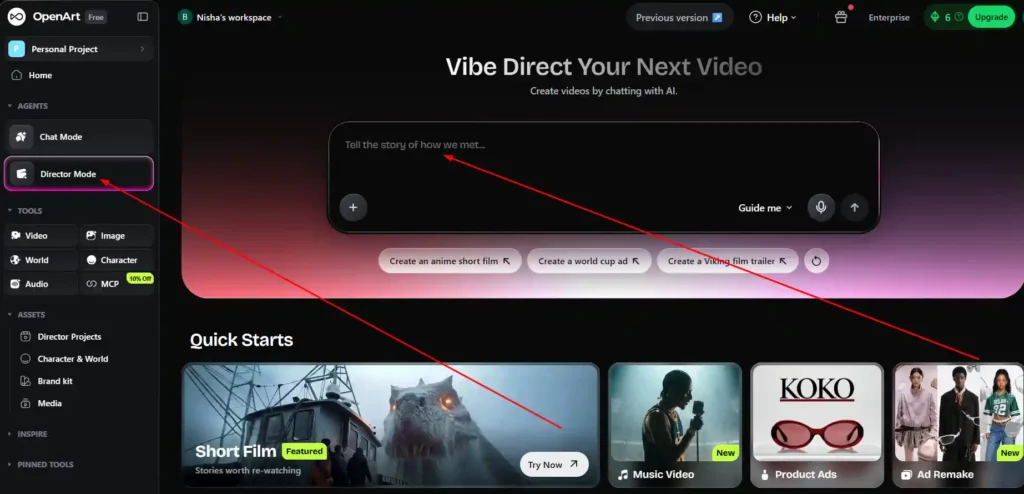
Using OpenArt generally follows a simple pattern:
- Choose a tool or workflow — image generation, video generation, character creation, editing, or a guided “Director” flow for structured projects.
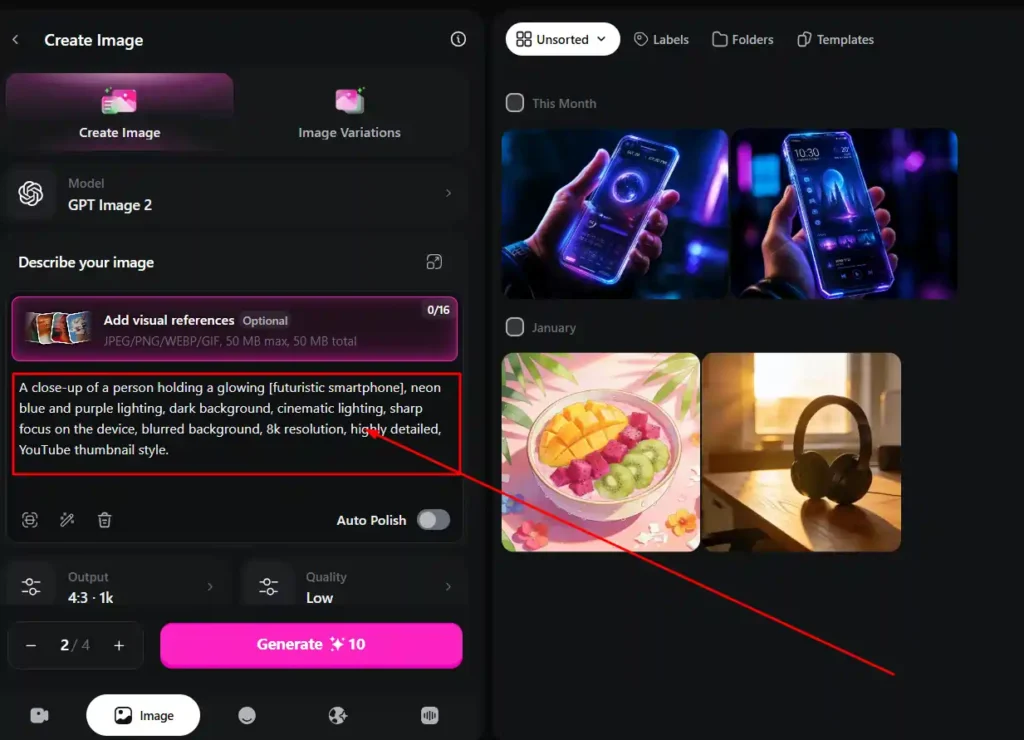
- Select a model — since OpenArt hosts many underlying AI models, users pick the one suited to their goal (photorealism, stylized art, anime, product visuals, etc.).
- Provide input — a text prompt, reference image, or sketch, depending on the tool.
- Generate and refine — the platform produces output that can be edited, regenerated, or extended using its editing suite.
- Use credits — each generation consumes a set number of credits, with cost varying by model, resolution, and output type (image vs. video).
This model-agnostic structure is one of OpenArt’s core differences from single-model tools: instead of being locked into one generation style, users can switch between models for different projects.
Key Features of the OpenArt AI Image Generator
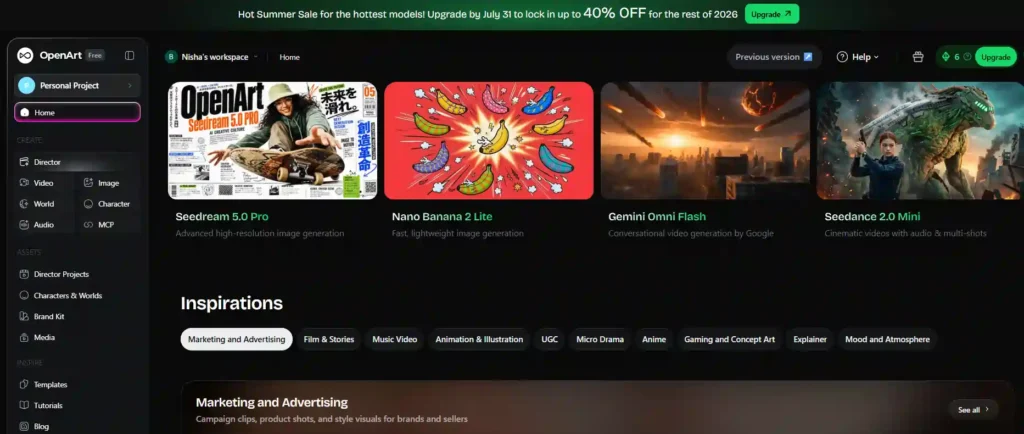
AI Models Available on OpenArt AI Image Generator
OpenArt’s biggest differentiator is model variety. Rather than relying on one proprietary engine, it gives users access to a growing library of premium third-party models for both images and video within a single subscription, removing the need to pay for multiple separate AI tools.
Character Consistency in OpenArt AI Image Generator
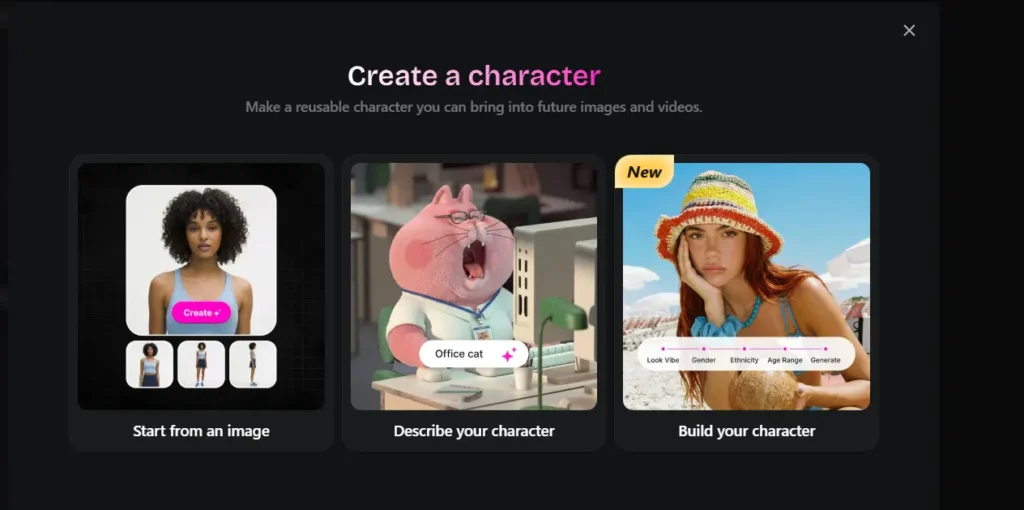
For creators working on story-driven content, brand mascots, or repeated visual assets, OpenArt includes character consistency tools. These let users lock a character’s face, outfit, or style and reuse that character across multiple images or video scenes, which is useful for comics, marketing campaigns, or serialized content where visual continuity matters.
Image Editing Tools in OpenArt AI Image Generator
OpenArt also includes an image editing suite for refining AI-generated (or uploaded) visuals. Typical capabilities include background replacement, targeted region editing, and style adjustments — allowing users to fix or improve an image without starting the generation process from scratch.
OpenArt AI Image Generator Pricing and Credits Explained
OpenArt uses a credit-based subscription model. Instead of a flat, unlimited-use fee, each plan includes a set number of monthly credits, and different generation types (image vs. video, standard vs. premium model) consume different amounts of credit.
OpenArt AI Image Generator Free Trial: What You Actually Get
OpenArt offers a free tier for new users to test the platform before subscribing.
OpenArt AI Image Generator Paid Plans Compared
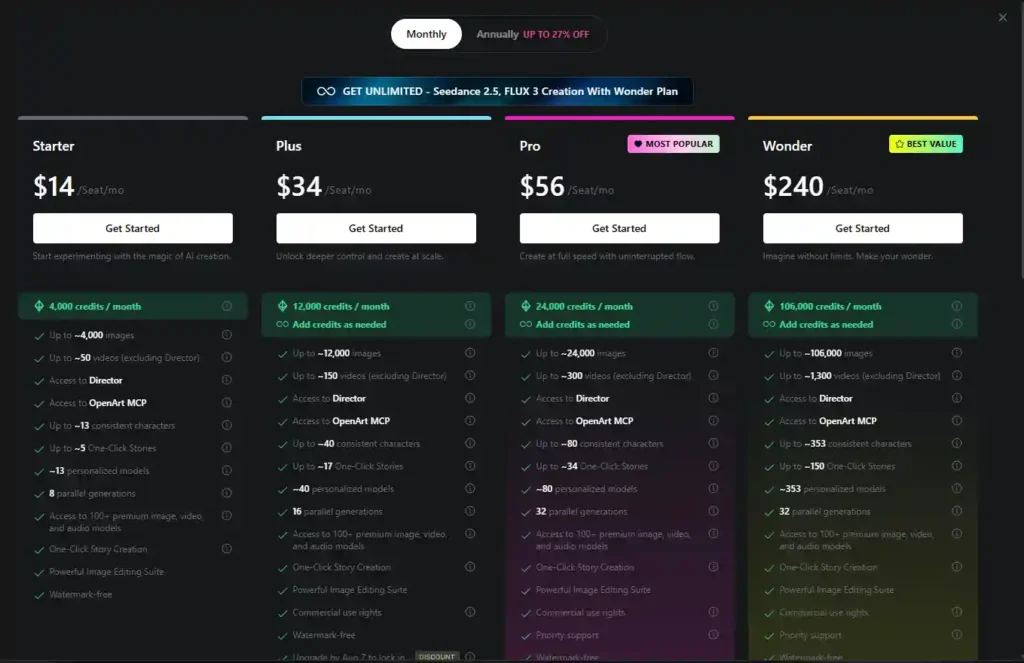
Based on OpenArt’s official pricing page, the individual paid plans (billed monthly, per seat) break down as follows:
| Plan | Price | Credits/Month | Approx. Images | Approx. Videos | Parallel Generations | Commercial Use Rights |
|---|---|---|---|---|---|---|
| Starter | $14/mo | 4,000 | ~4,000 | ~50 | 8 | Not listed |
| Plus | $34/mo | 12,000 | ~12,000 | ~150 | 16 | Included |
| Pro | $56/mo | 24,000 | ~24,000 | ~300 | 32 | Included |
| Wonder | $240/mo | 106,000 | ~106,000 | ~1,300 | 32 | Included |
All paid plans include access to the 100+ premium model library, One-Click Story Creation, the image editing suite, and watermark-free output. Higher tiers add more consistent characters, personalized (trained) models, and priority support. Annual billing is available at a discount (advertised as up to 27% off), though exact savings depend on the plan selected.
An Extra Credit add-on is also available for $15/month, providing 5,000 additional credits — though this requires an active Plus plan or higher to unlock.
OpenArt AI Image Generator Pros and Cons
Pros:
- Access to 100+ premium image, video, and audio models under one subscription.
- Character consistency tools for story-based or branded content.
- Built-in image editing suite reduces need for separate editing software.
- Credits scale with plan tier, giving flexibility for different usage levels.
- Commercial use rights included from the Plus plan upward.
Cons:
- Credit-based pricing means real cost per output depends on model and settings, making budgeting less predictable than flat-fee tools
- Lower tiers (Starter) do not list commercial use rights
- Free trial scope should be confirmed directly, as trial terms can change
- Heavier or more experimental users may burn through credits faster than expected
Who Should Use the OpenArt AI Image Generator?
OpenArt is generally best suited to:
- Content creators and marketers who need a range of visual styles without subscribing to multiple AI tools separately.
- Storytellers and illustrators who benefit from character consistency across scenes.
- Small teams or agencies producing regular visual content who can make use of higher-tier credit allowances and commercial rights.
It may be less ideal for occasional users who only need a handful of images per month, since the credit system is built around ongoing, recurring use rather than one-off generation.
OpenArt AI Image Generator vs Alternatives
OpenArt AI Image Generator vs Midjourney
Midjourney is known for a distinct, often stylized aesthetic and operates primarily through Discord or its own web interface, using a single proprietary model family. OpenArt takes a different approach by aggregating many models — including some of the same categories Midjourney competes in — under one platform, which gives users more model variety but means output style depends heavily on which model is selected.
OpenArt AI Image Generator vs Leonardo AI
Leonardo AI is also a web-based, credit-driven platform with a strong focus on game assets, concept art, and stylized generation, and it offers its own free tier. Compared to OpenArt, the core difference tends to be model breadth: OpenArt’s aggregator model gives access to a wider range of third-party models, while Leonardo focuses more on its own fine-tuned model ecosystem.
Is the OpenArt AI Image Generator Worth It?
OpenArt AI image generator is worth considering if your priority is model variety, character consistency, and having image, video, and editing tools in one subscription rather than several separate ones. The credit-based pricing means cost scales with actual usage, which can work in your favor for lighter workloads but requires some planning if you generate frequently or use premium models often.
For users who mainly need simple, occasional image generation, the value proposition is less clear-cut, and it’s worth testing the free tier first to see how quickly credits are used in practice before committing to a paid plan.
OpenArt AI Image Generator FAQs
Does OpenArt AI image generator have a free plan?
Yes, OpenArt offers a free tier for new users, on the exact credits and limitations.
How do OpenArt AI image generator credits work?
Each generation — image or video — consumes a set number of credits, with the amount depending on the model and output type used. Paid plans include a fixed monthly credit allowance, and add-on credits can be purchased separately on eligible plans.
Does OpenArt AI image generator include commercial use rights?
Commercial use rights are listed as included starting from the Plus plan and above, based on OpenArt’s official pricing page.
What AI models are available on OpenArt AI image generator?
OpenArt provides access to 100+ premium image, video, and audio models, including well-known names like GPT Image 2, Nano Banana Pro, Seedream, and Seedance, rather than relying on a single proprietary model.
Can I cancel my OpenArt AI image generator subscription anytime?
OpenArt’s plans are structured as recurring subscriptions with monthly or annual billing options. [VERIFY CURRENT INFORMATION] on specific cancellation terms directly through OpenArt’s official policies before subscribing.
Is OpenArt AI Image Generator Right for You? — Nisha
OpenArt AI image generator brings together model variety, character consistency, and editing tools that make it a genuinely flexible option for creators juggling multiple visual projects. It won’t suit everyone — the credit system rewards regular use more than occasional dabbling — but for creators, marketers, and storytellers who need range without managing five separate subscriptions, it holds up well.
If you’re still weighing your options, start with the free tier, test a couple of models, and see how the credits hold up against your actual workflow before upgrading.