OpenArt’s Halloween promo runs from October 23 to November 1 (PT). Every logged-in user gets one random treat: free generations, 20% off a monthly plan, 30% off a yearly plan, or 10–20% off a credit pack.
The reward is random, so you can’t choose which one you get. That makes it worth knowing what each offer is worth before you claim it, especially if you’re deciding between a monthly plan, a yearly plan, or credits.
You need to claim your treat by November 1. Free generations stay valid through November 30. Below, you’ll find how the offer works, what each reward means for your budget, and who benefits most from it.
What Is the OpenArt Halloween Promo? (Oct 23 to Nov 1 PT)
The OpenArt Halloween promo is a limited-time seasonal offer for OpenArt, an AI platform for creating images, videos, characters and audio. Instead of one fixed discount, each logged-in user receives a single random treat.
The possible treats are:
- Free generations.
- 20% off a monthly plan.
- 30% off a yearly plan.
- 10–20% off a credit pack.
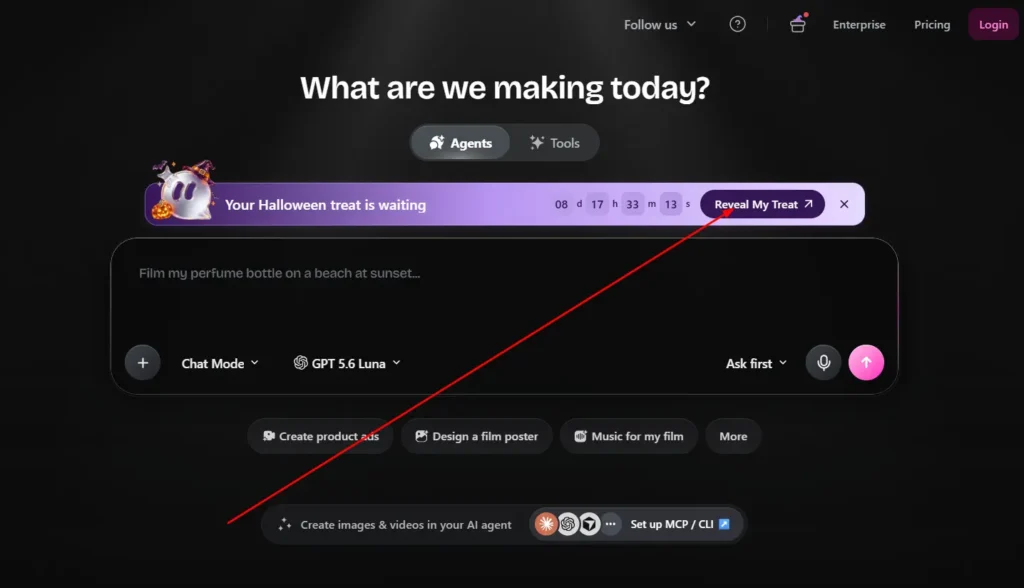
The claim window ends on November 1 (Pacific Time). On OpenArt’s homepage, a banner reading “Your Halloween treat is waiting” with a countdown and a “Reveal My Treat” button points to the offer.
Get 15% Off OpenArt With Code NISHA15
Use coupon code NISHA15 at checkout to save 15% on your OpenArt purchase and start creating AI images and videos.
OpenArt Halloween Promo Rewards: What You Can Win
Each reward suits a different type of user. Here is what OpenArt has announced for each one.
Free Generations From the OpenArt Halloween Promo
This reward gives you free generations to use on the platform. OpenArt states they stay valid through November 30, so you have about four extra weeks after the claim deadline to use them. The announcement doesn’t specify how many generations you receive, so you’ll see the exact amount when you reveal your treat.
20% Off Monthly Plans With the OpenArt Halloween Promo
This gives you 20% off a monthly subscription. It suits people who want to try a paid plan without committing for a year. The announcement doesn’t say how many billing cycles the discount covers, so read the offer details on the checkout screen before you pay.
30% Off Yearly Plans With the OpenArt Halloween Promo
This is the largest percentage in the promo. A yearly plan commits you for twelve months, so it fits creators who already know they will keep using OpenArt. OpenArt’s pricing page also shows annual billing at up to 27% off compared with monthly, so check the final price at checkout to see exactly how your discount applies.
10–20% Off Credit Packs With the OpenArt Halloween Promo
This reward lowers the cost of extra credits. It works for people who already have a plan and occasionally run out, or who prefer paying for what they use rather than subscribing. The discount falls somewhere between 10% and 20%, and you learn the exact figure when you reveal it.
How to Claim the OpenArt Halloween Promo Step by Step
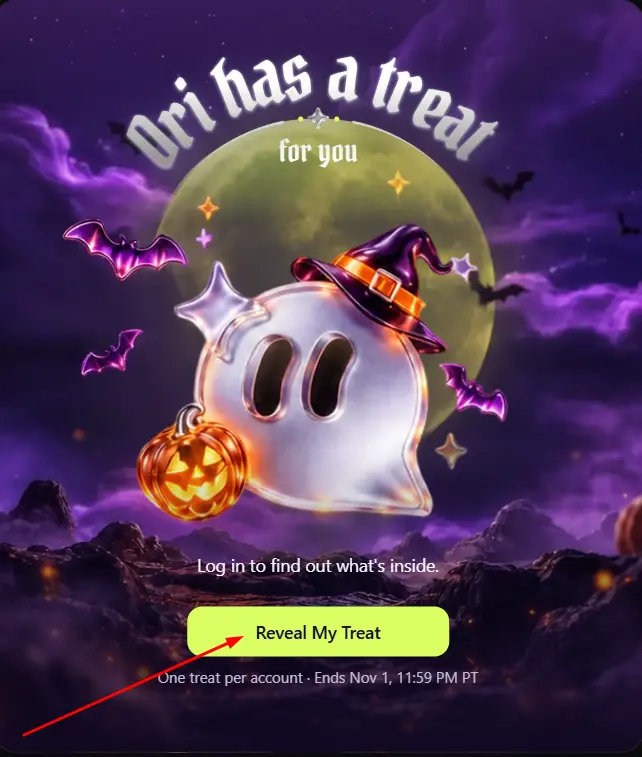
The process is simple, and the announcement doesn’t mention a promo code.
- Create an OpenArt account or log in. The offer is for logged-in users.
- Open the OpenArt homepage and find the “Your Halloween treat is waiting” banner.
- Select “Reveal My Treat” to see which reward you received.
- If you receive a discount, apply it when you choose your plan or credit pack.
- If you receive free generations, use them before November 30.
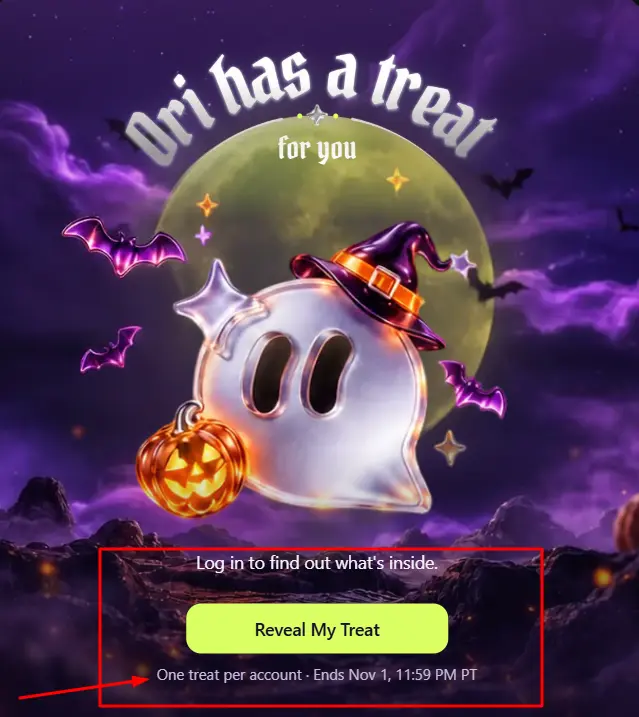
Remember that the treat is random, and the reveal happens once per user, so there is no need to hunt for a coupon code on other sites.
OpenArt Halloween Promo Deadlines: Claim by Nov 1, Free Generations Valid Through Nov 30
| Item | Deadline |
|---|---|
| Claim your Halloween treat | November 1 (PT) |
| Use free generations | November 30 |
| Kling 4.0 50% off (Pro and Wonder) | November 20 |
| Unlimited Flux 3 video (Wonder) | October 31 |
Since the promo is based on Pacific Time, readers in the UK and Europe have less time than the date suggests. When it is November 1 evening in Europe, the Pacific deadline may be close or have already passed, so claiming earlier is safer.
Extra Deals Running Alongside the OpenArt Halloween Promo
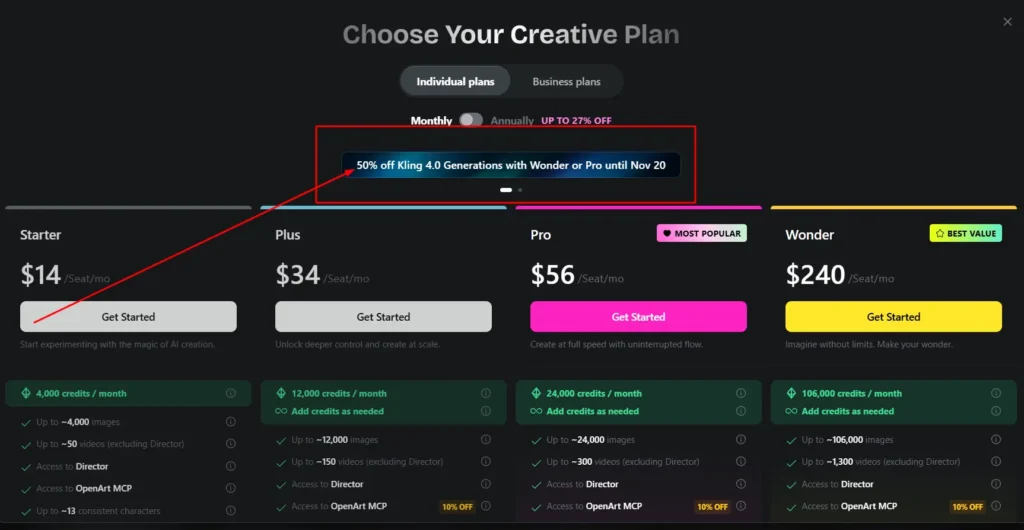
OpenArt is showing several other offers at the same time. The announcement doesn’t say whether they combine with your random treat, so check your final price at checkout before you confirm.
50% Off Kling 4.0 for Pro and Wonder Plans (Until Nov 20)
OpenArt is offering 50% off Kling 4.0 generations when you upgrade to the Pro or Wonder plan, valid through November 20. Kling 4 is described as a video model with consistent characters, precise camera moves and targeted video edits.
Unlimited Flux 3 Video on the Wonder Plan (Until Oct 31)
Wonder plan users can create unlimited Flux 3 720p videos until October 31. This is the shortest-lived deal of the group, so it matters mainly if you plan to upgrade right away.
10% Off OpenArt MCP / CLI
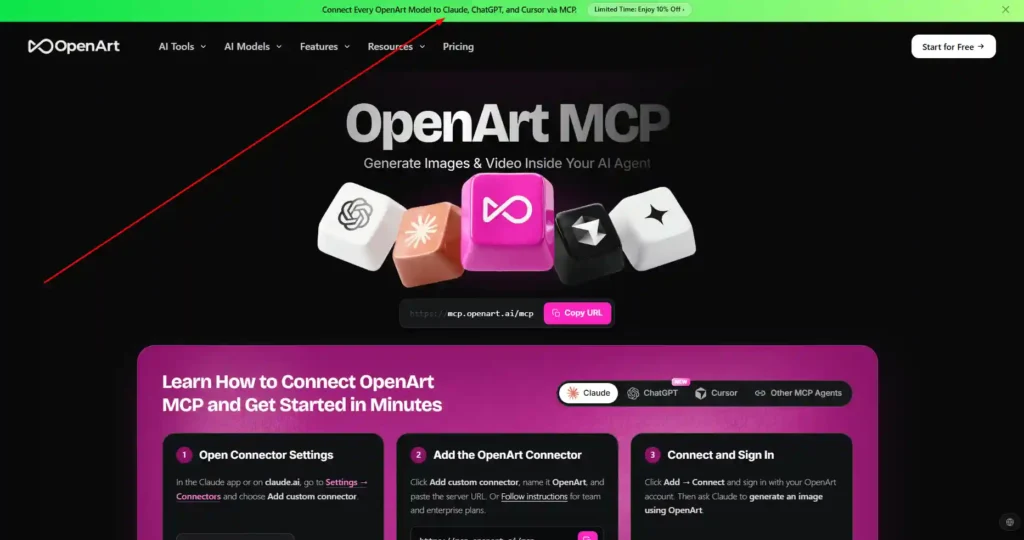
OpenArt’s navigation also lists a 10% discount on MCP / CLI. This lets you create images and videos from inside your own AI agent. It is most relevant to developers and people who build automated workflows.
OpenArt Pricing During the Halloween Promo: Starter, Plus, Pro and Wonder Compared
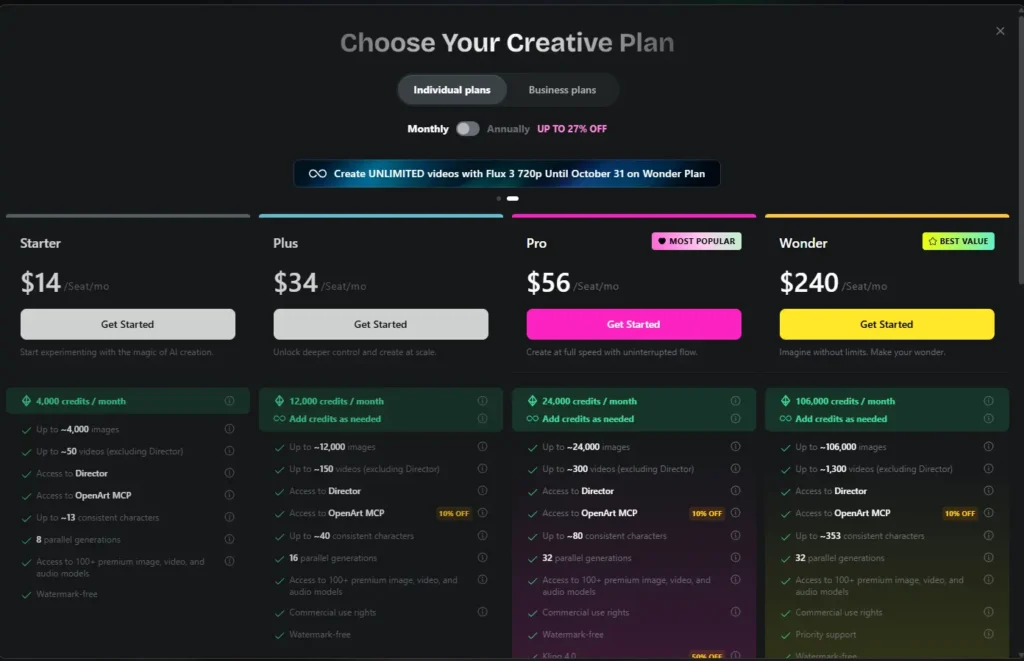
These are the prices shown on OpenArt’s pricing page at the time of writing, listed per seat per month.
| Plan | Price | Monthly credits | Approx. videos | Consistent characters | Parallel generations |
|---|---|---|---|---|---|
| Starter | $14 | 4,000 | ~50 | ~13 | 8 |
| Plus | $34 | 12,000 | ~150 | ~40 | 16 |
| Pro | $56 | 24,000 | ~300 | ~80 | 32 |
| Wonder | $240 | 106,000 | ~1,300 | ~353 | 32 |
A few differences stand out:
- Starter is watermark-free but does not list commercial use rights.
- Plus, Pro and Wonder include commercial use rights.
- Wonder adds priority support and the Flux 3 unlimited offer.
- All plans include access to Director, OpenArt MCP and 100+ premium image, video and audio models.
OpenArt also sells an optional Extra Credit add-on for $15 per month, which adds 5,000 credits and is unlocked with a Plus plan or higher. Video counts exclude Director.
Which OpenArt Halloween Promo Reward Is Worth the Most?
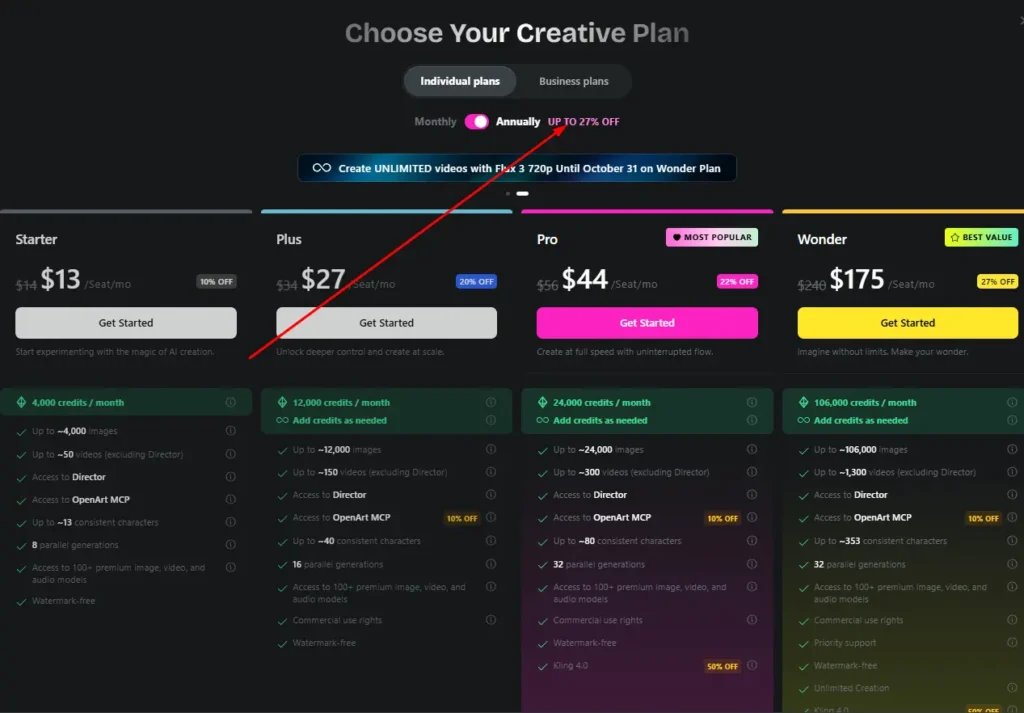
The answer depends on what you already use.
Best for new users trying OpenArt: free generations. They cost you nothing and show whether the platform fits your workflow.
Best for steady, long-term creators: 30% off a yearly plan. It gives the largest percentage, but it also asks for the biggest commitment.
Best for flexible budgets: 20% off a monthly plan. For example, if applied to the listed $34 Plus price, it would come to roughly $27.20 for the discounted period.
Best for existing subscribers: 10–20% off credit packs, because you only buy extra credits when you need them.
If you receive a reward that doesn’t match your needs, you can simply skip it. Nothing in the announcement requires you to buy.
Who Should Use the OpenArt Halloween Promo (and Who Can Skip It)
Worth using if you:
- Create AI images or videos regularly, such as for social media, ads or short films.
- Were already planning to upgrade or buy credits.
- Want to test OpenArt’s video models, including Kling 4 and Seedance 2.5.
Probably skip if you:
- Rarely generate AI content.
- Already have enough credits for the coming months.
- Would only subscribe because of the discount, not because of need.
A discount is only useful if you would have paid for the product anyway.
Halloween Templates You Can Try With the OpenArt Halloween Promo
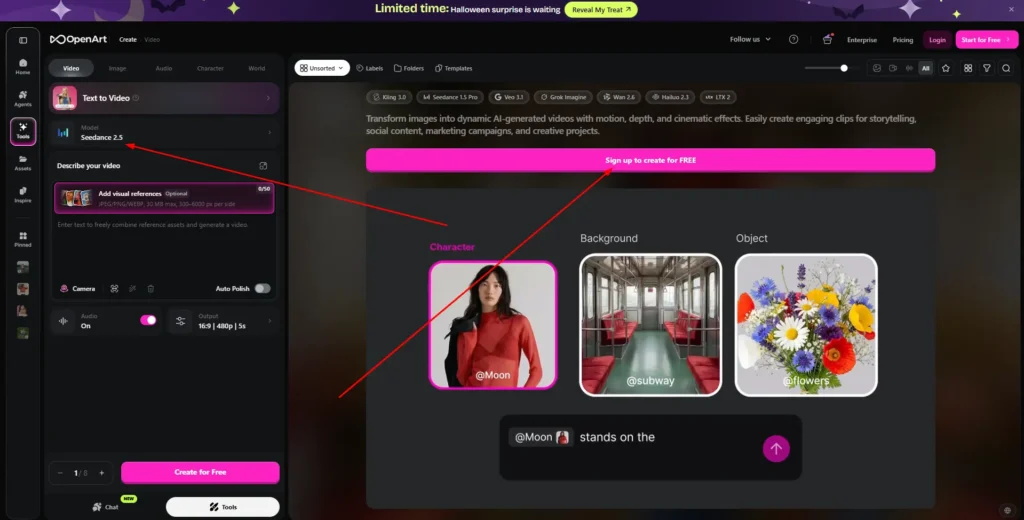
If you receive free generations, templates are an easy way to use them without writing a prompt from scratch. OpenArt currently highlights seasonal presets on its homepage.
Seedance 2.5 Halloween Presets Worth Trying
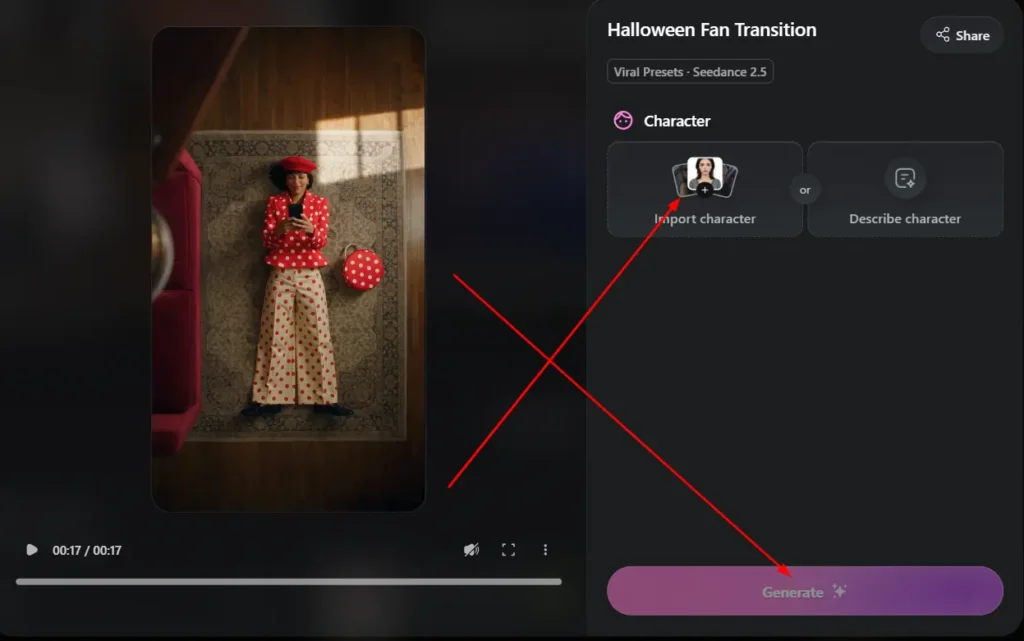
Seedance 2.5 is listed as a model for 30-second videos with frame-level editing. Halloween-themed presets shown on the homepage include:
- Midnight Lobby.
- Spooky, Scary Skeleton.
- Trick-or-Treat Paws.
- Halloween Fan Transition.
- The Witch’s Potions of Desire.
OpenArt also lists Scare to Selfie, which uses Seedance 2.0.
OpenArt Halloween Promo FAQs
Is there an OpenArt Halloween promo code, or is it automatic?
The announcement describes the offer as a random treat for logged-in users and doesn’t mention a code. Log in and use the “Reveal My Treat” banner on the homepage.
Can I choose my OpenArt Halloween promo reward?
No. The reward is random, and the possible outcomes are free generations, 20% off monthly, 30% off yearly, or 10–20% off credit packs.
When does the OpenArt Halloween promo end?
You need to claim your treat by November 1 (PT). Free generations remain valid through November 30.
Do OpenArt Halloween promo discounts stack with other offers?
OpenArt doesn’t say. Other offers, such as 50% off Kling 4.0, are listed separately, so review your total at checkout before paying.
Is the OpenArt Halloween promo available in the US, UK and Europe?
The announcement says every logged-in user is eligible and doesn’t list country restrictions. Prices on OpenArt’s pricing page appear in US dollars, so your final amount may vary by region or payment method.
Final Verdict
Yes, if you already planned to use OpenArt. Claiming is free, there’s no code to find, and even the least exciting outcome gives you a lower price or extra generations.
The smart move is to reveal your treat first, then decide. If you get free generations, try a Halloween template. If you get a discount, compare it with your actual usage before choosing a monthly plan, yearly plan or credit pack. Just remember the November 1 deadline.