Turning a script into a usable storyboard usually means hours of sketching or hiring an artist just to plan a few scenes. The OpenArt AI storyboard generator aims to shortcut that process by letting you paste a script or shot list and get visual panels back in minutes.
If you’re weighing whether it’s actually reliable for real production work, that’s a fair question. Panel consistency, character continuity, and how much editing you’ll need afterward all matter more than how fast the tool sounds in a demo.
This review looks at how the OpenArt AI storyboard generator handles those practical concerns, what it does well, and where it may fall short, so you can judge whether it fits your workflow before you commit to using it.
What Is the OpenArt AI Storyboard Generator?
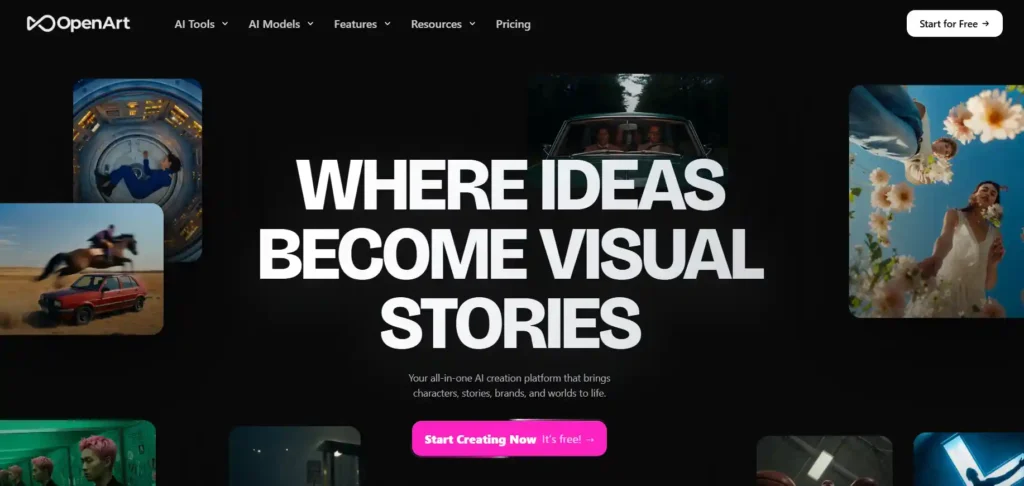
The OpenArt AI storyboard generator is a feature within the broader OpenArt platform that converts a script, shot list, or written idea into a sequence of visual panels. Each panel is meant to represent a shot or beat in a scene, showing camera angle, action, and framing, similar to a traditional hand-drawn storyboard used in film and animation pre-production.
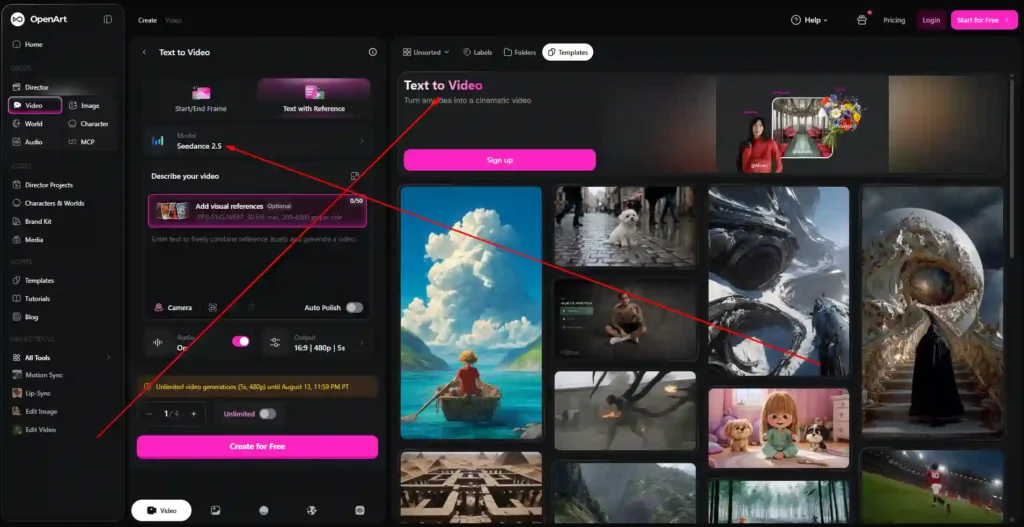
Instead of sketching every frame manually, users paste their script or scene description into the tool, and OpenArt generates panel-by-panel visuals based on that input. The generator is positioned as part of OpenArt’s larger creative suite, which also includes AI image generation, video generation, character consistency tools, and full video “direction” features.
Get 15% Off OpenArt With Code NISHA15
Use coupon code NISHA15 at checkout to save 15% on your OpenArt subscription plan today.
How the OpenArt AI Storyboard Generator Works
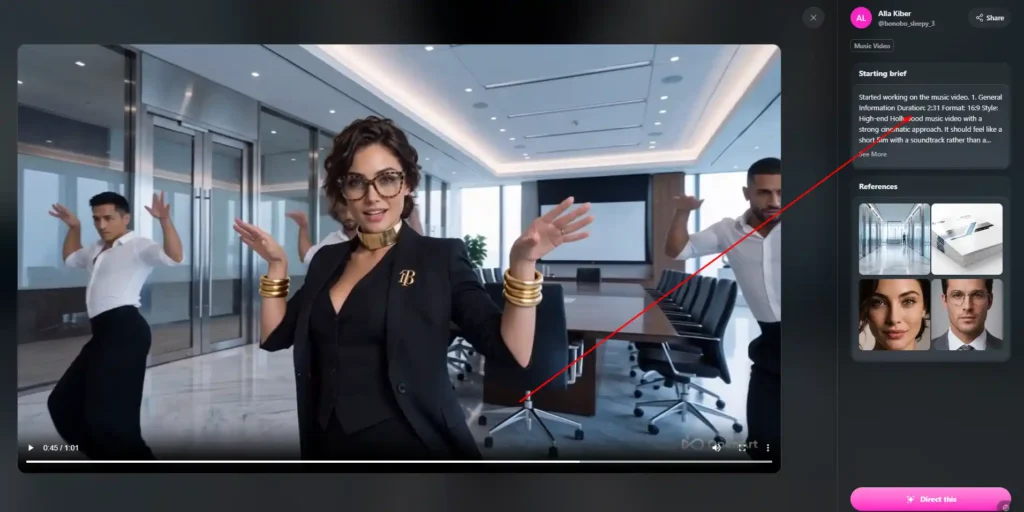
At a basic level, the tool takes text input, such as a script excerpt or a description of a scene, and interprets it into a series of panels. Each panel is generated as an image, arranged in a grid or sequence, with the intent of mapping out shots before filming or animation begins.
The generator supports different visual styles, so the same script can be rendered as 2D anime, 3D animated character work, or more cinematic and realistic imagery, depending on the style selected. OpenArt also emphasizes keeping characters and settings visually consistent from one panel to the next, which is typically one of the harder problems in AI-generated sequential art.
Because the storyboard generator sits inside OpenArt’s larger platform, generated panels can also be used as a starting point for other tools, including OpenArt Director, which is built for turning a storyboard or rough creative direction into a full AI-generated video.
Key Features of the OpenArt AI Storyboard Generator
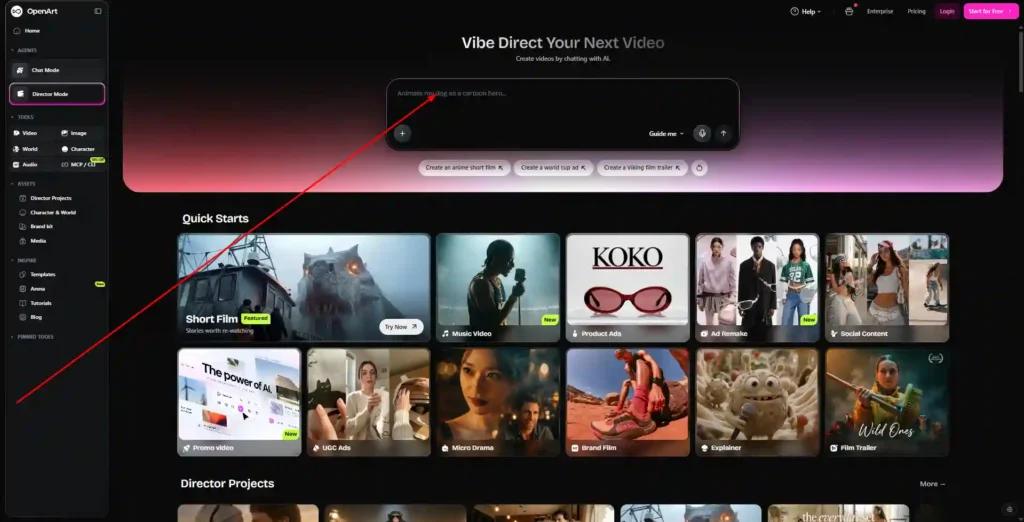
Script-to-Storyboard Conversion
The core function of the tool is converting a pasted script or shot list into a panel sequence, removing the need to draw each frame manually.
Consistent Characters Across Panels
OpenArt includes a character system that lets users build and save characters with a defined appearance, then reuse them across multiple panels, scenes, and even separate projects, so a character doesn’t visually drift from one panel to the next.
Multiple Art Styles
Storyboards can be generated in different visual styles, including 2D anime, high-end 3D animated looks, and more cinematic, realistic renders, depending on the tone of the project.
Panel Layouts and Templates
The tool supports different grid layouts, such as multi-panel storyboard sheets, which can be adjusted depending on how many shots or beats need to be represented on a single page.
Integration With OpenArt Director and Video Tools
Storyboard output isn’t limited to static images. Because the feature lives inside OpenArt’s broader suite, storyboard panels can feed into OpenArt Director, which is designed to help turn a planned sequence into an actual AI-generated video, including camera movement, voice, and sound.
OpenArt AI Storyboard Generator Pricing Plans Explained
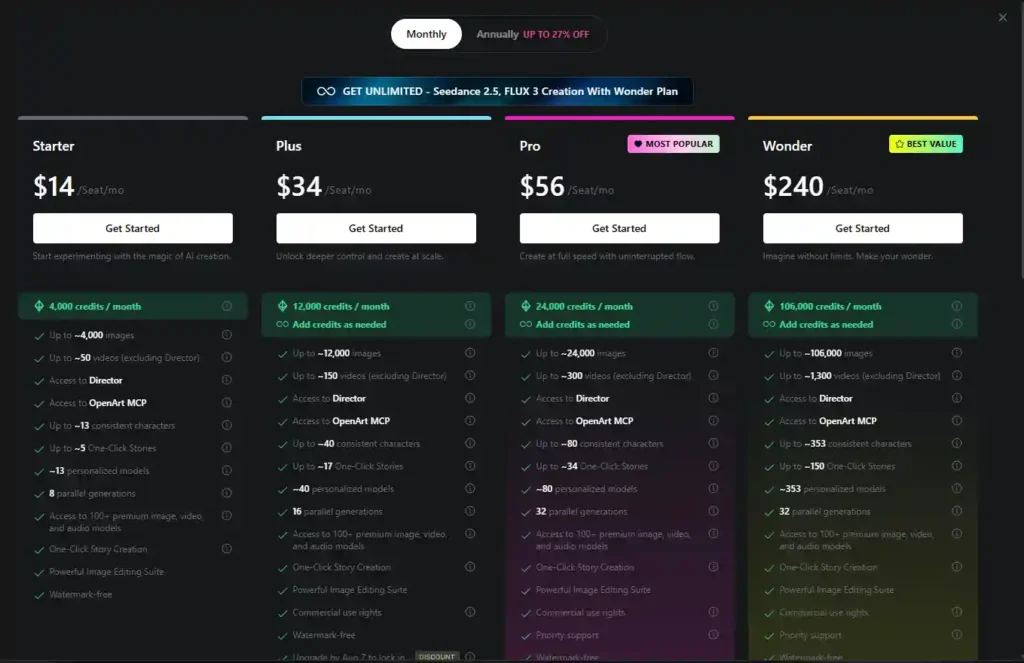
OpenArt uses a credit-based subscription model, meaning each plan includes a monthly credit allowance that’s spent on generating images, videos, characters, and stories, including storyboard panels. Plans are billed per seat, and OpenArt offers a discount for annual billing (up to 27% off at the time of writing).
| Plan | Price (per seat/month) | Monthly Credits | Consistent Characters | One-Click Stories |
|---|---|---|---|---|
| Starter | $14 | 4,000 | Up to ~13 | Up to ~5 |
| Plus | $34 | 12,000 | Up to ~40 | Up to ~17 |
| Pro (Most Popular) | $56 | 24,000 | Up to ~80 | Up to ~34 |
| Wonder (Best Value) | $240 | 106,000 | Up to ~353 | Up to ~150 |
Starter Plan
The Starter plan is positioned for people experimenting with OpenArt’s tools. It includes 4,000 monthly credits, access to Director, OpenArt MCP, and the One-Click Story feature, along with watermark-free output.
Plus Plan
The Plus plan increases the monthly credit allowance to 12,000 and raises the limits on consistent characters and One-Click Stories. It also adds commercial use rights, which matters for anyone planning to use storyboard output in client or business work.
Pro Plan
Pro is listed as OpenArt’s most popular tier, offering 24,000 monthly credits, a higher character and story limit, priority support, and the same commercial use rights included in Plus.
Wonder Plan
Wonder is the highest tier, built for heavy or team-based usage. It includes 106,000 monthly credits, support for hundreds of consistent characters and stories, and all the features available on lower plans.
All paid plans include access to OpenArt’s storyboard tools, character system, and its wider library of image, video, and audio models, with the main differences coming down to credit volume and usage limits rather than access to specific features.
Is There a Free Plan or Free Trial for OpenArt AI Storyboard Generator?
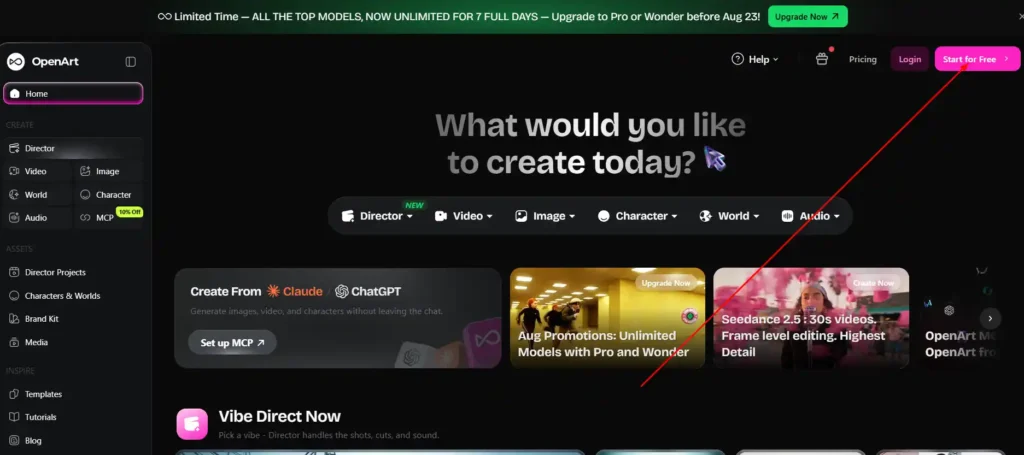
OpenArt’s site invites new users to “start for free,” which suggests some level of free access before a paid plan is required. However, the storyboard generator draws on the same credit system used across the platform, so free usage is likely limited compared to what a paid Starter, Plus, Pro, or Wonder plan provides.
If a free trial or free credit allowance changes or expands, that detail is best confirmed directly on OpenArt’s pricing page, since credit-based platforms like this tend to adjust free-tier limits over time.
OpenArt AI Storyboard Generator: Pros and Cons
Pros
- Converts a script or shot list into visual panels without manual drawing.
- Supports multiple art styles for different project tones.
- Includes a character system built for visual consistency across panels.
- Connects directly to OpenArt Director for turning storyboards into video.
- Commercial use rights are included starting at the Plus plan.
Cons
- Uses a shared credit system, so heavy storyboard use can consume credits needed for other generations.
- Full storyboard functionality appears tied to paid plans rather than a generous standalone free tier.
- As with most AI image tools, output may need manual review or editing to match a director’s exact intent.
Who Should Use the OpenArt AI Storyboard Generator?
Filmmakers and Independent Creators
For short films or independent projects, the tool offers a faster way to visualize scenes before committing to filming, without needing a dedicated storyboard artist.
Marketing and Ad Teams
Teams producing short-form video ads, social content, or explainer videos can use the generator to plan shots and pitch concepts internally before moving into full production.
Animators and Game Developers
The character consistency features and multiple art styles make the tool useful for planning animated sequences or cutscenes where visual continuity across many panels matters.
How to Create a Storyboard Using OpenArt AI (Step-by-Step)
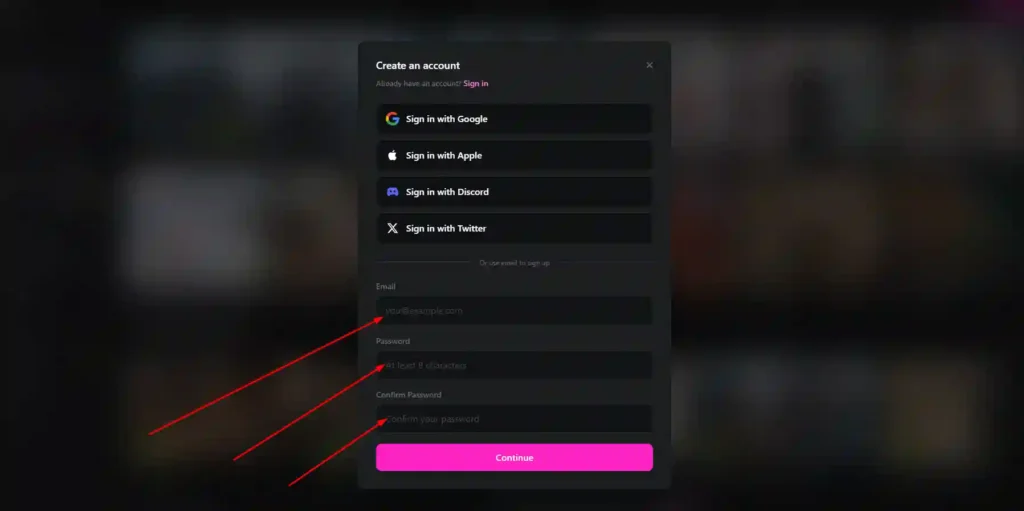
- Sign in to OpenArt and open the AI storyboard generator feature.
- Paste your script or shot list, including the scenes or beats you want visualized.
- Choose a visual style, such as 2D anime, 3D animated, or cinematic/realistic.
- Set up characters, if your project needs consistent characters across panels, using OpenArt’s character builder.
- Select a panel layout, choosing how many panels appear per storyboard sheet.
- Generate the storyboard and review the resulting panels.
- Refine individual panels as needed, adjusting details like framing or character appearance.
- Export or continue into video, either downloading the storyboard or sending it into OpenArt Director to develop it into a full video sequence.
[How to write an effective shot list before storyboarding]
OpenArt AI Storyboard Generator vs. Other AI Storyboard Tools
OpenArt’s storyboard generator competes with a mix of dedicated storyboard software and broader AI creative platforms. Dedicated storyboarding tools tend to focus narrowly on panel layout and shot planning, often with more traditional, manual drawing-style controls. Broader AI platforms, including OpenArt, tend to fold storyboarding into a larger suite that also covers image generation, character consistency, and video production.
The main trade-off is specialization versus range. A narrowly focused storyboard tool may offer more precise manual control over panel composition, while a platform like OpenArt offers the advantage of moving from storyboard to finished video without switching software, since the storyboard, characters, and video generation all live in the same system.
Because pricing, features, and capabilities across competing tools change frequently, it’s worth checking each option’s current feature set directly before deciding, rather than relying on older comparisons.
Real User Reviews of the OpenArt AI Storyboard Generator
Public reviews of OpenArt, gathered from platforms like Trustpilot, tend to focus on the platform as a whole rather than the storyboard feature specifically. Common themes in this feedback include praise for character creation consistency, the range of available AI models, and responsive customer support. Several users also mention appreciating having image, video, and editing tools available in one platform rather than needing separate subscriptions.
Since these reviews reflect general platform experience rather than storyboard-specific feedback, they’re useful context but shouldn’t be read as a direct evaluation of the storyboard generator on its own.
Common Questions About the OpenArt AI Storyboard Generator (FAQ)
What is an AI storyboard generator?
An AI storyboard generator is a tool that converts a script, shot list, or scene description into a sequence of visual panels, mapping out shots before filming or animation, without requiring manual drawing.
Does OpenArt keep characters consistent across storyboard panels?
Yes. OpenArt includes a character system that lets users build and reuse a defined character across multiple panels, scenes, and projects.
Can I turn an OpenArt storyboard into a full video?
Yes. Storyboard panels can be used with OpenArt Director, which is designed to help develop a planned sequence into a full AI-generated video.
Is OpenArt’s storyboard generator free to use?
OpenArt offers a way to start using the platform for free, but full storyboard generation draws on the same credit system used across paid plans, so usage without a subscription is likely limited.
Does OpenArt include commercial use rights?
Commercial use rights are included starting with the Plus plan, based on OpenArt’s published plan details.
Final Verdict: Is the OpenArt AI Storyboard Generator Worth It?
The OpenArt AI storyboard generator is best suited for creators, marketing teams, and animators who want to move quickly from a script to a visual plan without manual sketching, and who may also want to continue directly into AI video production using the same platform. Its strongest advantages are character consistency across panels and its direct connection to OpenArt’s video tools.
Whether it’s worth a paid subscription depends on how much you plan to use it. Occasional use may be manageable on a lower-credit plan, while teams producing storyboards regularly will likely need Plus, Pro, or Wonder to avoid running short on credits. If your priority is planning scenes quickly and keeping everything in one platform through to final video, it’s a reasonable tool to evaluate directly against your project’s needs.