Turning a blog post into a video usually means rewriting the script, finding footage, adding captions, and recording a voiceover. Pictory AI blog to video aims to cut that work by building a draft video straight from your written content.
For bloggers and marketers repurposing articles for YouTube or social media, the real question is whether the tool saves enough time to justify the cost. The answer depends on how it handles scripts, stock visuals, voiceovers, and editing control.
Below, you will see how the blog-to-video process works, what to check before you commit, and which limits are worth knowing about upfront.
What Is Pictory AI Blog to Video?

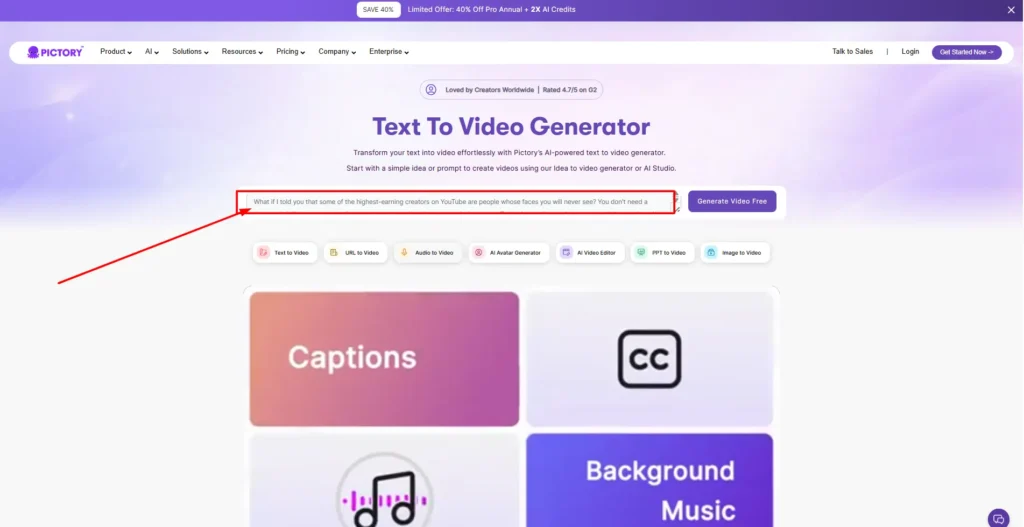
Pictory AI blog to video is the feature in Pictory’s video generator that turns a blog post or article into an edited video. You can paste a blog URL or the article text, and Pictory builds a scene-based video with visuals, captions, and an AI voiceover.
Pictory describes its wider platform as an AI video generator that also converts scripts, prompts, PowerPoint files, images, audio, and existing videos into video. Blog to video is one of several starting points, and all of them lead to the same editor.
The tool is built for people who already have written content and want video versions without filming anything or working on a manual editing timeline.
Get 20% Off Pictory AI With Code CABF20
Apply this Pictory AI coupon code at checkout to save 20% on your plan. Try the free trial first.
How Pictory AI Blog to Video Works (Step by Step)
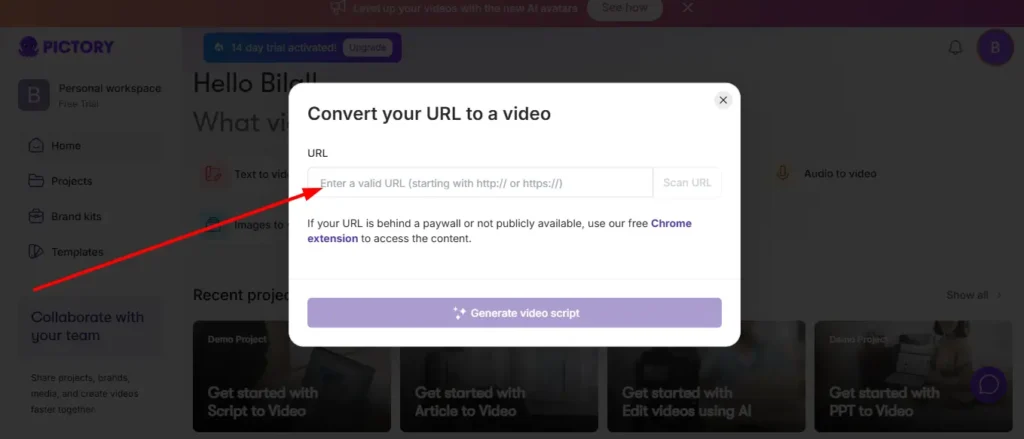
Pictory outlines a four-step process for its video generator. The blog-to-video route follows the same pattern.
Step 1: Add Your Blog URL or Article Text to Pictory AI
Start by choosing your input. You can paste a link to a published post or paste the article text directly. Pictory also offers a Chrome extension that lets you generate a video from a webpage without leaving your browser.
If you plan to reuse older posts, the URL option is the quickest way to start. Pasting text is useful when the post is unpublished or when you want to trim it first.
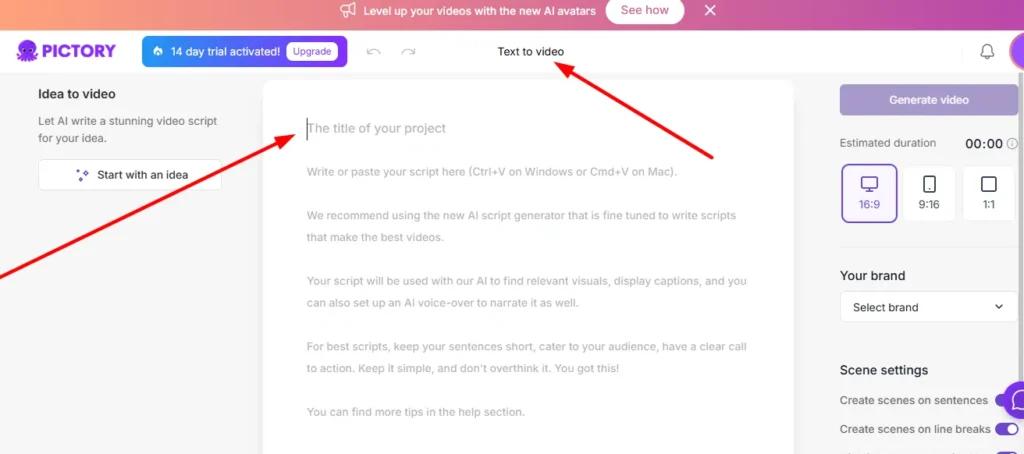
Step 2: Edit the Script and Scenes in Pictory AI Blog to Video
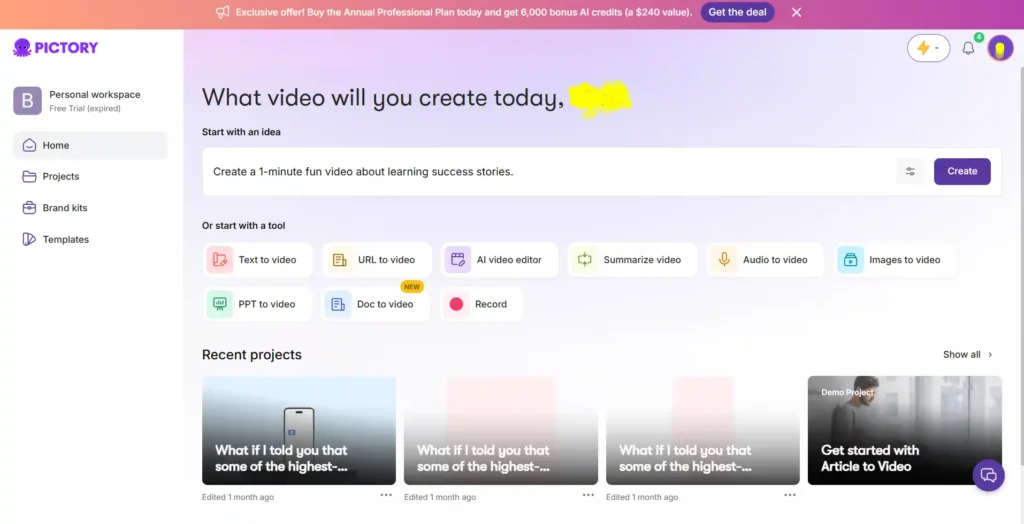
Once your content is in, Pictory divides the script into scenes. Each scene gets an estimated duration and matching visual context. You can then refine the wording in the editor.
This step matters because a full blog post is rarely a good video script as written. Cutting long paragraphs and keeping one main point per scene usually produces a tighter video.
Step 3: Customize Visuals, Voiceover, and Branding
Next, you can change layouts, replace visuals, and apply your brand styling. Pictory lets you swap in stock footage, AI Studio assets, or your own uploaded media. You can also choose an AI voiceover or upload your own recording.
Brand kits let you save logos, colors, and fonts so each video follows the same look.
Step 4: Export Your Pictory AI Blog to Video Project
Finally, preview the video, adjust timing, apply voiceovers or subtitles, and export. Pictory says exports are available in platform-ready formats, including horizontal, vertical, and square.
Pictory AI Blog to Video Features
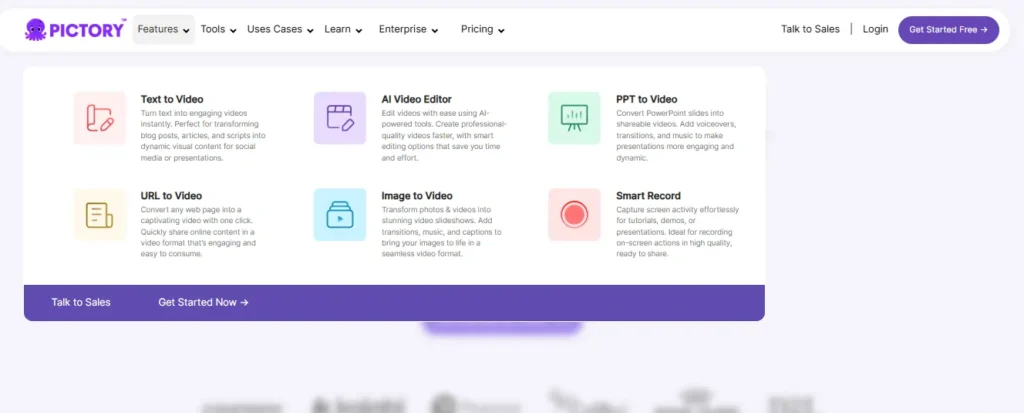
These are the features most relevant to turning articles into videos, based on Pictory’s own product pages.
URL to Video and Text to Video Options in Pictory AI
Pictory says its URL-to-video tool converts blog posts, homepages, text, and product pages into video with a few clicks. Its text-to-video generator also accepts scripts, prompts, and articles. If you don’t have a full script, the AI Script Generator can draft one from an idea.
AI Voices and Voiceover Options for Blog to Video
Pictory offers AI voices generated by ElevenLabs in multiple languages. The pricing page lists ElevenLabs voice minutes in 29 languages, with the amount depending on the plan. Higher plans also include unlimited standard voices in 7 languages.
You can also record and upload your own voiceover, and Pictory can sync uploaded audio to the video automatically.
Stock Footage and AI Studio Visuals in Pictory AI
Pictory matches visuals to your script using its stock library. The pricing page lists millions of videos and images from Getty Images and Storyblocks, and the size of that library varies by plan.
When stock footage doesn’t fit, AI Studio can generate images and video clips from text prompts. These are paid for with AI credits, which are covered in the pricing section below.
Auto Captions and Subtitles for Pictory AI Videos
All plans include automatic captions and transcription. You can adjust subtitle styles, and Pictory lists subtitle export in .srt, .vtt, and text formats. Captions matter for blog-derived videos because many people watch social video without sound.
Brand Kits and Templates for Pictory AI Blog to Video
Brand kits store your logo, colors, and fonts. The number of kits depends on your plan, from one on Starter to five on Professional and ten on Team. Pictory also provides templates that structure text, visuals, and timing so videos look consistent.
Video Sizes for YouTube, TikTok, and Instagram
Pictory supports landscape (16:9), portrait (9:16), and square (1:1) formats. This lets you turn one article into a YouTube video and a vertical clip for TikTok or Instagram without rebuilding the project.
Pictory AI Blog to Video Pricing
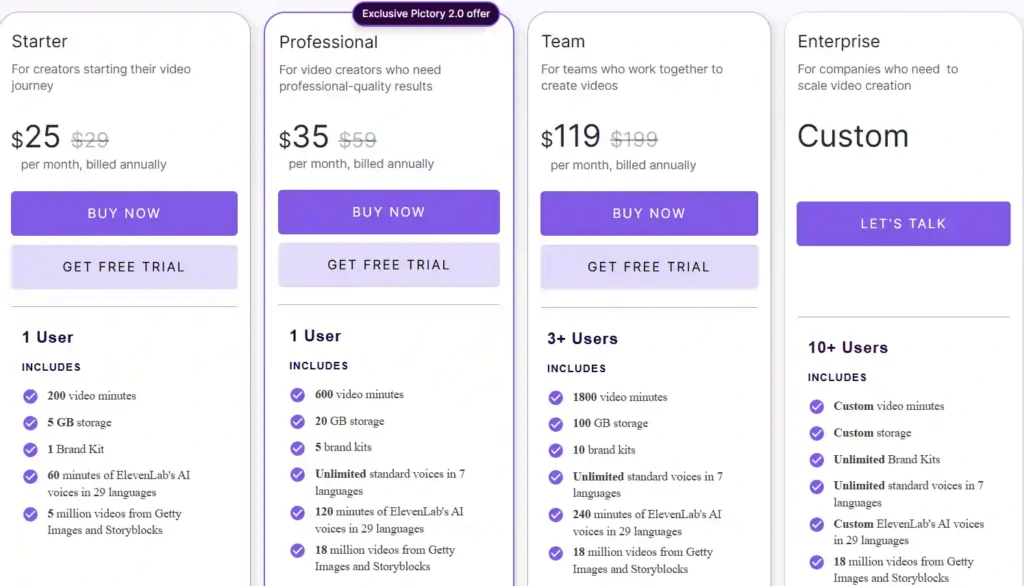
Pictory lists four plans: Starter, Professional, Team, and Enterprise. The prices below come from Pictory’s annual pricing, billed yearly.
Pictory AI Plans Compared: Starter vs Professional vs Team
| Features | Starter | Professional | Team |
|---|---|---|---|
| Price (per month, billed annually) | $25 (listed as $29 before discount) | $35 (listed as $59 before discount) | $119 (listed as $199 before discount) |
| Users | 1 | 1 | 3+ |
| Video minutes per year | 2,400 | 7,200 | 21,600 |
| Storage | 5 GB | 20 GB | 100 GB |
| Brand kits | 1 | 5 | 10 |
| AI credits per year | 1,200 | 12,000 | 28,800 |
| Premium stock | Storyblocks | Storyblocks and Getty | Storyblocks and Getty |
| Custom avatars and voice cloning | No | Yes | Yes |
Enterprise pricing is custom and aimed at companies with 10+ users. It adds features such as SSO, a dedicated success manager, and SCORM export.
For most bloggers and solo creators, the choice is between Starter and Professional. Starter covers the basics, including no watermark, while Professional adds advanced AI tools, voice cloning, custom avatars, and video summarization of long videos.
How Video Minutes and AI Credits Affect Blog to Video Projects
Two allowances shape what you can produce.
Video minutes cap how much video you can generate per year. If you plan to convert many long posts, check how quickly the minutes will be used. Pictory’s pricing page has an FAQ explaining how minutes are calculated, and it is worth reading before you buy.
AI credits apply to AI-generated images, video clips, and avatars. Pictory shows that Starter’s 1,200 credits can be used for up to 2,000 images, 12.5 minutes of video, or 40 minutes of avatar video. If you mostly use stock footage, credits matter less. If you rely on AI Studio visuals, they matter a lot.
Pictory AI Blog to Video Free Trial: What You Get
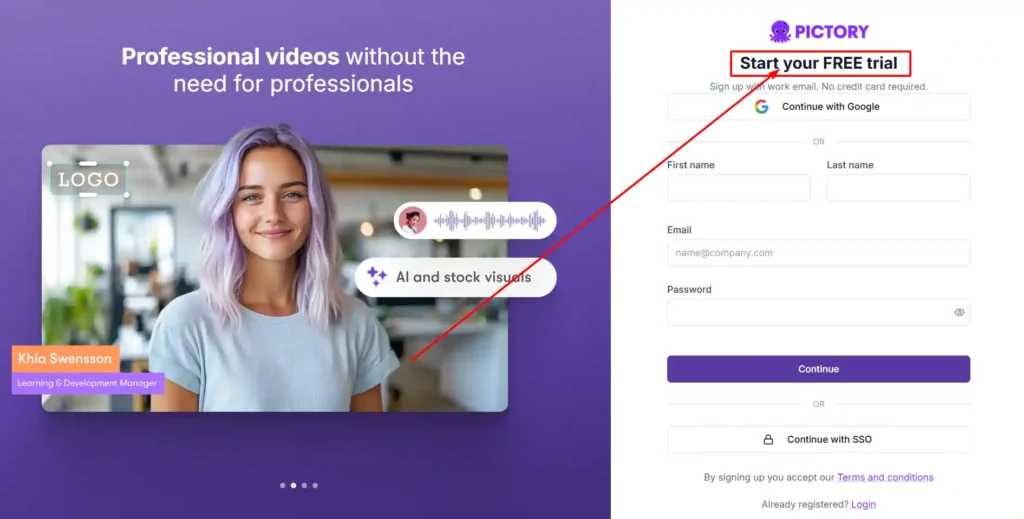
Pictory offers a 14-day free trial. Its homepage states that no credit card is required to get started.
According to Pictory’s plan comparison, the trial includes:
- 15 video minutes.
- A maximum video length of 5 minutes.
- A maximum export resolution of 720p.
That is enough to convert one or two short posts and judge the quality of the scripts, visuals, and voices. It is not enough to test a large content backlog.
A good way to use the trial is to pick a post you would realistically publish as a video, run it through the full process, and note how much editing the draft needed. That gives you a better sense of time saved than any feature list.
Pictory AI Coupon Code and Current Discounts

Use coupon code CABF20 for 20% off your Pictory plan.
Pictory also shows its own discounts on its site. The homepage displays a banner offering 40% off the Pro annual plan plus double AI credits, and the pricing page lists annual pricing with savings of up to 40%.
The pricing page shows these annual rates:
- Starter: $25 per month instead of $29.
- Professional: $35 per month instead of $59, labeled as an “Exclusive Pictory 2.0 offer”.
- Team: $119 per month instead of $199.
A few points to keep in mind:
- The listed prices above apply to annual billing, so you pay for the year in advance.
- Promotional banners like the “limited offer” are time-limited by nature.
- Compare the final price with and without the code at checkout, so you know which offer gives you the better deal.
The simplest way to save is to start with the free trial, so you only pay once you know the tool fits your workflow. When you are ready to upgrade, apply code CABF20 and check the price on the pricing page.
Pictory AI Blog to Video Pros and Cons
Pros
- Starts from content you already have, including a URL or article text.
- Splits scripts into editable scenes automatically.
- Includes stock footage, AI voices, and auto captions on all plans.
- Supports vertical, square, and horizontal exports.
- Brand kits keep videos visually consistent.
- Offers a free trial with no credit card required, according to the homepage.
Cons
- The trial is limited to 15 minutes, 5-minute videos, and 720p exports.
- Video minutes and AI credits are capped, so heavy users may need a higher plan.
- Voice cloning, custom avatars, and advanced AI tools are not on Starter.
- Annual discounts require paying for the year upfront.
- Drafts still need editing, since a blog post is not a finished video script.
Is Pictory AI Blog to Video Worth It?
It is worth considering if you publish written content regularly and want a faster way to make video versions. The main value is time: Pictory handles scene creation, visual matching, captions, and voiceover, so you spend your effort on editing rather than building from scratch.
It is less likely to be worth it if you only need a video once in a while, want highly custom filmed footage, or expect a finished video with no editing. The output is a strong draft, not a final product.
Your decision should come down to three questions:
- How many posts will you convert each month?
- Will stock footage be enough, or will you need AI-generated visuals?
- Do you need features such as voice cloning or custom avatars?
If the answers point to modest volume and stock visuals, Starter may be enough. If you plan to produce regularly or want advanced features, Professional is the more realistic fit.
Who Should Use Pictory AI Blog to Video (and Who Shouldn’t)
Good fit for:
- Bloggers repurposing articles for YouTube.
- Content marketers producing social video from existing posts.
- Small businesses without a video team.
- Educators and trainers turning written lessons into videos.
Probably not the best fit for:
- Creators who need full manual control over every frame.
- Teams that need only occasional, one-off videos.
- People who want filmed, on-camera content rather than stock and AI visuals.
Pictory AI Blog to Video vs Alternatives
Several tools convert articles or scripts into video. When comparing them with Pictory, focus on the factors that affect your workflow rather than feature counts.
Compare these points across tools:
- How the tool handles URL or article input.
- Quality and variety of stock footage and AI voices.
- How much editing control you get after the draft.
- Pricing, export limits, and watermark rules.
- Brand kit and template options.
Pictory itself publishes comparison content on alternatives, so it is worth checking each tool’s current pricing and trial before deciding.
Pictory AI vs InVideo AI for Blog to Video
InVideo AI is another AI video generator that builds videos from text input. The useful comparison is how much control each gives you over scenes and script, and how their plan limits compare for your monthly volume. Test the same article in both trials if you can.
Pictory AI vs Lumen5 for Blog to Video
Lumen5 is a long-standing tool for turning articles into videos, so it competes directly with Pictory’s blog-to-video feature. Compare the editing experience, stock library, and how each handles long articles. Check both tools’ current pricing for your expected usage.
Pictory AI vs Fliki for Blog to Video
Fliki also converts text into video with AI voices. Voice quality and language options are a good place to start if narration matters to you. Compare voice samples, editing flexibility, and plan limits using the same source article.
Tips for Getting Better Results from Pictory AI Blog to Video
- Shorten the script. Trim long paragraphs and keep one idea per scene.
- Rewrite the opening. Blog introductions often don’t work as a video hook.
- Replace weak visuals. Swap generic stock clips for footage that matches the sentence on screen.
- Use captions. Many viewers watch without sound, so keep subtitles readable.
- Set your brand kit first. This saves time on every later project.
- Choose the format before editing. Decide on landscape, portrait, or square early, since layouts adjust to each.
- Test the voice. Listen to the full narration before exporting, and adjust words the AI voice mispronounces.
[How to repurpose blog content into video]
Pictory AI Blog to Video FAQs
How does Pictory AI blog to video work?
You paste a blog URL or article text, and Pictory splits it into scenes, matches visuals, adds captions, and applies an AI voice. You then edit the script, visuals, and branding before exporting.
Is Pictory AI blog to video free to use?
Pictory offers a 14-day free trial, and its homepage says no credit card is required. After the trial, you need a paid plan to keep creating videos.
How much does Pictory AI blog to video cost per month?
On annual billing, Pictory lists Starter at $25 per month, Professional at $35 per month, and Team at $119 per month. Enterprise pricing is custom.
Can Pictory AI turn a blog URL into a video automatically?
Yes. Pictory’s URL-to-video tool converts blog posts and other web pages into video drafts. You will still want to review and edit the script and visuals.
Does Pictory AI blog to video have a watermark?
Pictory’s pricing page lists “No watermark” as a feature of the Starter plan. The pages reviewed do not state whether trial exports carry a watermark, so check the trial details when you sign up.
Can I monetize Pictory AI blog to video content on YouTube?
Pictory’s pricing page includes an FAQ about royalties for its visuals and music, so read that answer before publishing commercially. Monetization also depends on YouTube’s own policies, which can be stricter on repetitive or low-effort content. Editing your videos and adding original value helps.
What is the best alternative to Pictory AI blog to video?
It depends on your priorities. InVideo AI, Lumen5, and Fliki are common options. Compare them on editing control, voice quality, stock library, and price using the same source article.
Final Verdict: Should You Try Pictory AI Blog to Video?
If you have blog content and want to turn it into video without a traditional editing workflow, Pictory AI blog to video is worth a trial. It handles the slow parts, including scene creation, visual matching, captions, and voiceover, and it gives you control to refine the result.
The trial is the best way to decide. Convert one real post, measure how much editing it needs, and check whether the minutes and credits in each plan match your publishing pace. If the draft saves you meaningful time, an annual plan can make sense. If you mostly need occasional videos, the trial may tell you everything you need to know.