Turning one piece of content into short videos for Instagram, TikTok, and YouTube takes time most small teams don’t have. Pictory AI aims to cut that work by turning scripts, blog posts, and longer videos into clips that are ready for social platforms.
But a tool that sounds useful still has to fit your workflow. Pictory’s text-to-video approach, auto captions, and stock footage can help, yet your content type, budget, and brand needs will decide whether it works for you.
Below, we look at how Pictory AI handles social media videos, what to check before you commit, and where it may or may not be the right choice.
What Is Pictory AI for Social Media Videos?
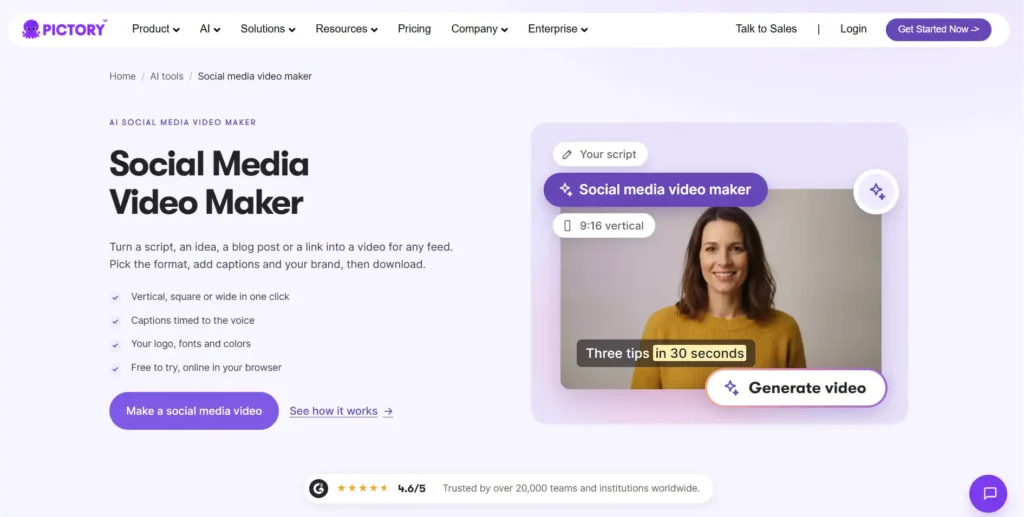
Pictory is an AI video generator and AI video agent. You give it a prompt, script, article, URL, PowerPoint, images, or audio, and it builds a video with scenes, captions, an AI voiceover, and your branding.
For social media, the useful part is the output. Pictory exports in vertical 9:16 for Reels, Shorts, and TikTok, square 1:1 for feeds, and landscape 16:9 for YouTube and websites. There is no filming or timeline editing involved, and you can edit scene by scene before exporting.
Pictory’s own use-case list includes social media content alongside marketing, education, and corporate training.
Get 20% Off Pictory AI With CABF20
Apply code CABF20 at checkout to get 20% off your Pictory AI plan and start creating social media videos.
How Pictory AI for Social Media Videos Works in 4 Steps
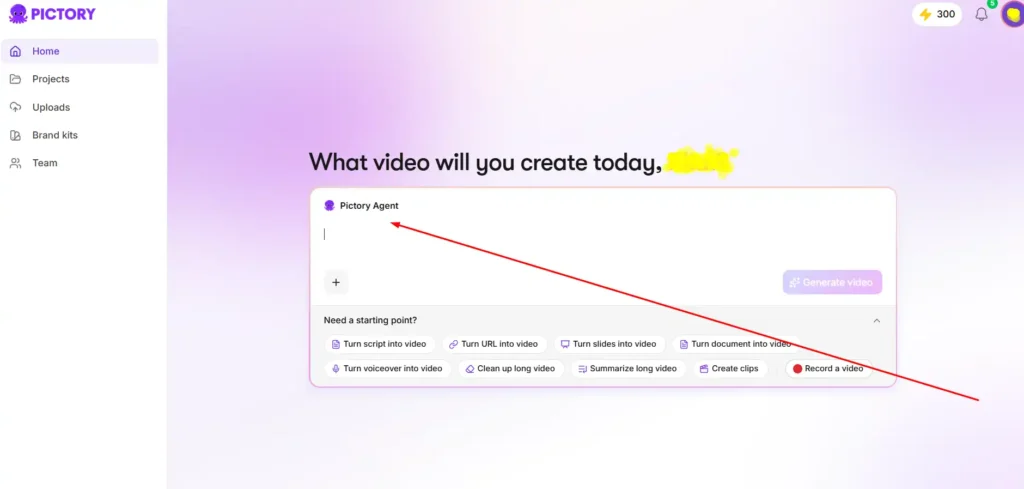
Pictory’s workflow follows four steps, and you can change anything before downloading.
- Describe your video. Add the topic, audience, purpose, and length. You can also attach files or URLs as source material.
- Answer the setup questions. Choose a voiceover (AI voice or none), visual sources (stock or your uploads), aspect ratio, layout preset, and brand kit.
- Review the script and scenes. The agent drafts a script and scenes, and you correct the story before generating a preview.
- Refine and generate. Ask the agent for changes by chat, or open the editor. Then generate the final file and download it.
For social content, step two matters most. Choosing 9:16 at the start saves you from reformatting later.
Best Pictory AI Features for Social Media Videos
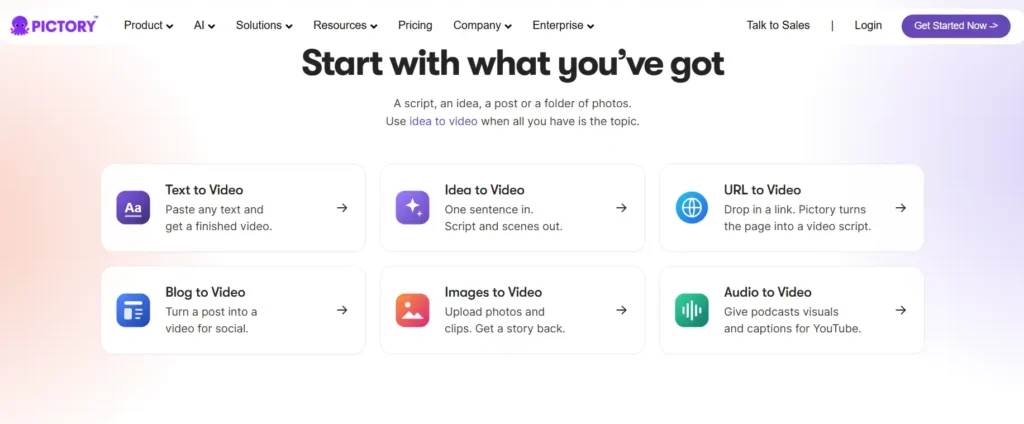
Text, Script and URL to Video for Social Content
Paste a script and Pictory gives each line a scene, a visual, a voice, and captions. You can also start from a one-line idea, a prompt, or a web page URL. This suits creators who know what they want to say but don’t want to source footage clip by clip.
Blog to Video and Long Video to Short Clips
Pictory lists blog post to video, auto-summarizing long videos, and video highlights among its features. That makes it practical for repurposing: an article, webinar, or podcast can become several short posts instead of one long upload.
[Internal link suggestion: How to repurpose blog content into short-form video]
Auto Captions and AI Voiceovers
Captions are generated automatically from your audio and can match your brand style. You can export them as .srt, .vtt, or txt files. Voiceovers use ElevenLabs AI voices in multiple languages, and Pictory also offers caption and voiceover translation. That helps if you post to audiences in more than one market.
Vertical 9:16 Export for Reels, Shorts and TikTok
Portrait 9:16 export is included on every plan, including the free trial. The paid plans export up to 1080p, while the trial caps at 720p.
Pictory 3 AI Video Agent and AI Studio for Social Media Videos
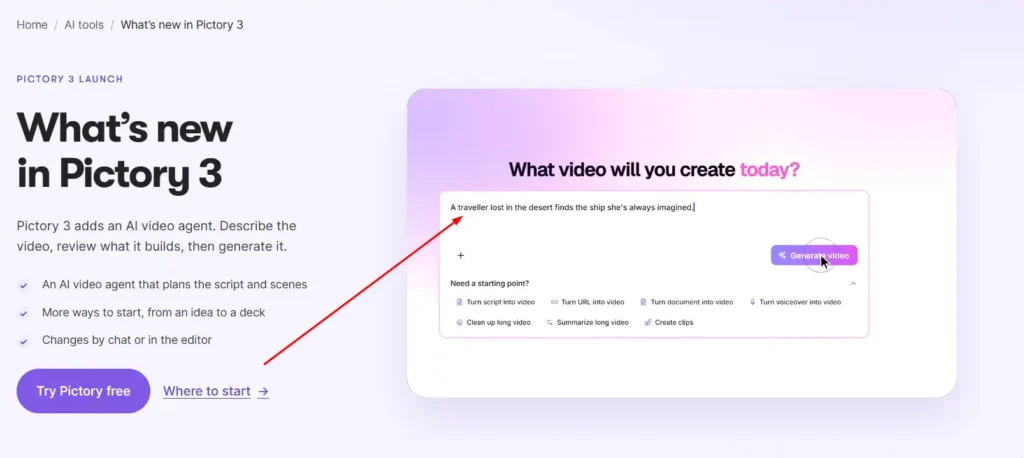
Pictory 3 is the company’s AI video agent experience. You describe the video, add sources, and answer a few questions. The agent prepares a script, scenes, and a preview. You then refine it by chat or in the editor.
AI Studio adds generative tools inside the editor. According to Pictory, you can:
- Generate and edit images from a prompt.
- Create video clips with sound.
- Extend an existing clip with a new prompt.
- Keep a character or product consistent across scenes using reference images.
- Generate up to four versions and keep the best.
- Apply your brand from a website, document, or logo.
For social teams, consistent characters and brand application are the most useful items. They help a series of posts look like it comes from the same account.
How to Create Instagram Reels, TikToks and YouTube Shorts With Pictory AI
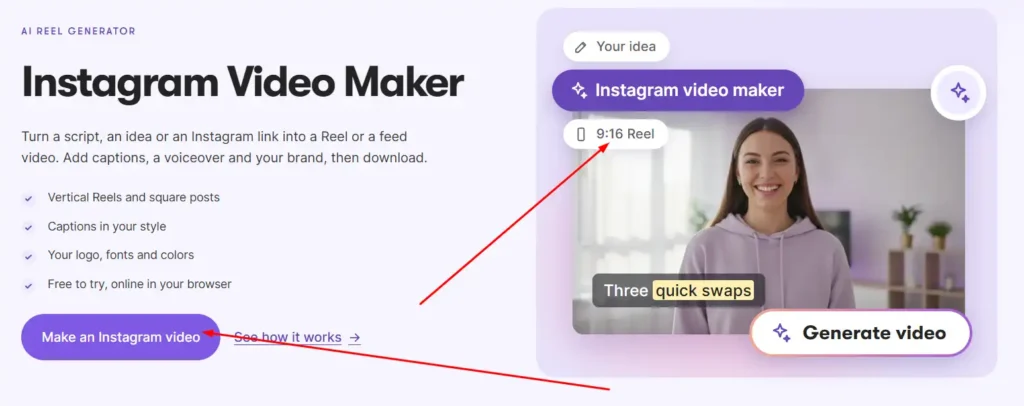
The basic process is the same for all three platforms. Only the length and style change.
- Start with a tight source. A 60 to 90 second script, a single blog section, or a one-line idea works better than a long document.
- Select 9:16 in the setup questions. All three platforms use vertical video.
- Pick your visuals. Use Getty and Storyblocks stock footage, upload your own clips, or generate visuals in AI Studio.
- Apply your brand kit. Add your logo, colors, and fonts so every post looks consistent.
- Check the captions. Many people watch with the sound off, so confirm the text is accurate and readable.
- Review each scene. Trim anything that doesn’t earn its place, then generate and download.
Pictory also lists dedicated Instagram, TikTok, LinkedIn, and YouTube Shorts video makers on its site. For LinkedIn, the same 1:1 or 9:16 export works for professional posts.
Pictory AI Pricing for Social Media Videos
Pictory uses a credit system. Credits are a shared pool across AI features such as video generation, images, avatars, and voices. Pricing is shown below as listed on Pictory’s pricing page at the time of writing, and Pictory may change plans and prices.
Pictory AI Free Trial: What You Get
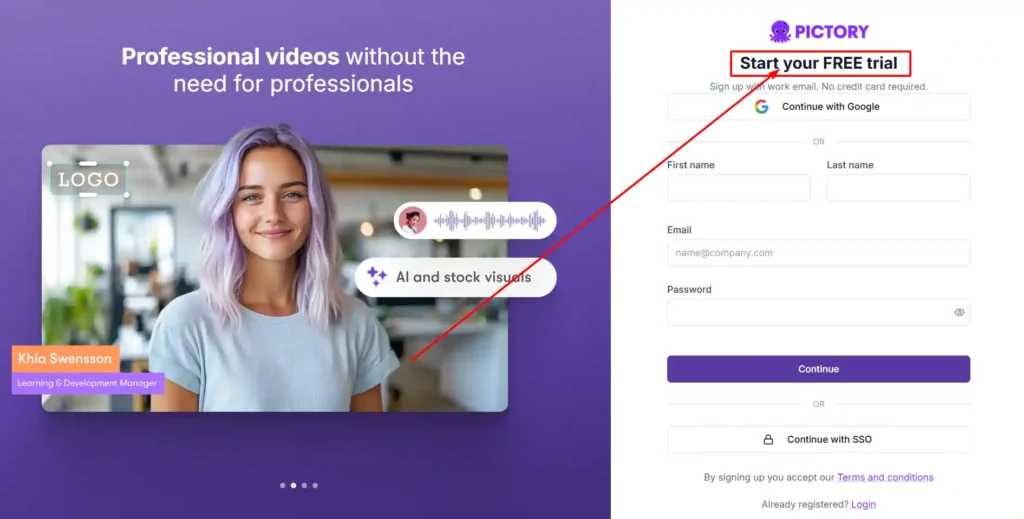
The free trial includes 300 credits, and Pictory states that no credit card is required. Its limits are:
- Up to 3 videos.
- Videos up to 5 minutes long.
- Exports at 720p.
- Pictory branding on exported videos.
- 500 MB of storage.
The watermark and 720p cap mean the trial is best for testing the workflow, not for publishing finished posts.
Starter vs Professional vs Teams Plans
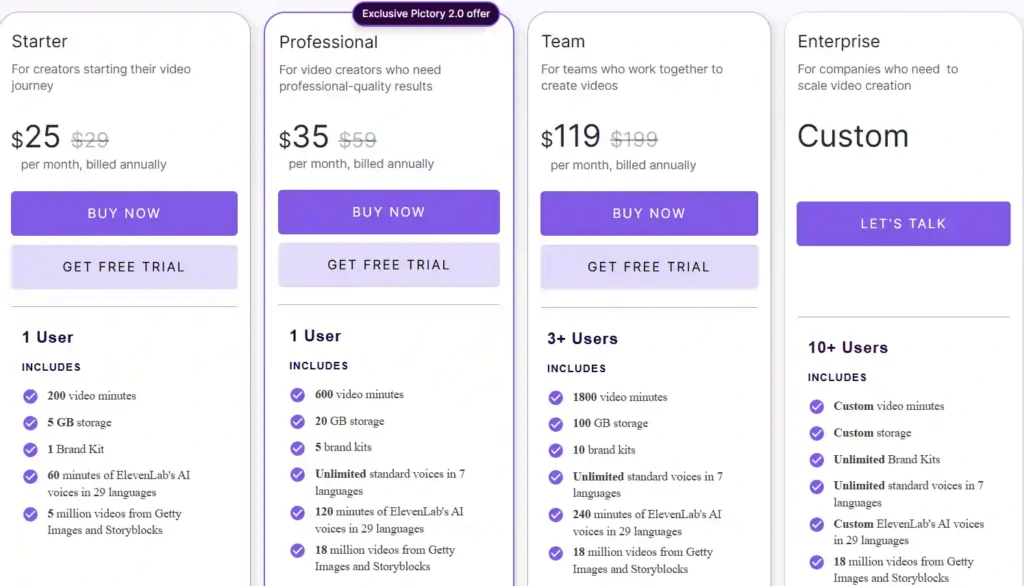
| Plan | Monthly billing | Annual billing (per month) | Credits | Key extras |
|---|---|---|---|---|
| Starter | $29 | $25 | 2,000 monthly / 24,000 annually | 1 brand kit, 1 user, stock avatars |
| Professional | $59 | $35 | 6,000 monthly / 72,000 annually | 5 brand kits, voice clones, cloned avatars, custom brand fonts |
| Teams | $199 | $119 | 18,000 monthly / 216,000 annually | 3+ users, shared brand assets, collaboration, 10 brand kits |
All paid plans include the AI video agent, scene editor, AI Studio, and ElevenLabs voices. Plans differ mainly in credits, users, brand kits, and storage. Annual billing grants all credits upfront.
Most solo creators and small businesses will compare Starter and Professional. Starter covers about 30 minutes of video per month on monthly billing. Professional covers about 90 minutes and adds more brand kits and voice and avatar options.
Is There a Pictory AI Coupon or Discount Code?
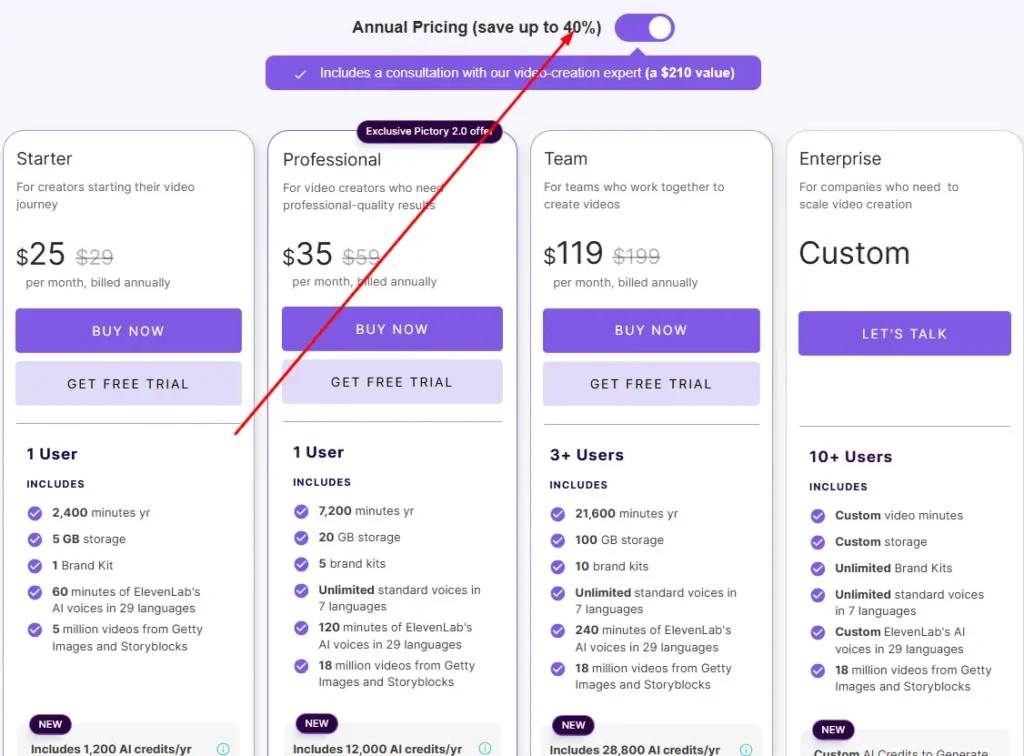
No specific coupon code is confirmed here. What Pictory does show is an annual-billing saving of up to 40% and a free trial. Annual plans also include a consultation with a video-creation expert, which Pictory values at $210. Pictory lists a non-profit discount question in its pricing FAQ, so non-profits can ask the team directly.
Who Should Use Pictory AI for Social Media Videos?
Pictory is likely to suit:
- Content creators and bloggers who want to turn articles and scripts into short clips.
- Small businesses and marketers who need regular posts without a video team.
- Agencies and in-house teams that need shared brand kits and consistent output.
- Faceless channels that rely on stock footage, AI voices, or avatars.
It may be less suitable if you want to edit footage frame by frame, rely on on-camera personality content, or need a very small budget with no watermark.
Pictory AI for Social Media Videos: Pros and Cons
Pros
- Starts from a script, blog post, URL, or one-line idea.
- Includes 9:16, 1:1, and 16:9 exports on every plan.
- Automatic captions with subtitle file export.
- Large stock library, AI voices, and avatars.
- Brand kits for consistent posts.
Cons
- Free trial videos carry a Pictory watermark and export at 720p.
- Credits can run out quickly if you generate a lot of AI video clips.
- Starter has a limited monthly allowance for frequent posters.
- Templates and stock footage may look similar to other accounts unless you customize them.
Pictory AI Alternatives for Social Media Videos
Several tools overlap with Pictory. The right one depends on whether you want automation, design control, or voice-led video.
Pictory AI vs InVideo AI for Social Media
Both tools turn text prompts into videos. Pictory leans toward script, blog, and long-video repurposing with a scene editor and brand kits. InVideo AI is a direct competitor, and Pictory itself publishes comparison pages for it. Test the same script in both free options and compare caption quality, stock footage relevance, and export limits.
Pictory AI vs Canva, Lumen5 and Fliki
- Canva is a general design platform with a video editor. It is a strong choice if you want full design control and already make graphics there.
- Lumen5 focuses on turning articles into videos, so it overlaps with Pictory’s blog-to-video feature.
- Fliki centers on text-to-video with AI voices, which suits voice-led and faceless content.
Pictory AI for Social Media Videos: FAQs
Is Pictory AI good for social media videos?
Yes, for repurposing and fast production. It supports vertical export, captions, branding, and AI voices. It is less suited to detailed manual editing.
Can Pictory AI create Instagram Reels and TikToks?
Yes. Choose the 9:16 portrait format, which Pictory says is built for Reels, Shorts, and TikTok.
Is Pictory AI free to use?
Not fully. A free trial gives 300 credits with no credit card required, but videos carry Pictory branding and export at 720p. Ongoing use needs a paid plan.
How much does Pictory AI cost per month?
Pictory’s pricing page lists Starter at $29 per month billed monthly, or $25 per month billed annually. Professional is $59 monthly or $35 annually. Teams is $199 monthly or $119 annually. Enterprise pricing is custom.
Can I use Pictory AI videos commercially?
Pictory’s plans include royalty-free stock from Getty and Storyblocks, and its pricing FAQ covers royalties for visuals and music. Read Pictory’s terms of service for the exact rules on your use case.
Final Verdict
Pictory AI is a good fit if you want to turn scripts, blogs, and longer content into branded short videos without filming or heavy editing. Vertical export, auto captions, and brand kits cover the main social needs.
Start with the free trial to test one real script. If the output fits your style, Starter suits light posting and Professional suits regular use. If you need deep manual control, compare Canva or other alternatives first.