Running a faceless YouTube channel means handling scripts, voiceovers, visuals, and editing without ever appearing on camera — and doing all of it manually eats up hours you could spend growing the channel. AI tools for faceless YouTube channels solve this by automating the parts of production that used to require a full team.
This matters because the tools you pick directly affect how fast you can publish and how professional your videos look. Some focus on voice generation, others on turning scripts into finished video, and a few handle both.
Below are five options worth knowing, based on what each one actually does well and where creators tend to run into limitations.
What Are AI Tools for Faceless YouTube Channels?
AI tools for faceless YouTube channels are software platforms that handle the parts of video production you’d normally need a camera, a voice, or an editing team for. Instead of filming yourself, you use AI to write the script, generate a voiceover, and turn that script into a finished video with stock footage, animations, or an AI avatar.
The goal is simple: let you publish consistently without showing your face or spending hours in an editing timeline.
Most creators don’t rely on a single tool. Instead, they combine a few — one for scripting, one for voice, one for assembling the final video — into a workflow that fits their niche and upload schedule.
How These Tools Fit Into a Faceless YouTube Workflow
A typical faceless YouTube workflow breaks down into four stages, and different AI tools specialize in each one:
- Script generation – AI writes or outlines the video script based on a topic or keyword.
- Voiceover creation – AI converts that script into natural-sounding narration.
- Video assembly – AI pairs the voiceover with stock footage, images, or animated visuals.
- Editing and polish – Captions, transitions, and thumbnails get added, either automatically or with light manual editing.
Some platforms handle two or three of these stages in one place. Others are built to do just one stage extremely well, which is why many creators mix and match tools rather than relying on an all-in-one solution.
How We Chose the Best AI Tools for Faceless YouTube Channels
Not every AI video tool is built with faceless creators in mind. Some are designed for corporate training videos or social media ads, and they don’t hold up well for long-form YouTube content. To narrow this list down, we looked at how each tool performs specifically for the way faceless channels actually operate — daily or weekly uploads, narration-driven content, and a need for visuals that don’t feel repetitive after the tenth video.
What to Look for Before Picking an AI Tool for Your Channel
Before you commit to a tool, it helps to check it against a few practical factors:
- Voice quality – Does the narration sound natural, or robotic after a few sentences?
- Output originality – Does the tool generate unique visuals, or reuse the same stock clips other channels use?
- Workflow speed – How long does it take to go from a topic idea to a publish-ready video?
- Pricing structure – Is there a free plan or trial, and does the paid tier match your upload volume?
- Commercial usage rights – Can you legally monetize videos made with the tool’s voices and visuals?
- Learning curve – Can you start using it the same day, or does it require a setup process?
These factors matter more than flashy features, since a tool that looks impressive in a demo but slows down your actual workflow isn’t the right fit for a channel that needs to publish consistently.
| Tool | Best For | Key Strength | Starting Price |
|---|---|---|---|
| Pictory AI | Script-to-video creators | Text-to-video automation | $25/month |
| OpenArt AI | Original visual creators | Multi-model video generation | $14/month |
| Akool | Avatar-driven channels | Face swap & avatars | $12/month |
| invideo | Story-driven series | Agent memory consistency | $17/month |
| ElevenLabs | Voice-first narration | Ultra-realistic AI voices | Free plan |
1. Pictory AI – AI Video Generator for Faceless YouTube Channels

If you’ve ever wanted to publish YouTube videos without stepping in front of a camera, Pictory AI turns that idea into reality. This tool takes your scripts, blog posts, ideas, or even a simple URL and transforms them into polished, ready-to-publish videos — complete with AI voiceovers, captions, and stock visuals.
Creators across the US, UK, Canada, and Japan are already using Pictory AI to grow faceless channels faster, without hiring editors or learning complicated software. Whether you’re just starting out or scaling a content business, this tool makes video creation feel simple, fast, and genuinely exciting.
Pictory AI Coupon: Get 20% Off Now
Use code CABF20 at checkout to unlock 20% off your Pictory AI subscription plan today.
Key Features:
- Text-to-Video Engine: Converts scripts, blogs, or ideas into fully edited videos within minutes automatically.
- AI Voiceovers: Realistic ElevenLabs-powered narration available in 29 languages for natural-sounding videos.
- AI Avatars: Adds presenter-style avatars to narrate your content without ever appearing on camera.
- Stock Media Library: Access millions of Getty Images and Storyblocks clips for unique, professional visuals.
Pricing Plans: Starts at $25/month (Starter), $35/month (Professional), $119/month (Team), billed annually, with a 14-day free trial available.
Best For: Solo creators, YouTubers, and small teams building faceless channels who want fast, editor-free video production.
Ratings: 4.7/5 ★ (G2)
Limitations:
- Free trial videos are capped at just 5 minutes maximum length.
- Custom avatars are limited to two per user on paid plans.
Why Pick Pictory AI: It combines scripting, voiceover, and video assembly in one platform, making it ideal for creators who want speed without sacrificing quality.
Our Experience: Testing Pictory AI felt refreshingly simple — pasting in a script and watching it turn into a scene-by-scene video with captions and voiceover took minutes, not hours, which matches what many verified users report about cutting production time significantly.
2. OpenArt AI
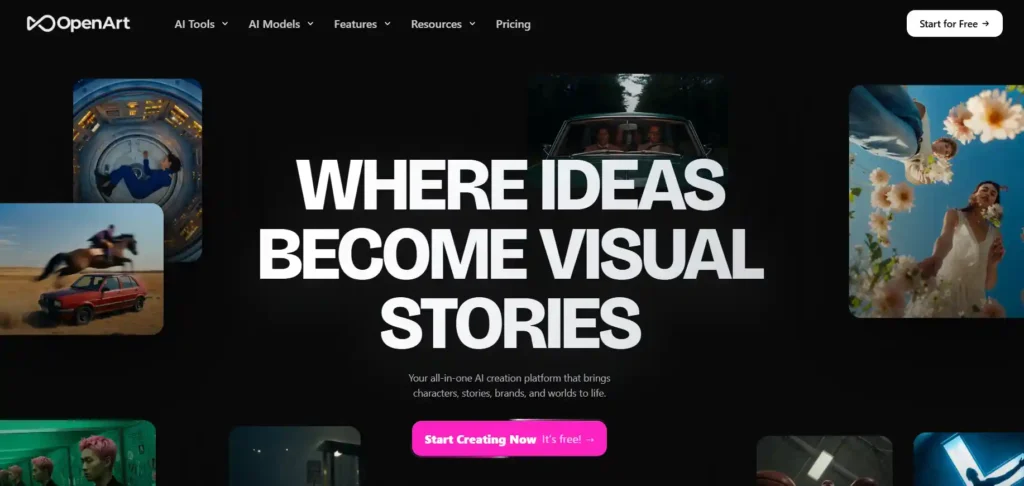
If your faceless channel needs original visuals instead of the same recycled stock clips everyone else uses, OpenArt AI gives you a real edge. This all-in-one platform generates videos, images, characters, and voiceovers from a single prompt, so your content stands out instead of blending into the crowd.
Creators across the US, UK, Canada, and Japan are turning to OpenArt AI to build channels with consistent characters, cinematic visuals, and studio-grade motion — without touching a camera. Whether you’re making explainer videos, story-driven content, or short-form clips, this tool makes creation feel exciting, fast, and genuinely fun to explore.
OpenArt AI Coupon: Save 15% Instantly
Use code NISHA15 at checkout to get 15% off any OpenArt AI subscription plan today.
Key Features:
- AI Character Builder: Creates consistent characters reusable across every video for strong brand recognition.
- Multi-Model Video Generation: Access Veo 3.1, Sora 2, Kling 3.0 for varied cinematic styles.
- AI Voice & Audio: Generates voiceovers in 30+ languages with lip-sync and music scoring.
- Smart Shot Tool: Turns one prompt into 3-5 cinematic cuts with varied camera angles.
Pricing Plans: Starts at $14/month (Starter), $34/month (Plus), $56/month (Pro), $240/month (Wonder), with up to 27% off annually.
Best For: Creators wanting original, character-driven visuals instead of generic stock-footage-based faceless videos.
Ratings: 4.6/5 ★ (Trustpilot)
Limitations:
- Lower-tier plans limit video generations, requiring upgrades for heavy publishers.
- Learning the full feature set takes time before mastering results.
Why Pick OpenArt AI: It combines multiple top AI video models in one platform, giving creators variety, consistency, and true creative control.
Our Experience: Using OpenArt AI to build a consistent character across scenes felt surprisingly smooth, and switching between Veo, Sora, and Kling models let us compare styles quickly, which matches what many Trustpilot reviewers highlight about its creative flexibility.
3. Akool
Building a faceless channel often means finding a way to add personality without ever showing your own face — and that’s exactly where Akool shines. This platform specializes in AI avatars, face swap, and voice cloning, letting you create a consistent on-screen presence for your channel that feels human, polished, and recognizable to your audience.
Backed by strong industry recognition and used by millions of creators and brands worldwide, Akool makes it easy to produce avatar-led videos that feel professional from the very first upload. Whether you’re launching an explainer series, a story-driven channel, or multilingual content for global viewers, this tool turns what used to require a studio into something you can do from a laptop.
Key Features:
- Streaming & Talking Avatars: Realistic AI presenters narrate your script with natural expressions instantly.
- Voice Cloning: Clone or select AI voices for consistent narration across every video.
- Video Translation: Auto-translate videos into 155+ languages with accurate lip-sync.
- Face Swap Technology: Seamlessly swap faces with natural blending for creative content.
Pricing Plans: Starts at $12/month (Starter), $21/month (Pro), $41.30/month (Pro Max), $174.30/month (Business), billed annually.
Best For: Creators who want avatar-driven or multilingual faceless videos with a consistent presenter identity.
Ratings: 4.8/5 ★ (G2)
Limitations:
- Starter plan restricts video length and access to premium models.
- Higher resolutions and longer videos require upgrading to paid tiers.
Why Pick Akool: It blends avatars, voice cloning, and translation into one platform, ideal for scaling personality-driven faceless content.
Our Experience: Generating a talking avatar video felt remarkably quick, and switching between voice and language options showed just how flexible the workflow really is for multilingual, avatar-based storytelling.
4. invideo – AI Video Generator for Faceless YouTube Channels
Managing a faceless channel gets messy fast when you’re regenerating clips just to change a backdrop or costume, or trying to keep a character consistent across dozens of videos. invideo solves this with AI agents that remember your project’s full context, so every shot stays consistent without you repeating instructions or babysitting the tool.
Built for creators who want to think like directors rather than prompt engineers, invideo turns scripts into shot-by-shot storyboards, then lets you tweak locations, characters, or lighting across multiple clips at once. It’s a genuinely refreshing way to produce faceless content that feels cinematic instead of repetitive, and it keeps your creative energy focused on the story rather than the technical grind.
Key Features:
- Agent Memory: Stores project context so every clip stays visually and stylistically consistent.
- Multi-Shot Editing: Update location, character, or costume across several shots simultaneously and instantly.
- Storyboarding Tool: Converts scripts into shot-by-shot plans before generating final video.
- AI Avatars & Voice Clones: Access multiple avatars and cloned voices for consistent narration.
Pricing Plans: Starts at $17/month (Plus), $85/month (Max), $170/month (Generative), $900/month (Elite), billed annually with 15% off.
Best For: Creators producing narrative-driven or series-style faceless content needing shot consistency.
Ratings: Not publicly listed on major review platforms at this time.
Limitations:
- Entry-level plan offers limited AI avatars and generation concurrency.
- Credits don’t roll over, requiring monthly usage planning.
Why Pick invideo: It combines agent memory, storyboarding, and multi-model access, ideal for consistent, story-driven faceless production.
Our Experience: Testing invideo’s shot consistency features felt like directing rather than prompting, and adjusting a scene’s lighting across multiple clips at once saved noticeable time compared to regenerating each shot individually.
5. ElevenLabs – AI Voice Generator for Faceless YouTube Channels

Narration is the heart of any faceless channel, and nothing breaks immersion faster than a voice that sounds flat or robotic. ElevenLabs solves this with ultra-realistic AI speech that captures tone, emotion, and pacing across 70+ languages, making your videos feel genuinely narrated rather than machine-read.
Trusted by major global brands and used by creators everywhere, ElevenLabs goes beyond simple text-to-speech, offering voice cloning, dubbing, sound effects, and even music generation, all inside one platform. Whether you’re building a storytelling channel, a news-style series, or educational content, this tool gives your videos a voice that actually sounds like it belongs to someone real.
Key Features:
- Ultra-Realistic Speech: Generates expressive, controllable narration with emotional nuance across languages.
- Instant & Professional Voice Cloning: Clone your own voice for consistent branded narration everywhere.
- Dubbing v2: Preserves original speaker emotion and performance across every translated language.
- AI Music & Sound Effects: Creates studio-quality background music and custom sound effects instantly.
Pricing Plans: Free plan available; paid tiers start at $6/month (Starter), $11/month (Creator), $99/month (Pro), scaling to Business.
Best For: Creators who prioritize natural-sounding narration, voice cloning, or multilingual dubbing.
Ratings: Independently rated among the leading text-to-speech models available.
Limitations:
- Free plan offers limited monthly credits, restricting longer-form content production.
- Professional voice cloning requires upgrading beyond the entry-level Starter plan.
Why Pick ElevenLabs: It delivers the most natural-sounding AI narration available, making it essential for voice-driven faceless content.
Our Experience: Testing the voice cloning feature felt uncannily accurate, and generating narration with subtle emotional cues made scripts sound genuinely performed rather than robotically read aloud.
Best Niches for Faceless YouTube Channels Using AI Tools
Not every niche performs equally well without a face on camera. The strongest faceless channels tend to rely on narration, information, or storytelling rather than personal connection, which is exactly where AI tools excel.
Finance and investing content works well because viewers want clear explanations, not personality-driven advice. True crime and mystery channels thrive on narration-heavy storytelling, letting AI voiceovers carry the tension without needing a visible host. Motivational and self-improvement channels perform consistently because the content is evergreen and easy to pair with stock footage and calm narration.
History and educational channels also do well, since AI tools can pull together maps, archival-style visuals, and narration to explain complex topics clearly. Tech and AI explainer channels are growing fast too, as audiences want quick, digestible breakdowns of tools and trends, content that AI scriptwriting and voiceover tools are especially good at producing efficiently.
Is It Legal and Safe to Use AI Tools for Faceless YouTube Channels?
Yes, using AI tools to create faceless YouTube content is legal. YouTube allows AI-generated videos, and its policies focus on originality and value rather than how a video was produced. What matters is that your content isn’t repetitive, low-effort, or misleading to viewers.
That said, a few practical safety points are worth keeping in mind. Always check that the AI tool you’re using grants commercial usage rights for its voices, visuals, and avatars, since some free or lower-tier plans restrict monetized use. Avoid using cloned voices or likenesses of real people without permission, as this can raise both legal and platform-policy concerns. Stick to licensed stock footage, AI-generated visuals, or footage you own to steer clear of copyright issues.
As long as your videos add genuine value and use tools within their licensing terms, running a faceless YouTube channel with AI is a safe, sustainable, and increasingly common approach to content creation.
FAQs About AI Tools for Faceless YouTube Channels
What is the best AI tool for a faceless YouTube channel?
There’s no single best tool. Pictory suits script-to-video creation, ElevenLabs excels at voiceovers, and Akool works well for avatar-driven content.
Are AI tools for faceless YouTube channels free?
Most offer free trials or limited free plans, but full features like commercial usage rights, longer videos, and premium voices typically require a paid subscription.
Does YouTube penalize faceless channels made with AI tools?
No, YouTube allows AI-generated content. Its policies focus on originality and viewer value, not the production method or whether a creator appears on camera.
How long does it take to grow a faceless YouTube channel?
Most channels reach monetization eligibility, 1,000 subscribers and 4,000 watch hours, within 3 to 6 months with consistent, high-quality uploads.
What is the best niche for a faceless YouTube channel?
Finance, true crime, motivation, history, and tech explainers perform well since they rely on narration and storytelling rather than personal presence.
Can you make money with a faceless YouTube channel using AI?
Yes, faceless channels can earn through ad revenue, sponsorships, and affiliate marketing once monetized, provided content stays original and valuable to viewers.
Is it safe to use AI voice cloning for YouTube videos?
Yes, if you use your own cloned voice or licensed voices with proper commercial rights. Avoid cloning real people without their explicit consent.
Nisha’s Take
Building a faceless YouTube channel no longer means learning video editing or investing in expensive gear. The right mix of AI tools, whether for scripting, voiceovers, or video assembly, can take you from idea to published video in a fraction of the time it used to take.
Start small, pick one or two tools from this list, and get comfortable with your workflow before scaling up. Consistency matters more than perfection here.
Ready to launch your channel? Try one of the tools above today, and start publishing your first faceless video this week.